Page 129 of 408
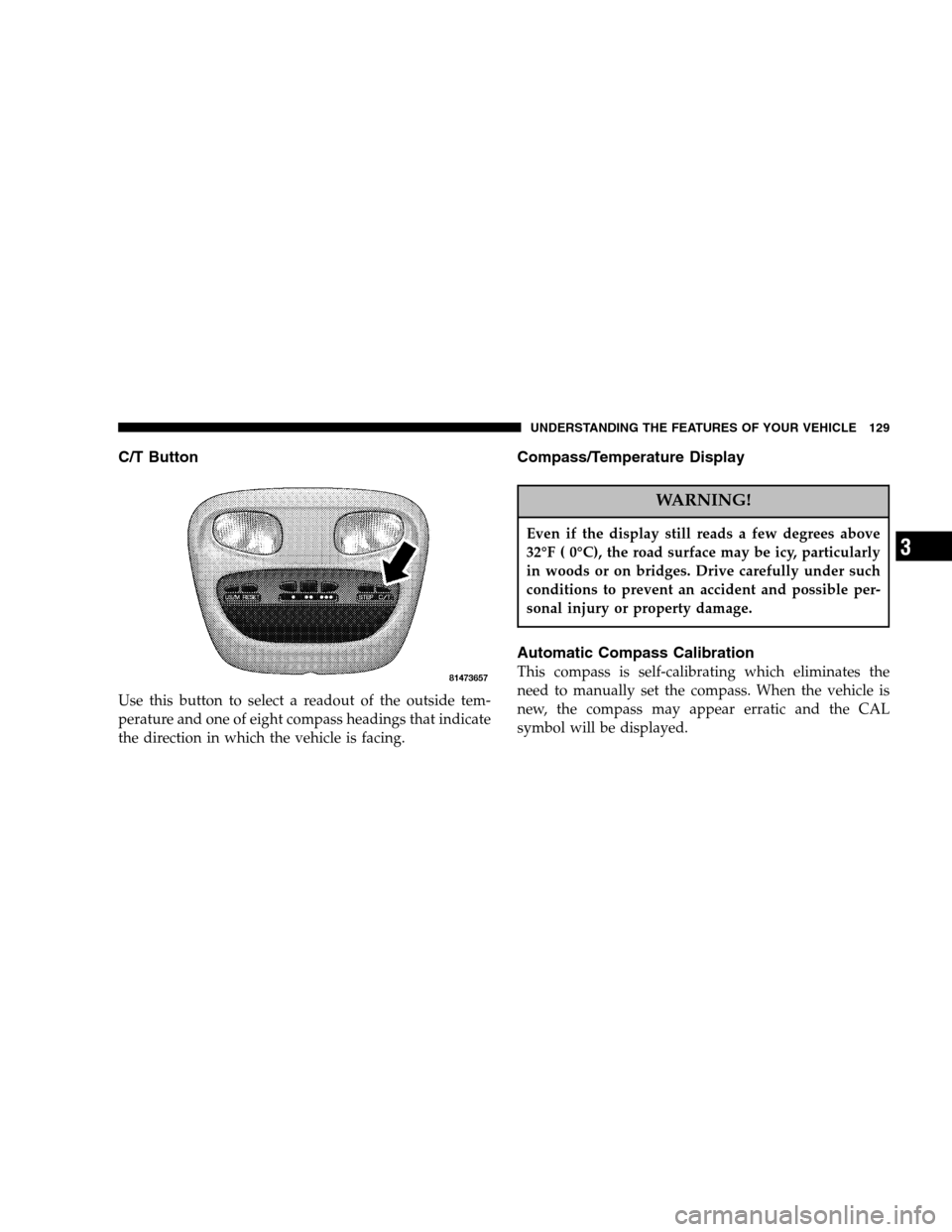
C/T Button
Use this button to select a readout of the outside tem-
perature and one of eight compass headings that indicate
the direction in which the vehicle is facing.
Compass/Temperature Display
WARNING!
Even if the display still reads a few degrees above
32°F ( 0°C), the road surface may be icy, particularly
in woods or on bridges. Drive carefully under such
conditions to prevent an accident and possible per-
sonal injury or property damage.
Automatic Compass Calibration
This compass is self-calibrating which eliminates the
need to manually set the compass. When the vehicle is
new, the compass may appear erratic and the CAL
symbol will be displayed.
UNDERSTANDING THE FEATURES OF YOUR VEHICLE 129
3
Page 130 of 408

After completing one 360° turn, with the vehicle traveling
less than 5 mph (8 km/h), in an area free from large metal
or metallic objects, the CAL symbol will turn off and the
compass will function normally.
Manual Compass Calibration
NOTE: To ensure proper compass calibration, make
sure the compass variance is properly set before manu-
ally calibrating the compass.
If the compass appears erratic and the CAL symbol does
not appear, you must manually put the compass into the
“Calibration” mode.
To Put Into a Calibration Mode
Turn on the ignition and set the display to “Compass/
Temperature.” Press and hold the RESET button to
change the display between VAR (compass variance) and
CAL (compass calibration) modes. When the CAL sym-
bol is displayed complete one 360 degree turn in an area free from large metal objects or power lines. The CAL
symbol will turn off and the compass will function
normally.
Compass Variance
is the difference between magnetic
north and geographic north. In some areas of the country,
the difference between magnetic and geographic north is
great enough to cause the compass to give false readings.
If this occurs, the compass variance must be set according
to the Compass Variance Map.
130 UNDERSTANDING THE FEATURES OF YOUR VEHICLE
Page 131 of 408
To set the variance: Turn the ignition ON and set the
display to “Compass/Temperature.” Press and hold the
RESET button approximately five seconds. The last vari-
ance zone number will be displayed. Press the STEP
button to select the new variance zone and press the
RESET button to resume normal operation.
Outside Temperature
Because the ambient temperature sensor is located un-
derhood, engine temperature can influence the displayed
temperature, therefore, temperature readings are slowly
updated when the vehicle speed is below 20 mph (30
km/h) or during stop and go driving.
Compass Variance Map
UNDERSTANDING THE FEATURES OF YOUR VEHICLE 131
3
Page 155 of 408

12. ABS Warning Light This light monitors the Anti-Lock Brake System
which is described elsewhere in this manual.
This light will come on when the ignition key is
turned to the ON position and may stay on for
approximately 3 seconds. If this light remains on or
comes on during driving, it indicates that the Anti-Lock
portion of the brake system is not functioning and that
service is required. See your authorized dealer immedi-
ately.
13. Engine Oil Pressure Indicator Light This light indicates that the engine oil pressure has
become too low. For a bulb check, this light will
come on momentarily when the ignition is turned On. If
the light turns on while driving, stop the vehicle and shut
off the engine as soon as possible. Immediate service
should be obtained. 14. Tachometer
This gauge measures engine revolutions-per-minute
(rpm x 1000).
15. Gear Selector
The electronic gear selector display is self-contained
within the instrument cluster. It displays the position of
the automatic transmission shift lever, and the relation of
each position to all other positions. For a good signal the
display will place a box around the selected transmission
range (PRND21). If the PRNDL displays only the char-
acters PRND21 (no boxes), have the system checked by
an authorized dealer.
16. Trip Odometer
The trip odometer shows individual trip mileage. To
toggle between the odometer and the trip odometer,
press the Odometer/Trip Odometer Button. To reset the
Trip Odometer, press and hold the button while in trip
mode, until the Trip Odometer resets.
INSTRUMENT PANEL AND CONTROLS 155
4
Page 156 of 408

If the vehicle diagnostic system determines that the fuel
filler cap is loose, improperly installed, or damaged,
GASCAP will be displayed in the instrument cluster.
Tighten the fuel filler cap properly and press the odom-
eter reset button to turn the GASCAP message off. If the
problem continues, the message will appear the next time
the vehicle is started.
17. Odometer
The odometer shows the total distance the vehicle has
been driven.
U.S. federal regulations require that upon transfer of
vehicle ownership, the seller certify to the purchaser the
correct mileage that the vehicle has been driven. There-
fore, if the odometer reading is changed during repair or
replacement, be sure to keep a record of the reading
before and after the service so that the correct mileage can
be determined. 18. Transmission Temperature Indicator
This light indicates that there is excessive trans-
mission fluid temperature that might occur
with severe usage such as trailer towing. If this
light comes on, stop the vehicle and run the
engine at idle or faster, with the transmission in NEU-
TRAL until the light goes off.
19. Does not Apply
This indicator is not available.
20. Door Ajar
The Door Ajar light will illuminate when the ignition is
ON and any one of the passenger doors are opened.
NOTE: A chime will sound if the vehicle is rolling and
a door has been opened.
21. BRAKE System Warning Light
This light will light when the ignition key is turned to the
ON position and will remain on for a few seconds. If the
156 INSTRUMENT PANEL AND CONTROLS
Page 159 of 408

30. 4LOCK Indicator
Indicates transfer case is in 4LOCK position.
31. Odometer/Trip Odometer Button
Press this button to toggle between the odometer and the
trip odometer display. Holding the button in resets the
trip odometer reading.
RADIO RECEPTION INFORMATION
AM Reception
AM radio signals usually travel longer distances than FM
signals, especially at night. These longer distance AM
signals can cause AM stations to interfere with one
another. Noise from storms and power lines can also
interfere with AM reception. Reducing the treble can
reduce some of the noise.
FM Reception
FM Stereo signals produce better sound quality than AM
signals. However, FM signals will only travel approxi-
mately 10 to 40 miles (16 to 64 km). Tall structures or hills
can cause interference with FM signals causing the sound
to cut out.
ELECTRONIC DIGITAL CLOCK
The clock and radio each use the display panel built into
the radio. A digital readout shows the frequency and/or
time in hours and minutes (depending on your radio
model) whenever the ignition switch is in the “ON” or
“ACC” position.
When the ignition switch is in the “OFF” position, or
when the radio frequency is being displayed, time keep-
ing is accurately maintained.
On the AM/FM/CD (6-disc) radio the time button alter-
nates the location of the time and frequency on the
INSTRUMENT PANEL AND CONTROLS 159
4
Page 160 of 408
display. On the AM/FM/CD (single-disc) radio only one
of the two, time or frequency is displayed.
Clock Setting Procedure
1. Press and hold the time button until the hours blink.
2. Adjust the hours by turning the right side Tune /
Audio control.
3. After the hours are adjusted, press the right side Tune
/ Audio control to set the minutes.
4. Adjust the minutes using the right side Tune / Audio
control.
5. To exit, press any button/knob or wait approximately
5 seconds.
SALES CODE REF — AM/FM/CD (SINGLE DISC)
RADIO WITH OPTIONAL SATELLITE RADIO AND
HANDS FREE PHONE CAPABILITY
NOTE: The radio sales code is located on the lower right
side of your radio faceplate.
REF Radio
160 INSTRUMENT PANEL AND CONTROLS
Page 161 of 408

Operating Instructions - Radio Mode
NOTE:The ignition switch must be in the ON or ACC
position to operate the radio.
Power Switch/Volume Control (Rotary)
Press the ON/VOL control to turn the radio ON. Press
the ON/VOL a second time to turn OFF the radio.
Electronic Volume Control
The electronic volume control turns continuously (360
degrees) in either direction without stopping. Turning the
volume control to the right increases the volume and to
the left decreases it.
When the audio system is turned on, the sound will be
set at the same volume level as last played.
For your convenience, the volume can be turned down,
but not up, when the audio system is off and the ignition
is ON.
Mode Button (Radio Mode)
Press the mode button repeatedly to select between the
CD player or Satellite Radio (if equipped).
SEEK Button (Radio Mode)
Press and release the SEEK button to search for the next
listenable station in either AM/FM or Satellite (if
equipped) mode. Press the right side of the button to seek
up and the left side to seek down. The radio will remain
tuned to the new station until you make another selec-
tion. Holding the button will bypass stations without
stopping until you release it.
MUTE Button (Radio Mode)
Press the MUTE button to cancel the sound from the
speakers. �MUTE�will be displayed. Press the MUTE
button a second time and the sound from the speakers
will return. Rotating the volume control, turning the
radio ON/OFF, or turning ON/OFF the ignition, will
cancel the MUTE feature.
INSTRUMENT PANEL AND CONTROLS 161
4