2006 CHEVROLET TRAIL BLAZER wheel
[x] Cancel search: wheelPage 157 of 534
Passing Another Vehicle While Using
Cruise Control
Use the accelerator pedal to increase your speed.
When you take your foot off the pedal, your vehicle will
slow down to the cruise control speed you set earlier.
Using Cruise Control on Hills
How well your cruise control will work on hills depends
upon your speed, load and the steepness of the
hills. When going up steep hills, you may want to step
on the accelerator pedal to maintain your speed.
When going downhill, you may have to brake or shift to
a lower gear to keep your speed down. Of course,
applying the brake takes you out of cruise control. Many
drivers nd this to be too much trouble and don’t use
cruise control on steep hills.
Ending Cruise Control
There are three ways to turn off the cruise control:
Step lightly on the brake pedal.
Move the cruise switch to off, or
Shift the transmission to NEUTRAL (N).
Erasing Speed Memory
When you turn off the cruise control or the ignition, your
cruise control set speed memory is erased.
Headlamps
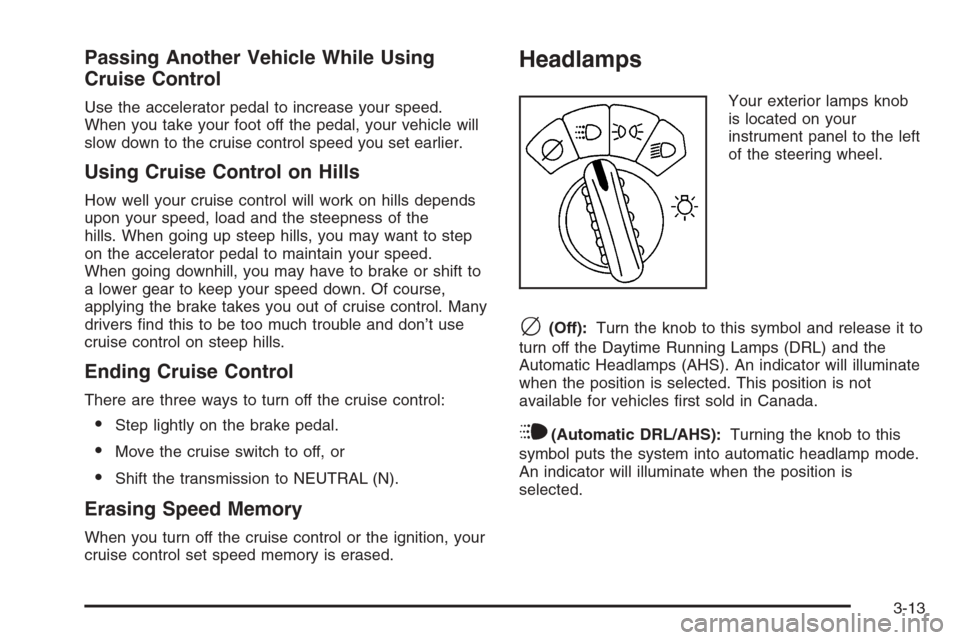
Your exterior lamps knob
is located on your
instrument panel to the left
of the steering wheel.
c(Off):Turn the knob to this symbol and release it to
turn off the Daytime Running Lamps (DRL) and the
Automatic Headlamps (AHS). An indicator will illuminate
when the position is selected. This position is not
available for vehicles rst sold in Canada.
i(Automatic DRL/AHS):Turning the knob to this
symbol puts the system into automatic headlamp mode.
An indicator will illuminate when the position is
selected.
3-13
Page 170 of 534
Outlet Adjustment
Use the air outlets located in the center and on the side
of your instrument panel to direct the airow.
Operation Tips
Keep the hood and front air inlets free of ice, snow,
or any other obstruction (such as leaves). The
heater and defroster will work better, reducing the
chance of fogging the inside of your windows.
When you enter a vehicle in cold weather, turn the
fan knob all the way to the right for a few moments
before driving. This helps clear the intake ducts
of snow and moisture, and reduces the chance of
fogging the inside of your window.
Keep the air path under the front seats clear of
objects. This helps air to circulate throughout
your vehicle.
Adding outside equipment to the front of your
vehicle, such as hood-air deectors, may affect the
performance of the heating and air conditioning
system. Check with your dealer before adding
equipment to the outside of your vehicle.
Rear Climate Control System
Regular Wheelbase
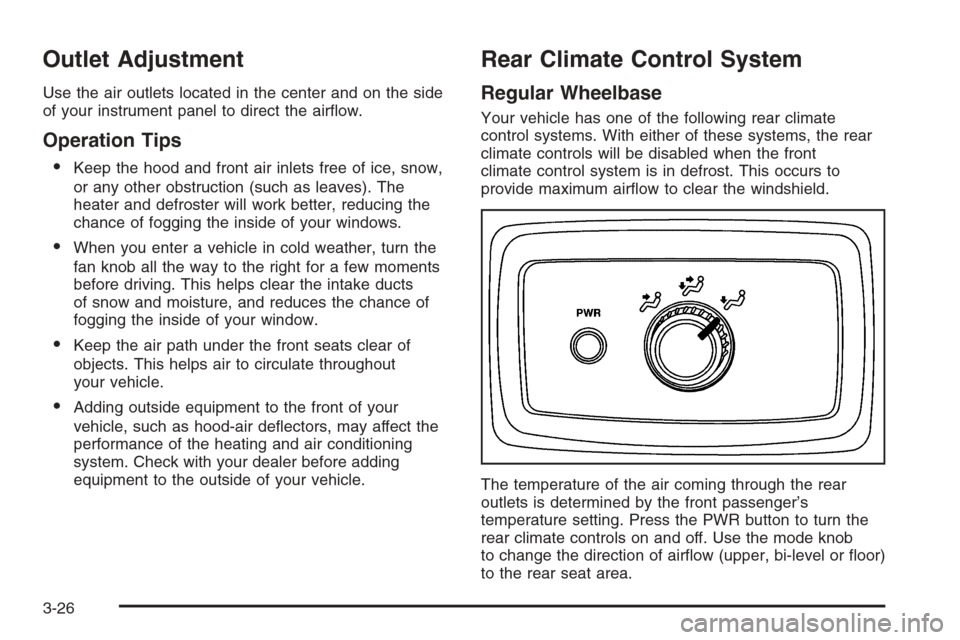
Your vehicle has one of the following rear climate
control systems. With either of these systems, the rear
climate controls will be disabled when the front
climate control system is in defrost. This occurs to
provide maximum airow to clear the windshield.
The temperature of the air coming through the rear
outlets is determined by the front passenger’s
temperature setting. Press the PWR button to turn the
rear climate controls on and off. Use the mode knob
to change the direction of airow (upper, bi-level or oor)
to the rear seat area.
3-26
Page 172 of 534
Extended Wheelbase
To operate the rear air conditioning system, the front air
conditioning system must be on. With the front air
conditioning system off, the rear system controls can
only be used to circulate air in the rear of the vehicle.
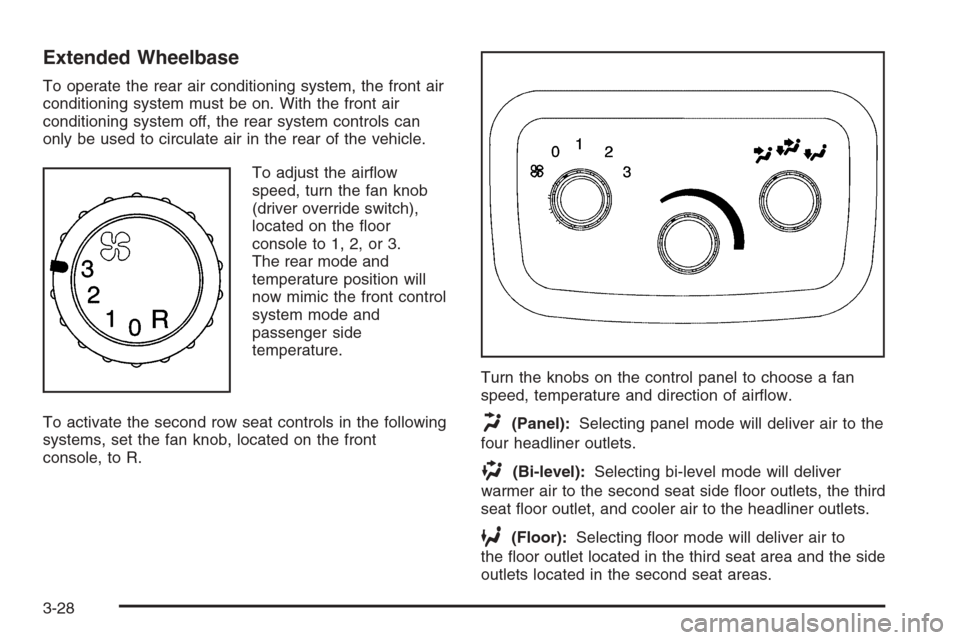
To adjust the airow
speed, turn the fan knob
(driver override switch),
located on the oor
console to 1, 2, or 3.
The rear mode and
temperature position will
now mimic the front control
system mode and
passenger side
temperature.
To activate the second row seat controls in the following
systems, set the fan knob, located on the front
console, to R.Turn the knobs on the control panel to choose a fan
speed, temperature and direction of airow.
H(Panel):Selecting panel mode will deliver air to the
four headliner outlets.
)(Bi-level):Selecting bi-level mode will deliver
warmer air to the second seat side oor outlets, the third
seat oor outlet, and cooler air to the headliner outlets.
6(Floor):Selecting oor mode will deliver air to
the oor outlet located in the third seat area and the side
outlets located in the second seat areas.
3-28
Page 192 of 534
Service All-Wheel Drive Light
(SS Model)
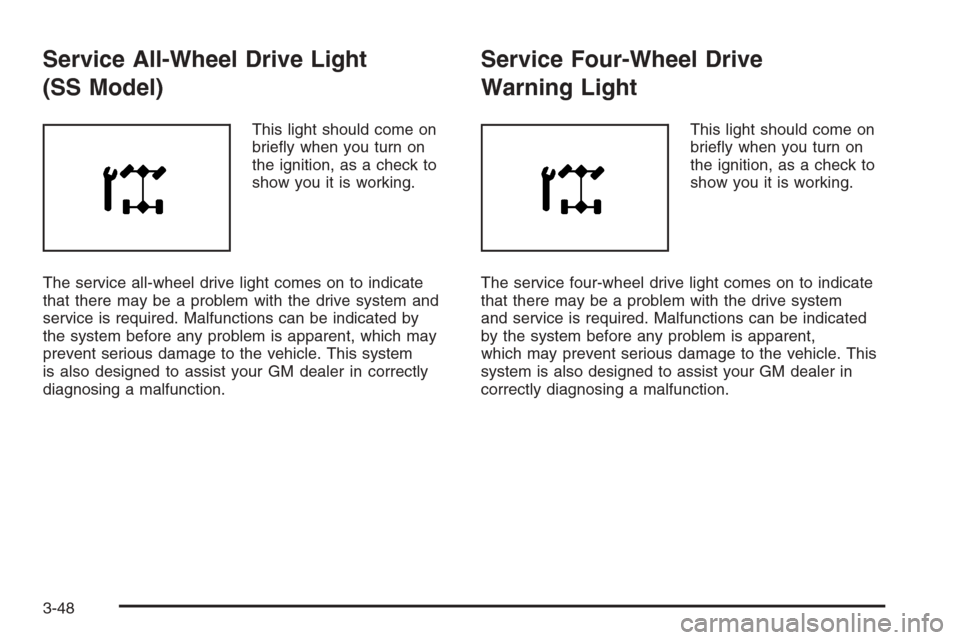
This light should come on
briey when you turn on
the ignition, as a check to
show you it is working.
The service all-wheel drive light comes on to indicate
that there may be a problem with the drive system and
service is required. Malfunctions can be indicated by
the system before any problem is apparent, which may
prevent serious damage to the vehicle. This system
is also designed to assist your GM dealer in correctly
diagnosing a malfunction.
Service Four-Wheel Drive
Warning Light
This light should come on
briey when you turn on
the ignition, as a check to
show you it is working.
The service four-wheel drive light comes on to indicate
that there may be a problem with the drive system
and service is required. Malfunctions can be indicated
by the system before any problem is apparent,
which may prevent serious damage to the vehicle. This
system is also designed to assist your GM dealer in
correctly diagnosing a malfunction.
3-48
Page 194 of 534
Here are four things that some owners ask about. None
of these show a problem with your fuel gage:
At the gas station, the gas pump shuts off before
the gage reads full.
It takes a little more or less fuel to ll up than the
gage indicated. For example, the gage may have
indicated the tank was half full, but it actually took a
little more or less than half the tank’s capacity to
ll the tank.
The gage moves a little when you turn a corner or
speed up.
The gage doesn’t go back to empty when you turn
off the ignition.
Low Fuel Warning Light
The light next to the fuel gage will come on briey when
you are starting the engine.
This light comes on when the fuel tank is low on fuel.
To turn it off, add fuel to the fuel tank.
Check Gas Cap Light
If equipped, this light will
come on if your gas cap is
not securely fastened.
SeeMalfunction Indicator Lamp on page 3-42for more
information.
Driver Information Center (DIC)
Your vehicle may have this feature. The Driver
Information Center (DIC) display is located on the
instrument panel cluster, below the speedometer. If your
vehicle has DIC buttons, they are located on the
steering wheel. The DIC can display information such
as the trip odometer, fuel economy, customization
features, and warning/status messages.
3-50
Page 195 of 534
If your vehicle does not have DIC steering wheel
buttons, you will not have all of the features listed.
Scroll through the odometer and trip odometer by
pressing the trip odometer reset stem located on the
instrument panel cluster. Turn off, or acknowledge, DIC
messages by pressing the trip odometer reset stem.
SeeSpeedometer and Odometer on page 3-32for
information on features for vehicles without DIC buttons.
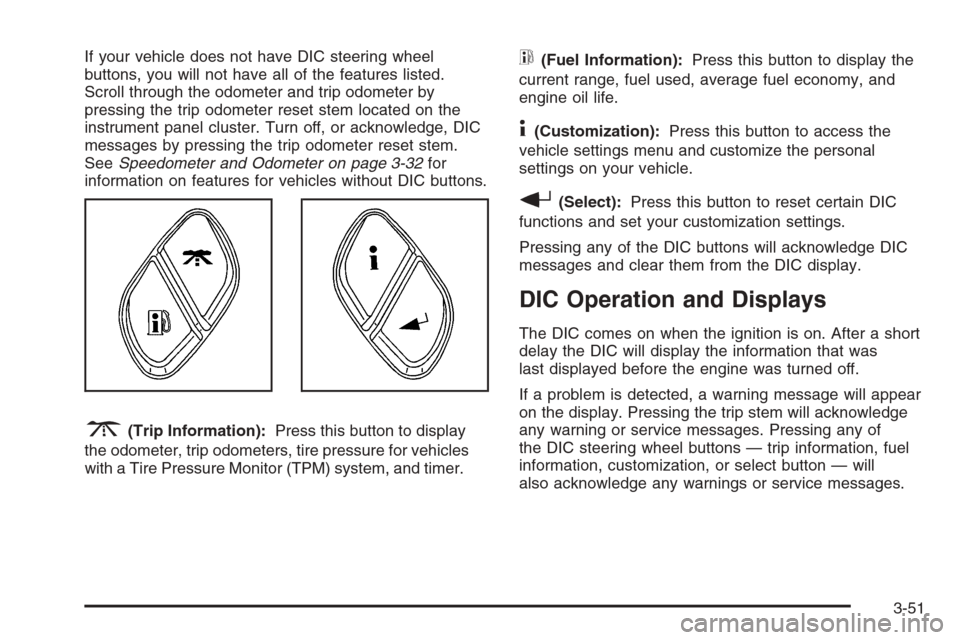
3(Trip Information):Press this button to display
the odometer, trip odometers, tire pressure for vehicles
with a Tire Pressure Monitor (TPM) system, and timer.
t(Fuel Information):Press this button to display the
current range, fuel used, average fuel economy, and
engine oil life.
4(Customization):Press this button to access the
vehicle settings menu and customize the personal
settings on your vehicle.
r(Select):Press this button to reset certain DIC
functions and set your customization settings.
Pressing any of the DIC buttons will acknowledge DIC
messages and clear them from the DIC display.
DIC Operation and Displays
The DIC comes on when the ignition is on. After a short
delay the DIC will display the information that was
last displayed before the engine was turned off.
If a problem is detected, a warning message will appear
on the display. Pressing the trip stem will acknowledge
any warning or service messages. Pressing any of
the DIC steering wheel buttons — trip information, fuel
information, customization, or select button — will
also acknowledge any warnings or service messages.
3-51
Page 196 of 534
You should take any message that appears on the
display seriously and remember that clearing the
message will only make the message disappear, not
correct the problem.
The DIC has different modes which can be accessed by
pressing the four DIC buttons located on the steering
wheel. These buttons are trip information, fuel
information, customization, and select. The button
functions are detailed in the following pages.
Trip Information Button
3
(Trip Information):Press the trip information
button to scroll through the ODOMETER, TRIP A,
TRIP B, TIRE PRESSURES for vehicles with a Tire
Pressure Monitor (TPM) system, and TIMER.
Odometer:Press the trip information button until
ODOMETER appears on the display. This mode shows
the total distance the vehicle has been driven in
either miles or kilometers. Pressing the reset stem
located on the instrument cluster with the vehicle off will
also display the odometer.Trip A:Press the trip information button until TRIP A
appears on the display. This mode shows the current
distance traveled since the last reset for TRIP A in either
miles or kilometers.
Trip B:Press the trip information button until TRIP B
appears on the display. This mode shows the current
distance traveled since the last reset for TRIP B in either
miles or kilometers.
To reset TRIP A or TRIP B information, press and hold
the select button for one second while in one of the
trip modes. This will reset the information for TRIP A or
TRIP B.
You can also reset the TRIP A or TRIP B while they are
displayed by pressing the reset stem on the cluster. If
you press and hold the reset stem or the select
button for four seconds, the display will show the
distance traveled since the last ignition cycle for TRIP A
or TRIP B.
3-52
Page 199 of 534
Customization Button
4
(Customization):Press the customization button to
access the VEHICLE SETTINGS menu and customize
the settings to your vehicle. SeeDIC Vehicle
Customization on page 3-61for more information.
Select Button
r
(Select):Press the select button to reset certain
DIC functions, turn off or acknowledge messages
on the DIC display, and set your customization settings.
For example, this button will allow you to reset the
trip odometers, turn off the FUEL LEVEL LOW message,
and enables you to scroll through and select the
language in which the DIC information will appear.
DIC Warnings and Messages
Messages are displayed on the DIC to notify the driver
that the status of the vehicle has changed and that
some action may be needed by the driver to correct the
condition. More than one message may appear at
one time. They will appear one after the other. Some
messages may not require immediate action, but
you should press the trip stem on the instrument panel
cluster to acknowledge that you received the message
and to clear it from the display. Pressing any of the
DIC steering wheel buttons — trip information,
fuel information, customization, or select button — will
also acknowledge any warnings or service messages.
Some messages cannot be cleared from the display
because they are more urgent. These messages require
action before they can be removed from the DIC
display. The following are the possible messages that
can be displayed and some information about them.
3-55