2006 CHEVROLET SILVERADO tow
[x] Cancel search: towPage 279 of 594
Adjusting the Speakers (Balance/Fade)
AUDIO:To adjust the balance between the right
and the left speakers, push and release the AUDIO
knob until BAL appears on the display. Turn the knob to
move the sound toward the right or the left speakers.
To adjust the fade between the front and rear speakers,
push and release the AUDIO knob until FAD appears
on the display. Turn the knob to move the sound toward
the front or the rear speakers.
To adjust the balance or fade to the middle position
while it is displayed, push and hold the AUDIO knob.
The radio will produce one beep and adjust the display
level to the middle position.
To adjust all tone and speaker controls to the middle
position, push and hold the AUDIO knob when no tone
or speaker controls are displayed. ALL CENTERED
will appear on the display and you will hear a beep.
Finding a Program Type (PTY) Station
(RDS and XM™)
To select and nd a desired PTY perform the following:
1. Press the TYPE button to activate program type
select mode. P-TYPE and the last selected PTY
will appear on the display.
2. Turn the TYPE knob or press and release the
TYPE button to select a PTY.
3. Once the desired PTY is displayed, press either the
TYPE or the SEEK arrows to select and to take you
to the PTY’s rst station.
4. To go to another station within that PTY, press the
TYPE button then, press either the TYPE or the
SEEK arrows once. If the PTY is not displayed, go
back to Step 1.
5. Press either the TYPE or the SEEK arrows twice to
exit program type select mode.
3-103
Page 300 of 594
Problem Recommended Action
Sometimes the wireless
headphone audio cuts out
or buzzes.Check for obstructions,
low batteries, reception
range, and interference
from cellular telephone
towers or by using your
cellular telephone in the
vehicle.
Check that the
headphones are facing
the front of the vehicle.
I lost the remote and/or
the headphones.See your dealer for
assistance.
The DVD is playing,
but there is no picture
or sound.Check that the DVD
player is in DVD mode.
The audio/video skips
or jumps.The DVD or CD could
be dirty, scratched, or
damaged.
The audio from the
radio for the Radio with
Six-Disc CD and XM™
has taken over the audio
from the DVD or CD
when using the wired
headphones.The RSE is working
correctly.
Use the wireless
headphones or have the
front seat passengers
listen to another audio
source.DVD Messages
The following errors may be displayed on the video
screen:
Disc Format Error:This message will be displayed if a
disc is inserted upside down, if the disc is not readable,
or if the format is not compatible with the DVD player.
Load/Eject Error:This message will be displayed if the
disc is not properly loaded or ejected.
Disc Play Error:This message will be displayed if the
DVD player cannot play the disc. Scratched or
damaged discs will cause this error.
Region Code Error:This message will be displayed if
the region code of the DVD is not compatible with
the region code of the DVD player.
No Disc:This message will be displayed if any of the
buttons on the DVD faceplate or remote control are
pressed and no disc is present in the DVD player.
DVD Distortion
There may be an experience with audio distortion in the
wireless headphones when operating cellular phones,
scanners, CB radios, Global Positioning Systems (GPS)*,
two-way radios, mobile fax, or walkie talkies.
It may be necessary to turn off the DVD player when
operating one of these devices in or near the vehicle.
* Excludes the OnStar
®System.
3-124
Page 307 of 594
Your Driving, the Road, and Your Vehicle..........4-2
Defensive Driving...........................................4-2
Drunken Driving.............................................4-3
Control of a Vehicle........................................4-6
Braking.........................................................4-6
Anti-Lock Brake System (ABS).........................4-7
Braking in Emergencies...................................4-9
Traction Assist System (TAS)...........................4-9
Manual Selectable Ride.................................4-11
Locking Rear Axle........................................4-12
Steering......................................................4-12
Off-Road Recovery.......................................4-14
Passing.......................................................4-15
Loss of Control.............................................4-16
Off-Road Driving...........................................4-17
Driving at Night............................................4-33
Driving in Rain and on Wet Roads..................4-34
City Driving..................................................4-37
Freeway Driving...........................................4-38Before Leaving on a Long Trip.......................4-39
Highway Hypnosis........................................4-40
Hill and Mountain Roads................................4-40
Winter Driving..............................................4-42
If Your Vehicle is Stuck in Sand, Mud,
Ice, or Snow.............................................4-46
Rocking Your Vehicle to Get It Out.................4-46
Recovery Hooks (Except SS Model)................4-47
Loading Your Vehicle....................................4-48
Adding a Snow Plow or Similar Equipment.......4-54
Truck-Camper Loading Information..................4-59
Pickup Conversion to Chassis Cab..................4-61
Towing..........................................................4-61
Towing Your Vehicle.....................................4-61
Recreational Vehicle Towing...........................4-62
Towing a Trailer...........................................4-67
Trailer Recommendations...............................4-95
Power Take-Off (PTO)...................................4-95
Section 4 Driving Your Vehicle
4-1
Page 325 of 594
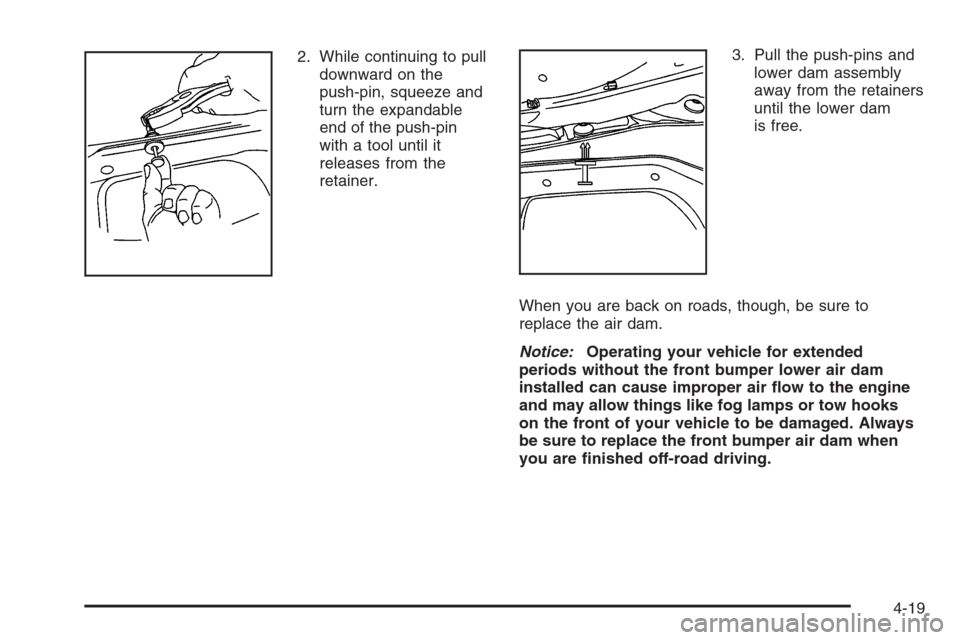
2. While continuing to pull
downward on the
push-pin, squeeze and
turn the expandable
end of the push-pin
with a tool until it
releases from the
retainer.3. Pull the push-pins and
lower dam assembly
away from the retainers
until the lower dam
is free.
When you are back on roads, though, be sure to
replace the air dam.
Notice:Operating your vehicle for extended
periods without the front bumper lower air dam
installed can cause improper air ow to the engine
and may allow things like fog lamps or tow hooks
on the front of your vehicle to be damaged. Always
be sure to replace the front bumper air dam when
you are nished off-road driving.
4-19
Page 326 of 594
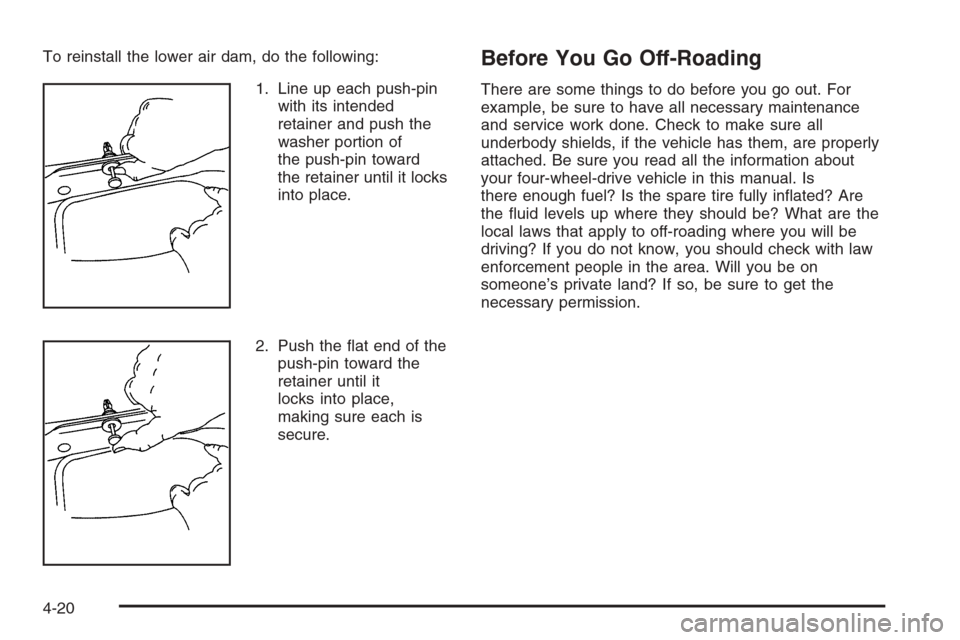
To reinstall the lower air dam, do the following:
1. Line up each push-pin
with its intended
retainer and push the
washer portion of
the push-pin toward
the retainer until it locks
into place.
2. Push the at end of the
push-pin toward the
retainer until it
locks into place,
making sure each is
secure.Before You Go Off-Roading
There are some things to do before you go out. For
example, be sure to have all necessary maintenance
and service work done. Check to make sure all
underbody shields, if the vehicle has them, are properly
attached. Be sure you read all the information about
your four-wheel-drive vehicle in this manual. Is
there enough fuel? Is the spare tire fully inated? Are
the uid levels up where they should be? What are the
local laws that apply to off-roading where you will be
driving? If you do not know, you should check with law
enforcement people in the area. Will you be on
someone’s private land? If so, be sure to get the
necessary permission.
4-20
Page 352 of 594

If Your Vehicle is Stuck in Sand,
Mud, Ice, or Snow
In order to free your vehicle when it is stuck, you will
need to spin the wheels, but you do not want to
spin your wheels too fast. The method known as rocking
can help you get out when you are stuck, but you
must use caution.
{CAUTION:
If you let your tires spin at high speed, they can
explode, and you or others could be injured.
And, the transmission or other parts of the
vehicle can overheat. That could cause an
engine compartment re or other damage.
When you are stuck, spin the wheels as little as
possible. Do not spin the wheels above 35 mph
(55 km/h) as shown on the speedometer.
Notice:Spinning your wheels can destroy parts of
your vehicle as well as the tires. If you spin the
wheels too fast while shifting your transmission
back and forth, you can destroy your transmission.
For more information about using tire chains on your
vehicle, seeTire Chains on page 5-92.
Rocking Your Vehicle to Get It Out
First, turn your steering wheel left and right. That
will clear the area around your front wheels. If you have
a four-wheel-drive vehicle, shift into Four-Wheel
High. If your vehicle has the traction assist system, you
should turn it off by pressing the TAS on/off button.
Then shift back and forth between REVERSE (R) and a
forward gear, or with a manual transmission, between
FIRST (1) or SECOND (2) and REVERSE (R), spinning
the wheels as little as possible. Release the accelerator
pedal while you shift, and press lightly on the
accelerator pedal when the transmission is in gear.
By slowly spinning your wheels in the forward and
reverse directions, you will cause a rocking motion that
may free your vehicle. If that does not get you out
after a few tries, you may need to be towed out.
If your vehicle is not an SS model, you can use your
recovery hooks if your vehicle has them. If you do
need to be towed out, seeTowing Your Vehicle
on page 4-61.
4-46
Page 353 of 594
Recovery Hooks (Except SS Model)
Notice:SS Models have recovery hooks that
are concealed by the front bumper trim covering.
Use of the recovery hooks could cause damage
to your vehicle. If you have the SS Model, do not use
the recovery hooks.
{CAUTION:
These hooks, when used, are under a lot of
force. Always pull the vehicle straight out.
Never pull on the hooks at a sideways angle.
The hooks could break off and you or others
could be injured from the chain or cable
snapping back.
Notice:Never use recovery hooks to tow the
vehicle. Your vehicle could be damaged and it would
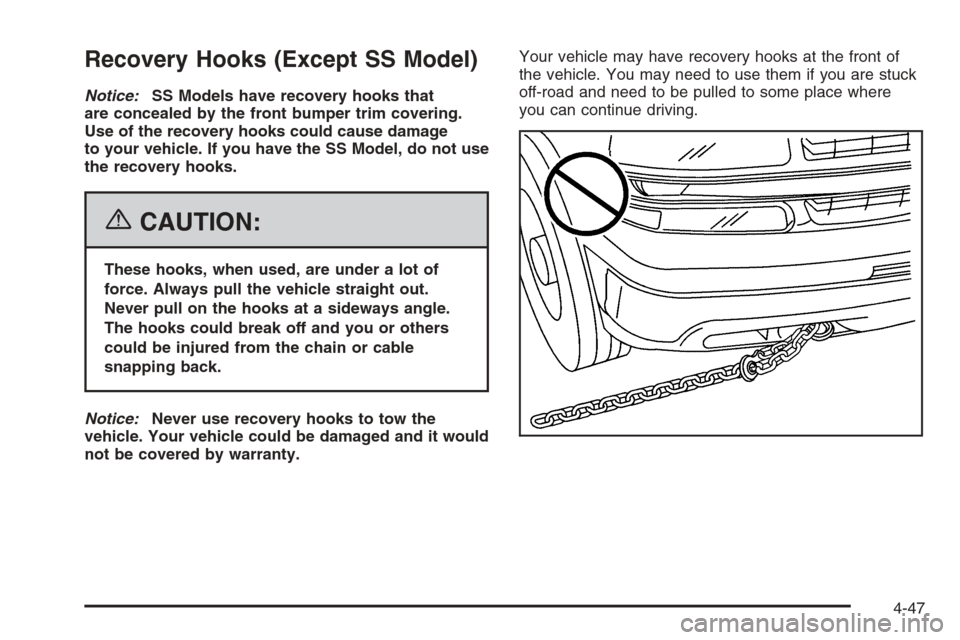
not be covered by warranty.Your vehicle may have recovery hooks at the front of
the vehicle. You may need to use them if you are stuck
off-road and need to be pulled to some place where
you can continue driving.
4-47
Page 355 of 594
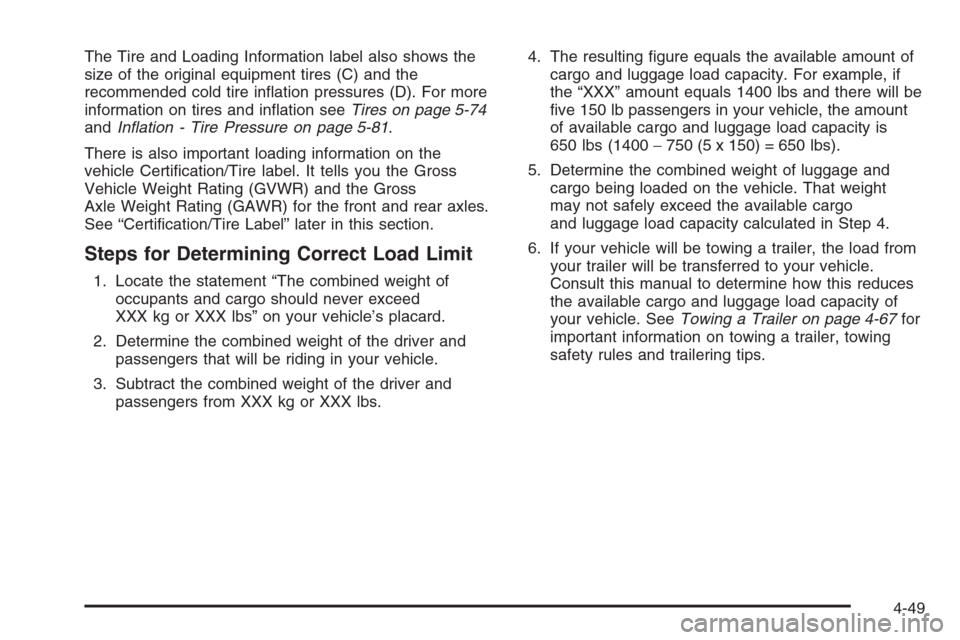
The Tire and Loading Information label also shows the
size of the original equipment tires (C) and the
recommended cold tire ination pressures (D). For more
information on tires and ination seeTires on page 5-74
andInation - Tire Pressure on page 5-81.
There is also important loading information on the
vehicle Certication/Tire label. It tells you the Gross
Vehicle Weight Rating (GVWR) and the Gross
Axle Weight Rating (GAWR) for the front and rear axles.
See “Certication/Tire Label” later in this section.
Steps for Determining Correct Load Limit
1. Locate the statement “The combined weight of
occupants and cargo should never exceed
XXX kg or XXX lbs” on your vehicle’s placard.
2. Determine the combined weight of the driver and
passengers that will be riding in your vehicle.
3. Subtract the combined weight of the driver and
passengers from XXX kg or XXX lbs.4. The resulting gure equals the available amount of
cargo and luggage load capacity. For example, if
the “XXX” amount equals 1400 lbs and there will be
ve 150 lb passengers in your vehicle, the amount
of available cargo and luggage load capacity is
650 lbs (1400−750 (5 x 150) = 650 lbs).
5. Determine the combined weight of luggage and
cargo being loaded on the vehicle. That weight
may not safely exceed the available cargo
and luggage load capacity calculated in Step 4.
6. If your vehicle will be towing a trailer, the load from
your trailer will be transferred to your vehicle.
Consult this manual to determine how this reduces
the available cargo and luggage load capacity of
your vehicle. SeeTowing a Trailer on page 4-67for
important information on towing a trailer, towing
safety rules and trailering tips.
4-49