Page 306 of 594
Do not touch the bottom side of a CD while handling it;
this could damage the surface. Pick up CDs by
grasping the outer edges or the edge of the hole and
the outer edge.
Care of the CD and DVD Player
The use of CD lens cleaners for CDs is not advised,
due to the risk of contaminating the lens of the CD optics
with lubricants internal to the CD mechanism.
Fixed Mast Antenna
The xed mast antenna can withstand most car washes
without being damaged. If the mast should ever become
slightly bent, straighten it out by hand. If the mast is badly
bent, replace it.
Check occasionally to make sure the mast is still
tightened to the cowl. If tightening is required, tighten
by hand, then with a wrench one quarter turn.
XM™ Satellite Radio Antenna
System
The XM™ Satellite Radio antenna is located on the roof
of your vehicle. Keep this antenna clear of snow and
ice build up for clear radio reception.
If your vehicle has a sunroof, the performance of the
XM™ system may be affected if the sunroof is open.
Loading items onto the roof of your vehicle can interfere
with the performance of the XM™ system. Make sure
the XM™ Satellite Radio antenna is not obstructed.
Chime Level Adjustment
The radio is used to adjust the vehicle’s chime level.
To change the volume level of the chime, press and hold
pushbutton 6 with the ignition on and the radio power off.
The volume level will change from the normal level to
loud, and LOUD will appear on the radio display. To
change back to the default or normal setting, press and
hold pushbutton 6 again. The volume level will change
from the loud level to normal, and NORMAL will appear
on the radio display. Each time the chime volume is
changed, three chimes will sound as an example of the
new volume selected. Removing the radio and not
replacing it with a factory radio or chime module will
disable vehicle chimes.
3-130
Page 327 of 594
Loading Your Vehicle for Off-Road
Driving
{CAUTION:
Cargo on the load oor piled higher than
the seatbacks can be thrown forward
during a sudden stop. You or your
passengers could be injured. Keep cargo
below the top of the seatbacks.
Unsecured cargo on the load oor can be
tossed about when driving over rough
terrain. You or your passengers can be
struck by ying objects. Secure the cargo
properly.
Heavy loads on the roof raise the vehicle’s
center of gravity, making it more likely to
roll over. You can be seriously or fatally
injured if the vehicle rolls over. Put heavy
loads inside the cargo area, not on the
roof. Keep cargo in the cargo area as far
forward and low as possible.There are some important things to remember about how
to load your vehicle.
The heaviest things should be on the load oor and
forward of your rear axle. Put heavier items as far
forward as you can.
Be sure the load is secured properly, so driving on
the off-road terrain does not toss things around.
You will nd other important information in this manual.
SeeLoading Your Vehicle on page 4-48andTires on
page 5-74.
Environmental Concerns
Off-road driving can provide wholesome and satisfying
recreation. However, it also raises environmental
concerns. We recognize these concerns and urge every
off-roader to follow these basic rules for protecting the
environment:
Always use established trails, roads, and areas that
have been specially set aside for public off-road
recreational driving; obey all posted regulations.
Avoid any driving practice that could damage the
environment — shrubs, owers, trees, grasses — or
disturb wildlife. This includes wheel-spinning,
breaking down trees, or unnecessary driving through
streams or over soft ground.
4-21
Page 364 of 594
Q:What is total vehicle reserve capacity?
A:This is the difference between your GVWR and the
weight of your truck with full fuel and passengers. It
is the amount of weight you can add to your
vehicle before reaching your GVWR. Keep in mind
that reserve capacity numbers are intended as
a guide when selecting the amount of equipment or
cargo your truck can carry. If you are unsure of
your vehicle’s front, rear, or total weight, go
to a weigh station and weigh your vehicle. Your
dealer can also help you with this.
The total vehicle reserve capacity for your vehicle
can be found in the lower right corner of the
Certication/Tire label as shown previously.
See your dealer for additional advice and information
about using a snow plow on your vehicle. Also,
seeLoading Your Vehicle on page 4-48.
Emergency Roof Lamp Provisions
Vehicles with the RPO VYU snow plow prep package
also have an emergency roof lamp provision package,
RPO TRW. Wiring for the emergency roof lamp is
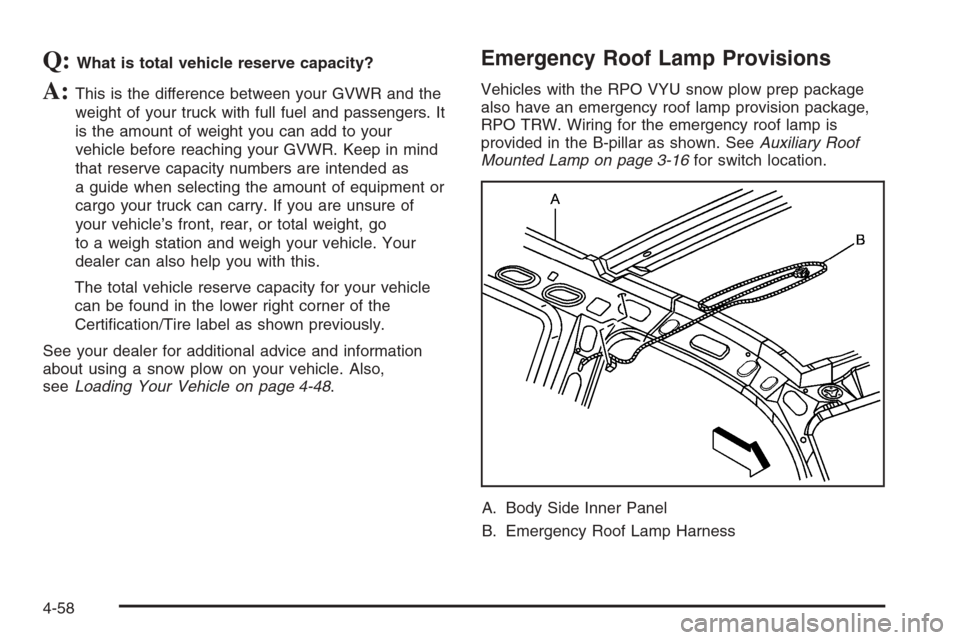
provided in the B-pillar as shown. SeeAuxiliary Roof
Mounted Lamp on page 3-16for switch location.
A. Body Side Inner Panel
B. Emergency Roof Lamp Harness
4-58
Page 406 of 594
Bulb Replacement..........................................5-62
Halogen Bulbs..............................................5-62
Headlamps..................................................5-62
Front Turn Signal, Sidemarker and Daytime
Running Lamps.........................................5-64
Roof Marker Lamps......................................5-66
Center High-Mounted Stoplamp (CHMSL)
and Cargo Lamp.......................................5-67
Pickup Box Identication and Fender
Marker Lamps...........................................5-69
Taillamps, Turn Signal, Stoplamps and
Back-up Lamps.........................................5-69
License Plate Lamp......................................5-71
Replacement Bulbs.......................................5-72
Windshield Wiper Blade Replacement..............5-73
Tires..............................................................5-74
Tire Sidewall Labeling...................................5-75
Tire Terminology and Denitions.....................5-78
Ination - Tire Pressure.................................5-81
Dual Tire Operation.......................................5-83
Tire Inspection and Rotation...........................5-83
When It Is Time for New Tires.......................5-86
Buying New Tires.........................................5-87Different Size Tires and Wheels......................5-88
Uniform Tire Quality Grading..........................5-89
Wheel Alignment and Tire Balance..................5-90
Wheel Replacement......................................5-90
Tire Chains..................................................5-92
If a Tire Goes Flat........................................5-93
Changing a Flat Tire.....................................5-94
Removing the Spare Tire and Tools................5-95
Removing the Flat Tire and Installing
the Spare Tire..........................................5-99
Secondary Latch System..............................5-109
Storing a Flat or Spare Tire and Tools...........5-112
Spare Tire.................................................5-116
Appearance Care..........................................5-116
Cleaning the Inside of Your Vehicle...............5-116
Fabric/Carpet..............................................5-118
Leather......................................................5-118
Instrument Panel, Vinyl, and Other
Plastic Surfaces.......................................5-119
Care of Safety Belts....................................5-119
Weatherstrips.............................................5-119
Washing Your Vehicle..................................5-120
Cleaning Exterior Lamps/Lenses....................5-120
Section 5 Service and Appearance Care
5-2
Page 470 of 594
Roof Marker Lamps
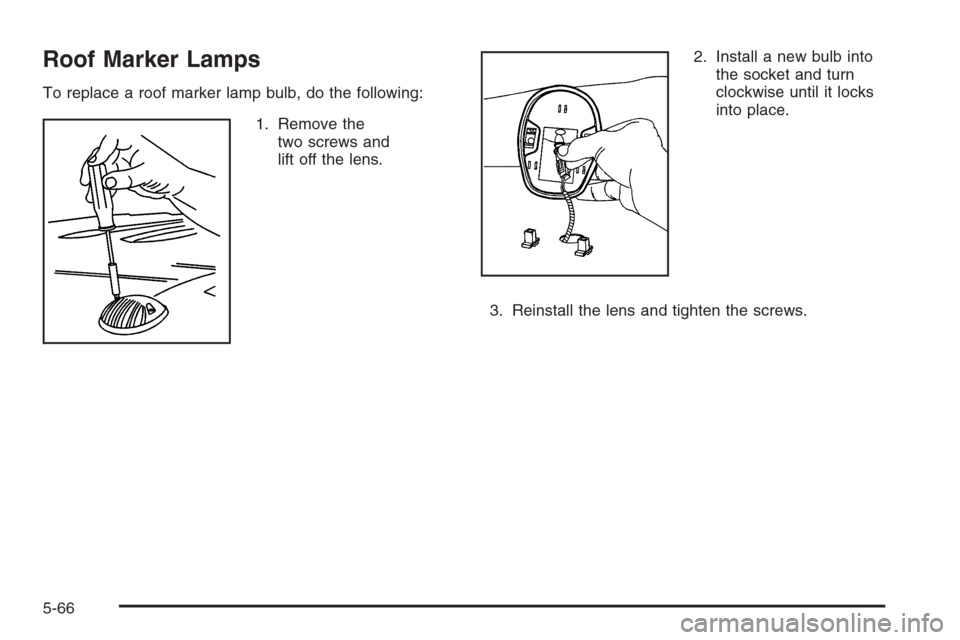
To replace a roof marker lamp bulb, do the following:
1. Remove the
two screws and
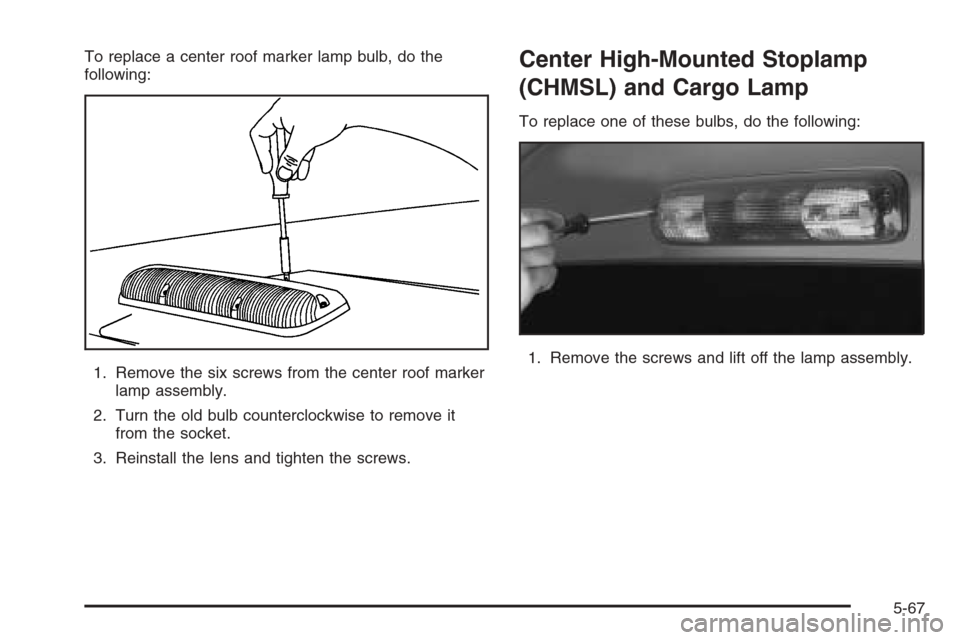
lift off the lens.2. Install a new bulb into
the socket and turn
clockwise until it locks
into place.
3. Reinstall the lens and tighten the screws.
5-66
Page 471 of 594
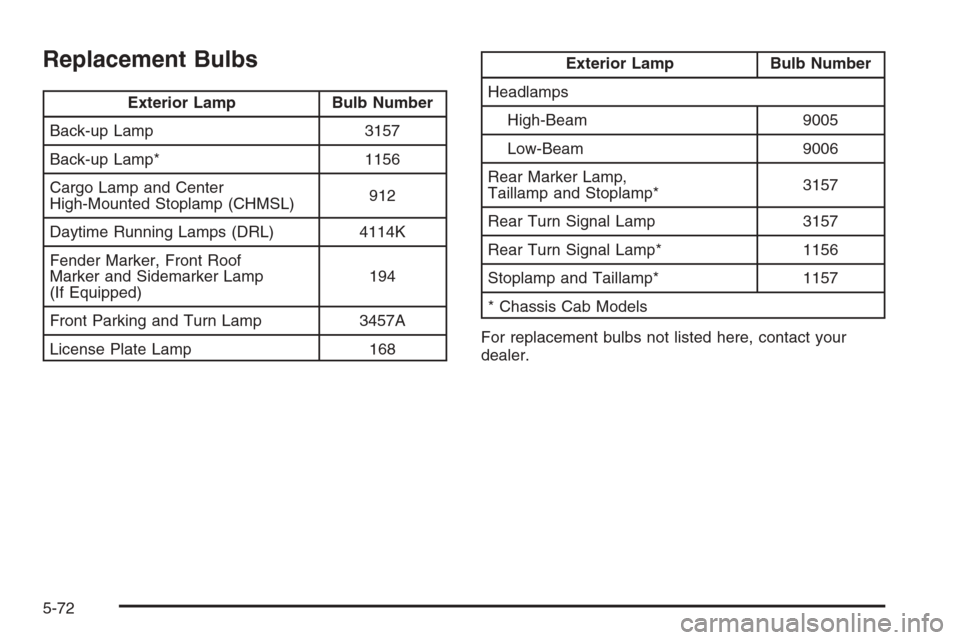
To replace a center roof marker lamp bulb, do the
following:
1. Remove the six screws from the center roof marker
lamp assembly.
2. Turn the old bulb counterclockwise to remove it
from the socket.
3. Reinstall the lens and tighten the screws.Center High-Mounted Stoplamp
(CHMSL) and Cargo Lamp
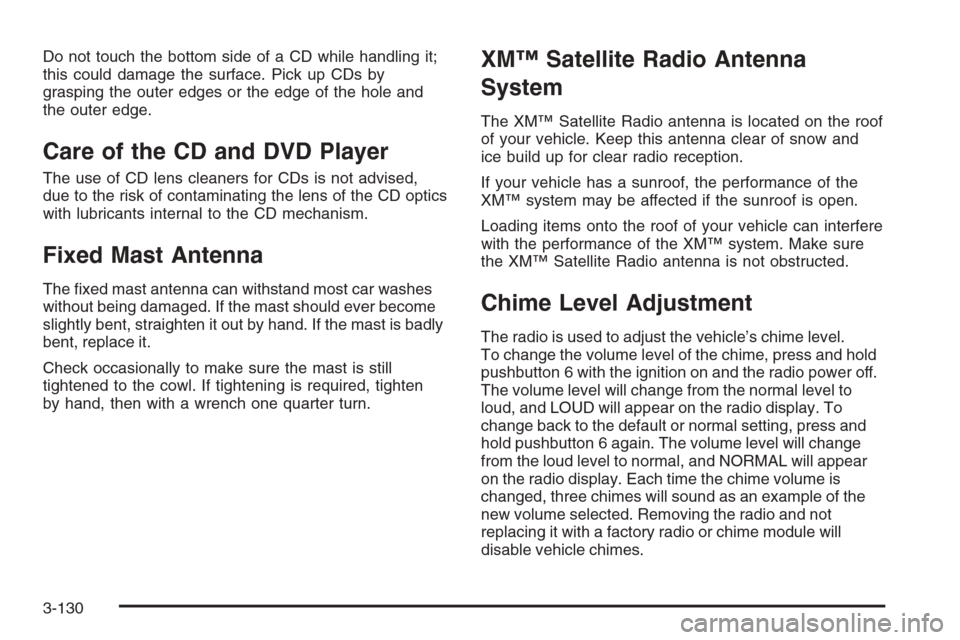
To replace one of these bulbs, do the following:
1. Remove the screws and lift off the lamp assembly.
5-67
Page 476 of 594
Replacement Bulbs
Exterior Lamp Bulb Number
Back-up Lamp 3157
Back-up Lamp* 1156
Cargo Lamp and Center
High-Mounted Stoplamp (CHMSL)912
Daytime Running Lamps (DRL) 4114K
Fender Marker, Front Roof
Marker and Sidemarker Lamp
(If Equipped)194
Front Parking and Turn Lamp 3457A
License Plate Lamp 168
Exterior Lamp Bulb Number
Headlamps
High-Beam 9005
Low-Beam 9006
Rear Marker Lamp,
Taillamp and Stoplamp*3157
Rear Turn Signal Lamp 3157
Rear Turn Signal Lamp* 1156
Stoplamp and Taillamp* 1157
* Chassis Cab Models
For replacement bulbs not listed here, contact your
dealer.
5-72
Page 535 of 594

*1Fuel Injection Rail #2-Gasoline Engine; Engine
Control Module-Diesel Engine.
*2Fuel Injection Rail #1-Gasoline Engine;
Actuator-Diesel Engine.
*3Oxygen Sensors-Gasoline Engine; Fuel Heater-Diesel
Engine.
*4Oxygen Sensors-Gasoline Engine; Engine Control
Module 1-Diesel Engine.
*5Ignition 1-Gasoline Engine; Engine Control
Module-Diesel Engine.
*6Powertrain Control Module B-Gasoline Engine;
Engine Control Module B-Diesel Engine.
*7Rear Climate Control.
*8Sunroof.
Fuses Usage
GLOW PLUGDiesel Glow Plugs and Intake
Air Heater
CUST FEED Gasoline Accessory Power
HYBRID Hybrid
STUD #1Auxiliary Power (Single
Battery and Diesels Only)/
Dual Battery (TP2). Do not
install fuse.
MBECMid Bussed Electrical Center
Power Feed, Front Seats,
Right Doors
Fuses Usage
BLWR Front Climate Control Fan
LBECLeft Bussed Electrical Center,
Door Modules, Door Locks,
Auxiliary Power Outlet—Rear
Cargo Area and Instrument
Panel
STUD #2*Accessory Power/Trailer
Wiring Brake Feed
ABS Anti-lock Brakes
VSES/ECAS Vehicle Stability
IGN A Ignition Power
IGN B Ignition Power
LBEC 1Left Bussed Electrical Center,
Left Doors, Truck Body
Controller, Flasher Module
TRL PARK Parking Lamps Trailer Wiring
RR PARKRight Rear Parking and
Sidemarker Lamps
LR PARKLeft Rear Parking and
Sidemarker Lamps
PARK LP Parking Lamps Relay
STRTR Starter Relay
INTPARK Interior Lamps
STOP LP Stoplamps
TBC BATTTruck Body Controller
Battery Feed
5-131