2006 CHEVROLET MALIBU chime
[x] Cancel search: chimePage 90 of 442
Power Door Locks
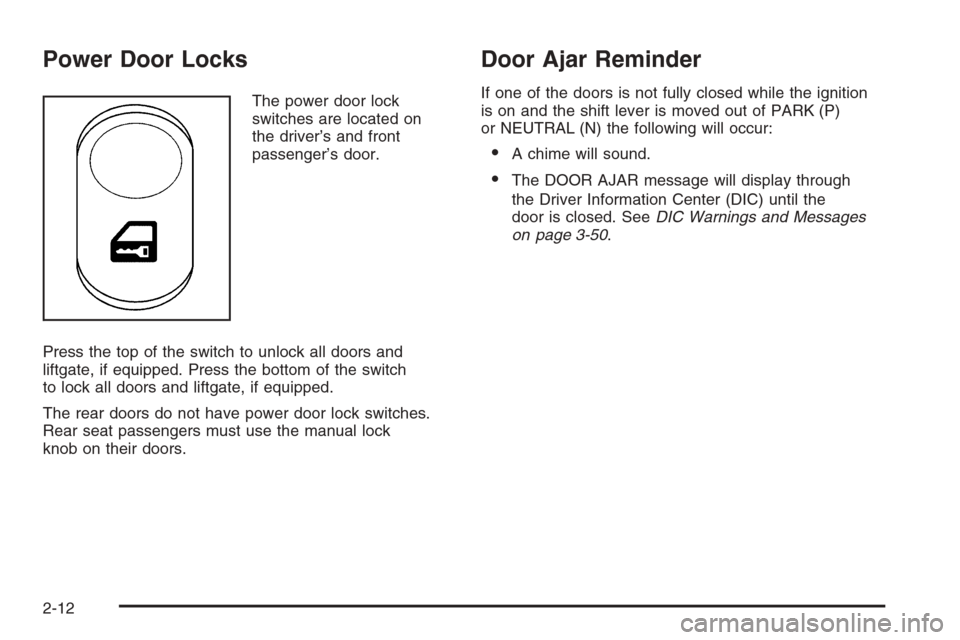
The power door lock
switches are located on
the driver’s and front
passenger’s door.
Press the top of the switch to unlock all doors and
liftgate, if equipped. Press the bottom of the switch
to lock all doors and liftgate, if equipped.
The rear doors do not have power door lock switches.
Rear seat passengers must use the manual lock
knob on their doors.
Door Ajar Reminder
If one of the doors is not fully closed while the ignition
is on and the shift lever is moved out of PARK (P)
or NEUTRAL (N) the following will occur:
A chime will sound.
The DOOR AJAR message will display through
the Driver Information Center (DIC) until the
door is closed. SeeDIC Warnings and Messages
on page 3-50.
2-12
Page 91 of 442
Delayed Locking
This feature allows the driver to delay the locking of the
vehicle. It will not operate with the key in the ignition.
SeeLockout Protection on page 2-14.
Press the driver’s power door lock switch or the
remote keyless entry transmitter lock button once.
With the key removed from the ignition and the
driver’s door open, the following will occur:
Three chimes will sound to signal the delay.
All doors will lock and the turn signals will ash once
ve seconds after the last door has been closed.
The horn will chirp if the horn chirp feature is
enabled. SeeDIC Vehicle Personalization on
page 3-52.
If a door is opened before the ve seconds has
elapsed, the doors will not lock until ve seconds
after all doors are closed.
If the power door lock switch or the transmitter lock
button is pressed twice when leaving the vehicle, the
doors will lock immediately.
If the power door unlock switch or the transmitter unlock
button is pressed, the doors will unlock immediately
and not lock automatically after the doors are closed.
This feature is turned on at the factory but may be
turned off through the Driver Information Center (DIC).
Programmable Automatic Door
Locks
Your vehicle is programmed at the factory to lock all
doors automatically when the following are met:
all doors are closed
the ignition is on
the shift lever is moved out of PARK (P).
This feature cannot be disabled.
When the shift lever is moved back to PARK (P), all
doors will unlock.
If someone needs to exit the vehicle once the doors
are locked, have that person use the manual lock knob
or power door unlock switch.
The power door lock and unlock functions can be
programmed through prompts displayed on the Driver
Information Center (DIC). These prompts allow you
to choose various lock and unlock settings. See
DIC Vehicle Personalization on page 3-52.
2-13
Page 101 of 442
Ignition Positions
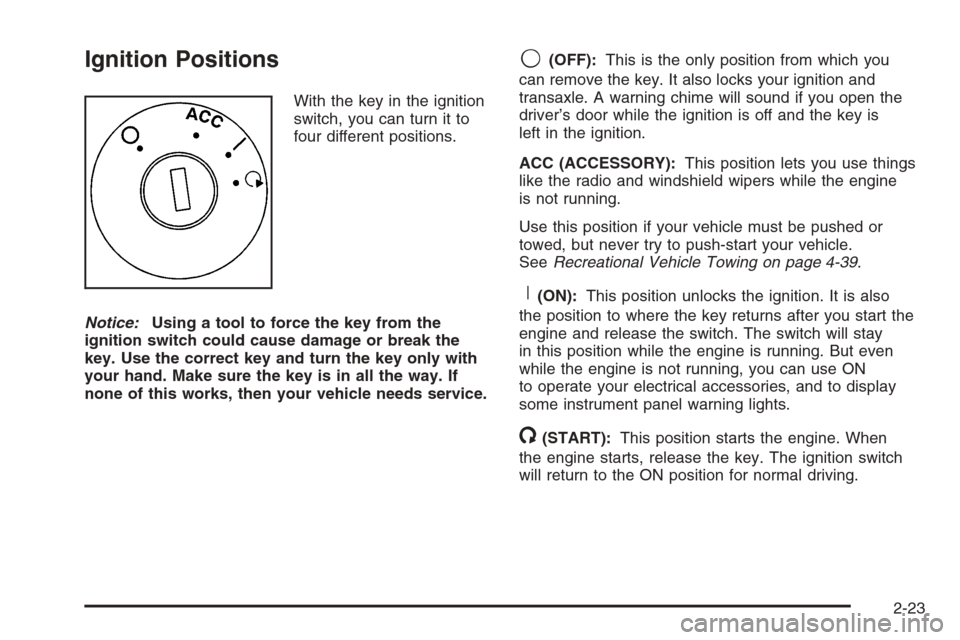
With the key in the ignition
switch, you can turn it to
four different positions.
Notice:Using a tool to force the key from the
ignition switch could cause damage or break the
key. Use the correct key and turn the key only with
your hand. Make sure the key is in all the way. If
none of this works, then your vehicle needs service.
9(OFF):This is the only position from which you
can remove the key. It also locks your ignition and
transaxle. A warning chime will sound if you open the
driver’s door while the ignition is off and the key is
left in the ignition.
ACC (ACCESSORY):This position lets you use things
like the radio and windshield wipers while the engine
is not running.
Use this position if your vehicle must be pushed or
towed, but never try to push-start your vehicle.
SeeRecreational Vehicle Towing on page 4-39.
R(ON):This position unlocks the ignition. It is also
the position to where the key returns after you start the
engine and release the switch. The switch will stay
in this position while the engine is running. But even
while the engine is not running, you can use ON
to operate your electrical accessories, and to display
some instrument panel warning lights.
/(START):This position starts the engine. When
the engine starts, release the key. The ignition switch
will return to the ON position for normal driving.
2-23
Page 111 of 442
SECOND (2) Gear Start Feature
When accelerating your vehicle from a stop in
snowy and icy conditions, you may want to shift
into SECOND (2) gear. A higher gear allows you
to gain more traction on slippery surfaces.
With the DSC feature, the vehicle can be set to pull
away in SECOND (2) gear.
1. Move the shift lever from AUTOMATIC
OVERDRIVE (D) into the MANUAL MODE (M).
2. With the vehicle stopped, press (+) end of the
button to select SECOND (2) gear. The vehicle
will start from a stop position in SECOND (2) gear.
3. Once moving select the desired drive gear.
Parking Brake
To set the parking brake, push down the parking
brake pedal with your left foot. If the ignition is on, the
brake system warning light will come on. SeeBrake
System Warning Light on page 3-36.
To release the parking brake, hold the regular brake
pedal down with your right foot. Push down momentarily
on the parking brake pedal with your left foot until you
feel the pedal release. If the parking brake is not
released when you begin to drive, the brake system
warning light will be on and a chime will sound warning
you that the parking brake is still on.
The PUSH PARK PEDAL message will also appear in
the Driver Information Center (DIC) to remind you
to release the parking brake. SeeDIC Warnings
and Messages on page 3-50.
Notice:Driving with the parking brake on can
overheat the brake system and cause premature
wear or damage to brake system parts. Verify that
the parking brake is fully released and the brake
warning light is off before driving.
If you are towing a trailer and are parking on a hill,
seeTowing a Trailer on page 4-42.
2-33
Page 140 of 442
Turn and Lane-Change Signals
The turn signal has two upward (for right) and
two downward (for left) positions. These positions
allow you to signal a turn or a lane change.
To signal a turn, move the lever all the way up or
down to the latched position. When the turn is nished,
the lever will return automatically.
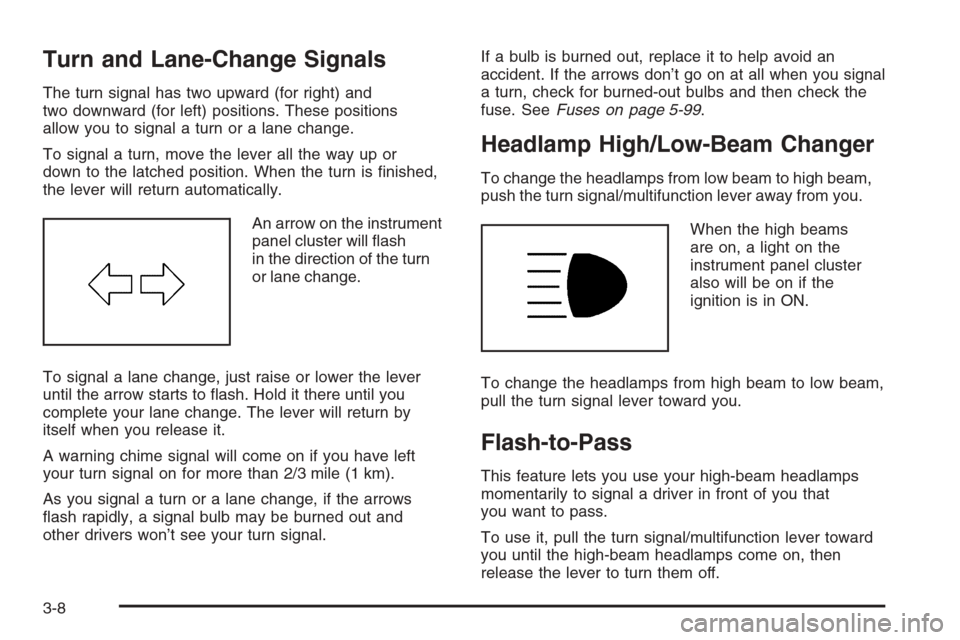
An arrow on the instrument
panel cluster will ash
in the direction of the turn
or lane change.
To signal a lane change, just raise or lower the lever
until the arrow starts to ash. Hold it there until you
complete your lane change. The lever will return by
itself when you release it.
A warning chime signal will come on if you have left
your turn signal on for more than 2/3 mile (1 km).
As you signal a turn or a lane change, if the arrows
ash rapidly, a signal bulb may be burned out and
other drivers won’t see your turn signal.If a bulb is burned out, replace it to help avoid an
accident. If the arrows don’t go on at all when you signal
a turn, check for burned-out bulbs and then check the
fuse. SeeFuses on page 5-99.
Headlamp High/Low-Beam Changer
To change the headlamps from low beam to high beam,
push the turn signal/multifunction lever away from you.
When the high beams
are on, a light on the
instrument panel cluster
also will be on if the
ignition is in ON.
To change the headlamps from high beam to low beam,
pull the turn signal lever toward you.
Flash-to-Pass
This feature lets you use your high-beam headlamps
momentarily to signal a driver in front of you that
you want to pass.
To use it, pull the turn signal/multifunction lever toward
you until the high-beam headlamps come on, then
release the lever to turn them off.
3-8
Page 148 of 442
Canadian Exterior Lamp Positions for Nighttime
LampsPAUTO;2
Headlamp ON ON ON ON
Parking Lamp ON ON ON ON
Taillamp ON ON ON ON
Headlamps on Reminder
If you open the driver’s door and turn off the ignition
while leaving the lamps on, you will hear a warning
chime.
Headlamps Off in PARK (P)
This feature works when the ignition is on and it is dark
outside. To turn the headlamps off when it is dark outside
but keep other exterior lights on, turn the exterior lamp
control to the parking lamp position. In this position, the
parking lamps, sidemarker lamps, taillamps, license plate
lamps and instrument panel lights will be on, but the
headlamps will be off.
To turn on the headlamps along with the other lamps
when it is dark outside, turn the exterior lamp control to
the AUTO or headlamp position.
This feature will not work for Canadian vehicles.
Delayed Headlamps
The delayed headlamps feature will continue to illuminate
the headlamps for 20 seconds after the key is turned
to off at night. Then the headlamps will automatically
turn off.
To override the 20 second delayed headlamp feature
while it is active turn the switch at the end of the
turn signal/multifunction lever to the off/on position.
Daytime Running Lamps (DRL)
Daytime Running Lamps (DRL) can make it easier for
others to see the front of your vehicle during the
day. DRL can be helpful in many different driving
conditions, but they can be especially helpful in the short
periods after dawn and before sunset. Fully functional
daytime running lamps are required on all vehicles
rst sold in Canada.
3-16
Page 166 of 442
Speedometer and Odometer
Your speedometer lets you see your speed in both
miles per hour (mph) and kilometers per hour (km/h).
Your odometer shows how far your vehicle has
been driven, in either miles (used in the United States)
or kilometers (used in Canada).
Your vehicle has a tamper resistant odometer. The
digital odometer will read 999,999 if someone tries
to turn it back.
You may wonder what happens if your vehicle needs a
new odometer installed. If the new one can be set to
the mileage total of the old odometer, then it must
be. But if it can’t, then it’s set at zero and a label must
be put on the driver’s door to show the old mileage
reading when the new odometer was installed.
Trip Odometer
The trip odometer can tell you how far you have driven
since you last reset it.
The trip odometer is accessed and reset through the
Driver Information Center (DIC). SeeDIC Operation
and Displays on page 3-47for more information.
Tachometer
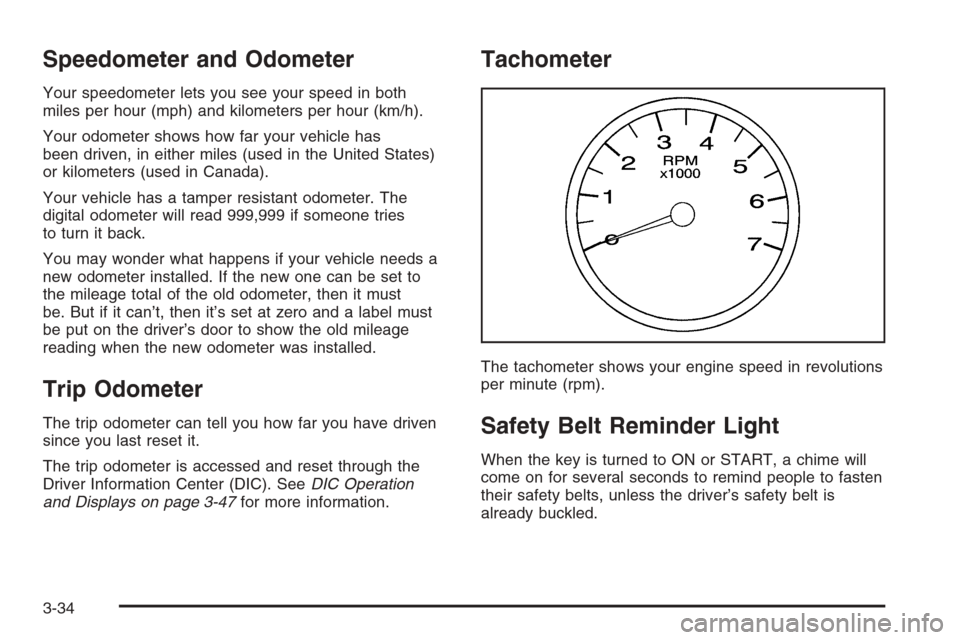
The tachometer shows your engine speed in revolutions
per minute (rpm).
Safety Belt Reminder Light
When the key is turned to ON or START, a chime will
come on for several seconds to remind people to fasten
their safety belts, unless the driver’s safety belt is
already buckled.
3-34
Page 167 of 442
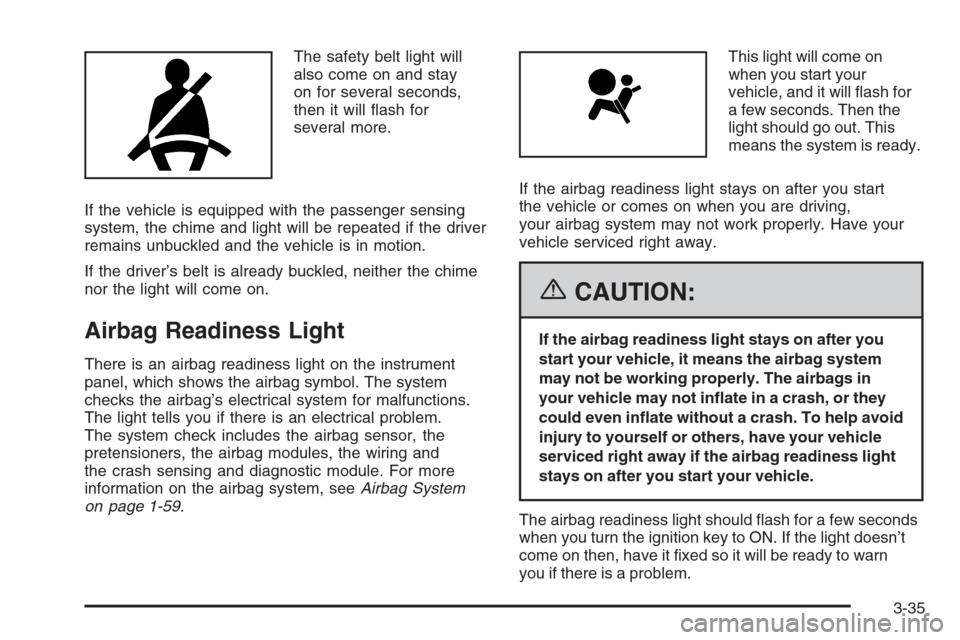
The safety belt light will
also come on and stay
on for several seconds,
then it will ash for
several more.
If the vehicle is equipped with the passenger sensing
system, the chime and light will be repeated if the driver
remains unbuckled and the vehicle is in motion.
If the driver’s belt is already buckled, neither the chime
nor the light will come on.
Airbag Readiness Light
There is an airbag readiness light on the instrument
panel, which shows the airbag symbol. The system
checks the airbag’s electrical system for malfunctions.
The light tells you if there is an electrical problem.
The system check includes the airbag sensor, the
pretensioners, the airbag modules, the wiring and
the crash sensing and diagnostic module. For more
information on the airbag system, seeAirbag System
on page 1-59.This light will come on
when you start your
vehicle, and it will ash for
a few seconds. Then the
light should go out. This
means the system is ready.
If the airbag readiness light stays on after you start
the vehicle or comes on when you are driving,
your airbag system may not work properly. Have your
vehicle serviced right away.
{CAUTION:
If the airbag readiness light stays on after you
start your vehicle, it means the airbag system
may not be working properly. The airbags in
your vehicle may not inate in a crash, or they
could even inate without a crash. To help avoid
injury to yourself or others, have your vehicle
serviced right away if the airbag readiness light
stays on after you start your vehicle.
The airbag readiness light should ash for a few seconds
when you turn the ignition key to ON. If the light doesn’t
come on then, have it xed so it will be ready to warn
you if there is a problem.
3-35