Page 85 of 394
The remote vehicle start feature provides two separate
starts, each with 10 minutes of engine running, or it
provides one start with 10 minutes of engine running that
may be extended with 10 more minutes. If you press and
release the transmitter lock button and then press and
hold the remote start button, on the remote keyless entry
transmitter, again before the rst 10 minutes of engine
running time has expired, 10 minutes are added to the
remaining minutes. For example, if the lock button and
then the remote start buttons are pressed again after
ve minutes of the engine run time, 10 minutes are added
and you now have 15 minutes of engine running. The
added ten minutes are considered a second remote
vehicle start. Once two remote starts or a single start with
a time extension have been provided, the vehicle must be
started normally with the ignition key to get more remote
vehicle starts.
The remote vehicle start feature will not operate if the
key is in the ignition, the hood is not closed or if there is
an emission control system malfunction.Also, the engine will turn off during a remote vehicle
start if the coolant temperature gets too high or if the oil
pressure gets low.
Vehicles equipped with the remote vehicle start feature
are shipped from the factory with the remote vehicle
start system enabled. The system may be enabled
or disabled through the DIC. See “REMOTE START”
underDIC Vehicle Customization on page 3-52for
additional information.
Remote Start Ready
If your vehicle does not have the remote vehicle start
feature, it may have the remote start ready feature.
This feature allows your dealer to add the
manufacturer’s remote vehicle start feature.
If your vehicle has the remote start ready feature, your
remote keyless entry transmitter will have extended
range that will allow you to lock or unlock your vehicle
from about 195 feet (60 m) away.
See your dealer if you would like to add the
manufacturer’s remote vehicle start feature to your
vehicle.
2-9
Page 86 of 394
Doors and Locks
Door Locks
{CAUTION:
Unlocked doors can be dangerous.
Passengers, especially children, can easily
open the doors and fall out of a moving
vehicle. When a door is locked, the handle
will not open it. You increase the chance
of being thrown out of the vehicle in a
crash if the doors are not locked. So, wear
safety belts properly and lock the doors
whenever you drive.
Young children who get into unlocked
vehicles may be unable to get out. A child
can be overcome by extreme heat and can
suffer permanent injuries or even death
from heat stroke. Always lock your vehicle
whenever you leave it.
Outsiders can easily enter through an
unlocked door when you slow down or
stop your vehicle. Locking your doors can
help prevent this from happening.There are several ways to lock and unlock your vehicle.
From the outside, use your key in the driver’s door or
use the remote keyless entry transmitter. From the
inside, use the manual or power door locks.
To unlock the driver’s side door from the outside with
the key, insert the key and turn it counterclockwise.
To lock the driver’s side door from the outside with your
key, insert the key and turn it clockwise.
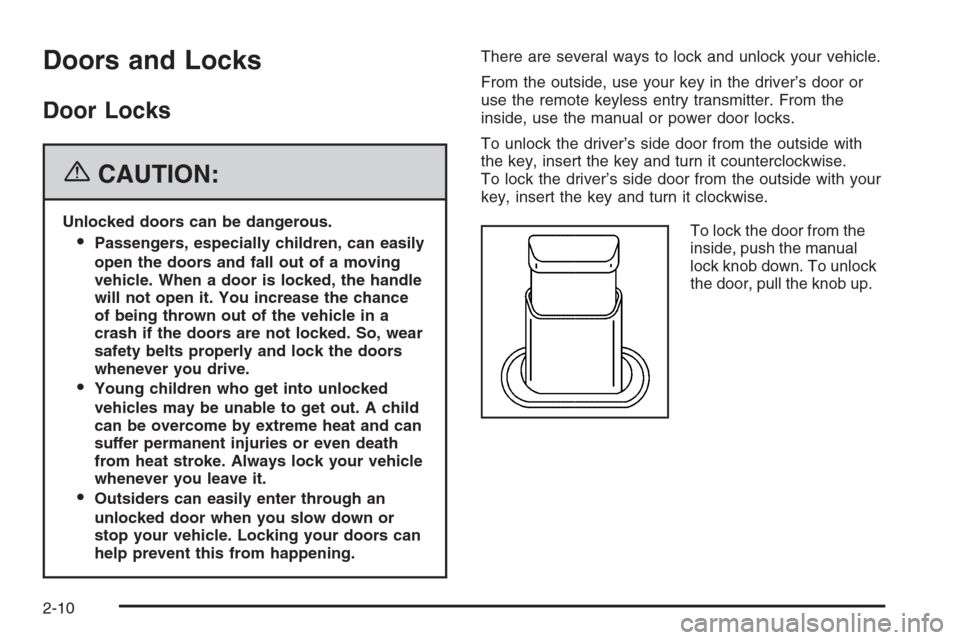
To lock the door from the
inside, push the manual
lock knob down. To unlock
the door, pull the knob up.
2-10
Page 87 of 394

Power Door Locks
A power door lock switch
is located on both front
doors next to the door
handle.
Press the top of the switch to unlock all doors, or press
the bottom of the switch to lock all doors.
If your vehicle has the optional content theft-deterrent
system and it is armed, the power door lock switches will
be disabled. You must use your remote keyless entry
transmitter or your key to unlock the doors when
the system is armed. SeeContent Theft-Deterrent on
page 2-17.
Automatic Door Lock
The doors will automatically lock when the shift lever is
moved out of PARK (P). The automatic door locking
feature cannot be disabled.
Programmable Automatic
Door Unlock
Your vehicle is programmed so that when the shift lever
is moved into PARK (P) all doors will unlock.
With the vehicle stopped and the engine running,
door unlocking can be programmed through prompts
displayed on the Driver Information Center (DIC).
These prompts allow the driver to choose various
unlock settings. For programming information, see
DIC Vehicle Customization on page 3-52.
2-11
Page 88 of 394
Rear Door Security Locks
Your vehicle has rear door security locks. These
prevent passengers from opening the rear doors from
the inside.
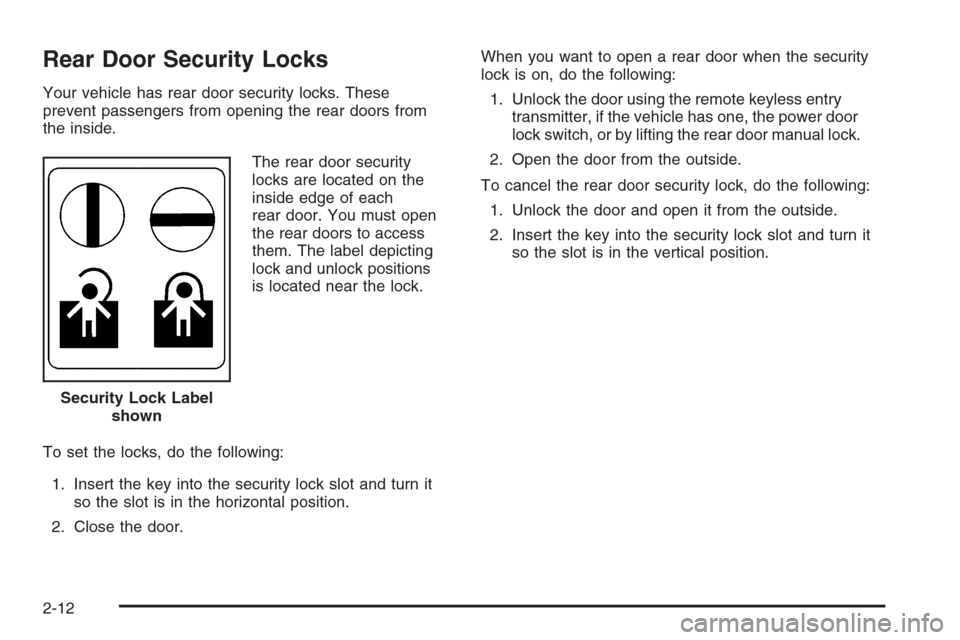
The rear door security
locks are located on the
inside edge of each
rear door. You must open
the rear doors to access
them. The label depicting
lock and unlock positions
is located near the lock.
To set the locks, do the following:
1. Insert the key into the security lock slot and turn it
so the slot is in the horizontal position.
2. Close the door.When you want to open a rear door when the security
lock is on, do the following:
1. Unlock the door using the remote keyless entry
transmitter, if the vehicle has one, the power door
lock switch, or by lifting the rear door manual lock.
2. Open the door from the outside.
To cancel the rear door security lock, do the following:
1. Unlock the door and open it from the outside.
2. Insert the key into the security lock slot and turn it
so the slot is in the vertical position.
Security Lock Label
shown
2-12
Page 89 of 394

Lockout Protection
This feature helps prevent you from locking the doors
while your key is in the ignition. Always remember
to take your key with you when exiting your vehicle.
If the lock switch is pressed on the door that is open and
the key is in the ignition, all of the doors will lock and
then the driver’s door will unlock. A chime will sound
continuously until all doors are closed.
Trunk
{CAUTION:
It can be dangerous to drive with the trunk lid
open because carbon monoxide (CO) gas can
come into your vehicle. You cannot see or
smell CO. It can cause unconsciousness and
even death. If you must drive with the trunk lid
open or if electrical wiring or other cable
connections must pass through the seal
between the body and the trunk lid:
Make sure all other windows are shut.
Turn the fan on your heating or cooling
system to its highest speed and select the
control setting that will force outside air
into your vehicle. See Climate Control
System.
If you have air outlets on or under the
instrument panel, open them all the way.
SeeEngine Exhaust on page 2-32.
2-13
Page 92 of 394
Power Windows
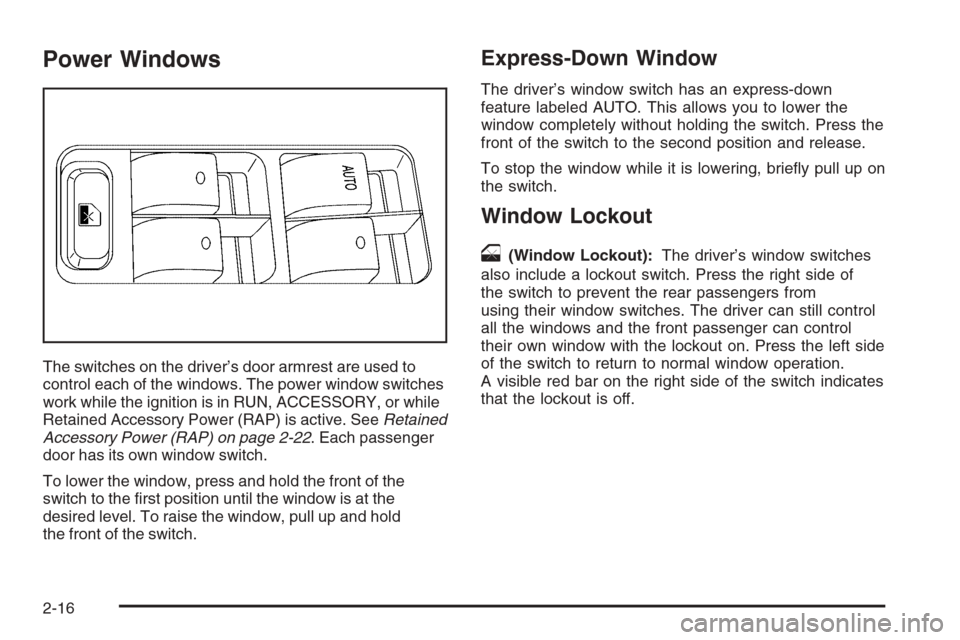
The switches on the driver’s door armrest are used to
control each of the windows. The power window switches
work while the ignition is in RUN, ACCESSORY, or while
Retained Accessory Power (RAP) is active. SeeRetained
Accessory Power (RAP) on page 2-22. Each passenger
door has its own window switch.
To lower the window, press and hold the front of the
switch to the rst position until the window is at the
desired level. To raise the window, pull up and hold
the front of the switch.
Express-Down Window
The driver’s window switch has an express-down
feature labeled AUTO. This allows you to lower the
window completely without holding the switch. Press the
front of the switch to the second position and release.
To stop the window while it is lowering, briey pull up on
the switch.
Window Lockout
o
(Window Lockout):The driver’s window switches
also include a lockout switch. Press the right side of
the switch to prevent the rear passengers from
using their window switches. The driver can still control
all the windows and the front passenger can control
their own window with the lockout on. Press the left side
of the switch to return to normal window operation.
A visible red bar on the right side of the switch indicates
that the lockout is off.
2-16
Page 93 of 394

Sun Visors
To block out glare, swing down the sun visors. They
can be detached from the center retainer and slid along
the rod to cover different areas of the front window
and turned to cover the side windows.
Visor Vanity Mirror
Swing down the sun visors and lift the cover to expose
the vanity mirror. Do not drive with the cover lifted
due to possible glare impeding other drivers behind or
to the side of the vehicle.
Theft-Deterrent Systems
Vehicle theft is big business, especially in some cities.
Although your vehicle has a number of theft-deterrent
features, we know that nothing we put on it can make it
impossible to steal.
Content Theft-Deterrent
Your vehicle may have the optional content
theft-deterrent alarm system.
To activate the theft-deterrent system:
1. Open the door.
2. Lock the door with the power door lock switch or
the remote keyless entry transmitter. If you are
using the remote keyless entry transmitter, the door
does not need to be open.
3. Close all doors.
Once armed, the alarm will go off if someone tries to
enter the vehicle without using the remote keyless entry
transmitter or a key or turns the ignition on with an
incorrect key. The horn will sound and the turn signal
lamps will ash for approximately two minutes.
When the alarm is armed, the trunk may be opened
with the remote keyless entry transmitter. The power
door lock switches are disabled and the doors remain
locked. You must use your remote keyless entry
transmitter or your key to unlock the doors when the
system is armed.
2-17
Page 94 of 394

Arming with the Power Lock Switch
The alarm system will arm when you use either power
lock switch to lock the doors while any door or the trunk
is open and the key is removed from the ignition.
Arming with the Remote Keyless
Entry Transmitter
The alarm system will arm when you use your remote
keyless entry transmitter to lock the doors, if the
key is not in the ignition.
Disarming with the Remote Keyless
Entry Transmitter
The alarm system will disarm when you use your
remote keyless entry transmitter to unlock the doors.
The rst time a remote unlock command is received,
three ashes will be seen and three horn chirps heard
to indicate an alarm condition has occurred since
last arming.
Disarming with Your Key
The alarm system will disarm when you use your key to
unlock the doors or insert your key in ignition and
turn it from the OFF position.
PASS-Key®III+
The PASS-Key®III+ system operates on a radio
frequency subject to Federal Communications
Commission (FCC) Rules and with Industry Canada.
This device complies with Part 15 of the FCC Rules.
Operation is subject to the following two conditions:
1. This device may not cause harmful interference.
2. This device must accept any interference received,
including interference that may cause undesired
operation.
This device complies with RSS-210 of Industry Canada.
Operation is subject to the following two conditions:
1. This device may not cause interference.
2. This device must accept any interference received,
including interference that may cause undesired
operation of the device.
Changes or modications to this system by other than
an authorized service facility could void authorization to
use this equipment.
PASS-Key
®III+ uses a radio frequency transponder in
the key that matches a decoder in your vehicle.
2-18