2006 CHEVROLET HHR climate control
[x] Cancel search: climate controlPage 142 of 394
Rear Window Wiper/Washer
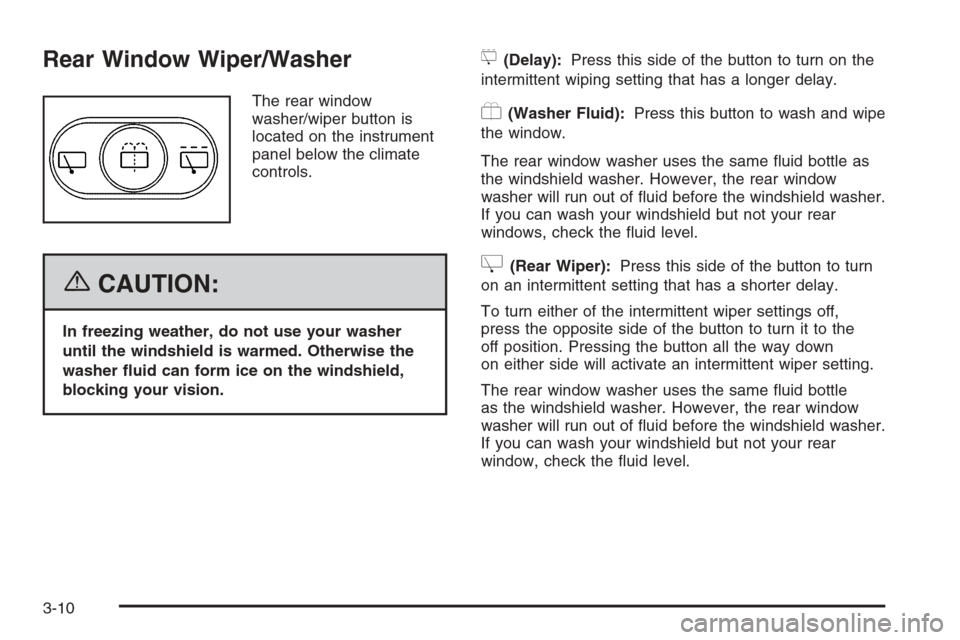
The rear window
washer/wiper button is
located on the instrument
panel below the climate
controls.
{CAUTION:
In freezing weather, do not use your washer
until the windshield is warmed. Otherwise the
washer uid can form ice on the windshield,
blocking your vision.
5(Delay):Press this side of the button to turn on the
intermittent wiping setting that has a longer delay.
Y(Washer Fluid):Press this button to wash and wipe
the window.
The rear window washer uses the same uid bottle as
the windshield washer. However, the rear window
washer will run out of uid before the windshield washer.
If you can wash your windshield but not your rear
windows, check the uid level.
Z(Rear Wiper):Press this side of the button to turn
on an intermittent setting that has a shorter delay.
To turn either of the intermittent wiper settings off,
press the opposite side of the button to turn it to the
off position. Pressing the button all the way down
on either side will activate an intermittent wiper setting.
The rear window washer uses the same uid bottle
as the windshield washer. However, the rear window
washer will run out of uid before the windshield washer.
If you can wash your windshield but not your rear
window, check the uid level.
3-10
Page 150 of 394
Accessory Power Outlet(s)
Accessory power outlets can be used to connect
electrical equipment such as a cellular phone or
CB radio. The outlet can accept electrical equipment
rated at a maximum of 15 amps.
The accessory power outlet is located forward of the
shift lever and below the climate controls. There is also
an accessory power outlet at the rear of the center
console that is rated at a maximum of 20 amps.
To use the outlet, remove the cover. When not in use,
always cover the outlet with the protective cap.
Notice:Leaving electrical equipment on for
extended periods will drain the battery. Always turn
off electrical equipment when not in use and do
not plug in equipment that exceeds the maximum
amperage rating.
Certain electrical accessories may not be compatible
with the accessory power outlet and could result
in blown vehicle or adapter fuses. If you experience a
problem, see your dealer for additional information
on the accessory power outlet.
Notice:Adding any electrical equipment to your
vehicle may damage it or keep other components
from working as they should. The repairs would not
be covered by your warranty. Do not use equipment
exceeding maximum amperage rating. Check with
your dealer before adding electrical equipment.When adding electrical equipment, be sure to follow the
installation instructions included with the equipment.
Notice:Improper use of the power outlet can cause
damage not covered by your warranty. Do not
hang any type of accessory or accessory bracket
from the plug because the power outlets are
designed for accessory power plugs only.
Ashtray(s) and Cigarette Lighter
Your vehicle may have an ashtray and cigarette lighter.
To use the lighter, located on the instrument panel
below the climate controls, push it in all the way and let
go. When it is ready, it will pop back out by itself.
Notice:Holding a cigarette lighter in while it is
heating will not allow the lighter to back away from
the heating element when it is hot. Damage from
overheating may occur to the lighter or heating
element, or a fuse could be blown. Do not hold a
cigarette lighter in while it is heating.
To clean the center console ashtray, remove the entire
ashtray and empty it.
Notice:If you put papers, pins, or other ammable
items in the ashtray, hot cigarettes or other
smoking materials could ignite them and possibly
damage your vehicle. Never put ammable items in
the ashtray.
3-18
Page 151 of 394
Climate Controls
Climate Control System
With this system you can control the heating, cooling,
and ventilation for your vehicle.
If your vehicle has remote start and you want to warm
up or cool down the interior before you get in, leave your
climate control system on with the settings adjusted
where you want them. The next time the vehicle
is started with remote start, the climate control system
will come on and adjust the interior to the temperature
settings.
Operation
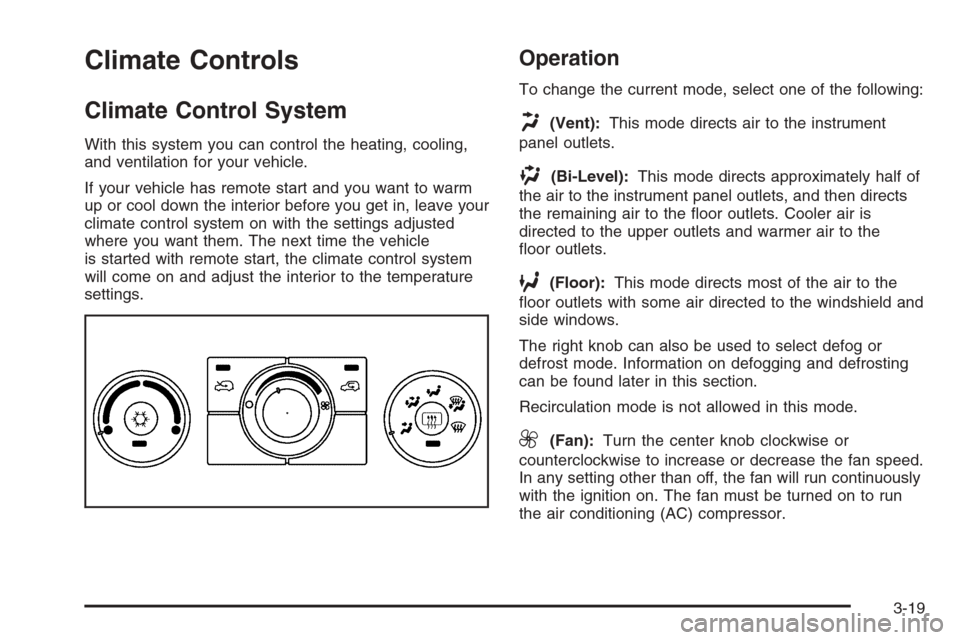
To change the current mode, select one of the following:
H(Vent):This mode directs air to the instrument
panel outlets.
)(Bi-Level):This mode directs approximately half of
the air to the instrument panel outlets, and then directs
the remaining air to the oor outlets. Cooler air is
directed to the upper outlets and warmer air to the
oor outlets.
6(Floor):This mode directs most of the air to the
oor outlets with some air directed to the windshield and
side windows.
The right knob can also be used to select defog or
defrost mode. Information on defogging and defrosting
can be found later in this section.
Recirculation mode is not allowed in this mode.
9(Fan):Turn the center knob clockwise or
counterclockwise to increase or decrease the fan speed.
In any setting other than off, the fan will run continuously
with the ignition on. The fan must be turned on to run
the air conditioning (AC) compressor.
3-19
Page 153 of 394
Defogging and Defrosting
Fog on the inside of windows is a result of high humidity
(moisture) condensing on the cool window glass.
This can be minimized if the climate control system is
used properly. There are two modes to clear fog or
frost from your windshield and side windows. Use the
defog mode to clear the windows of fog or moisture
and warm the passengers. Use the defrost mode
to remove fog or frost from the windshield more quickly.
For best results, clear all snow and ice from the
windshield before defrosting.
Turn the right knob to select the defog or defrost mode.
-(Defog):This mode directs approximately half of
the air to the windshield and the side window outlets and
half to the oor outlets. When you select this mode
the system runs the air conditioning compressor.
To defog the windows faster, turn the temperature
control knob clockwise to the warmest setting.
Recirculation mode is not available in defog mode.
0(Defrost):This mode directs most of the air to the
windshield, with some air directed to the side window
outlets and the oor outlets. When you select this mode
the system runs the air conditioning compressor.
To defrost the windows faster, turn the temperature
control knob clockwise to the warmest setting.
Recirculation mode is not available in defog mode.
Rear Window Defogger
The rear window defogger uses a warming grid to
remove fog from the rear window.
The rear window defogger will only work when the
ignition is in RUN.
<(Rear):Press the button to turn the rear window
defogger on or off. Be sure to clear as much snow from
the rear window as possible. An indicator light below
the symbol will come on to let you know that the
rear window defogger is activated.
The rear window defogger will turn off approximately
15 minutes after the button is pressed. If turned on again,
the defogger will only run for approximately seven
minutes before turning off. If turned on again, the
defogger will only run for approximately seven minutes
before turning off. If vehicle speed is greater than
50 mph (80 km/h) and the rear defogger is active,
it will remain on as long as the speed is greater than
50 mph (80 km/h). The defogger can also be turned off by
pressing the button again or by turning off the engine.
Notice:Do not use anything sharp on the inside
of the rear window. If you do, you could cut or
damage the warming grid, and the repairs would not
be covered by your warranty. Do not attach a
temporary vehicle license, tape, a decal or anything
similar to the defogger grid.
3-21
Page 317 of 394
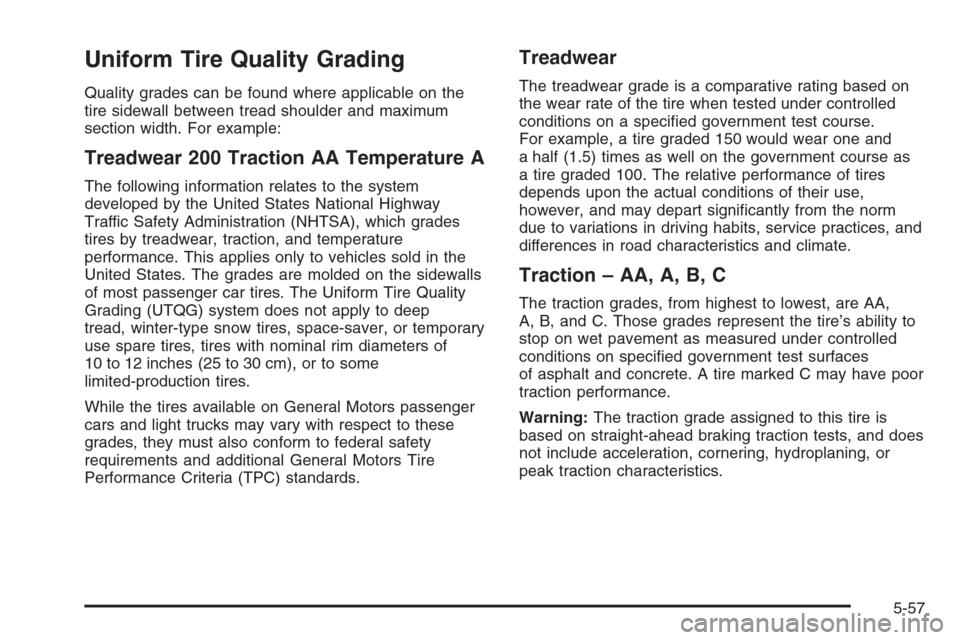
Uniform Tire Quality Grading
Quality grades can be found where applicable on the
tire sidewall between tread shoulder and maximum
section width. For example:
Treadwear 200 Traction AA Temperature A
The following information relates to the system
developed by the United States National Highway
Traffic Safety Administration (NHTSA), which grades
tires by treadwear, traction, and temperature
performance. This applies only to vehicles sold in the
United States. The grades are molded on the sidewalls
of most passenger car tires. The Uniform Tire Quality
Grading (UTQG) system does not apply to deep
tread, winter-type snow tires, space-saver, or temporary
use spare tires, tires with nominal rim diameters of
10 to 12 inches (25 to 30 cm), or to some
limited-production tires.
While the tires available on General Motors passenger
cars and light trucks may vary with respect to these
grades, they must also conform to federal safety
requirements and additional General Motors Tire
Performance Criteria (TPC) standards.
Treadwear
The treadwear grade is a comparative rating based on
the wear rate of the tire when tested under controlled
conditions on a specied government test course.
For example, a tire graded 150 would wear one and
a half (1.5) times as well on the government course as
a tire graded 100. The relative performance of tires
depends upon the actual conditions of their use,
however, and may depart signicantly from the norm
due to variations in driving habits, service practices, and
differences in road characteristics and climate.
Traction – AA, A, B, C
The traction grades, from highest to lowest, are AA,
A, B, and C. Those grades represent the tire’s ability to
stop on wet pavement as measured under controlled
conditions on specied government test surfaces
of asphalt and concrete. A tire marked C may have poor
traction performance.
Warning:The traction grade assigned to this tire is
based on straight-ahead braking traction tests, and does
not include acceleration, cornering, hydroplaning, or
peak traction characteristics.
5-57
Page 344 of 394

Floor Console Fuse Block
The oor console fuse block is located on the
passenger’s side of the console behind the forward
panel.
The panel has four clips, one in each corner. Pull the
panel to disconnect the four clips, and access the fuses.
Use the fuse puller to remove fuses.
Fuses Usage
1 Fuse Puller
2 Spare
3 Spare
4 Spare
5 Spare
6 Amplier
7 Cluster
8 Ignition Switch, PassKey
9 Stoplamp
10 Climate Control System, PassKey
11 Empty
12 Spare
13 Airbag
14 Spare
15 Wiper
16 Climate Control System, Ignition
17 Blank
18 Blank
5-84
Page 345 of 394
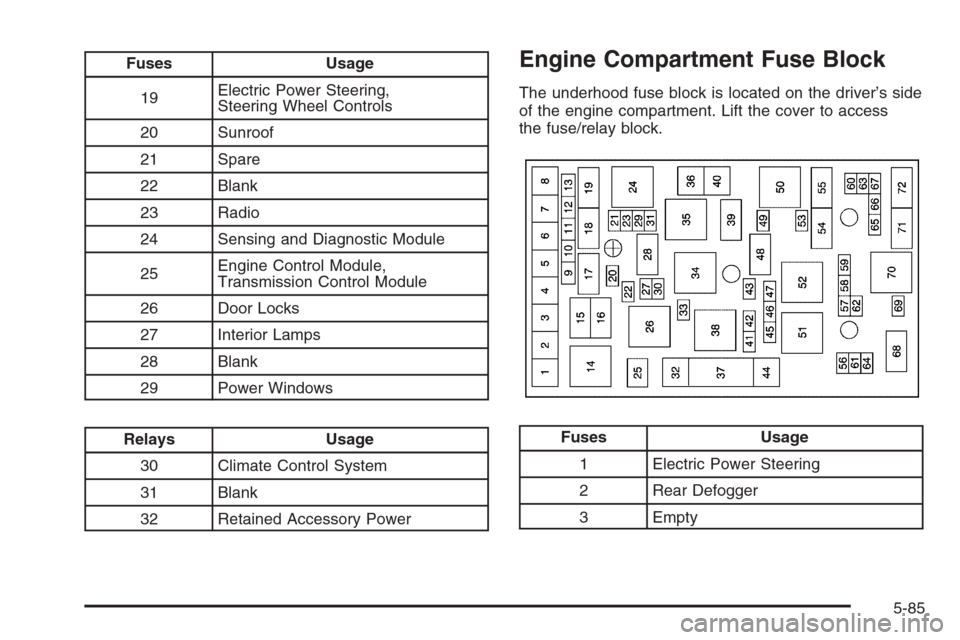
Fuses Usage
19Electric Power Steering,
Steering Wheel Controls
20 Sunroof
21 Spare
22 Blank
23 Radio
24 Sensing and Diagnostic Module
25Engine Control Module,
Transmission Control Module
26 Door Locks
27 Interior Lamps
28 Blank
29 Power Windows
Relays Usage
30 Climate Control System
31 Blank
32 Retained Accessory Power
Engine Compartment Fuse Block
The underhood fuse block is located on the driver’s side
of the engine compartment. Lift the cover to access
the fuse/relay block.
Fuses Usage
1 Electric Power Steering
2 Rear Defogger
3 Empty
5-85
Page 383 of 394
Child Restraints
Child Restraint Systems...............................1-39
Infants and Young Children...........................1-36
Lower Anchors and Tethers for Children..........1-45
Older Children.............................................1-34
Securing a Child Restraint in a
Rear Seat Position...................................1-52
Securing a Child Restraint in the
Right Front Seat Position..........................1-54
Where to Put the Restraint...........................1-43
Cigarette Lighter.............................................3-18
Cleaning
Aluminum or Chrome-Plated Wheels..............5-79
Exterior Lamps/Lenses.................................5-77
Fabric/Carpet..............................................5-75
Finish Care.................................................5-77
Inside of Your Vehicle..................................5-74
Instrument Panel, Vinyl, and Other Plastic
Surfaces.................................................5-76
Tires..........................................................5-79
Underbody Maintenance...............................5-80
Washing Your Vehicle...................................5-77
Weatherstrips..............................................5-76
Windshield and Wiper Blades........................5-78
Climate Control System...................................3-19
Air Filter, Passenger Compartment.................3-22
Outlet Adjustment........................................3-22Clutch, Hydraulic.............................................5-20
Collision Damage Repair..................................7-10
Comfort Guides, Rear Safety Belt.....................1-30
Compact Spare Tire........................................5-73
Content Theft-Deterrent....................................2-18
Control of a Vehicle.......................................... 4-6
Convenience Net............................................2-49
Coolant
Engine Temperature Gage............................3-35
Engine Temperature Warning Light.................3-34
Heater, Engine............................................2-26
Cooling System..............................................5-25
Cruise Control................................................3-11
Cupholder(s)..................................................2-45
Customer Assistance Information
Courtesy Transportation.................................. 7-7
Customer Assistance for Text
Telephone (TTY) Users............................... 7-4
Customer Assistance Offices........................... 7-4
Customer Satisfaction Procedure..................... 7-2
GM Mobility Reimbursement Program............... 7-5
Reporting Safety Defects to General Motors....7-14
Reporting Safety Defects to the
Canadian Government..............................7-14
Reporting Safety Defects to the
United States Government.........................7-13
Roadside Assistance Program......................... 7-6
Service Publications Ordering Information........7-14
3