Page 150 of 368
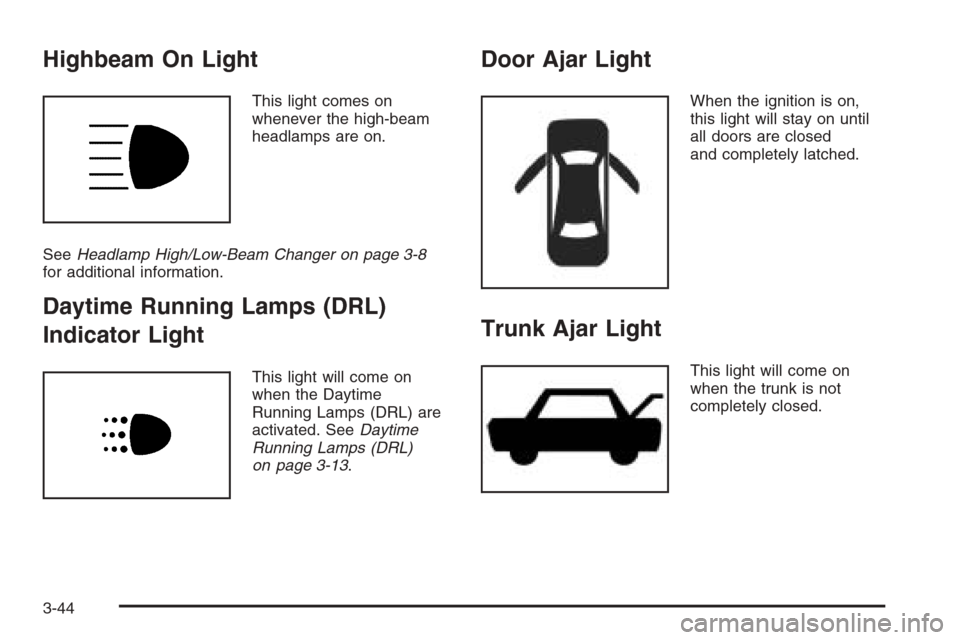
Highbeam On Light
This light comes on
whenever the high-beam
headlamps are on.
SeeHeadlamp High/Low-Beam Changer on page 3-8
for additional information.
Daytime Running Lamps (DRL)
Indicator Light
This light will come on
when the Daytime
Running Lamps (DRL) are
activated. SeeDaytime
Running Lamps (DRL)
on page 3-13.
Door Ajar Light
When the ignition is on,
this light will stay on until
all doors are closed
and completely latched.
Trunk Ajar Light
This light will come on
when the trunk is not
completely closed.
3-44
Page 181 of 368
CD Messages
CHECK CD:If this message appears on the display
and/or the CD comes out, it could be for one of the
following reasons:
•It is very hot. When the temperature returns to
normal, the CD should play.
•You are driving on a very rough road. When the
road becomes smoother, the CD should play.
•The CD is dirty, scratched, wet, or upside down.
•The air is very humid. If so, wait about an hour
and try again.
•The format of the CD may not be compatible.
See “MP3 Format” earlier in this section.
•There may have been a problem while burning
the CD.
•The label may be caught in the CD player.
If the CD is not playing correctly, for any other reason,
try a known good CD.
If any error occurs repeatedly or if an error cannot be
corrected, contact your dealer. If the radio displays
an error message, write it down and provide it to your
dealer when reporting the problem.
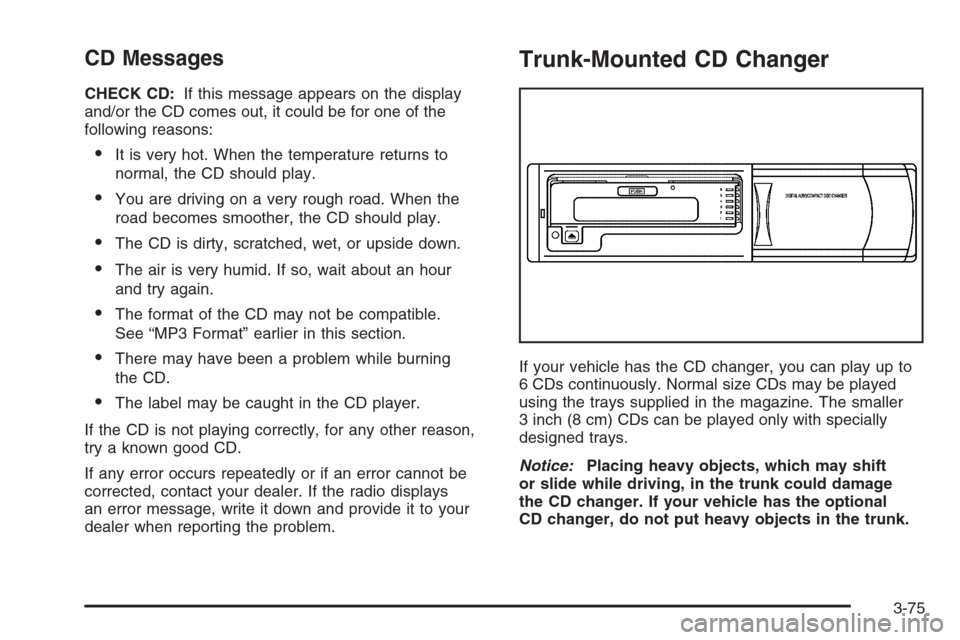
Trunk-Mounted CD Changer
If your vehicle has the CD changer, you can play up to
6 CDs continuously. Normal size CDs may be played
using the trays supplied in the magazine. The smaller
3 inch (8 cm) CDs can be played only with specially
designed trays.
Notice:Placing heavy objects, which may shift
or slide while driving, in the trunk could damage
the CD changer. If your vehicle has the optional
CD changer, do not put heavy objects in the trunk.
3-75
Page 184 of 368
CD Messages
No Maga:An empty magazine is inserted in the CD
changer. Try the magazine again with a CD loaded
in one of the trays.
Notice:If you add any label to a CD, insert more
than one CD into the slot at a time, or attempt
to play scratched or damaged CDs, you could
damage the CD player. When using the CD player,
use only CDs in good condition without any
label, load one CD at a time, and keep the CD player
and the loading slot free of foreign materials,
liquids, and debris.
If the CD is not playing correctly, for any other reason,
try a known good CD.
If any error occurs repeatedly or if an error cannot be
corrected, contact your dealer. If the radio displays
an error message, write it down and provide it to your
dealer when reporting the problem.
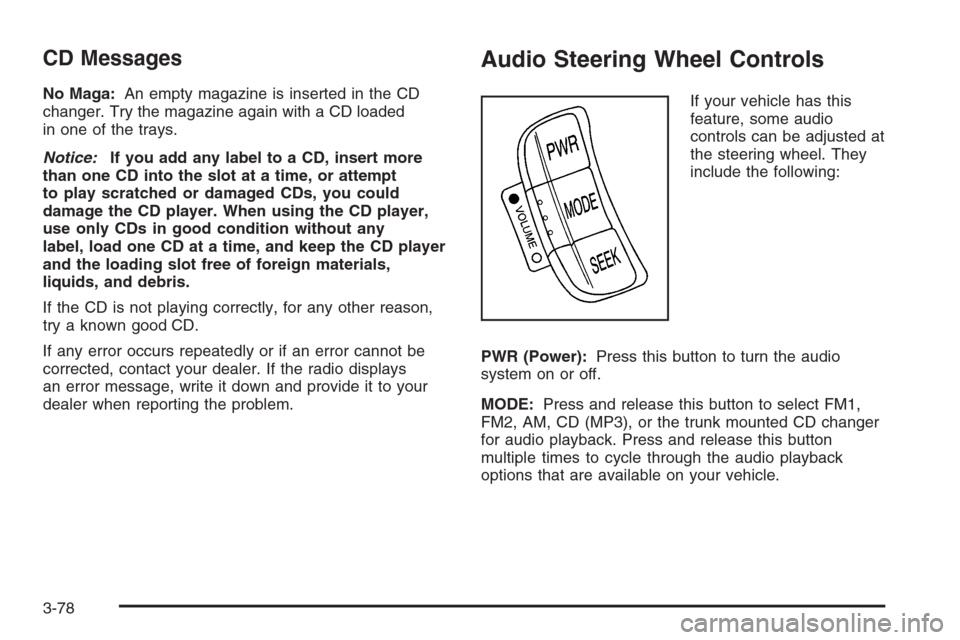
Audio Steering Wheel Controls
If your vehicle has this
feature, some audio
controls can be adjusted at
the steering wheel. They
include the following:
PWR (Power):Press this button to turn the audio
system on or off.
MODE:Press and release this button to select FM1,
FM2, AM, CD (MP3), or the trunk mounted CD changer
for audio playback. Press and release this button
multiple times to cycle through the audio playback
options that are available on your vehicle.
3-78
Page 212 of 368
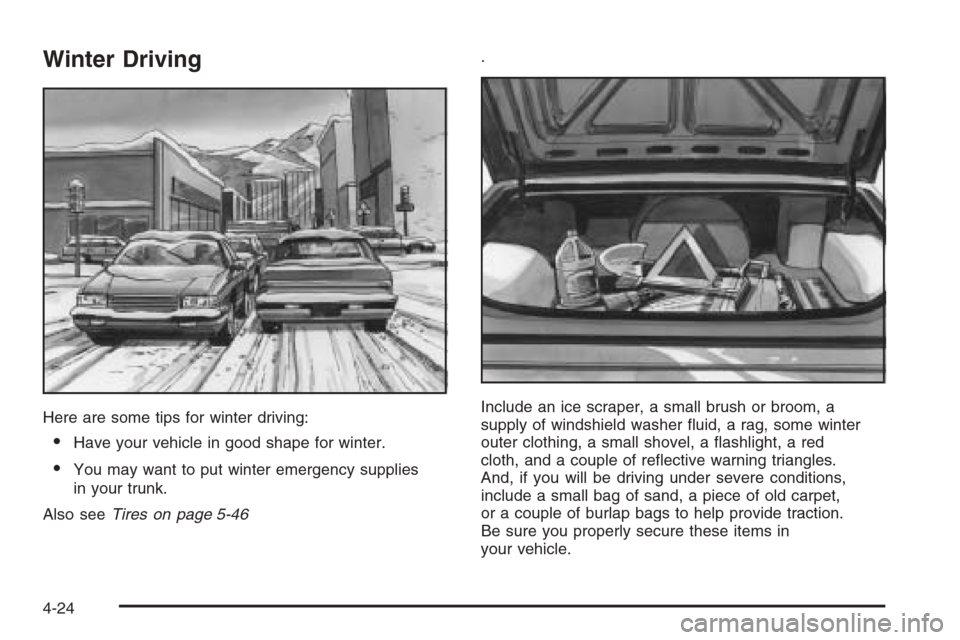
Winter Driving
Here are some tips for winter driving:
•Have your vehicle in good shape for winter.
•You may want to put winter emergency supplies
in your trunk.
Also seeTires on page 5-46.
Include an ice scraper, a small brush or broom, a
supply of windshield washer fluid, a rag, some winter
outer clothing, a small shovel, a flashlight, a red
cloth, and a couple of reflective warning triangles.
And, if you will be driving under severe conditions,
include a small bag of sand, a piece of old carpet,
or a couple of burlap bags to help provide traction.
Be sure you properly secure these items in
your vehicle.
4-24
Page 220 of 368
Certication Label
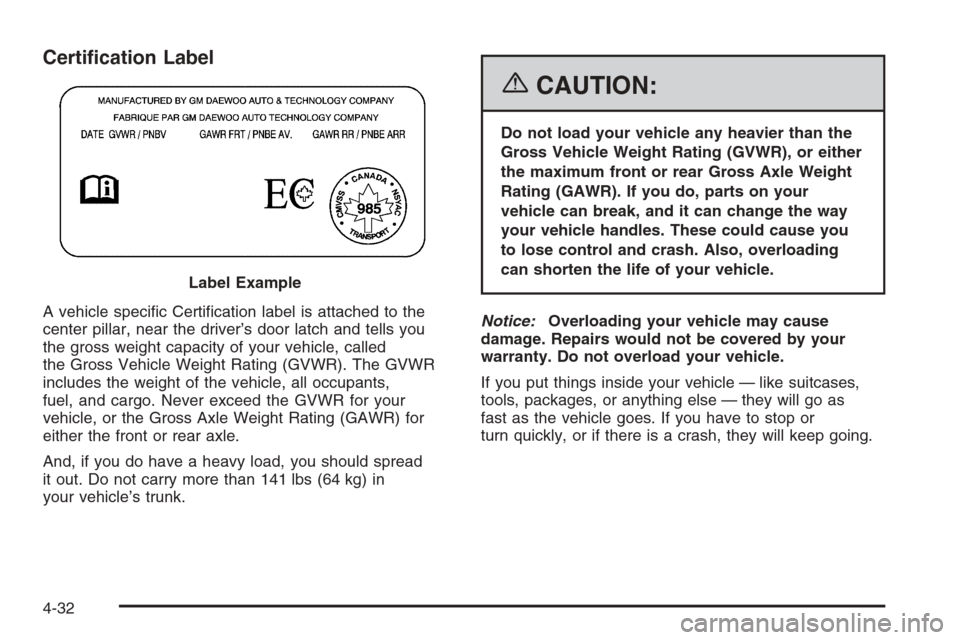
A vehicle specific Certification label is attached to the
center pillar, near the driver’s door latch and tells you
the gross weight capacity of your vehicle, called
the Gross Vehicle Weight Rating (GVWR). The GVWR
includes the weight of the vehicle, all occupants,
fuel, and cargo. Never exceed the GVWR for your
vehicle, or the Gross Axle Weight Rating (GAWR) for
either the front or rear axle.
And, if you do have a heavy load, you should spread
it out. Do not carry more than 141 lbs (64 kg) in
your vehicle’s trunk.
{CAUTION:
Do not load your vehicle any heavier than the
Gross Vehicle Weight Rating (GVWR), or either
the maximum front or rear Gross Axle Weight
Rating (GAWR). If you do, parts on your
vehicle can break, and it can change the way
your vehicle handles. These could cause you
to lose control and crash. Also, overloading
can shorten the life of your vehicle.
Notice:Overloading your vehicle may cause
damage. Repairs would not be covered by your
warranty. Do not overload your vehicle.
If you put things inside your vehicle — like suitcases,
tools, packages, or anything else — they will go as
fast as the vehicle goes. If you have to stop or
turn quickly, or if there is a crash, they will keep going. Label Example
4-32
Page 221 of 368
{CAUTION:
Things you put inside your vehicle can strike
and injure people in a sudden stop or turn, or
in a crash.
Put things in the trunk of your vehicle. In a
trunk, put them as far forward as you can.
Try to spread the weight evenly.
Never stack heavier things, like suitcases,
inside the vehicle so that some of them
are above the tops of the seats.
Do not leave an unsecured child restraint
in your vehicle.
When you carry something inside the
vehicle, secure it whenever you can.
Do not leave a seat folded down unless
you need to.
Towing
Towing Your Vehicle
Consult your dealer or a professional towing service if
you need to have your disabled vehicle towed. See
Roadside Assistance Program on page 7-6.
If you want to tow your vehicle behind another vehicle
for recreational purposes (such as behind a motorhome),
see “Recreational Vehicle Towing” following.
Recreational Vehicle Towing
Recreational vehicle towing means towing your vehicle
behind another vehicle, such as behind a motorhome.
The two most common types of recreational vehicle
towing are known as “dinghy towing” (towing your
vehicle with all four wheels on the ground) and
“dolly towing” (towing your vehicle with two wheels on
the ground and two wheels up on a device known
as a “dolly”).
4-33
Page 234 of 368
When replacing the fuel cap, turn it to the right
(clockwise) until it clicks. Make sure the cap is fully
installed. The diagnostic system can determine if
the fuel cap has been left off or improperly installed.
This would allow fuel to evaporate into the atmosphere.
SeeMalfunction Indicator Lamp on page 3-40.
{CAUTION:
If a re starts while you are refueling, do not
remove the nozzle. Shut off the ow of fuel
by shutting off the pump or by notifying the
station attendant. Leave the area immediately.
Notice:If you need a new fuel cap, be sure to get
the right type. Your dealer can get one for you. If you
get the wrong type, it may not t properly. This may
cause your malfunction indicator lamp to light and
may damage your fuel tank and emissions system.
SeeMalfunction Indicator Lamp on page 3-40.
Filling a Portable Fuel Container
{CAUTION:
Never ll a portable fuel container while it is in
your vehicle. Static electricity discharge from
the container can ignite the gasoline vapor.
You can be badly burned and your vehicle
damaged if this occurs. To help avoid injury
to you and others:
Dispense gasoline only into approved
containers.
Do not ll a container while it is inside a
vehicle, in a vehicle’s trunk, pickup bed,
or on any surface other than the ground.
Bring the ll nozzle in contact with the
inside of the ll opening before operating
the nozzle. Contact should be maintained
until the lling is complete.
Do not smoke while pumping gasoline.
5-10
Page 268 of 368
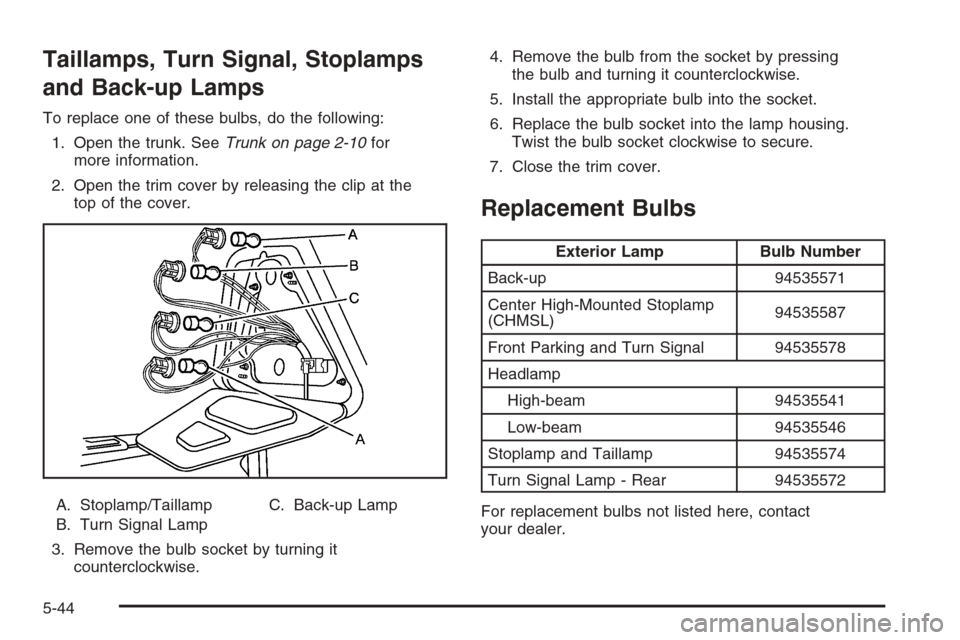
Taillamps, Turn Signal, Stoplamps
and Back-up Lamps
To replace one of these bulbs, do the following:
1. Open the trunk. SeeTrunk on page 2-10for
more information.
2. Open the trim cover by releasing the clip at the
top of the cover.
A. Stoplamp/Taillamp
B. Turn Signal LampC. Back-up Lamp
3. Remove the bulb socket by turning it
counterclockwise.4. Remove the bulb from the socket by pressing
the bulb and turning it counterclockwise.
5. Install the appropriate bulb into the socket.
6. Replace the bulb socket into the lamp housing.
Twist the bulb socket clockwise to secure.
7. Close the trim cover.
Replacement Bulbs
Exterior Lamp Bulb Number
Back-up 94535571
Center High-Mounted Stoplamp
(CHMSL)94535587
Front Parking and Turn Signal 94535578
Headlamp
High-beam 94535541
Low-beam 94535546
Stoplamp and Taillamp 94535574
Turn Signal Lamp - Rear 94535572
For replacement bulbs not listed here, contact
your dealer.
5-44