2006 CHEVROLET EPICA speed
[x] Cancel search: speedPage 95 of 368
Hold Mode Functions
Winter Function
Select hold mode while in AUTOMATIC
OVERDRIVE (D), THIRD (3) or SECOND (2) to help
the vehicle maintain traction on slippery road surfaces,
such as snow, mud, or ice.
Avoid Excessive Shifting
Select hold mode while in THIRD (3) to avoid excessive
shifting when the adaptive shift logic is not enough to
prevent excessive shifting when driving in hilly areas.
Manually Controlling Shift
Select hold mode to use your automatic transaxle
like a four-speed manual transaxle.
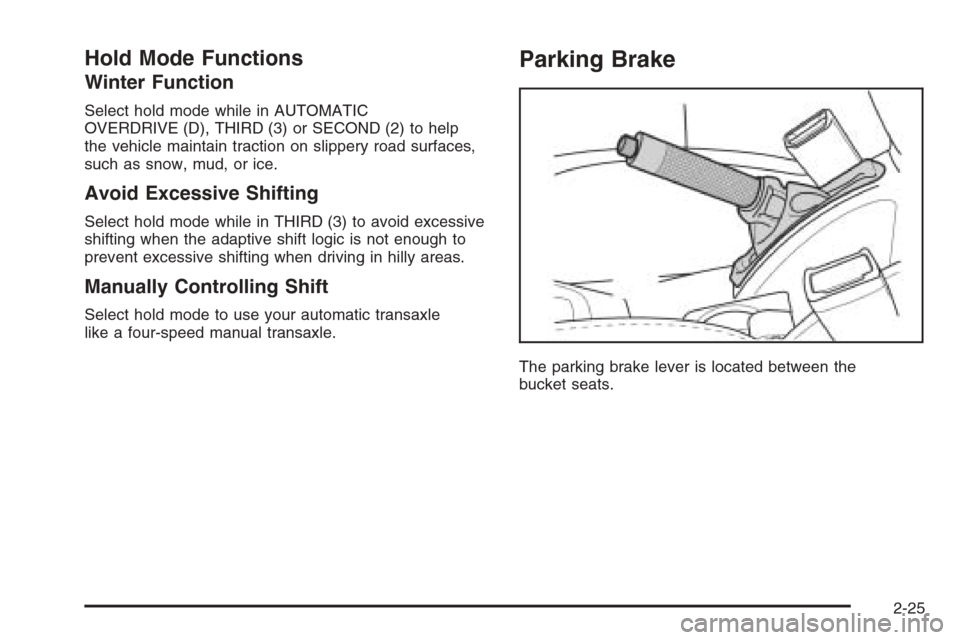
Parking Brake
The parking brake lever is located between the
bucket seats.
2-25
Page 107 of 368
Instrument Panel Overview...............................3-4
Hazard Warning Flashers................................3-6
Other Warning Devices...................................3-6
Horn .............................................................3-6
Tilt Wheel.....................................................3-6
Turn Signal/Multifunction Lever.........................3-7
Turn and Lane-Change Signals........................3-7
Headlamp High/Low-Beam Changer..................3-8
Flash-to-Pass.................................................3-8
Windshield Wipers..........................................3-8
Windshield Washer.........................................3-9
Cruise Control..............................................3-10
Exterior Lamps.............................................3-12
Headlamps on Reminder................................3-13
Daytime Running Lamps (DRL).......................3-13
Fog Lamps ..................................................3-14
Instrument Panel Brightness...........................3-15
Dome Lamp .................................................3-15
Entry Lighting...............................................3-16
Map Lamps .................................................3-16
Accessory Power Outlet(s).............................3-16
Ashtray(s) and Cigarette Lighter......................3-17
Clock..........................................................3-18Climate Controls............................................3-19
Climate Control System.................................3-19
Automatic Climate Control System...................3-22
Outlet Adjustment.........................................3-27
Passenger Compartment Air Filter...................3-28
Warning Lights, Gages, and Indicators............3-29
Instrument Panel Cluster................................3-30
Speedometer and Odometer...........................3-31
Trip Odometer..............................................3-31
Tachometer.................................................3-31
Safety Belt Reminder Light.............................3-32
Safety Belt Reminder Tone............................3-32
Airbag Readiness Light..................................3-32
Passenger Airbag Status Indicator...................3-33
Charging System Light..................................3-35
Brake System Warning Light..........................3-36
Anti-Lock Brake System
Warning Light...........................................3-37
Speed Sensitive Power
Steering (SSPS) Warning Light....................3-37
Traction Control System (TCS)
Warning Light...........................................3-38
Section 3 Instrument Panel
3-1
Page 114 of 368
Headlamp High/Low-Beam Changer
To change the headlamps from low beam to high beam,
push the turn signal/multifunction lever away from you.
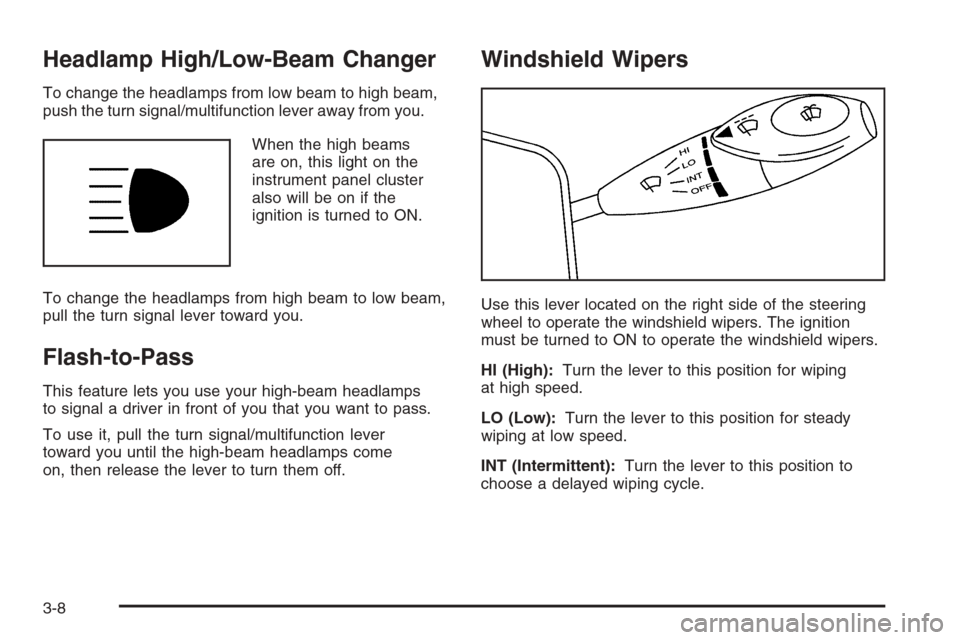
When the high beams
are on, this light on the
instrument panel cluster
also will be on if the
ignition is turned to ON.
To change the headlamps from high beam to low beam,
pull the turn signal lever toward you.
Flash-to-Pass
This feature lets you use your high-beam headlamps
to signal a driver in front of you that you want to pass.
To use it, pull the turn signal/multifunction lever
toward you until the high-beam headlamps come
on, then release the lever to turn them off.
Windshield Wipers
Use this lever located on the right side of the steering
wheel to operate the windshield wipers. The ignition
must be turned to ON to operate the windshield wipers.
HI (High):Turn the lever to this position for wiping
at high speed.
LO (Low):Turn the lever to this position for steady
wiping at low speed.
INT (Intermittent):Turn the lever to this position to
choose a delayed wiping cycle.
3-8
Page 115 of 368
Turn the center band on the windshield wiper lever
toward LO for a longer delay or toward HI for a shorter
delay. The wiper speed can only be adjusted when
the lever is in the INT position.
OFF:Turn the lever to this position to turn off the
windshield wipers.
Misting Function
Move the lever toward the INT position for a single
wiping cycle. Hold it there until the windshield wipers
start; then let go. The windshield wipers will stop
after one cycle. If you want more wipes, hold the lever
toward INT position.
Remember that damaged wiper blades may prevent
you from seeing well enough to drive safely. To avoid
damage, be sure to clear ice and snow from the
wiper blades before using them.
If the wiper blades are frozen to the windshield, carefully
loosen them or warm the windshield before turning
the wipers on. If your blades do become worn or
damaged, get new blades or blade inserts.
Heavy snow or ice can overload the wipers. If this
occurs, a circuit A circuit breaker breaker will stop the
wipers until the wiper motor cools. So, be sure to
clear any snow or ice from the windshield wiper blades
before using them.
Windshield Washer
To wash your windshield, pull the windshield
wiper/washer lever toward you with the ignition
turned to ON.
{CAUTION:
In freezing weather, do not use your washer
until the windshield is warmed. Otherwise the
washer uid can form ice on the windshield,
blocking your vision.
When you release the lever, the washers will stop,
but the wipers will continue to wipe for about three
cycles and will either stop or will resume at the speed
you were using before.
3-9
Page 116 of 368
Cruise Control
If your vehicle has cruise control, you can maintain a
speed of about 24 mph (39 km/h) or more without
keeping your foot on the accelerator. This can really
help on long trips. Cruise control does not work at
speeds below 24 mph (39 km/h).
When you apply your brakes, the cruise control turns off.
{CAUTION:
Cruise control can be dangerous where you
cannot drive safely at a steady speed. So, do
not use your cruise control on winding roads
or in heavy traffic.
Cruise control can be dangerous on slippery
roads. On such roads, fast changes in tire
traction can cause excessive wheel slip, and
you could lose control. Do not use cruise
control on slippery roads.
If your vehicle is in cruise control when the optional
traction control system begins to limit wheel spin,
the cruise control will automatically disengage.SeeTraction Control System (TCS) on page 4-9.
When road conditions allow you to safely use it again,
you may turn the cruise control back on.
Setting Cruise Control
{CAUTION:
If you leave your cruise control on when you
are not using cruise, you might hit a button
and go into cruise when you do not want to.
You could be startled and even lose control.
Keep the cruise control switch off until you
want to use cruise control.
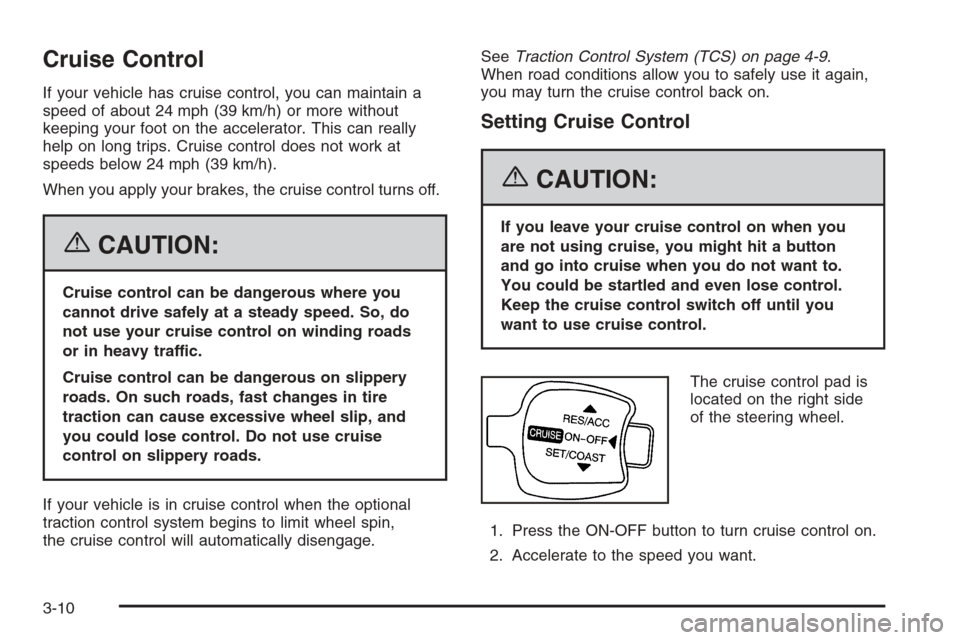
The cruise control pad is
located on the right side
of the steering wheel.
1. Press the ON-OFF button to turn cruise control on.
2. Accelerate to the speed you want.
3-10
Page 117 of 368
3. Move the lever toward SET/COAST and release it.
An indicator light on the instrument panel cluster
will come on to show you that the cruise control is
on. SeeCruise Control Light on page 3-43.
4. Take your foot off the accelerator pedal.
Resuming a Set Speed
Suppose you set your cruise control at a desired speed
and then you apply the brake pedal. This, of course,
shuts off the cruise control. But you do not need to reset
it. Once your vehicle is going about 18 mph (30 km/h)
or more, you can briefly move the cruise control lever
to RES/ACC.
You will go right back up to your chosen speed and
stay there.
If you hold the lever to RES/ACC longer, the vehicle
will keep going faster until you release the lever or
apply the brake pedal. So unless you want to go faster,
do not hold the lever at RES/ACC.
Increasing Speed While Using
Cruise Control
There are two ways to go to a higher speed.
•Use the accelerator pedal to get to a higher speed.
Move the cruise control lever to SET/COAST,
then release the lever and the accelerator pedal.
You will now cruise at the higher speed.
•Move the cruise control lever to RES/ACC. Hold it
there until you get up to the speed you want, and
then release the lever. To increase your speed in
very small amounts, briefly move the lever to
RES/ACC and then release it. Each time you do this,
your vehicle will go about 1 mph (1.6 km/h) faster.
The accelerate feature will only work after you have set
the cruise control speed by moving the cruise control
lever to SET/COAST.
Reducing Speed While Using
Cruise Control
There are two ways to reduce your speed while using
cruise control:
•Move the cruise control lever to SET/COAST until
you reach the lower speed you want, then release it.
•To slow down in very small amounts, briefly move
the lever to SET/COAST. Each time you do this,
you will go about 1 mph (1.6 km/h) slower.
3-11
Page 118 of 368
Passing Another Vehicle While Using
Cruise Control
Use the accelerator pedal to increase your speed.
When you take your foot off the pedal, your vehicle will
slow down to the cruise control speed you set earlier.
Using Cruise Control on Hills
How well your cruise control will work on hills depends
upon your speed, load and the steepness of the
hills. When going up steep hills, you may have to
step on the accelerator pedal to maintain your speed.
When going downhill, you may have to brake or shift
to a lower gear to keep your speed down. Of course,
applying the brake pedal takes you out of cruise control.
Many drivers find this to be too much trouble and do
not use cruise control on steep hills.
Ending Cruise Control
There are two ways to turn off the cruise control:
•Step lightly on the brake pedal.
•Press the ON-OFF button on the cruise
control lever.
Erasing Speed Memory
When you turn off the cruise control or the ignition,
your cruise control set speed memory is erased.
Exterior Lamps
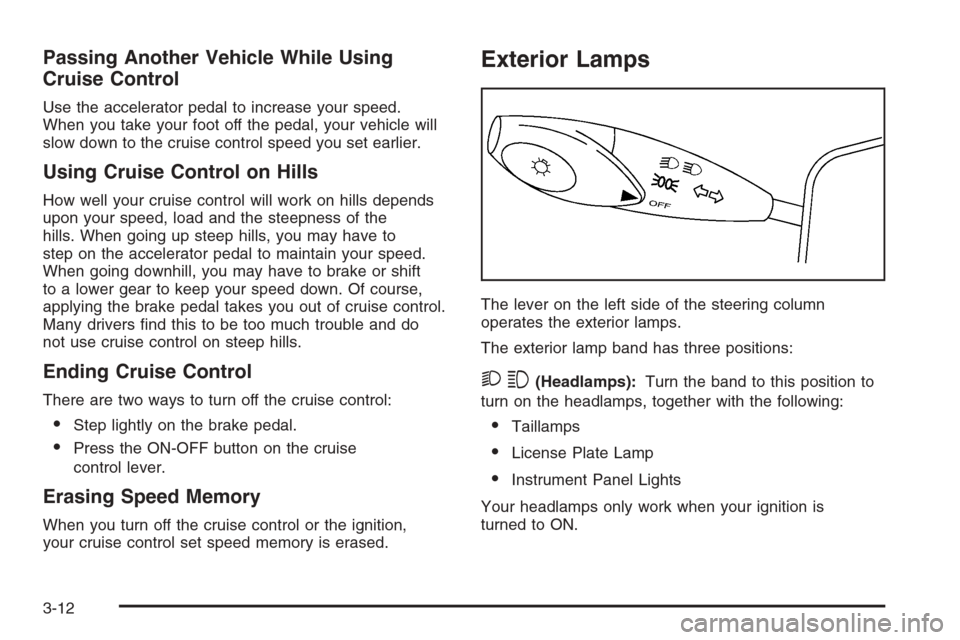
The lever on the left side of the steering column
operates the exterior lamps.
The exterior lamp band has three positions:
23(Headlamps):Turn the band to this position to
turn on the headlamps, together with the following:
•Taillamps
•License Plate Lamp
•Instrument Panel Lights
Your headlamps only work when your ignition is
turned to ON.
3-12
Page 125 of 368
Climate Controls
Climate Control System
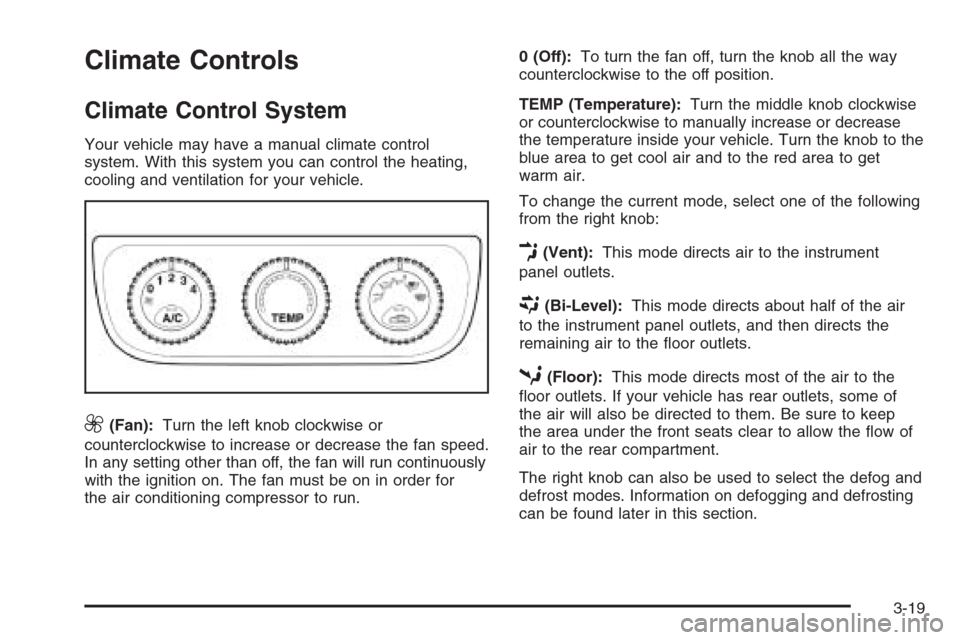
Your vehicle may have a manual climate control
system. With this system you can control the heating,
cooling and ventilation for your vehicle.
9(Fan):Turn the left knob clockwise or
counterclockwise to increase or decrease the fan speed.
In any setting other than off, the fan will run continuously
with the ignition on. The fan must be on in order for
the air conditioning compressor to run.0 (Off):To turn the fan off, turn the knob all the way
counterclockwise to the off position.
TEMP (Temperature):Turn the middle knob clockwise
or counterclockwise to manually increase or decrease
the temperature inside your vehicle. Turn the knob to the
blue area to get cool air and to the red area to get
warm air.
To change the current mode, select one of the following
from the right knob:
E(Vent):This mode directs air to the instrument
panel outlets.
((Bi-Level):This mode directs about half of the air
to the instrument panel outlets, and then directs the
remaining air to the floor outlets.
5(Floor):This mode directs most of the air to the
floor outlets. If your vehicle has rear outlets, some of
the air will also be directed to them. Be sure to keep
the area under the front seats clear to allow the flow of
air to the rear compartment.
The right knob can also be used to select the defog and
defrost modes. Information on defogging and defrosting
can be found later in this section.
3-19