2006 CHEVROLET CORVETTE light
[x] Cancel search: lightPage 156 of 426
Reading Lamps
Your inside rearview mirror includes two reading lamps.
The lamps will go on when a door is opened. When
the doors are closed, each lamp can be turned on
individually by pressing the switch for that lamp.
An ambient light is located in the passenger sun visor
clip. This light stays on while driving to keep the
cabin from being too dark.
Battery Run-Down Protection
Your vehicle has a feature to help prevent you from
draining the battery in case the underhood lamp, vanity
mirror lamps, cargo lamps, reading lamps, console
or glove box lamps are accidentally left on. If you leave
any of these lamps on, they will automatically time-out
after about 20 minutes. To reset it, all of the above
lamps must be turned off or the ignition key on.
Head-Up Display (HUD)
{CAUTION:
If the HUD image is too bright, or too high in
your eld of view, it may take you more time
to see things you need to see when it is dark
outside. Be sure to keep the HUD image dim
and placed low in your eld of view.
If your vehicle is equipped with the Head-Up Display
(HUD), you can see some of the driver information that
appears on your instrument panel cluster.
The information may be displayed in English or metric
units and appears as an image focused out toward
the front of your vehicle. The HUD consists of the
following information:
Speedometer
Turn Signal Indicators
High-Beam Indicator Symbol
Tachometer
3-20
Page 157 of 426

Manual Paddle Shift Gear Indicator (If Equipped)
These lights on the HUD are for use when using
the manual paddle shift controls to shift the
transmission. See “Manual Paddle Shift” in
Automatic Transmission Operation on page 2-26.
Shift Light
This light is used for performance driving to indicate
that the vehicle’s best performance level has been
reached to shift the transmission into the next higher
gear. An arrow pointing up will light up on the display
just prior to reaching the engine fuel cut-off mode.
This cut-off is about 6,500 RPM for the LS2 engine
and 7,000 RPM for the LS7 engine.
Check Gages Warning
Engine Coolant Temperature Gage
Transmission Fluid Temperature Gage,
(Automatic Transmission Vehicles Only)
Engine Oil Temperature Gage
Engine Oil Pressure Gage
G-Force Gage
Audio Functions, Street Mode Only
Navigation, Only with Navigation Radio, Street
Mode OnlyThere are three HUD modes that you can choose to view
in the HUD display. By pressing the MODE button, you
can scroll through these modes in the following order:
Street Mode supports
audio and navigation
functions with your choice
of tachometer settings.
Track Mode 1 supports the
G-Force gage and minor
gages with a circular
tachometer.
3-21
Page 158 of 426

Track Mode 2 supports
G-Force gages and minor
gages with a linear
tachometer.
When you have chosen the desired HUD display,
release the MODE button.
Within each mode, the display, can be further
customized by pressing the PAGE button. Pressing this
button in each mode will turn off and on the following:
Street Mode — No tachometer, circular tachometer
and linear tachometer.
Track Modes 1 and 2 — No minor gage, coolant
temperature, transmission oil temperature, engine
oil temperature and engine oil pressure.
While in Track Mode 1 or 2, the maximum G value
achieved during the current ignition cycle can be
displayed by pressing and holding the PAGE button.
The maximum G display will be shown until the
PAGE button is released. The maximum G value
display will be identical to the normal G value
display, except the maximum G gage digits (X.XX G)
and corresponding G gage bar will overwrite the
current G value.If your vehicle is equipped
with a navigation radio,
many of the turn-by-turn
navigation features
will also be displayed on
the HUD if you are in
Street Mode.
See the navigation system manual for additional
information.
Be sure to continue scanning your displays, controls
and driving environment just as you would in a vehicle
without HUD. If you never look at your instrument
panel cluster, you may not see something important,
such as a warning light. Under important warning
conditions, the CHECK GAGES warning will illuminate
in the HUD. View your Driver Information Center
(DIC) for more information.
3-22
Page 159 of 426

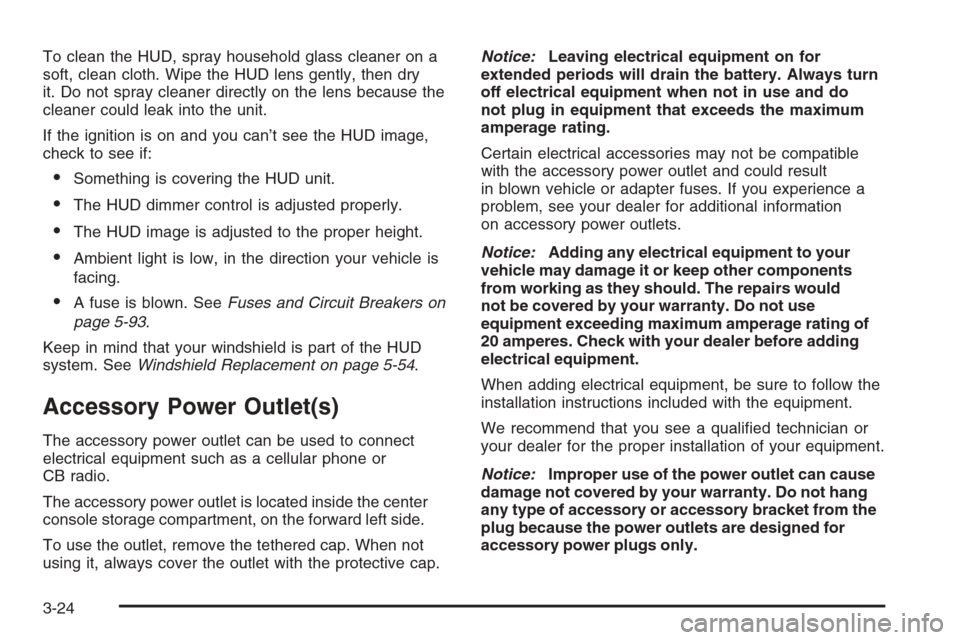
The HUD controls are
located to the left of the
steering wheel.
To adjust the HUD so you can see it properly, do the
following:
1. Start your engine and press the HUD dimmer
control all the way up by pressing the (+) button.
The brightness of the HUD image is determined by
the light conditions in the direction your vehicle is
facing and where you have the HUD dimmer control
set. If you are facing a dark object or a heavily
shaded area, your HUD may anticipate that you are
entering a dark area and may begin to dim.
It is possible for sunlight to enter the HUD making
it difficult to see the image. The display will return
to normal when the sunlight is no longer entering
the HUD.2. Adjust the seat to a comfortable driving position.
If you change your seat position later, you may
have to re-adjust your HUD.
3. Press the up or down arrows to center the HUD
image in your view.
The HUD image can only be adjusted up and down,
not side-to-side.
4. Press the dimmer control downward until the HUD
image is no brighter than necessary.
To turn HUD off, press and hold the (–) button until the
HUD display turns off.
If the sun comes out or it becomes cloudy, you may need
to adjust the HUD brightness again using the dimmer
control. Polarized sunglasses could make the HUD image
harder to see.
The HUD information can be displayed in one of
six languages including English, Spanish, French,
German, Italian or Japanese. The speedometer can
be displayed in either English or Metric units.
To change the language and unit selections, see
“OPTION” underDIC Controls and Displays on
page 3-48.
Clean the inside of the windshield as needed to remove
any dirt or lm that reduces the sharpness or clarity
of the HUD image.
3-23
Page 160 of 426
To clean the HUD, spray household glass cleaner on a
soft, clean cloth. Wipe the HUD lens gently, then dry
it. Do not spray cleaner directly on the lens because the
cleaner could leak into the unit.
If the ignition is on and you can’t see the HUD image,
check to see if:
Something is covering the HUD unit.
The HUD dimmer control is adjusted properly.
The HUD image is adjusted to the proper height.
Ambient light is low, in the direction your vehicle is
facing.
A fuse is blown. SeeFuses and Circuit Breakers on
page 5-93.
Keep in mind that your windshield is part of the HUD
system. SeeWindshield Replacement on page 5-54.
Accessory Power Outlet(s)
The accessory power outlet can be used to connect
electrical equipment such as a cellular phone or
CB radio.
The accessory power outlet is located inside the center
console storage compartment, on the forward left side.
To use the outlet, remove the tethered cap. When not
using it, always cover the outlet with the protective cap.Notice:Leaving electrical equipment on for
extended periods will drain the battery. Always turn
off electrical equipment when not in use and do
not plug in equipment that exceeds the maximum
amperage rating.
Certain electrical accessories may not be compatible
with the accessory power outlet and could result
in blown vehicle or adapter fuses. If you experience a
problem, see your dealer for additional information
on accessory power outlets.
Notice:Adding any electrical equipment to your
vehicle may damage it or keep other components
from working as they should. The repairs would
not be covered by your warranty. Do not use
equipment exceeding maximum amperage rating of
20 amperes. Check with your dealer before adding
electrical equipment.
When adding electrical equipment, be sure to follow the
installation instructions included with the equipment.
We recommend that you see a qualied technician or
your dealer for the proper installation of your equipment.
Notice:Improper use of the power outlet can cause
damage not covered by your warranty. Do not hang
any type of accessory or accessory bracket from the
plug because the power outlets are designed for
accessory power plugs only.
3-24
Page 161 of 426
Ashtray(s) and Cigarette Lighter
The ashtray and cigarette lighter are located on the
instrument panel, in front of the shift lever. To use the
ashtray, press on the indentation at the top of the door.
Notice:If you put papers, pins, or other ammable
items in the ashtray, hot cigarettes or other
smoking materials could ignite them and possibly
damage your vehicle. Never put ammable items in
the ashtray.
Loose objects, such as paper clips, can lodge behind
and beneath the ashtray lid and prevent movement
of the lid. You should avoid putting small, loose objects
near the ashtray.
To use the cigarette lighter, push it in all the way and
let go. When it is ready, it will pop back out by itself.
Notice:Holding a cigarette lighter in while it
is heating will not allow the lighter to back away
from the heating element when it is hot. Damage
from overheating may occur to the lighter or heating
element, or a fuse could be blown. Do not hold a
cigarette lighter in while it is heating.
Climate Controls
Dual Automatic Climate
Control System
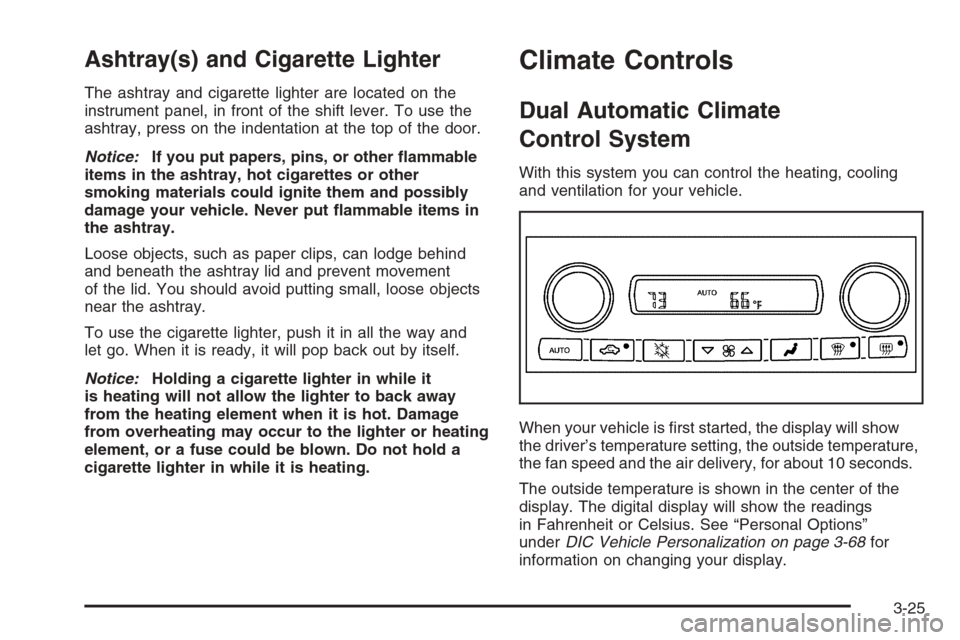
With this system you can control the heating, cooling
and ventilation for your vehicle.
When your vehicle is rst started, the display will show
the driver’s temperature setting, the outside temperature,
the fan speed and the air delivery, for about 10 seconds.
The outside temperature is shown in the center of the
display. The digital display will show the readings
in Fahrenheit or Celsius. See “Personal Options”
underDIC Vehicle Personalization on page 3-68for
information on changing your display.
3-25
Page 163 of 426
N(MODE):Press this button to manually lock in the
current air delivery setting and to stop the automatic
mode control. Pressing the MODE button will delete
AUTO from the digital display and the mode graphics
will be shown. To change the setting, press the MODE
button again. The AUTO button must be pressed to return
to the automatic mode selection.
To change the current mode, select one of the following:
H(Vent):This mode directs most of the air to the
instrument panel outlets, with a very small amount of air
directed to the oor outlets.
%(Bi-Level):This mode directs about half of the
air to the instrument panel outlets, and directs the
remaining air to the oor outlets. Cooler air is directed
to the upper outlets and warmer air to the oor outlets.
6(Floor):This mode directs most of the air to the
oor outlets with some air directed to the side window
defogger outlets and some air directed toward the
windshield.
The MODE button can also be used to select the defog
mode. Information on defogging and defrosting can
be found later in this section.
x9w(Fan):Press the button with the fan symbol
to manually increase or decrease the fan speed.Keep pressing the up or down arrow on this switch until
the desired fan speed appears on the display.
Pressing the arrows will delete AUTO from the digital
display. The fan graphics with the fan speed bars will
be shown. To increase the fan speed so that more
air ows into the vehicle, press the up arrow on the fan
switch. To decrease the fan speed and airow, press
the down arrow. The AUTO button must be pressed to
return to the automatic fan control.
If the airow seems low when the fan speed is at the
highest setting, the passenger compartment air lter
may need to be replaced. For more information,
seePassenger Compartment Air Filter on page 3-31
andScheduled Maintenance on page 6-4.
?(Recirculation):Press this button to turn the
recirculation mode on or off. When the climate control
system is in recirculation mode an indicator light will
come on. This mode prevents outside air from entering
your vehicle. It can be used to prevent outside air and
odors from entering your vehicle and to help cool the air
inside your vehicle more quickly. Recirculation mode is
not available in defrost or defog mode.
^(Air Conditioning Off):Press this button to turn
the air conditioning compressor off. Press AUTO
to return to automatic operation. When in AUTO, the air
conditioning compressor will come on automatically,
as needed.
3-27
Page 164 of 426
Air conditioning does not operate at temperatures below
about 35°F to 40°F (2°C to 4°C). In temperatures
above 40°F (4°C), the air conditioning cannot be turned
off in defrost and defog, as it helps to remove moisture
from the vehicle. It also helps to keep the windows clear.
You may notice a slight change in engine performance
when the air-conditioning compressor shuts off and
turns on again. This is normal. The system is designed
to make adjustments to help with fuel economy while
still maintaining the selected temperature.
On hot days, open the windows to let hot inside air
escape; then close them. This helps to reduce the time
it takes for your vehicle to cool down. It also helps
the system to operate more efficiently.
For quick cool down on hot days press the AUTO button
and adjust the temperature to a cool, comfortable setting.
To achieve maximum cool down, do the following:
1. Select the vent mode.
2. Select recirculation mode.
3. Select the A/C on.
4. Select the coolest temperature.
5. Select the highest fan speed.Using these settings together for long periods of time
may cause the air inside of your vehicle to become too
dry. To prevent this from happening, after the air in
your vehicle has cooled, turn the recirculation mode off.
The air conditioning system removes moisture from
the air, so you may sometimes notice a small amount of
water dripping underneath your vehicle while idling or
after turning off the engine. This is normal.
Sensors
The solar sensor on your vehicle monitors the solar
radiation and uses the information to maintain the
selected temperature when operating in AUTO mode by
initiating needed adjustments to the temperature, the
fan speed and the air delivery system. The system may
also supply cooler air to the side of the vehicle facing
the sun. The recirculation mode will also be activated, as
necessary. Do not cover the solar sensor located on
the top of the instrument panel near the windshield
or the system will not work properly.
There is also a sensor located behind the front bumper.
This sensor reads the outside air temperature and
helps to maintain the temperature inside the vehicle.
Any cover on the front of the vehicle could give a false
reading in the temperature.
3-28