2006 CHEVROLET CORVETTE engine
[x] Cancel search: enginePage 133 of 426
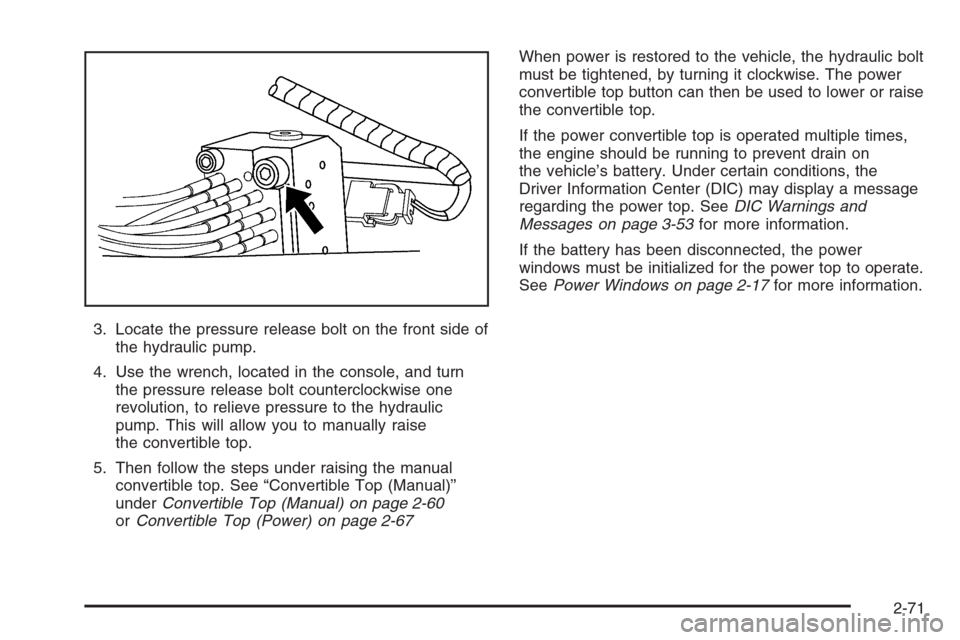
3. Locate the pressure release bolt on the front side of
the hydraulic pump.
4. Use the wrench, located in the console, and turn
the pressure release bolt counterclockwise one
revolution, to relieve pressure to the hydraulic
pump. This will allow you to manually raise
the convertible top.
5. Then follow the steps under raising the manual
convertible top. See “Convertible Top (Manual)”
underConvertible Top (Manual) on page 2-60
orConvertible Top (Power) on page 2-67When power is restored to the vehicle, the hydraulic bolt
must be tightened, by turning it clockwise. The power
convertible top button can then be used to lower or raise
the convertible top.
If the power convertible top is operated multiple times,
the engine should be running to prevent drain on
the vehicle’s battery. Under certain conditions, the
Driver Information Center (DIC) may display a message
regarding the power top. SeeDIC Warnings and
Messages on page 3-53for more information.
If the battery has been disconnected, the power
windows must be initialized for the power top to operate.
SeePower Windows on page 2-17for more information.
2-71
Page 135 of 426
To recall a memory position, do one of the following:
If you have an automatic transmission vehicle,
press and release the desired button 1 or 2 while
the vehicle is in PARK (P).
A single beep will sound and the memory position
will be recalled after a brief delay.
If the vehicle is not in PARK (P), three beeps will
sound and the memory position will not be recalled.
If you have a manual transmission vehicle, press and
release the desired button 1 or 2. If the vehicle is on,
the parking brake needs to be set to recall the
memory position.
A single beep will sound and the memory position
will be recalled after a brief delay.
If the vehicle is on and the parking brake is not set,
three beeps will sound and the memory position will
not be recalled.If your vehicle has the Auto Memory Recall feature and
it is turned on in the Driver Information Center (DIC),
the seat, mirrors, and telescopic steering column
position will automatically adjust to their programmed
positions when the engine is started. See “Auto Memory
Recall” underDIC Vehicle Personalization on page 3-68
for more information.
To stop recall movement of the memory feature at any
time, press one of the power seat controls, power mirror
control buttons, memory buttons, or the telescopic
steering column switch.
2-73
Page 136 of 426
Easy Exit Seat
Two personalized exit positions can also be programmed
to allow for an easy exit or entry into the vehicle. The
controls for this memory function are located on the
driver’s door.
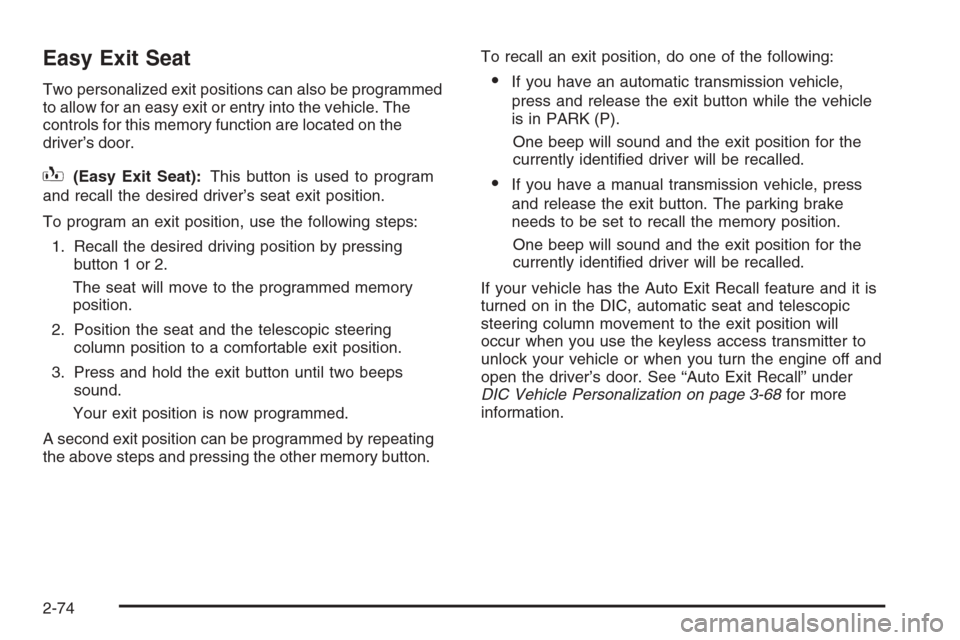
B(Easy Exit Seat):This button is used to program
and recall the desired driver’s seat exit position.
To program an exit position, use the following steps:
1. Recall the desired driving position by pressing
button 1 or 2.
The seat will move to the programmed memory
position.
2. Position the seat and the telescopic steering
column position to a comfortable exit position.
3. Press and hold the exit button until two beeps
sound.
Your exit position is now programmed.
A second exit position can be programmed by repeating
the above steps and pressing the other memory button.To recall an exit position, do one of the following:
If you have an automatic transmission vehicle,
press and release the exit button while the vehicle
is in PARK (P).
One beep will sound and the exit position for the
currently identied driver will be recalled.
If you have a manual transmission vehicle, press
and release the exit button. The parking brake
needs to be set to recall the memory position.
One beep will sound and the exit position for the
currently identied driver will be recalled.
If your vehicle has the Auto Exit Recall feature and it is
turned on in the DIC, automatic seat and telescopic
steering column movement to the exit position will
occur when you use the keyless access transmitter to
unlock your vehicle or when you turn the engine off and
open the driver’s door. See “Auto Exit Recall” under
DIC Vehicle Personalization on page 3-68for more
information.
2-74
Page 137 of 426

Instrument Panel Overview...............................3-4
Hazard Warning Flashers................................3-6
Other Warning Devices...................................3-6
Horn .............................................................3-6
Tilt Wheel.....................................................3-6
Turn Signal/Multifunction Lever.........................3-8
Turn and Lane-Change Signals (Auto Signal).....3-8
Headlamp High/Low-Beam Changer..................3-9
Flash-to-Pass.................................................3-9
Windshield Wipers..........................................3-9
Windshield Washer.......................................3-10
Cruise Control..............................................3-11
Exterior Lamps.............................................3-15
Wiper Activated Headlamps............................3-16
Headlamps on Reminder................................3-16
Daytime Running Lamps (DRL).......................3-16
Fog Lamps ..................................................3-17
Twilight Sentinel
®..........................................3-18
Exterior Lighting Battery Saver........................3-19
Instrument Panel Brightness...........................3-19
Courtesy Lamps...........................................3-19
Entry/Exit Lighting.........................................3-19
Reading Lamps............................................3-20
Battery Run-Down Protection..........................3-20
Head-Up Display (HUD).................................3-20
Accessory Power Outlet(s).............................3-24
Ashtray(s) and Cigarette Lighter......................3-25Climate Controls............................................3-25
Dual Automatic Climate Control System...........3-25
Outlet Adjustment.........................................3-30
Passenger Compartment Air Filter...................3-31
Warning Lights, Gages, and Indicators............3-32
Instrument Panel Cluster................................3-33
Speedometer and Odometer...........................3-34
Tachometer.................................................3-34
Safety Belt Reminder Light.............................3-34
Airbag Readiness Light..................................3-34
Passenger Airbag Status Indicator...................3-35
Voltmeter Gage............................................3-37
One-to-Four Shift Light
(Manual Transmission)...............................3-38
Brake System Warning Light..........................3-38
Anti-Lock Brake System Warning Light.............3-39
Traction Control System (TCS) Warning Light . . .3-40
Active Handling System Light.........................3-40
Engine Coolant Temperature Gage..................3-41
Tire Pressure Light.......................................3-42
Malfunction Indicator Lamp.............................3-42
Engine Oil Pressure Gage.............................3-45
Security Light...............................................3-46
Fog Lamp Light............................................3-46
Lights On Reminder......................................3-46
Highbeam On Light.......................................3-46
Fuel Gage...................................................3-47
Section 3 Instrument Panel
3-1
Page 151 of 426
Exterior Lamps
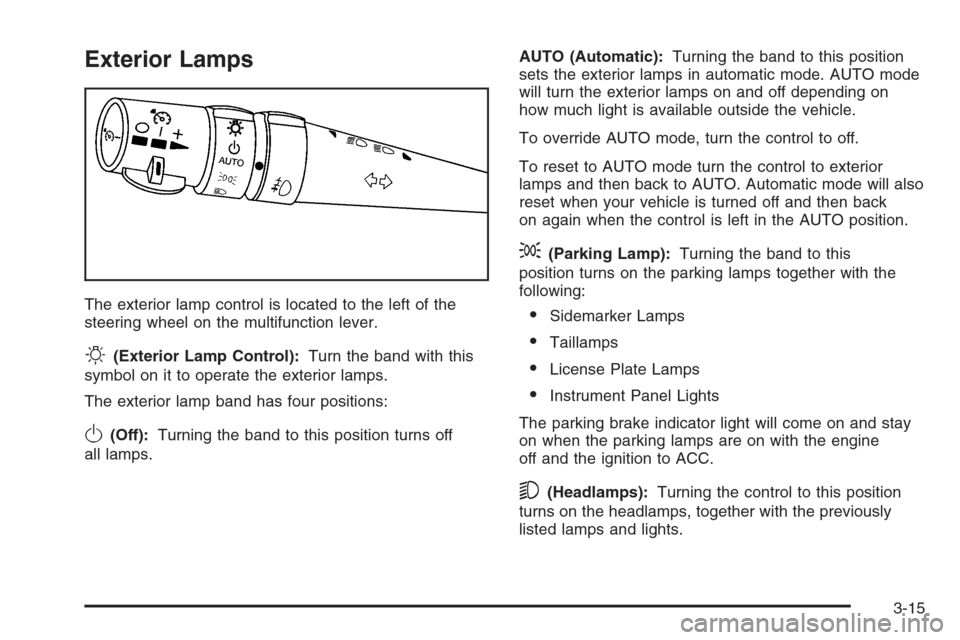
The exterior lamp control is located to the left of the
steering wheel on the multifunction lever.
O(Exterior Lamp Control):Turn the band with this
symbol on it to operate the exterior lamps.
The exterior lamp band has four positions:
O(Off):Turning the band to this position turns off
all lamps.AUTO (Automatic):Turning the band to this position
sets the exterior lamps in automatic mode. AUTO mode
will turn the exterior lamps on and off depending on
how much light is available outside the vehicle.
To override AUTO mode, turn the control to off.
To reset to AUTO mode turn the control to exterior
lamps and then back to AUTO. Automatic mode will also
reset when your vehicle is turned off and then back
on again when the control is left in the AUTO position.
;(Parking Lamp):Turning the band to this
position turns on the parking lamps together with the
following:
Sidemarker Lamps
Taillamps
License Plate Lamps
Instrument Panel Lights
The parking brake indicator light will come on and stay
on when the parking lamps are on with the engine
off and the ignition to ACC.
5(Headlamps):Turning the control to this position
turns on the headlamps, together with the previously
listed lamps and lights.
3-15
Page 155 of 426
Exterior Lighting Battery Saver
If the manual parking lamps or headlamps have been
left on, the exterior lamps will turn off as soon as
the ignition is turned off or RAP is active. This protects
against draining the battery in case you have
accidentally left the headlamps or parking lamps on.
The battery saver does not work if the headlamps are
turned on after the ignition switch is turned to off.
If you need to leave the lamps on, use the exterior lamp
control to turn the lamps back on.
Instrument Panel Brightness
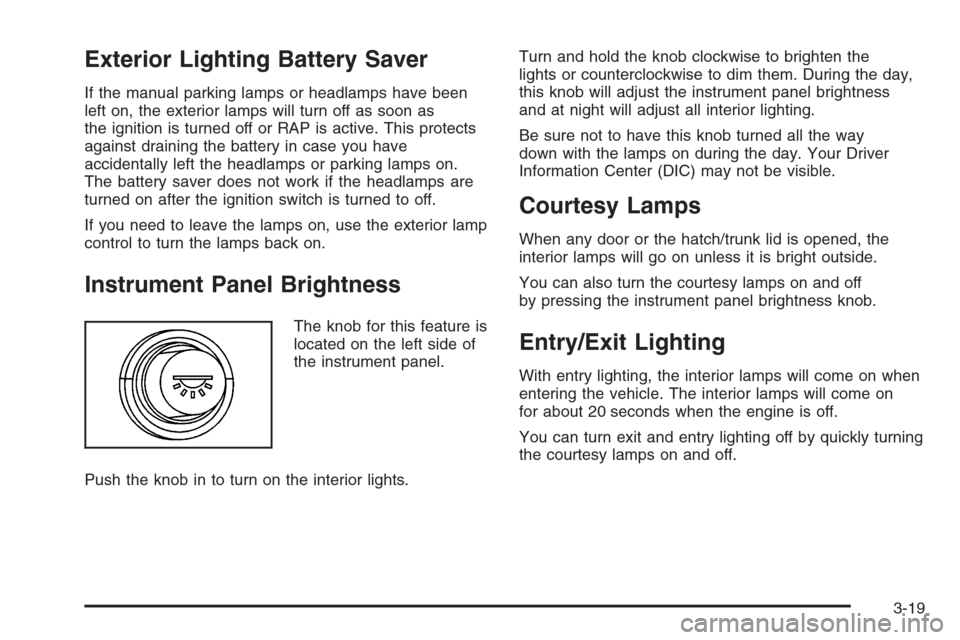
The knob for this feature is
located on the left side of
the instrument panel.
Push the knob in to turn on the interior lights.Turn and hold the knob clockwise to brighten the
lights or counterclockwise to dim them. During the day,
this knob will adjust the instrument panel brightness
and at night will adjust all interior lighting.
Be sure not to have this knob turned all the way
down with the lamps on during the day. Your Driver
Information Center (DIC) may not be visible.
Courtesy Lamps
When any door or the hatch/trunk lid is opened, the
interior lamps will go on unless it is bright outside.
You can also turn the courtesy lamps on and off
by pressing the instrument panel brightness knob.
Entry/Exit Lighting
With entry lighting, the interior lamps will come on when
entering the vehicle. The interior lamps will come on
for about 20 seconds when the engine is off.
You can turn exit and entry lighting off by quickly turning
the courtesy lamps on and off.
3-19
Page 157 of 426

Manual Paddle Shift Gear Indicator (If Equipped)
These lights on the HUD are for use when using
the manual paddle shift controls to shift the
transmission. See “Manual Paddle Shift” in
Automatic Transmission Operation on page 2-26.
Shift Light
This light is used for performance driving to indicate
that the vehicle’s best performance level has been
reached to shift the transmission into the next higher
gear. An arrow pointing up will light up on the display
just prior to reaching the engine fuel cut-off mode.
This cut-off is about 6,500 RPM for the LS2 engine
and 7,000 RPM for the LS7 engine.
Check Gages Warning
Engine Coolant Temperature Gage
Transmission Fluid Temperature Gage,
(Automatic Transmission Vehicles Only)
Engine Oil Temperature Gage
Engine Oil Pressure Gage
G-Force Gage
Audio Functions, Street Mode Only
Navigation, Only with Navigation Radio, Street
Mode OnlyThere are three HUD modes that you can choose to view
in the HUD display. By pressing the MODE button, you
can scroll through these modes in the following order:
Street Mode supports
audio and navigation
functions with your choice
of tachometer settings.
Track Mode 1 supports the
G-Force gage and minor
gages with a circular
tachometer.
3-21
Page 158 of 426

Track Mode 2 supports
G-Force gages and minor
gages with a linear
tachometer.
When you have chosen the desired HUD display,
release the MODE button.
Within each mode, the display, can be further
customized by pressing the PAGE button. Pressing this
button in each mode will turn off and on the following:
Street Mode — No tachometer, circular tachometer
and linear tachometer.
Track Modes 1 and 2 — No minor gage, coolant
temperature, transmission oil temperature, engine
oil temperature and engine oil pressure.
While in Track Mode 1 or 2, the maximum G value
achieved during the current ignition cycle can be
displayed by pressing and holding the PAGE button.
The maximum G display will be shown until the
PAGE button is released. The maximum G value
display will be identical to the normal G value
display, except the maximum G gage digits (X.XX G)
and corresponding G gage bar will overwrite the
current G value.If your vehicle is equipped
with a navigation radio,
many of the turn-by-turn
navigation features
will also be displayed on
the HUD if you are in
Street Mode.
See the navigation system manual for additional
information.
Be sure to continue scanning your displays, controls
and driving environment just as you would in a vehicle
without HUD. If you never look at your instrument
panel cluster, you may not see something important,
such as a warning light. Under important warning
conditions, the CHECK GAGES warning will illuminate
in the HUD. View your Driver Information Center
(DIC) for more information.
3-22