2006 CHEVROLET COLORADO tow
[x] Cancel search: towPage 141 of 434

Tilt Wheel
A tilt wheel allows you to adjust the steering wheel before
you drive. If you have the tilt steering wheel, you can
raise it to the highest level to allow more room for the
driver to enter and exit the vehicle.
The tilt lever is located on the left side of the steering
column, under the turn signal lever.
To tilt, hold the steering wheel and pull the tilt lever
toward you. Move the wheel to a comfortable level,
then release the tilt lever to lock the wheel in place.
Do not adjust the steering wheel while driving.
Turn Signal/Multifunction Lever
The lever on the left side of the steering column
includes the following:
GTurn and Lane Change Signals. SeeTurn
Signal/Multifunction Lever on page 3-7.
53Headlamp High/Low-Beam Changer. See
Headlamp High/Low-Beam Changer on page 3-9.
Flash-to-Pass. SeeFlash-to-Pass on page 3-9.
NWindshield Wipers. SeeWindshield Wipers
on page 3-9.
LWindshield Washer. SeeWindshield Washer
on page 3-10.
JCruise Control. SeeCruise Control on
page 3-11.
3-7
Page 143 of 434

Headlamp High/Low-Beam Changer
53(Headlamp High/Low Beam Changer):
To change the headlamps from low to high beam, push
the lever toward the instrument panel. To return to
low-beam headlamps, pull the multifunction lever toward
you. Then release it.
When the high beams are
on, this indicator light on
the instrument panel
cluster will also be on.
Flash-to-Pass
This feature lets you use your high-beam headlamps to
signal a driver in front of you that you want to pass.
It works even if your headlamps are in the automatic
position.To use it, pull the turn signal lever toward you, then
release it.
If your headlamps are in the automatic position or on
low beam, your high-beam headlamps will turn on.
They’ll stay on as long as you hold the lever toward you.
The high-beam indicator on the instrument panel
cluster will come on. Release the lever to return to
normal operation.
Windshield Wipers
You control the windshield wipers by turning the band
with the wiper symbol on it.
The windshield wipers work in all ignition positions,
except off. This includes the Retained Access Power
mode. SeeRetained Accessory Power (RAP) on
page 2-18.
8(Mist):For a single wiping cycle, turn the band to
mist. Hold it there until the wipers start. Then let go.
The wipers will stop after one wipe. If you want
more wipes, hold the band on mist longer.
3-9
Page 148 of 434

Exterior Lamps
The control on the driver’s side of your instrument panel
operates the exterior lamps.
O(Exterior Lamps):Turn the knob, located to the
right of this symbol, to choose one of the four exterior
lamp positions.
9(Off):Turn the knob to this position to turn off all
exterior lamps including the DRLs.AUTO:Turn the knob to this position to automatically
turn on the headlamps at normal brightness, together
with the following:
Sidemarker Lamps
Taillamps
Parking Lamps
Instrument Panel Lights
SeeAutomatic Headlamp System on page 3-15for
more information.
;(Parking Lamps):Turn the knob to this position to
turn on the parking lamps, together with the following:
Sidemarker Lamps
Taillamps
License Plate Lamps
Instrument Panel Lights
2(Headlamps):Turn the knob to this position to turn
on the headlamps, together with the previously listed
lamps and lights.
You can switch your headlamps from low to high beam
by pushing the turn signal/multifunction lever toward
the instrument panel.
3-14
Page 165 of 434
When the ignition is on, the brake system warning light
will also come on when you set your parking brake.
SeeParking Brake on page 2-30for more information.
The light will stay on if your parking brake does not
release fully. If it stays on after your parking brake is
fully released, it means you have a brake problem.
If the light comes on while you are driving, pull off the
road and stop carefully. You may notice that the pedal
is harder to push, or the pedal may go closer to the
oor. It may take longer to stop. If the light is still
on, have the vehicle towed for service. SeeTowing
Your Vehicle on page 4-50.
{CAUTION:
Your brake system may not be working properly
if the brake system warning light is on. Driving
with the brake system warning light on can lead
to an accident. If the light is still on after you
have pulled off the road and stopped carefully,
have the vehicle towed for service.
Anti-Lock Brake System
Warning Light
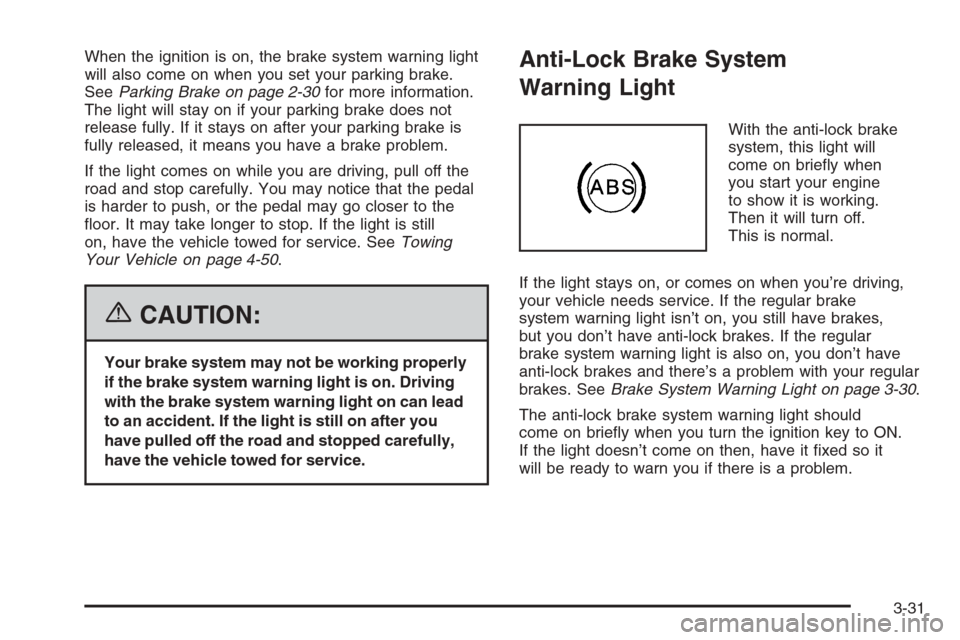
With the anti-lock brake
system, this light will
come on briey when
you start your engine
to show it is working.
Then it will turn off.
This is normal.
If the light stays on, or comes on when you’re driving,
your vehicle needs service. If the regular brake
system warning light isn’t on, you still have brakes,
but you don’t have anti-lock brakes. If the regular
brake system warning light is also on, you don’t have
anti-lock brakes and there’s a problem with your regular
brakes. SeeBrake System Warning Light on page 3-30.
The anti-lock brake system warning light should
come on briey when you turn the ignition key to ON.
If the light doesn’t come on then, have it xed so it
will be ready to warn you if there is a problem.
3-31
Page 167 of 434

Notice:Modications made to the engine,
transmission, exhaust, intake, or fuel system of
your vehicle or the replacement of the original tires
with other than those of the same Tire Performance
Criteria (TPC) can affect your vehicle’s emission
controls and may cause this light to come on.
Modications to these systems could lead to costly
repairs not covered by your warranty. This may
also result in a failure to pass a required Emission
Inspection/Maintenance test. SeeAccessories
and Modifications on page 5-3.
This light should come on, as a check to show you it
is working, when the ignition is on and the engine is not
running. If the light does not come on, have it repaired.
This light will also come on during a malfunction in
one of two ways:
Light Flashing— A misre condition has been
detected. A misre increases vehicle emissions
and may damage the emission control system
on your vehicle. Diagnosis and service may
be required.
Light On Steady— An emission control system
malfunction has been detected on your vehicle.
Diagnosis and service may be required.
If the Light is Flashing
The following may prevent more serious damage to
your vehicle:
Reducing vehicle speed
Avoiding hard accelerations
Avoiding steep uphill grades
If you are towing a trailer, reduce the amount of
cargo being hauled as soon as it is possible
If the light stops ashing and remains on steady, see
“If the Light Is On Steady” following.
If the light continues to ash, when it is safe to do
so, stop the vehicle. Find a safe place to park your
vehicle. Turn the key off, wait at least 10 seconds and
restart the engine. If the light remains on steady, see
“If the Light Is On Steady” following. If the light is
still ashing, follow the previous steps, and see your
dealer for service as soon as possible.
3-33
Page 183 of 434
To adjust all tone and speaker controls to the middle
position, rst exit out of audio mode by pressing another
button, causing the radio to perform that function or
by waiting ve seconds for the display to return to time
of day. Then press and hold AUDIO for more than
two seconds until you hear a beep. CEN will appear
on the display.
Adjusting the Speakers (Balance/Fade)
AUDIO:To adjust the balance between the right
and the left speakers, press and release AUDIO until
BAL appears on the display. Then press and hold the
up or the down arrow to move the sound toward the
right or the left speakers.
To adjust the fade between the front and the rear
speakers, press and release AUDIO until FAD appears
on the display. Then press and hold the up or the
down arrow to move the sound toward the front or
the rear speakers.
To adjust balance or fade to the middle position,
select BAL or FAD. Then press and hold AUDIO
for more than two seconds until you hear a beep.
L (balance) and a zero or F and a zero will appear
on the display.To adjust all tone and speaker controls to the middle
position, rst exit out of audio mode by pressing another
button, causing the radio to perform that function or
by waiting ve seconds for the display to return to time
of day. Then press and hold AUDIO for more than
two seconds until you hear a beep. CEN will appear
on the display.
Fade may not be available if the vehicle is a regular
cab model.Radio Messages
CAL (Calibrated):The audio system has been
calibrated for your vehicle from the factory. If CAL
appears on the display it means that the radio has not
been congured properly for your vehicle and must
be returned to your GM dealer for service.
LOC (Locked):This message is displayed when the
THEFTLOCK
®system has locked up. Take the vehicle
to your GM dealer for service.
If any error occurs repeatedly or if an error cannot be
corrected, contact your GM dealer.
3-49
Page 187 of 434
To adjust the bass and the treble to the middle position,
push and hold the AUDIO knob. The radio will produce
one beep.
To adjust all tone and speaker controls to the middle
position, push and hold the AUDIO knob when no tone
or speaker control is displayed. ALL CENTERED will
appear on the display and you will hear a beep.
AUTO EQ (Automatic Equalization):Press this button
to select customized equalization settings designed
for country/western, jazz, talk, pop, rock, and classical.
To return the bass and treble to the manual mode,
push and release the AUTO EQ button until CUSTOM
appears on the display.
Adjusting the Speakers (Balance/Fade)
AUDIO:To adjust the balance between the right
and the left speakers, push and release the AUDIO
knob until BAL appears on the display. Turn the knob to
move the sound toward the right or the left speakers.
To adjust the fade between the front and the rear
speakers, push and release the AUDIO knob until FADE
appears on the display. Turn the knob to move the
sound toward the front or the rear speakers.To adjust the balance or the fade to the middle position,
push the AUDIO knob to select BAL or FADE, then
push it again and hold it until you hear one beep.
To adjust all tone and speaker controls to the middle
position, push and hold the AUDIO knob when no tone
or speaker control is displayed. ALL CENTERED will
appear on the display and you will hear a beep.
Finding a Program Type (PTY) Station
(RDS and XM™)
To select and nd a desired PTY perform the following:
1. Turn the P-TYPE knob to activate program type
select mode. TYPE and a PTY will appear on the
display.
2. Turn the P-TYPE knob again, to select a PTY.
3. Once the desired PTY is displayed, press the SEEK
TYPE button to select and to take you to the PTY’s
rst station.
4. To go to another station within that PTY, press
the SEEK TYPE button twice to display the PTY
and then go to another station.
5. Press P-TYPE knob to exit program type
select mode.
IF PTY times out and is no longer on the display,
go back to Step 1.
3-53
Page 202 of 434
Adjusting the Speakers (Balance/Fade)
AUDIO:To adjust the balance between the right
and the left speakers, push and release the AUDIO
knob until BAL appears on the display. Turn the knob to
move the sound toward the right or the left speakers.
To adjust the fade between the front and rear speakers,
push and release the AUDIO knob until FAD appears
on the display. Turn the knob to move the sound toward
the front or the rear speakers.
The fade feature may not be available on all radio
systems.
To adjust the balance or fade to the middle position,
push and hold the AUDIO knob while BAL or FAD
is displayed. The radio will produce one beep and
adjust the display level to the middle position.
To adjust all tone and speaker controls to the middle
position, push and hold the AUDIO knob while no tone
or speaker controls are displayed. ALL CENTERED
will appear on the display and you will hear a beep.
Radio Data System (RDS)
The audio system has a Radio Data System (RDS).
RDS features are available for use only on FM stations
that broadcast RDS information.
With RDS, the radio can do the following:
Seek to stations broadcasting the selected type
of programming
Receive announcements concerning local and
national emergencies
Display messages from radio stations
This system relies upon receiving specic information
from these stations and will only work when the
information is available. In rare cases, a radio station
may broadcast incorrect information that will cause
the radio features to work improperly. If this happens,
contact the radio station.
While the radio is tuned to an RDS station, the station
name or call letters will appear on the display instead
of the frequency. RDS stations may also provide
the time of day, a program type (PTY) for current
programming, and the name of the program being
broadcast.
3-68