Page 136 of 532

This device complies with RSS-210 of Industry Canada.
Operation is subject to the following two conditions:
1. This device may not cause interference.
2. This device must accept any interference received,
including interference that may cause undesired
operation of the device.
Changes and modications to this system by other than
an authorized service facility could void authorization
to use this equipment.
Universal Home Remote System
Operation
Do not use the Universal Home Remote with any
garage door opener that does not have the stop and
reverse feature. This includes any garage door opener
model manufactured before April 1, 1982. If you
have a newer garage door opener with rolling codes,
please be sure to follow Steps 6 through 8 to complete
the programming of your Universal Home Remote
Transmitter.
Read the instructions completely before attempting to
program the Universal Home Remote. Because of
the steps involved, it may be helpful to have another
person available to assist you in the programming steps.Keep the original hand-held transmitter for use in other
vehicles as well as for future Universal Home Remote
programming. It is also recommended that upon the sale
of the vehicle, the programmed Universal Home
Remote buttons should be erased for security purposes.
See “Erasing Universal Home Remote Buttons” later
in this section or, for assistance, seeCustomer
Assistance Offices on page 7-4.
Be sure that people and objects are clear of the garage
door or gate operator you are programming. When
programming a garage door, it is advised to park outside
of the garage.
It is recommended that a new battery be installed in
your hand-held transmitter for quicker and more
accurate transmission of the radio-frequency signal.
Programming Universal Home Remote
Follow these steps to program up to three channels:
1. Press and hold down the two outside Universal
Home Remote buttons, releasing only when the
Universal Home Remote indicator light begins
to ash, after 20 seconds. Do not hold down the
buttons for longer than 30 seconds and do not
repeat this step to program a second and/or third
hand-held transmitter to the remaining two Universal
Home Remote buttons.
2-60
Page 139 of 532
Reprogramming a Single Universal
Home Remote Button
To program a device to Universal Home Remote using
a Universal Home Remote button previously trained,
follow these steps:
1. Press and hold the desired Universal Home
Remote button. Do not release the button.
2. The indicator light will begin to ash after
20 seconds. While still holding the Universal Home
Remote button, proceed with Step 2 under
“Programming Universal Home Remote” shown
earlier in this section.
For additional information on Universal Home Remote,
seeCustomer Assistance Offices on page 7-4.
Storage Areas
Glove Box
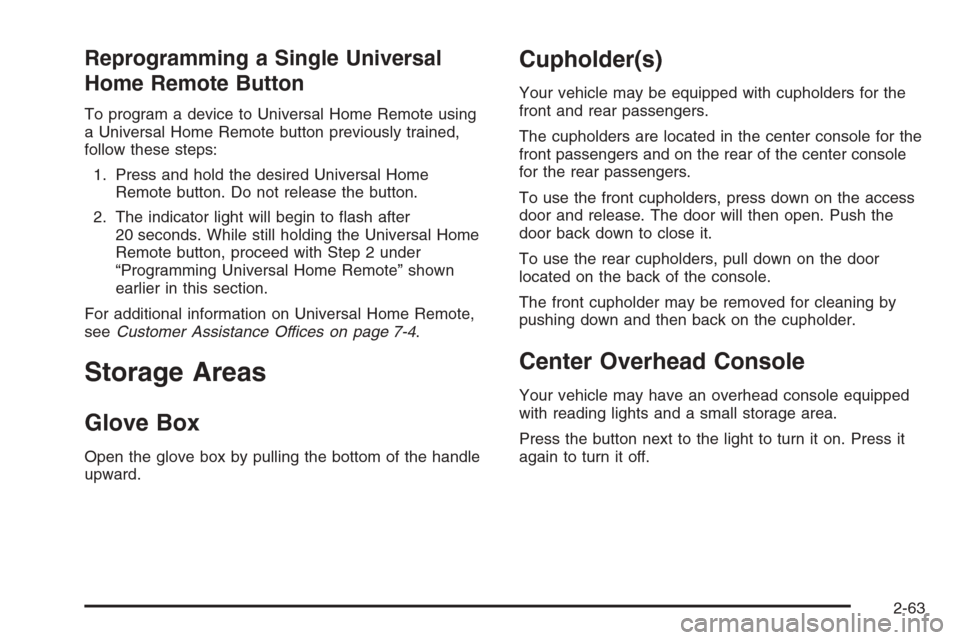
Open the glove box by pulling the bottom of the handle
upward.
Cupholder(s)
Your vehicle may be equipped with cupholders for the
front and rear passengers.
The cupholders are located in the center console for the
front passengers and on the rear of the center console
for the rear passengers.
To use the front cupholders, press down on the access
door and release. The door will then open. Push the
door back down to close it.
To use the rear cupholders, pull down on the door
located on the back of the console.
The front cupholder may be removed for cleaning by
pushing down and then back on the cupholder.
Center Overhead Console
Your vehicle may have an overhead console equipped
with reading lights and a small storage area.
Press the button next to the light to turn it on. Press it
again to turn it off.
2-63
Page 140 of 532
Front Armrest Storage Area
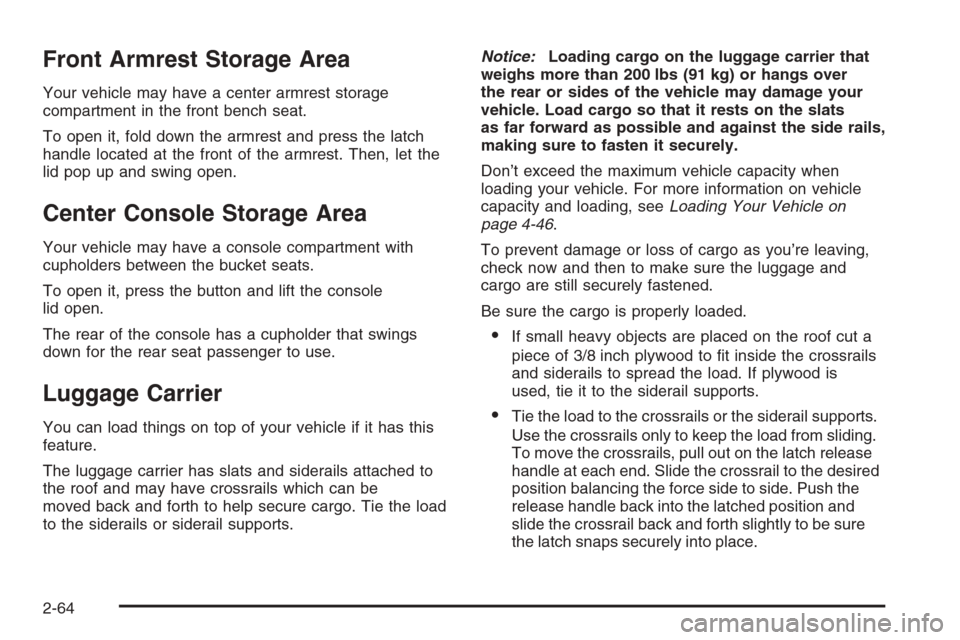
Your vehicle may have a center armrest storage
compartment in the front bench seat.
To open it, fold down the armrest and press the latch
handle located at the front of the armrest. Then, let the
lid pop up and swing open.
Center Console Storage Area
Your vehicle may have a console compartment with
cupholders between the bucket seats.
To open it, press the button and lift the console
lid open.
The rear of the console has a cupholder that swings
down for the rear seat passenger to use.
Luggage Carrier
You can load things on top of your vehicle if it has this
feature.
The luggage carrier has slats and siderails attached to
the roof and may have crossrails which can be
moved back and forth to help secure cargo. Tie the load
to the siderails or siderail supports.Notice:Loading cargo on the luggage carrier that
weighs more than 200 lbs (91 kg) or hangs over
the rear or sides of the vehicle may damage your
vehicle. Load cargo so that it rests on the slats
as far forward as possible and against the side rails,
making sure to fasten it securely.
Don’t exceed the maximum vehicle capacity when
loading your vehicle. For more information on vehicle
capacity and loading, seeLoading Your Vehicle on
page 4-46.
To prevent damage or loss of cargo as you’re leaving,
check now and then to make sure the luggage and
cargo are still securely fastened.
Be sure the cargo is properly loaded.
If small heavy objects are placed on the roof cut a
piece of 3/8 inch plywood to t inside the crossrails
and siderails to spread the load. If plywood is
used, tie it to the siderail supports.
Tie the load to the crossrails or the siderail supports.
Use the crossrails only to keep the load from sliding.
To move the crossrails, pull out on the latch release
handle at each end. Slide the crossrail to the desired
position balancing the force side to side. Push the
release handle back into the latched position and
slide the crossrail back and forth slightly to be sure
the latch snaps securely into place.
2-64
Page 141 of 532
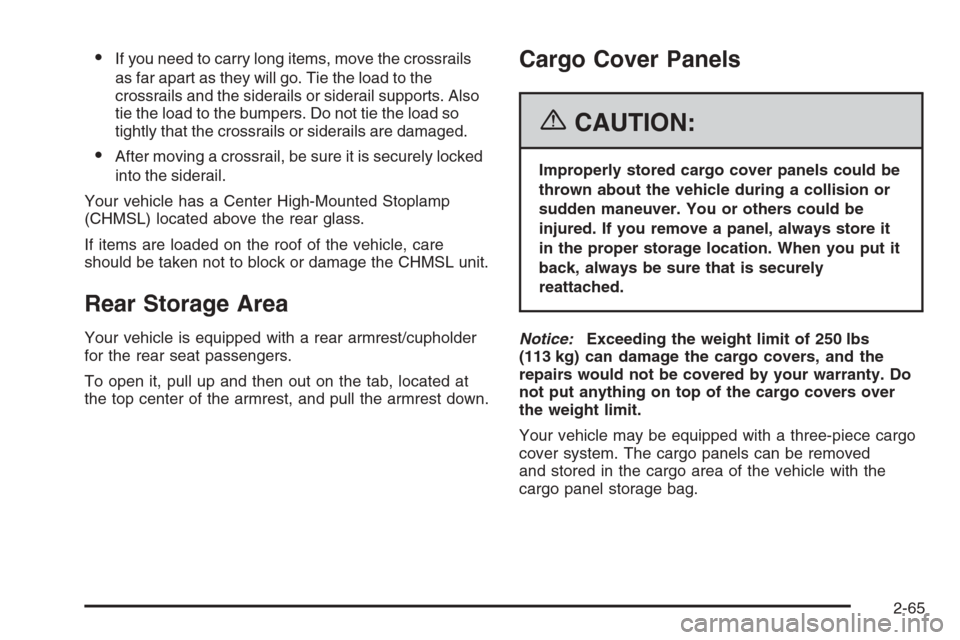
If you need to carry long items, move the crossrails
as far apart as they will go. Tie the load to the
crossrails and the siderails or siderail supports. Also
tie the load to the bumpers. Do not tie the load so
tightly that the crossrails or siderails are damaged.
After moving a crossrail, be sure it is securely locked
into the siderail.
Your vehicle has a Center High-Mounted Stoplamp
(CHMSL) located above the rear glass.
If items are loaded on the roof of the vehicle, care
should be taken not to block or damage the CHMSL unit.
Rear Storage Area
Your vehicle is equipped with a rear armrest/cupholder
for the rear seat passengers.
To open it, pull up and then out on the tab, located at
the top center of the armrest, and pull the armrest down.
Cargo Cover Panels
{CAUTION:
Improperly stored cargo cover panels could be
thrown about the vehicle during a collision or
sudden maneuver. You or others could be
injured. If you remove a panel, always store it
in the proper storage location. When you put it
back, always be sure that is securely
reattached.
Notice:Exceeding the weight limit of 250 lbs
(113 kg) can damage the cargo covers, and the
repairs would not be covered by your warranty. Do
not put anything on top of the cargo covers over
the weight limit.
Your vehicle may be equipped with a three-piece cargo
cover system. The cargo panels can be removed
and stored in the cargo area of the vehicle with the
cargo panel storage bag.
2-65
Page 144 of 532
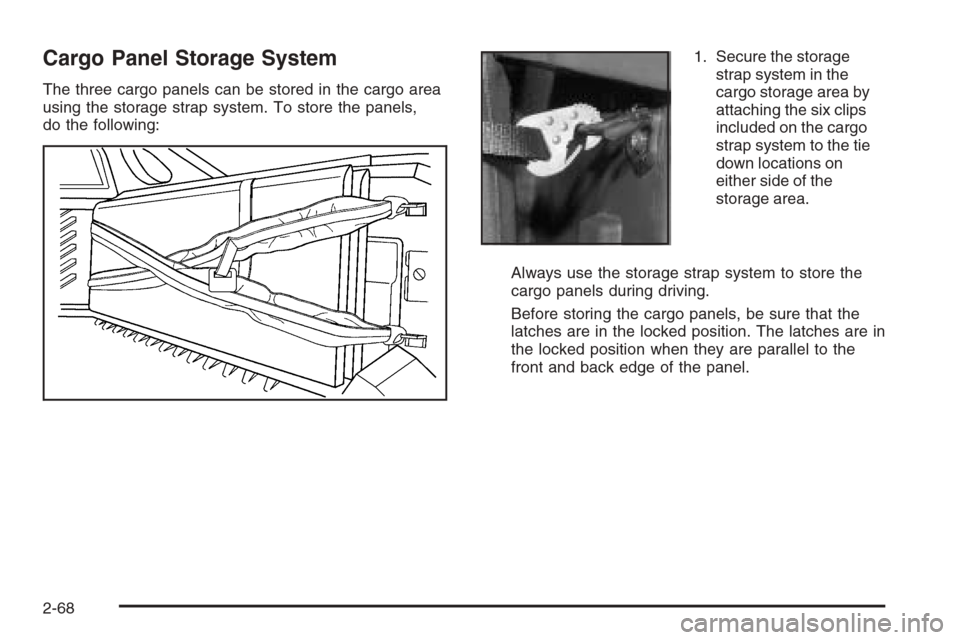
Cargo Panel Storage System
The three cargo panels can be stored in the cargo area
using the storage strap system. To store the panels,
do the following:1. Secure the storage
strap system in the
cargo storage area by
attaching the six clips
included on the cargo
strap system to the tie
down locations on
either side of the
storage area.
Always use the storage strap system to store the
cargo panels during driving.
Before storing the cargo panels, be sure that the
latches are in the locked position. The latches are in
the locked position when they are parallel to the
front and back edge of the panel.
2-68
Page 145 of 532
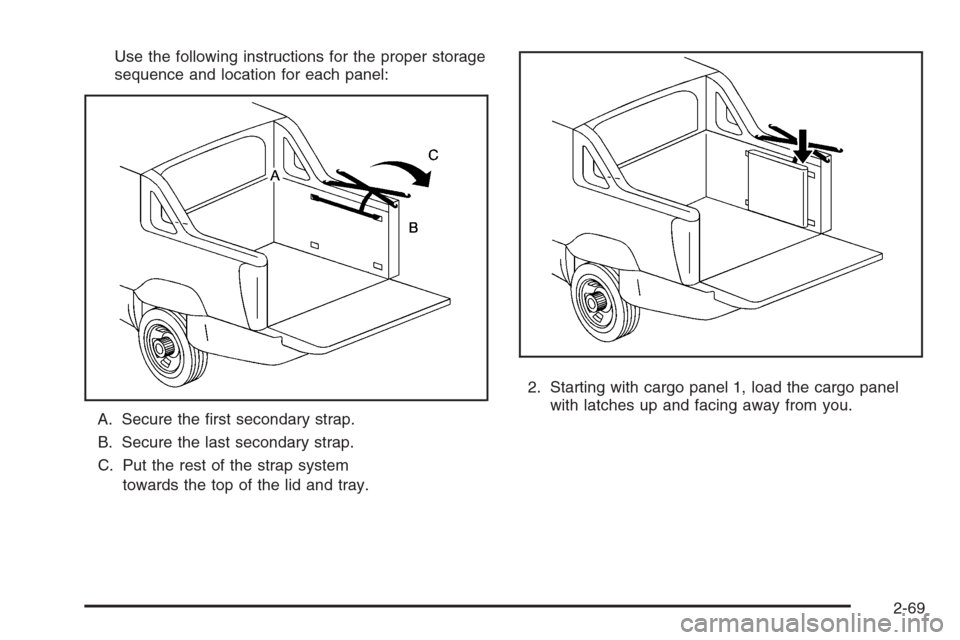
Use the following instructions for the proper storage
sequence and location for each panel:
A. Secure the rst secondary strap.
B. Secure the last secondary strap.
C. Put the rest of the strap system
towards the top of the lid and tray.2. Starting with cargo panel 1, load the cargo panel
with latches up and facing away from you.
2-69
Page 148 of 532
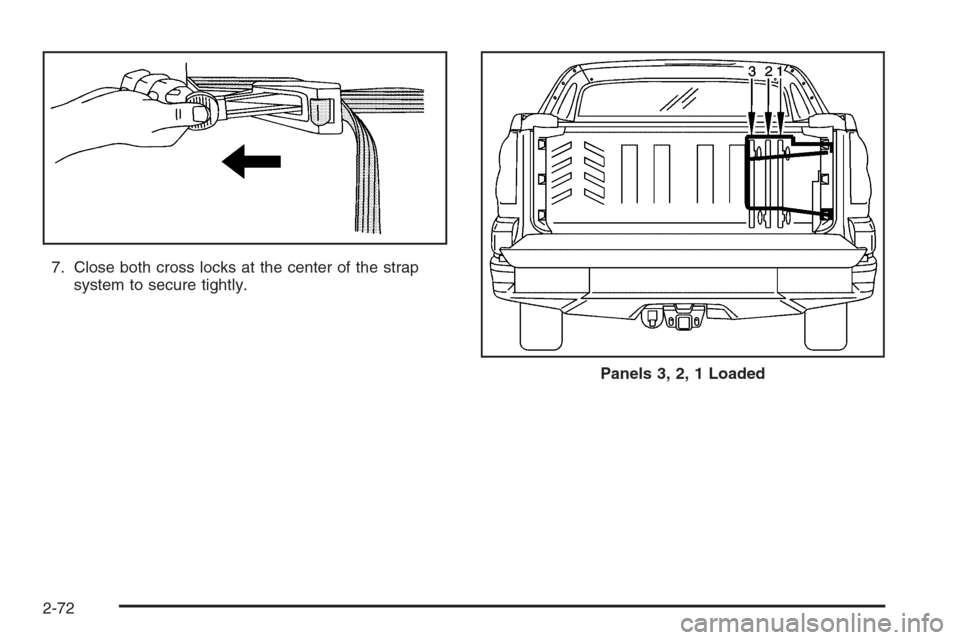
7. Close both cross locks at the center of the strap
system to secure tightly.
Panels 3, 2, 1 Loaded
2-72
Page 153 of 532
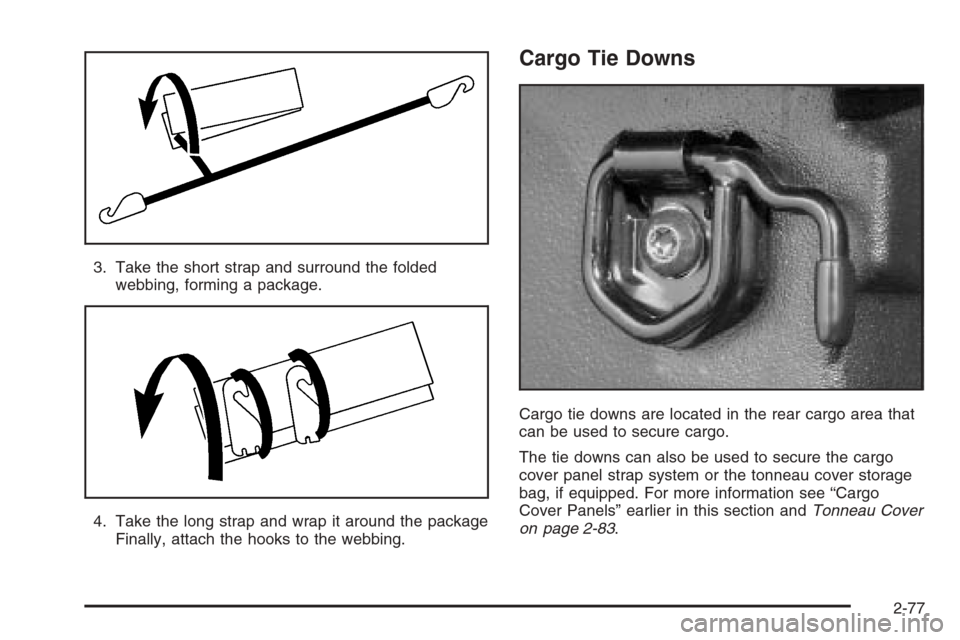
3. Take the short strap and surround the folded
webbing, forming a package.
4. Take the long strap and wrap it around the package
Finally, attach the hooks to the webbing.
Cargo Tie Downs
Cargo tie downs are located in the rear cargo area that
can be used to secure cargo.
The tie downs can also be used to secure the cargo
cover panel strap system or the tonneau cover storage
bag, if equipped. For more information see “Cargo
Cover Panels” earlier in this section andTonneau Cover
on page 2-83.
2-77