2006 CHEVROLET AVALANCHE brake
[x] Cancel search: brakePage 170 of 532

Brake System Warning Light..........................3-38
Anti-Lock Brake System Warning Light.............3-39
Low Tire Pressure Warning Light....................3-40
Traction Off Light..........................................3-40
Engine Coolant Temperature Gage..................3-41
Transmission Temperature Gage.....................3-41
Malfunction Indicator Lamp.............................3-43
Oil Pressure Gage........................................3-45
Security Light...............................................3-46
Cruise Control Light......................................3-47
Highbeam On Light.......................................3-47
Tow/Haul Mode Light....................................3-47
Cargo Lamp Light.........................................3-47
Fuel Gage...................................................3-48
Low Fuel Warning Light.................................3-48
Driver Information Center (DIC).......................3-49
DIC Operation and Displays...........................3-50
DIC Warnings and Messages.........................3-53
DIC Vehicle Customization.............................3-64Audio System(s).............................................3-70
Setting the Time...........................................3-71
Radio with CD..............................................3-72
Radio with Six-Disc CD.................................3-83
Navigation/Radio System...............................3-98
Rear Seat Entertainment System....................3-98
Rear Seat Audio (RSA)................................3-110
Theft-Deterrent Feature................................3-112
Audio Steering Wheel Controls......................3-112
Radio Reception.........................................3-113
Care of Your CDs and DVDs........................3-114
Care of the CD and DVD Player...................3-114
Fixed Mast Antenna....................................3-114
XM™ Satellite Radio Antenna System............3-115
Chime Level Adjustment...............................3-115
Section 3 Instrument Panel
3-2
Page 173 of 532
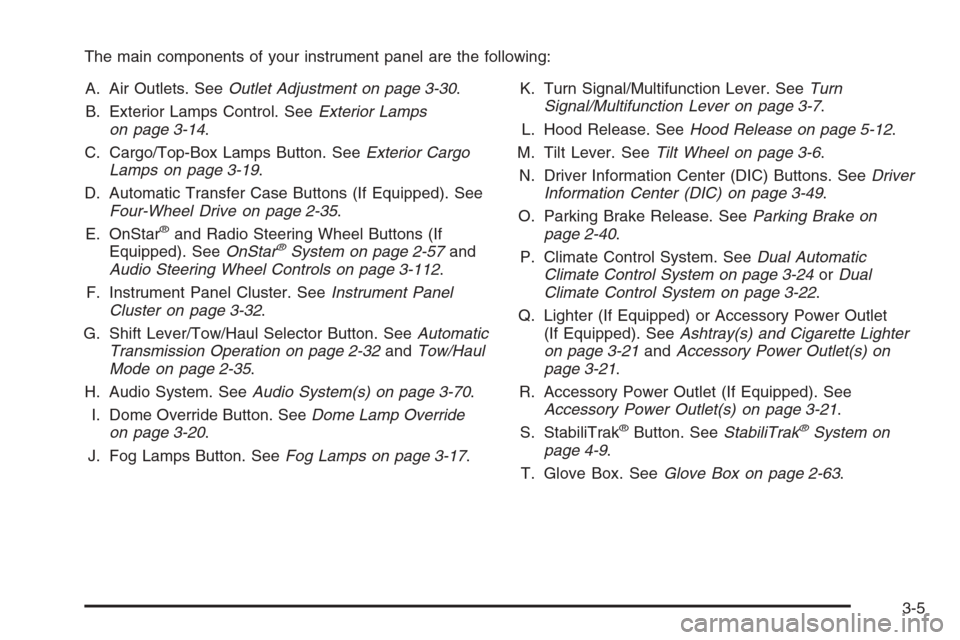
The main components of your instrument panel are the following:
A. Air Outlets. SeeOutlet Adjustment on page 3-30.
B. Exterior Lamps Control. SeeExterior Lamps
on page 3-14.
C. Cargo/Top-Box Lamps Button. SeeExterior Cargo
Lamps on page 3-19.
D. Automatic Transfer Case Buttons (If Equipped). See
Four-Wheel Drive on page 2-35.
E. OnStar
®and Radio Steering Wheel Buttons (If
Equipped). SeeOnStar®System on page 2-57and
Audio Steering Wheel Controls on page 3-112.
F. Instrument Panel Cluster. SeeInstrument Panel
Cluster on page 3-32.
G. Shift Lever/Tow/Haul Selector Button. SeeAutomatic
Transmission Operation on page 2-32andTow/Haul
Mode on page 2-35.
H. Audio System. SeeAudio System(s) on page 3-70.
I. Dome Override Button. SeeDome Lamp Override
on page 3-20.
J. Fog Lamps Button. SeeFog Lamps on page 3-17.K. Turn Signal/Multifunction Lever. SeeTurn
Signal/Multifunction Lever on page 3-7.
L. Hood Release. SeeHood Release on page 5-12.
M. Tilt Lever. SeeTilt Wheel on page 3-6.
N. Driver Information Center (DIC) Buttons. SeeDriver
Information Center (DIC) on page 3-49.
O. Parking Brake Release. SeeParking Brake on
page 2-40.
P. Climate Control System. SeeDual Automatic
Climate Control System on page 3-24orDual
Climate Control System on page 3-22.
Q. Lighter (If Equipped) or Accessory Power Outlet
(If Equipped). SeeAshtray(s) and Cigarette Lighter
on page 3-21andAccessory Power Outlet(s) on
page 3-21.
R. Accessory Power Outlet (If Equipped). See
Accessory Power Outlet(s) on page 3-21.
S. StabiliTrak
®Button. SeeStabiliTrak®System on
page 4-9.
T. Glove Box. SeeGlove Box on page 2-63.
3-5
Page 179 of 532
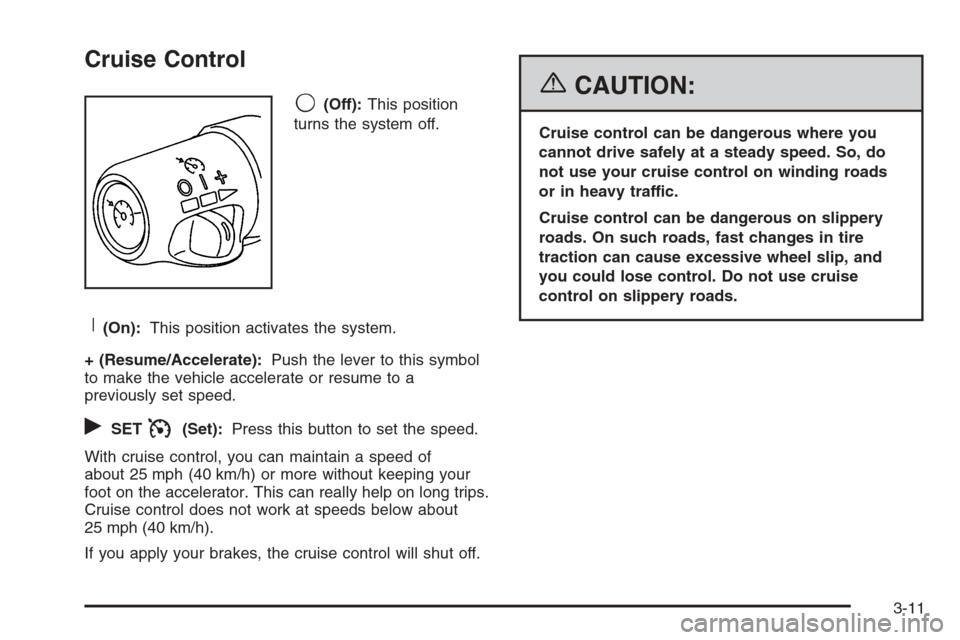
Cruise Control
9(Off):This position
turns the system off.
R(On):This position activates the system.
+ (Resume/Accelerate):Push the lever to this symbol
to make the vehicle accelerate or resume to a
previously set speed.
rSETI(Set):Press this button to set the speed.
With cruise control, you can maintain a speed of
about 25 mph (40 km/h) or more without keeping your
foot on the accelerator. This can really help on long trips.
Cruise control does not work at speeds below about
25 mph (40 km/h).
If you apply your brakes, the cruise control will shut off.
{CAUTION:
Cruise control can be dangerous where you
cannot drive safely at a steady speed. So, do
not use your cruise control on winding roads
or in heavy traffic.
Cruise control can be dangerous on slippery
roads. On such roads, fast changes in tire
traction can cause excessive wheel slip, and
you could lose control. Do not use cruise
control on slippery roads.
3-11
Page 180 of 532
Setting Cruise Control
{CAUTION:
If you leave your cruise control on when you
are not using cruise, you might hit a button
and go into cruise when you do not want to.
You could be startled and even lose control.
Keep the cruise control switch off until you
want to use cruise control.
1. Move the cruise control switch to on.
2. Get up to the speed you want.
3. Press in the set button at the end of the lever and
release it.
4. Take your foot off the accelerator pedal.
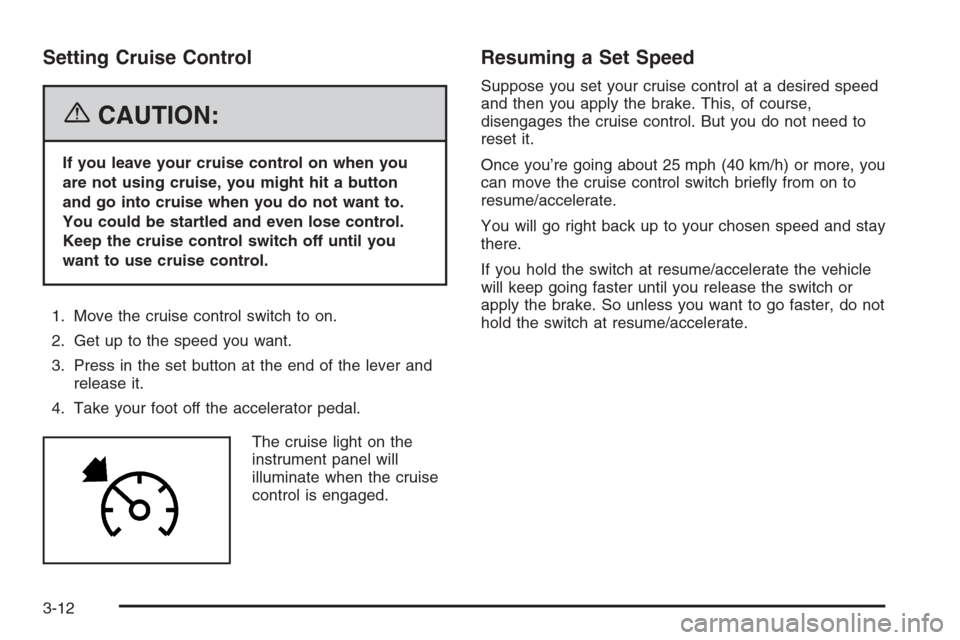
The cruise light on the
instrument panel will
illuminate when the cruise
control is engaged.
Resuming a Set Speed
Suppose you set your cruise control at a desired speed
and then you apply the brake. This, of course,
disengages the cruise control. But you do not need to
reset it.
Once you’re going about 25 mph (40 km/h) or more, you
can move the cruise control switch briey from on to
resume/accelerate.
You will go right back up to your chosen speed and stay
there.
If you hold the switch at resume/accelerate the vehicle
will keep going faster until you release the switch or
apply the brake. So unless you want to go faster, do not
hold the switch at resume/accelerate.
3-12
Page 181 of 532
Increasing Speed While Using Cruise
Control
There are two ways to go to a higher speed:
Use the accelerator pedal to get to the higher
speed. Press the set button at the end of the lever,
then release the button and the accelerator
pedal. You will now cruise at the higher speed.
If the accelerator pedal is held longer than
60 seconds, cruise control will turn off.
Move the cruise switch from on to resume/
accelerate. Hold it there until you get up to the speed
you want, and then release the switch. To increase
your speed in very small amounts, move the switch
briey to resume/accelerate. Each time you do this,
your vehicle will go about 1 mph (1.6 km/h) faster.
Reducing Speed While Using Cruise
Control
Press in the button at the end of the lever until you
reach the lower speed you want, then release it.
To slow down in very small amounts, briey press
the set button. Each time you do this, you will go
about 1 mph (1.6 km/h) slower.
Passing Another Vehicle While Using
Cruise Control
Use the accelerator pedal to increase your speed.
When you take your foot off the pedal, your vehicle will
slow down to the cruise control speed you set earlier.
Using Cruise Control on Hills
How well your cruise control will work on hills depends
upon your speed, load and the steepness of the
hills. When going up steep hills, you may want to step
on the accelerator pedal to maintain your speed.
When going downhill, you may have to brake or shift to
a lower gear to keep your speed down. Of course,
applying the brake takes you out of cruise control. Many
drivers nd this to be too much trouble and do not
use cruise control on steep hills.
3-13
Page 182 of 532
Ending Cruise Control
To turn off the cruise control, do one of the following:
Step lightly on the brake pedal,
move the cruise control switch to off, or
shift the transmission to NEUTRAL (N).
If your vehicle has the StabiliTrak®feature, cruise
control will turn off if road conditions cause
StabiliTrak
®to activate.
If the accelerator pedal is held longer than
60 seconds, cruise control will turn off.
The cruise control will turn off automatically if the
traction control system or StabiliTrak
®system activate, if
your vehicle is equipped with either feature.
Erasing Speed Memory
When you turn off the cruise control or the ignition, your
cruise control set speed memory is erased.
Exterior Lamps
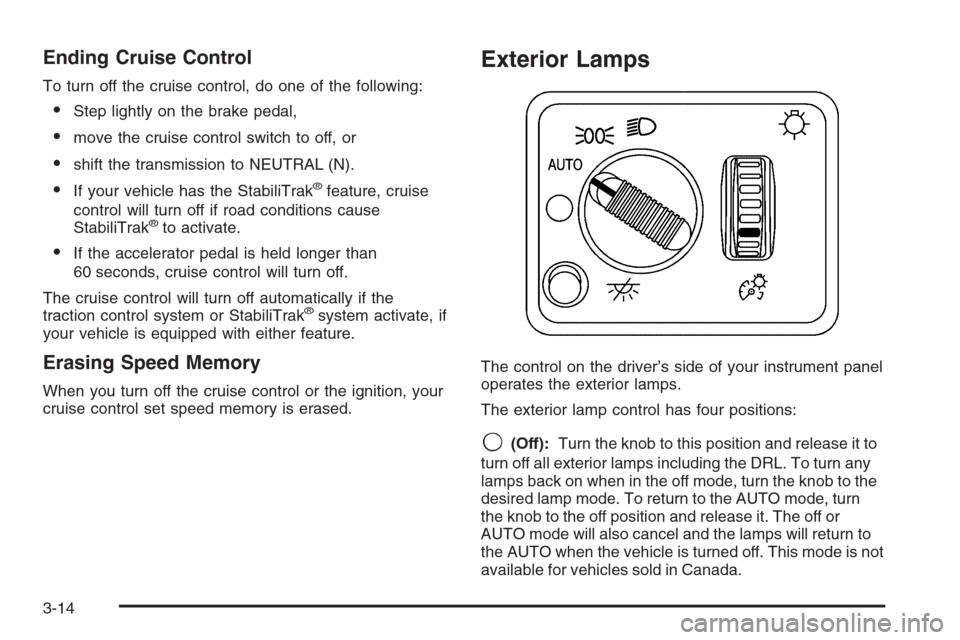
The control on the driver’s side of your instrument panel
operates the exterior lamps.
The exterior lamp control has four positions:
9(Off):Turn the knob to this position and release it to
turn off all exterior lamps including the DRL. To turn any
lamps back on when in the off mode, turn the knob to the
desired lamp mode. To return to the AUTO mode, turn
the knob to the off position and release it. The off or
AUTO mode will also cancel and the lamps will return to
the AUTO when the vehicle is turned off. This mode is not
available for vehicles sold in Canada.
3-14
Page 206 of 532
Readings in the low warning zone may occur when a
large number of electrical accessories are operating in
the vehicle and the engine is left at an idle for an
extended period. This condition is normal since the
charging system is not able to provide full power
at engine idle. As engine speeds are increased, this
condition should correct itself as higher engine speeds
allow the charging system to create maximum power.
You can only drive for a short time with the reading
in either warning zone. If you must drive, turn off
all unnecessary accessories.
Readings in either warning zone indicate a possible
problem in the electrical system. Have the vehicle
serviced as soon as possible.
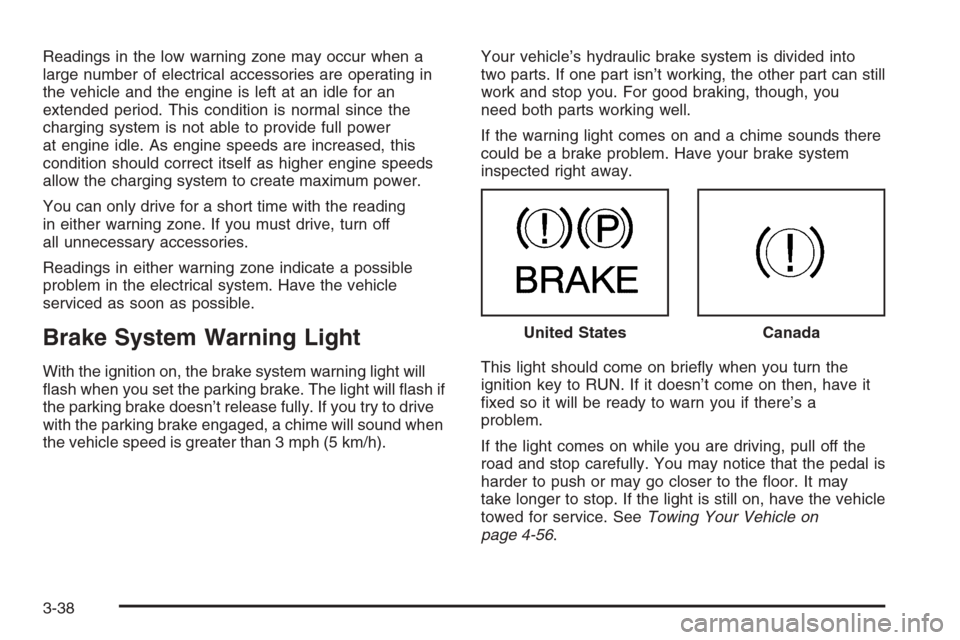
Brake System Warning Light
With the ignition on, the brake system warning light will
ash when you set the parking brake. The light will ash if
the parking brake doesn’t release fully. If you try to drive
with the parking brake engaged, a chime will sound when
the vehicle speed is greater than 3 mph (5 km/h).Your vehicle’s hydraulic brake system is divided into
two parts. If one part isn’t working, the other part can still
work and stop you. For good braking, though, you
need both parts working well.
If the warning light comes on and a chime sounds there
could be a brake problem. Have your brake system
inspected right away.
This light should come on briey when you turn the
ignition key to RUN. If it doesn’t come on then, have it
xed so it will be ready to warn you if there’s a
problem.
If the light comes on while you are driving, pull off the
road and stop carefully. You may notice that the pedal is
harder to push or may go closer to the oor. It may
take longer to stop. If the light is still on, have the vehicle
towed for service. SeeTowing Your Vehicle on
page 4-56. United States
Canada
3-38
Page 207 of 532

{CAUTION:
Your brake system may not be working
properly if the brake system warning light is
on. Driving with the brake system warning light
on can lead to an accident. If the light is still
on after you have pulled off the road and
stopped carefully, have the vehicle towed for
service.
Anti-Lock Brake System Warning
Light
With the anti-lock brake
system, this light will come
on when you start your
engine and may stay on for
several seconds.
That’s normal. If the light does not come on then, have
it xed so it will be ready to warn you if there is a
problem.If the light stays on, or comes on when you are driving,
your vehicle needs service. You will also hear a
chime sound when the light is on steady. If the regular
brake system warning light is not on, you still have
brakes, but you do not have anti-lock brakes. If
the regular brake system warning light is also on you do
not have anti-lock brakes and there is a problem with
your regular brakes. In addition to both lights, you
will also hear a chime sound on the rst occurrence of a
problem and each time the vehicle is shut off and
then restarted. SeeBrake System Warning Light on
page 3-38.
The anti-lock brake system warning light should come
on briey when you turn the ignition key to RUN. If
the light does not come on then, have it xed so it will
be ready to warn you if there is a problem.
3-39