2006 BUICK RANDEZVOUS wheel
[x] Cancel search: wheelPage 193 of 478

Message Center
The message center is located at the top of the
instrument panel cluster in between the tachometer
and speedometer. It gives you important safety
and maintenance facts.
Passenger Seatbelt Reminder
Message
If your vehicle is equipped
with the passenger
sensing system, this
message reminds the
passenger to buckle
their seatbelt.
This message will come on and a chime will sound
when the following conditions exist:
The ignition is ON,
the passenger’s seatbelt is not buckled,
a passenger is detected by the passenger
sensing system.
Service Traction System Warning
Message
If your vehicle has the traction control system and this
message is displayed when you’re driving, there may
be a problem with your traction control system.
Your vehicle may need service.
When this message is displayed, the traction control
system will not limit wheel spin. Adjust your driving
accordingly.
If there’s an engine-related and brake system problem
that is specically related to traction control, the
traction control system will turn off and the warning
message will come on.
If the traction control system warning message comes
on and stays on for an extended period of time when
the system is turned on, your vehicle needs service.
United StatesCanada
3-51
Page 194 of 478

Traction Active Message
If your vehicle has the traction control system, the
TRACTION ACTIVE message will appear when the
traction control system is limiting wheel spin. You may
feel or hear the system working, but this is normal.
Slippery road conditions may exist if this message
appears, so adjust your driving accordingly. The
message will stay on for a few seconds after the
traction control system stops limiting wheel spin.
Engine Coolant Temperature
Warning Message
This message will come on when your engine gets
too hot.
If this message comes on, it means that your engine
coolant has overheated. If you have been operating your
vehicle under normal driving conditions, you should
pull off the road, stop your vehicle and turn off the
engine as soon as possible.
SeeEngine Overheating on page 5-23. United States
Canada
United StatesCanada
3-52
Page 198 of 478
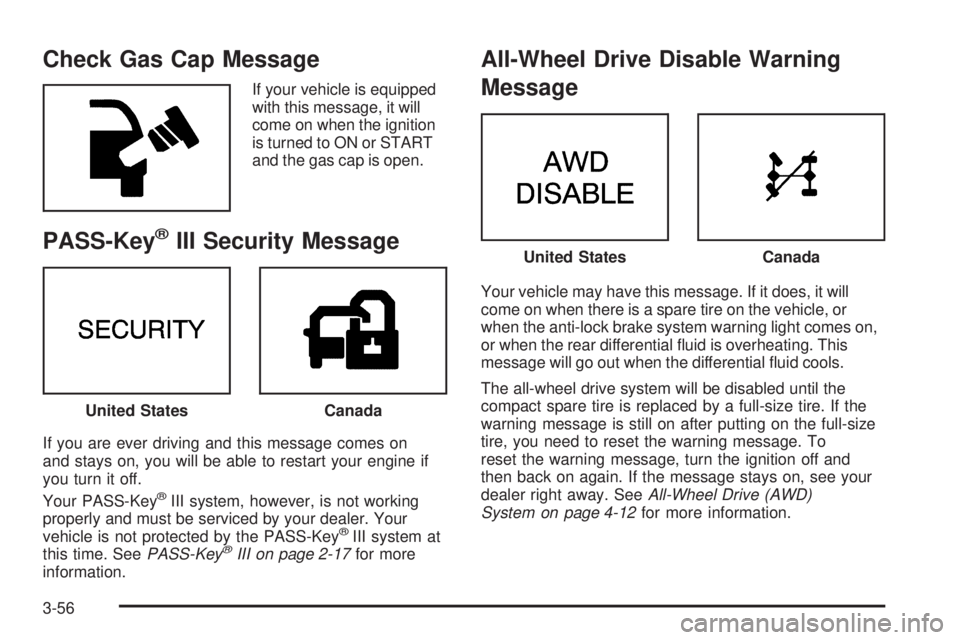
Check Gas Cap Message
If your vehicle is equipped
with this message, it will
come on when the ignition
is turned to ON or START
and the gas cap is open.
PASS-Key®III Security Message
If you are ever driving and this message comes on
and stays on, you will be able to restart your engine if
you turn it off.
Your PASS-Key
®III system, however, is not working
properly and must be serviced by your dealer. Your
vehicle is not protected by the PASS-Key
®III system at
this time. SeePASS-Key®III on page 2-17for more
information.
All-Wheel Drive Disable Warning
Message
Your vehicle may have this message. If it does, it will
come on when there is a spare tire on the vehicle, or
when the anti-lock brake system warning light comes on,
or when the rear differential uid is overheating. This
message will go out when the differential uid cools.
The all-wheel drive system will be disabled until the
compact spare tire is replaced by a full-size tire. If the
warning message is still on after putting on the full-size
tire, you need to reset the warning message. To
reset the warning message, turn the ignition off and
then back on again. If the message stays on, see your
dealer right away. SeeAll-Wheel Drive (AWD)
System on page 4-12for more information.
United StatesCanada
United StatesCanada
3-56
Page 216 of 478

Audio System(s)
Driving without distraction is a necessity for a safer
driving experience. SeeDefensive Driving on page 4-3.
By taking a few moments to read this manual and
get familiar with your vehicle’s audio system, you can
use it with less effort, as well as take advantage of
its features. While your vehicle is parked, set up your
audio system by presetting your favorite radio stations,
setting the tone and adjusting the speakers. Then,
when driving conditions permit, you can tune to your
favorite stations using the presets and steering
wheel controls (if equipped).
{CAUTION:
This system provides you with a far greater
access to audio stations and song listings.
Giving extended attention to entertainment
tasks while driving can cause a crash and you
or others can be injured or killed. Always keep
your eyes on the road and your mind on the
drive — avoid engaging in extended searching
while driving.Keeping your mind on the drive is important for safe
driving. For more information, seeDefensive Driving
on page 4-3. Get familiar with your vehicle’s audio
system so you can use it with less effort and take full
advantage of its features.
Here are some ways in which you can help avoid
distraction while driving.
While your vehicle is parked:
Familiarize yourself with all of its controls.
Familiarize yourself with its operation.
Set up your audio system by presetting your
favorite radio stations, setting the tone, and
adjusting the speakers. Then, when driving
conditions permit, you can tune to your favorite
radio stations using the presets and steering
wheel controls (if equipped).
Notice:Before adding any sound equipment to
your vehicle, such as an audio system, CD player,
CB radio, mobile telephone, or two-way radio, make
sure that it can be added by checking with your
dealer. Also, check federal rules covering mobile
radio and telephone units. If sound equipment can
be added, it is very important to do it properly.
3-74
Page 274 of 478

Theft-Deterrent Feature
THEFTLOCK®is designed to discourage theft of your
vehicle’s radio. It works by using a secret code to
disable all radio functions whenever battery power is
removed and the radio is placed in a different vehicle.
This feature requires no user input to be activated.
The radio is automatically armed when it is put into the
vehicle for the rst time.
When the ignition is turned off, the blinking red light
indicates that THEFTLOCK
®is armed.
If THEFTLOCK
®is activated, the radio will not
operate if stolen. The radio will display LOCKED and
a red LED indicator light will come on above the
key symbol to indicate a locked condition. If this occurs,
the radio will need to be returned to your GM dealer.
Audio Steering Wheel Controls
If your vehicle has this feature, some audio controls
can be adjusted at the steering wheel. They include
the following:
SOURCE:When listening to the radio, press this button
to play a cassette tape, CD, or a DVD (if equipped).
If a cassette tape, and CD, and/or DVD are loaded,
the system will go to the tape play rst. The inactive
tape, CD, or DVD will remain safely inside the player
for future listening.
3-132
Page 279 of 478

Your Driving, the Road, and Your Vehicle..........4-2
Driver Behavior..............................................4-2
Driving Environment........................................4-2
Vehicle Design...............................................4-3
Defensive Driving...........................................4-3
Drunken Driving.............................................4-4
Control of a Vehicle........................................4-7
Braking.........................................................4-7
Anti-Lock Brake System (ABS).........................4-8
Braking in Emergencies.................................4-10
Traction Control System (TCS).......................4-10
All-Wheel Drive (AWD) System.......................4-12
Steering......................................................4-12
Off-Road Recovery.......................................4-14
Passing.......................................................4-15
Loss of Control.............................................4-16
Driving at Night............................................4-18Driving in Rain and on Wet Roads..................4-19
City Driving..................................................4-21
Freeway Driving...........................................4-22
Before Leaving on a Long Trip.......................4-23
Highway Hypnosis........................................4-24
Hill and Mountain Roads................................4-24
Winter Driving..............................................4-26
If Your Vehicle is Stuck in Sand, Mud,
Ice or Snow..............................................4-30
Rocking Your Vehicle to Get It Out.................4-30
Loading Your Vehicle....................................4-31
Towing..........................................................4-36
Towing Your Vehicle.....................................4-36
Recreational Vehicle Towing...........................4-36
Level Control...............................................4-38
Towing a Trailer...........................................4-38
Section 4 Driving Your Vehicle
4-1
Page 281 of 478

Vehicle Design
According to the U.S. Department of Transportation,
utility vehicles have a signicantly higher rollover
rate than other types of vehicles. Utility vehicles do
have higher ground clearance and a narrower track
or shorter wheelbase than passenger cars, to make
them more capable for off-road driving. Specic design
characteristics like these give the driver a better
view of the road, but also give utility vehicles a higher
center of gravity than other types of vehicles. This
means that you should not expect a utility vehicle to
handle the same way a vehicle with a lower center
of gravity, like a car, would in similar situations.
But driver behavior factors are far more often the cause
of a utility vehicle rollover than are environmental or
vehicle factors. Safe driver behavior and understanding
the environment in which you will be driving can help
avoid a rollover crash in any type of vehicle, including
utility vehicles.
Defensive Driving
The best advice anyone can give about driving is: Drive
defensively.
Please start with a very important safety device in your
vehicle: Buckle up. SeeSafety Belts: They Are for
Everyone on page 1-22.
{CAUTION:
Defensive driving really means “Be ready for
anything.” On city streets, rural roads, or
expressways, it means “Always expect the
unexpected.” Assume that pedestrians or other
drivers are going to be careless and make
mistakes. Anticipate what they might do and
be ready. Rear-end collisions are about the
most preventable of accidents. Yet they are
common. Allow enough following distance.
Defensive driving requires that a driver
concentrate on the driving task. Anything that
distracts from the driving task makes proper
defensive driving more difficult and can even
cause a collision, with resulting injury. Ask a
passenger to help do these things, or pull off
the road in a safe place to do them. These
simple defensive driving techniques could
save your life.
4-3
Page 287 of 478

Let us say the road is wet and you are driving safely.
Suddenly, an animal jumps out in front of you. You slam
on the brakes and continue braking. Here is what
happens with ABS:
A computer senses that wheels are slowing down. If
one of the wheels is about to stop rolling, the computer
will separately work the brakes at each wheel.The anti-lock system can change the brake pressure
faster than any driver could. The computer is
programmed to make the most of available tire and
road conditions. This can help you steer around
the obstacle while braking hard.
As you brake, your computer keeps receiving updates
on wheel speed and controls braking pressure
accordingly.
4-9