Page 265 of 478

SRCE (Source):Press this button to switch the system
between the DVD player and an auxiliary source.
c(Stop):Press this button to stop playing, rewinding,
or fast forwarding a DVD or CD. Press this button
twice to return to the beginning of the DVD.
t(Prior Chapter/Track):Press this button to go to
the beginning of the current chapter or track. Press
this button again to return to the previous chapter
or track. This button may not work when the DVD is
playing the copyright information or previews.
1 through 0 (Numeric Keypad):The numeric keypad
provides the capability of direct chapter, title, and
track number selection.
}10 (Double Digit Entries):Press this button to
select chapter, title, and track numbers greater than 9.
Press this button before inputting the number.
\(Clear):Press this button within three seconds
after inputting a numeric selection, to clear all numeric
inputs.
P(Backlight):Press this button to turn the remote
control backlighting on.
y(Main Menu):Press this button to view the media
menu. The media menu is different on every disc.
Use the up, down, right, and left arrow buttons to move
the cursor around the media menu. After making a
selection, press the enter button.
r(Enter):Press this button to select the choice that
is highlighted in any menu.
q(Return):Press this button to go back one step in
any menu. Press this button to exit the current menu
and to move to the previous menu. This button will
operate only when a DVD is playing and/or a menu
is active.
|(Camera):This button changes camera angles
on DVDs that have this feature. Press this button
to display a menu that will operate only when a DVD is
being played. The format and content of this function
will vary for each disc.
3-123
Page 267 of 478
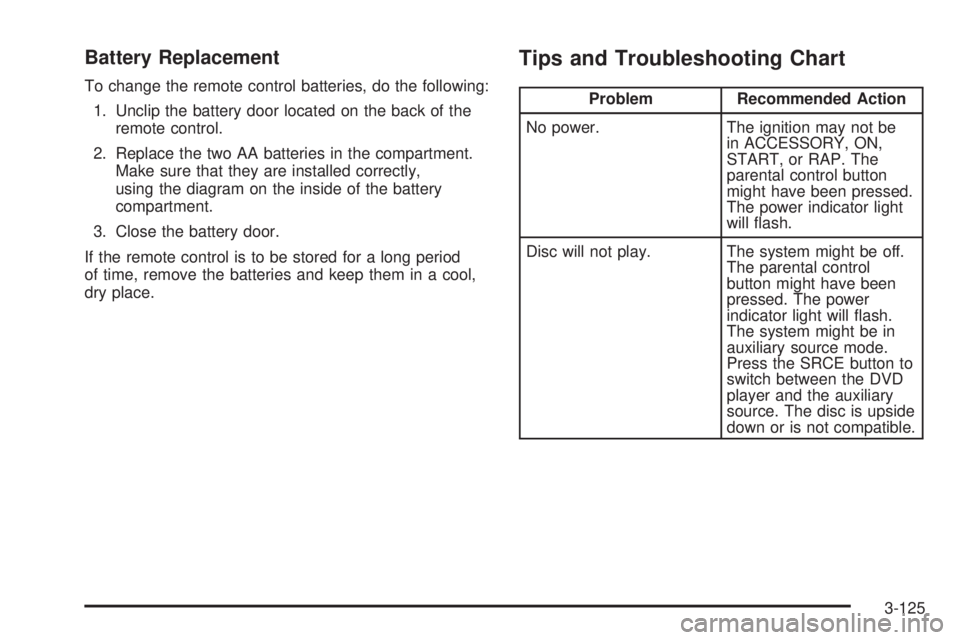
Battery Replacement
To change the remote control batteries, do the following:
1. Unclip the battery door located on the back of the
remote control.
2. Replace the two AA batteries in the compartment.
Make sure that they are installed correctly,
using the diagram on the inside of the battery
compartment.
3. Close the battery door.
If the remote control is to be stored for a long period
of time, remove the batteries and keep them in a cool,
dry place.
Tips and Troubleshooting Chart
Problem Recommended Action
No power. The ignition may not be
in ACCESSORY, ON,
START, or RAP. The
parental control button
might have been pressed.
The power indicator light
will ash.
Disc will not play. The system might be off.
The parental control
button might have been
pressed. The power
indicator light will ash.
The system might be in
auxiliary source mode.
Press the SRCE button to
switch between the DVD
player and the auxiliary
source. The disc is upside
down or is not compatible.
3-125
Page 268 of 478

Problem Recommended Action
No sound. The volume on the
headphones could be too
low. Adjust the volume on
the right earpiece on the
wireless headphones. If
the DVD system is being
heard through the vehicle
speakers, adjust the
volume from the radio.
The radio must have the
RSE enabled by using
the CD, CD TAPE, or
CD AUX button.
The picture is distorted
during fast forward or
reverse.This is normal for this
operation.
The picture does not ll
the screen. There are
black borders on the
top and bottom or on
both sides or it looks
stretched out.Quickly press and release
the display control button
on the remote control or
the DVD player and
choose Display Mode.
Then select Full. This will
ll the screen. If there are
borders on the top and
bottom, the movie may
have been made that way
for a standard screen.Problem Recommended Action
I ejected the disc and
tried to take it out, but
it was pulled back into
the slot.Eject the disc again.
The language in the audio
or on the screen is wrong.Press the main menu
button on the DVD player
or the remote control
and change the audio
or language selection on
the DVD menu.
The remote control
does not work.Point the remote control
directly at the transmitter
window. The batteries
could be weak or put in
wrong. The parental
control button might have
been pressed. The power
indicator light will ash.
How do I get subtitles
on or off?Press the subtitle button
on the remote control to
go to the DVDs main
menu. Then follow the
screen prompts.
3-126
Page 269 of 478

Problem Recommended Action
After stopping the player,
I push the play button
but sometimes the DVD
starts where I left off,
and sometimes at the
beginning.Press the stop button on
the remote control to
resume where the DVD
left off. Press the stop
button twice to start the
DVD at the beginning.
If the power is off and the
DVD is still in the player,
press the play button.
The DVD is playing but
there is no picture or
sound. The auxiliary
source is running but
there is no picture or
sound.Press and release the
SRCE button on the
remote control or the
DVD player to get to
auxiliary input. Check
to make sure that the
auxiliary source is
connected to the inputs
properly.
The audio or video skips
or jumps.The DVD could be dirty
or scratched. Try cleaning
the DVD.Problem Recommended Action
When I return to the
DVD from the system
menu, sometimes it plays
from the beginning and
sometimes from where
it left off.If the stop button was
pressed once, it resumes
play from where it left off.
If the stop button was
pressed twice, it will start
at the beginning of the
DVD. However, if a
change was made to the
menu, the DVD will start
from where it left off, even
if the stop button was only
pressed once.
The fast forward, reverse,
previous, and next
functions do not work.Some commands that
do one thing for DVDs
will not always work or
perform the same function
for audio, CDs, or games.
These functions may
also be disabled when
the DVD is playing the
copyright information or
the previews.
3-127
Page 270 of 478

Problem Recommended Action
My disc is stuck in the
player. The eject button
does not work.Press the eject button on
the DVD player. Turn the
power off, then on again,
then press the eject
button on the DVD player.
Do not attempt to force or
remove the disc from the
player. If the problem
persists, return to your
GM dealer for further
assistance.
I lost the remote control
and/or the headphones.Contact your GM dealer
for assistance.
Sometimes the wireless
headphone audio cuts out
or buzzes for a moment,
then it comes back.This could be caused by
interference from cell
towers or by using the
cellular telephone or other
radio transmitter device
in the vehicle.Problem Recommended Action
DVD System inoperable. In severe or extreme
temperatures the DVD
system might not be
operable. Temperatures
below−4°F (−20°C) or
above 140°F (60°C)
could damage the
DVD system. Operate
the DVD system under
normal or comfortable
cabin temperature ranges.
The wireless headphones
have audio distortion.Verify that the
headphones are facing
to the front of the vehicle,
left and right sides
are indicated on the
headphones to ensure
that the signal is
received properly.
In auxiliary mode, the
picture moves or scrolls.Check the signal coming
from the auxiliary device
and make sure that the
connection and the signal
are good.
3-128
Page 428 of 478
Fuse Usage
1 Empty
2 Steering Wheel Radio Controls
3 Power Door Locks
4 Empty
5 Empty
6 Empty
7 Empty
8 Empty
9 Empty
10Turn Signal and Hazard Lamp
Flashers
Fuse Usage
11 Power Seats
12Electronic Level Control (ELC)
Compressor
13 Liftgate and Endgate
14 Rear Auxiliary Power Outlet
15Electronic Level Control (ELC)
Compressor Relay and Height
Sensor
16 Heated Mirrors
17 Power Mirrors
18 Ignition 1 Module
19 Turn Signal Switch
21 Rear Defogger
22 Air Bag Module
24 TCC Switch
25 HVAC Blower Motor
26HVAC Mode and Temperature
Motors and Head-Up Display
28 Not Used
29 Windshield Wipers and Washer
30Instrument Panel Cluster, Body
Control Module (BCM),
PASS-Key
®III
31 Park Lock Ignition Key Solenoid
32 Rear Window Wiper/Washer
5-102