2006 BMW 650I COUPE&CONVERTIBLE transmission
[x] Cancel search: transmissionPage 167 of 242
Telephoning
166
Telephoning
The concept
Your BMW is equipped with a full mobile phone
preparation package. After a suitable mobile
phone has been logged onto the vehicle once,
you can operate the mobile phone via iDrive,
with the buttons on the steering wheel and by
voice.
A mobile phone that has been logged on once is
automatically detected again as soon as it is
brought back inside the vehicle, provided that
the engine is running or the ignition is switched
on. The logon data of up to four mobile phones
can be stored simultaneously. If several mobile
phones are detected simultaneously, the most
recently logged-on mobile phone can be oper-
ated via the vehicle.
Using a phone in your vehicle
Using snap-in adapter*
The so-called snap-in adapter, a mobile phone
cradle, enables the battery to be charged and
the mobile phone to be connected to the exter-
nal antenna of your vehicle. This ensures
improved network reception and a consistent
voice reproduction quality. Ask your BMW cen-
ter which mobile phones will fit in the snap-in
adapters they offer.
BMW discourages the use of mobile
phones or other mobile communications
devices inside the vehicle without a direct con-
nection to an outside antenna. Otherwise, the
vehicle electronics and mobile communication
device can interfere with each other. In addition,
there is no assurance that the radiation that
results from transmission will be dissipated
from the vehicle interior.<
A mobile phone detected by the vehicle should
not be operated by the mobile phone's keypad;
otherwise malfunctions may occur.
For your safety
A car phone makes life more convenient in
many ways, and can even save lives in an emer-
gency. While you should consult your mobile
phone's separate operating instructions for a
detailed description of safety precautions and
information, we request that you direct your
particular attention to the following:
Only make entries when the traffic situa-
tion allows you to do so. Do not hold the
mobile phone in your hand while you are driving;
use the handsfree system instead. If you do not
observe this precaution, your being distracted
can endanger vehicle occupants and other road
users.<
Suitable mobile phones
Ask your BMW center which mobile phones
with a Bluetooth interface are supported by the
mobile phone preparation package or which
mobile phones will fit in the snap-in adapters
they offer. These mobile phones support the
functions described in this Owner's Manual,
provided they are running a certain software
version. Malfunctions can occur with other
mobile phones.
Care instructions
You can find what you need to know about car-
ing for your mobile phone in the separate Caring
for your vehicle brochure and in the mobile
phone operating instructions.
Operating options
You can operate the mobile phone* using:
>The steering wheel, refer to page11
>iDrive, refer to page16
>Voice commands, refer to page174
*
Page 180 of 242
179
Entertainment
Reference
At a glance
Controls
Driving tips Communications
Navigation
Mobility
TeleService , BMW Assist
TeleService
TeleService assists you when communicating
with a BMW center. The built-in car phone can
be used to transmit data regarding the service
status of your vehicle or regarding legally man-
dated inspections directly to your BMW center.
This is the same data that is also stored in the
remote control for CBS Condition Based Ser-
vice. Your BMW center can then contact you,
and you can make an appointment that suits
you while you are still on the road. Your advan-
tage here is that your BMW center can prepare
in advance for the required maintenance work.
The TeleService functions are country-specific:
the data regarding the service status of your
vehicle or regarding legally mandated inspec-
tions is transmitted on a country-specific basis
either automatically before they fall due or dur-
ing your calls to the BMW center. Your BMW
center will be glad to provide more detailed
information.
BMW Assist
BMW Assist provides you with other services in
addition to TeleService. For example, the posi-
tion data of your vehicle can be transferred to
the BMW Assist response center if an emer-
gency call
* has been initiated.
Many functions of BMW Assist depend on the
individually agreed contract. Data transmission,
e. g. of the CBS Condition Based Service, dif-
fers from country to country.
The contract of participation with BMW Assist
and the activation must be completed before
you can use BMW Assist.
When the contract expires, the car phone can
be deactivated by a BMW center without your
having to visit a BMW center. Following deacti-
vation of the car phone, no emergency calls can
be made. The car phone can be reactivated
after signing a new contract with a BMW center.You can also use the services of BMW Assist via
the Internet. The range of services is continually
being expanded.
Requirements
You can use TeleService or BMW Assist when
the following requirements are met:
>The installed car phone is logged on to a
cellular telephone network. This network
must be capable of transmitting the ser-
vices.
>To transmit position data, the vehicle must
be able to determine the current position.
This can be displayed on the Control Dis-
play.
>For TeleService or BMW Assist to be acti-
vated and updated, the GPS signal must be
available.
>For BMW Assist: you have applied to your
BMW center or BMW Customer Support for
BMW Assist.
Enabling TeleService or BMW Assist
For you to be able to use the services of
TeleService or BMW Assist, these must be
enabled.
Requirements
>Make sure that the vehicle can determine its
current location. Reception is best when
you have an unobstructed view to the sky.
>Leave radio readiness switched on while
connecting to the system.
Enabling
iDrive, for explanation of principle, refer to
page16.
1.Press the button.
This opens the start menu.
2.Press the controller to open the menu.
**
Page 210 of 242
Mobility
209Reference
At a glance
Controls
Driving tips
Communications
Navigation
Entertainment
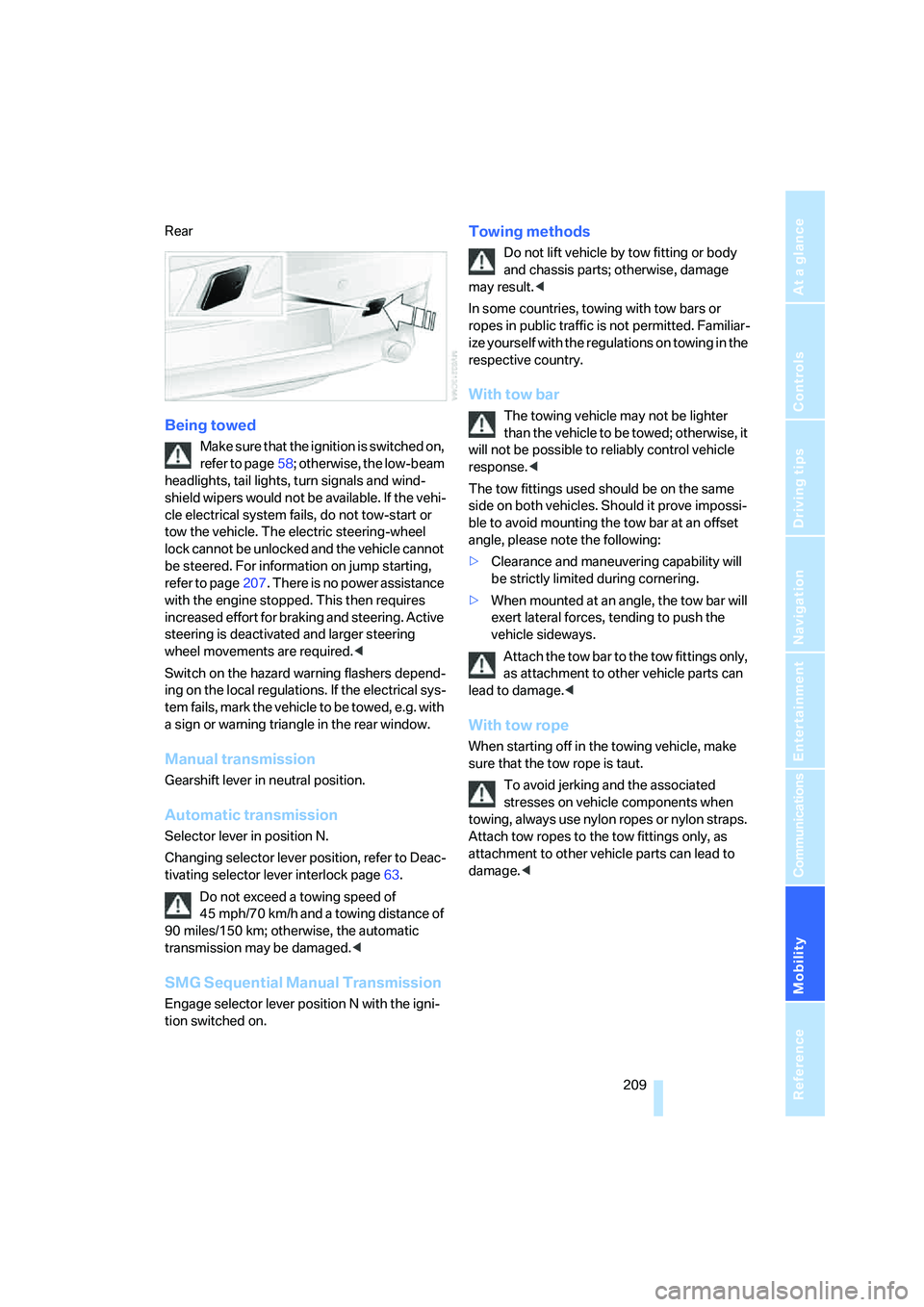
Rear
Being towed
Make sure that the ignition is switched on,
refer to page58; otherwise, the low-beam
headlights, tail lights, turn signals and wind-
shield wipers would not be available. If the vehi-
cle electrical system fails, do not tow-start or
tow the vehicle. The electric steering-wheel
lock cannot be unlocked and the vehicle cannot
be steered. For information on jump starting,
refer to page207. There is no power assistance
with the engine stopped. This then requires
increased effort for braking and steering. Active
steering is deactivated and larger steering
wheel movements are required.<
Switch on the hazard warning flashers depend-
ing on the local regulations. If the electrical sys-
tem fails, mark the vehicle to be towed, e.g. with
a sign or warning triangle in the rear window.
Manual transmission
Gearshift lever in neutral position.
Automatic transmission
Selector lever in position N.
Changing selector lever position, refer to Deac-
tivating selector lever interlock page63.
Do not exceed a towing speed of
45 mph/70 km/h and a towing distance of
90 miles/150 km; otherwise, the automatic
transmission may be damaged.<
SMG Sequential Manual Transmission
Engage selector lever position N with the igni-
tion switched on.
Towing methods
Do not lift vehicle by tow fitting or body
and chassis parts; otherwise, damage
may result.<
In some countries, towing with tow bars or
ropes in public traffic is not permitted. Familiar-
ize yourself with the regulations on towing in the
respective country.
With tow bar
The towing vehicle may not be lighter
than the vehicle to be towed; otherwise, it
will not be possible to reliably control vehicle
response.<
The tow fittings used should be on the same
side on both vehicles. Should it prove impossi-
ble to avoid mounting the tow bar at an offset
angle, please note the following:
>Clearance and maneuvering capability will
be strictly limited during cornering.
>When mounted at an angle, the tow bar will
exert lateral forces, tending to push the
vehicle sideways.
Attach the tow bar to the tow fittings only,
as attachment to other vehicle parts can
lead to damage.<
With tow rope
When starting off in the towing vehicle, make
sure that the tow rope is taut.
To avoid jerking and the associated
stresses on vehicle components when
towing, always use nylon ropes or nylon straps.
Attach tow ropes to the tow fittings only, as
attachment to other vehicle parts can lead to
damage.<
Page 211 of 242
Giving and receiving assistance
210
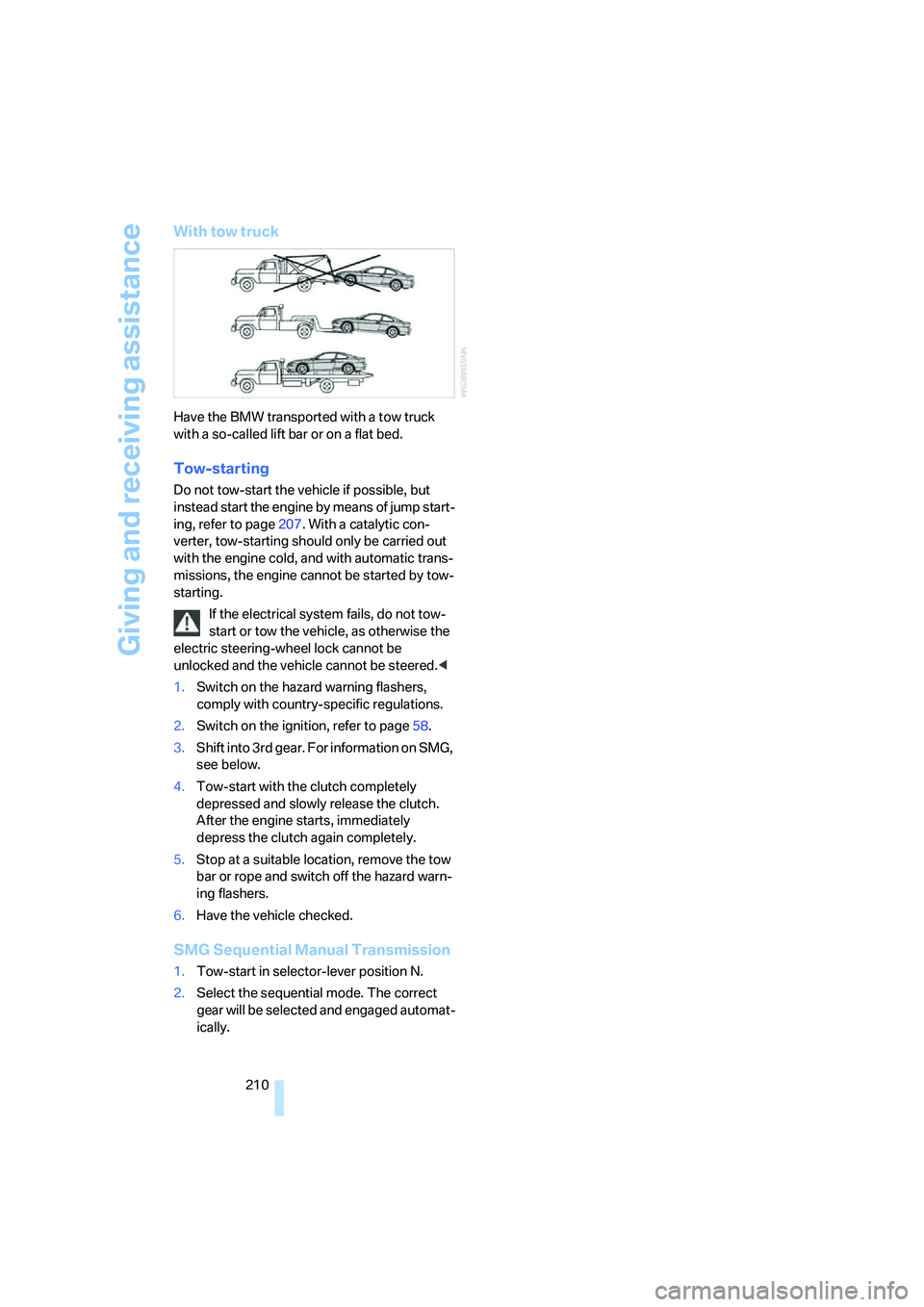
With tow truck
Have the BMW transported with a tow truck
with a so-called lift bar or on a flat bed.
Tow-starting
Do not tow-start the vehicle if possible, but
instead start the engine by means of jump start-
ing, refer to page207. With a catalytic con-
verter, tow-starting should only be carried out
with the engine cold, and with automatic trans-
missions, the engine cannot be started by tow-
starting.
If the electrical system fails, do not tow-
start or tow the vehicle, as otherwise the
electric steering-wheel lock cannot be
unlocked and the vehicle cannot be steered.<
1.Switch on the hazard warning flashers,
comply with country-specific regulations.
2.Switch on the ignition, refer to page58.
3.Shift into 3rd gear. For information on SMG,
see below.
4.Tow-start with the clutch completely
depressed and slowly release the clutch.
After the engine starts, immediately
depress the clutch again completely.
5.Stop at a suitable location, remove the tow
bar or rope and switch off the hazard warn-
ing flashers.
6.Have the vehicle checked.
SMG Sequential Manual Transmission
1.Tow-start in selector-lever position N.
2.Select the sequential mode. The correct
gear will be selected and engaged automat-
ically.
Page 224 of 242
Reference 223
At a glance
Controls
Driving tips
Communications
Navigation
Entertainment
Mobility
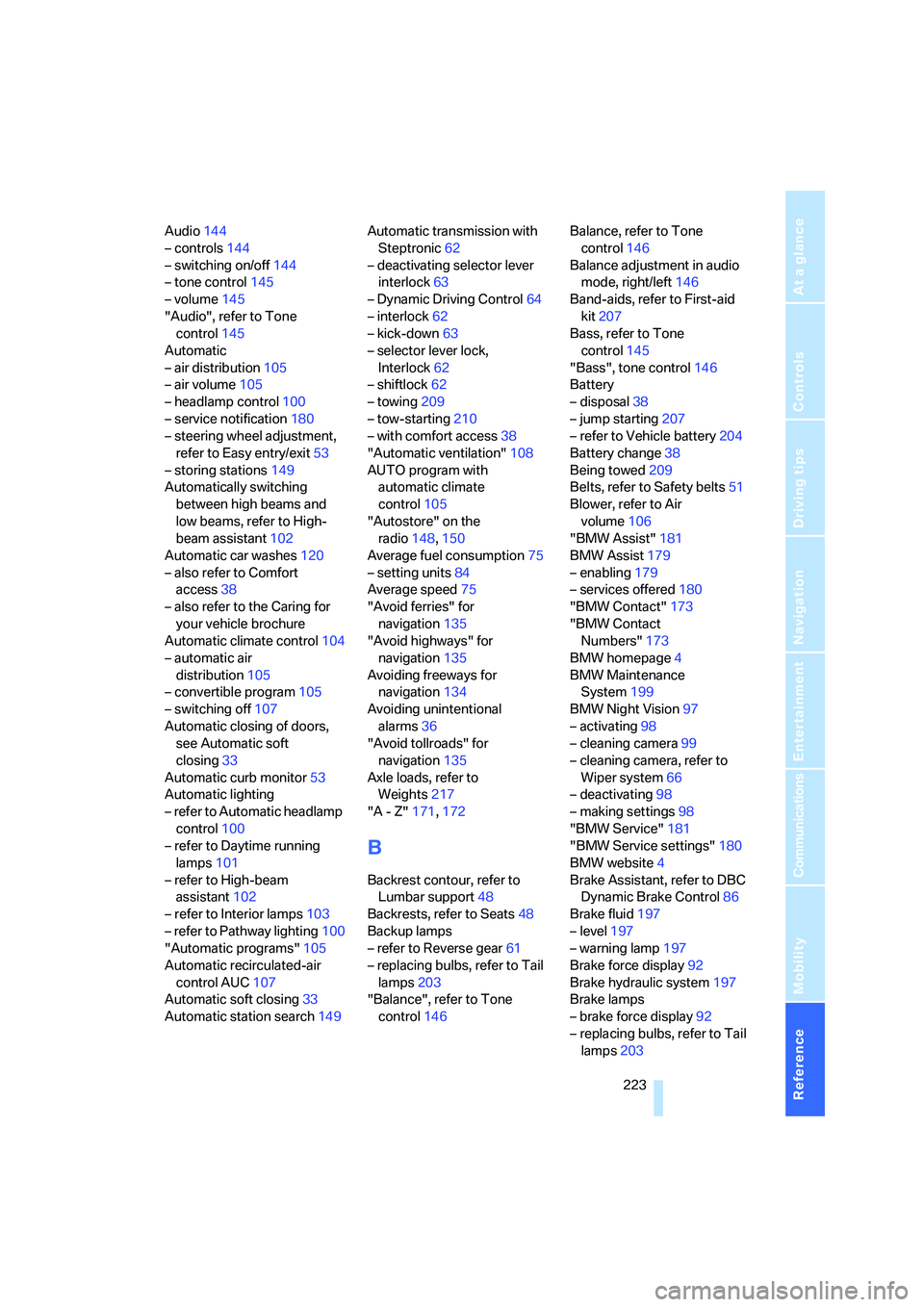
Audio144
– controls144
– switching on/off144
– tone control145
– volume145
"Audio", refer to Tone
control145
Automatic
– air distribution105
– air volume105
– headlamp control100
– service notification180
– steering wheel adjustment,
refer to Easy entry/exit53
– storing stations149
Automatically switching
between high beams and
low beams, refer to High-
beam assistant102
Automatic car washes120
– also refer to Comfort
access38
– also refer to the Caring for
your vehicle brochure
Automatic climate control104
– automatic air
distribution105
– convertible program105
– switching off107
Automatic closing of doors,
see Automatic soft
closing33
Automatic curb monitor53
Automatic lighting
– refer to Automatic headlamp
control100
– refer to Daytime running
lamps101
– refer to High-beam
assistant102
– refer to Interior lamps103
– refer to Pathway lighting100
"Automatic programs"105
Automatic recirculated-air
control AUC107
Automatic soft closing33
Automatic station search149Automatic transmission with
Steptronic62
– deactivating selector lever
interlock63
– Dynamic Driving Control64
– interlock62
– kick-down63
– selector lever lock,
Interlock62
– shiftlock62
– towing209
– tow-starting210
– with comfort access38
"Automatic ventilation"108
AUTO program with
automatic climate
control105
"Autostore" on the
radio148,150
Average fuel consumption75
– setting units84
Average speed75
"Avoid ferries" for
navigation135
"Avoid highways" for
navigation135
Avoiding freeways for
navigation134
Avoiding unintentional
alarms36
"Avoid tollroads" for
navigation135
Axle loads, refer to
Weights217
"A - Z"171,172
B
Backrest contour, refer to
Lumbar support48
Backrests, refer to Seats48
Backup lamps
– refer to Reverse gear61
– replacing bulbs, refer to Tail
lamps203
"Balance", refer to Tone
control146Balance, refer to Tone
control146
Balance adjustment in audio
mode, right/left146
Band-aids, refer to First-aid
kit207
Bass, refer to Tone
control145
"Bass", tone control146
Battery
– disposal38
– jump starting207
– refer to Vehicle battery204
Battery change38
Being towed209
Belts, refer to Safety belts51
Blower, refer to Air
volume106
"BMW Assist"181
BMW Assist179
– enabling179
– services offered180
"BMW Contact"173
"BMW Contact
Numbers"173
BMW homepage4
BMW Maintenance
System199
BMW Night Vision97
– activating98
– cleaning camera99
– cleaning camera, refer to
Wiper system66
– deactivating98
– making settings98
"BMW Service"181
"BMW Service settings"180
BMW website4
Brake Assistant, refer to DBC
Dynamic Brake Control86
Brake fluid197
– level197
– warning lamp197
Brake force display92
Brake hydraulic system197
Brake lamps
– brake force display92
– replacing bulbs, refer to Tail
lamps203
Page 228 of 242
Reference 227
At a glance
Controls
Driving tips
Communications
Navigation
Entertainment
Mobility
Drying the air, refer to Cooling
function106
DSC Dynamic Stability
Control86
– indicator lamp13,87
DTC Dynamic Traction
Control87
– activating87
– indicator lamp13,87
DVD for navigation124
Dynamic Brake Control
DBC86
Dynamic Drive87
Dynamic Driving Control64
Dynamic Stability Control
DSC86
Dynamic Traction Control
DTC87
E
Easy entry, refer to Entering
rear51
Easy entry/exit53
EBV, refer to Electronic brake-
force distribution86
Eject button, refer to Buttons
on CD player144
Electrical malfunction
– convertible top43
– door lock32
– driver's door32
– fuel filler door186
– glass sunroof41
– luggage compartment lid34
– storage compartment, hotel
function33
Electric steering wheel
adjustment53
Electronic brake-force
distribution86
Electronic oil level check195
Emergency assistance, refer
to Roadside Assistance207
Emergency call206Emergency operation, refer to
Manual operation
– convertible top43
– door lock32
– driver's door32
– fuel filler door186
– glass sunroof41
– hotel function33
– luggage compartment lid34
– selector lever interlock,
automatic transmission63
Emergency release for
luggage compartment lid in
luggage compartment35
Emergency services, refer to
Roadside Assistance207
"Emission inspect."78
"Enable services"180
"End call"171
"End Night Vision"99
Engine
– breaking-in118
– data214
– overheated, refer to Coolant
temperature74
– speed214
– starting59
– starting, comfort access36
– starting difficulties59
– switching off60
– switching off when equipped
with Automatic trans-
mission, with comfort
access38
Engine compartment195
Engine coolant197
Engine oil
– additives
196
– approved oils196
– electronic oil level check195
– recommended oils196
– temperature75
– temperature gauge75
– topping off196
"Engine oil level"196
Engine output, refer to Engine
data214Engine overheating, refer to
Coolant temperature74
Engine speed, refer to Engine
specifications214
Engine starting, refer to
Starting engine59
"Enter address"126,132
Entering address125,128
Entering destination via town/
city name126
Entering intersection127
Entering rear51
Entering town/city for
navigation126
Entering zip code for
navigation127
"Entertainment"144
"Entertainment
settings"145,152
Entertainment sound output
on/off145
Entry map for destination129
Equalizer, refer to Tone
control147
"Equalizer", tone control147
"ESN"154
ESP Electronic Stability
Program, refer to DSC
Dynamic Stability
Control86
Event data recorders200
Exhaust system, refer to Hot
exhaust system118
Exterior mirrors52
– automatic dimming
feature53
– automatic heating53
– folding in and out52
– tilting down passenger-side
mirror53
Eye for tow-starting and
towing, refer to Tow
fitting208
Eyes for lashing, refer to
Securing cargo121
Page 229 of 242
Everything from A to Z
228
F
"Fader", refer to Tone
control146
Fader, refer to Tone
control146
Failure messages, refer to
Check Control79
False alarms, refer to Avoiding
unintentional alarms36
Fastening safety belts, refer to
Safety belts51
Fastest route for
navigation134
Fast forward
– CD changer161
– CD player161
"Fast route" for
navigation135
"Favorites" calling up with
radio151
Filling capacities217
First aid, refer to First-aid
kit207
First-aid kit207
Flashing when locking and
unlocking, refer to Setting
acknowledgment signals31
Flashlight, refer to
Rechargeable flashlight111
Flat tire
– Flat Tire Monitor88
– run-flat tires89,91,192
– Tire Pressure Monitor89
Flat Tire Monitor88
– false alarms88
– initializing system88
– limits of system88
– show chains193
– warning lamp89
"FM", reception
range144,148
FM, waveband148
Fog lamps103
– indicator lamp13,103
Folding into raised position
convertible top
compartment floor,
Convertible35Footbrake, refer to Braking
safely119
Footwell lighting, refer to
Interior lamps103
For specified oil grades, refer
to Approved engine oils196
For your own safety6
Freeway, refer to Route
criteria134
Front airbags92
Front passenger airbags
deactivating
93
"FTM"89
FTM, refer to Flat Tire
Monitor88
Fuel
– average consumption75
– display75
– fuel specifications187
– high-quality brands187
– quality187
– specifications187
– tank capacity186
Fuel display, refer to Fuel
gauge75
Fuel filler door186
– releasing in the event of
electrical malfunction186
Fuel gauge75
"Full screen" with BMW Night
Vision99
Fuses205
G
Garage-door opener, refer to
Integrated universal remote
control110
Gasoline
– refer to Average fuel
consumption75
– refer to Fuel
specifications187
– refer to Required fuel187
Gasoline display, refer to Fuel
gauge75Gear changes
– automatic transmission with
Steptronic62
– SMG Sequential Manual
Transmission62
Gear display
– automatic transmission with
Steptronic62
– SMG Sequential Manual
Transmission61
Gearshift lever
– automatic transmission with
Steptronic62
– manual transmission60
– SMG Sequential Manual
Transmission61
General driving notes118
Glass sunroof, electric with
raise function40
– comfort operation with
comfort access37
– convenience operation32
– moving manually41
– remote control31
Glove compartment111
– rechargeable flashlight111
GPS navigation, refer to
Navigation system124
Grills, refer to Ventilation107
Gross vehicle weight, refer to
Weights217
H
Handbrake60
– indicator lamp13,60
Hands-free system, refer to
Microphone14
Hazard warning flashers15
HD, refer to High Definition
Radio152
Head airbags92
Headlamp control,
automatic100
Headlamp flasher64
Page 231 of 242
Everything from A to Z
230 Instructions for navigation
system, refer to Voice
instructions139
Instrument cluster12
Instrument illumination, refer
to Instrument lighting103
Instrument lighting103
Instrument panel, refer to
Instrument cluster12
Integrated key28
Integrated universal remote
control110
Interesting destination for
navigation130
"Interim time"82
Interior lamps103
– switching on with remote
control31
Interior motion sensor36
– switching off36
Interior rearview mirror53
– automatically dimming, refer
to Automatic functions53
Interlock on automatic
transmission62
Intermittent wiper mode65
J
Jacking points204
Joystick, refer to iDrive16
Jump starting207
K
Keyless-Go, refer to Comfort
access36
Keyless opening and closing,
refer to Comfort access36
Key Memory, refer to Personal
Profile29
"Keypad"174
Keys28
– key-related settings, refer to
Personal Profile29Kick-down
– automatic transmission with
Steptronic63
– SMG Sequential Manual
Transmission62
Knock control187
L
Lamps, refer to Parking lamps/
low beams100
Lamps and bulbs201
"Languages"84
– for navigation139
Lashing eyes, refer to
Securing cargo121
Last destinations, refer to
Destination list131
"Last seat pos."49
LATCH child-restraint fixing
system57
LEDs light-emitting
diodes201
Length, refer to
Dimensions215
License plate lamps, replacing
bulbs204
Light-emitting diodes
LEDs201
Lighter113
"Lighting"65,101
Lighting
– instruments103
– of the vehicle, refer to
Lamps100
– refer to High-beam
assistant102
Light switch100
"Limit"81
Loading, refer to Cargo
loading120
"Lock after driving"32
Lock buttons in the doors,
refer to Locking33
Locking
– from inside33
– from outside31
– without key, refer to Comfort
access36Locking and unlocking doors
– from inside32
– from outside30
Locking out, refer to
Unlocking37
Locking without key, refer to
Comfort access36
Low beams100
– automatic100
– replacing bulbs201
Lower back support, refer to
Lumbar support48
Luggage compartment
– capacity217
– emergency release35
– hotel function33
– increasing capacity,
Convertible35
– opening/closing, refer to
Luggage compartment
lid34
– opening from inside34
– opening from outside34
– opening with remote
control31
Luggage compartment lid34
– emergency operation34
– emergency release35
– opening from inside34
– opening from outside34
– opening with remote
control31,34
– unlocking manually34
Lumbar support48
LW, waveband148
M
M+S tires, refer to Winter
tires193
Maintenance
– refer to Service
requirements77
– refer to the Service and
Warranty Information
Booklet for US models199
– refer to Warranty and
Service Guide Booklet for
Canadian models199