2005 VOLKSWAGEN GOLF Adjust
[x] Cancel search: AdjustPage 161 of 444
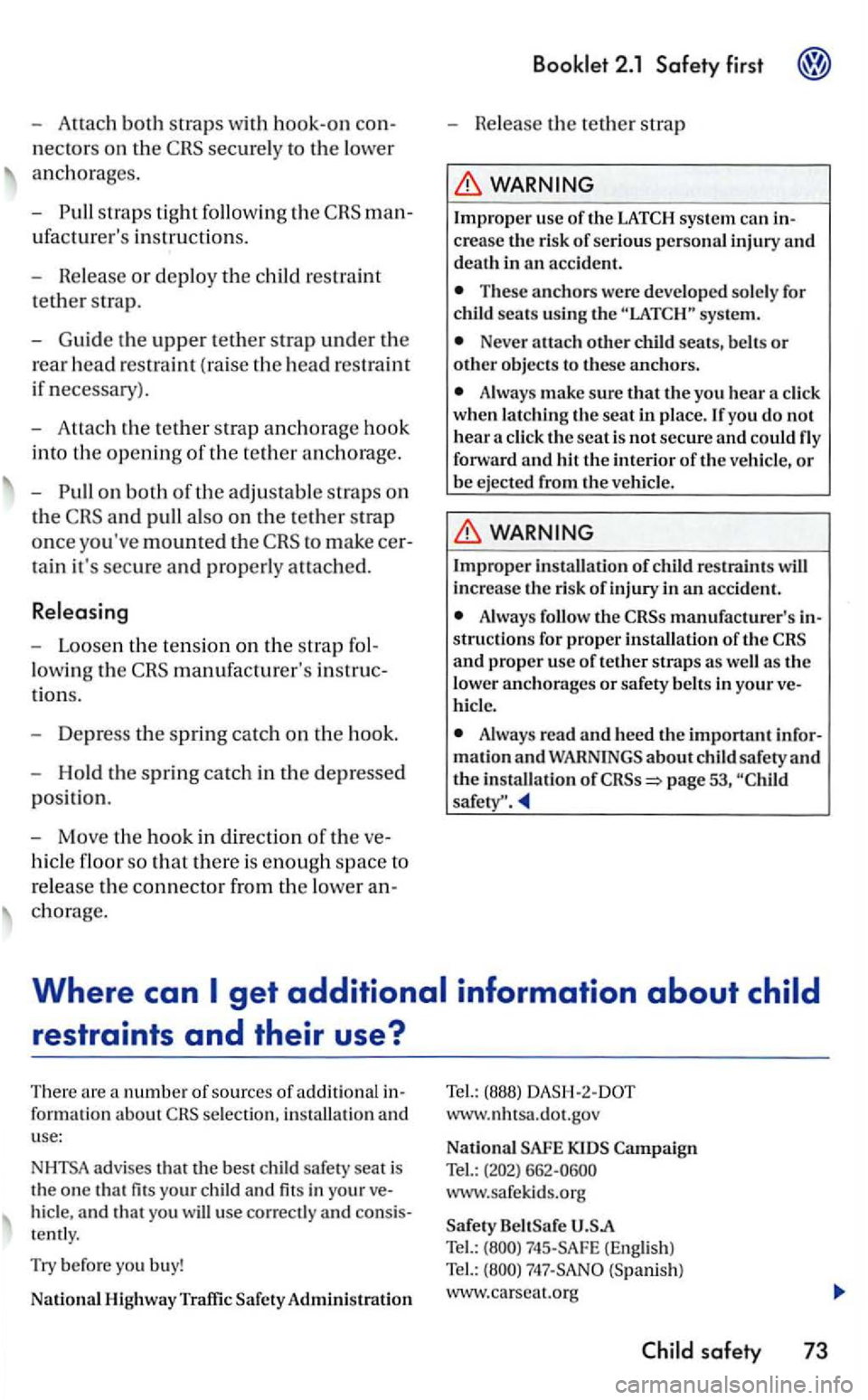
-both straps wit h hook-on con
n
ect ors on the secu re ly to the lower
a n ch orages.
- P ull str ap s tig
ht foll ow ing th e man
ufacturer's instr uctio ns.
-Release or deploy th e ch ild rest ra in t
tether strap.
- Guide th e
upper tether strap under th e
rea r
head restraint (ra ise the head restra int
if n ecessary).
- Att
ach th e te ther s trap anch orage hook
int o th e o pe
ning of th e te ther a n ch o rage.
- Pull on
both of the adjustable straps on
th e
to make cer
t ain it's secure a
nd properl y attached .
Relea sing
- Loose n th e te nsio n on the stra p f ol
l
owing t h e manufacturer's in stru c
t i
ons.
- Dep ress the sprin g catch on th e hoo k.
- Hold th e s prin g
catch in th e dep ressed
p os ition .
- Move th e h
ook in direct ion of th e ve
hicle floo r so that the re is en o ug h space to
r e lease th e co
nnecto r f ro m th e lowe r an
c h o rage.
Booklet 2.1 Safety first
-Release the te th er str ap
WARNING
Impro pe r u sc of th e sys te m can in
c re a se the risk of serio us personal inju ry and death in an accid ent.
Th ese anchors were developed sole ly fo r seats usin g the sys te m .
Neve r attac h oth er child seats,
A lways make sure th a t the yo u hear whe n l atc hin g th e seat in place.lfyou d o not
hear f orward and hit th e int erior of the ve hicle, or
b e e jecte d from the ve hicl e.
WARN ING
Im proper in sta ll ati on of restra in ts
A lways manufacturer's
as the
l o w er anch orages or safety belt s in your ve
Always read and heed th e i mportant infor
m ati on an d about safety and the in sta ll ati o n of
se lectio n, in stalla tion and
use:
N
HTSA advises that the best child safety seat is
t h e o ne that fits your c hil d and fits in your veand that you will use correct ly and consis
tent ly.
Try befo re you b uy!
Nat ional High way Traffi c Admini stration
Tel.: (888) www.nhtsa.do t.gov
Nati onal Tel.: (202) 662-0600
www.safekids.o rg
www.ca rseat.o rg
safety 73
Page 164 of 444
belt extender 24
Safet y belt s 19
Floormats 9
Front airbag system 32
Airbag deplo ym ent zo ne 38
T he basics 32
Front airbags
Descript i
on 32
Fronta l co llisi
ons a n d the laws of phys ics 15
H
Head restraints
Correct adjustment 7
Heavy clothing
and safety belt s 17
How m
any airbags does my vehi cle have'? 35,
46,51
Importance of sitting properly 28
Importance of wearing safet y belt s 28
Important things to do befor e driv ing 3
Improper seating posit ions
Improperly worn safety belts 26
I
ndicator light
Airbag system
Indicator ligh ts
Airbag system 41
AIR BAG
u sing the LATCH sys tem 72
I
nstalling the upper tet her strap on the anchorage
L
Leat her seats
marks
Lower anchorages 71
Luggage compartment
M
Monitoring the Advanced Air bag Syste m
Occupant seating positions 4
p
light 41 Start blinking 42
principles of a frontal collision 15
marks
adjustment of head restraints 7
occupant seating pos itions 4
safety belt position 21
driving 2
Page 165 of 444
belts 13, 19
Extender 23
How can I adjust the heigh t o f my safery
belt? 25
How
do you put on you r safery belt
correct l
y? 19
Improperly worn 26
Installing child restraint 63
Not worn
16
belt position 21
instructio ns 17
Specia l consid erations for pregnant
women 22
Switc hab le locki ng feature 65
Unfa stening safe ty belt s 25
Warning light
14 What happen s to occupants not wearing
safety
belt s? 16 Why assume the co rrect seatin g
position? 28
W hy safery belts protec t? 17
Why wear safery belts? 15, 28
belts protect 17
Monitoring the Advanced Airbag
43
seatin g positi on for the driver 4
seating position for the front
passenger 5
belt extender 23
Curtain airbags 52
Seating capacity 13
Sea ting position Distance between driver and steering
wheel 4
Driver 4
Front
passenger 5
Improper seat in g positi on s
4
Rear
passe ngers 6
air bags 46
Description 46
Ho w
they work?
in structio n s 48
airbags
Desc ripti
on
How they work? 5 1
instructions 52
Steer ing w hee l
Distance
to the driver 4
Sw itchable locking f
eature
Activating 65
Deactivating 67
T
Tether anchors 68
T
ether strap 69
Tie -
downs 12
Torn or f rayed safety bel ts 1 7
Trunk
u
Unfasten ing
belts 25
Upholstery
v
Ventil ation slit s ll
w
Wa rning light
belts 14
Wa rnin g lights
Page 171 of 444
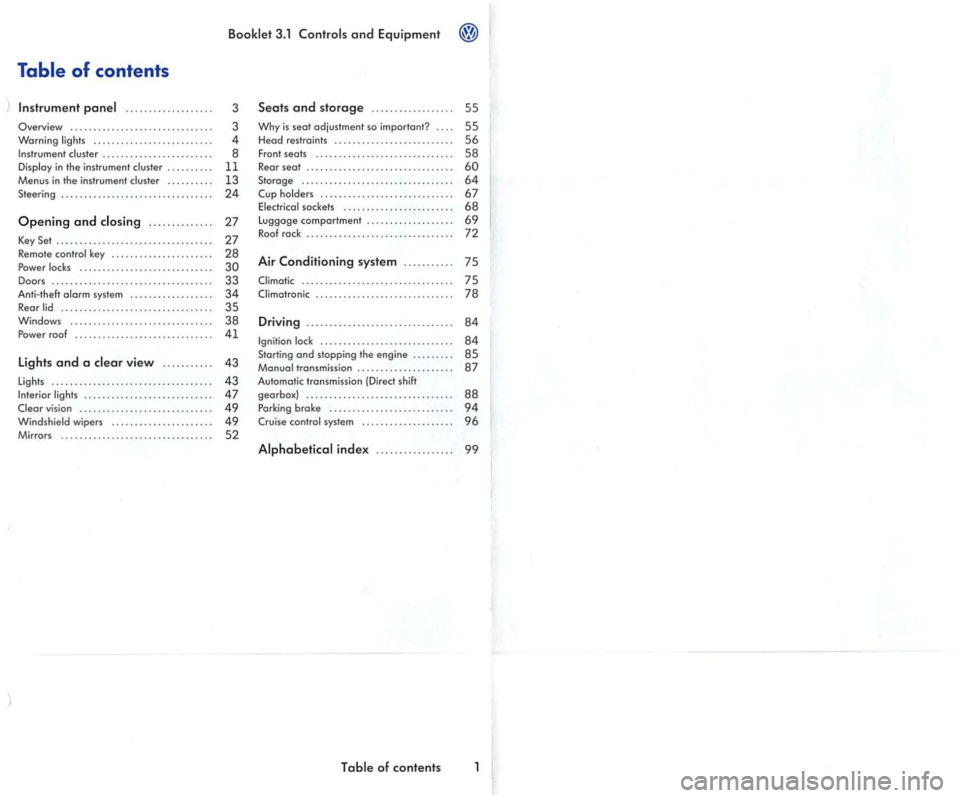
Table of contents
.................. .
Overview .......................... o
Warning ..
.............. ......... . in the instrument ..... o
Menus in the in strum ent
Opening and .... o o
Key Set ........................ o o
Remote
Power ........................ o
Doors ... ...................... o Anti-theft sys tem ............. Rear .......................
Windows ............... .. . Power roof ........
Lights and a view .......... .
Ligh ts ........................... .......
vision .............. o
Mirrors ............................
3ol and Equipm ent
3
3
4
8
11
13 24
27
27
28
30
33
34
35 38 41
43
43
47
49
49 52
Seats and storage ............. .... .
Why is seat adjustment so important? ... .
He
ad re straints .......... ............... .
Fro
nt seats ............................. . Rear seat .................. ............. .
Storage ................................ .
Cup .................. o soc kets ........ o o
Luggage comportment .................. .
Roof rock .....................
Air Conditioning system .......... .
........................ o
Driving ........... o .................
........................... .. Starting and stopping the en gin e ........ . transmission .................... .
Auto matic transmission
(Direct shift
gearbox} ............................... .
Parking
broke ................ ... .
Crui se system ................... .
55
55
56
58
60 64
67 68
6 9
72
75
75
78
84
84
85 87
88 94
96
of contents
Page 187 of 444
Convenience
Door open
ATA confirm
Conv. mode
Mirrors
adjust
Fa cto ry setti ng
Back
Booklet 3.1 and Equipment
Function
The ve hicle locks doors w he n the veh icle is m ov ing and unl ocks the doors w hen the key is remo ved from the ig n ition lock.
The activation of the q ui red.
Co nve
nience operation of the po wer windows: determines if the drive rs doo r window , windows or no window s ho ul d be ope ned when th e ve hicle is unlocke d. This function can only be activa te d
via the drive r's door.
The front passenger sid e mirror be adjusted automatically
of these fu nctio ns to the ori gin al factory ring s.
men u.
The menus shown in the dis p lay de pends on th e
ve hicle electron ics and the option s
Lights & Vision menu
Vario us se ttings can be made for vehicle Lighting
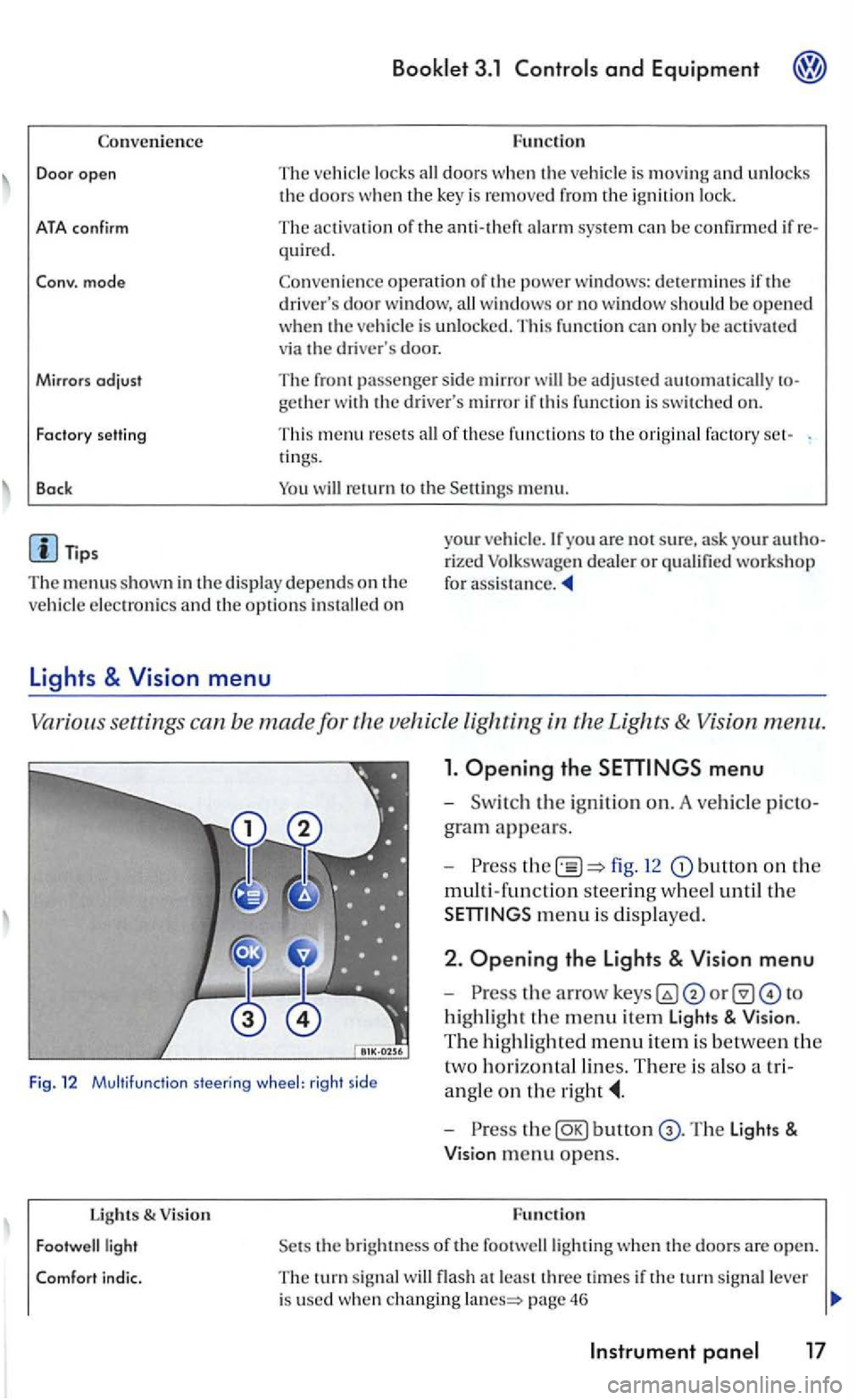
1. Opening the
fig. 12 button on the
multi-fun ction steering w hee l until th e
m enu is dis played .
Fig. 12 Multifu nctio n steering wheel: rig ht side
2 . Opening the Lights & Vision menu
-
highli ght the m enu item Light s & Vision .
T he hi ghli gh te d m e
nu item is be tween the
t
wo h orizontal lin es. There is als o a tri
a n gle
on the
Lights & V ision
bunon
the bright ness of the footwelllighting when th e doo rs a re open.
T he turn sig nal flash a t le ast thre e time s if the tu rn sig nal lever
i s used whe n changing page 46
Page 193 of 444
Booklet 3.1 Controls and Equipment
with compass and sound syste m
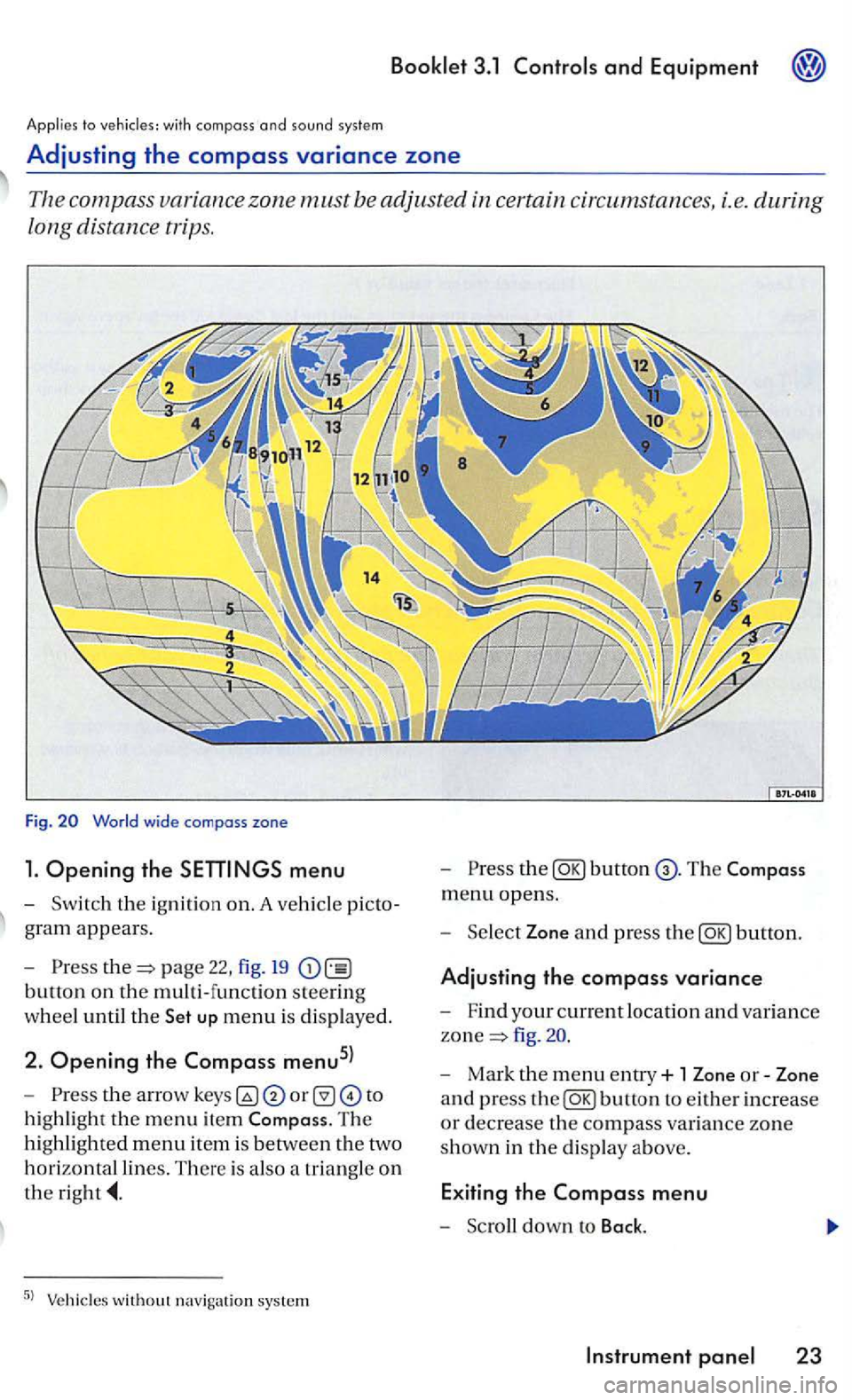
Adjusting the compass variance zone
Th e com pass zone must be adjusted certain circum stances, i.e. during
long distance trips.
Fig.
menu
-Sw itch the ignition on. A ve hicl e picto
g ra m
appears.
- Pre
ss page 22, fig. 19
button on the multi-function steering
w h
eel until the up menu is displayed.
2. Opening the Compass menu5l
-th e arrow to
h ig hli
ght the m enu item The
hi ghlighted menu item is betwee n th e two
h
orizontal lines. There is also a triangle o n
the
the
menu opens.
- Sel
ect Zone and press the
fig .
- Mark the menu entry+ 1 Zone or-Zone
a n d press
the
Page 195 of 444
Applies to vehicles' with
and drive 1:
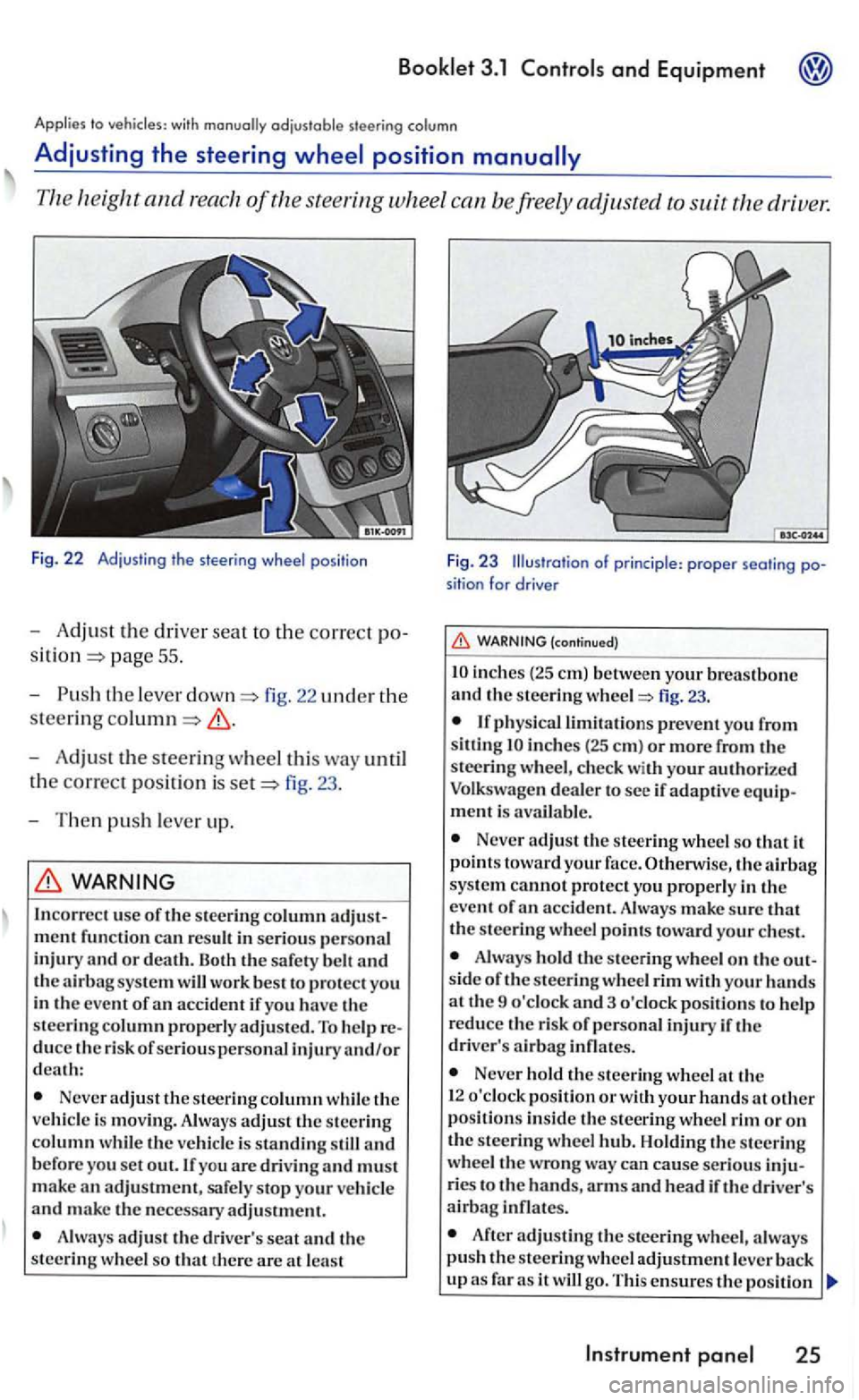
Fig. 22 Adjust in g t he s tee ring wheel pos itio n
-Adjust the dri ver seat to the correct po
pag e 55 .
- Push
the leve r fig. 22 uncl er the
steering
-Adjust the steering wheel this way until
t h e
correct posit ion is fig. 23 .
- T hen
push lever up.
WARNING
In correc t use of the stee ring column
Neve r adjust the steer ing column while th e
ve hicl e is movin g. Always adjust th e steering column w hil e th e veh icle is standing still and b efore you set out. If you are drivin g and must
m ake an adjustment, safe ly stop your ve hicl e and make the necessary adjustment.
A lways adjus t th e driv er's seat and th e
steering w hee l so that th ere are at lea st
F ig. 23 Illustration of princi ple : proper seati ng position for drive r
(continued)
inch es (2 5 em) betwe en your breastbone and th e s teering fig. 23.
inches (25 em ) or more from the
steeri ng w heel, c hec k with your authori ze d
Volkswagen deale r to see if adaptive equipment is avai la ble .
Never adjust the steering wheel so that it
p oin ts toward your face. Otherwise, the sys te m cannot protect yo u properly in the
e ve nt of
Alwa ys hold the s teering wheel o n the out
s id e of the s teering whee l rim with your hands at th e 9 o'clock and 3 o 'clock pos itions to help
r educe th e risk of p ersonal injury if th e
driver' s
Never hold the stee rin g wheel th e
1 2 o'clock pos ition or w ith your hands at other position s in side th e s teering wheel rim or on the steerin g wheel Holdin g th e s teerin g
wheel the wrong wa y ca n cause serious inju
ries t o the hands, arm s and hea d if the driver's airbag infl ates.
After adjusting the stee rin g wheel, a lwa ys push the s teerin g wh eel adjustment leve r
Instrument
Page 213 of 444
and Equipment
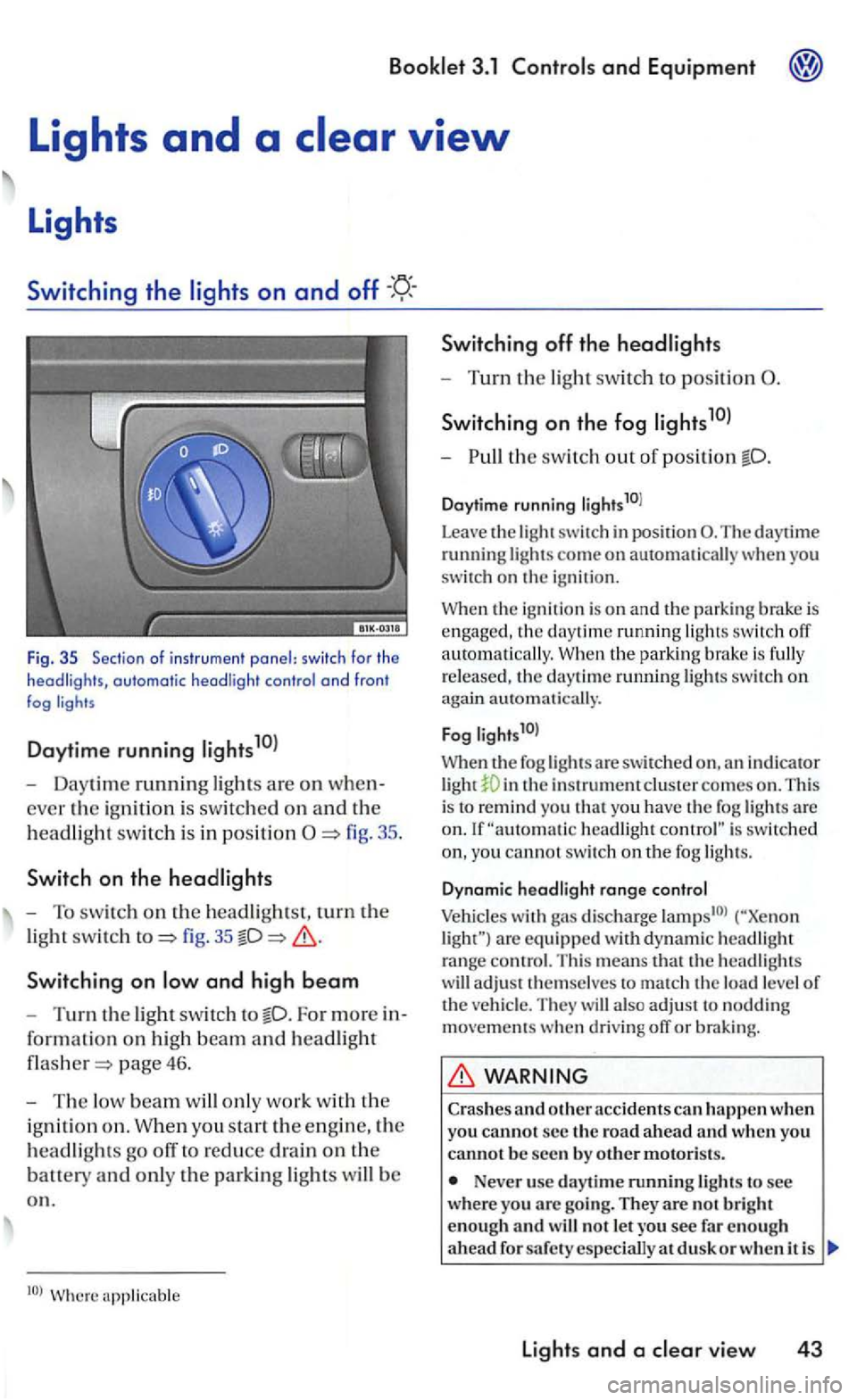
Fig . 35 Sec tio n of i nstr u m ent panel: switc h fo r th e headligh ts, automatic headli ght contro l a nd fron t fog
Daytime running
- Daytime running ligh ts are on when
ever the ig ni tio n i s sw itc hed on an d th e
h
eadlig ht swit c h i s in positi on
fig. 35
Switchin g on
For more in
for ma
tion on hig h beam an d headlight
page 46.
-The low beam w ill only work w it h th e
i g ni
tion o n . W hen you sta rt the e ngin e, the
h
eadlights go off to reduce drain on the
batt ety an d only th e parkin g lights will b e
o n .
Switching off th e headlights
- Turn the light swit ch to position
S wi tch ing on the fog
-th e switch out o f position
Daytime running li g hts10l
Leave
the light switch in posit ion The daytime running lights come on automatically you
switch on the igni tio n.
the ignition is o n and the parking brake is engaged , the daytime running ligh ts switch off
a uto m atically. the park in g bra ke is fully
r e leased , th e daytime ru nning lights swit c h on again automati cally.
F
og l ights1 0l
When th e fog lights a re swit ch ed in th e instrument clus te r comes on . This
i s to remind you t h at yo u have the fog lights are headlight is switc hed
yo u cannot switc h on th e fog ligh ts.
D ynam ic hea d light range co ntrol
Vehicles with gas discharge are eq uip ped w ith d yn am ic headlig h t range contro l. T his means that th e headlig hts
w ill adjust t hemselves to match th e load level of the ve hicl e. They will also ad ju st to noddin g movements when d riving off or braking.
WARNING
Crashes and o ther acc idents can h appen when you cannot s e c the ro a d a head and w hen you canno t b e seen by o th er motoris ts.
Never use day tim e running lights to see wher e you arc goi ng. They are no t b rig h t
enough an d w ill not le t you see fa r en o ug h
a head d usk o r w hen i t is
lights and a vie w 43