Page 147 of 336
147
26p049b
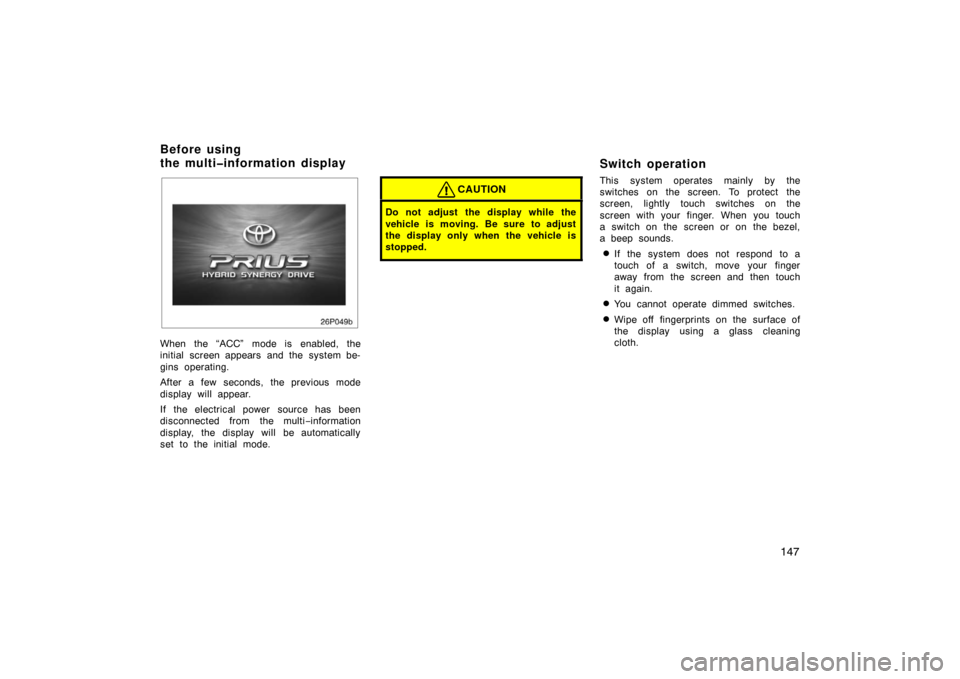
When the “ACC” mode is enabled, the
initial screen appears and the system be-
gins operating.
After a few seconds, the previous mode
display will appear.
If the electrical power source has been
disconnected from the multi−information
display, the display will be automatically
set to the initial mode.
CAUTION
Do not adjust the display while the
vehicle is moving. Be sure to adjust
the display only when the vehicle is
stopped.
Switch operation
This system operates mainly by the
switches on the screen. To protect the
screen, lightly touch switches on the
screen with your finger. When you touch
a switch on the screen or on the bezel,
a beep sounds.
�If the system does not respond to a
touch of a switch, move your finger
away from the screen and then touch
it again.
�You cannot operate dimmed switches.
�Wipe off fingerprints on the surface of
the display using a glass cleaning
cloth.
Before using
the multiinformation display
Page 156 of 336
156
1. Multi−information display screen*
(See page 160 for details.)
2. Ejecting a compact disc (See page 170 for details.)
3. Compact disc slot (See page 169 for details.)
4. Frequency tuning (See page 163 for details.)
5. Scan tuning (See page 164 for details.)
6. Compact disc mode button (See page 169 for details.)
7. Radio mode button (See page 163 for details.)
8. Radio mode: Seek tuning (See page 164 for
details.)
Compact disc
mode: Direct access to a desired program
(See page 172 for
details.)
9. Adjusting the volume (See page 159 for details.)
10. Turning the system on (See page 159 for details.)
11. Audio operation screen display button (See page 160 for details.)
*: In this manual, English version screens are shown as an example.
Reference
�Ty p e 1
26p014c
With
Navigation
System
Page 157 of 336
157
1. Multi−information display screen*
(See page 160 for details.)
2. Compact disc slot (See page 169 for details.)
3. Ejecting a compact disc (See page 170 for details.)
4. Radio mode button (See page 163 for details.)
5. Frequency tuning (See page 163 for details.)
6. Stopping and ejecting a casette tape (See page 166 for details.)
7. Scan tuning (See page 164 for details.)
8. Tape or Compact disc mode button (See page 166 or 169 for details.)
9. Casette tape slot (See page 166 for details.)
10. Radio mode: Seek tuning (See page 164 for
details.)
Tape or Compact
disc mode: Direct access to a desired program
(See page 168 or 172
for details.)
11. Turning the system on (See page 159 for details.)
�
Ty p e 2
26p110a
With
Navigation
System
Page 215 of 336
215
The electric power steering system, us-
ing an electric motor, assists the turn-
ing of the steering wheel.
In the following cases, you may feel the
steering becomes heavy. However, the
electric power steering system warning
light does not come on. (Because it is
not a malfunction.)
�When maneuvering the steering fre-
quently or keeping the steering wheel
turned fully while the vehicle is stopped
or moving very slowlyThe power steering effect will be re-
duced to prevent the system from over-
heating. Avoid turning the steering
wheel, or stop the vehicle. When you
leave the vehicle in the “IG −ON” mode
for a while, the system will become
cool.
NOTICE
If you repeat the operation which will
turn on the overheating prevention
function, the electric power steering
system may be damaged.
�When the auxiliary battery is dis-
charged
Check the auxiliary battery’s condition.
If necessary, recharge or replace the
battery. For details, see “Checking aux-
iliary battery condition” on page 300.
�When the steering wheel is operated
with the hybrid system not to be turned
on (with the “READY” light off)
The auxiliary battery capacity is de-
creased temporarily. The system re-
turns to normal some time after the
hybrid system is turned on.
If there is a problem somewhere in the
electric power steering system, the warn-
ing light comes on in the multi −information
display. For details, see “Multi −information
display” on page 124.30p003
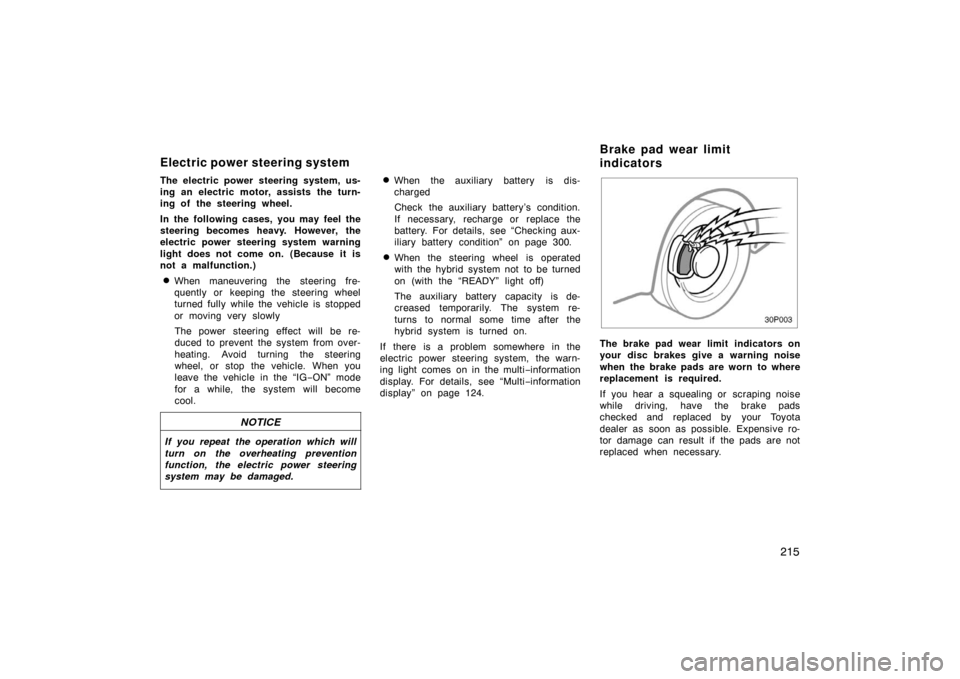
The brake pad wear limit indicators on
your disc brakes give a warning noise
when the brake pads are worn to where
replacement is required.
If you hear a squealing or scraping noise
while driving, have the brake pads
checked and replaced by your Toyota
dealer as soon as possible. Expensive ro-
tor damage can result if the pads are not
replaced when necessary.
Electric power steering system Brake pad wear limit
indicators
Page 245 of 336
245
50p045c
Booster
battery
Negative
terminal
(“–” mark) Jumper
cable
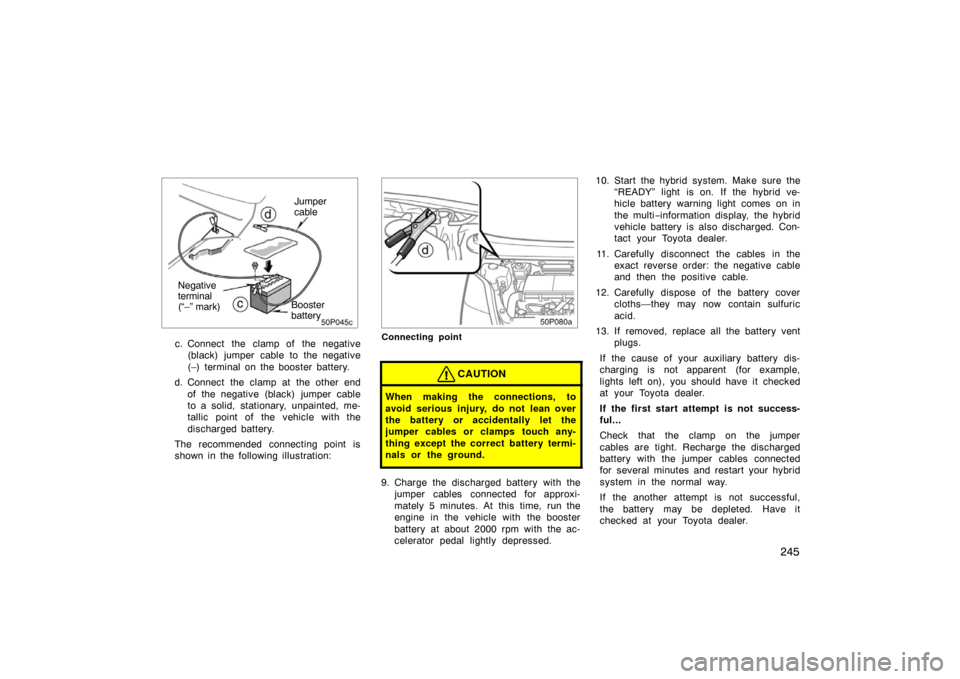
c. Connect the clamp of the negative
(black) jumper cable to the negative
(–) terminal on the booster battery.
d. Connect the clamp at the other end of the negative (black) jumper cable
to a solid, stationary, unpainted, me-
tallic point of the vehicle with the
discharged battery.
The recommended connecting point is
shown in the following illustration:
50p080a
Connecting point
CAUTION
When making the connections, to
avoid serious injury, do not lean over
the battery or accidentally let the
jumper cables or clamps touch any-
thing except the correct battery termi-
nals or the ground.
9. Charge the discharged battery with the jumper cables connected for approxi-
mately 5 minutes. At this time, run the
engine in the vehicle with the booster
battery at about 2000 rpm with the ac-
celerator pedal lightly depressed. 10. Start the hybrid system. Make sure the
“READY” light is on. If the hybrid ve-
hicle battery warning light comes on in
the multi −information display, the hybrid
vehicle battery is also discharged. Con-
tact your Toyota dealer.
11. Carefully disconnect the cables in the exact reverse order: the negative cable
and then the positive cable.
12. Carefully dispose of the battery cover cloths—they may now contain sulfuric
acid.
13. If removed, replace all the battery vent plugs.
If the cause of your auxiliary battery dis-
charging is not apparent (for example,
lights left on), you should have it checked
at your Toyota dealer.
If the first start attempt is not success-
ful...
Check that the clamp on the jumper
cables are tight. Recharge the discharged
battery with the jumper cables connected
for several minutes and restart your hybrid
system in the normal way.
If the another attempt is not successful,
the battery may be depleted. Have it
checked at your Toyota dealer.
Page 316 of 336
316
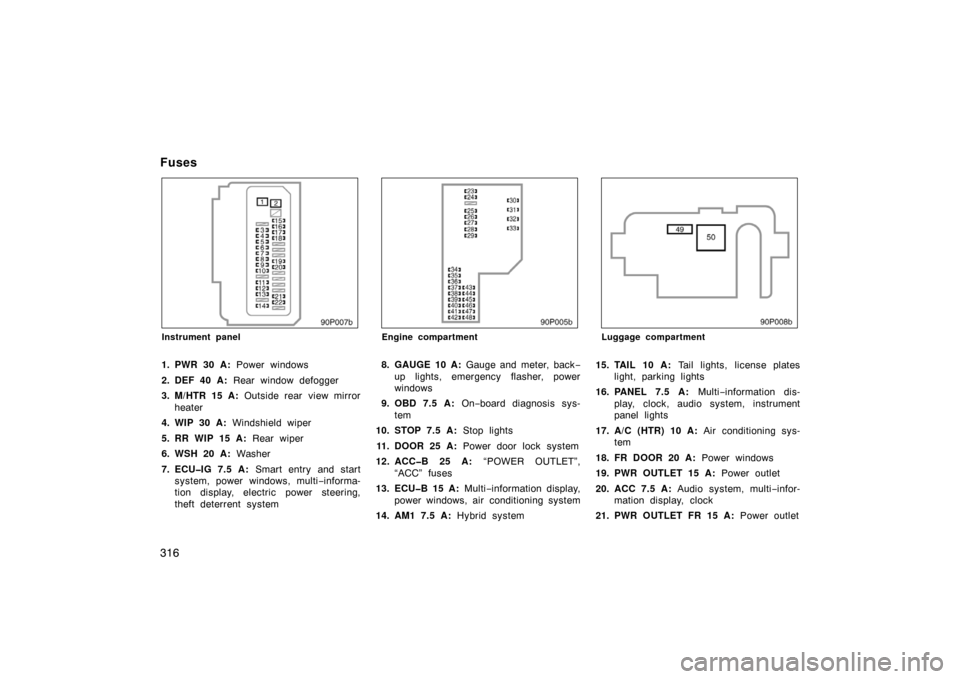
90p007b
Instrument panel
1. PWR 30 A: Power windows
2. DEF 40 A: Rear window defogger
3. M/HTR 15 A: Outside rear view mirror
heater
4. WIP 30 A: Windshield wiper
5. RR WIP 15 A: Rear wiper
6. WSH 20 A: Washer
7. ECUIG 7.5 A: Smart entry and start
system, power wi ndows, multi−informa-
tion display, electric power steering,
theft deterrent system
90p005b
Engine compartment
8. GAUGE 10 A: Gauge and meter, back −
up lights, emergency flasher, power
windows
9. OBD 7.5 A: On−board diagnosis sys-
tem
10. STOP 7.5 A: Stop lights
11. DOOR 25 A: Power door lock system
12. ACCB 25 A: “POWER OUTLET”,
“ACC” fuses
13. ECUB 15 A: Multi−information display,
power windows, air conditioning system
14. AM1 7.5 A: Hybrid system
90p008b
Luggage compartment
15. TAIL 10 A: Tail lights, license plates
light, parking lights
16. PANEL 7.5 A: Multi−information dis-
play, clock, audio system, instrument
panel lights
17. A/C (HTR) 10 A: Air conditioning sys-
tem
18. FR DOOR 20 A: Power windows
19. PWR OUTLET 15 A: Power outlet
20. ACC 7.5 A: Audio system, multi −infor-
mation display, clock
21. PWR OUTLET FR 15 A: Power outlet
Fuses
Page:
< prev 1-8 9-16 17-24