Page 234 of 426
’05 4Runner_U (L/O 0504)
224
REPLACING CONTROLLER BATTERY
For replacement, use a CR2025 lithium
battery or equivalent.
CAUTION
Special care should be taken that
small children do not swallow the re-
moved battery or components.
NOTICE
�When replacing the battery, be care-
ful not to lose the components.
� Replace only with the same or
equivalent type of battery recom-
mended by a Toyota dealer.
� Dispose of used batteries according
to the local regulations.
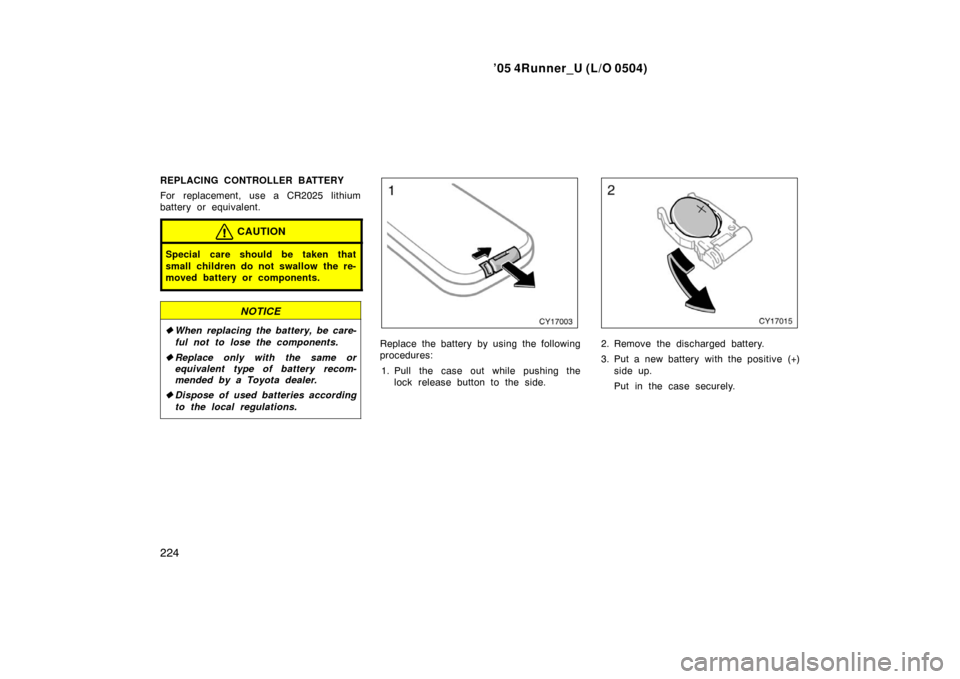
Replace the battery by using the following
procedures:
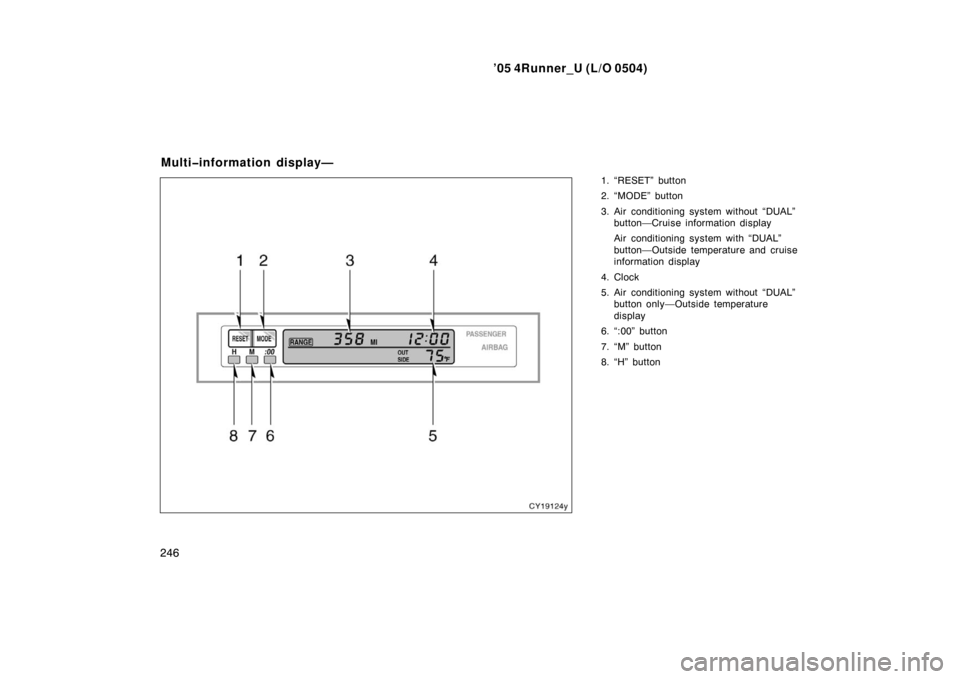
1. Pull the case out while pushing the lock release button to the side.2. Remove the discharged battery.
3. Put a new battery with the positive (+)
side up.
Put in the case securely.
Page 235 of 426
’05 4Runner_U (L/O 0504)
225
NOTICE
�Make sure that the positive side of
the controller battery is facing cor-
rectly.
� Do not replace the battery with wet
hands. Water may cause rust.
� Do not touch or move any compo-
nents inside of the controller, or it
may interfere with proper operation.
� Be careful not to bend the electrode
of the controller battery insertion
and that dust or oil does not ad-
here to the transmitter case.
� Close the battery case securely.
After replacing the battery, check that the
controller operates properly. If the control-
ler still does not operate properly, contact
your Toyota dealer.
NOTICE
To ensure correct audio system op-
erations:
�Be careful not to spill beverages
over the audio system.
� Do not put anything other than a
cassette tape or compact disc into
the slot.
� The use of a cellular phone inside
or near the vehicle may cause a
noise from the speakers of the au-
dio system. This does not indicate
a malfunction.
RADIO RECEPTION
Usually, a problem with radio reception
does not mean there is a problem with
your radio—it is just the normal result of
conditions outside the vehicle.
For example, nearby buildings and terrain
can interfere with FM reception. Power
lines or telephone wires can interfere with
AM signals. And of course, radio signals
have a limited range. The farther you are
from a station, the weaker its signal will
be. In addition, reception conditions
change constantly as your vehicle moves. Here are some common reception prob-
lems that probably do not indicate a prob-
lem with your radio:
FM
Fading and drifting stations—Generally, the
effective range of FM is about 40 km (25
miles). Once outside this range, you may
notice fading and drifting, which increase
with the distance from the radio transmit-
ter. They are often accompanied by distor-
tion.
Multi
−path—FM signals are reflective,
making it possible for two signals to reach
your antenna at the same time. If this
happens, the signals will cancel each oth-
er out, causing a momentary flutter or
loss of reception.
Static and fluttering—These occur when
signals are blocked by buildings, trees, or
other large objects. Increasing the bass
level may reduce static and fluttering.
Station swapping—If the FM signal you
are listening to is interrupted or weak-
ened, and there is another strong station
nearby on the FM band, your radio may
tune in the second station until the origi-
nal signal can be picked up again.
Audio system operating hints
Page 247 of 426
’05 4Runner_U (L/O 0504)
237
�
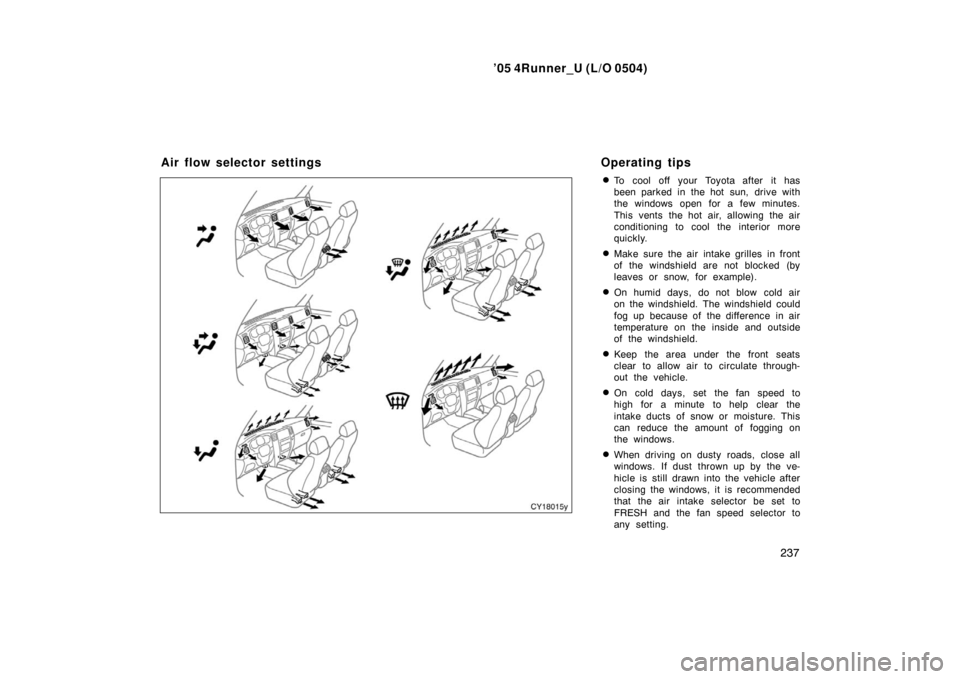
To cool off your Toyota after it has
been parked in the hot sun, drive with
the windows open for a few minutes.
This vents the hot air, allowing the air
conditioning to cool the interior more
quickly.
�Make sure the air intake grilles in front
of the windshield are not blocked (by
leaves or snow, for example).
�On humid days, do not blow cold air
on the windshield. The windshield could
fog up because of the difference in air
temperature on the inside and outside
of the windshield.
�Keep the area under the front seats
clear to allow air to circulate through-
out the vehicle.
�On cold days, set the fan speed to
high for a minute to help clear the
intake ducts of snow or moisture. This
can reduce the amount of fogging on
the windows.
�When driving on dusty roads, close all
windows. If dust thrown up by the ve-
hicle is still drawn into the vehicle after
closing the windows, it is recommended
that the air intake selector be set to
FRESH and the fan speed selector to
any setting.
Air flow selector settingsOperating tips
Page 256 of 426
’05 4Runner_U (L/O 0504)
246
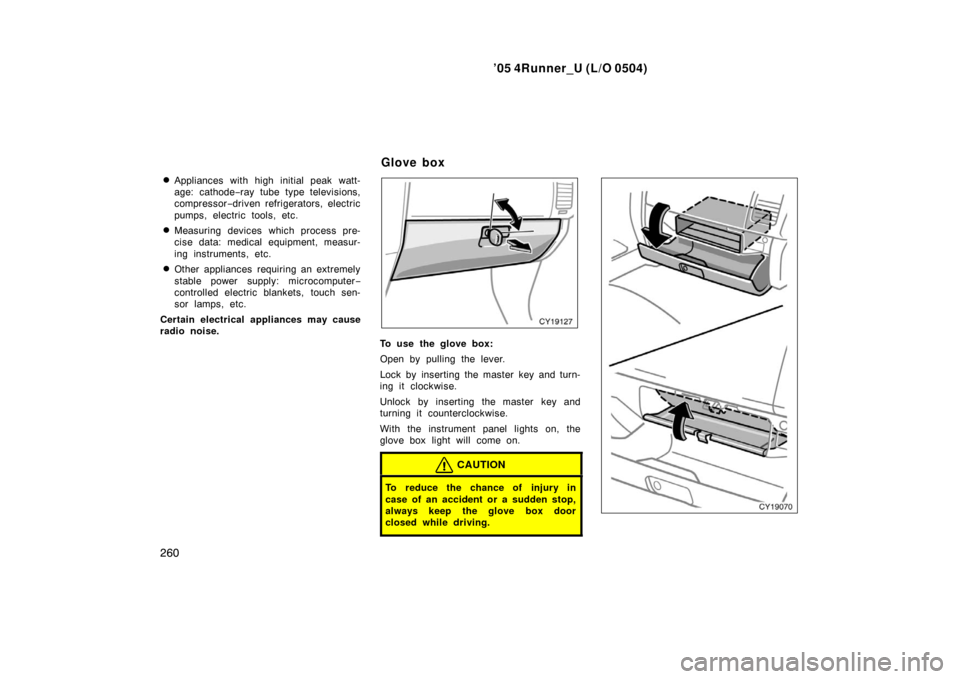
1. “RESET” button
2. “MODE” button
3. Air conditioning system without “DUAL”
button—Cruise information display
Air conditioning system with “DUAL”
button—Outside temperature and cruise
information display
4. Clock
5. Air conditioning system without “DUAL” button only—Outside temperature
display
6. “:00” button
7. “M” button
8. “H” button
Multiinformation display—
Page 257 of 426

’05 4Runner_U (L/O 0504)
247
Operate the multiinformation display
with the ignition switch on.
When the ignition switch is turned to
“ON”, the last previously used mode dis-
played just before the ignition switch is
turned off will appear.
If the electrical power source has been
disconnected from the multi −information
display, the display will automatically be
set to the initial mode.
CAUTION
Do not adjust the display while the
vehicle is moving. Be sure to adjust
the display only when the vehicle is
stopped.To reset the hour: Push the “H” button.
To reset the minutes: Push the “M” button.
If quick adjustment to a full hour is de-
sired, push the “:00” button.
For example, if the “:00” button is de-
pressed when the time is between
1:01—1:29, the time will change to 1:00.
If the time is between 1:30—1:59, the
time will change to 2:00.
The key must be in the “ACC” or “ON”
position.
If the electrical power source has been
disconnected from the clock, the time dis-
play will automatically be set to 1:00 (one
o’clock).The displayed temperature ranges from
− 30 �C ( −22 �F) up to 50 �C (122 �F).
The key must be in the “ON” position.
If an abnormality exists in the connection
of the outside air temperature sensor,
“ −− �C” (“ −−�F”) will appear on the display.
If “ −−�C” (“ −−�F”) appears on the display,
contact your Toyota dealer.
There may be a case that “−− �C” (“ −−�F”)
appears momentarily when the ignition is
quickly turned to “ON”. It is normal if it
goes out soon.
—Before using the
multiinformation display —Clock
—Outside temperature display
(air conditioning system
without “
DUAL” button)
Page 263 of 426
’05 4Runner_U (L/O 0504)
253
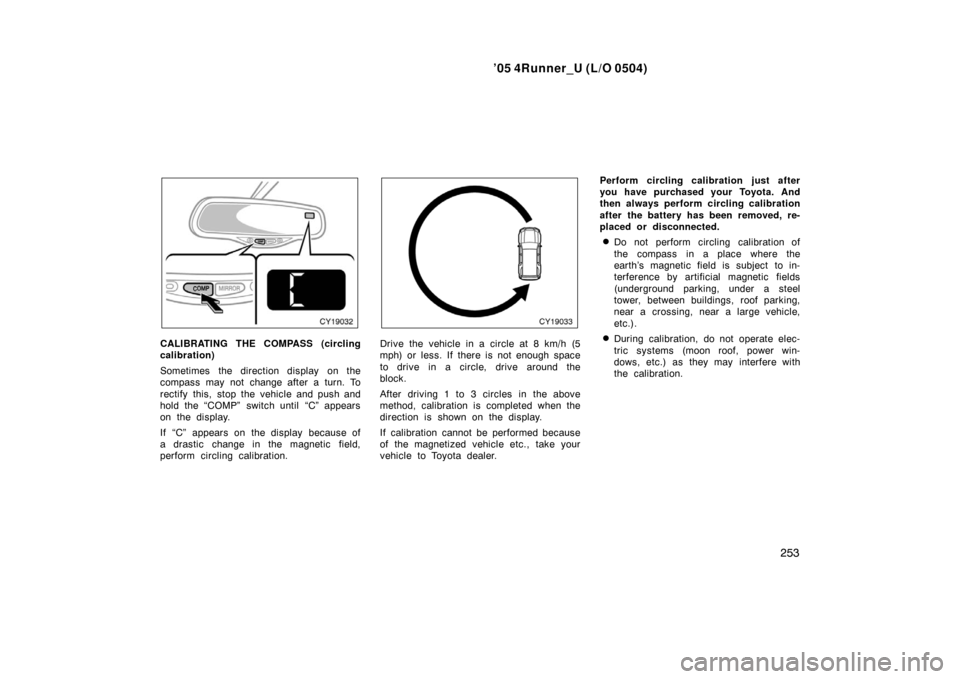
CALIBRATING THE COMPASS (circling
calibration)
Sometimes the direction display on the
compass may not change after a turn. To
rectify this, stop the vehicle and push and
hold the “COMP” switch until “C” appears
on the display.
If “C” appears on the display because of
a drastic change in the magnetic field,
perform circling calibration.Drive the vehicle in a circle at 8 km/h (5
mph) or less. If there is not enough space
to drive in a circle, drive around the
block.
After driving 1 to 3 circles in the above
method, calibration is completed when the
direction is shown on the display.
If calibration cannot be performed because
of the magnetized vehicle etc., take your
vehicle to Toyota dealer. Perform circling calibration just after
you have purchased your Toyota. And
then always perform circling calibration
after the battery has been removed, re-
placed or disconnected.
�Do not perform circling calibration of
the compass in a place where the
earth’s magnetic field is subject to in-
terference by artificial magnetic fields
(underground parking, under a steel
tower, between buildings, roof parking,
near a crossing, near a large vehicle,
etc.).
�During calibration, do not operate elec-
tric systems (moon roof, power win-
dows, etc.) as they may interfere with
the calibration.
Page 270 of 426
’05 4Runner_U (L/O 0504)
260�
Appliances with high initial peak watt-
age: cathode−
ray tube type televisions,
compressor −driven refrigerators, electric
pumps, electric tools, etc.
�Measuring devices which process pre-
cise data: medical equipment, measur-
ing instruments, etc.
�Other appliances requiring an extremely
stable power supply: microcomputer −
controlled electric blankets, touch sen-
sor lamps, etc.
Certain electrical appliances may cause
radio noise.
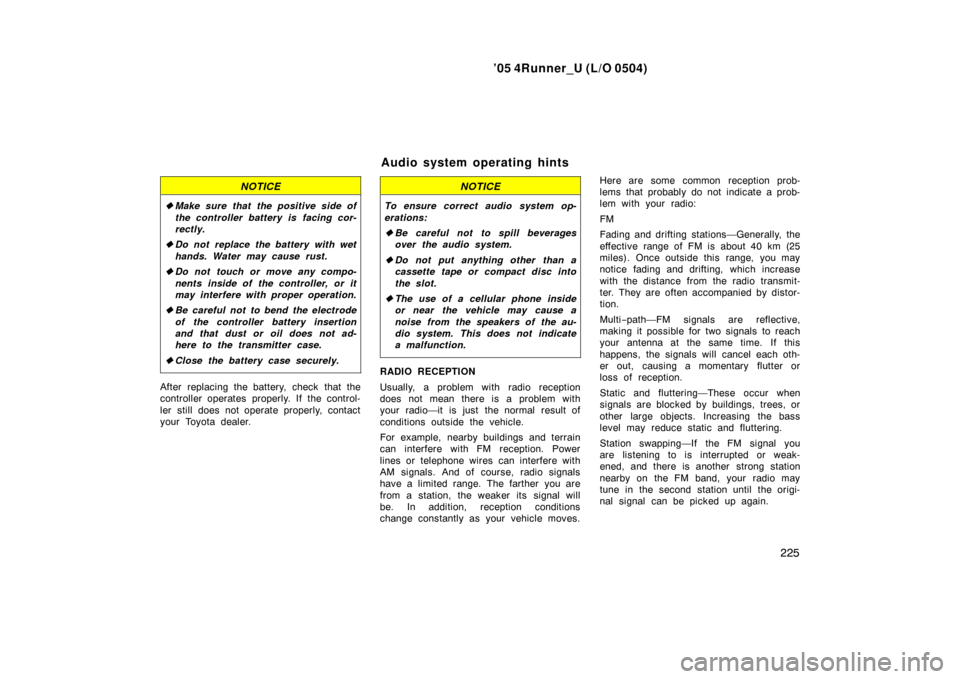
To use the glove box:
Open by pulling the lever.
Lock by inserting the master key and turn-
ing it clockwise.
Unlock by inserting the master key and
turning it counterclockwise.
With the instrument panel lights on, the
glove box light will come on.
CAUTION
To reduce the chance of injury in
case of an accident or a sudden stop,
always keep the glove box door
closed while driving.
Glove box
Page 271 of 426
’05 4Runner_U (L/O 0504)
261
On some models, an auxiliary box is
located inside the glove box.
To increase the capacity of the glove box,
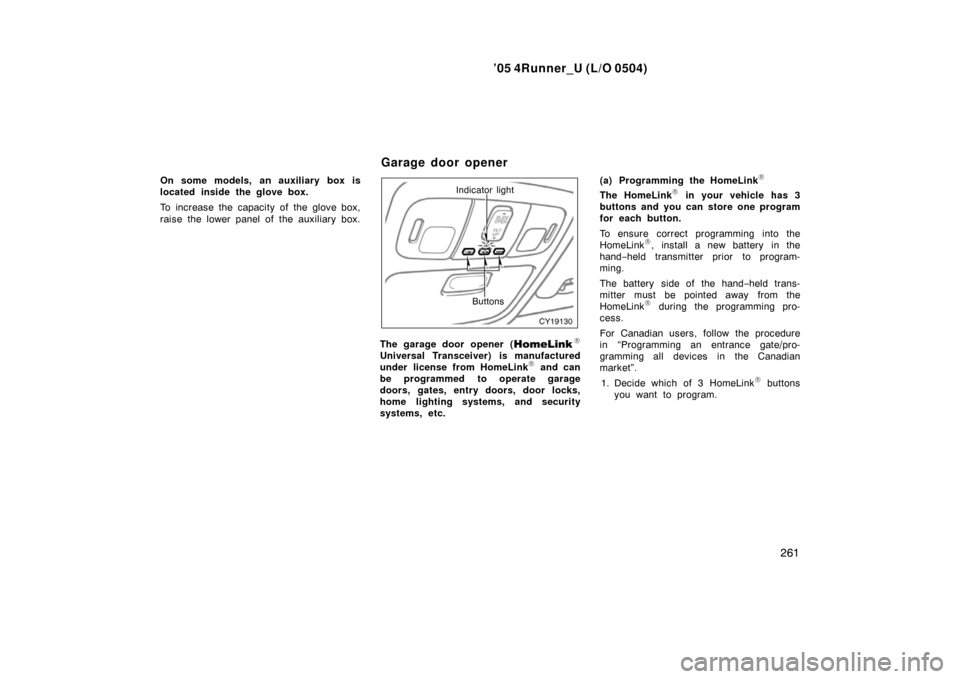
raise the lower panel of the auxiliary box.Indicator light
Buttons
The garage door opener (�
Universal Transceiver) is manufactured
under license from HomeLink� and can
be programmed to operate garage
doors, gates, entry doors, door locks,
home lighting systems, and security
systems, etc. (a) Programming the HomeLink
�
The HomeLink� in your vehicle has 3
buttons and you can store one program
for each button.
To ensure correct programming into the
HomeLink
�, install a new battery in the
hand− held transmitter prior to program-
ming.
The battery side of the hand −held trans-
mitter must be pointed away from the
HomeLink
� during the programming pro-
cess.
For Canadian users, follow the procedure
in “Programming an entrance gate/pro-
gramming all devices in the Canadian
market”.
1. Decide which of 3 HomeLink
� buttons
you want to program.
Garage door opener