Page 153 of 477

3-12
Instruments and controls
y
When the actual outside temperature falls outside
the specified indicator range.Warning and indicator lights
Several of the warning and indicator lights come on
momentarily and then go out when the ignition switch
is initially turned to the “ON” position. This permits
checking the operation of the bulbs.
Apply the parking brake and turn the ignition switch to
the “ON” position. The following lights come on:
Seatbelt warning light
SRS airbag system warning light
CHECK ENGINE warning light/Malfunction indica- tor lamp
Charge warning light
Oil pressure warning light
AT OIL temperature warning light (AT vehicles) ABS warning light
Vehicle Dynamics Control warning light (if
equipped)/Vehicle Dynamics Control OFF indicator
light (if equipped) Brake system warning light
All-Wheel Drive warning light (AT vehicles)
Vehicle Dynamics Control operation indicator light
(if equipped)
Cruise control indicator light (if equipped)
Cruise control set indicator light (if equipped)
If any lights fail to come on, it indicates a burned-out
Page 159 of 477
3-18
Instruments and controls
The Vehicle Dynamics Control system is probably
faulty under the following condition. Have your vehicle
checked at a SUBARU dealer as soon as possible. y
The light does not go out even after the lapse of sev-
eral minutes (the engine has warmed up) after the en-
gine has started. „ Brake system warning light
yDriving with the brake system warning light
on is dangerous. This indicates your brake sys-
tem may not be working properly. If the light re-
mains on, have the brakes inspected by a
SUBARU dealer immediately. y If at all in doubt about whether the brakes are
operating properly, do not drive the vehicle.
Have your vehicle towed to the nearest
SUBARU dealer for repair.
This light has the following three functions: T Parking brake warning
The light comes on with the parking brake applied
while the ignition switch is in the “ON” position. It goes
out when the parking brake is fully released. T
Brake fluid level warning
This light comes on when the brake fluid level has
dropped to near the “MIN” level of the brake fluid res-
ervoir with the ignition switch in the “ON” position and
with the parking brake fully released.
If the brake system warning light should come on while
driving (with the parking brake fully released and with
the ignition switch positioned in “ON”), it could be an
indication of leaking of brake fluid or worn brake pads.
If this occurs, immediately stop the vehicle at the near-
est safe place and check the brake fluid level. If the flu-
id level is below the “MIN” mark in the reservoir, do not
drive the vehicle. Have the vehicle towed to the near-
est SUBARU dealer for repair. T Electronic Brake Force Distribution (EBD) sys-
tem warning (for vehicles with EBD)
The brake system warning light also illuminates if a
malfunction occurs in the EBD system. In that event, it
comes on together with the ABS warning light.
The EBD system may be malfunctioning if the brake
system warning light and ABS warning light illuminate
simultaneously during driving.
Even if the EBD system fails, the conventional braking
system will still function. However, the rear wheels will
be more prone to locking when the brakes are applied
harder than usual and the vehicle’s motion may there-
(U.S.) (Canada)
Page 160 of 477
3-19
Instruments and controls
– CONTINUED –
fore become somewhat harder to control. If the brake system warning light and ABS warning
light illuminate simultaneously, take the following
steps:
1. Stop the vehicle in the nearest safe, flat place.
2. Shut down the engine, then restart it.
3. Release the parking brake. If both warning lights go
out, the EBD system may be faulty.
Drive carefully to the nearest SUBARU dealer and
have the system inspected.
4. If both warning lights come on again and stay illu-
minated after the engine has been restarted, shut
down the engine again, apply the parking brake, and
check the brake fluid level.
5. If the brake fluid level is not below the “MIN” mark,
the EBD system may be faulty. Drive carefully to the
nearest SUBARU dealer and have the system inspect-
ed.
6. If the brake fluid level is below the “MIN” mark, DO
NOT drive the vehicle. Instead, have the vehicle towed
to the nearest SUBARU dealer for repair. „Door open warning lights
The door open warning light comes on if any door or
the rear gate is not fully closed.
Always make sure this light is out before you start to drive. „
Low fuel warning light
The low fuel warning light comes on when the tank is
nearly empty [about 2.3 US gal (9.0 liters, 1.9 Imp
gal)]. It only operates when the ignition switch is in the
“ON” position.
NOTE
This light does not go out unless the tank is re-
plenished up to an internal fuel quantity of about
4.0 US gal (15 liters, 3.3 Imp gal). „ All-Wheel Drive warning light
(AT vehicles)
Continued driving with the AWD warning light
flashing can lead to powertrain damage. If the
AWD warning light flashes, promptly park in a
safe place then check whether all four tires are
the same diameter and whether any of the tires
has a puncture or has lost air pressure for
some other reason.
Page 161 of 477
3-20
Instruments and controls
The All-Wheel Drive indicator light comes on when the
ignition switch is turned to the “ON” position and goes
out after the engine has started. T
For vehicles with Vehicle Dynamics Control
system
This light flashes if the vehicle is driven with tires of dif-
ferent diameters or with the air pressure excessively
low in any of its tires. T For vehicles without Vehicle Dynamics Control
system
This light comes on when All-Wheel Drive is disen-
gaged and the drive mechanism is switched to Front
Wheel Drive for maintenance or similar purposes.
This light flashes if the vehicle is driven with tires of dif-
ferent diameters or with the air pressure excessively
low in any of its tires. „ Vehicle Dynamics Control opera-
tion indicator light (if equipped)
This light comes on when the ignition switch is ON and
goes out about 2 seconds later.
It blinks when the skid suppression function is activat-
ed. It illuminates when only the traction control func-
tion is operating. The Vehicle Dynamics Control system is probably
faulty under any of the following conditions. Have your
vehicle checked at a SUBARU dealer immediately. y
The light does not come on when the ignition switch
is turned to the “ON” position. y The light does not go out even after a period of
about 2 seconds after the ignition switch has been
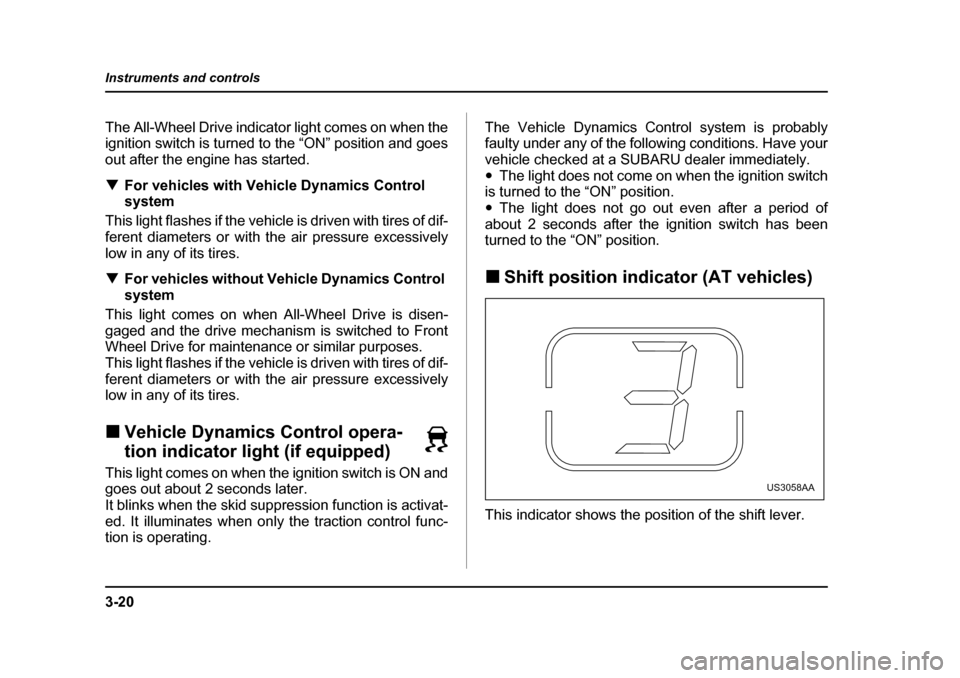
turned to the “ON” position. „ Shift position indicator (AT vehicles)
This indicator shows the position of the shift lever.
US3058AA
Page 180 of 477
3-39
Instruments and controls
– CONTINUED –
mirror defogger is operating.
The defogger will automatically shut off after about 15
minutes. If the mirror clears before that time, push the
button to turn it off. It also turns off when the ignition
switch is turned to the “ACC” or “LOCK” position. If de-
frosting or defogging is desired when you restart your
vehicle, you have to push the button to turn it on again.
NOTE
On vehicles equipped with a windshield wiper de-
icer, the windshield wiper deicer switch is also
used to operate the outside mirror defogger.
To prevent the battery from being discharged,
do not operate the defogger continuously for
any longer than necessary.
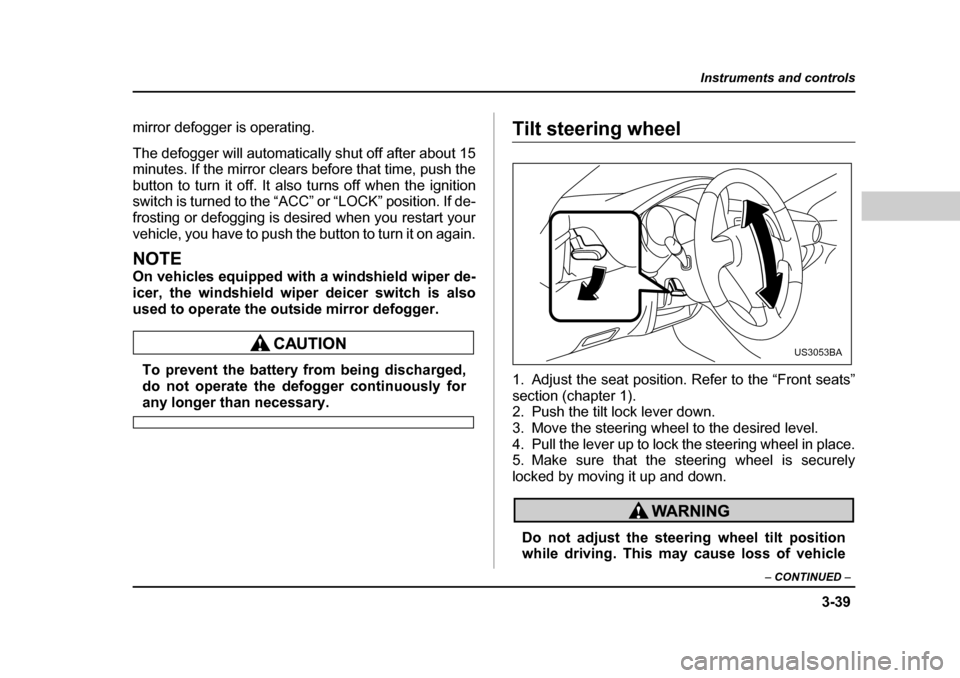
Tilt steering wheel
1. Adjust the seat position. Refer to the “Front seats”
section (chapter 1).
2. Push the tilt lock lever down.
3. Move the steering wheel to the desired level.
4. Pull the lever up to lock the steering wheel in place.
5. Make sure that the steering wheel is securely
locked by moving it up and down.
Do not adjust the steering wheel tilt position
while driving. This may cause loss of vehicle
US3053BA
Page 184 of 477
4-3
Climate control
– CONTINUED –
„Center and side ventilators
T Center ventilators
Move the tab up and down or right and left to adjust the
flow direction. T
Side ventilators
A) Open
B) Close
Move the tab up and down or right and left to adjust the
flow direction.
To open or close the ventilator, turn the thumb-wheel
up or down.
HS4009BA
HS4010BC
A
B
Page 188 of 477
4-7
Climate control
– CONTINUED –
defog the windshield quickly.
However, the air conditioner indicator light does not
come on at this time.
NOTE
Warm air also comes out from the right and left air
outlets. To stop warm air flow from these outlets,
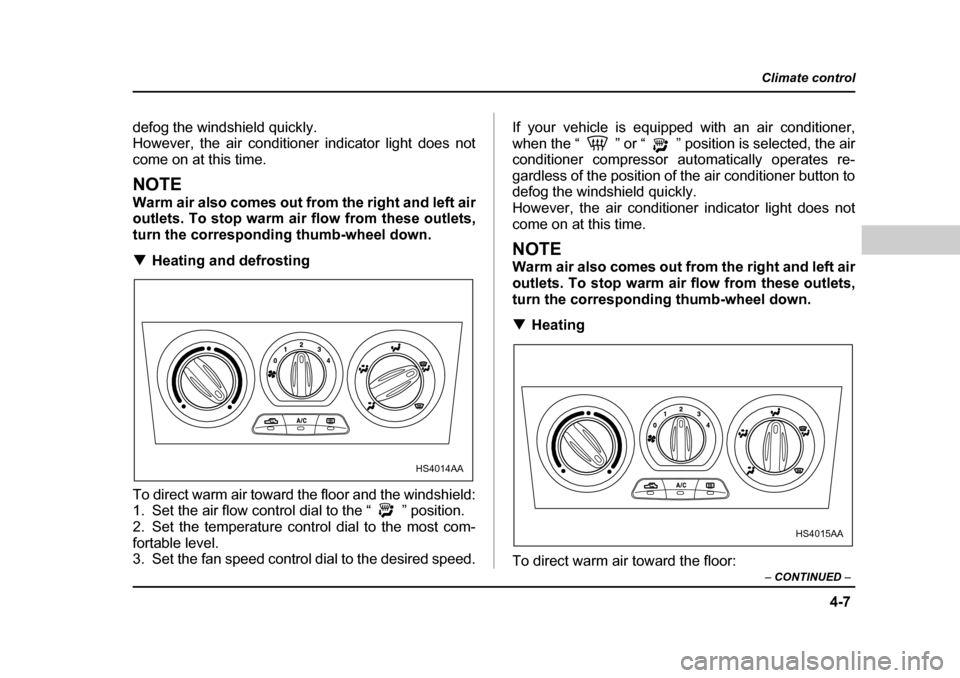
turn the corresponding thumb-wheel down. THeating and defrosting
To direct warm air toward the floor and the windshield:
1. Set the air flow control dial to the “ ” position.
2. Set the temperature control dial to the most com-
fortable level.
3. Set the fan speed control dial to the desired speed. If your vehicle is equipped with an air conditioner,
when the “ ” or “ ” position is selected, the air
conditioner compressor automatically operates re-
gardless of the position of the air conditioner button to
defog the windshield quickly.
However, the air conditioner indicator light does not
come on at this time.
NOTE
Warm air also comes out from the right and left air
outlets. To stop warm air flow from these outlets,
turn the corresponding thumb-wheel down. T
Heating
To direct warm air toward the floor:
HS4014AA
HS4015AA
Page 189 of 477
4-8
Climate control
1. Set the air inlet selection button to the OFF posi- tion.
2. Set the air flow control dial to the “ ” position.
3. Set the temperature control dial to the most com-
fortable level.
4. Set the fan speed control dial to the desired speed.
NOTE
Warm air also comes out from the right and left air
outlets. To stop warm air flow from these outlets,
turn the corresponding thumb-wheel down. T
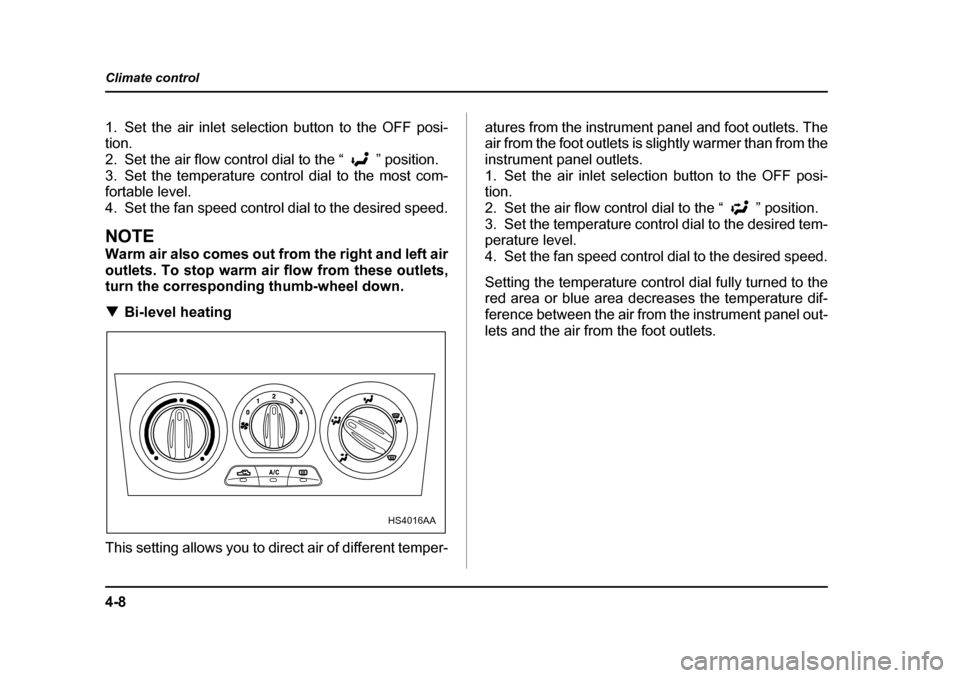
Bi-level heating
This setting allows you to direct air of different temper- atures from the instrument panel and foot outlets. The
air from the foot outlets is slightly warmer than from the
instrument panel outlets.
1. Set the air inlet selection button to the OFF posi- tion.
2. Set the air flow control dial to the “ ” position.
3. Set the temperature control dial to the desired tem- perature level.
4. Set the fan speed control dial to the desired speed.
Setting the temperature control dial fully turned to the
red area or blue area decreases the temperature dif-
ference between the air from the instrument panel out-
lets and the air from the foot outlets.
HS4016AA