Page 126 of 250
Downloaded from www.Manualslib.com manuals search engine
1
2
5
NU761_2_G2-FRA.qxd 4/11/05 10:48 Page 2.26
2.26
CRUISE CONTROL/SPEED LIMITER: limiter function (continued)
Driving
When a limited speed has been
stored and this speed is not reached,
driving is similar to driving a
vehicle without the speed limiter
function.
From this point, no effort on the
accelerator pedal will allow you to
exceed the programmed speed
except in an emergency (see
information on exceeding the
limited speed).
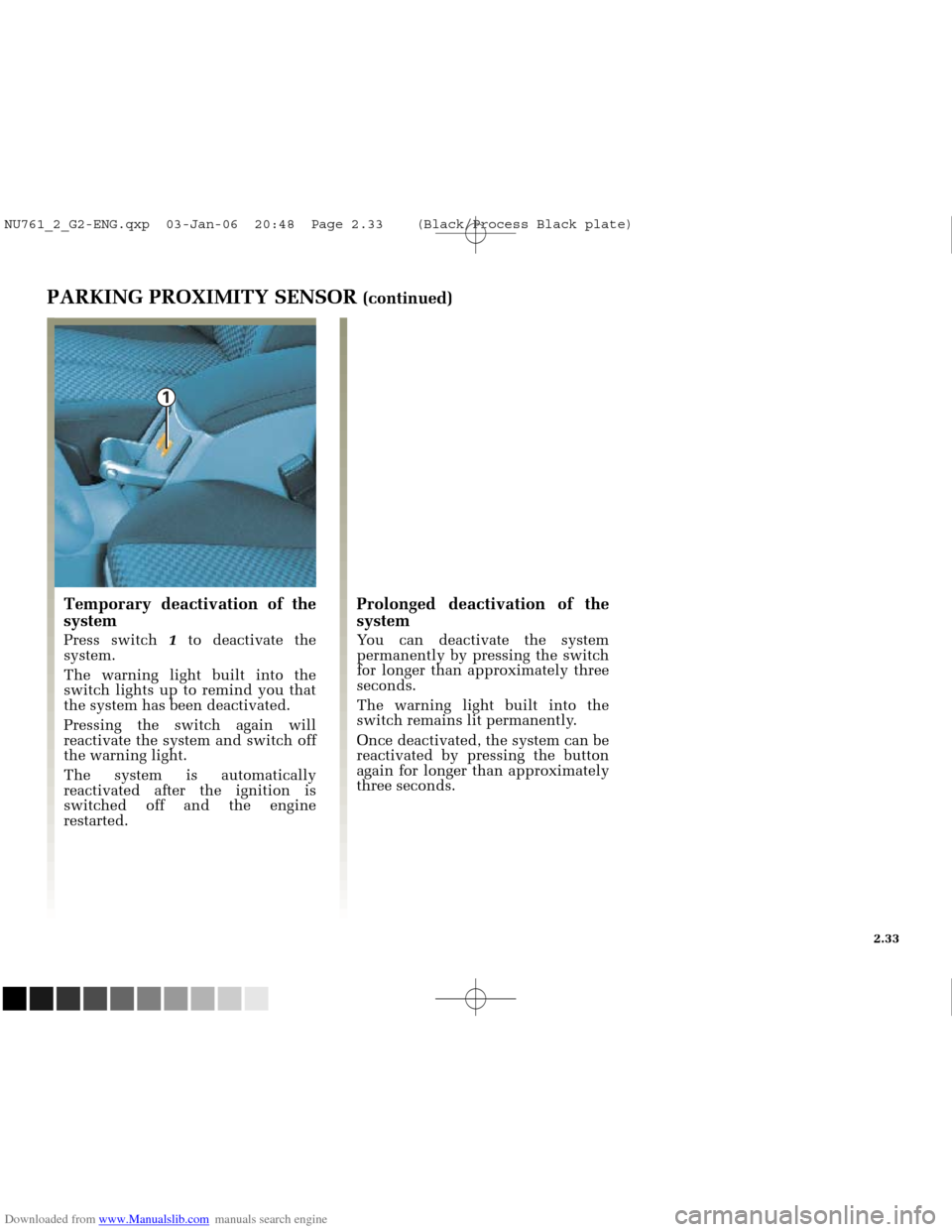
Switching on
Press switch 1ðside.
The indicator light on the
instrument panel comes on and the
computer switches to the “speed
limiter” function.
Limiting the speed
At a constant speed (above about 18
mph (30 km/h)) and in the correct
gear (for vehicles with manual
gearboxes), press switch 2: the speed
is stored.
Varying the limit speed
The limit speed may be changed by
pressing repeatedly or holding
down:
- key 2to increase the speed,
- key 5to decrease the speed.
The system is designed in such a
way that it is possible to detect a
difference between the cruising
speed and the speed shown on
the instrument panel.
NU761_2_G2-ENG.qxp 03-Jan-06 20:48 Page 2.26 (Black/Process Black\
plate)
Page 127 of 250

Downloaded from www.Manualslib.com manuals search engine
1
3
4
NU761_2_G2-FRA.qxd 4/11/05 10:48 Page 2.27
CRUISE CONTROL/SPEED LIMITER: limiter function (continued)
Exceeding the limit speed
In the event of an emergency
It is possible to exceed the limit
speed at any moment. To do this:
depress the accelerator pedal firmly
and fully (beyond the kickdown
point).
While it is being exceeded, the limit
speed flashes on the instrument
panel.
When the emergency situation is
over, release the accelerator pedal:
the speed limiter function returns as
soon as you reach a speed that is
lower than the speed set before the
emergency action.
Limit speed cannot be maintained
In some driving conditions (for
example when driving up or down a
steep gradient), the system is unable
to maintain the cruising speed: the
stored speed on the instrument
panel information display will flash
to inform you of this situation.
Recalling the limit speed
If a speed is stored, it is possible to
recall it by pressing button 3until
the message “Limiter” is displayed.
Stopping the function
The speed limiter function is
interrupted when you press:
- button 4, in which case the limit
speed remains stored and the
message “stored” appears on the
instrument panel,
- button 1, in this case the limit
speed is no longer stored, and the
indicator light on the instrument
panel goes out to confirm that the
function has been cancelled.
2.27
NU761_2_G2-ENG.qxp 03-Jan-06 20:48 Page 2.27 (Black/Process Black\
plate)
Page 129 of 250
Downloaded from www.Manualslib.com manuals search engine
6
2
5
1
NU761_2_G2-FRA.qxd 4/11/05 10:48 Page 2.29
CRUISE CONTROL/SPEED LIMITER: cruise control function (continued)
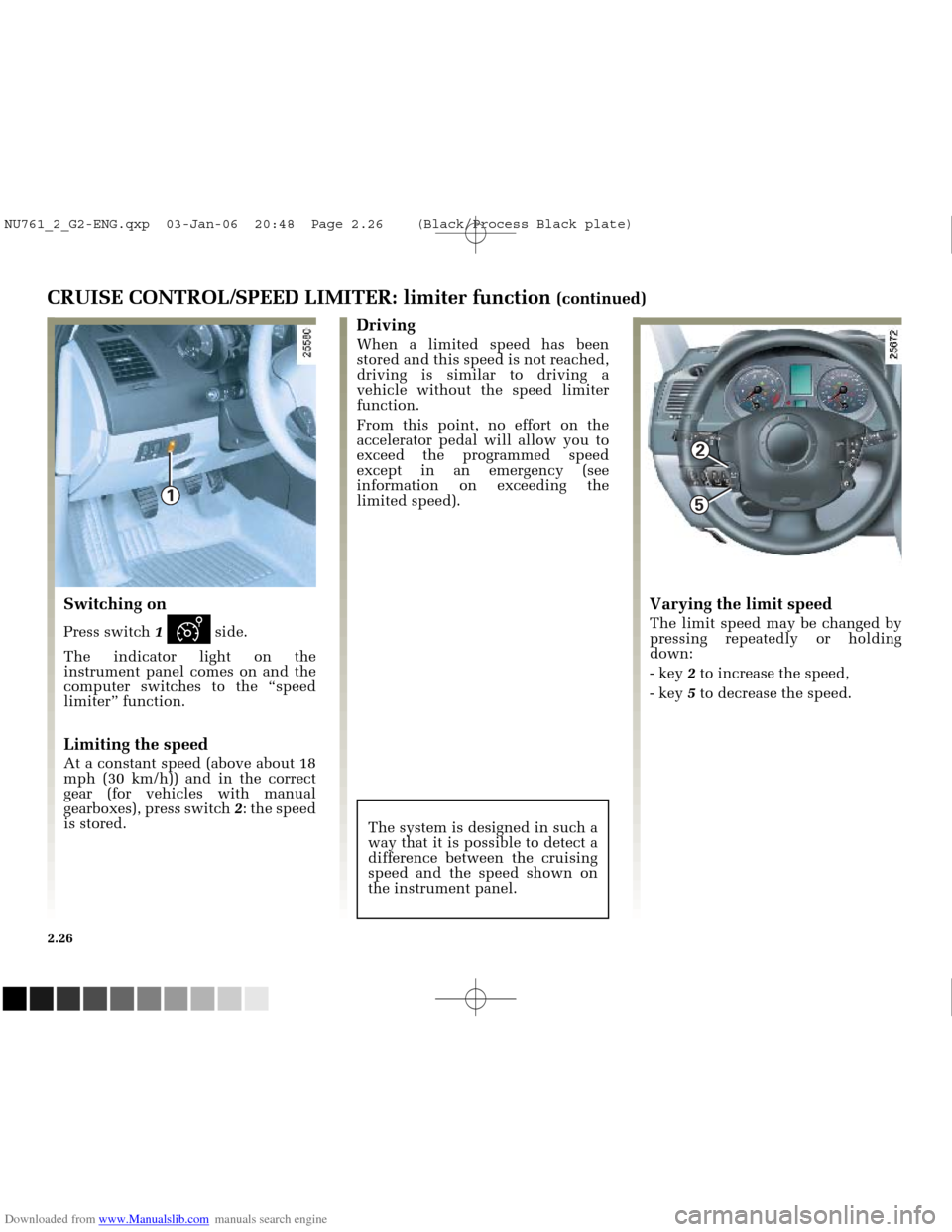
Activating cruise control
At a steady speed (above 18 mph
(30 km/h)) and in the correct gear
(for vehicles with manual gearboxes),
press switch 2or 5:the function is
activated and the speed is stored.
Driving
Once a cruising speed is stored and
the cruise control function is active,
you may lift your foot off the
accelerator pedal.
The system is designed in such a
way that it is possible to detect a
difference between the cruising
speed and the speed shown on
the instrument panel.
Switching on
Press switch 1ïside.
The green indicator light 6 on the
instrument panel comes on to
indicate that the cruise control
function is in operation.
When the function is activated, the
message “Cruise control” appears on
the instrument panel accompanied
by dashes.
2.29
Note, it is still advised
that you keep your feet
close to the pedals in case
ofemergency.
NU761_2_G2-ENG.qxp 03-Jan-06 20:48 Page 2.29 (Black/Process Black\
plate)
Page 131 of 250
Downloaded from www.Manualslib.com manuals search engine
2
5
3
4
1
NU761_2_G2-FRA.qxd 4/11/05 10:48 Page 2.31
CRUISE CONTROL/SPEED LIMITER: cruise control function (continued)
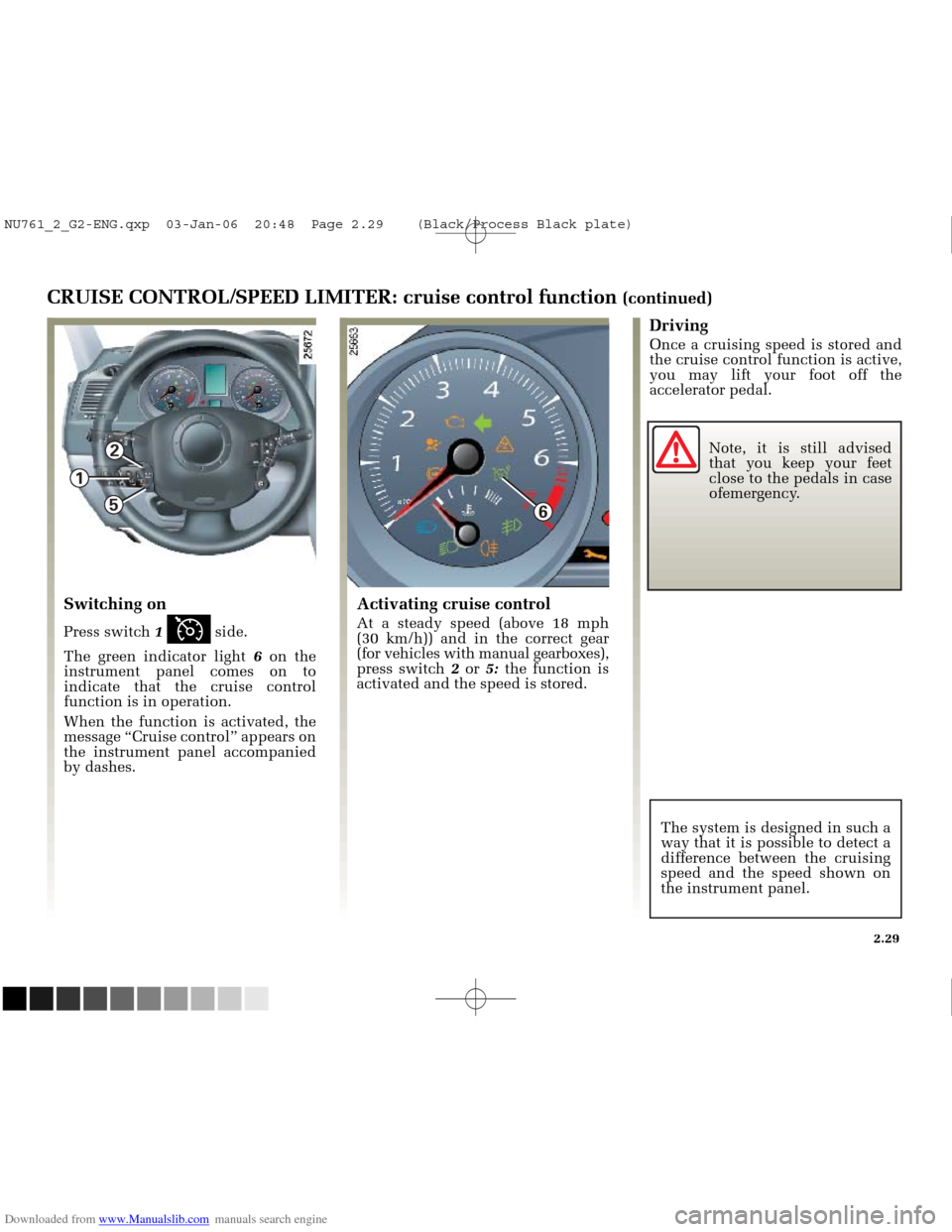
Recalling the cruising speed
If a speed has been stored, it is
possible to recall it by pressing
button 3 (the “Cruise control”
message appears on the instrument
panel) on condition that you are
driving faster than 18 mph (30 m/h)
and that you are sure that the
driving conditions are suitable
(traffic, road surface condition,
weather conditions, etc.).
Stopping the function
Press switch 1.
If you do this, the speed is not
stored.
The instrument panel indicator light
going out confirms that the function
is stopped.
Pressing button 2or 5reactivates
the cruise control function
without reactivating the stored
speed: the speed at which the
vehicle is moving is stored.
System standby
The function is interrupted when
you:
- depress the brake pedal,
- depress the clutch pedal or shift into neutral if the vehicle has an
automatic gearbox,
- press switch 4.
In all three cases, the cruising speed
remains stored and the message
“Stored” appears on the instrument
panel.
2.31
There is no rapid reduction
in the vehicle’s speed
when the cruise control
function is switched off or
to standby: you must depress the
brake pedal to brake.
NU761_2_G2-ENG.qxp 03-Jan-06 20:48 Page 2.31 (Black/Process Black\
plate)
Page 133 of 250
Downloaded from www.Manualslib.com manuals search engine
1
NU761_2_G2-FRA.qxd 4/11/05 10:48 Page 2.33
PARKING PROXIMITY SENSOR (continued)
Temporary deactivation of the
system
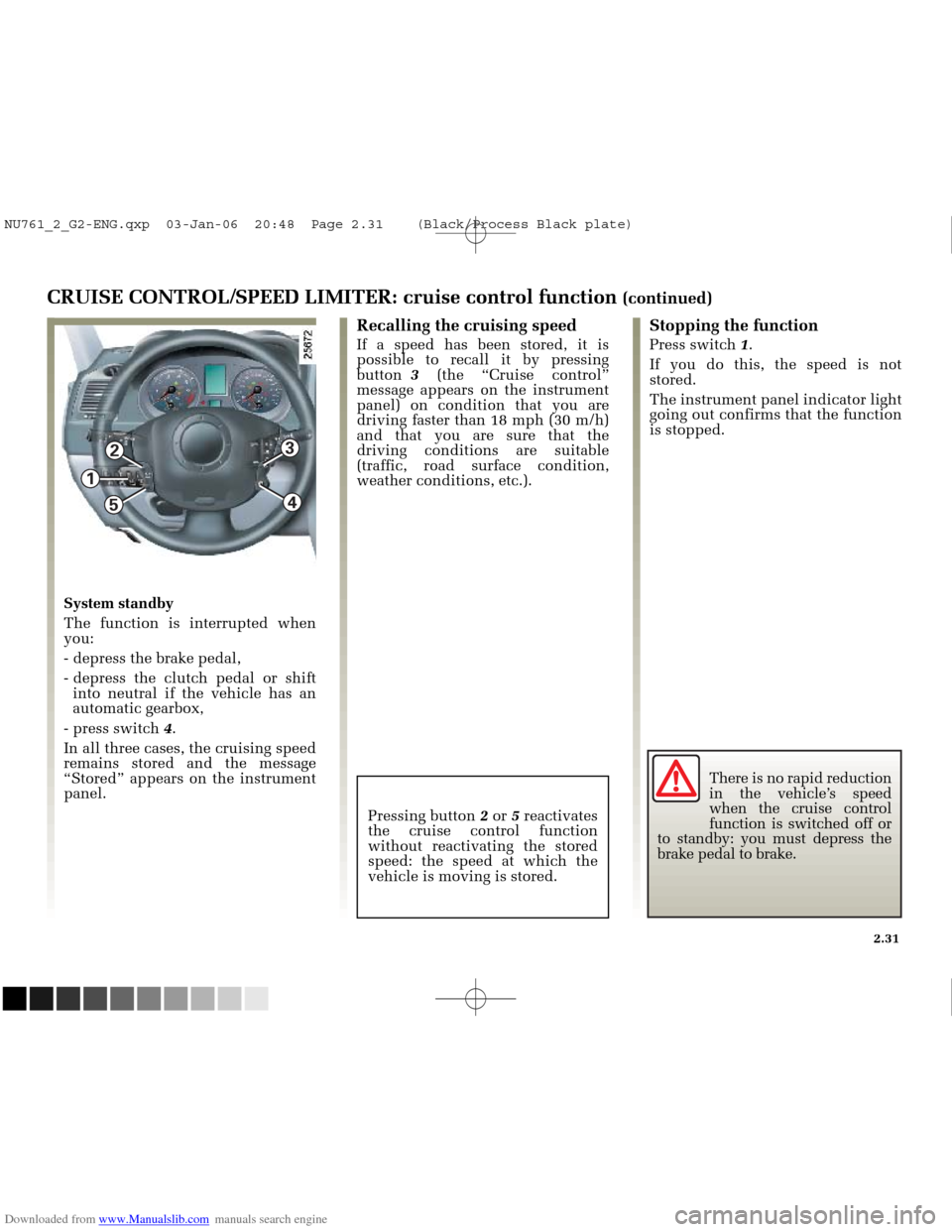
Press switch 1to deactivate the
system.
The warning light built into the
switch lights up to remind you that
the system has been deactivated.
Pressing the switch again will
reactivate the system and switch off
the warning light.
The system is automatically
reactivated after the ignition is
switched off and the engine
restarted.
Prolonged deactivation of the
system
You can deactivate the system
permanently by pressing the switch
for longer than approximately three
seconds.
The warning light built into the
switch remains lit permanently.
Once deactivated, the system can be
reactivated by pressing the button
again for longer than approximately
three seconds.
2.33
NU761_2_G2-ENG.qxp 03-Jan-06 20:48 Page 2.33 (Black/Process Black\
plate)
Page 134 of 250
Downloaded from www.Manualslib.com manuals search engine
1
1
NU761_2_G2-FRA.qxd 4/11/05 10:48 Page 2.34
2.34
AUTOMATIC GEARBOX
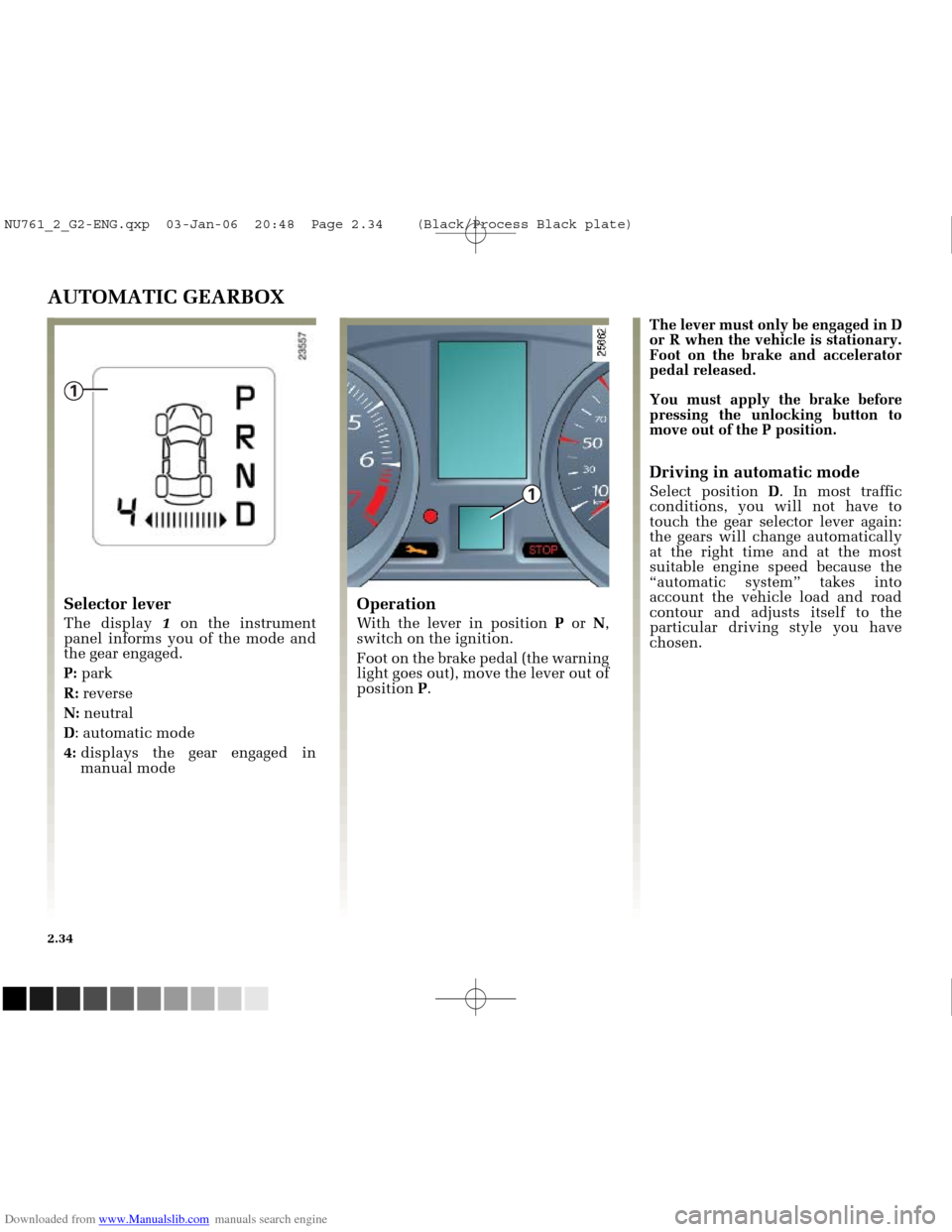
Operation
With the lever in position Por N,
switch on the ignition.
Foot on the brake pedal (the warning
light goes out), move the lever out of
position P.
Selector lever
The display 1on the instrument
panel informs you of the mode and
the gear engaged.
P: park
R: reverse
N: neutral
D : automatic mode
4: displays the gear engaged in
manual mode The lever must only be engaged in D
or R when the vehicle is stationary.
Foot on the brake and accelerator
pedal released.
You must apply the brake before
pressing the unlocking button to
move out of the P position.
Driving in automatic mode
Select position
D. In most traffic
conditions, you will not have to
touch the gear selector lever again:
the gears will change automatically
at the right time and at the most
suitable engine speed because the
“automatic system” takes into
account the vehicle load and road
contour and adjusts itself to the
particular driving style you have
chosen.
NU761_2_G2-ENG.qxp 03-Jan-06 20:48 Page 2.34 (Black/Process Black\
plate)
Page 135 of 250
Downloaded from www.Manualslib.com manuals search engine
NU761_2_G2-FRA.qxd 4/11/05 10:48 Page 2.35
AUTOMATIC TRANSMISSION (continued)Driving in manual mode
With the selector lever in position D,
move the lever to the left.
Pushing the lever repeatedly allows
you to change gears manually.
- to move down through the gears, push the lever backwards.
- to move up through the gears, push the lever forwards.
The gear selected is displayed on the
instrument panel. Special cases
Under certain driving conditions
(e.g.: engine protection, with
electronic stability program (ESP)
operational: etc.) the “automatic
system” may change gear
automatically.
Likewise, to prevent “incorrect
manoeuvres”, a gear change may be
refused by the “automatic system”:
in this case the gear display flashes
for a few seconds as a warning.
How to drive as economically as
possible
Leave the selector in position
Don
the open road, depress the
accelerator pedal slightly to ensure
automatic gear changes at
comparatively low engine speeds.
Accelerating and overtaking
Depress the accelerator pedal
briskly and fully (so that it goes
beyond the kickdown point).
This will enable you to change
down to the optimal gear within the
engine range.
2.35
NU761_2_G2-ENG.qxp 03-Jan-06 20:48 Page 2.35 (Black/Process Black\
plate)
Page 137 of 250
Downloaded from www.Manualslib.com manuals search engine
NU761_2_G2-FRA.qxd 4/11/05 10:49 Page 2.37
AUTOMATIC TRANSMISSION (continued)
Operating faults
- when driving , if the message
“Check gearbox” along with the
warning light appears on the
instrument panel, this indicates a
fault.
Consult your RENAULT Dealer as
soon as possible.
- when driving , if the message
“Gearbox overheating” along with
the warning light appears on
the instrument panel, avoid leaving
the lever in position D(or R), traffic
permitting: systematically return to
position Nwhile stopping.
Consult your RENAULT Dealer as
soon as possible.
- Recovering a vehicle with an
automatic transmission : refer to
the information on Towing in
Section 5.
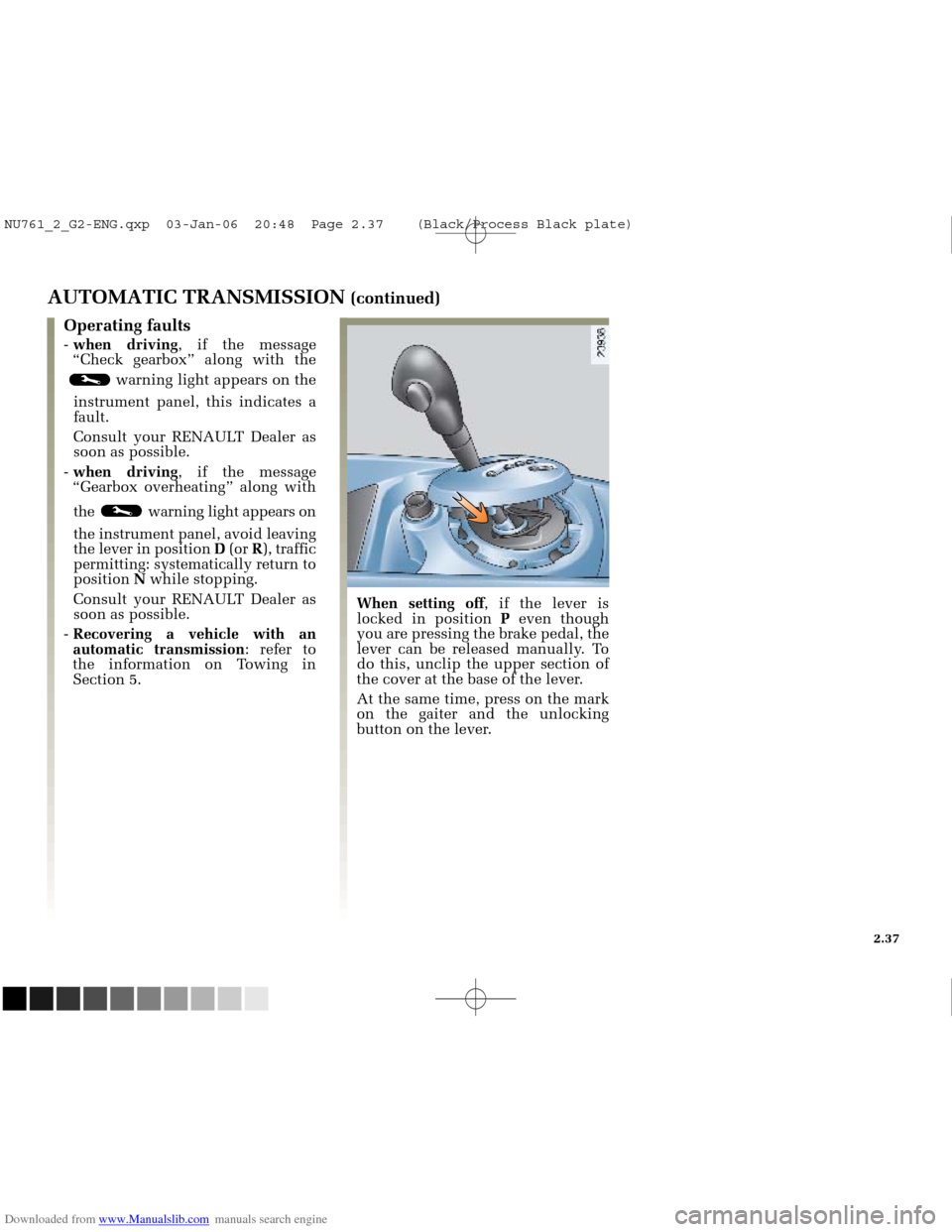
When setting off , if the lever is
locked in position Peven though
you are pressing the brake pedal, the
lever can be released manually. To
do this, unclip the upper section of
the cover at the base of the lever.
At the same time, press on the mark
on the gaiter and the unlocking
button on the lever.
2.37
NU761_2_G2-ENG.qxp 03-Jan-06 20:48 Page 2.37 (Black/Process Black\
plate)