Page 123 of 250
Downloaded from www.Manualslib.com manuals search engine
NU761_2_G2-FRA.qxd 4/11/05 10:48 Page 2.23
ANTI-LOCK BRAKING SYSTEM: ABS (continued)
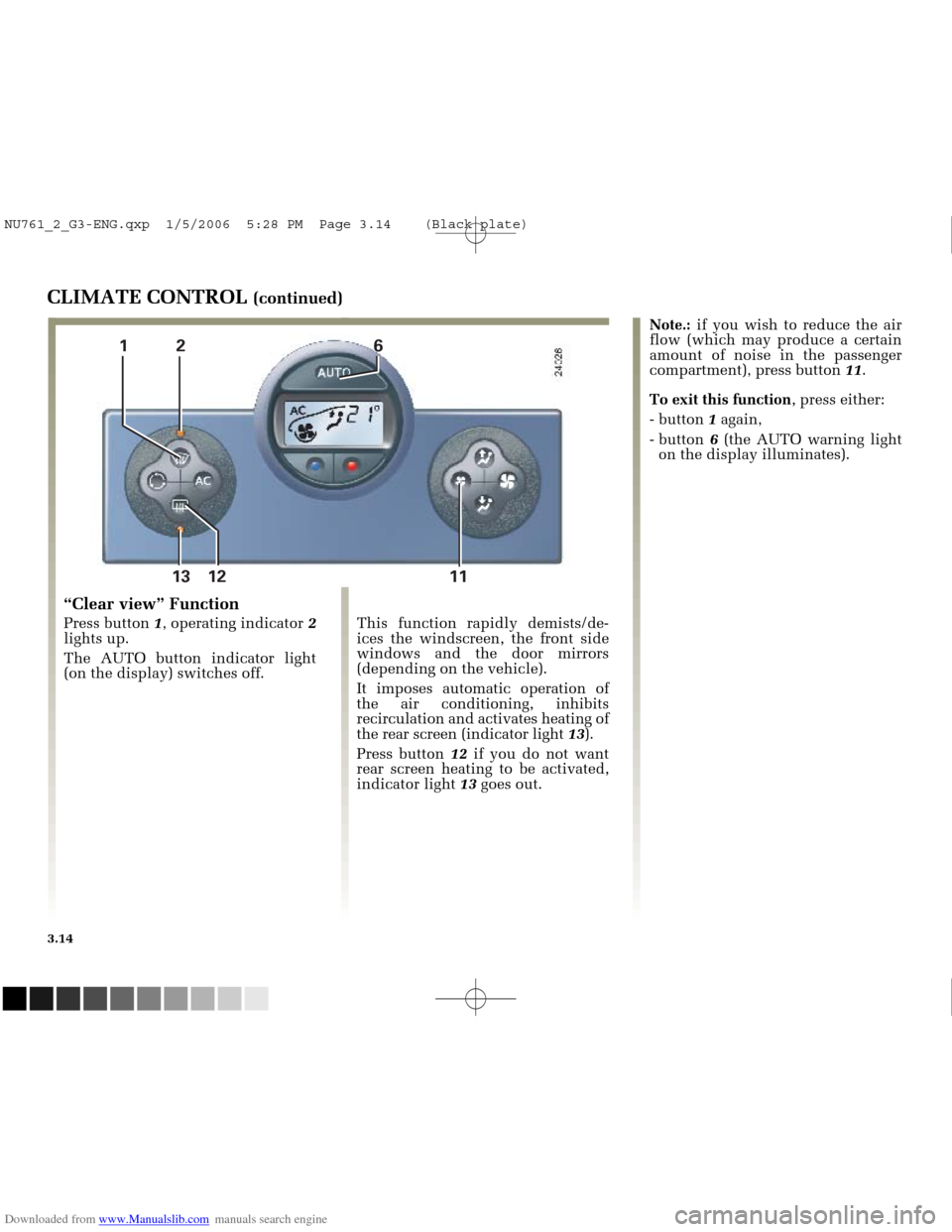
One of two situations may arise if
there is a fault in the ABS system:
1 - Orange warning lights
x
and light up on the
instrument panel.
Braking is still performed, but
without the ABS system. Contact
a RENAULT Dealer as soon as
possible.
The braking modulation provided
by the ABS is independent of the
effort applied to the brake pedal. In
an emergency, apply firm and
continuous pressure to the brake
pedal There is no need to pump it
repeatedly.
2.23
2 - The orange x
warning light and the red
dbrake fault warning
light accompanied by and
ûand, depending on vehicle,
the message Brake fault are
illuminated on the instrument panel.
This indicates that both the braking
system and the ABS system are
faulty. Your braking systems are only
partially operational. However, it is
dangerous to brake suddenly and it
is essential to stop immediately, as
soon as traffic conditions allow.
Contact a RENAULT Dealer.
NU761_2_G2-ENG.qxp 03-Jan-06 20:48 Page 2.23 (Black/Process Black\
plate)
Page 124 of 250
Downloaded from www.Manualslib.com manuals search engine
NU761_2_G2-FRA.qxd 4/11/05 10:48 Page 2.24
2.24
EMERGENCY BRAKE ASSIST
This system is complementary to
ABS and helps reduce vehicle
stopping distances.
Operating principle
The system is for detecting an
emergency braking situation. In this
case, the braking assistance
immediately develops maximum
power and may trigger ABS
regulation.
ABS braking is maintained as long
as the brake pedal is not released.
Hazard warning lights switching
on
Depending on the vehicle, these
may light up in the event of sudden
deceleration.This function is an
additional aid in case of
critical driving conditions
to enable the vehicle
behaviour to be adapted to suit the
driving conditions.
However, the function does not take
the place of the driver. I t does not
increase the vehicle’s limits and
should not encourage you to drive
more quickly.
Therefore, it can under no
circumstances replace the vigilance
or responsibility of the driver when
manoeuvring the vehicle (the driver
must always be ready for sudden
incidents which may occur when
driving).
NU761_2_G2-ENG.qxp 03-Jan-06 20:48 Page 2.24 (Black/Process Black\
plate)
Page 125 of 250
Downloaded from www.Manualslib.com manuals search engine
1
2
5
3
4
6
NU761_2_G2-FRA.qxd 4/11/05 10:48 Page 2.25
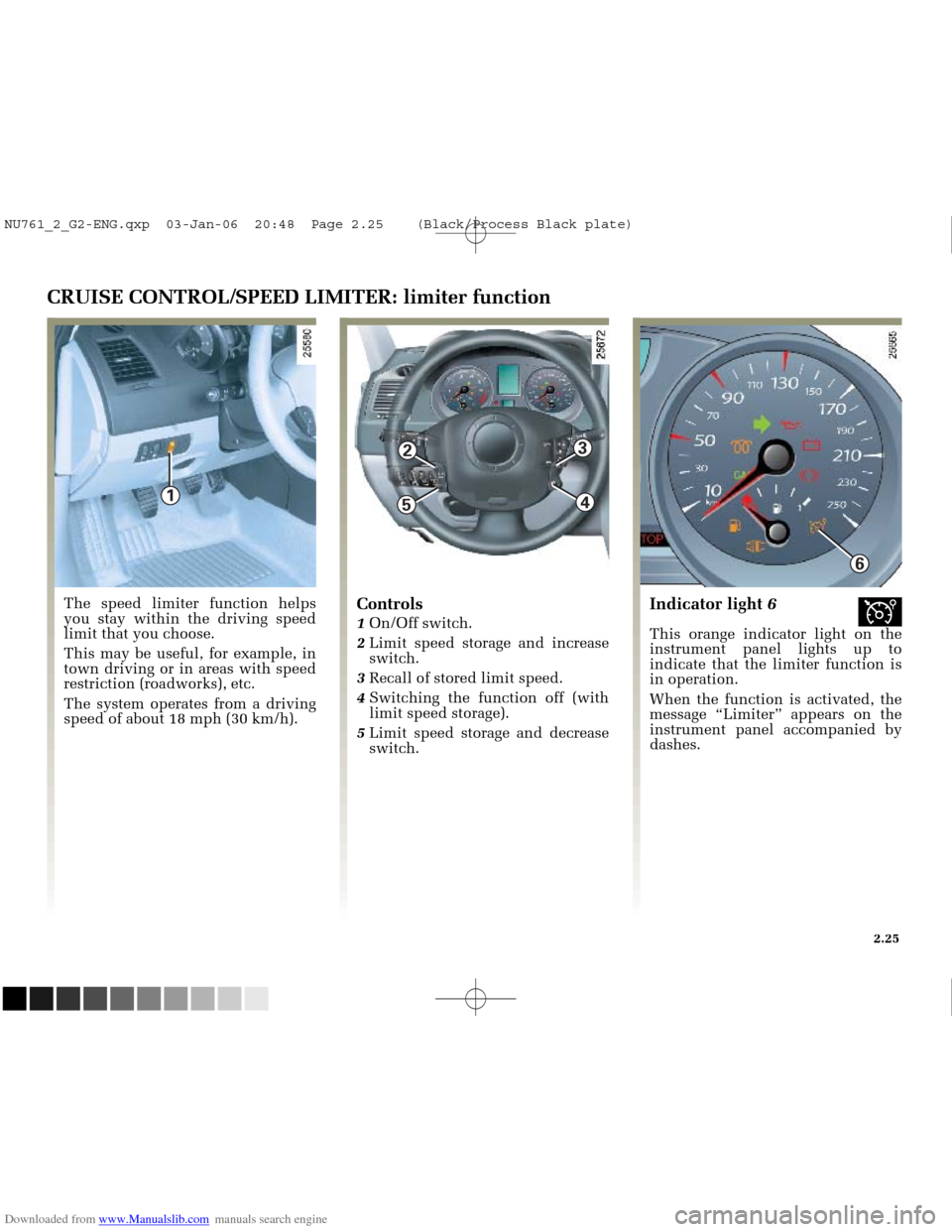
CRUISE CONTROL/SPEED LIMITER: limiter function
The speed limiter function helps
you stay within the driving speed
limit that you choose.
This may be useful, for example, in
town driving or in areas with speed
restriction (roadworks), etc.
The system operates from a driving
speed of about 18 mph (30 km/h).Controls
1 On/Off switch.
2 Limit speed storage and increase
switch.
3 Recall of stored limit speed.
4 Switching the function off (with
limit speed storage).
5 Limit speed storage and decrease
switch.
Indicator light 6î
This orange indicator light on the
instrument panel lights up to
indicate that the limiter function is
in operation.
When the function is activated, the
message “Limiter” appears on the
instrument panel accompanied by
dashes.
2.25
NU761_2_G2-ENG.qxp 03-Jan-06 20:48 Page 2.25 (Black/Process Black\
plate)
Page 133 of 250
Downloaded from www.Manualslib.com manuals search engine
1
NU761_2_G2-FRA.qxd 4/11/05 10:48 Page 2.33
PARKING PROXIMITY SENSOR (continued)
Temporary deactivation of the
system
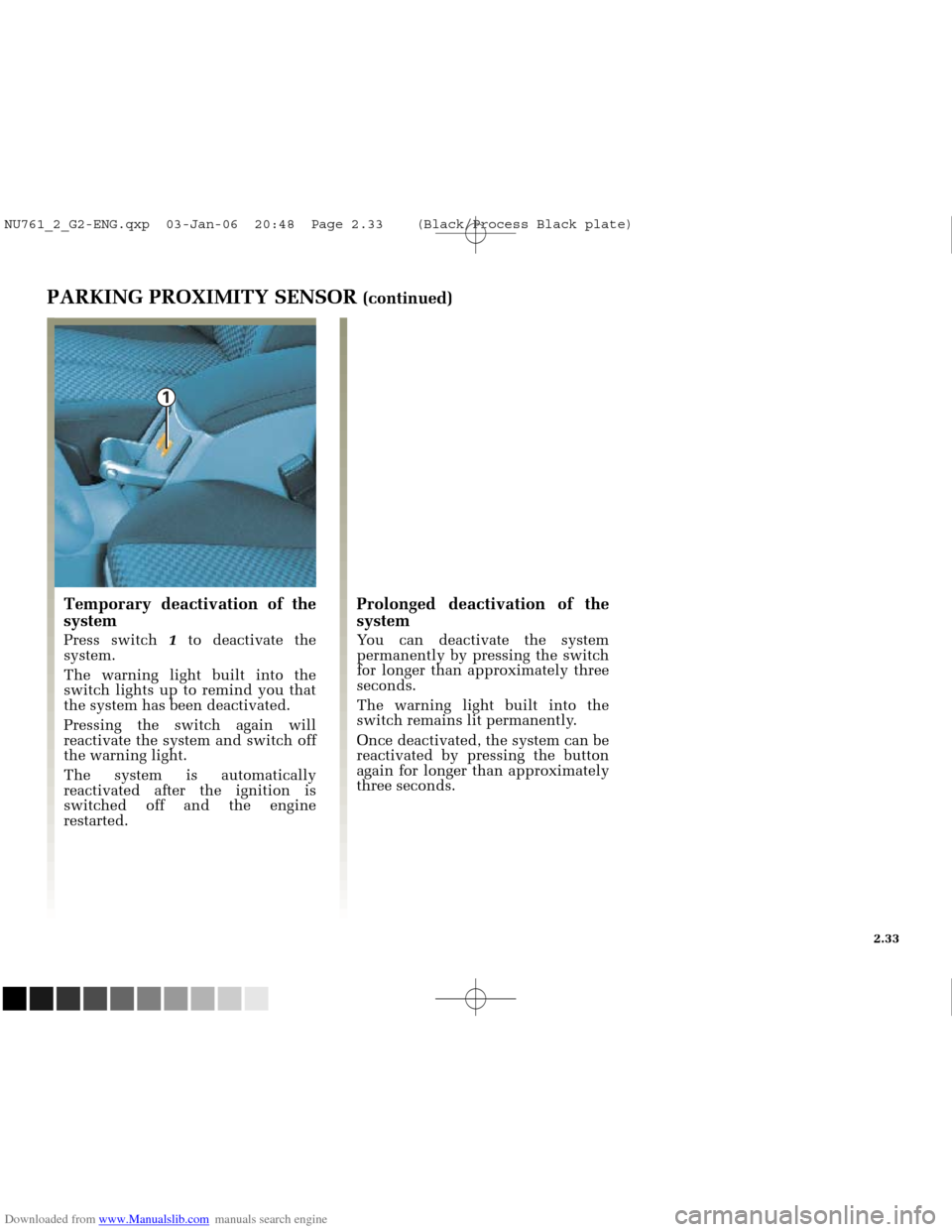
Press switch 1to deactivate the
system.
The warning light built into the
switch lights up to remind you that
the system has been deactivated.
Pressing the switch again will
reactivate the system and switch off
the warning light.
The system is automatically
reactivated after the ignition is
switched off and the engine
restarted.
Prolonged deactivation of the
system
You can deactivate the system
permanently by pressing the switch
for longer than approximately three
seconds.
The warning light built into the
switch remains lit permanently.
Once deactivated, the system can be
reactivated by pressing the button
again for longer than approximately
three seconds.
2.33
NU761_2_G2-ENG.qxp 03-Jan-06 20:48 Page 2.33 (Black/Process Black\
plate)
Page 146 of 250
Downloaded from www.Manualslib.com manuals search engine
12345 67 813 12 11 10
14 9
NU761_2_G3-FRA.qxd 4/11/05 10:51 Page 3.08
3.08
CLIMATE CONTROL
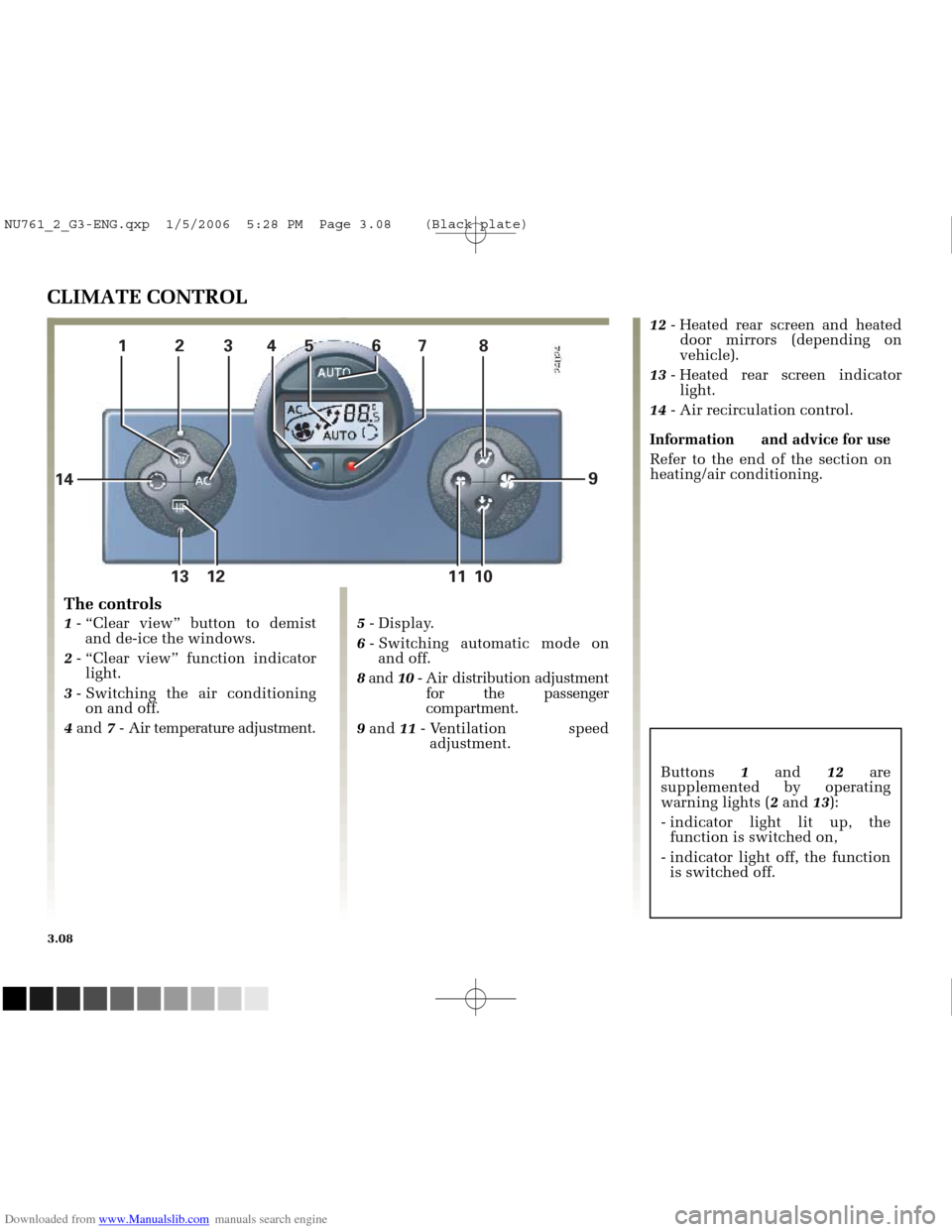
The controls
1
- “Clear view” button to demist
and de-ice the windows.
2 - “Clear view” function indicator
light.
3 - Switching the air conditioning
on and off.
4 and 7- Air temperature adjustment. 5
- Display.
6 - Switching automatic mode on
and off.
8 and 10- Air distribution adjustment
for the passenger
compartment.
9 and 11- Ventilation speed
adjustment. 12
- Heated rear screen and heated
door mirrors (depending on
vehicle).
13 - Heated rear screen indicator
light.
14 - Air recirculation control.
Information and advice for use Refer to the end of the section on
heating/air conditioning.
Buttons 1and 12are
supplemented by operating
warning lights ( 2and 13):
- indicator light lit up, the function is switched on,
- indicator light off, the function is switched off.
NU761_2_G3-ENG.qxp 1/5/2006 5:28 PM Page 3.08 (Black plate)
Page 151 of 250
Downloaded from www.Manualslib.com manuals search engine
13 12
NU761_2_G3-FRA.qxd 4/11/05 10:51 Page 3.13
3.13
CLIMATE CONTROL (continued)
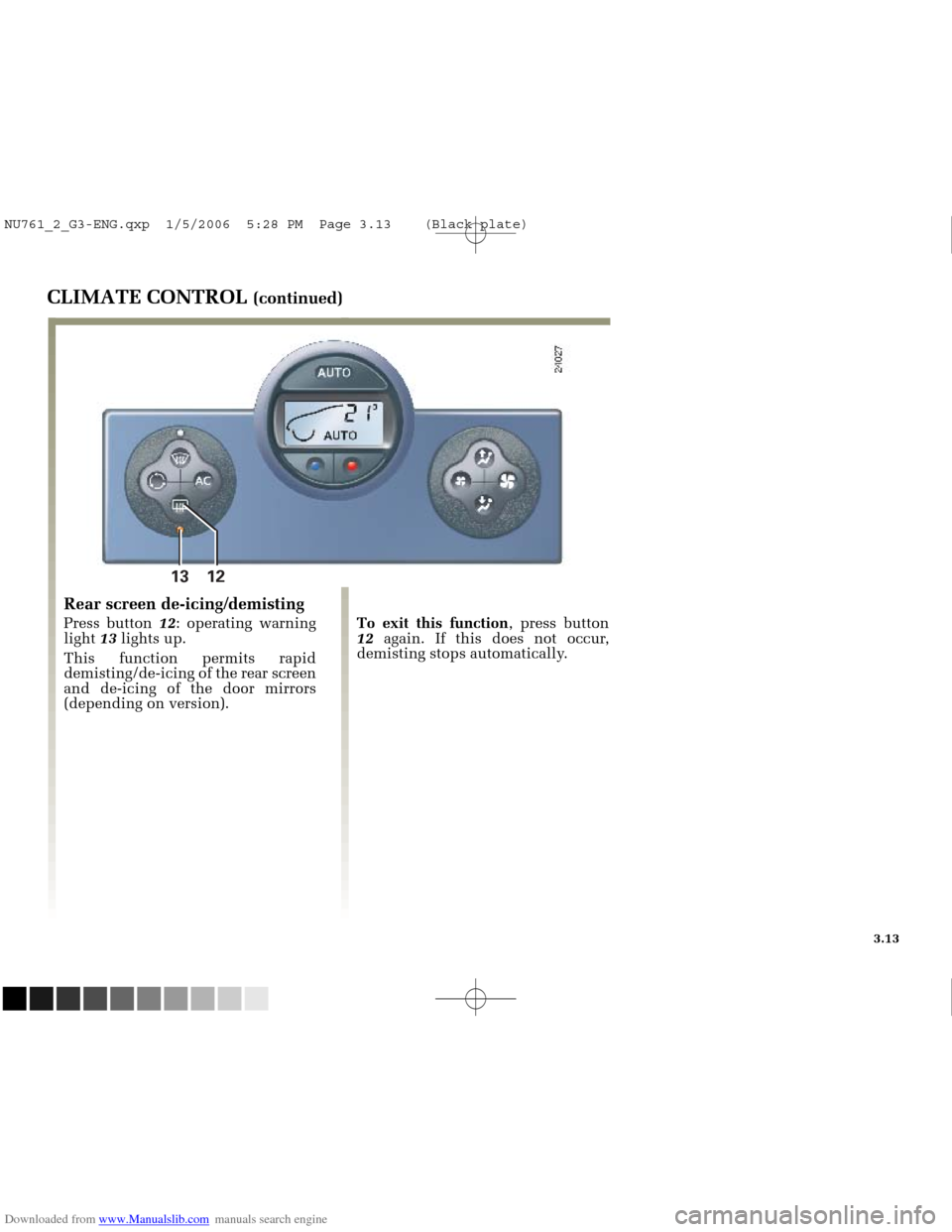
Rear screen de-icing/demisting
Press button 12: operating warning
light 13lights up.
This function permits rapid
demisting/de-icing of the rear screen
and de-icing of the door mirrors
(depending on version). To exit this function
, press button
12 again. If this does not occur,
demisting stops automatically.
NU761_2_G3-ENG.qxp 1/5/2006 5:28 PM Page 3.13 (Black plate)
Page 152 of 250
Downloaded from www.Manualslib.com manuals search engine
12 613 12 11
NU761_2_G3-FRA.qxd 4/11/05 10:51 Page 3.14
3.14
CLIMATE CONTROL (continued)
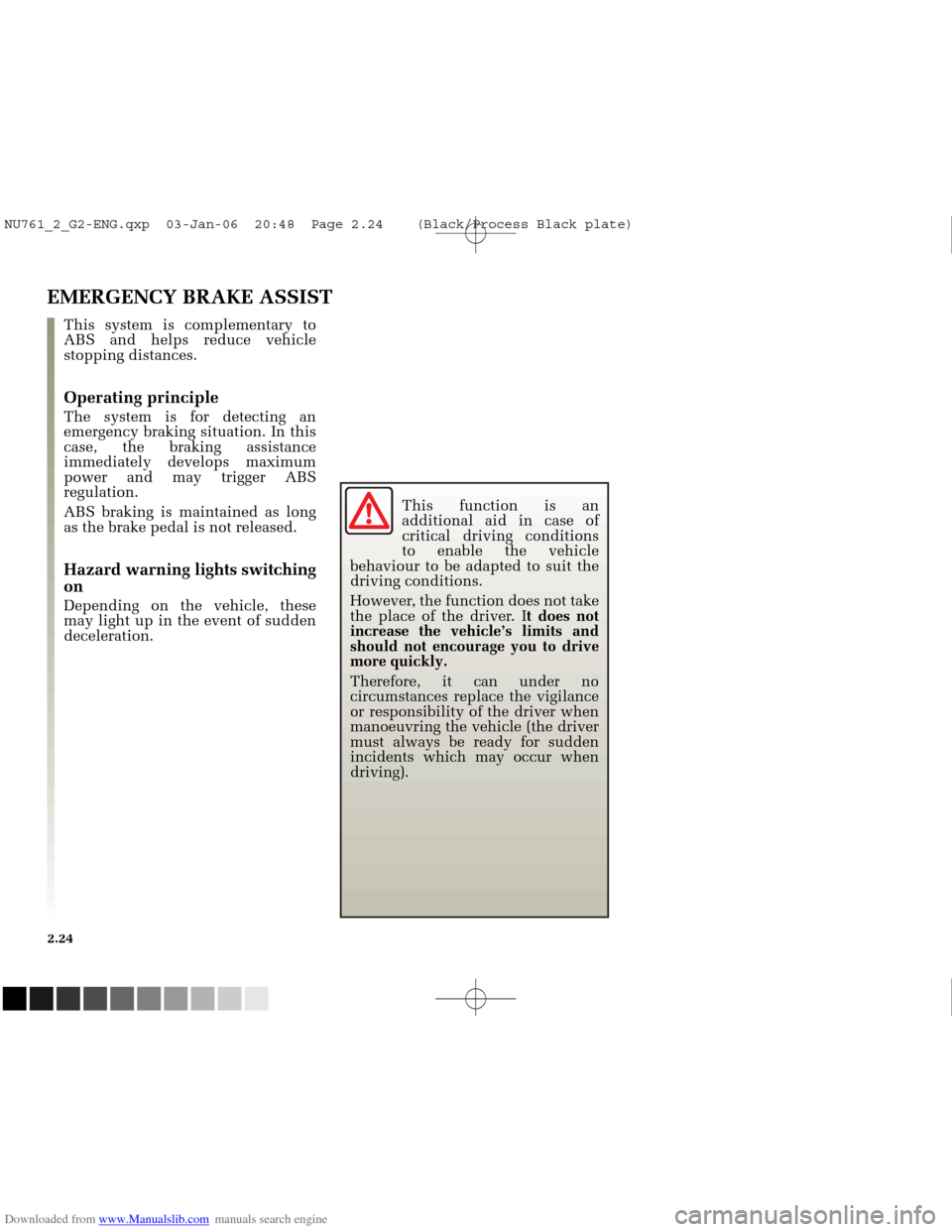
This function rapidly demists/de-
ices the windscreen, the front side
windows and the door mirrors
(depending on the vehicle).
It imposes automatic operation of
the air conditioning, inhibits
recirculation and activates heating of
the rear screen (indicator light 13).
Press button 12if you do not want
rear screen heating to be activated,
indicator light 13goes out.
“Clear view” Function
Press button 1, operating indicator 2
lights up.
The AUTO button indicator light
(on the display) switches off. Note.:
if you wish to reduce the air
flow (which may produce a certain
amount of noise in the passenger
compartment), press button 11.
To exit this function , press either:
- button 1again,
- button 6 (the AUTO warning light
on the display illuminates).
NU761_2_G3-ENG.qxp 1/5/2006 5:28 PM Page 3.14 (Black plate)
Page 153 of 250
Downloaded from www.Manualslib.com manuals search engine
14
NU761_2_G3-FRA.qxd 4/11/05 10:51 Page 3.15
3.15
CLIMATE CONTROL (continued)
Air recirculation mode
Pressing button 14activates air
recirculation (the symbol lights up
on the display).
During recirculation, air is taken
from the passenger compartment
and is recycled, with no air being
taken from outside the vehicle.
Air recirculation allows the external
atmosphere to be isolated (when
driving in polluted areas, etc.). Prolonged use of this function may
lead to odours caused by non-
renewal of air and the formation of
condensation on the windows.
We therefore advise you to return to
normal mode (external air or
automatic recirculation) as soon as
air recirculation is no longer
needed, by pressing button
14.
NU761_2_G3-ENG.qxp 1/5/2006 5:28 PM Page 3.15 (Black plate)