Page 69 of 250
Downloaded from www.Manualslib.com manuals search engine
NU761_2_G1-FRA.qxd 10/11/05 15:54 Page 1.59
1.59
INSTRUMENT PANEL (continued)
The presence and operation of the indicator lights described below depen\
d on the vehicle equipment and country.
1 Rev counter
(scale × 1000)
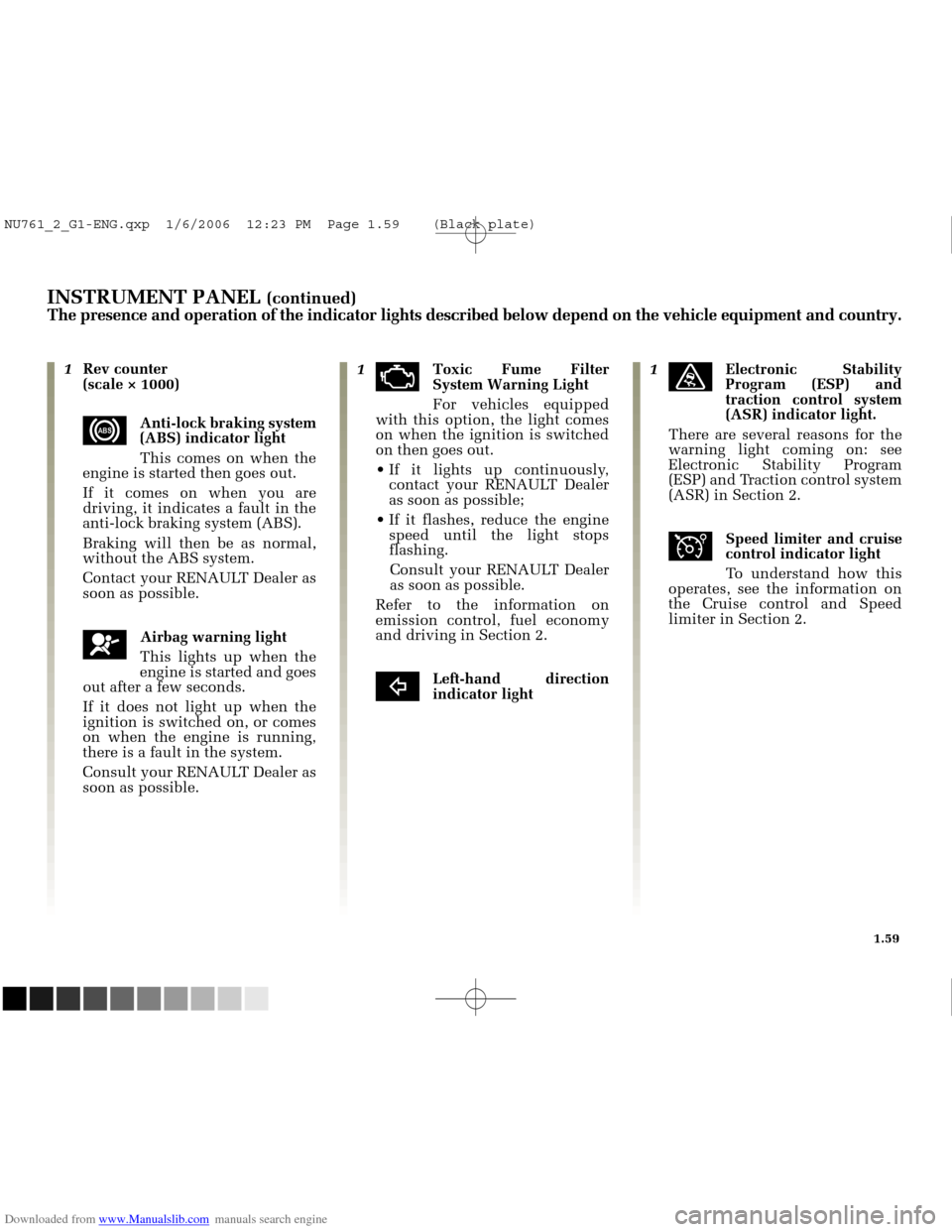
xAnti-lock braking system
(ABS) indicator light
This comes on when the
engine is started then goes out.
If it comes on when you are
driving, it indicates a fault in the
anti-lock braking system (ABS).
Braking will then be as normal,
without the ABS system.
Contact your RENAULT Dealer as
soon as possible.
åAirbag warning light
This lights up when the
engine is started and goes
out after a few seconds.
If it does not light up when the
ignition is switched on, or comes
on when the engine is running,
there is a fault in the system.
Consult your RENAULT Dealer as
soon as possible. 1
äToxic Fume Filter
System Warning Light
For vehicles equipped
with this option, the light comes
on when the ignition is switched
on then goes out.
If it lights up continuously, contact your RENAULT Dealer
as soon as possible;
If it flashes, reduce the engine speed until the light stops
flashing.
Consult your RENAULT Dealer
as soon as possible.
Refer to the information on
emission control, fuel economy
and driving in Section 2.
cLeft-hand direction
indicator light 1
üElectronic Stability
Program (ESP) and
traction control system
(ASR) indicator light.
There are several reasons for the
warning light coming on: see
Electronic Stability Program
(ESP) and Traction control system
(ASR) in Section 2.
îSpeed limiter and cruise
control indicator light
To understand how this
operates, see the information on
the Cruise control and Speed
limiter in Section 2.
NU761_2_G1-ENG.qxp 1/6/2006 12:23 PM Page 1.59 (Black plate)
Page 73 of 250
Downloaded from www.Manualslib.com manuals search engine
NU761_2_G1-FRA.qxd 10/11/05 15:54 Page 1.63
1.63
INSTRUMENT PANEL (continued)
The presence and operation of the indicator lights described below depen\
d on the vehicle equipment and country.
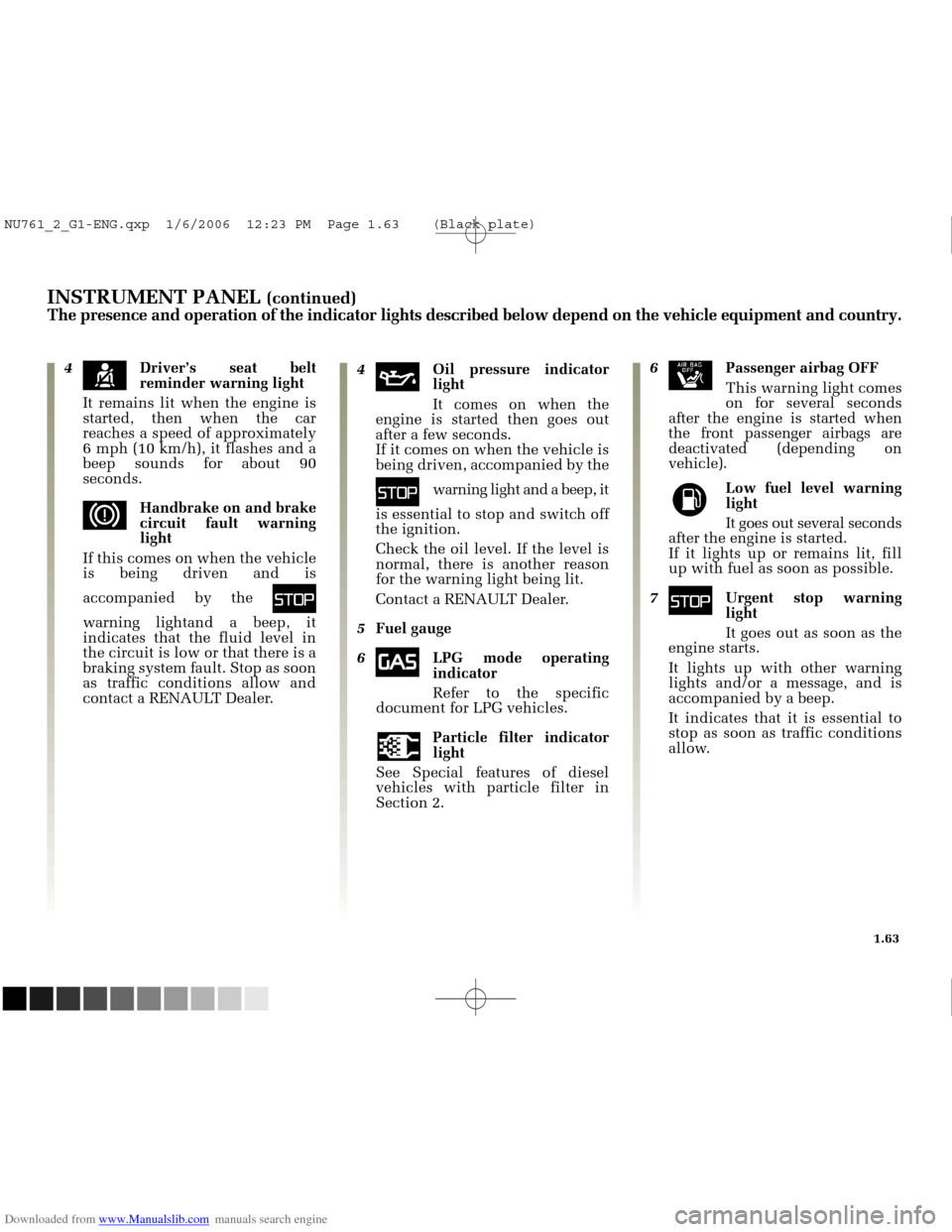
4çDriver’s seat belt
reminder warning light
It remains lit when the engine is
started, then when the car
reaches a speed of approximately
6 mph (10 km/h), it flashes and a
beep sounds for about 90
seconds.
dHandbrake on and brake
circuit fault warning
light
If this comes on when the vehicle
is being driven and is
accompanied by the
û
warning lightand a beep, it
indicates that the fluid level in
the circuit is low or that there is a
braking system fault. Stop as soon
as traffic conditions allow and
contact a RENAULT Dealer. 4
àOil pressure indicator
light
It comes on when the
engine is started then goes out
after a few seconds. If it comes on when the vehicle is
being driven, accompanied by the
ûwarning light and a beep, it
is essential to stop and switch off
the ignition.
Check the oil level. If the level is
normal, there is another reason
for the warning light being lit.
Contact a RENAULT Dealer.
5 Fuel gauge
6
îLPG mode operating
indicator
Refer to the specific
document for LPG vehicles.
Particle filter indicator
light
See Special features of diesel
vehicles with particle filter in
Section 2.
6ãPassenger airbag OFF
This warning light comes
on for several seconds
after the engine is started when
the front passenger airbags are
deactivated (depending on
vehicle).
Low fuel level warning
lightIt goes out several seconds
after the engine is started.
If it lights up or remains lit, fill
up with fuel as soon as possible.
7
ûUrgent stop warning
light
It goes out as soon as the
engine starts.
It lights up with other warning
lights and/or a message, and is
accompanied by a beep.
It indicates that it is essential to
stop as soon as traffic conditions
allow.
NU761_2_G1-ENG.qxp 1/6/2006 12:23 PM Page 1.63 (Black plate)
Page 76 of 250
Downloaded from www.Manualslib.com manuals search engine
1
2
1
NU761_2_G1-FRA.qxd 10/11/05 15:54 Page 1.66
1.66
TRIP COMPUTER AND WARNING SYSTEM
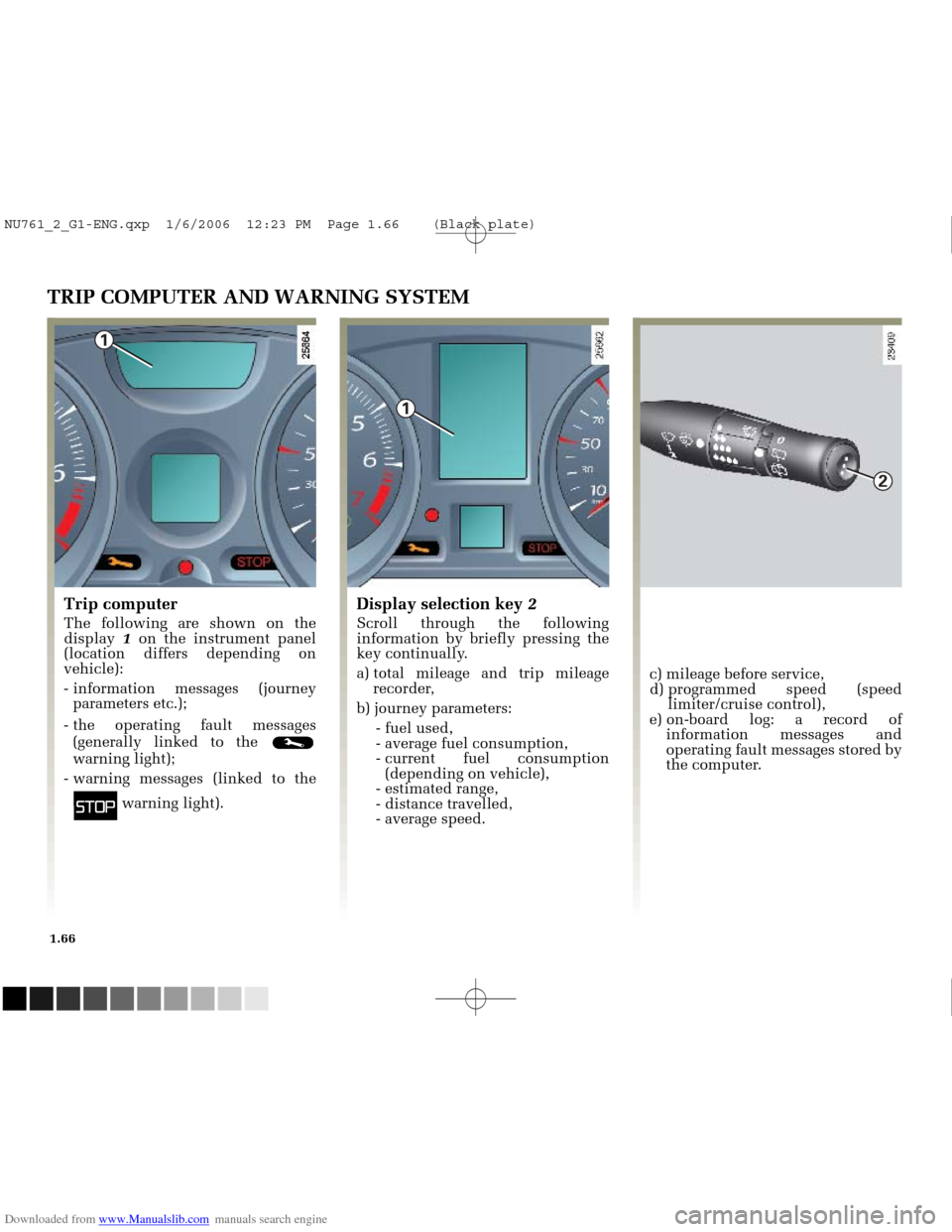
Trip computer
The following are shown on the
display 1on the instrument panel
(location differs depending on
vehicle):
- information messages (journey parameters etc.);
- the operating fault messages (generally linked to the
warning light);
- warning messages (linked to the
ûwarning light).
c) mileage before service,
d) programmed speed (speed limiter/cruise control),
e) on-board log: a record of information messages and
operating fault messages stored by
the computer.
Display selection key 2
Scroll through the following
information by briefly pressing the
key continually.
a) total mileage and trip mileage
recorder,
b) journey parameters: - fuel used,
- average fuel consumption,
- current fuel consumption(depending on vehicle),
- estimated range,
- distance travelled,
- average speed.
NU761_2_G1-ENG.qxp 1/6/2006 12:23 PM Page 1.66 (Black plate)
Page 77 of 250
Downloaded from www.Manualslib.com manuals search engine
2
NU761_2_G1-FRA.qxd 10/11/05 15:54 Page 1.67
1.67
TRIP COMPUTER AND WARNING SYSTEM (continued)
Trip mileage recorder reset
button
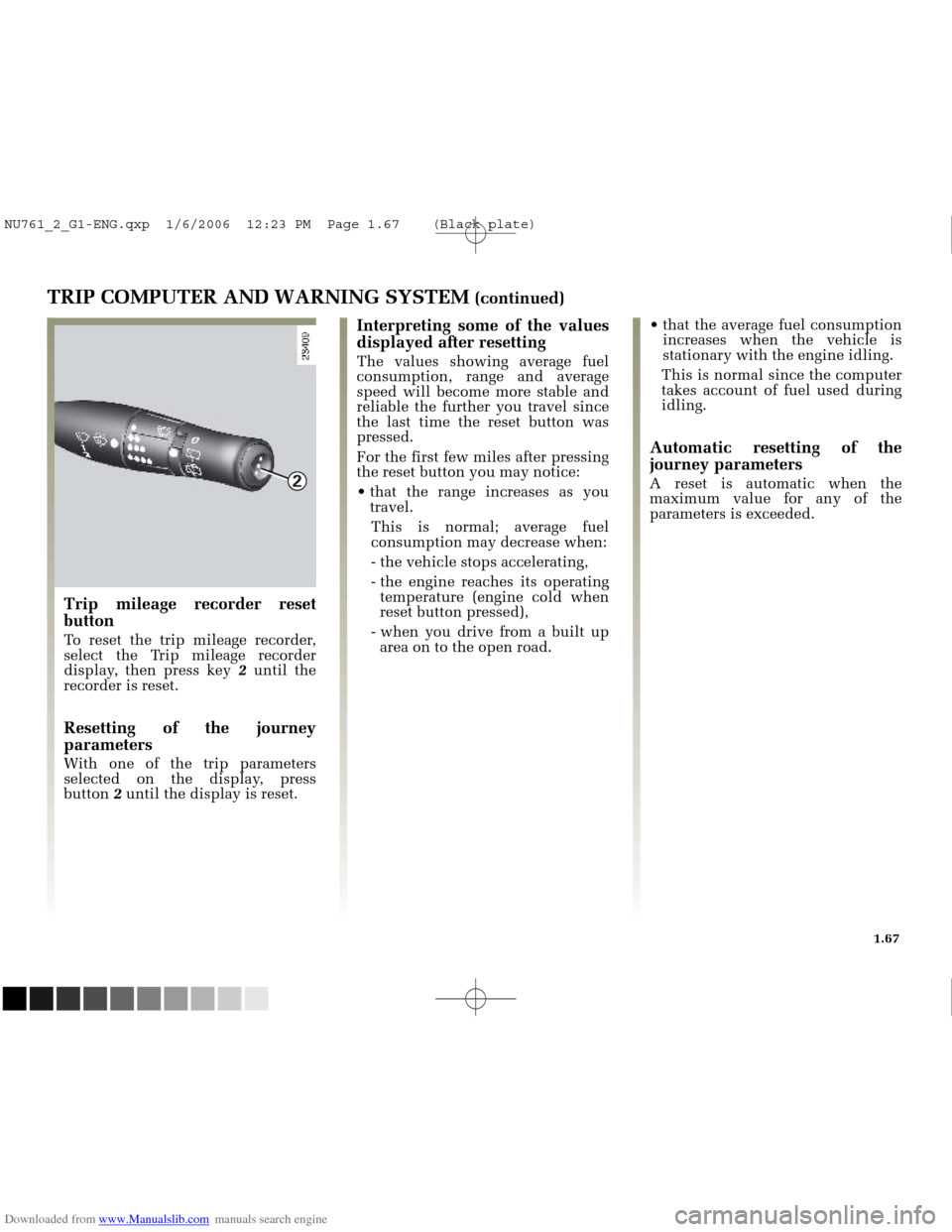
To reset the trip mileage recorder,
select the Trip mileage recorder
display, then press key 2until the
recorder is reset.
Resetting of the journey
parameters
With one of the trip parameters
selected on the display, press
button 2 until the display is reset.
Interpreting some of the values
displayed after resetting
The values showing average fuel
consumption, range and average
speed will become more stable and
reliable the further you travel since
the last time the reset button was
pressed.
For the first few miles after pressing
the reset button you may notice:
that the range increases as you
travel.
This is normal; average fuel
consumption may decrease when:
- the vehicle stops accelerating,
- the engine reaches its operating temperature (engine cold when
reset button pressed),
- when you drive from a built up area on to the open road. that the average fuel consumption
increases when the vehicle is
stationary with the engine idling.
This is normal since the computer
takes account of fuel used during
idling.
Automatic resetting of the
journey parameters
A reset is automatic when the
maximum value for any of the
parameters is exceeded.
NU761_2_G1-ENG.qxp 1/6/2006 12:23 PM Page 1.67 (Black plate)
Page 78 of 250
Downloaded from www.Manualslib.com manuals search engine
23397
23398
23825
NU761_2_G1-FRA.qxd 10/11/05 15:54 Page 1.68
1.68
TRIP COMPUTER AND WARNING SYSTEM (continued)
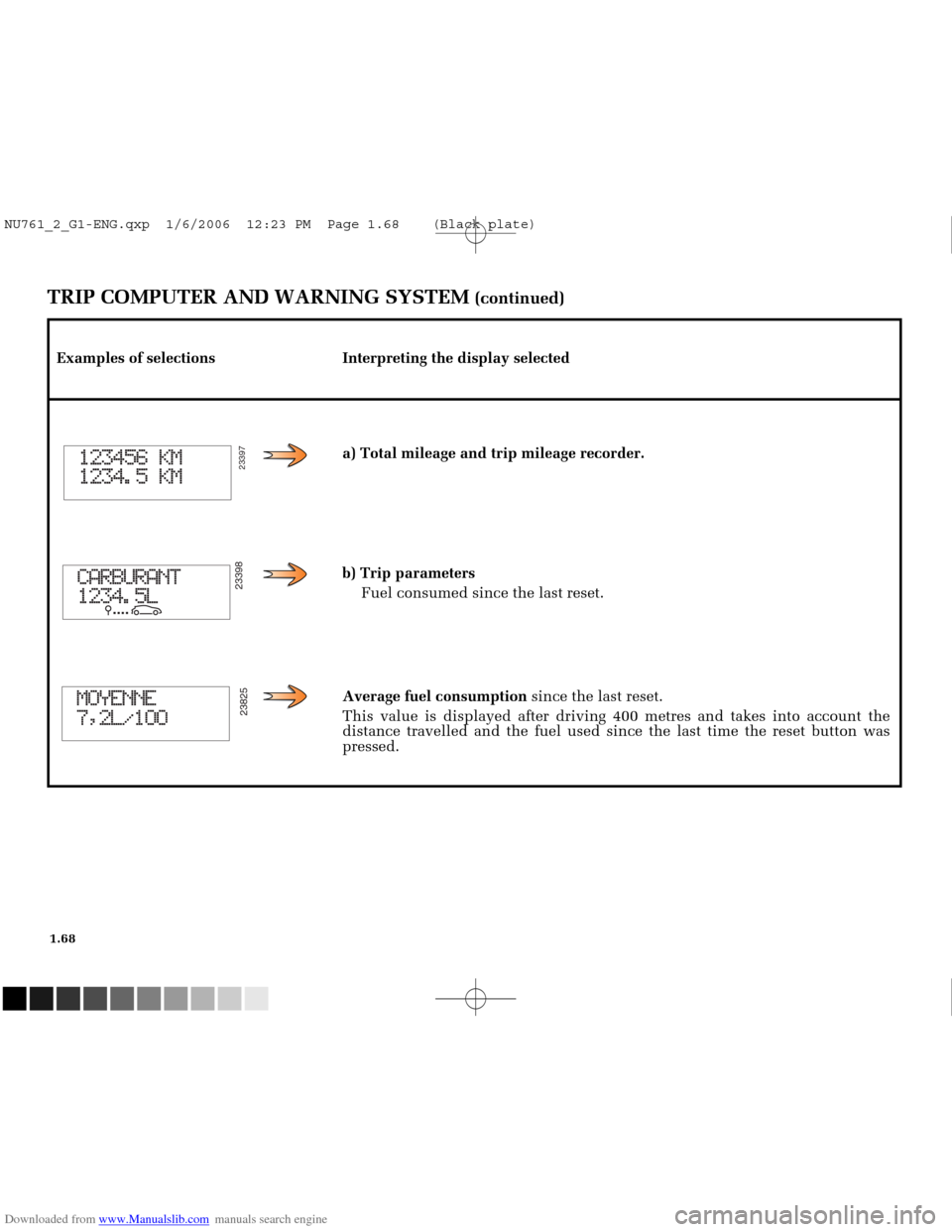
Examples of selections Interpreting the display selecteda) Total mileage and trip mileage recorder.
b) Trip parametersFuel consumed since the last reset.
Average fuel consumption since the last reset.
This value is displayed after driving 400 metres and takes into account \
the
distance travelled and the fuel used since the last time the reset butto\
n was
pressed.
NU761_2_G1-ENG.qxp 1/6/2006 12:23 PM Page 1.68 (Black plate)
Page 79 of 250
Downloaded from www.Manualslib.com manuals search engine
23939
23402
23527
23826
NU761_2_G1-FRA.qxd 10/11/05 15:54 Page 1.69
1.69
TRIP COMPUTER AND WARNING SYSTEM (continued)
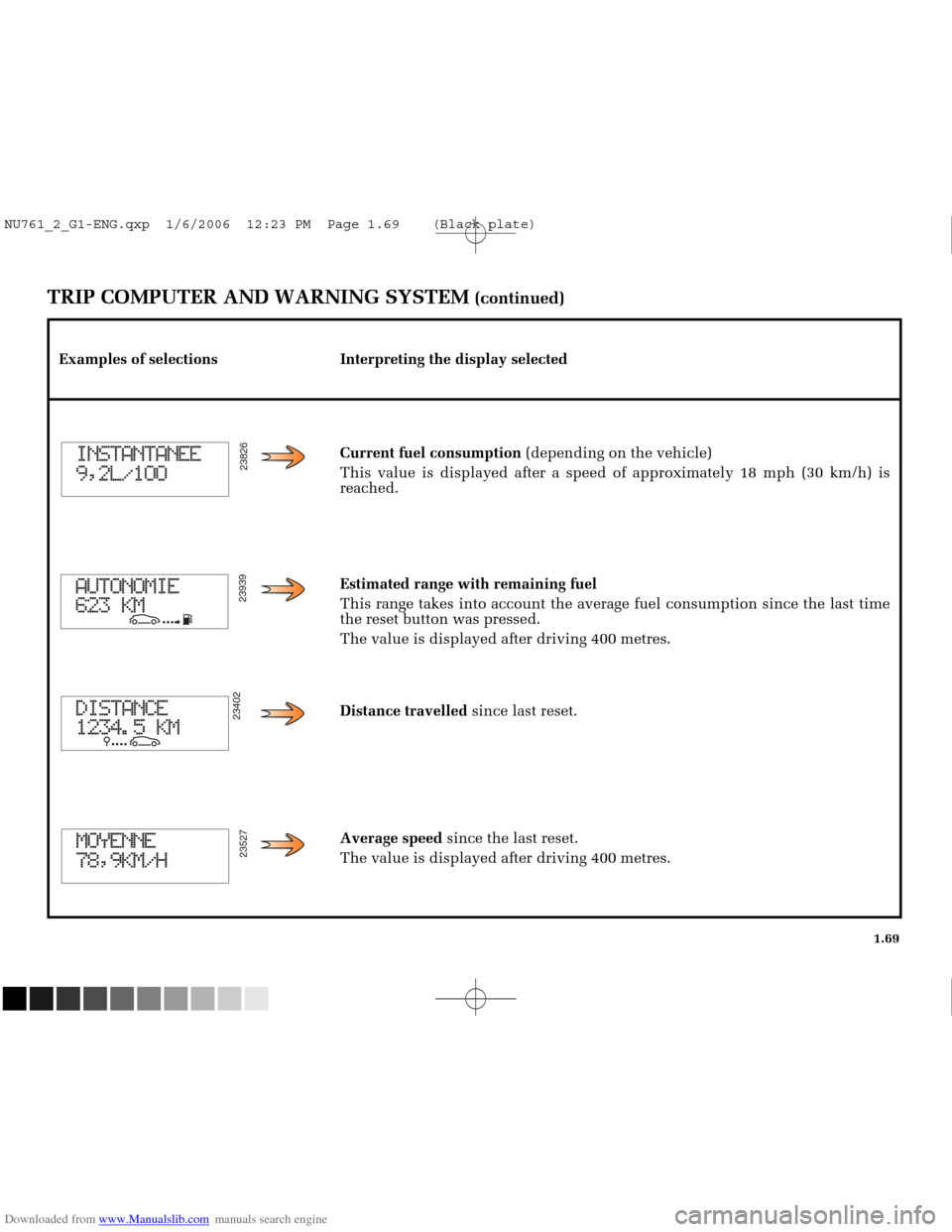
Examples of selections Interpreting the display selectedCurrent fuel consumption(depending on the vehicle)
This value is displayed after a speed of approximately 18 mph (30 km/h)\
is
reached.
Estimated range with remaining fuel
This range takes into account the average fuel consumption since the las\
t time
the reset button was pressed.
The value is displayed after driving 400 metres.
Distance travelled since last reset.
Average speed since the last reset.
The value is displayed after driving 400 metres.
NU761_2_G1-ENG.qxp 1/6/2006 12:23 PM Page 1.69 (Black plate)
Page 84 of 250
Downloaded from www.Manualslib.com manuals search engine
23511
NU761_2_G1-FRA.qxd 10/11/05 15:54 Page 1.74
1.74
TRIP COMPUTER AND WARNING SYSTEM (continued)
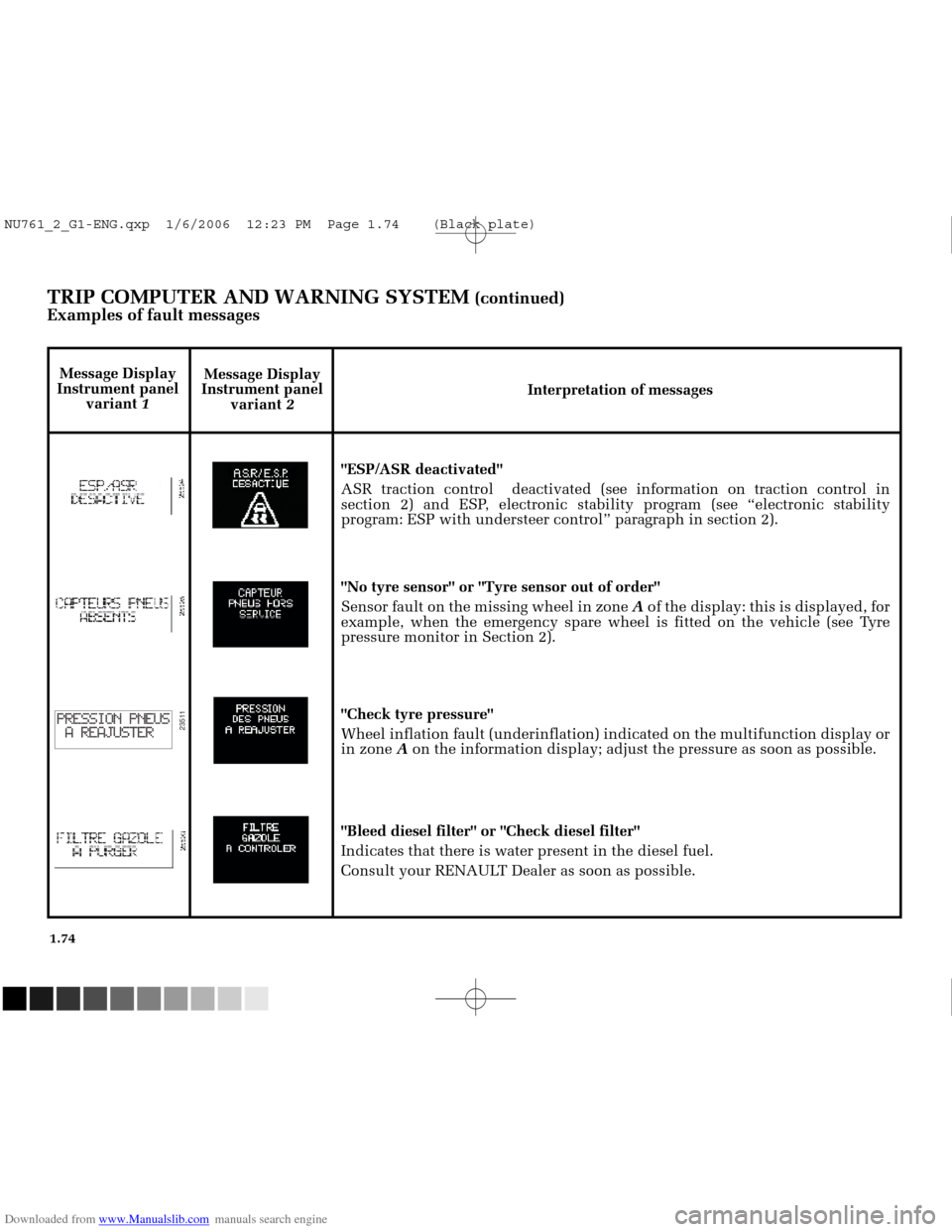
Examples of fault messages
Message Display
Instrument panel variant 2 Interpretation of messages
"ESP/ASR deactivated"
ASR traction control deactivated (see information on traction control \
in
section 2) and ESP, electronic stability program (see “electronic stability
program: ESP with understeer control” paragraph in section 2).
"No tyre sensor" or "Tyre sensor out of order"
Sensor fault on the missing wheel in zone Aof the display: this is displayed, for
example, when the emergency spare wheel is fitted on the vehicle (see T\
yre
pressure monitor in Section 2).
"Check tyre pressure"
Wheel inflation fault (underinflation) indicated on the multifunction \
display or
in zone Aon the information display; adjust the pressure as soon as possible.
"Bleed diesel filter" or "Check diesel filter"
Indicates that there is water present in the diesel fuel.
Consult your RENAULT Dealer as soon as possible.
Message Display
Instrument panel variant 1
NU761_2_G1-ENG.qxp 1/6/2006 12:23 PM Page 1.74 (Black plate)
Page 99 of 250
Downloaded from www.Manualslib.com manuals search engine
A
B
C
NU761_2_G1-FRA.qxd 10/11/05 15:55 Page 1.89
1.89
Do not mix even small
volumes of petrol with
diesel.
Never
press the metal valve
with your fingers.
Do not wash the filler area
with a high-pressure washer.
FUEL TANK
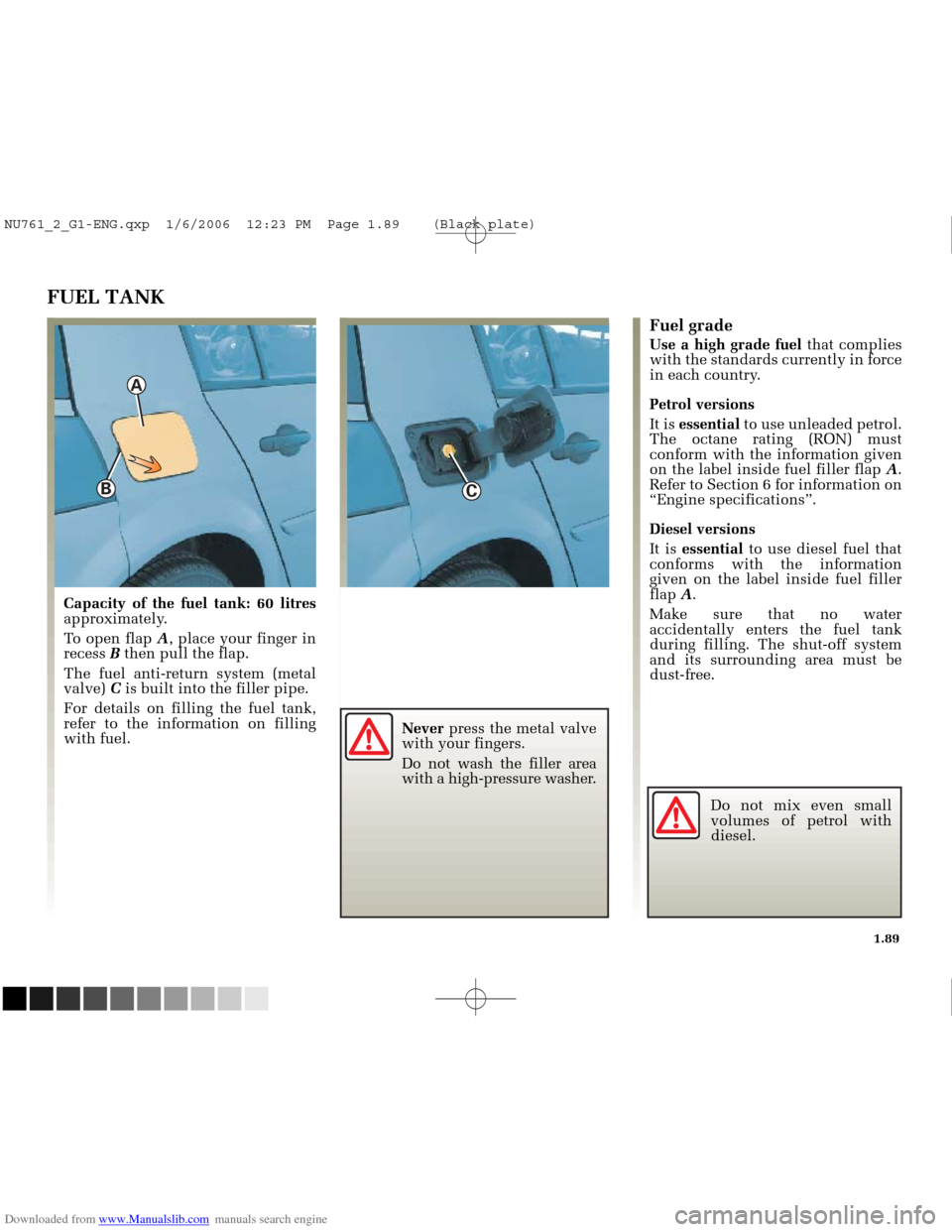
Capacity of the fuel tank: 60 litres
approximately.
To open flap A, place your finger in
recess Bthen pull the flap.
The fuel anti-return system (metal
valve) Cis built into the filler pipe.
For details on filling the fuel tank,
refer to the information on filling
with fuel.
Fuel grade
Use a high grade fuel that complies
with the standards currently in force
in each country.
Petrol versions
It is essential to use unleaded petrol.
The octane rating (RON) must
conform with the information given
on the label inside fuel filler flap A.
Refer to Section 6 for information on
“Engine specifications”.
Diesel versions
It is essential to use diesel fuel that
conforms with the information
given on the label inside fuel filler
flap A.
Make sure that no water
accidentally enters the fuel tank
during filling. The shut-off system
and its surrounding area must be
dust-free.
NU761_2_G1-ENG.qxp 1/6/2006 12:23 PM Page 1.89 (Black plate)