Page 115 of 320
![LINCOLN LS 2005 Owners Manual 1. Start the vehicle.
2. Press and hold the COMP side of the control until“C”appears in the
mirror display.
3. Drive the vehicle slowly (less than 5 km/h [3 mph]) in circles until the
display read](/manual-img/15/6895/w960_6895-114.png "LINCOLN LS 2005 Owners Manual 1. Start the vehicle.
2. Press and hold the COMP side of the control until“C”appears in the
mirror display.
3. Drive the vehicle slowly (less than 5 km/h [3 mph]) in circles until the
display read")
1. Start the vehicle.
2. Press and hold the COMP side of the control until“C”appears in the
mirror display.
3. Drive the vehicle slowly (less than 5 km/h [3 mph]) in circles until the
display reads a direction.
4. The compass is now calibrated.
Power side view mirrors
To adjust your mirrors:
1. Select
to adjust the left
mirror or
to adjust the right
mirror.
2. Move the disk control in the
direction you wish to tilt the mirror.
3. Return to the center position to
disable the adjust function.
Memory feature
The power side view mirror positions are saved when doing a memory
set function and can be recalled along with the vehicle personality
features when a memory position is selected through the remote entry
transmitter, keyless entry keypad or memory switch on the driver’s door
(if equipped with memory feature). Refer toMemory seats/steering
column/mirrors/adjustable pedalsin theSeating and Safety
Restraintschapter.
Heated outside mirrors
Both mirrors are heated
automatically to remove ice, mist
and fog when the rear window
defrost is activated.
Do not remove ice from the
mirrors with a scraper or
attempt to readjust the mirror
glass if it is frozen in place.
These actions could cause damage to the glass and mirrors.
REVIEW COPY
2005 Lincoln LS(dew), Owners Guide (post-2002-fmt)(own2002),
Market:USA_English(fus)
Driver Controls
115
Page 116 of 320

Fold-away mirrors (if equipped)
Pull the side mirrors in carefully
when driving through a narrow
space, like an automatic car wash.
POWER ADJUSTABLE FOOT PEDALS (IF EQUIPPED)
The accelerator and brake pedal
should only be adjusted when the
vehicle is stopped and the gearshift
lever is in the P (Park) position.
Press and hold the rocker control
(located on the instrument panel) to
adjust accelerator and brake pedal.
•Press the top of the control to
adjust the pedals away from you.
•Press the bottom of the control to adjust the pedals towards you.
Memory feature
The accelerator and brake pedal positions are saved when doing a
memory set function and can be recalled along with the vehicle
personality features when a memory position is selected through the
remote entry transmitter, keyless entry keypad or memory switch on the
driver’s door (if equipped with memory feature). Refer toMemory
seats/steering column/mirrors/adjustable pedalsin theSeating and
Safety Restraintschapter.
Never adjust the accelerator and brake pedal with feet on the
pedals while the vehicle is moving.
REVIEW COPY
2005 Lincoln LS(dew), Owners Guide (post-2002-fmt)(own2002),
Market:USA_English(fus)
Driver Controls
116
Page 117 of 320

SPEED CONTROL
With speed control set, you can maintain a speed of 30 mph (48 km/h)
or more without keeping your foot on the accelerator pedal. Speed
control does not work at speeds below 30 mph (48 km/h).
Do not use the speed control in heavy traffic or on roads that
are winding, slippery or unpaved.
Setting speed control
The controls for using your speed
control are located on the steering
wheel for your convenience.
1. Press the ON control and release
it.
2. Accelerate to the desired speed.
3. Press the SET + control and
release it.
4. Take your foot off the accelerator
pedal.
5. The indicator
light on the
instrument cluster will turn on.
Note:
•Vehicle speed may vary momentarily when driving up and down a
steep hill.
•If the vehicle speed increases above the set speed on a downhill, you
may want to apply the brakes to reduce the speed.
•If the vehicle speed decreases more than 10 mph (16 km/h) below
your set speed on an uphill, your speed control will disengage.
REVIEW COPY
2005 Lincoln LS(dew), Owners Guide (post-2002-fmt)(own2002),
Market:USA_English(fus)
Driver Controls
117
Page 118 of 320
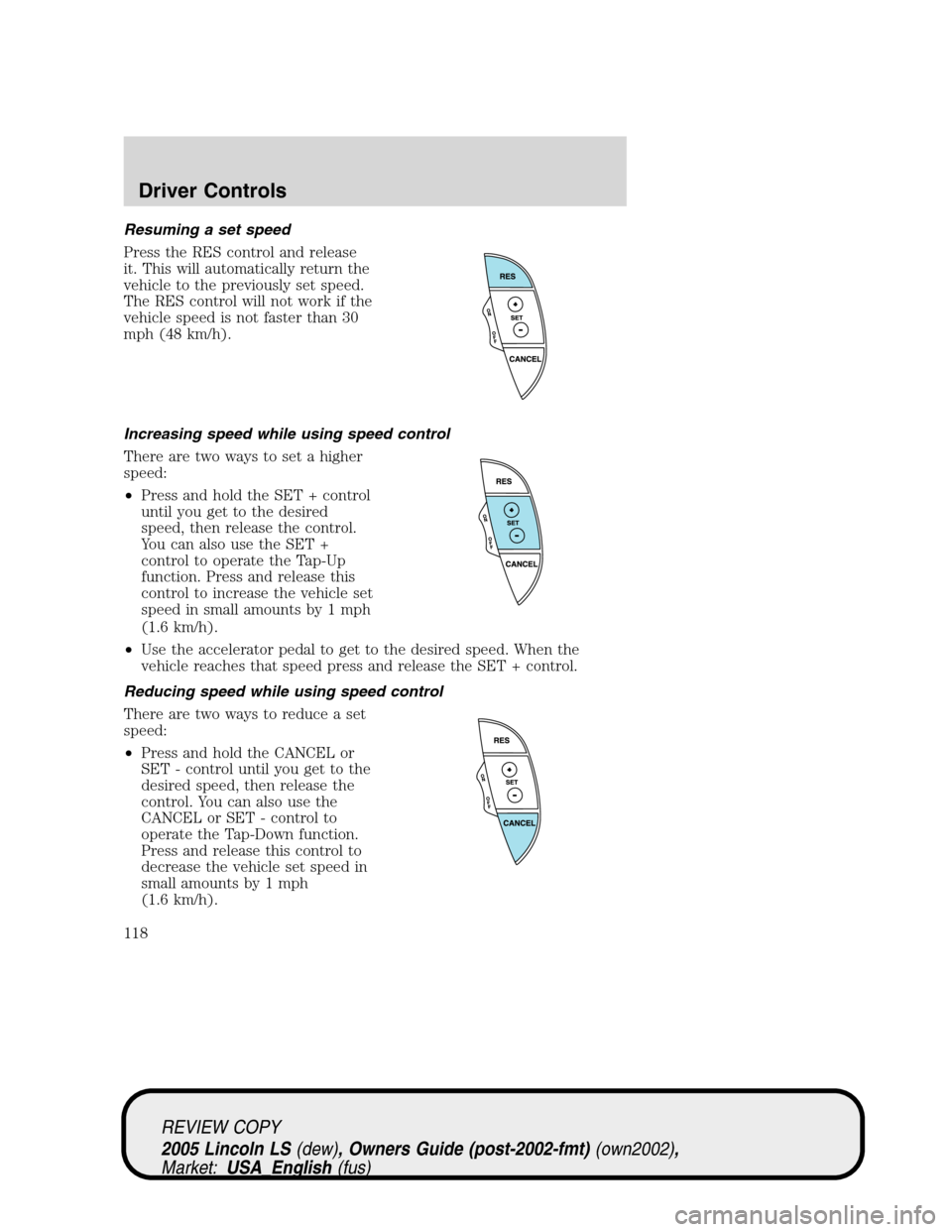
Resuming a set speed
Press the RES control and release
it. This will automatically return the
vehicle to the previously set speed.
The RES control will not work if the
vehicle speed is not faster than 30
mph (48 km/h).
Increasing speed while using speed control
There are two ways to set a higher
speed:
•Press and hold the SET + control
until you get to the desired
speed, then release the control.
You can also use the SET +
control to operate the Tap-Up
function. Press and release this
control to increase the vehicle set
speed in small amounts by 1 mph
(1.6 km/h).
•Use the accelerator pedal to get to the desired speed. When the
vehicle reaches that speed press and release the SET + control.
Reducing speed while using speed control
There are two ways to reduce a set
speed:
•Press and hold the CANCEL or
SET - control until you get to the
desired speed, then release the
control. You can also use the
CANCEL or SET - control to
operate the Tap-Down function.
Press and release this control to
decrease the vehicle set speed in
small amounts by 1 mph
(1.6 km/h).
REVIEW COPY
2005 Lincoln LS(dew), Owners Guide (post-2002-fmt)(own2002),
Market:USA_English(fus)
Driver Controls
118
Page 119 of 320
•Depress the brake pedal until the
desired vehicle speed is reached,
press the SET + control.
Turning off speed control
There are two ways to turn off the speed control:
•Depress the brake pedal . This
will not erase your vehicle’s
previously set speed.
•Press the speed control OFF
control.
Note:When you turn off the speed
control or the ignition, your speed
control set speed memory is erased.
STEERING WHEEL CONTROLS
These controls allow you to operate some audio control features.
Audio control features
Press MEDIA to select AM, FM1,
FM2, CD, or TAPE (if equipped).
O
N
O
F
F
RES
SET
CANCEL
MUTE
VOL
MEDIA
REVIEW COPY
2005 Lincoln LS(dew), Owners Guide (post-2002-fmt)(own2002),
Market:USA_English(fus)
Driver Controls
119
Page 120 of 320
In AM, FM1, or FM2 mode:
•Press�or�to select preset
stations within the selected radio
band.
In Tape mode:
•Press�or�to select the next
selection on the tape.
In CD mode:
•Press�or�to select the next
selection on the CD.
In any mode:
•Press VOL + or to adjust
volume.
Press the PHONE/MUTE control to
mute the playing media. Press again
to return to the playing media.
MUTE
VOL
MEDIA
MUTE
VOL
MEDIA
MUTE
VOL
MEDIA
REVIEW COPY
2005 Lincoln LS(dew), Owners Guide (post-2002-fmt)(own2002),
Market:USA_English(fus)
Driver Controls
120
Page 121 of 320
Navigation steering wheel controls (if equipped)
These controls allow you to operate some audio and navigation control
features when the vehicle is equipped with the navigation feature.
Audio control features
Press MEDIA to select:
•AM, FM1, FM2, or
•CD.
In AM, FM1, or FM2 mode:
•Press NEXT to select preset
stations within the selected radio
band.
In CD mode:
•Press NEXT to select the next
selection on the CD.
In any mode:
•Press VOL�or�to adjust
volume.
REVIEW COPY
2005 Lincoln LS(dew), Owners Guide (post-2002-fmt)(own2002),
Market:USA_English(fus)
Driver Controls
121
Page 122 of 320
Navigation control features
Press and hold VOICE until the
voice
icon appears to use the
navigation voice guidance.
Press REPEAT control to hear
previous command repeated from
the navigation system.
MOON ROOF (IF EQUIPPED)
To open the moon roof:
•Push up on the control to raise
the moon roof to the vent
position.
•Push up on the control, while the
moon roof is in the slide range, to
activate the Auto-Tilt feature.
•Push the front portion of the
control rearward to open the
moon roof.
•Press the front portion of the
control past the first detent to activate theAuto Openfeature.
To close the moon roof:
•Press the rear portion of the control forward to close the moon roof.
•Press the rear portion of the control past the first detent to activate
theAuto closefeature.
REVIEW COPY
2005 Lincoln LS(dew), Owners Guide (post-2002-fmt)(own2002),
Market:USA_English(fus)
Driver Controls
122


