Page 174 of 408
Customer Programmable Features
Press the MENU button until one of the display choices
following appears:
Language?
When in this display you may select one of three lan-
guages for all display nomenclature, including the tripcomputer functions. Press the STEP button while in this
display selects English, Espanol, or Francais. As you
continue the displayed information will be shown in the
selected language.
Menu Button
Step Button
174 UNDERSTANDING YOUR INSTRUMENT PANEL
Page 175 of 408

Display U.S. or Metric?
Pressing the STEP button when in this display selects US
or Metric. The overhead console and instrument panel
displays will be in the selected units.
Auto Door Locks?
When this feature is selected, all doors and the liftgate
lock automatically when the speed of the vehicle reaches
15 mph (25 km/h). Pressing the STEP button when in this
display will select “Yes” or “No.”
Auto Unlock On Exit? (Available Only When the
AUTO DOOR LOCKS Feature is Turned On )
When this feature is selected all the vehicle’s doors will
unlock when the driver’s door is opened if the vehicle is
stopped and the transmission is in P (Park) or N (Neu-
tral) position. Pressing the STEP button when in this
display will select “Yes” or “No.”
Remote Unlock Driver’s Door 1st?
When this feature is selected only the driver’s door will
unlock on the first press of the remote keyless entry
unlock button and require a second press to unlock the
remaining locked doors and liftgate. WhenREMOTE
UNLOCK ALL DOORSis selected all of the doors and
the liftgate will unlock at the first press of the remote
keyless entry unlock button. Pressing the STEP button
when in this display will select DRIVER’S DOOR 1ST or
ALL DOORS.
Remote Linked To Memory? (Available with
Memory Seat Only)
When this feature is selected the memory seat, mirror,
and radio settings will return to the memory set position
when the remote keyless entry “Unlock” button is
pressed. If this feature is not selected then the memory
seat, mirror, and radio settings can only return to the
UNDERSTANDING YOUR INSTRUMENT PANEL 175
4
Page 176 of 408

memory set position using the door mounted switch.
Pressing the STEP button when in this display will select
“Yes” or “No.”
Sound Horn With Lock?
When this feature is selected a short horn sound will
occur when the remote keyless entry “Lock” button is
pressed. This feature may be selected with or without the
flash lights on lock/unlock feature. Pressing the STEP
button when in this display will select “Yes” or “No.”
Flash Lights With Lock?
When this feature is selected, the front and rear turn
signals will flash when the doors are locked or unlocked
using the remote keyless entry transmitter. This feature
may be selected with or without the sound horn on lock
feature selected. Pressing the STEP button when in this
display will select “Yes” or “No.”
Headlamp Delay
When this feature is selected the driver can choose, when
exiting the vehicle, to have the headlamps remain on for
30, 60, or 90 seconds, or not remain on. Pressing the STEP
button when in this display will select 30, 60, 90, or OFF.
Illuminated Approach?
When this feature is selected the driver can choose, when
entering the vehicle, to have the headlamps come on for
30, 60, or 90 seconds, or not come on at all. Pressing the
STEP button when in this display will select 30, 60, 90, or
OFF.
Auto Headlamp Low/High Beams?
When this feature is selected and the headlight switch
has been moved to the A (Auto) position, the headlights
will automatically switch from high to low beams when
approaching a vehicle. Pressing the STEP button when in
176 UNDERSTANDING YOUR INSTRUMENT PANEL
Page 177 of 408

this display will select “Low Beam” or “Low/High
Beam.” Refer to “Lights — SmartBeams” in Section 3 of
this manual.
NOTE:System will activate at or above 20 mph (32
km/h).
Headlamps On With Wipers? (Available with Auto
Headlights Only)
When this feature is selected and the headlight switch
has at least once been moved to the A (Auto) position, the
headlights will turn on when the wipers are turned on.
The headlights will also turn off when the wipers are
turned off if they were turned on in this way. Pressing the
STEP button when in this display will select “Yes” or
“No.”
NOTE:Turning the headlights on during the daytime
causes the instrument panel lights to dim. To increase the
brightness, refer to “Lights” in this section.
Front Wipers Rain Sense?
Pressing the STEP button when in this display will select
“Manual” or “Rain Sense.”
Service Interval
When this feature is selected a service interval between
2,000 (3 200 km) and 6,000 miles (10 000 km) in 500 mile
(800 km) increments may be selected. Pressing the STEP
button when in this display will select distances between
2,000 (3 200 km) and 6,000 miles (10 000 km) in 500 mile
(800 km) increments.
Reset Service Distance (Displays Only if Service
Interval was Changed)
When this feature is selected the current accumulated
service distance can be reset to the newly selected service
interval. Pressing the STEP button when in this display
will select “Yes” or “No.”
UNDERSTANDING YOUR INSTRUMENT PANEL 177
4
Page 178 of 408
Easy Entry/Exit Seat? (Available with Memory Seat
Only)
When this feature is selected, the driver’s seat moves
rearward 2 inches (5 cm) or to the farthest rearward
position if this distance is less than 2 inches (5 cm) when
the key is removed from the ignition switch so that the
driver can more easily exit the vehicle. The seat will
return to the memorized seat location (if REMOTE LINK
TO MEMORY is set to YES) when the remote keyless
entry transmitter is used to unlock the door. Pressing the
STEP button when in this display will select “Yes” or
“No.”
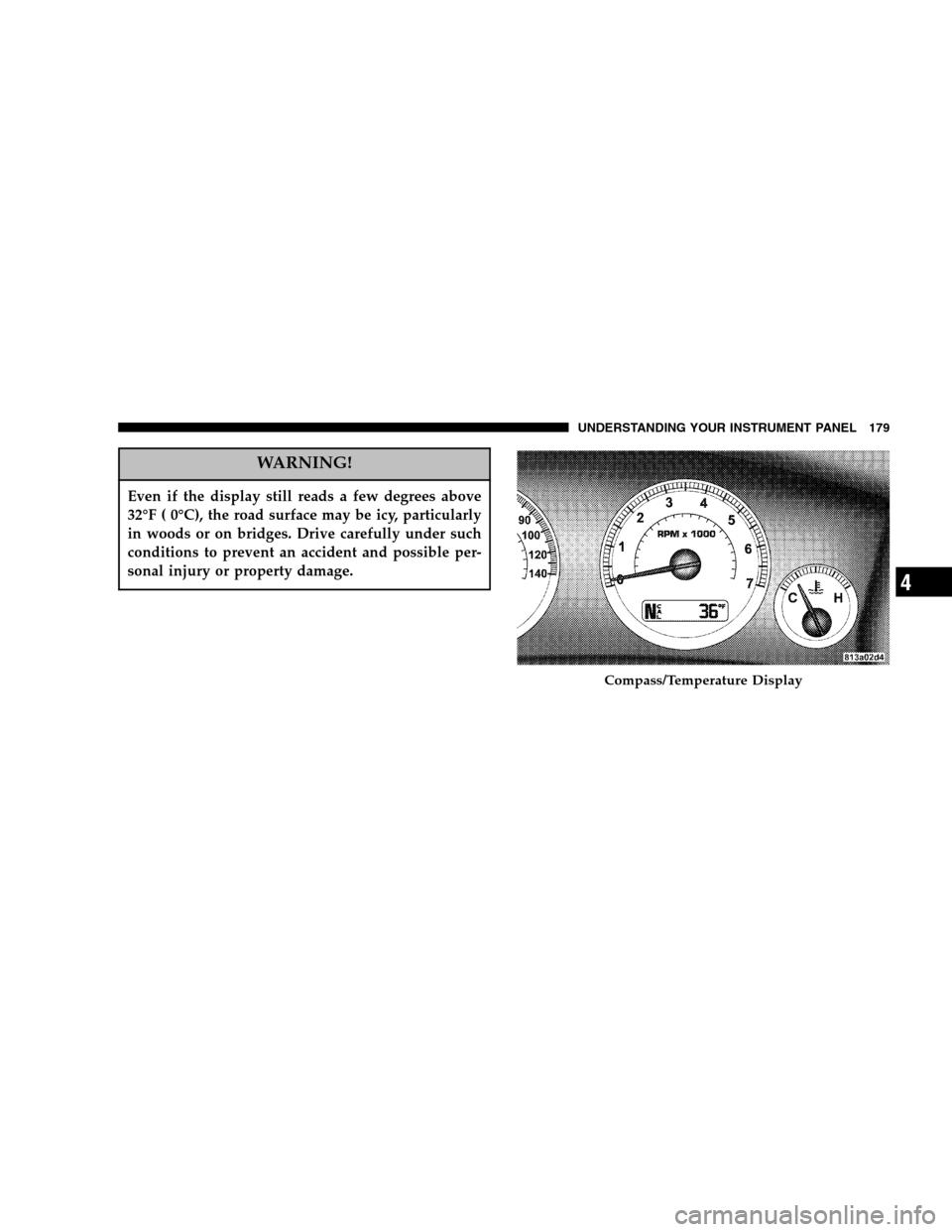
Compass/Temperature/Trip Computer
This display provides the outside temperature, one of the
eight compass headings to indicate the direction the
vehicle is facing, and vehicle trip information. The com-
pass and temperature display is the normal display.
When the C/T button is pressed the compass/
temperature display returns.
Compass/Temperature Button
178 UNDERSTANDING YOUR INSTRUMENT PANEL
Page 179 of 408
WARNING!
Even if the display still reads a few degrees above
32°F ( 0°C), the road surface may be icy, particularly
in woods or on bridges. Drive carefully under such
conditions to prevent an accident and possible per-
sonal injury or property damage.
Compass/Temperature Display
UNDERSTANDING YOUR INSTRUMENT PANEL 179
4
Page 180 of 408
Trip Computer
This feature, located in the instrument cluster, displays
the following information when the display is in the
“Compass/Temperature” mode and the STEP button is
pressed:
Step Button
Press the STEP button to cycle through all of the
Compass/Mini-Trip Computer displays.
Step Button
180 UNDERSTANDING YOUR INSTRUMENT PANEL
Page 181 of 408
Reset Button
Press the RESET button (for 5 seconds) to reset the
display you are in. Press and hold the RESET button (for
10 seconds) to reset all of the displays.
Average Fuel Economy
Shows the average fuel economy since the last reset.
Distance To Empty
Shows the estimated distance that can be travelled with
the fuel remaining in the tank. This is calibrated using the
miles per gallon during the last driving period.
Trip A
Shows the total distance travelled for trip A since the last
reset.
Trip B
Shows the total distance travelled for trip B since the last
reset.
Elapsed Time
Shows the accumulated ignition ON time since the last
reset.
Reset Button
UNDERSTANDING YOUR INSTRUMENT PANEL 181
4