Page 400 of 539
1
CONTROLS AND EQUIPMENT
95
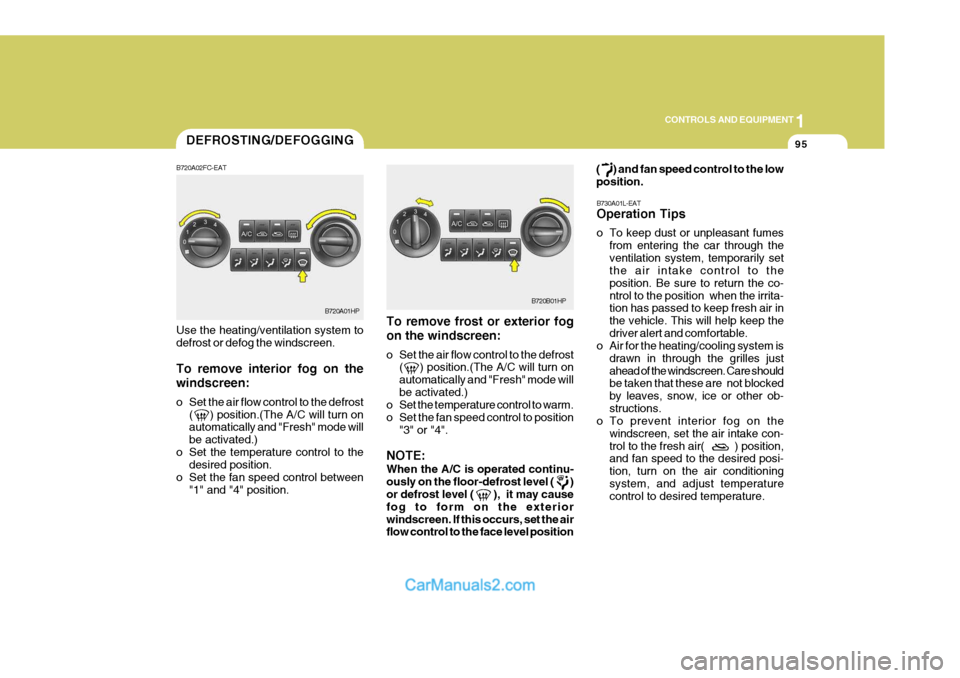
To remove frost or exterior fog on the windscreen:
o Set the air flow control to the defrost ( ) position.(The A/C will turn on automatically and "Fresh" mode willbe activated.)
o Set the temperature control to warm.
o Set the fan speed control to position
"3" or "4".
NOTE: When the A/C is operated continu- ously on the floor-defrost level ( ) or defrost level ( ), it may cause fog to form on the exteriorwindscreen. If this occurs, set the air flow control to the face level position ( ) and fan speed control to the low position.
B730A01L-EAT Operation Tips
o To keep dust or unpleasant fumes from entering the car through the ventilation system, temporarily set the air intake control to the position. Be sure to return the co-ntrol to the position when the irrita- tion has passed to keep fresh air in the vehicle. This will help keep thedriver alert and comfortable.
o Air for the heating/cooling system is
drawn in through the grilles justahead of the windscreen. Care should be taken that these are not blocked by leaves, snow, ice or other ob-structions.
o To prevent interior fog on the
windscreen, set the air intake con-trol to the fresh air( ) position, and fan speed to the desired posi- tion, turn on the air conditioningsystem, and adjust temperature control to desired temperature.
Use the heating/ventilation system to defrost or defog the windscreen. To remove interior fog on the windscreen:
o Set the air flow control to the defrost
( ) position.(The A/C will turn on automatically and "Fresh" mode will be activated.)
o Set the temperature control to the desired position.
o Set the fan speed control between "1" and "4" position.DEFROSTING/DEFOGGING
B720A01HP
B720A02FC-EATB720B01HP
Page 403 of 539
1CONTROLS AND EQUIPMENT
98
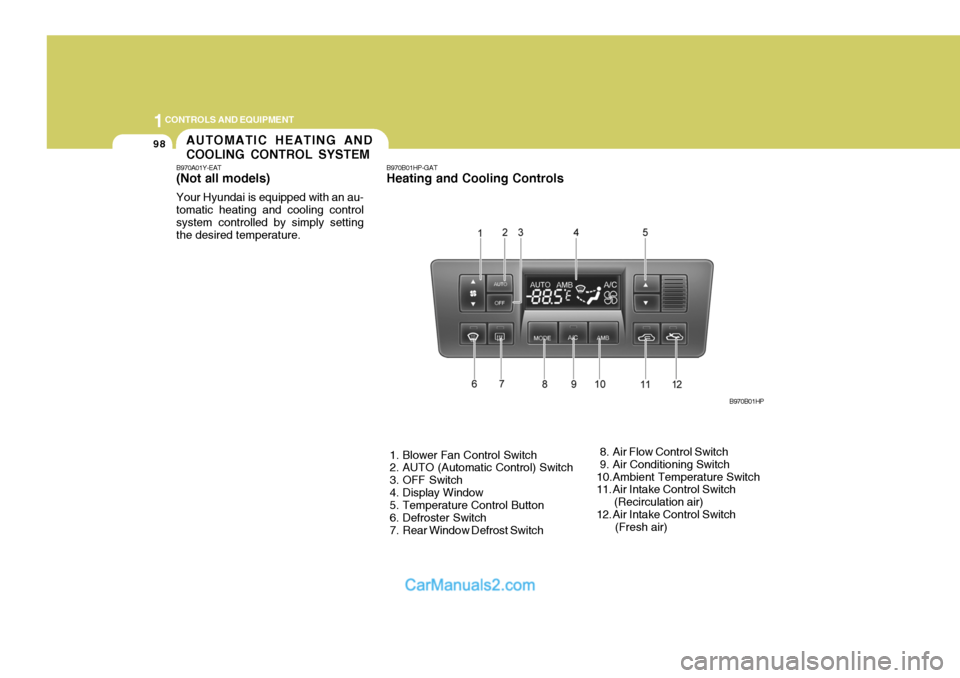
B970B01HP-GAT Heating and Cooling Controls
1. Blower Fan Control Switch
2. AUTO (Automatic Control) Switch
3. OFF Switch
4. Display Window
5. Temperature Control Button
6. Defroster Switch
7. Rear Window Defrost Switch 8. Air Flow Control Switch
9. Air Conditioning Switch
10.Ambient Temperature Switch
11. Air Intake Control Switch (Recirculation air)
12. Air Intake Control Switch (Fresh air)B970B01HPAUTOMATIC HEATING AND COOLING CONTROL SYSTEM
B970A01Y-EAT (Not aII models) Your Hyundai is equipped with an au- tomatic heating and cooling controlsystem controlled by simply setting the desired temperature.
Page 404 of 539
1
CONTROLS AND EQUIPMENT
99
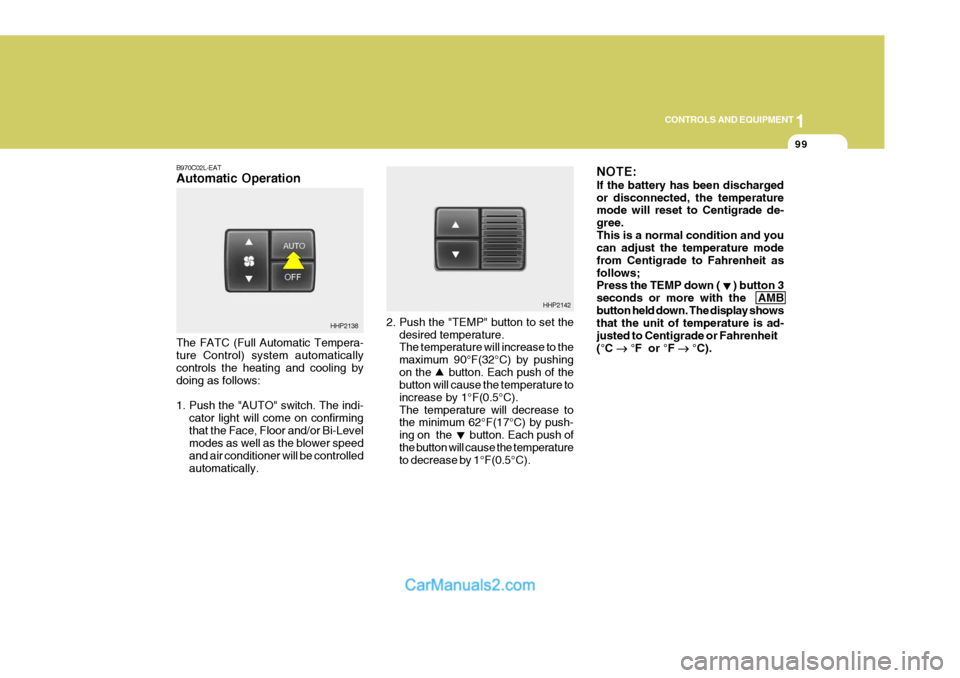
2. Push the "TEMP" button to set the desired temperature. The temperature will increase to the maximum 90°F(32°C) by pushingon the button. Each push of the button will cause the temperature to increase by 1°F(0.5°C).The temperature will decrease to the minimum 62°F(17°C) by push- ing on the button. Each push ofthe button will cause the temperature to decrease by 1°F(0.5°C). NOTE: If the battery has been discharged or disconnected, the temperature mode will reset to Centigrade de- gree.This is a normal condition and you can adjust the temperature mode from Centigrade to Fahrenheit asfollows; Press the TEMP down ( ) button 3 seconds or more with the AMBbutton held down. The display shows that the unit of temperature is ad- justed to Centigrade or Fahrenheit(°C
°F or °F
°C).
HHP2142
B970C02L-EAT Automatic Operation The FATC (Full Automatic Tempera- ture Control) system automatically controls the heating and cooling by doing as follows:
1. Push the "AUTO" switch. The indi-
cator light will come on confirming that the Face, Floor and/or Bi-Level modes as well as the blower speed and air conditioner will be controlledautomatically.
HHP2138
Page 405 of 539
1CONTROLS AND EQUIPMENT
100
B995A01Y-AAT AMBIENT TEMPERATURE SWITCH Pressing the AMB button displays the ambient temperature on the display. B980A01Y-AAT MANUAL OPERATION The heating and cooling system can be controlled manually as well as by pushing buttons other than the "AUTO" button. In this state, the system se-quentially works according to the order of buttons selected. The function of the buttons which arenot selected will be controlled auto- matically. Press the "AUTO" button in order toconvert to automatic control of the system.
HHP2147
NOTE: Never place anything over the sen- sor which is located in the car on the instrument panel to ensure bettercontrol of the heating and cooling system.
HHP2096
Photo sensor
Page 409 of 539
1CONTROLS AND EQUIPMENT
104
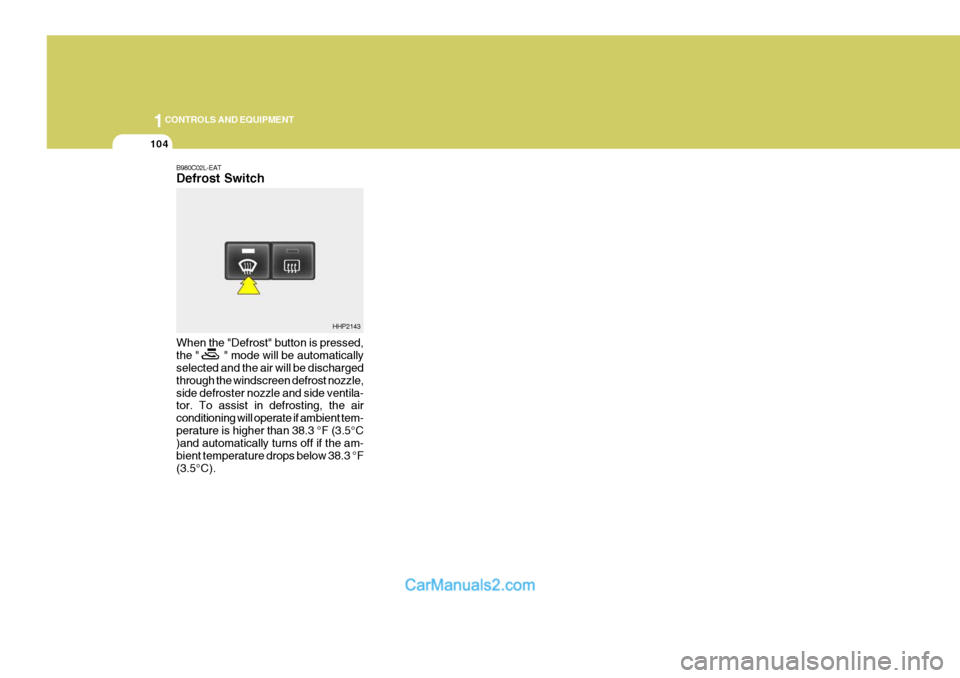
B980C02L-EAT Defrost Switch When the "Defrost" button is pressed, the " " mode will be automatically selected and the air will be discharged through the windscreen defrost nozzle,side defroster nozzle and side ventila- tor. To assist in defrosting, the air conditioning will operate if ambient tem-perature is higher than 38.3 °F (3.5°C )and automatically turns off if the am- bient temperature drops below 38.3 °F(3.5°C).
HHP2143
Page 414 of 539
2
Engine Exhaust Can Be Dangerous! ............................ 2-2
Before Starting the Engine ............................................ 2-3
Key Positions ................................................................ 2-4Starting ......................................................................... 2-5
Manual Transmission ................................................... 2-8
Automatic Transmission .............................................. 2-10
Four-Wheel Drive (4WD) ............................................. 2-14
Anti-Lock Brake System (ABS) ................................... 2-21
Limited-Slip Differential ................................................ 2-22
Effective Braking ......................................................... 2-22
Driving for Economy .................................................... 2-23
Smooth Cornering ........................................................ 2-24
Winter Motoring ............................................................ 2-24
Trailer and Vehicle Towi ng .......................................... 2-26
DRIVING YOUR HYUNDAI
2
Page 416 of 539
2
DRIVING YOUR HYUNDAI
3
!WARNING:
Your vehicle is equipped with tyres designed to provide for safe ride and handling capability.Do not use a size and type of tyre and wheel that is different from the one that was originally installed on yourvehicle. It can affect the safety and performance of your vehicle, which could lead to handling failure orrollover and serious injury. When replacing the tyres, be sure to equip all four tyres with the tyre andwheel of the same size, type, tread, brand and load-carrying capacity. If you nevertheless decide to equipyour vehicle with any tyre/wheel com- bination not recommended by Hyundai for off-road driving, youshould not use these tyres for high- way driving.
TO START THE ENGINEBEFORE STARTING THE ENGINE
C020A01A-EAT Before you start the engine, you should always:
1. Look around the vehicle to be sure
there are no flat tyres, puddles of oil or water or other indications of pos- sible trouble.
2. After entering the car, check to be
sure the parking brake is engaged.
3. Check that all windows, and lights
are clean.
4. Check that the interior and exterior mirrors are clean and in position.
5. Check your seat, seatback and headrest to be sure they are in theirproper positions.
6. Close all the doors.
7. Fasten your seat belt and be sure that all other occupants have fas-tened theirs.
8. Turn off all lights and accessories that are not needed.
9. When you turn the ignition switch to "ON" check that all appropriate warning lights are operating and that you have sufficient fuel.
10.Check the operation of warning lights and all bulbs when key is inthe "ON" position. C030A01HP-EAT Cmbination Ignition Switch and Steering Lock
o If your Hyundai is equipped with a
manual transmission, place the shift lever in neutral and depress the clutch pedal fully.
o If your Hyundai has an automatic
transmission, place the shift lever in"P" (park).
o To start the engine, insert the igni- tion key and turn it to the "START"position. Release it as soon as the engine starts. Do not hold the key inthe "START" position for more than 15 seconds.
NOTE: For safety, the engine will not start if the shift lever is not in "P" or "N" position (Automatic Transmission).
Page 417 of 539
2 DRIVING YOUR HYUNDAI
4
!WARNING:
The engine must never be turned off and the key removed from the igni-tion key cylinder whilst the vehicle is in motion since the steering lock will operate and control of the vehiclewill be lost.
"START" The engine is started in this position. It will crank until you release the key.
Ambient temp.
Above 5°F (-15°C) Below 5°F (-15°C) Warm up time
3 min. or longer 6 min. or longer
!WARNING: (Diesel only)
To ensure that sufficient vacuum exists within the brake system dur- ing cold weather start-up condi-tions, it is necessary to run the engine at idle after starting accord- ing to the following table. After starting the engine, do not drive the vehicle until the brake vacuum warning light has turned off.Failure to carry out the above pro- cedure may result in the need to apply greater pedal pressure in or-der to effect the necessary braking effort.
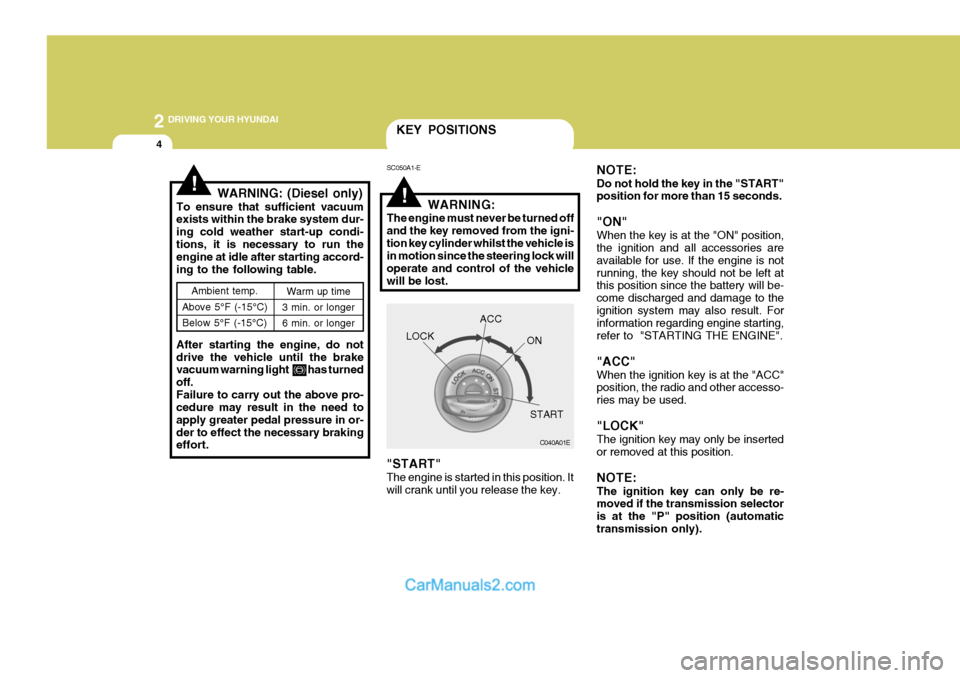
KEY POSITIONS
SC050A1-E
C040A01E
LOCK
ACC
ON
START
NOTE: Do not hold the key in the "START" position for more than 15 seconds. "ON" When the key is at the "ON" position, the ignition and all accessories are available for use. If the engine is notrunning, the key should not be left at this position since the battery will be- come discharged and damage to theignition system may also result. For information regarding engine starting, refer to "STARTING THE ENGINE". "ACC" When the ignition key is at the "ACC" position, the radio and other accesso- ries may be used. "LOCK" The ignition key may only be inserted or removed at this position. NOTE: The ignition key can only be re- moved if the transmission selector is at the "P" position (automatictransmission only).