2005 Hyundai Azera ECO mode
[x] Cancel search: ECO modePage 153 of 297
1FEATURES OF YOUR HYUNDAI
136
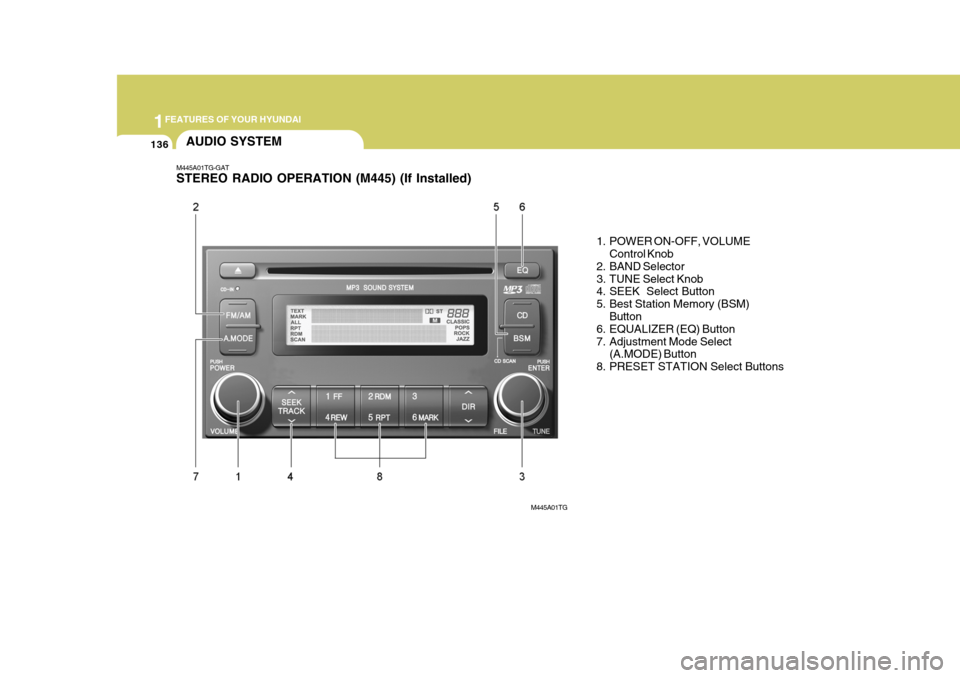
M445A01TG-GAT STEREO RADIO OPERATION (M445) (If Installed)
1. POWER ON-OFF, VOLUMEControl Knob
2. BAND Selector
3. TUNE Select Knob
4. SEEK Select Button
5. Best Station Memory (BSM)
Button
6. EQUALIZER (EQ) Button
7. Adjustment Mode Select
(A.MODE) Button
8. PRESET STATION Select Buttons
AUDIO SYSTEM
M445A01TG
Page 158 of 297
1
FEATURES OF YOUR HYUNDAI
141
6. BOOKMARK (MARK) Button When the CD player unit is operating, the desired track on the disc can bebookmarked by using the MARK but- ton.
o Press the MARK button to bookmark the desired track for more than one second. This will display the "
"
symbol on the LCD for five seconds with sequential number. To play the
bookmarked tracks, press the MARK button within a second.
o Press the MARK button to erase the
bookmarked tracks for more than
one second. This will erase the book- mark with beep sound.
7. SCROLL When the CD is playing, you can scroll the long file name more than 16 charac-
ters (including the space and the file extension) by pressing the SCROLL
button. Press the SCROLL button forone second or more, and each16 char-
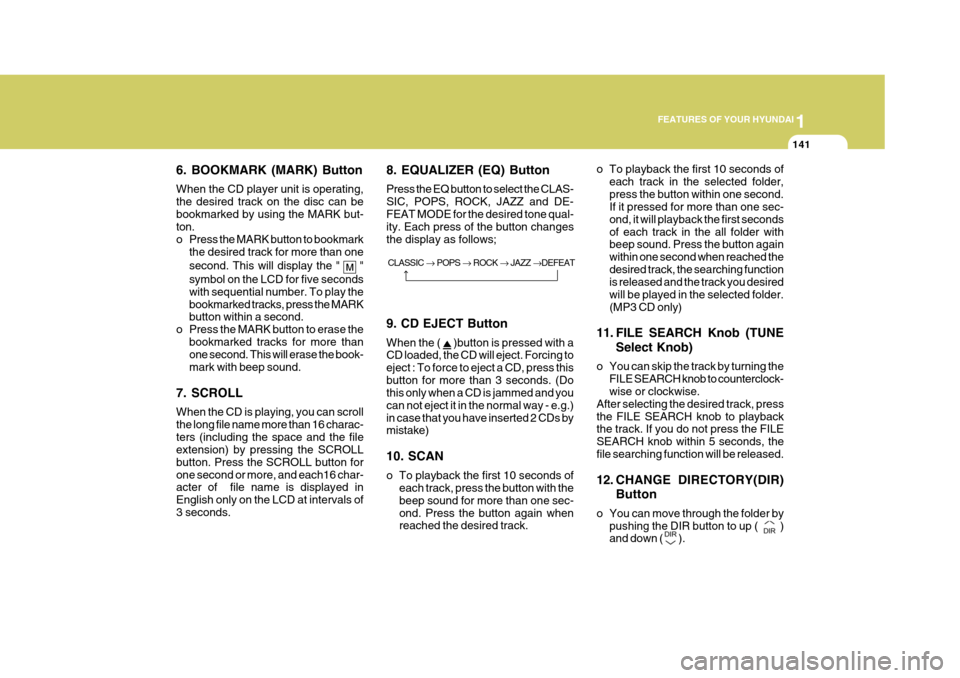
acter of file name is displayed in English only on the LCD at intervals of3 seconds. 8. EQUALIZER (EQ) Button Press the EQ button to select the CLAS-
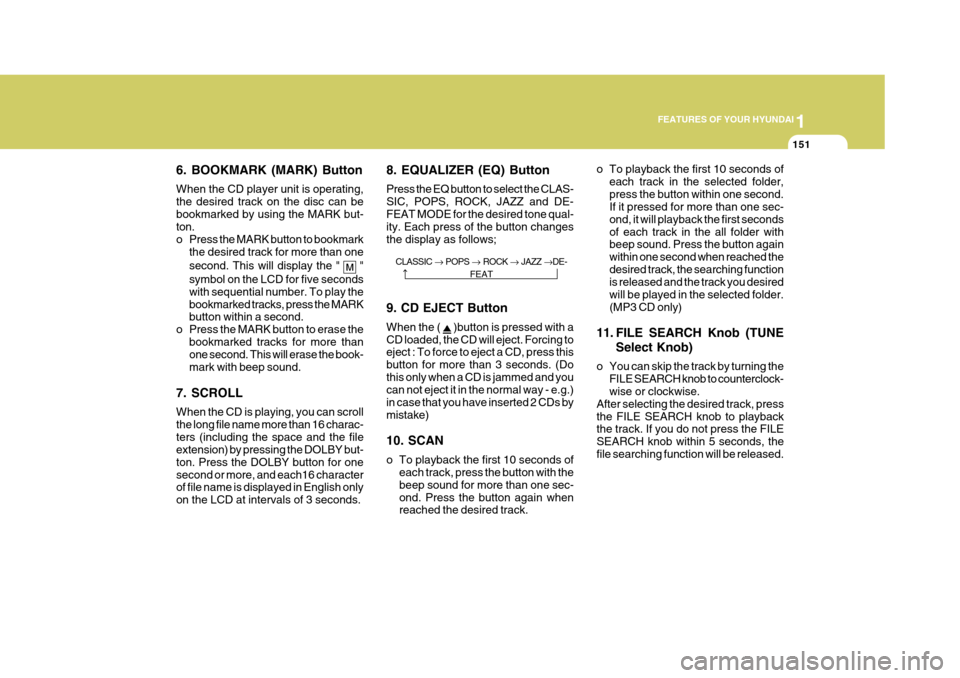
SIC, POPS, ROCK, JAZZ and DE-FEAT MODE for the desired tone qual- ity. Each press of the button changes the display as follows;
o To playback the first 10 seconds of
each track in the selected folder,press the button within one second. If it pressed for more than one sec- ond, it will playback the first secondsof each track in the all folder with beep sound. Press the button again within one second when reached thedesired track, the searching function is released and the track you desired will be played in the selected folder.(MP3 CD only)
11. FILE SEARCH Knob (TUNE Select Knob)
o You can skip the track by turning the FILE SEARCH knob to counterclock- wise or clockwise.
After selecting the desired track, press the FILE SEARCH knob to playback the track. If you do not press the FILE SEARCH knob within 5 seconds, thefile searching function will be released.
12. CHANGE DIRECTORY(DIR)
Button
o You can move through the folder by pushing the DIR button to up (
)
and down (
).
CLASSIC
POPS ROCK JAZZ DEFEAT
9. CD EJECT Button When the (
)button is pressed with a
CD loaded, the CD will eject. Forcing to eject : To force to eject a CD, press thisbutton for more than 3 seconds. (Do this only when a CD is jammed and you can not eject it in the normal way - e.g.)in case that you have inserted 2 CDs by mistake) 10. SCAN
o To playback the first 10 seconds of each track, press the button with the beep sound for more than one sec-ond. Press the button again when reached the desired track.
Page 160 of 297
1
FEATURES OF YOUR HYUNDAI
143
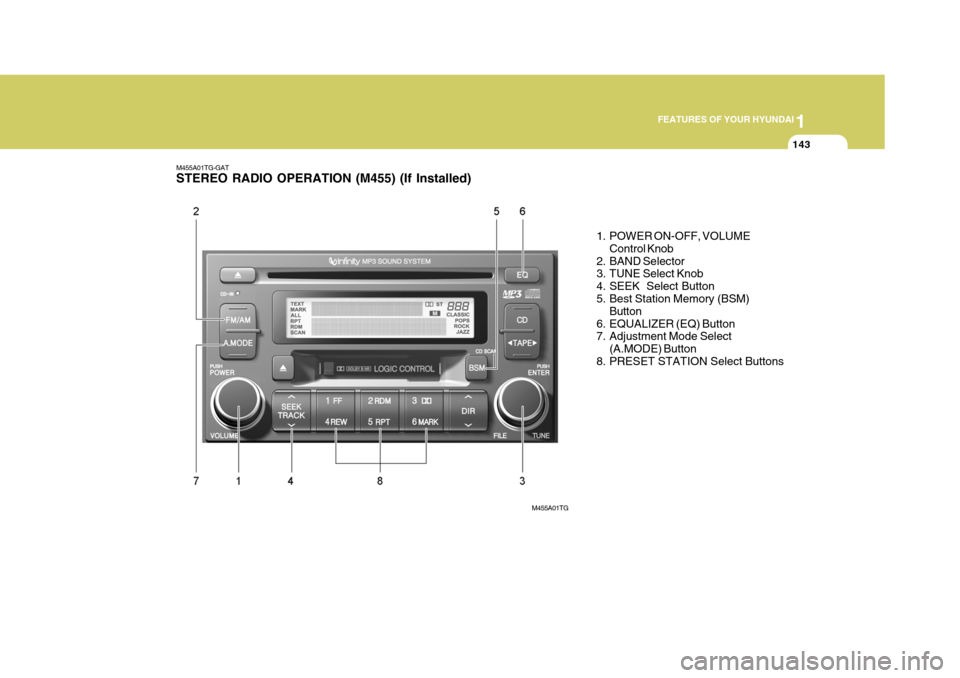
M455A01TG-GAT STEREO RADIO OPERATION (M455) (If Installed)
1. POWER ON-OFF, VOLUMEControl Knob
2. BAND Selector
3. TUNE Select Knob
4. SEEK Select Button
5. Best Station Memory (BSM) Button
6. EQUALIZER (EQ) Button
7. Adjustment Mode Select (A.MODE) Button
8. PRESET STATION Select Buttons
M455A01TG
Page 164 of 297
1
FEATURES OF YOUR HYUNDAI
147
M455D01TG-GAT 1. TAPE PROGRAM Button
o This allows you to play the reverse side of the tape by merely depress- ing the program button. An arrow will appear in the display to show tape direction.
o Push the TAPE button to turn on that function without pushing power ON-OFF control knob.
2. TAPE EJECT Button
o When the button is pressed with a cassette loaded, the cassette will eject.
o When the button is pressed during
FF/REW mode, the cassette willeject.
3. AUTO MUSIC Search Button Press the button to find the starting point of each song in a prerecorded music tape. The quiet space betweensongs (must have at least 4 sec. gap) can be accepted by the AUTO MUSIC search button. o Pressing the button will play the
beginning of the next music seg-ment.
o Pressing the button will start replay
at the beginning of the music justlistened to.
4. FF/REW Button
o Fast forward tape winding starts when the FF button is pressed during PLAY or REW mode.
o Tape PLAY starts when the FF but- ton is pressed again during FF mode.
o Tape rewinding starts when the REW
button is pressed during PLAY or FF mode.
o Tape PLAY starts when the REW
button pressed again during REWmode.
5. REPEAT Button
o To repeat the track you are currently listening to, press the RPT button. To cancel, press again.
o If you do not release RPT operation when the track ends, it will automati-cally be replayed.
This process will be continued until you push the button again. 6. DOLBY Button If you get background noise during tape PLAY, you can reduce this consider-ably by merely pressing the DOLBY button. If you want to cancel the DOLBY feature, press the button again. 7. EQUALIZER (EQ) Button Press the EQ button to select the CLAS- SIC, POPS, ROCK, JAZZ and DE- FEAT MODE for the desired tone qual- ity. Each press of the button changesthe display as follows;
CLASSIC POPS ROCK JAZZ DEFEAT
Page 168 of 297
1
FEATURES OF YOUR HYUNDAI
151
6. BOOKMARK (MARK) Button When the CD player unit is operating, the desired track on the disc can bebookmarked by using the MARK but- ton.
o Press the MARK button to bookmark the desired track for more than one second. This will display the "
"
symbol on the LCD for five seconds with sequential number. To play the
bookmarked tracks, press the MARK button within a second.
o Press the MARK button to erase the
bookmarked tracks for more than
one second. This will erase the book- mark with beep sound.
7. SCROLL When the CD is playing, you can scroll the long file name more than 16 charac-
ters (including the space and the file
extension) by pressing the DOLBY but-
ton. Press the DOLBY button for onesecond or more, and each16 character
of file name is displayed in English only on the LCD at intervals of 3 seconds. 8. EQUALIZER (EQ) Button Press the EQ button to select the CLAS-
SIC, POPS, ROCK, JAZZ and DE-FEAT MODE for the desired tone qual- ity. Each press of the button changes the display as follows;
o To playback the first 10 seconds of
each track in the selected folder,press the button within one second. If it pressed for more than one sec- ond, it will playback the first secondsof each track in the all folder with beep sound. Press the button again within one second when reached thedesired track, the searching function is released and the track you desired will be played in the selected folder.(MP3 CD only)
11. FILE SEARCH Knob (TUNE Select Knob)
o You can skip the track by turning the FILE SEARCH knob to counterclock- wise or clockwise.
After selecting the desired track, press the FILE SEARCH knob to playback the track. If you do not press the FILE SEARCH knob within 5 seconds, thefile searching function will be released.
CLASSIC
POPS ROCK JAZZ DE-
FEAT
9. CD EJECT Button When the (
)button is pressed with a
CD loaded, the CD will eject. Forcing to eject : To force to eject a CD, press this button for more than 3 seconds. (Dothis only when a CD is jammed and you can not eject it in the normal way - e.g.) in case that you have inserted 2 CDs bymistake) 10. SCAN
o To playback the first 10 seconds of each track, press the button with the beep sound for more than one sec-ond. Press the button again when reached the desired track.
Page 170 of 297
1
FEATURES OF YOUR HYUNDAI
153
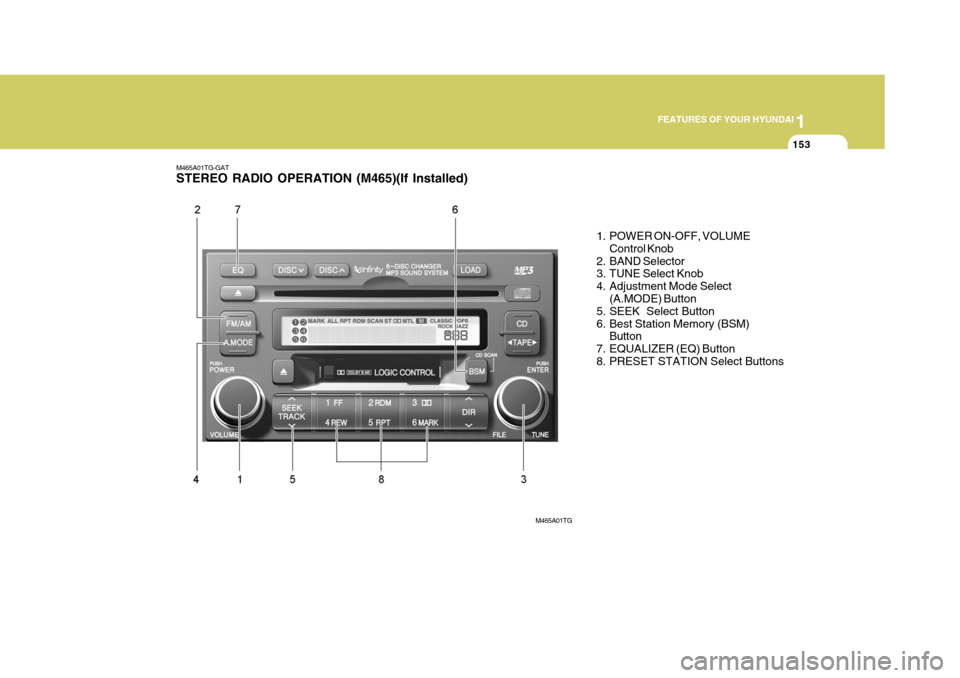
M465A01TG-GAT STEREO RADIO OPERATION (M465)(If Installed)
1. POWER ON-OFF, VOLUMEControl Knob
2. BAND Selector
3. TUNE Select Knob
4. Adjustment Mode Select (A.MODE) Button
5. SEEK Select Button
6. Best Station Memory (BSM)
Button
7. EQUALIZER (EQ) Button
8. PRESET STATION Select Buttons
M465A01TG
Page 172 of 297
1
FEATURES OF YOUR HYUNDAI
155
6. Best Station Memory (BSM) Button
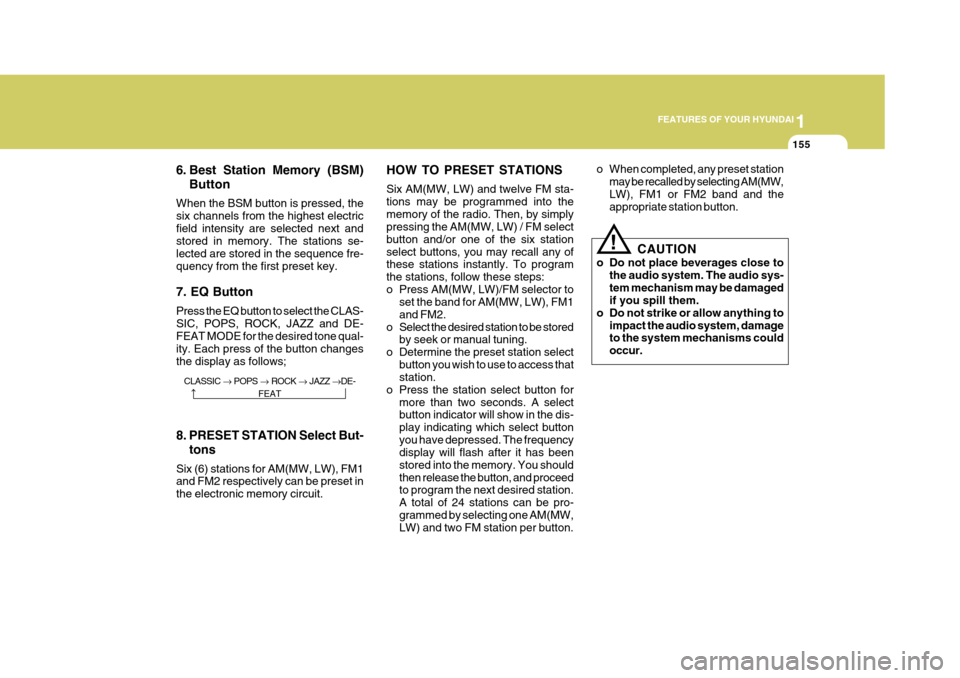
When the BSM button is pressed, the six channels from the highest electricfield intensity are selected next and stored in memory. The stations se- lected are stored in the sequence fre-quency from the first preset key. 7. EQ Button Press the EQ button to select the CLAS- SIC, POPS, ROCK, JAZZ and DE- FEAT MODE for the desired tone qual- ity. Each press of the button changesthe display as follows; HOW TO PRESET STATIONS Six AM(MW, LW) and twelve FM sta- tions may be programmed into thememory of the radio. Then, by simply pressing the AM(MW, LW) / FM select button and/or one of the six stationselect buttons, you may recall any of these stations instantly. To program the stations, follow these steps:
o Press AM(MW, LW)/FM selector to
set the band for AM(MW, LW), FM1and FM2.
o Select the desired station to be stored by seek or manual tuning.
o Determine the preset station select button you wish to use to access that station.
o Press the station select button for more than two seconds. A selectbutton indicator will show in the dis- play indicating which select buttonyou have depressed. The frequency display will flash after it has been stored into the memory. You shouldthen release the button, and proceed to program the next desired station. A total of 24 stations can be pro-grammed by selecting one AM(MW, LW) and two FM station per button. o When completed, any preset station
may be recalled by selecting AM(MW, LW), FM1 or FM2 band and the appropriate station button.
8. PRESET STATION Select But- tons
Six (6) stations for AM(MW, LW), FM1and FM2 respectively can be preset in the electronic memory circuit.
! CAUTION
o Do not place beverages close to the audio system. The audio sys- tem mechanism may be damaged if you spill them.
o Do not strike or allow anything to
impact the audio system, damageto the system mechanisms could occur.
CLASSIC POPS ROCK JAZZ DE-
FEAT
Page 174 of 297

1
FEATURES OF YOUR HYUNDAI
157
M465D01TG-GAT 1. TAPE PROGRAM Button
o This allows you to play the reverse side of the tape by merely pressing the program button. The PLAY and an arrow will appear in the display to show tape direction.
o Push the TAPE button to turn on that function without pushing Power ON/OFF control knob.
2. TAPE EJECT Button
o When the EJECT button is pressed with a cassette loaded, the cassette will eject.
o When the EJECT button is pressed
during FF/REW mode, the cassettewill eject.
3. AUTO MUSIC Search Button Press the button to find the starting point of each song in a prerecorded music tape. The quiet space betweensongs (must have at least a 4 sec. gap) can be identified by the AUTO MUSIC search button.
o Pressing the (
) will play the be-
ginning of the next music segment. o Pressing the (
) will start replay
at the beginning of the music just listened to.
o To stop FF or REW action, press the button again.
4. DOLBY Button If you get background noise during tape PLAY, you can reduce this consider- ably by merely pressing the DOLBYbutton. If you want to cancel the DOLBY feature (
), press the button again.
5. FF/REW Button
o Fast forward tape winding starts when the FF button is pressed during PLAY or REW mode.
o Tape PLAY starts when the FF but- ton is pressed again during FF mode.
o Tape rewinding starts when the REW
button is pressed during PLAY or FF mode.
o Tape PLAY starts when the REW
button pressed again during REWmode. 6. REPEAT Button
o To repeat the track you are currently
listening to, press the RPT button. To cancel, press again.
o If you do not release RPT operation
when the track ends, it will automati-cally be replayed.
This process will be continued until youpush the button again. 7. EQ Button Press the EQ button to select the CLAS- SIC, POPS, JAZZ, ROCK and DE- FEAT MODE for the desired tone qual- ity. Each press of the button changesthe display as follows;
CLASSIC POPS ROCK JAZZ DE-
FEAT