Page 74 of 414

In certain weather conditions,
temperature readings near f reezing
(32°F, 0°C) could mean that ice is
f orming on the road surf ace.
On the Touring model, the odometer,
trip meter, and the outside
temperature indicator are displayed
in the multi-inf ormation display. See
page f or more inf ormation.(Odometer/trip meter message)
If the system still detects a loose or
missing f uel cap, the Malf unction
Indicator Lamp (MIL) comes on.
Turn the engine of f and check or
retighten the f uel cap at least 3 clicks.
The MIL goes out af ter 3 days of
normal driving once the cap is
tightened or replaced. If it does not
go out, have your dealer inspect the
vehicle. For more inf ormation, see
page .
If your f uel cap is loose or missing, a
‘‘CHECK FUEL CAP’’ message
appears as text in the odometer/trip
meter display after you start the
engine. Turn the engine of f and
conf irm the f uel cap is installed. If it
is, loosen the cap, then retighten it at
least 3 clicks. When you restart the
engine, the message appears again.
To clear the message, press and hold
the select/reset button until the
message is replaced in the
odometer/trip meter display.
372
77
On LX and EX models
Gauges
Check Fuel Cap Indicator
Inst rument s and Cont rols
73
Page 76 of 414

If you press the INFO button when
‘‘AVERAGE SPEED’’ is displayed,
the display changes to ‘‘TIRE
PRESSURE’’ using both segments.
This display is a part of tire pressure
monitoring system (TPMS). See
page f or more inf ormation.
The multi-inf ormation display
consists of an upper segment and a
lower segment. Each segment can
display two lines of messages.
In normal display mode, the upper
segment displays trip computer and
tire pressures, and the lower
segment displays the compass,
odometer, trip meter, outside
temperature, and engine oil lif e. In normal display mode, the upper
display is blank when you turn the
ignition switch to ON (II). Then each
time you press the INFO button, the
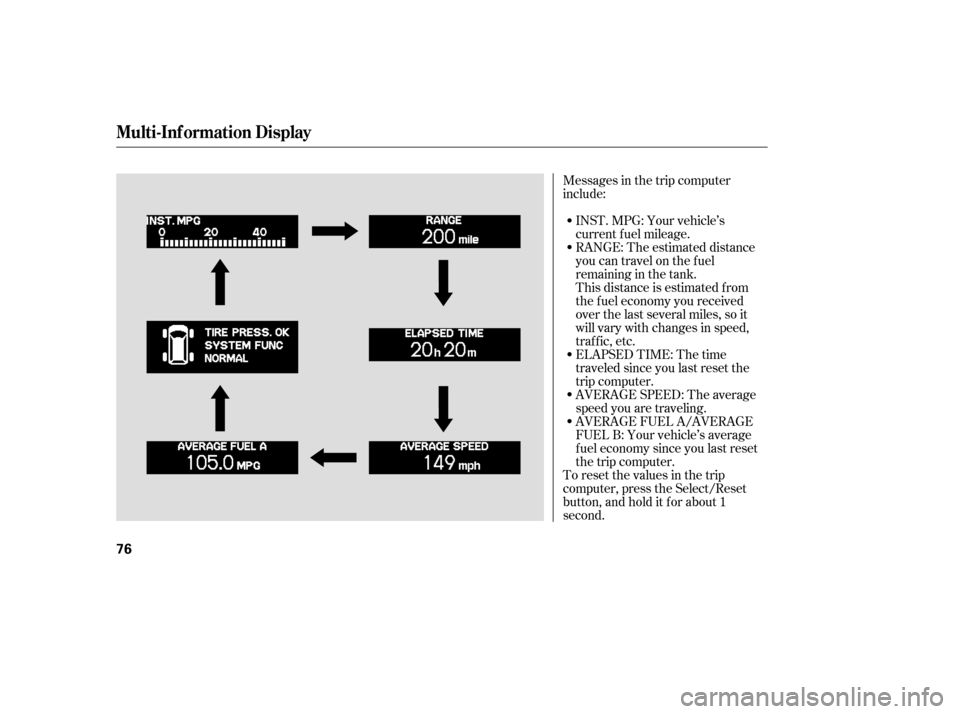
trip computer changes f rom ‘‘INST.
MPG’’ to ‘‘RANGE’’ to ‘‘ELAPSED
TIME’’ to ‘‘AVERAGE SPEED’’ and
then to ‘‘AVERAGE FUEL A’’ or
‘‘AVERAGE FUEL B’’ as shown on
the next page.Pressing the INFO button again
brings the display back to the initial
display of the trip computer ‘‘INST.
MPG.’’
303
CONT INUED
Multi-Inf ormation Display
Inst rument s and Cont rols
75
LOWER SEGMENT UPPER SEGMENT
INFO BUTTON
SEL RESET BUTTON
Page 77 of 414
Messages in the trip computer
include:INST.MPG:Yourvehicle’s
current f uel mileage.
RANGE: The estimated distance
you can travel on the fuel
remaining in the tank.
This distance is estimated f rom
the f uel economy you received
over the last several miles, so it
will vary with changes in speed,
traf f ic, etc.
To reset the values in the trip
computer, press the Select/Reset
button, and hold it f or about 1
second. AVERAGE FUEL A/AVERAGE
FUEL B: Your vehicle’s average
f uel economy since you last reset
the trip computer. AVERAGE SPEED: The average
speed you are traveling. ELAPSED TIME: The time
traveled since you last reset the
trip computer.
Multi-Inf ormation Display
76
Page 78 of 414
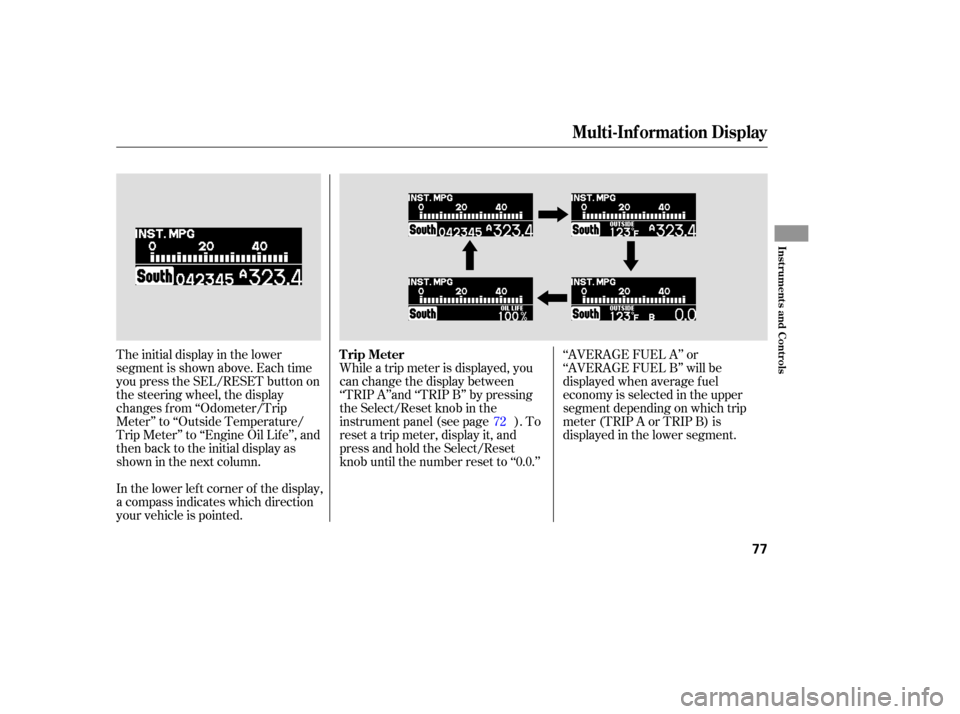
The initial display in the lower
segment is shown above. Each time
you press the SEL/RESET button on
the steering wheel, the display
changes f rom ‘‘Odometer/Trip
Meter’’ to ‘‘Outside Temperature/
Trip Meter’’ to ‘‘Engine Oil Lif e’’, and
then back to the initial display as
showninthenextcolumn.
In the lower lef t corner of the display,
a compass indicates which direction
your vehicle is pointed.While a trip meter is displayed, you
can change the display between
‘‘TRIP A’’and ‘‘TRIP B’’ by pressing
the Select/Reset knob in the
instrument panel (see page ). To
reset a trip meter, display it, and
press and hold the Select/Reset
knob until the number reset to ‘‘0.0.’’
‘‘AVERAGE FUEL A’’ or
‘‘AVERAGE FUEL B’’ will be
displayed when average f uel
economy is selected in the upper
segment depending on which trip
meter(TRIPAorTRIPB)is
displayed in the lower segment.
72
Multi-Inf ormation Display
Trip Meter
Inst rument s and Cont rols
77
Page 82 of 414
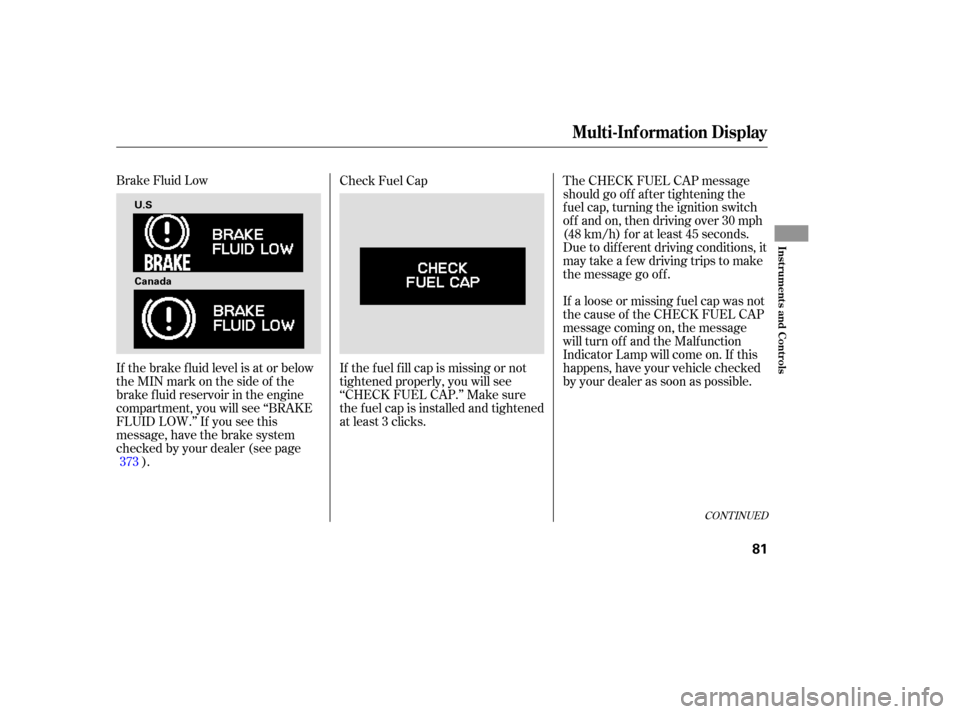
Brake Fluid Low
If the brake f luid level is at or below
theMINmarkonthesideof the
brake f luid reservoir in the engine
compartment, you will see ‘‘BRAKE
FLUID LOW.’’ If you see this
message, have the brake system
checked by your dealer (see page). Check Fuel Cap
The CHECK FUEL CAP message
should go of f af ter tightening the
f uel cap, turning the ignition switch
of f and on, then driving over 30 mph
(48 km/h) f or at least 45 seconds.
Due to dif f erent driving conditions, it
may take a few driving trips to make
the message go of f .
If a loose or missing f uel cap was not
the cause of the CHECK FUEL CAP
message coming on, the message
will turn off and the Malfunction
Indicator Lamp will come on. If this
happens, have your vehicle checked
by your dealer as soon as possible.
If the f uel f ill cap is missing or not
tightened properly, you will see
‘‘CHECK FUEL CAP.’’ Make sure
the f uel cap is installed and tightened
at least 3 clicks.
373
CONT INUED
Multi-Inf ormation Display
Inst rument s and Cont rols
81
U.S
Canada
Page 83 of 414
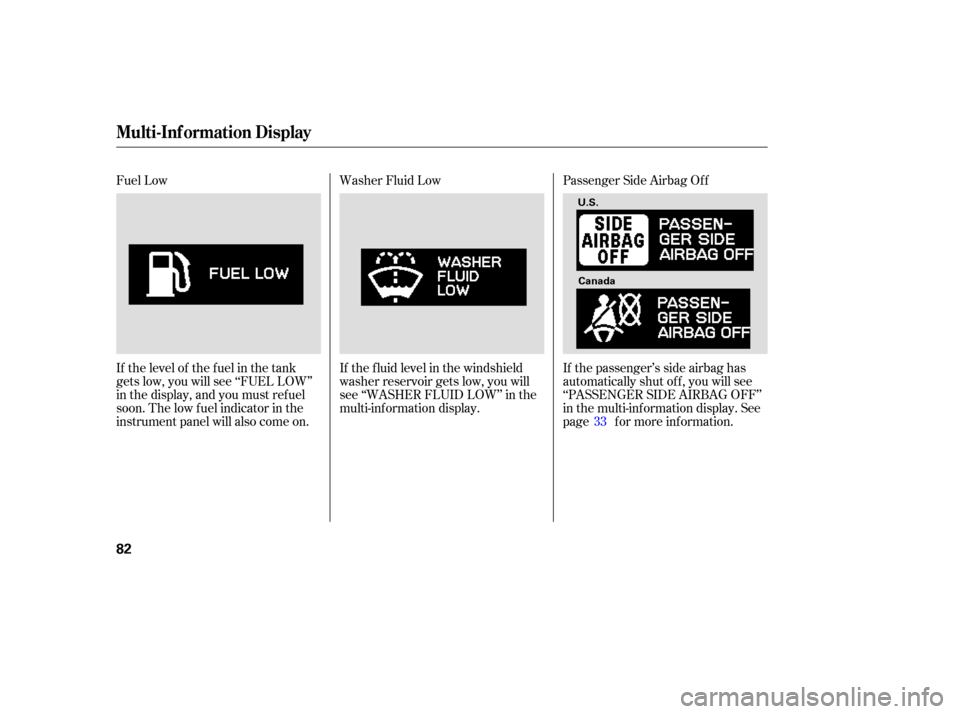
Fuel Low
If the level of the fuel in the tank
gets low, you will see ‘‘FUEL LOW’’
in the display, and you must ref uel
soon. The low f uel indicator in the
instrument panel will also come on.Washer Fluid Low
Passenger Side Airbag Of f
If the passenger’s side airbag has
automatically shut of f , you will see
‘‘PASSENGER SIDE AIRBAG OFF’’
in the multi-inf ormation display. See
page f or more inf ormation.
If the f luid level in the windshield
washer reservoir gets low, you will
see ‘‘WASHER FLUID LOW’’ in the
multi-inf ormation display.
33
Multi-Inf ormation Display
82
U.S.
Canada
Page 94 of 414
There are f our custom settings items
in the Meter Setup:LANGUAGE SELECTION
ADJUST OUTSIDE TEMP.
DISPLAY
TRIP A & AVG. FUEL A RESET
with REFUEL
COMPASS ZONE SELECTION
While ‘‘METER SETUP’’ is displayed,
press the SEL/RESET button on the
steering wheel. Then, press the
INFO button repeatedly. Each time
you press the INFO button, the
display changes as shown.
To customize a setting, press the
INFO button repeatedly until you see
the setting, and press the SEL/
RESET button. Then, f ollow the
procedures described on the
f ollowing pages. Meter Setup
Multi-Inf ormation Display
Inst rument s and Cont rols
93
Page 99 of 414
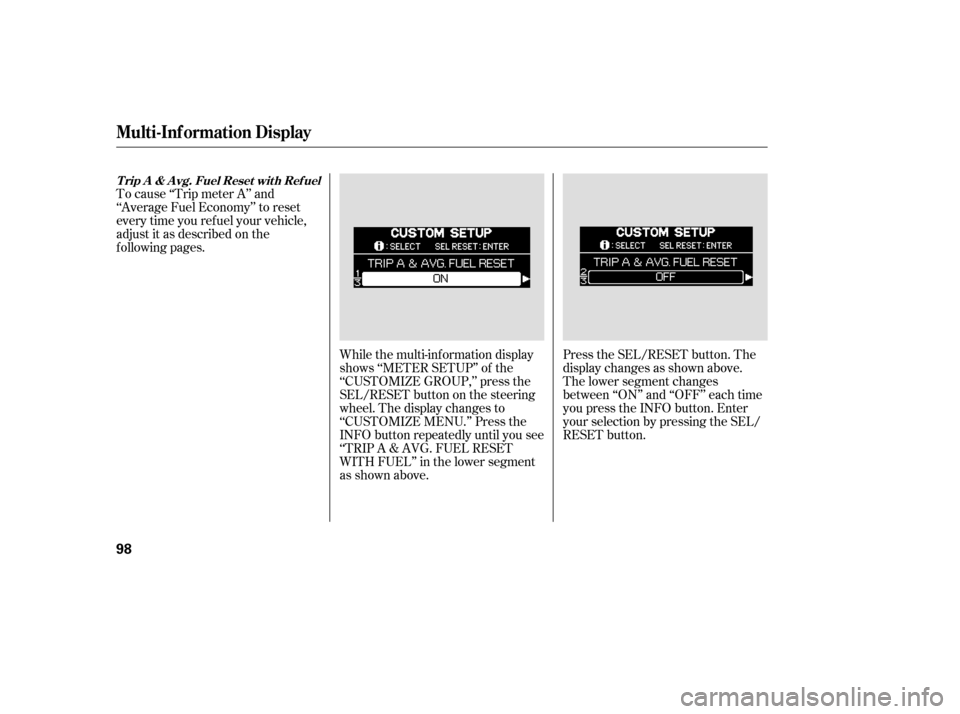
To cause ‘‘Trip meter A’’ and
‘‘Average Fuel Economy’’ to reset
every time you ref uel your vehicle,
adjust it as described on the
f ollowing pages.While the multi-information display
shows ‘‘METER SETUP’’ of the
‘‘CUSTOMIZE GROUP,’’ press the
SEL/RESET button on the steering
wheel. The display changes to
‘‘CUSTOMIZE MENU.’’ Press the
INFO button repeatedly until you see
‘‘TRIP A & AVG. FUEL RESET
WITH FUEL’’ in the lower segment
as shown above.Press the SEL/RESET button. The
display changes as shown above.
The lower segment changes
between ‘‘ON’’ and ‘‘OFF’’ each time
you press the INFO button. Enter
your selection by pressing the SEL/
RESET button.
T rip A & A vg. Fuel Reset wit h Ref uel
Multi-Inf ormation Display
98