Page 114 of 286

�µ
�µ
�µ
The ignition switch must be in the
ACCESSORY (I) or ON (II) position.
Turn the system on by pushing the
PWR/VOL knob or the AM/FM
button. Adjust the volume by turning
the PWR/VOL knob.
The SCAN function
samples all stations with strong
signals on the selected band. To
activate it, press the SCAN button,
then release it. You will see SCAN in
the display. The system will scan f or
a station with a strong signal. When
it f inds one, it will stop and play that
station f or about f ive seconds.
If you do nothing, the system will
then scan f or the next strong station
and play it for five seconds. When it
plays a station you want to listen to,
press the SCAN button again.
You can use any of f ive methods to
f ind radio stations on the selected
band: TUNE, SEEK, SCAN, AUTO
SELECT, and the preset bars or
icons.
Use the TUNE bar or
knob to tune the radio to a desired
f requency. Press the side of the
bar or turn the knob to the right to
tune to a higher f requency, and the side or turn the knob to the left
to tune to a lower f requency.
The SEEK f unction
searches up and down f rom the
current f requency to f ind a station
with a strong signal. To activate it,
press the or side of the
bar, then release it.
Pushing the AUDIO DISPLAY
button will also turn on the system.
The band and f requency that the
radio was last tuned to is displayed.
To change bands, press the AM/FM
button. On the FM band, ST will be
displayed if the station is broadcast-
ing in stereo. Stereo reproduction on
AM is not available.
XM Satellite Radio inf ormation is
available on page .
132
With Navigation System
To Play the Radio SCAN
To Select a Station
TUNE
SEEK
Playing the Radio
Features
113
�����—�
���—���
�y���������������y���
�(���'�������y���
�
���y
Page 115 of 286
�µ�µEach preset bar or icon
can store one f requency on AM, and
two f requencies on FM. The preset f requencies will be lost if
your vehicle’s battery goes dead, is
disconnected, or the radio f use is
removed.
Select the desired band, AM or
FM. FM1 and FM2 let you store
two f requencies with each preset
baroricon.
Push the AUDIO DISPLAY button
to view the preset icons.
UsetheTUNE,SEEK,orSCAN
function to tune the radio to a
desired station. Pick the preset number (1 6)
you want for that station. Press
the left or right side of the bar or
iconandholdituntilyouheara
beep.
Repeat steps 1 through 3 to store a
total of six stations on AM and
twelve stations on FM.
1.
2. 3.
4.
With Navigation System
Preset
Playing the Radio
114
�����—�
���—���
�y���������������y���
�(���'�������y���
�
���y
Page 117 of 286

�µ
�µ Eachmodeisshowninthedisplayas
it changes. Turn the VOLUME knob
or touch the icon to adjust the
setting to your liking. When the level
reaches the center, you will see ‘‘C’’
in the display.
The system will automatically return
the display to the selected audio
mode about f ive seconds af ter you
stop adjusting a mode. On vehicles
with navigation system, touch the
RETURN icon to go back to the
audio screen.
Press the SOUND button or icon, or
press the TUNE knob repeatedly to
display the Bass (BAS), Treble
(TRE), Balance (BAL), and Fader
(FAD) settings. On vehicles with
navigation system, touch the
SOUND icon or press the TUNE
knob.
These two
modes adjust the strength of the
sound coming f rom each speaker.
BAL adjusts the side-to-side strength,
while FAD adjusts the f ront-to-back
strength.
Use the TRE/BAS
modes to adjust the tone to your
liking.
If you want to adjust the sound while
the radio/CD is playing, push the
AUDIO DISPLAY button, then touch
the SOUND icon in the display. Touch the arrows next to the BAS or
TRE icons. The adjustment shows
you the current setting.
Touch the lef t or right bars on the
sound grid. Balance is equalized
when the vertical lines are centered
on the grid.
Touchthefrontorrearbarsonthe
sound grid. The f ader is equalized
when the horizontal lines are
centered on the grid.
With Navigation SystemWithout Navigation System
With Navigation System
Adjusting the Sound
Balance/Fader
Treble/Bass
Playing the Radio
116
�����—�
���—���
�y�������������
�y���
�(���'�������y���
�
���y
Page 120 of 286
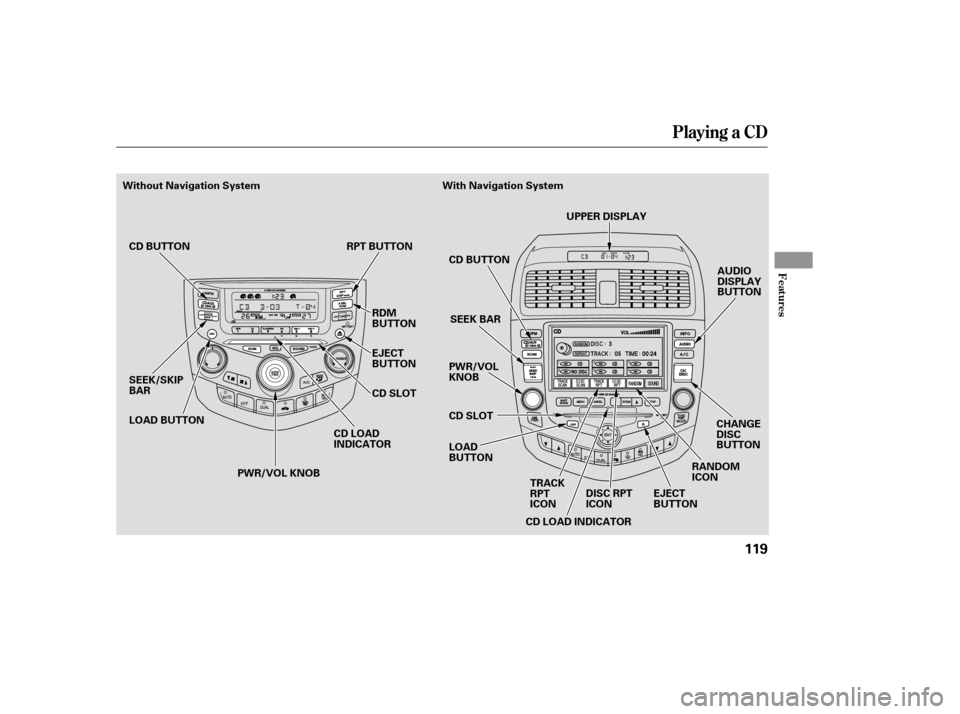
Playing a CD
Features
119
AUDIO
DISPLAY
BUTTON
SEEK/SKIP
BAR CD LOAD
INDICATORCD BUTTON
SEEK BAR
PWR/VOL
KNOB
LOAD
BUTTON CD SLOT
CD LOAD INDICATOR RANDOM
ICON
EJECT
BUTTON
LOAD BUTTON RPT BUTTON
RDM
BUTTON
EJECT
BUTTON
CD SLOT
PWR/VOL KNOB
CD BUTTON
UPPER DISPLAY
CHANGE
DISC
BUTTON
TRACK
RPT
ICON DISC RPT
ICON
Without Navigation System With Navigation System
�����—�
���—���
�y�����������
���y���
�(���'�������y���
�����y
Page 123 of 286

�µ
�µ �µ
�µ�µ
�µ�µ
Push the to
play the next track on the disc. Push
the oncetoreplaythetrackin
play, press twice to replay the
previous track.
To remove rapidly within a track,
press and hold the , or the button.
Press to continuously
replay a track. You will see RPT in
the display. Press the RPT button
again to turn it off. Press to play the
tracks in random order. You will see
RDM in the display. Press the RDM
button again to return to normal play.
The SCAN f unction
samples all the tracks on the
selected disc in the order they are
recorded. To activate it, press and
release the SCAN button. You will
see SCAN in the display, and you will
get a 10 second sampling of each
track on the selected CD. Press the
SCAN button again to get out of the
system. To use the controls, press the
AUDIO DISPLAY button, the control
icons will appear on the screen.
Press the icon or
SCAN button, to get a 10 second
sampling of each track on the
current CD. Press the icon or button
again to turn it off.
Touch to get a 10
second sampling of the f irst song of
each disc in the CD changer. Touch
the icon again to turn it off.
Touch to
continuously play the same song on
the CD. Press the icon again to stop
the function.
Without Navigation System With Navigation System
SEEK /SK IP
REPEATRANDOM
SCAN TRACK SCAN
DISC SCAN
TRACK RPT
Playing a CD, CD Changer
122
�����—�
���—���
�y���������������y���
�(���'�������y���
�����y
Page 128 of 286
When using CD-R discs, use only
high quality CDs labeled f or audio
use.
When recording a CD-R, the
recording must be closed f or it to
be used by the system.
CD-RW discs will not work in this
unit.
Play only standard round CDs.
Odd-shaped CDs may jam in the
driveorcauseotherproblems.When a CD is not being played, store
it in its case to protect it f rom dust
and other contamination. To prevent
warpage, keep CDs out of direct
sunlight and extreme heat.
To clean a CD, use a clean sof t cloth.
Wipe across the CD f rom the center
to the outside edge.
AnewCDmayberoughonthe
inner and outer edges. The small
plastic pieces causing this roughness
can f lake of f and f all on the re-
cording surf ace of the CD, causing
skipping or other problems. Remove
these pieces by rubbing the inner
and outer edges with the side of a
pencil or pen.
Never try to insert f oreign objects in
the CD player or the magazine.
Handle your CDs properly to
prevent damage and skipping. See
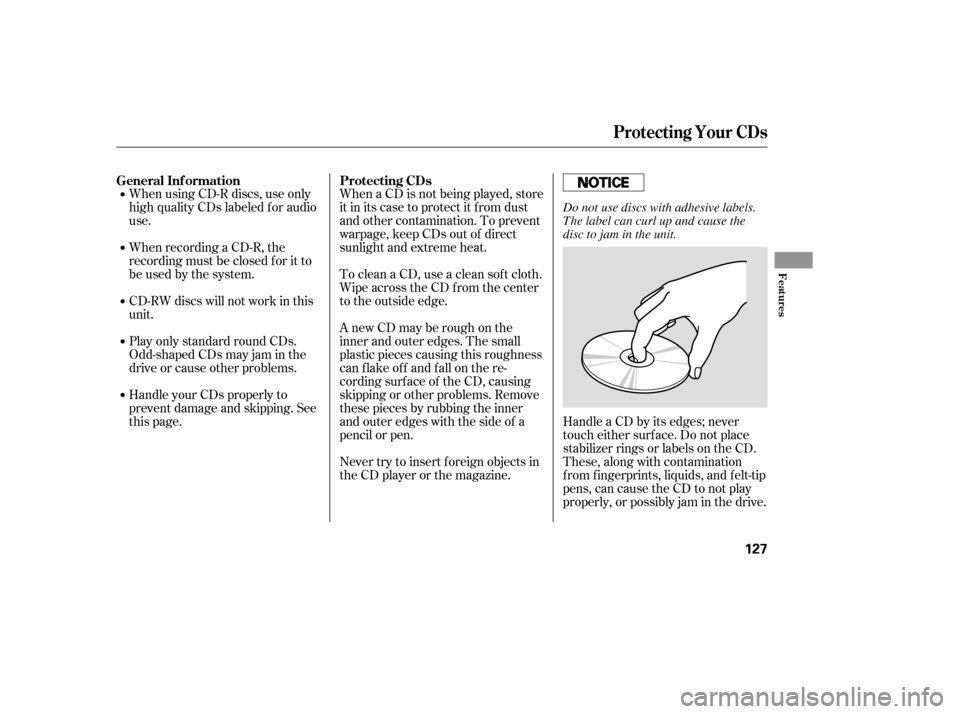
this page. Handle a CD by its edges; never
touch either surf ace. Do not place
stabilizer rings or labels on the CD.
These, along with contamination
f rom f ingerprints, liquids, and f elt-tip
pens, can cause the CD to not play
properly, or possibly jam in the drive.
General Inf ormation Protecting CDs
Protecting Your CDs
Features
127
Do not use discs with adhesive labels.
The label can curl up and cause the
disc to jam in the unit.
�����—�
���—���
�y���������������y���
�(���'�������y���
�����y
Page 129 of 286
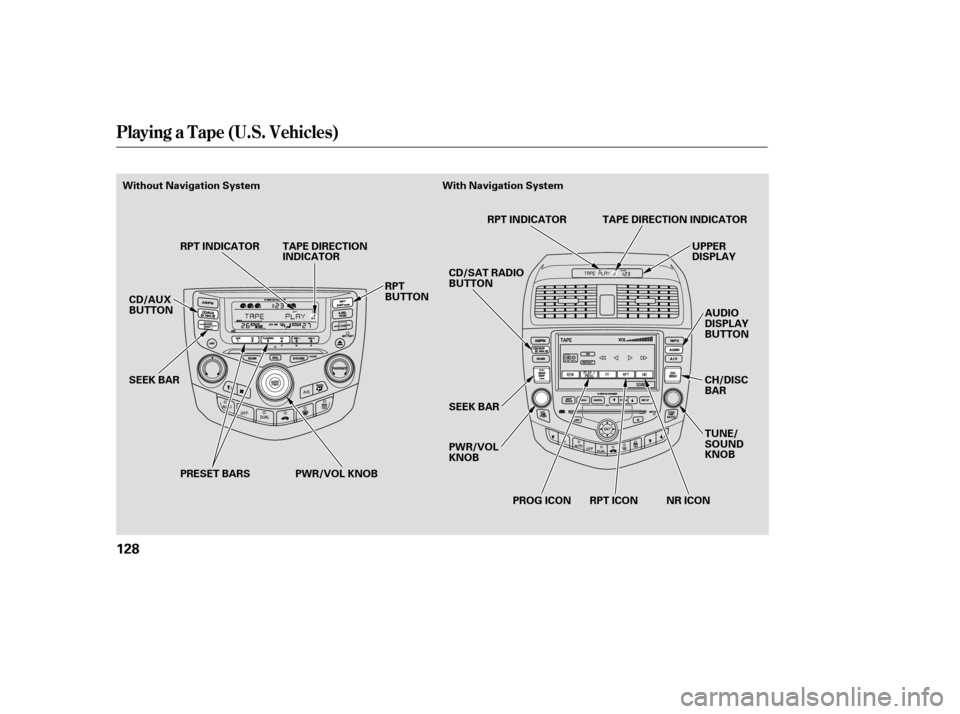
Playing a T ape (U.S. Vehicles)
128
PWR/VOL KNOBUPPER
DISPLAY
AUDIO
DISPLAY
BUTTON
SEEK BAR
CD/AUX
BUTTON
SEEK BAR RPT INDICATOR TAPE DIRECTION
INDICATOR
RPT
BUTTONCD/SAT RADIO
BUTTON
PWR/VOL
KNOBRPT INDICATOR
NR ICON
RPT ICON
PROG ICON TUNE/
SOUND
KNOB
TAPE DIRECTION INDICATOR
CH/DISC
BAR
PRESET BARS
Without Navigation System With Navigation System
�����—�
���—���
�y���������������y���
�(���'�������y���
���
�y
Page 130 of 286

�Û
�Î
�Î
The ignition switch must be in
ACCESSORY (I) or ON (II). Make
sure the open side of the tape is
facing right, then insert the tape
most of the way into the slot. The
system will pull the tape in the rest
of the way, and begin to play it.
The tape direction indicator will light
to show you which side of the tape is
playing. The indicates the side
youinsertedupwardinnowplaying.
If you want to play the other side,
press the Preset 3 (PLAY/PROG)
side of the preset bar or press the
AUDIO DISPLAY button and touch
the PROG icon. When the player
reaches the end of the tape, it will
automatically reverse direction and
play the other side. Dolby noise reduction turns on
when you insert a tape. The
indicator will light in the
display. If the tape was not recorded
in Dolby, turn it of f by pressing the
Preset 4 (NR) side of the preset bar
or touching the NR icon. Dolby
remains of f until you press the
preset bar or the icon again.
Dolby noise reduction
manuf actured under license f rom
Dolby laboratories licensing
Corporation. ‘‘Dolby’’ and the
double-D symbol are trademarks
of the Dolby Laboratories
Licensing Corporation. To remove the tape, press the
EJECT button on the cassette player.
If you want to turn the player of f ,
press the PWR/VOL knob or turn
of f the ignition. The tape will remain
in the drive.
When you turn the system back on,
the tape player will be in pause mode.
Press the Preset 3 (PLAY/PROG)
side of the preset bar or touch the
PROG icon on vehicles with
navigation system to resume play.
To switch to the radio or CD player
while a tape is playing, press the
AM/FM, or CD/AUX button or CD/
AUX XM button. To change back to
thetapeplayer,pushtheCD/AUX
button or CD/AUX XM button.
Optional on all U.S. models
To Play a Tape
To Stop Playing a Tape
Playing a T ape (U.S. Vehicles)
Features
129
�����—�
���—���
�y���������������y���
�(���'�������y���
�����y