2005 GMC ENVOY XUV lock
[x] Cancel search: lockPage 115 of 474

When the ignition and the compass/temperature
feature are on, character boxes will appear for about
two seconds. After two seconds, the mirror will display
the direction the vehicle is facing and the outside
temperature.
To set the temperature in Fahrenheit or Celsius,
do the following:
1. Press and hold the on/off button until either a
ashing F or C appears.
2. Press the button again to change the display to
the desired unit of measurement. After about
four seconds of inactivity, the new unit will be locked
in and the compass/temperature display will return.
Compass Calibration
When on, the compass automatically calibrates as the
vehicle is driven. If, after two seconds, the display
does not show a compass direction, (N for North,
for example), there may be a strong magnetic eld
interfering with the compass. Such interference may be
caused by a magnetic antenna mount, magnetic
note pad holder, or a similar magnetic item. If the
letter C should ever appear in the compass window,
the compass may need calibration.Press and hold the on/off button for nine seconds to
activate the compass calibration mode. CAL will
be displayed in the compass window on the mirror.
The mirror can be calibrated by driving the vehicle in
circles at 5 mph (8 km/h) or less until the display shows
a direction.
Compass Variance
Compass variance is the difference between earth’s
magnetic north and true geographic north. The mirror
is set to zone eight upon leaving the factory. It will
be necessary to adjust the compass to compensate
for compass variance if you live outside zone eight.
Under certain conditions, such as during a long-distance,
cross-country trip, it will be necessary to adjust for
compass variance. If not adjusted to account for
compass variance, the compass could give false
readings.
2-47
Page 117 of 474

Temperature and Compass Display
O
(On/Off):Press this button to turn the compass and
temperature display on or off. The compass display,
can show a maximum of two characters. For example,
NE is displayed for north-east.
When the ignition and the compass/temperature
feature are on, character boxes will appear for about
two seconds. After two seconds, the mirror will
display the direction the vehicle is facing and the
outside temperature.
To set the temperature in Fahrenheit or Celsius,
do the following:
1. Press and hold the on/off button until either a
ashing F or C appears.
2. Press the button again to change the display to the
desired unit of measurement. After about four
seconds of inactivity, the new unit will be locked in
and the compass/temperature display will return.
Compass Calibration
When on, the compass automatically calibrates as the
vehicle is driven. If, after two seconds, the display
does not show a compass direction, N for North,
for example, there may be a strong magnetic eld
interfering with the compass. Such interference may becaused by a magnetic antenna mount, magnetic note
pad holder, or a similar magnetic item. If the letter C
should ever appear in the compass window,
the compass may need calibration.
Press and hold the on/off button for nine seconds to
activate the compass calibration mode. CAL will
be displayed in the compass window on the mirror.
The mirror can be calibrated by driving the vehicle in
circles at 5 mph (8 km/h) or less until the display shows
a direction.
Compass Variance
Compass variance is the difference between earth’s
magnetic north and true geographic north. The mirror
is set to zone eight upon leaving the factory. It will
be necessary to adjust the compass to compensate
for compass variance if you live outside zone eight.
Under certain conditions, such as during a long-distance,
cross-country trip, it will be necessary to adjust for
compass variance. If not adjusted to account for
compass variance, the compass could give false
readings.
2-49
Page 118 of 474

To adjust for compass variance do the following:
1. Find the current location and variance zone number
on the following zone map.
2. Press and hold the on/off button until a zone
number appears in the display.
3. Once a zone number appears in the display, press
the on/off button quickly until the correct zone
number appears in the display. If C appears in
the compass window, the compass may need
calibration. See “Compass Calibration” explained
previously.Outside Manual Mirrors
If the vehicle has the manual outside mirrors, adjust
each outside mirror so that a little of the vehicle and the
area behind it can be seen while sitting in a comfortable,
driving position.
Both mirrors can be manually folded inward by pulling
them towards the vehicle. Push the mirrors away
from the vehicle, to the normal position, before driving.
Outside Power Mirrors
The vehicle may have this feature.
The control is located on
the driver’s door.
Turn the knob counterclockwise or clockwise to
adjust the driver’s or passenger’s mirror so that
you can see a little of the side of your vehicle.
2-50
Page 120 of 474

OnStar®System
OnStar®uses global positioning system (GPS) satellite
technology, wireless communications, and call centers
to provide you with a wide range of safety, security,
information, and convenience services.
A complete OnStar
®user’s guide and the terms and
conditions of the OnStar®Subscription Service
Agreement are included in the vehicle’s glove box
literature. For more information, visit www.onstar.com
or www.onstarcanada.com. Contact OnStar
®at
1-888-4-ONSTAR (1-888-466-7827), or press the
OnStar
®button to speak to an OnStar®advisor
24 hours a day, 7 days a week.
Terms and conditions of the Subscription Service
Agreement can be found at www.onstar.com or
www.onstarcanada.com.
OnStar®Services
For new vehicles equipped with OnStar®, the Safe and
Sound Plan is included for the rst year. You can
extend this plan beyond the rst year, or upgrade to the
Directions and Connections Plan to meet your needs.
For more information, press the OnStar
®button to speak
with an advisor.
Safe and Sound Plan
Advanced Automatic Collision Notication
Automatic Notication of Airbag Deployment
Emergency Services
Roadside Assistance
Stolen Vehicle Tracking
AccidentAssist
Remote Door Unlock/Vehicle Alert
Remote Diagnostics
Information and Convenience Services
Online Concierge
Directions and Connections Plan
All Safe and Sound Plan Services
Driving Directions
RideAssist
Information and Convenience Services
2-52
Page 122 of 474
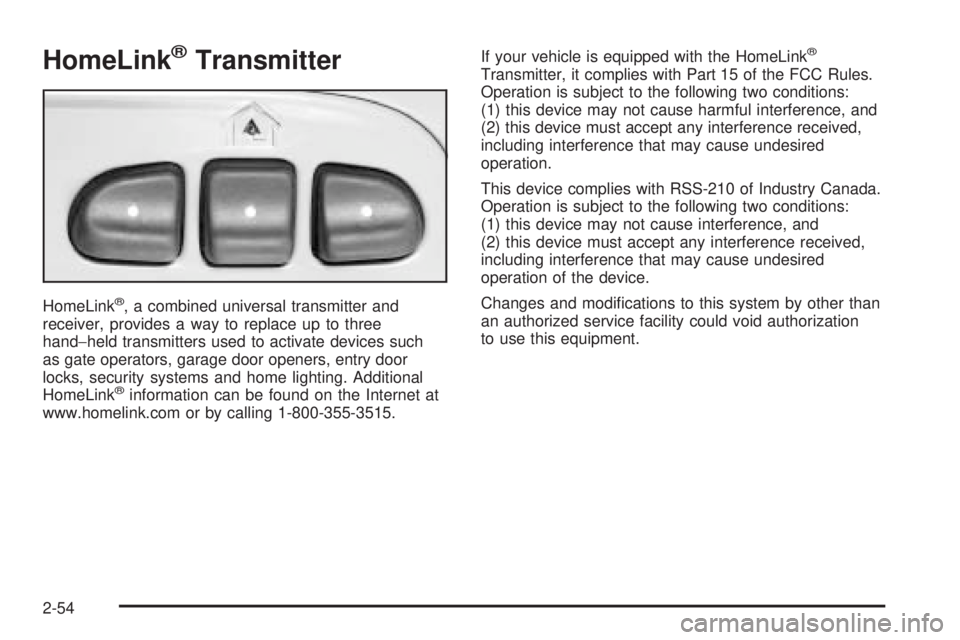
HomeLink®Transmitter
HomeLink®, a combined universal transmitter and
receiver, provides a way to replace up to three
hand−held transmitters used to activate devices such
as gate operators, garage door openers, entry door
locks, security systems and home lighting. Additional
HomeLink
®information can be found on the Internet at
www.homelink.com or by calling 1-800-355-3515.If your vehicle is equipped with the HomeLink
®
Transmitter, it complies with Part 15 of the FCC Rules.
Operation is subject to the following two conditions:
(1) this device may not cause harmful interference, and
(2) this device must accept any interference received,
including interference that may cause undesired
operation.
This device complies with RSS-210 of Industry Canada.
Operation is subject to the following two conditions:
(1) this device may not cause interference, and
(2) this device must accept any interference received,
including interference that may cause undesired
operation of the device.
Changes and modications to this system by other than
an authorized service facility could void authorization
to use this equipment.
2-54
Page 130 of 474

Cargo Tie Downs
There are four moveable
cargo tie downs that
can be moved up to
12 different locations in
the rear of your vehicle.
They are located on the sides of the vehicle between
the window and the oor.
The tie-downs may be moved from their original
positions by using a 10 mm socket wrench. These allow
you to restrain cargo from sliding around during
normal driving. The other cargo tie-down positions that
are not being used are covered by plastic plugs.
Unscrew these plugs by hand and then reinstall them
into the vacant holes.
There are also four cargo tie-downs located outside
the vehicle in the top of the metal rails that carry the
moveable roof. These allow you to carry tall objects in
the cargo area.
Sunroof
The vehicle may be equipped with a power sliding
sunroof. To open or close the sunroof, the ignition must
be on or Retained Accessory Power (RAP) must be
active. SeeRetained Accessory Power (RAP) on
page 2-25.
Press and release the
back of the control in the
overhead console to
open the sunroof. Press
the front of the control
to close the sunroof.
Once the sunroof is closed, press the forward side of
the control to open the sunroof to the vent position.
The sunroof has a sunshade which can be pulled
forward to block sun rays. If it is in the closed position,
it will open when the sunroof is opened.
2-62
Page 133 of 474

Instrument Panel Overview...............................3-4
Hazard Warning Flashers................................3-6
Other Warning Devices...................................3-6
Horn.............................................................3-6
Tilt Wheel.....................................................3-6
Turn Signal/Multifunction Lever.........................3-7
Turn and Lane-Change Signals........................3-7
Headlamp High/Low-Beam Changer..................3-8
Flash-to-Pass.................................................3-8
Windshield Wipers..........................................3-9
Rainsense™ Wipers.......................................3-9
Windshield Washer.......................................3-10
Headlamp Washer........................................3-11
Cruise Control..............................................3-12
Headlamps..................................................3-15
Daytime Running Lamps (DRL).......................3-16
Automatic Headlamp System..........................3-16
Fog Lamps..................................................3-17
Instrument Panel Brightness...........................3-17
Dome Lamps...............................................3-17
Dome Lamp Override....................................3-18
Entry Lighting...............................................3-18
Exit Lighting.................................................3-18
Reading Lamps............................................3-18
Battery Run-Down Protection..........................3-19
Accessory Power Outlets...............................3-19
Ashtrays and Cigarette Lighter........................3-20Climate Controls............................................3-20
Dual Climate Control System..........................3-20
Dual Automatic Climate Control System...........3-23
Outlet Adjustment.........................................3-27
Rear Climate Control System.........................3-28
Climate Controls Personalization.....................3-29
Warning Lights, Gages, and Indicators............3-30
Instrument Panel Cluster................................3-31
Speedometer and Odometer...........................3-32
Trip Odometer..............................................3-32
Tachometer.................................................3-32
Safety Belt Reminder Light.............................3-33
Passenger Safety Belt Reminder Light.............3-33
Airbag Readiness Light..................................3-34
Passenger Airbag Status Indicator...................3-35
Charging System Light..................................3-36
Voltmeter Gage............................................3-37
Brake System Warning Light..........................3-38
Anti-Lock Brake System Warning Light.............3-39
Engine Coolant Temperature Gage..................3-39
Malfunction Indicator Lamp.............................3-40
Oil Pressure Gage........................................3-43
Change Engine Oil Light................................3-44
Security Light...............................................3-44
Cruise Control Light......................................3-45
Reduced Engine Power Light.........................3-45
Section 3 Instrument Panel
3-1
Page 138 of 474

Hazard Warning Flashers
Your hazard warning ashers let you warn others.
They also let police know you have a problem. Your
front and rear turn signal lamps will ash on and off.
The hazard warning
asher button is
located on top of the
steering column.
Your hazard warning ashers work no matter what
position your key is in, and even if the key is not in
the ignition.
Press the button to make the front and rear turn signal
lamps ash on and off. Press the button again to
turn the ashers off.
When the hazard warning ashers are on, your turn
signals will not work.
Other Warning Devices
If you carry reective triangles, you can set them up at
the side of the road about 300 feet (100 m) behind
your vehicle.
Horn
To sound the horn, press the horn symbols on the
steering wheel pad.
Tilt Wheel
You should adjust the
steering wheel before you
drive. The tilt lever is
located to the left of the
steering column, under the
turn signal lever.
You can raise it to the highest level to give your legs
more room when you enter and exit the vehicle.
To tilt the wheel, hold the steering wheel and pull the
lever toward you. Move the steering wheel to a
comfortable level, then release the lever to lock the
wheel in place.
3-6