Page 17 of 368
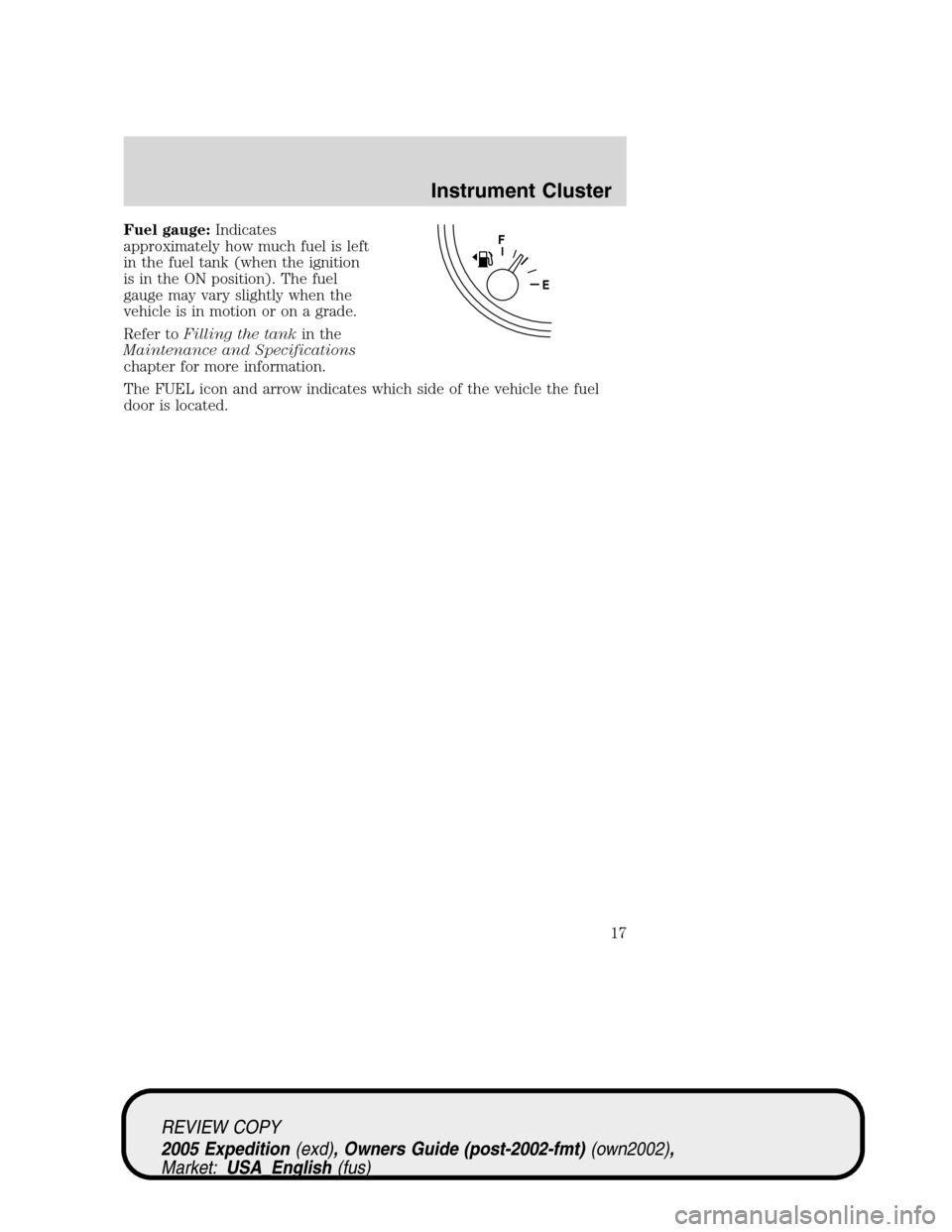
Fuel gauge:Indicates
approximately how much fuel is left
in the fuel tank (when the ignition
is in the ON position). The fuel
gauge may vary slightly when the
vehicle is in motion or on a grade.
Refer toFilling the tankin the
Maintenance and Specifications
chapter for more information.
The FUEL icon and arrow indicates which side of the vehicle the fuel
door is located.
REVIEW COPY
2005 Expedition(exd), Owners Guide (post-2002-fmt)(own2002),
Market:USA_English(fus)
Instrument Cluster
17
Page 124 of 368
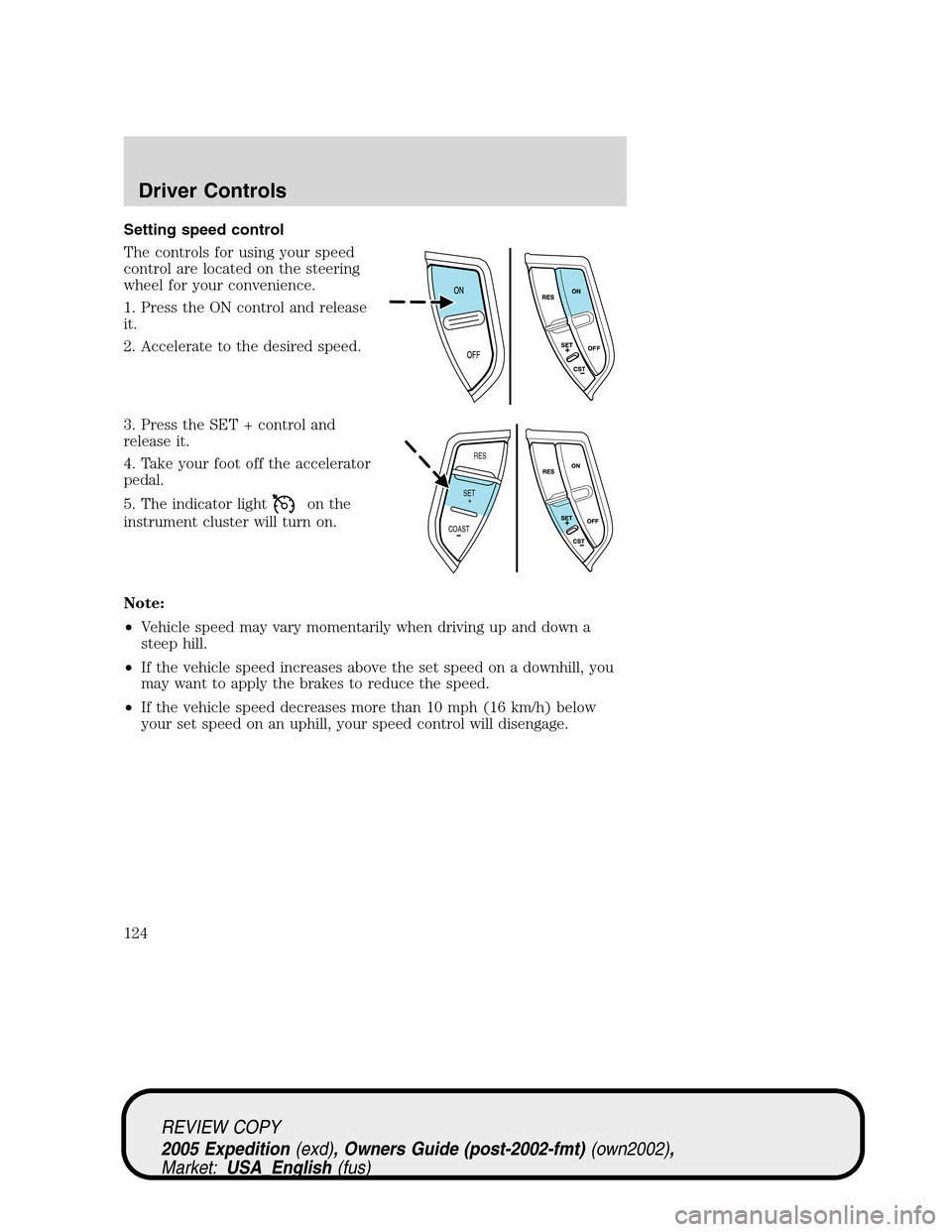
Setting speed control
The controls for using your speed
control are located on the steering
wheel for your convenience.
1. Press the ON control and release
it.
2. Accelerate to the desired speed.
3. Press the SET + control and
release it.
4. Take your foot off the accelerator
pedal.
5. The indicator light
on the
instrument cluster will turn on.
Note:
•Vehicle speed may vary momentarily when driving up and down a
steep hill.
•If the vehicle speed increases above the set speed on a downhill, you
may want to apply the brakes to reduce the speed.
•If the vehicle speed decreases more than 10 mph (16 km/h) below
your set speed on an uphill, your speed control will disengage.
RES
SET
COAST+
REVIEW COPY
2005 Expedition(exd), Owners Guide (post-2002-fmt)(own2002),
Market:USA_English(fus)
Driver Controls
124
Page 132 of 368
For questions or comments, contact HomeLink�atwww.homelink.com
or1–800–355–3515.
ELECTRONIC COMPASS/TEMPERATURE DISPLAY WITHOUT
MESSAGE CENTER (IF EQUIPPED)
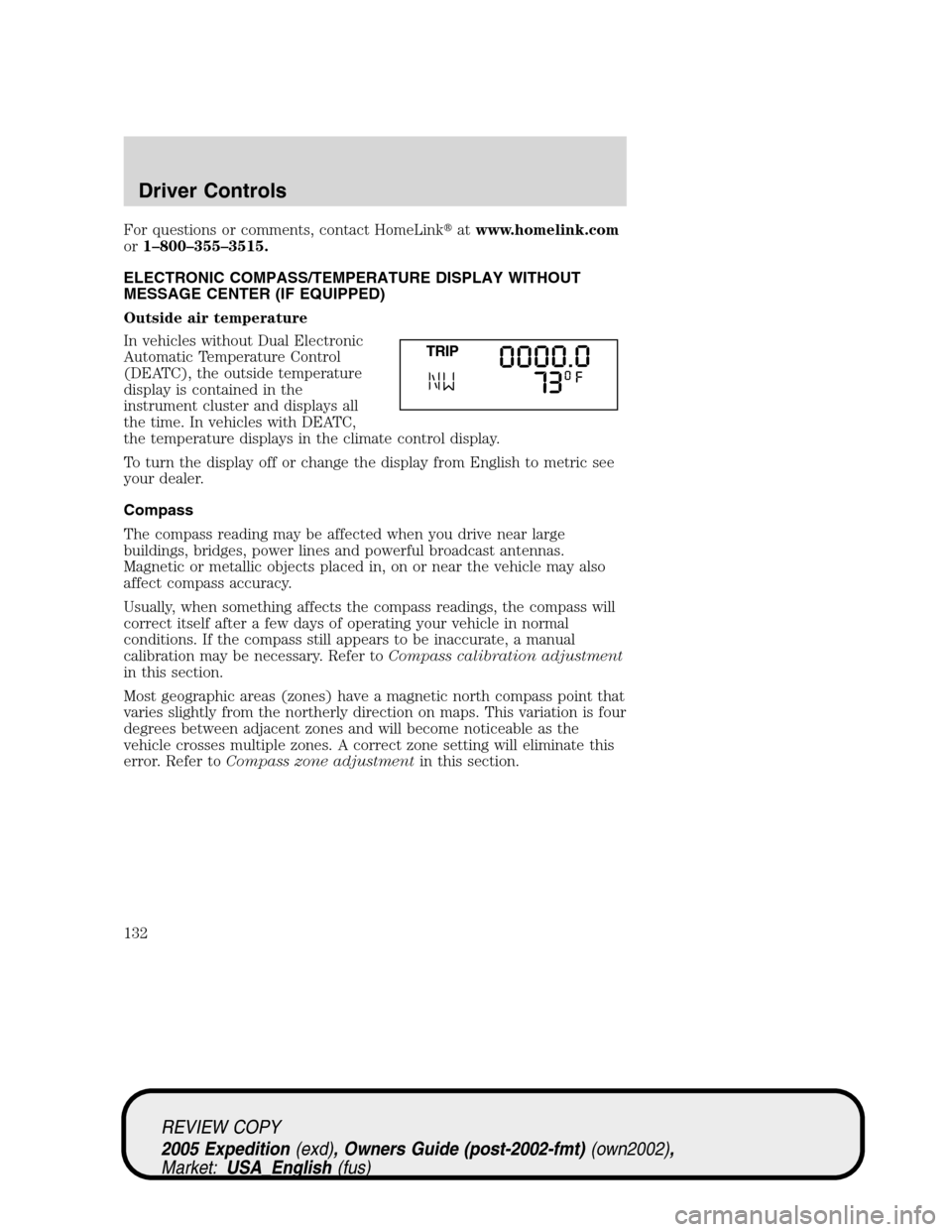
Outside air temperature
In vehicles without Dual Electronic
Automatic Temperature Control
(DEATC), the outside temperature
display is contained in the
instrument cluster and displays all
the time. In vehicles with DEATC,
the temperature displays in the climate control display.
To turn the display off or change the display from English to metric see
your dealer.
Compass
The compass reading may be affected when you drive near large
buildings, bridges, power lines and powerful broadcast antennas.
Magnetic or metallic objects placed in, on or near the vehicle may also
affect compass accuracy.
Usually, when something affects the compass readings, the compass will
correct itself after a few days of operating your vehicle in normal
conditions. If the compass still appears to be inaccurate, a manual
calibration may be necessary. Refer toCompass calibration adjustment
in this section.
Most geographic areas (zones) have a magnetic north compass point that
varies slightly from the northerly direction on maps. This variation is four
degrees between adjacent zones and will become noticeable as the
vehicle crosses multiple zones. A correct zone setting will eliminate this
error. Refer toCompass zone adjustmentin this section.
REVIEW COPY
2005 Expedition(exd), Owners Guide (post-2002-fmt)(own2002),
Market:USA_English(fus)
Driver Controls
132
Page 133 of 368

Compass zone adjustment
1. Determine which magnetic zone
you are in for your geographic
location by referring to the zone
map.
2. Turn ignition to the ON position.
3. Start the engine.
4. Locate the reset button on the
compass sensor mounted on the
base of mirror.
5. Press and hold for six seconds
and release. You will see that ZONE
appears in the instrument cluster
display.
6. Press and release the button until the desired zone number appears.
Note:The range of zone values are from 01 to 15 and “wraps” back to
01.
7. When you get to the desired ZONE number, hold the button down to
“lock in” the new value.
The cluster display will return to the “normal” mode when the button
has not been pressed for 6 seconds.
Compass calibration adjustment
Perform this adjustment in an open area free from steel structures and
high voltage lines. For optimum calibration, turn off all electrical
accessories (heater/air conditioning, wipers, etc.) and make sure all
vehicle doors are shut.
1. Start the vehicle.
2. Locate the reset button on the
compass sensor mounted on the
base of mirror.
3. To enter the compass calibration
mode, press and hold the button for greater than eight seconds. The
display will then show CAL in the display window.
1 2 3
4
5
6 7 8 9 101112 13 14 15
REVIEW COPY
2005 Expedition(exd), Owners Guide (post-2002-fmt)(own2002),
Market:USA_English(fus)
Driver Controls
133
Page 134 of 368
![FORD EXPEDITION 2005 2.G Owners Manual 4. Drive the vehicle slowly (less than 3 mph [5 km/h]) in circles until
CAL indicator turns off. As many as 5 complete circles may be required.
5. The compass is now calibrated.
MESSAGE CENTER (IF EQU](/manual-img/11/4917/w960_4917-133.png "FORD EXPEDITION 2005 2.G Owners Manual 4. Drive the vehicle slowly (less than 3 mph [5 km/h]) in circles until
CAL indicator turns off. As many as 5 complete circles may be required.
5. The compass is now calibrated.
MESSAGE CENTER (IF EQU")
4. Drive the vehicle slowly (less than 3 mph [5 km/h]) in circles until
CAL indicator turns off. As many as 5 complete circles may be required.
5. The compass is now calibrated.
MESSAGE CENTER (IF EQUIPPED)
With the ignition in the ON position,
the message center, located on your
instrument cluster, displays
important vehicle information
through a constant monitor of
vehicle systems.You may select
display features on the message center for a display of status preceded
by a brief indicator chime. The system will also notify you of potential
vehicle problems with a display of system warnings followed by a long
indicator chime.
Selectable features
Reset
Press this control to select and reset
functions shown in the INFO menu
and SETUP menu.
Info menu
This control displays the following
control displays:
•Odometer/Compass
•Trip odometer/Odometer/Compass
•Distance to Empty
•Average Fuel Economy
•Trip Elapsed Drive Time
•Outside air temperature
Odometer/Trip odometer
Refer toGaugesin theInstrument Clusterchapter.
REVIEW COPY
2005 Expedition(exd), Owners Guide (post-2002-fmt)(own2002),
Market:USA_English(fus)
Driver Controls
134
Page 178 of 368

Front safety belt usage sensors
The front safety belt usage sensors detect whether or not the driver and
front outboard passenger safety belts are fastened. This information
allows your Personal Safety System to tailor the air bag deployment and
safety belt pretensioner activation depending upon safety belt usage.
Refer toSafety restraintssection in this chapter.
Front safety belt pretensioners
The safety belt pretensioners at the front outboard seating positions are
designed to tighten the safety belts firmly against the occupant’s body
during frontal collisions, and in side collisions and rollovers when the
vehicle is equipped with the Safety Canopy�system. This maximizes the
effectiveness of the safety belts. In frontal collisions, the safety belt
pretensioners can be activated alone or, if the collision is of sufficient
severity, together with the front air bags.
Front safety belt energy management retractors
The front outboard safety belt energy management retractors allow
webbing to be pulled out of the retractor in a gradual and controlled
manner in response to the occupant’s forward momentum. This helps
reduce the risk of force-related injuries to the occupant’s chest by
limiting the load on the occupant. Refer toSafety restraintssection in
this chapter.
Determining if the Personal Safety System is operational
The Personal Safety System uses a warning light in the instrument
cluster or a back-up tone to indicate the condition of the system. Refer
to theWarning lights and chimessection in theInstrument Cluster
chapter. Routine maintenance of the Personal Safety System is not
required.
The Restraints Control Module (RCM) monitors its own internal circuits
and the circuits for the air bag supplemental restraints, crash sensor(s),
safety belt pretensioners, front safety belt buckle sensors, and the driver
seat position sensor. In addition, the RCM also monitors the restraints
warning light in the instrument cluster. A difficulty with the system is
indicated by one or more of the following:
•The warning light will either flash or stay lit.
•The warning light will not illuminate immediately after the ignition is
turned on.
•A series of five beeps will be heard. The tone pattern will repeat
periodically until the problem and warning light are repaired.
REVIEW COPY
2005 Expedition(exd), Owners Guide (post-2002-fmt)(own2002),
Market:USA_English(fus)
Seating and Safety Restraints
178
Page 184 of 368
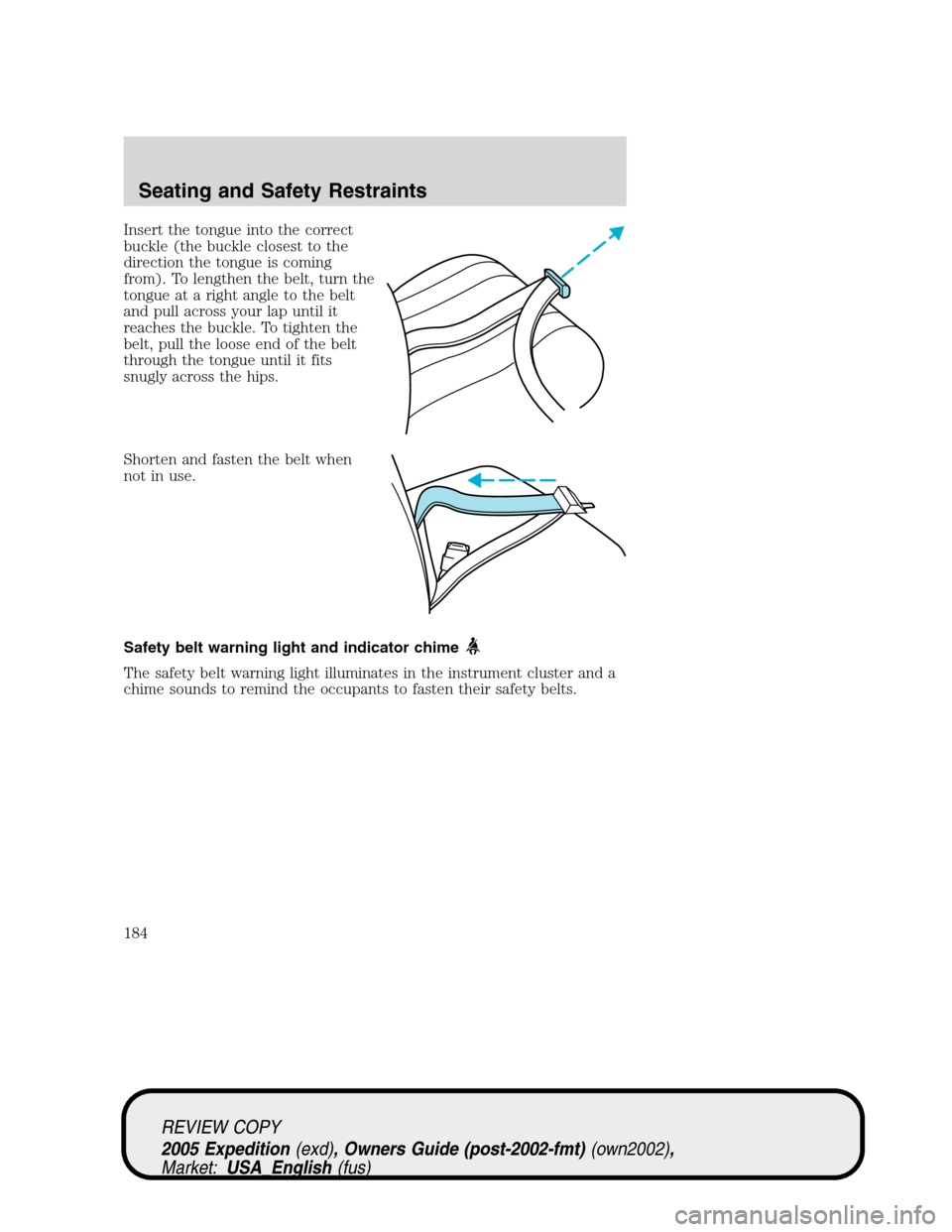
Insert the tongue into the correct
buckle (the buckle closest to the
direction the tongue is coming
from). To lengthen the belt, turn the
tongue at a right angle to the belt
and pull across your lap until it
reaches the buckle. To tighten the
belt, pull the loose end of the belt
through the tongue until it fits
snugly across the hips.
Shorten and fasten the belt when
not in use.
Safety belt warning light and indicator chime
The safety belt warning light illuminates in the instrument cluster and a
chime sounds to remind the occupants to fasten their safety belts.
REVIEW COPY
2005 Expedition(exd), Owners Guide (post-2002-fmt)(own2002),
Market:USA_English(fus)
Seating and Safety Restraints
184
Page 185 of 368
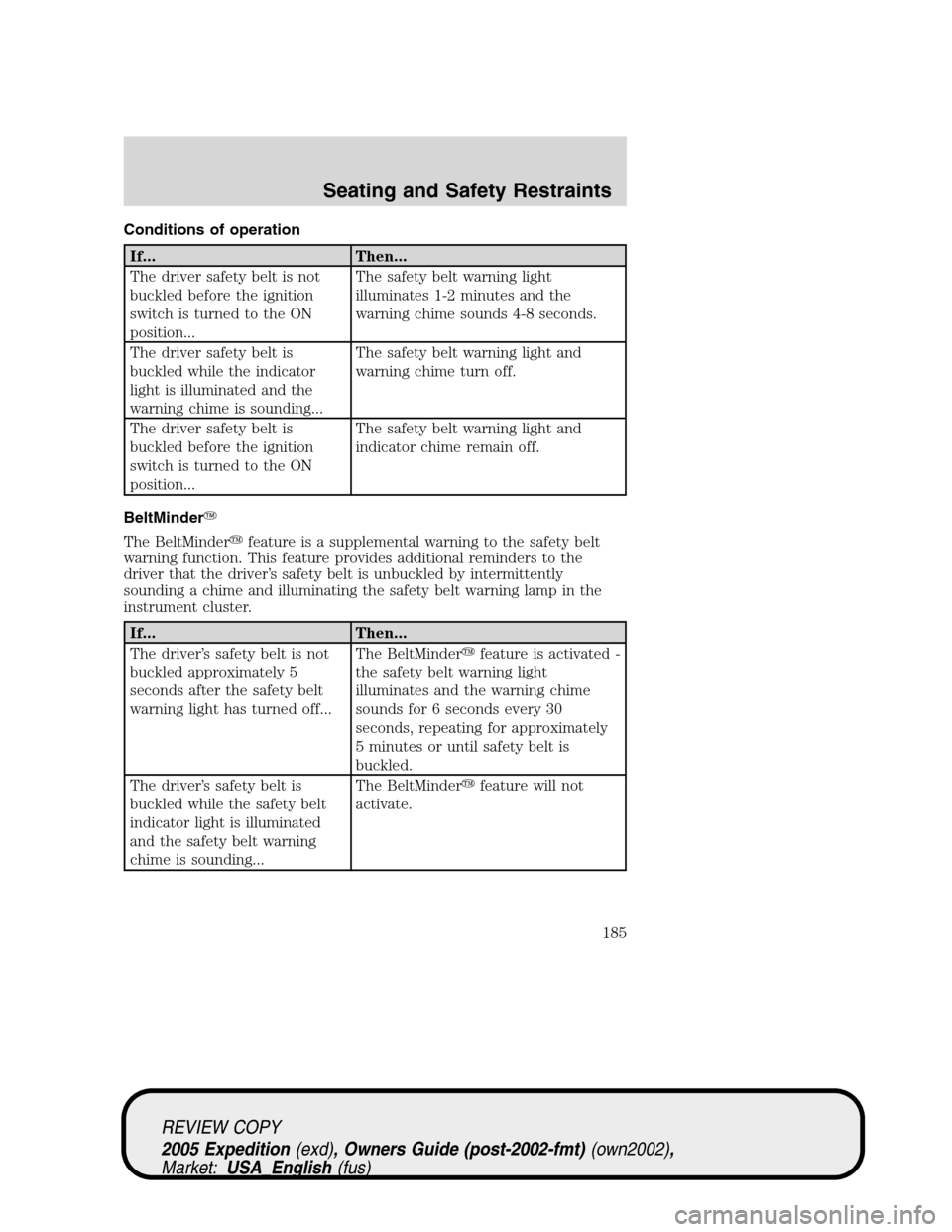
Conditions of operation
If... Then...
The driver safety belt is not
buckled before the ignition
switch is turned to the ON
position...The safety belt warning light
illuminates 1-2 minutes and the
warning chime sounds 4-8 seconds.
The driver safety belt is
buckled while the indicator
light is illuminated and the
warning chime is sounding...The safety belt warning light and
warning chime turn off.
The driver safety belt is
buckled before the ignition
switch is turned to the ON
position...The safety belt warning light and
indicator chime remain off.
BeltMinder�
The BeltMinder�feature is a supplemental warning to the safety belt
warning function. This feature provides additional reminders to the
driver that the driver’s safety belt is unbuckled by intermittently
sounding a chime and illuminating the safety belt warning lamp in the
instrument cluster.
If... Then...
The driver’s safety belt is not
buckled approximately 5
seconds after the safety belt
warning light has turned off...The BeltMinder�feature is activated -
the safety belt warning light
illuminates and the warning chime
sounds for 6 seconds every 30
seconds, repeating for approximately
5 minutes or until safety belt is
buckled.
The driver’s safety belt is
buckled while the safety belt
indicator light is illuminated
and the safety belt warning
chime is sounding...The BeltMinder�feature will not
activate.
REVIEW COPY
2005 Expedition(exd), Owners Guide (post-2002-fmt)(own2002),
Market:USA_English(fus)
Seating and Safety Restraints
185