Page 58 of 293
Outside Mirror—Driver’s Side
Adjust the outside mirror to center on the adjacent lane of
traffic, with a slight overlap of the view obtained on the
inside mirror.
Outside Mirror—Passenger’s Side
Adjust the convex outside mirror so you can just see the
side of your vehicle in the part of the mirror closest to the
vehicle.
WARNING!
Vehicles and other objects seen in the right side
convex mirror will look smaller and farther away
than they really are. Relying too much on your right
side mirror could cause you to collide with another
vehicle or other object. Use your inside mirror when
judging the size or distance of a vehicle seen in this
convex mirror.
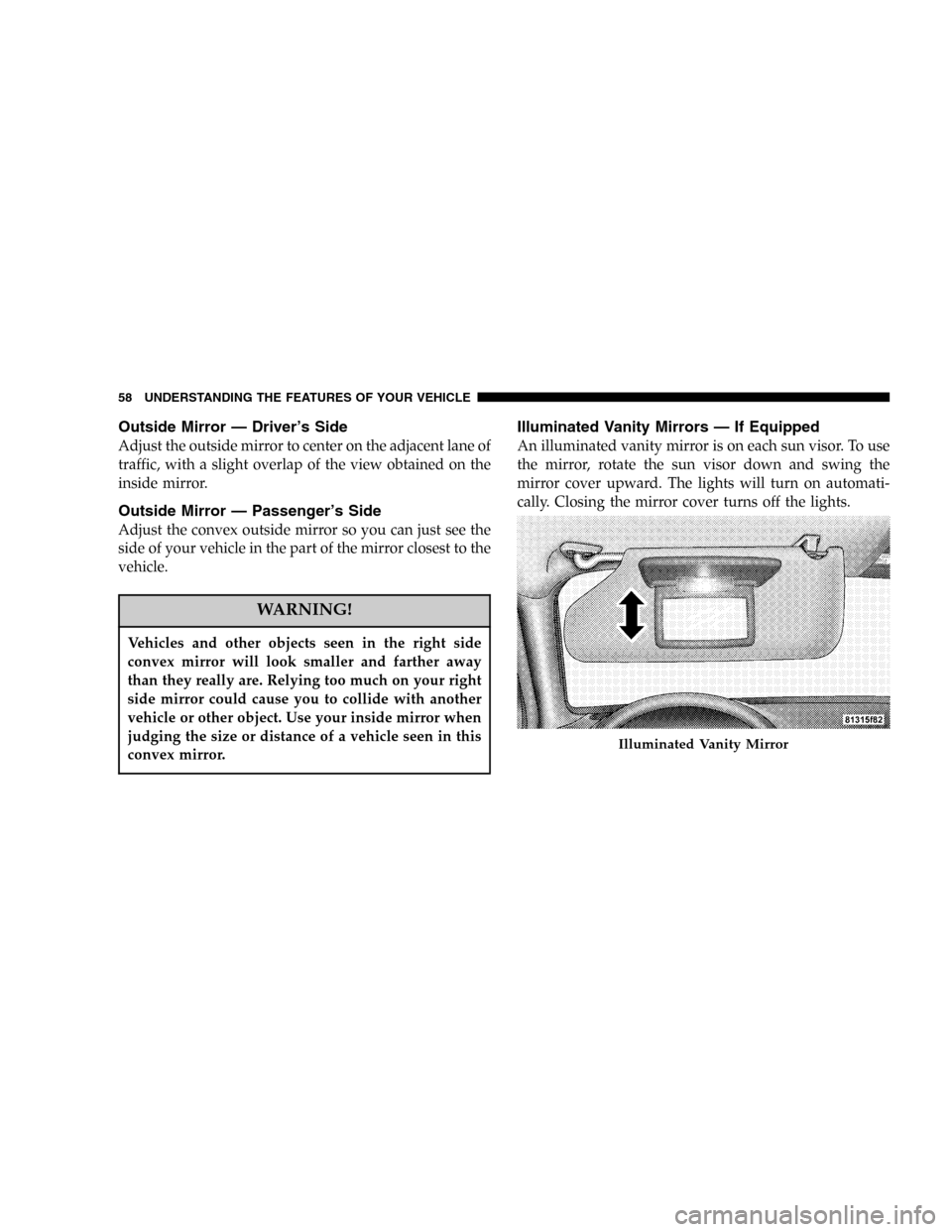
Illuminated Vanity Mirrors—If Equipped
An illuminated vanity mirror is on each sun visor. To use
the mirror, rotate the sun visor down and swing the
mirror cover upward. The lights will turn on automati-
cally. Closing the mirror cover turns off the lights.
Illuminated Vanity Mirror
58 UNDERSTANDING THE FEATURES OF YOUR VEHICLE
Page 59 of 293
SEATS
Manual Front Seat Adjustments
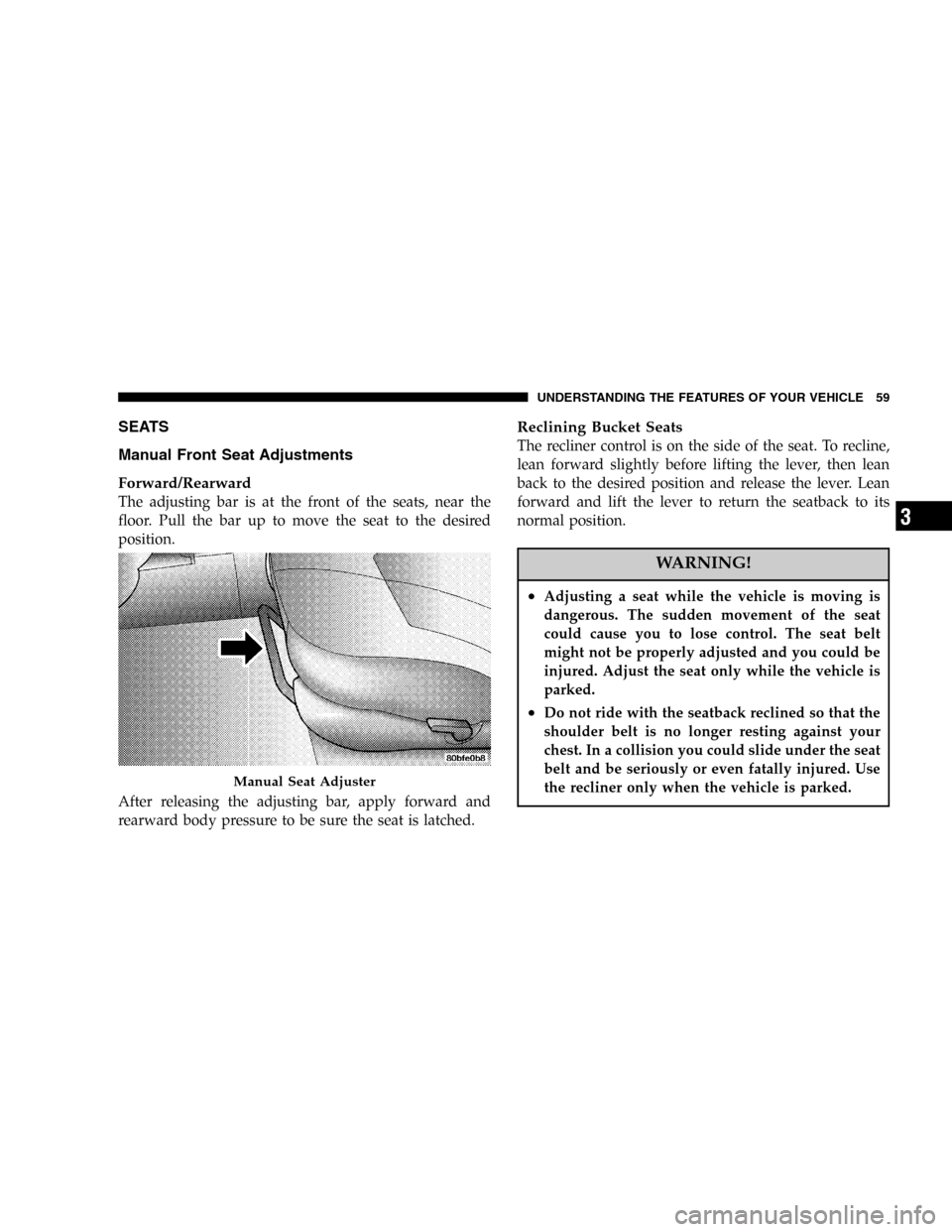
Forward/Rearward
The adjusting bar is at the front of the seats, near the
floor. Pull the bar up to move the seat to the desired
position.
After releasing the adjusting bar, apply forward and
rearward body pressure to be sure the seat is latched.
Reclining Bucket Seats
The recliner control is on the side of the seat. To recline,
lean forward slightly before lifting the lever, then lean
back to the desired position and release the lever. Lean
forward and lift the lever to return the seatback to its
normal position.
WARNING!
•Adjusting a seat while the vehicle is moving is
dangerous. The sudden movement of the seat
could cause you to lose control. The seat belt
might not be properly adjusted and you could be
injured. Adjust the seat only while the vehicle is
parked.
•Do not ride with the seatback reclined so that the
shoulder belt is no longer resting against your
chest. In a collision you could slide under the seat
belt and be seriously or even fatally injured. Use
the recliner only when the vehicle is parked.
Manual Seat Adjuster
UNDERSTANDING THE FEATURES OF YOUR VEHICLE 59
3
Page 63 of 293
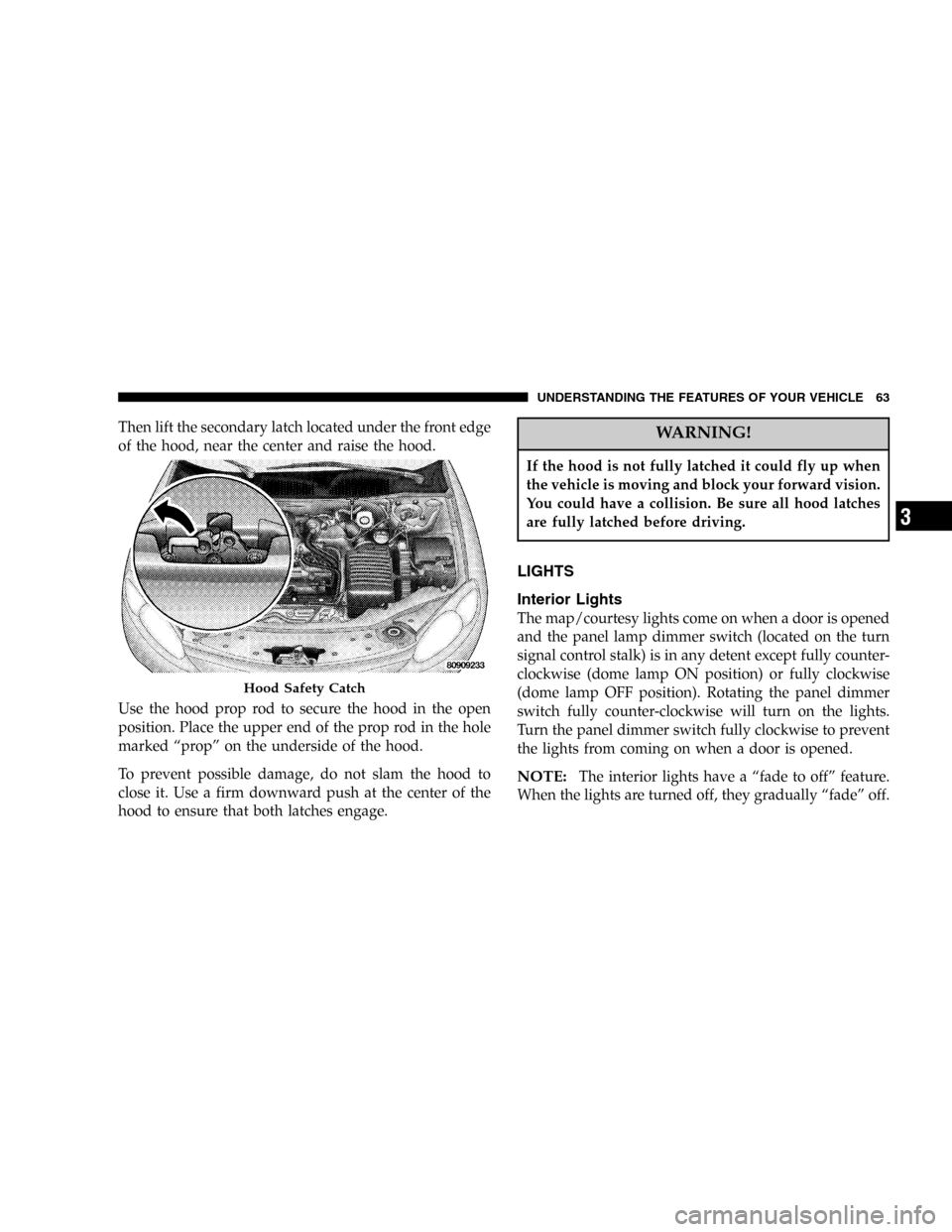
Then lift the secondary latch located under the front edge
of the hood, near the center and raise the hood.
Use the hood prop rod to secure the hood in the open
position. Place the upper end of the prop rod in the hole
marked“prop”on the underside of the hood.
To prevent possible damage, do not slam the hood to
close it. Use a firm downward push at the center of the
hood to ensure that both latches engage.WARNING!
If the hood is not fully latched it could fly up when
the vehicle is moving and block your forward vision.
You could have a collision. Be sure all hood latches
are fully latched before driving.
LIGHTS
Interior Lights
The map/courtesy lights come on when a door is opened
and the panel lamp dimmer switch (located on the turn
signal control stalk) is in any detent except fully counter-
clockwise (dome lamp ON position) or fully clockwise
(dome lamp OFF position). Rotating the panel dimmer
switch fully counter-clockwise will turn on the lights.
Turn the panel dimmer switch fully clockwise to prevent
the lights from coming on when a door is opened.
NOTE:The interior lights have a“fade to off”feature.
When the lights are turned off, they gradually“fade”off.
Hood Safety Catch
UNDERSTANDING THE FEATURES OF YOUR VEHICLE 63
3
Page 68 of 293
If the headlights are turned off before the ignition, they
will turn off in the normal manner.
WINDSHIELD WIPERS AND WASHERS
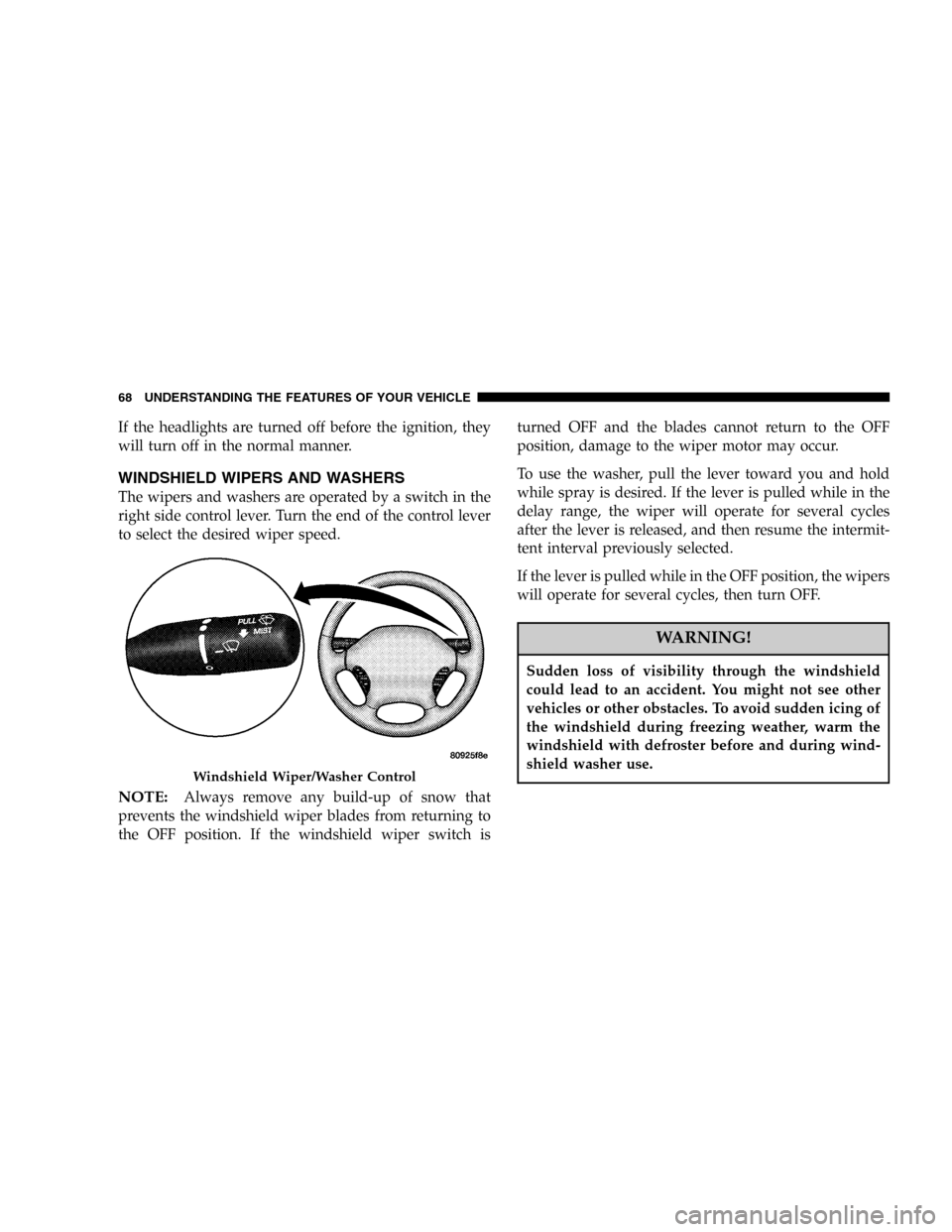
The wipers and washers are operated by a switch in the
right side control lever. Turn the end of the control lever
to select the desired wiper speed.
NOTE:Always remove any build-up of snow that
prevents the windshield wiper blades from returning to
the OFF position. If the windshield wiper switch isturned OFF and the blades cannot return to the OFF
position, damage to the wiper motor may occur.
To use the washer, pull the lever toward you and hold
while spray is desired. If the lever is pulled while in the
delay range, the wiper will operate for several cycles
after the lever is released, and then resume the intermit-
tent interval previously selected.
If the lever is pulled while in the OFF position, the wipers
will operate for several cycles, then turn OFF.
WARNING!
Sudden loss of visibility through the windshield
could lead to an accident. You might not see other
vehicles or other obstacles. To avoid sudden icing of
the windshield during freezing weather, warm the
windshield with defroster before and during wind-
shield washer use.
Windshield Wiper/Washer Control
68 UNDERSTANDING THE FEATURES OF YOUR VEHICLE
Page 70 of 293
WARNING!
Tilting the steering column while the vehicle is
moving is dangerous. Without a stable steering col-
umn, you could lose control of the vehicle and have
an accident. Adjust the column only while the ve-
hicle is stopped. Be sure it is locked before driving.
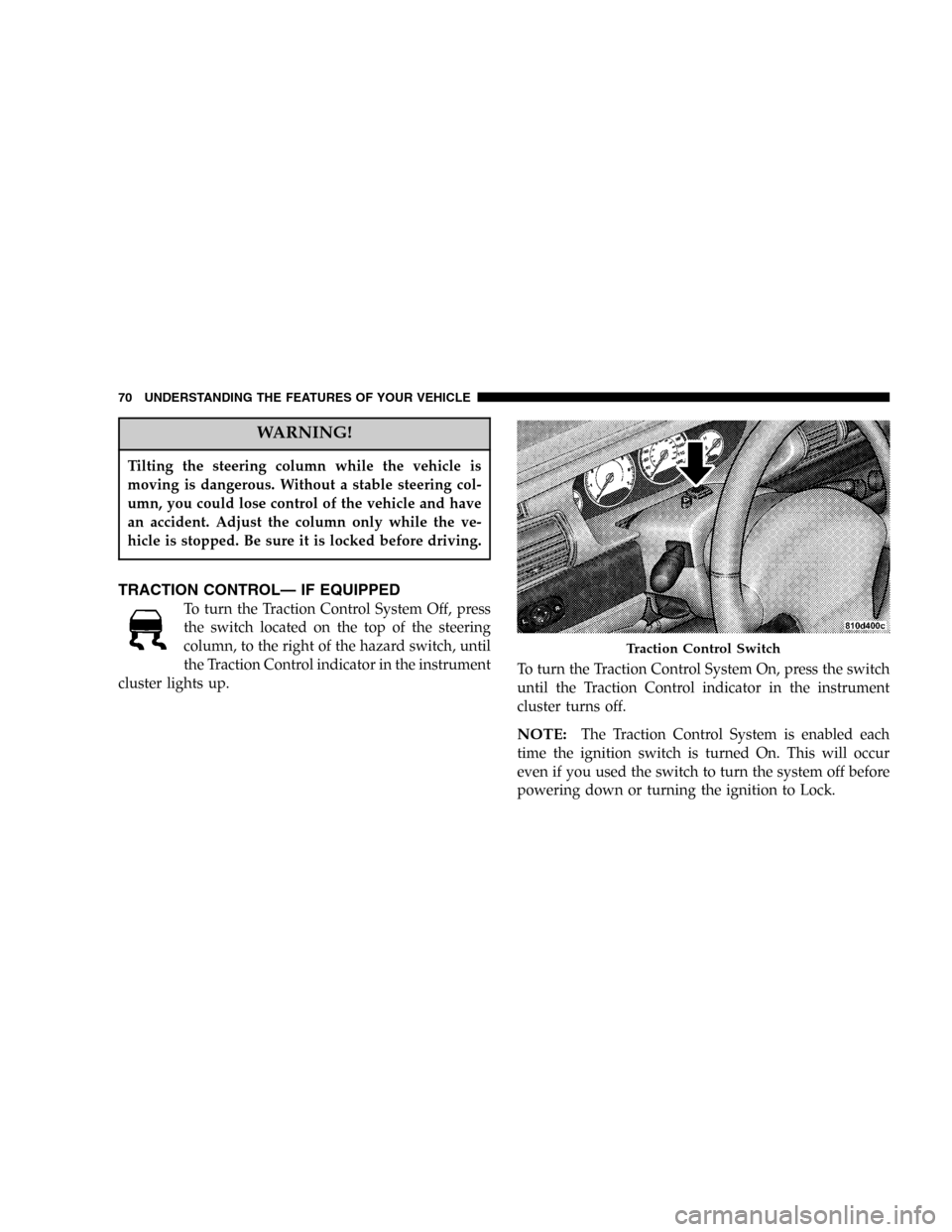
TRACTION CONTROL—IF EQUIPPED
To turn the Traction Control System Off, press
the switch located on the top of the steering
column, to the right of the hazard switch, until
the Traction Control indicator in the instrument
cluster lights up.To turn the Traction Control System On, press the switch
until the Traction Control indicator in the instrument
cluster turns off.
NOTE:The Traction Control System is enabled each
time the ignition switch is turned On. This will occur
even if you used the switch to turn the system off before
powering down or turning the ignition to Lock.
Traction Control Switch
70 UNDERSTANDING THE FEATURES OF YOUR VEHICLE
Page 71 of 293
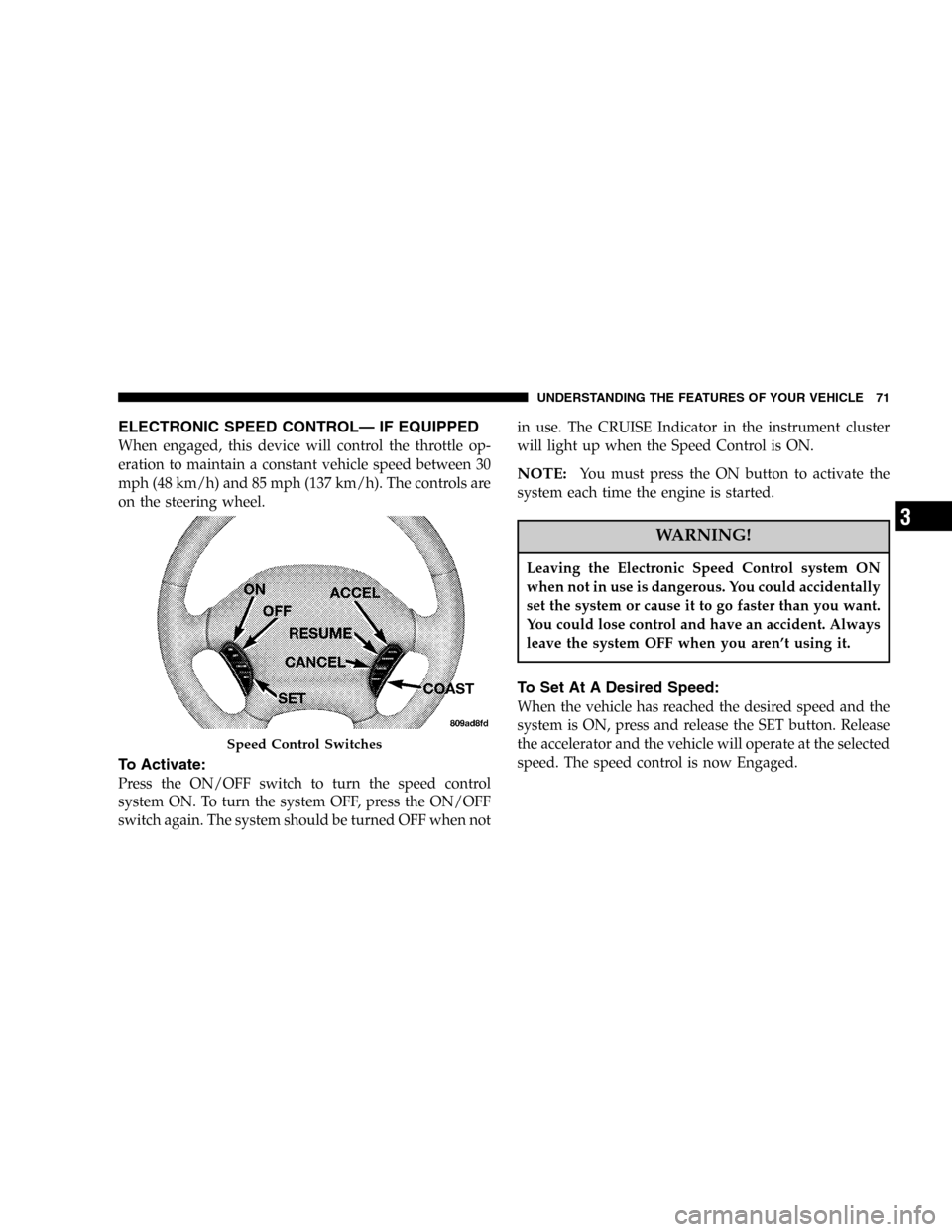
ELECTRONIC SPEED CONTROL—IF EQUIPPED
When engaged, this device will control the throttle op-
eration to maintain a constant vehicle speed between 30
mph (48 km/h) and 85 mph (137 km/h). The controls are
on the steering wheel.
To Activate:
Press the ON/OFF switch to turn the speed control
system ON. To turn the system OFF, press the ON/OFF
switch again. The system should be turned OFF when notin use. The CRUISE Indicator in the instrument cluster
will light up when the Speed Control is ON.
NOTE:You must press the ON button to activate the
system each time the engine is started.
WARNING!
Leaving the Electronic Speed Control system ON
when not in use is dangerous. You could accidentally
set the system or cause it to go faster than you want.
You could lose control and have an accident. Always
leave the system OFF when you aren’t using it.
To Set At A Desired Speed:
When the vehicle has reached the desired speed and the
system is ON, press and release the SET button. Release
the accelerator and the vehicle will operate at the selected
speed. The speed control is now Engaged.
Speed Control Switches
UNDERSTANDING THE FEATURES OF YOUR VEHICLE 71
3
Page 74 of 293
GARAGE DOOR OPENER—IF EQUIPPED
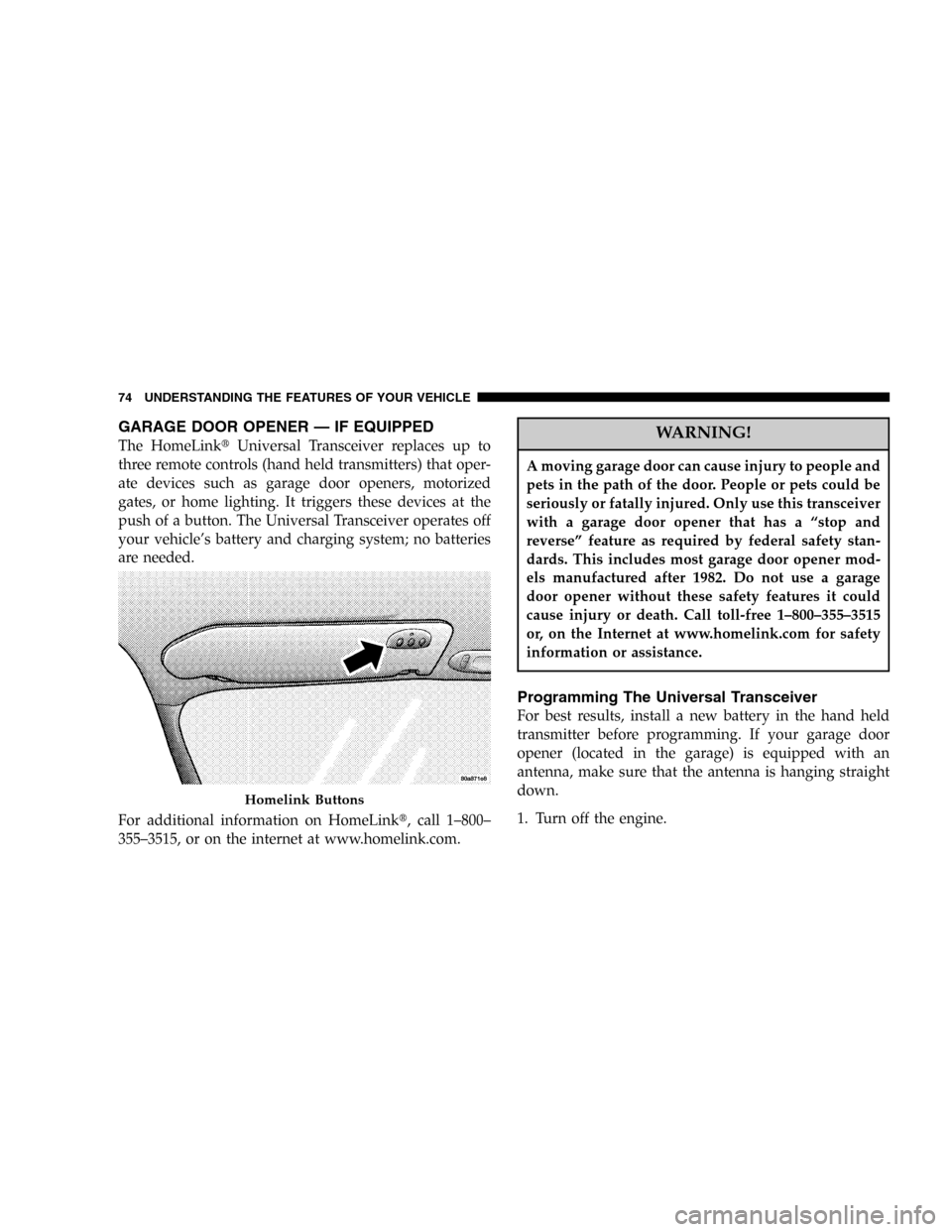
The HomeLink�Universal Transceiver replaces up to
three remote controls (hand held transmitters) that oper-
ate devices such as garage door openers, motorized
gates, or home lighting. It triggers these devices at the
push of a button. The Universal Transceiver operates off
your vehicle’s battery and charging system; no batteries
are needed.
For additional information on HomeLink�, call 1–800–
355–3515, or on the internet at www.homelink.com.WARNING!
A moving garage door can cause injury to people and
pets in the path of the door. People or pets could be
seriously or fatally injured. Only use this transceiver
with a garage door opener that has a“stop and
reverse”feature as required by federal safety stan-
dards. This includes most garage door opener mod-
els manufactured after 1982. Do not use a garage
door opener without these safety features it could
cause injury or death. Call toll-free 1–800–355–3515
or, on the Internet at www.homelink.com for safety
information or assistance.
Programming The Universal Transceiver
For best results, install a new battery in the hand held
transmitter before programming. If your garage door
opener (located in the garage) is equipped with an
antenna, make sure that the antenna is hanging straight
down.
1. Turn off the engine.
Homelink Buttons
74 UNDERSTANDING THE FEATURES OF YOUR VEHICLE
Page 75 of 293
WARNING!
Vehicle exhaust contains carbon monoxide, a danger-
ous gas. Do not run the vehicle’s exhaust while
training the transceiver. Exhaust gas can cause seri-
ous injury or death.
WARNING!
Your motorized door or gate will open and close
while you are training the Universal Transceiver. Do
not train the transceiver if people or pets are in the
path of the door or gate. A moving door or gate can
cause serious injury or death to people and pets or
damage to objects.
2. Erase the factory test codes by pressing the two
outside buttons. Release the buttons when the light in the
Universal Transceiver begins to flash (about 20 seconds).
NOTE:Step 2 does not have to be followed to program
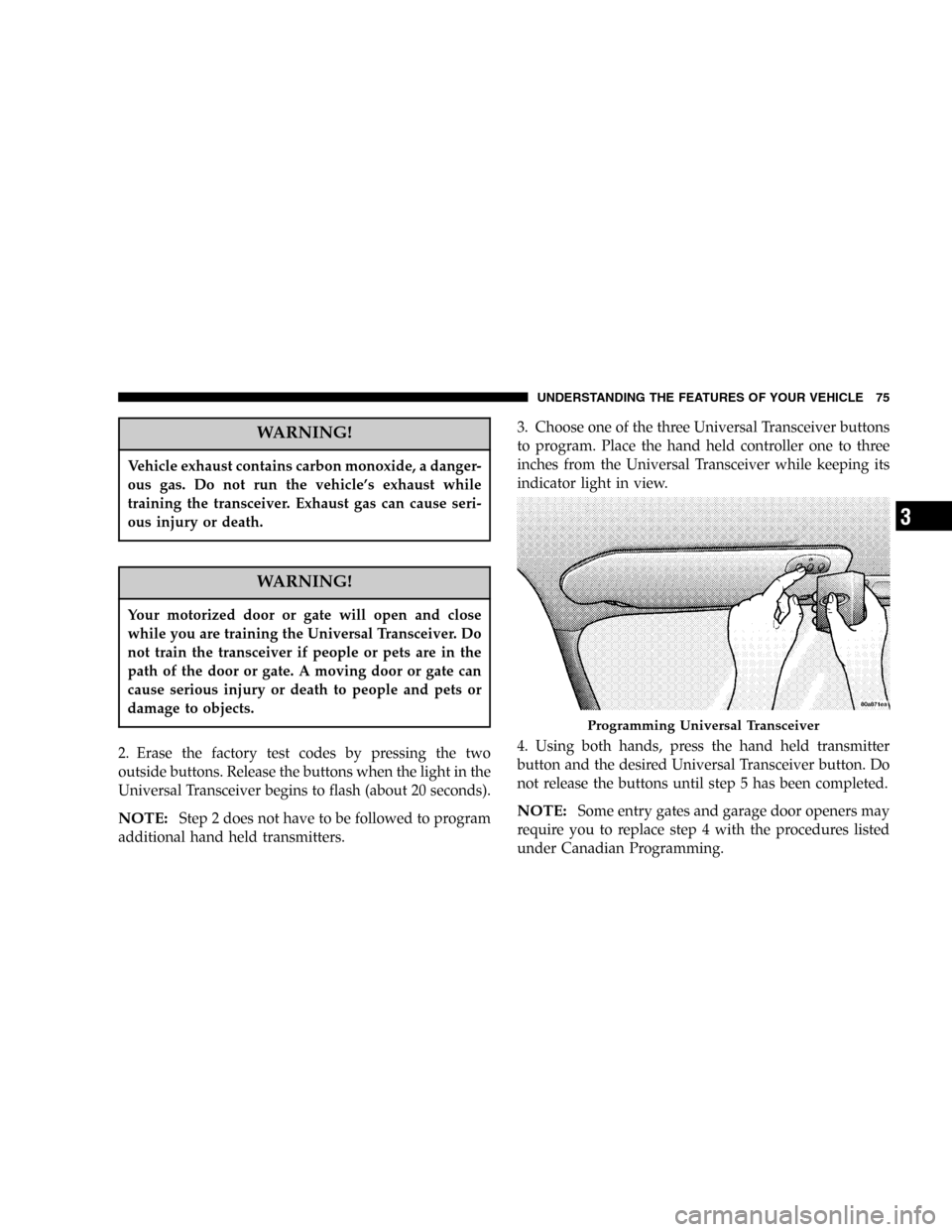
additional hand held transmitters.3. Choose one of the three Universal Transceiver buttons
to program. Place the hand held controller one to three
inches from the Universal Transceiver while keeping its
indicator light in view.
4. Using both hands, press the hand held transmitter
button and the desired Universal Transceiver button. Do
not release the buttons until step 5 has been completed.NOTE:Some entry gates and garage door openers may
require you to replace step 4 with the procedures listed
under Canadian Programming.
Programming Universal Transceiver
UNDERSTANDING THE FEATURES OF YOUR VEHICLE 75
3