Page 103 of 392
•Performance, such as, audio clarity, echo. and loud-
ness to a large degree, rely on the phone and network,
and not the UConnect™ system.
•Echo at far end can sometime be reduced by lowering
the in-vehicle audio volume.
Bluetooth Communication Link
Cellular phones have been found to occasionally loose
connection to the UConnect™ system. When this hap-
pens, the connection can generally be re-established by
switching the phone off/on. Your cell phone is recom-
mended to remain in Bluetooth�on�mode.
Reset
In rare instances, it may be necessary to reset the UCon-
nect™ system. The reset feature is exercised by pressing
and holding the ’UConnect™ ’ and ’Voice Recognition’
buttons simultaneously for 15 seconds. Normally, you do
not need to exercise this feature.
Power-Up
After switching ignition key from off to either On or ACC
position, or after a reset, you must wait at least five (5)
seconds prior to using the system.
UNDERSTANDING THE FEATURES OF YOUR VEHICLE 103
3
Page 134 of 392

For additional information on HomeLink�, call 1–800–
355–3515, or on the internet at www.homelink.com.
WARNING!
A moving garage door can cause injury to people and
pets in the path of the door. People or pets could be
seriously or fatally injured. Only use this transceiver
with a garage door opener that has a “stop and
reverse” feature as required by federal safety stan-
dards. This includes most garage door opener mod-
els manufactured after 1982. Do not use a garage
door opener without these safety features it could
cause injury or death. Call toll-free 1–800–355–3515
or, on the Internet at www.homelink.com for safety
information or assistance.
Programming HomeLink
NOTE:When programming a garage door opener, it is
advised to park outside the garage. It is also recom-
mended that a new battery be placed in the hand-held
transmitter of the device being programmed to
HomeLink for quicker training and accurate transmis-
sion of the radio-frequency signal.
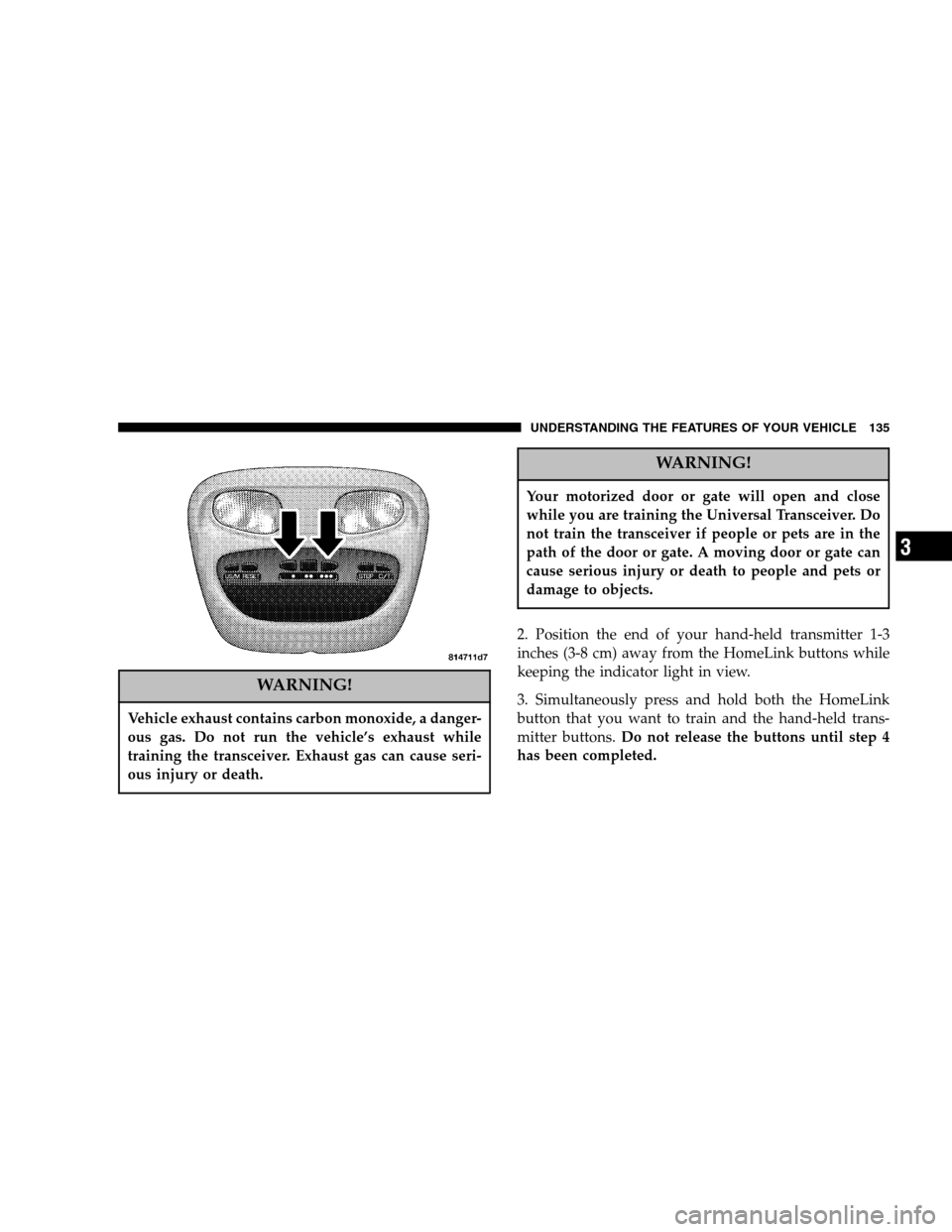
1. Press and hold the two outer HomeLink buttons, and
release only when the indicator light begins to flash (after
20 seconds).Do nothold the buttons for longer than 30
seconds anddo notrepeat step one to program a second
and/or third hand-held transmitter to the remaining two
HomeLink buttons.
134 UNDERSTANDING THE FEATURES OF YOUR VEHICLE
Page 135 of 392
WARNING!
Vehicle exhaust contains carbon monoxide, a danger-
ous gas. Do not run the vehicle’s exhaust while
training the transceiver. Exhaust gas can cause seri-
ous injury or death.
WARNING!
Your motorized door or gate will open and close
while you are training the Universal Transceiver. Do
not train the transceiver if people or pets are in the
path of the door or gate. A moving door or gate can
cause serious injury or death to people and pets or
damage to objects.
2. Position the end of your hand-held transmitter 1-3
inches (3-8 cm) away from the HomeLink buttons while
keeping the indicator light in view.
3. Simultaneously press and hold both the HomeLink
button that you want to train and the hand-held trans-
mitter buttons.Do not release the buttons until step 4
has been completed.
UNDERSTANDING THE FEATURES OF YOUR VEHICLE 135
3
Page 136 of 392

NOTE:Some gate operators and garage door openers
may require you to replace this Programming Step 3 with
procedures noted in the�Gate Operator/Canadian Pro-
gramming�section.
4. The HomeLink indicator light will flash slowly and
then rapidly after HomeLink successfully receives the
frequency signal from the hand-held transmitter. Release
both buttons after the indicator light changes from the
slow to the rapid flash.
5. Press and hold the just trained HomeLink button and
observe the indicator light. If the indicator lightstays on
constantly, programming is completeand your device
should activate when the HomeLink button is pressed
and released.
NOTE:To program the remaining two HomeLink but-
tons, begin with�Programming�step two. Do not repeat
step one.If the indicator light blinksrapidly for two seconds and
then turns to a constant light, continue with�Program-
ming�steps 6-8to complete the programming of a rolling
code equipped device (most commonly a garage door
opener).
6. At the garage door opener receiver (motor-head unit)
in the garage, locate the�learn�or�smart�button. This
can usually be found where the hanging antenna wire is
attached to the motor-head unit.
7. Firmly press and release the�learn�or�smart�button.
(The name and color of the button may vary by manu-
facturer.)
NOTE:There are 30 seconds in which to initiate step
eight.
8. Return to the vehicle and firmlypress, hold for two
seconds and releasethe programmed HomeLink button.
Repeat the�press/hold/release�sequence a second time,
136 UNDERSTANDING THE FEATURES OF YOUR VEHICLE
Page 138 of 392

Using HomeLink
To operate, simply press and release the programmed
HomeLink button. Activation will now occur for the
trained device (i.e. garage door opener, gate operator,
security system, entry door lock, home/office lighting,
etc.). For convenience, the hand-held transmitter of the
device may also be used at any time. In the event that
there are still programming difficulties or questions,
contact HomeLink at:www.homelink.com or 1-800-355-
3515.
Erasing HomeLink Buttons
To erase programming from the three buttons (individual
buttons cannot be erased but can be�reprogrammed�-
note below), follow the step noted:
•Press and hold the two outer HomeLink buttons until
the indicator light begins to flash-after 20 seconds.
Release both buttons. Do not hold for longer that 30seconds. HomeLink is now in the train (or learning)
mode and can be programmed at any time beginning
with�Programming�- step 2.
Reprogramming a Single HomeLink Button
To program a device to HomeLink using a HomeLink
button previously trained, follow these steps:
1. Press and hold the desired HomeLink button.Do
NOTrelease the button.
2. The indicator light will begin to flash after 20 seconds.
Without releasing the HomeLink button, proceed with
�Programming�step 2
For questions or comments, contact HomeLink at:
www.homelink.com or 1-800-355-3515.
138 UNDERSTANDING THE FEATURES OF YOUR VEHICLE
Page 139 of 392

Security
Garage Door Opener Operation with Security
Alarm (if equipped)
If your vehicle is equipped with the Security Alarm
feature, the operation of the HomeLink feature will be
purposely inhibited if the Security Alarm is�Armed�.
This prevents HomeLink operation due to un-authorized
vehicle entry. HomeLink operation will be re-stored
when the Security Alarm has been�Disarmed�.
If you sell your vehicle, be sure to erase the frequencies.
To erase all of the previously trained frequencies, hold
down both outside buttons until the green light begins to
flash.
This device complies with part 15 of FCC rules and with
RSS-210 of Industry Canada. Operation is subject to the
following conditions:
•This device may not cause harmful interference.
•This device must accept any interference that may be
received including interference that may cause undes-
ired operation.
NOTE:Changes or modifications not expressly ap-
proved by the party responsible for compliance could
void the user’s authority to operate the equipment.
HomeLink�is a trademark owned by Johnson Controls,
Inc.
ELECTRICAL POWER OUTLETS
This vehicle has two 12V auxiliary power outlets that can
provide up to 20 Amps of current for accessories de-
signed for use with standard power outlet adapters. The
outlets are located in the instrument panel, below the
temperature control setting knob, and the other inside the
full - size center console. As a safety precaution, the outlet
in the instrument panel only operates with the ignition
switch ON. When the optional Cigar Lighter heating
element is used, it heats when pushed in and pops out
UNDERSTANDING THE FEATURES OF YOUR VEHICLE 139
3
Page 164 of 392

Select the button (1-6) you wish to lock onto this station
and press and release that button. If a button is not
selected within 5 seconds after pressing the SET button,
the station will continue to play but will not be stored
into push-button memory.
You may add a second station to each push-button by
repeating the above procedure with this exception: Press
the SET button twice and SET 2 will show in the display
window. Each button can be set for SET 1 and SET 2 in
both AM and FM. This allows a total of 12 AM,12 FM and
12 Satellite (if equipped) stations to be stored into push-
button memory. The stations stored in SET 2 memory can
be selected by pressing the push-button twice.
Every time a preset button is used a corresponding
button number will be displayed.Preset Buttons1-6(Radio Mode)
These buttons tune the Radio to the stations that you
commit to push-button memory {12 AM, 12 FM, and 12
Satellite (if equipped) stations}.
Operation Instructions - CD Mode
NOTE:The ignition switch must be in the ON or ACC
position to operate the radio.
Inserting The Compact Disc (Single CD Player)
Gently insert one CD into the CD player with the CD
label facing up. The CD will automatically be pulled into
the CD Player and the CD icon will illuminate on the
radio display.
If the volume control is ON, the unit will switch to CD
mode and begin to play. The display will show the track
number and play time in minutes and seconds. Play will
begin at the start of track one.
164 INSTRUMENT PANEL AND CONTROLS
Page 170 of 392

Program Type16 Digit-Character
Display
Jazz Jazz
Classical Classical
Rhythm and Blues Rhythm_and_Blues
Soft Rhythm and Blues Soft_R_&_B
Foreign Language Foreign_Language
Religious Music Religious_Music
Religious Talk Religious_Talk
Personality Personality
Public Public
College College
Unassigned
Weather Weather
By pressing the SEEK button when the PTY icon is
displayed, the radio will be tuned to the next frequencystation with the same selected PTY name. The PTY
function only operates when in the FM mode.
If a preset button is activated while in the PTY (Program
Type) mode, the PTY mode will be exited and the radio
will tune to the preset station.
Buttons1-6(Radio Mode)
These buttons tune the Radio to the stations that you
commit to push-button memory {12AM, 12 FM, and 12
Satellite (if equipped) stations}.
Operation Instructions - (CD MODE For CD Audio
Play)
NOTE:The ignition switch must be in the ON or ACC
position to operate the radio.
NOTE:This Radio is capable of playing compact discs
(CD), recordable compact discs (CD-R), rewritable com-
pact discs (CD-RW) compact discs with MP3 tracks and
multisession compact discs with CD and MP3 tracks.
170 INSTRUMENT PANEL AND CONTROLS