Page 117 of 434
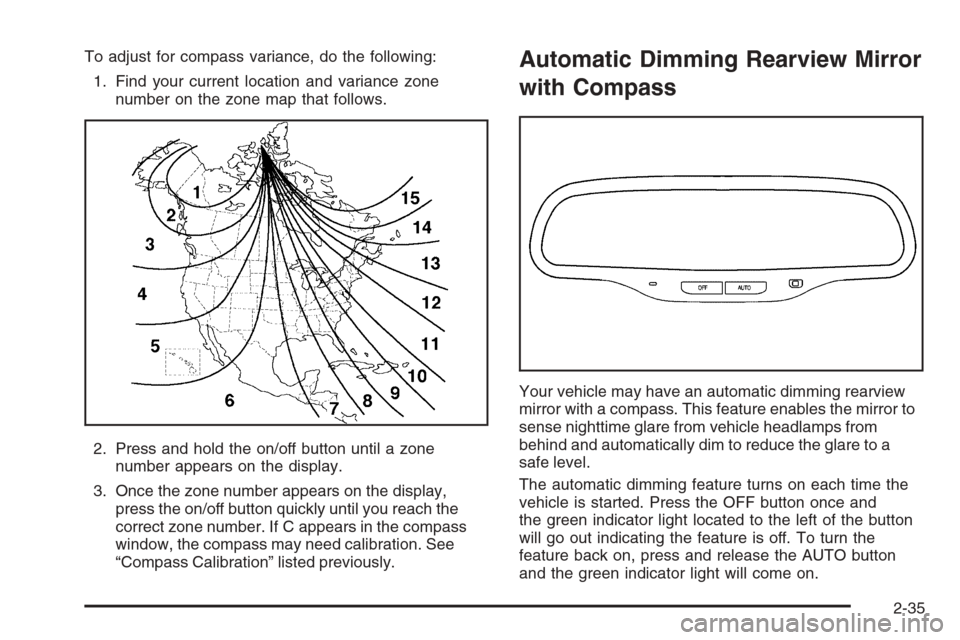
To adjust for compass variance, do the following:
1. Find your current location and variance zone
number on the zone map that follows.
2. Press and hold the on/off button until a zone
number appears on the display.
3. Once the zone number appears on the display,
press the on/off button quickly until you reach the
correct zone number. If C appears in the compass
window, the compass may need calibration. See
“Compass Calibration” listed previously.Automatic Dimming Rearview Mirror
with Compass
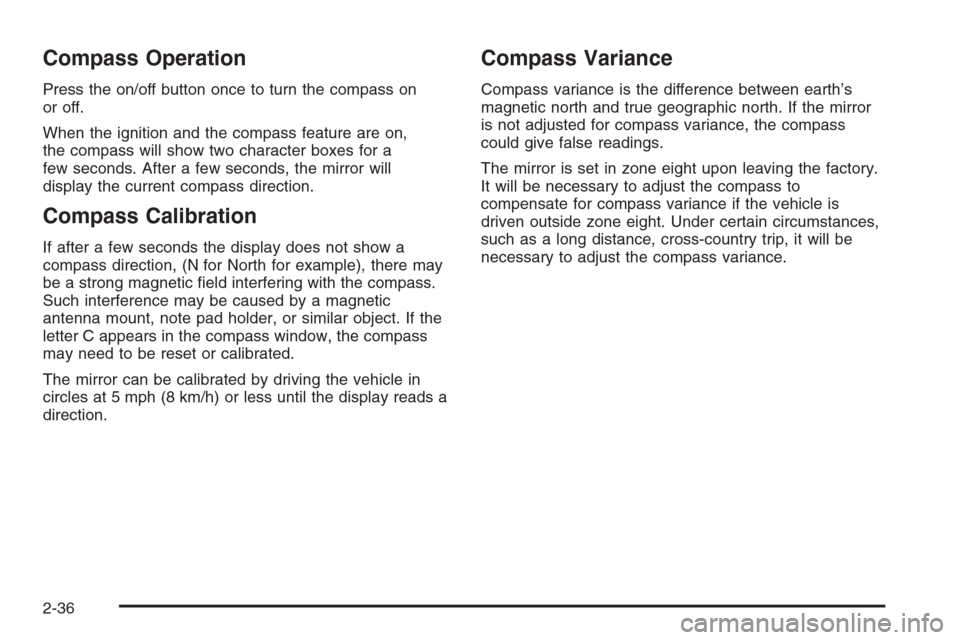
Your vehicle may have an automatic dimming rearview
mirror with a compass. This feature enables the mirror to
sense nighttime glare from vehicle headlamps from
behind and automatically dim to reduce the glare to a
safe level.
The automatic dimming feature turns on each time the
vehicle is started. Press the OFF button once and
the green indicator light located to the left of the button
will go out indicating the feature is off. To turn the
feature back on, press and release the AUTO button
and the green indicator light will come on.
2-35
Page 118 of 434
Compass Operation
Press the on/off button once to turn the compass on
or off.
When the ignition and the compass feature are on,
the compass will show two character boxes for a
few seconds. After a few seconds, the mirror will
display the current compass direction.
Compass Calibration
If after a few seconds the display does not show a
compass direction, (N for North for example), there may
be a strong magnetic eld interfering with the compass.
Such interference may be caused by a magnetic
antenna mount, note pad holder, or similar object. If the
letter C appears in the compass window, the compass
may need to be reset or calibrated.
The mirror can be calibrated by driving the vehicle in
circles at 5 mph (8 km/h) or less until the display reads a
direction.
Compass Variance
Compass variance is the difference between earth’s
magnetic north and true geographic north. If the mirror
is not adjusted for compass variance, the compass
could give false readings.
The mirror is set in zone eight upon leaving the factory.
It will be necessary to adjust the compass to
compensate for compass variance if the vehicle is
driven outside zone eight. Under certain circumstances,
such as a long distance, cross-country trip, it will be
necessary to adjust the compass variance.
2-36
Page 119 of 434
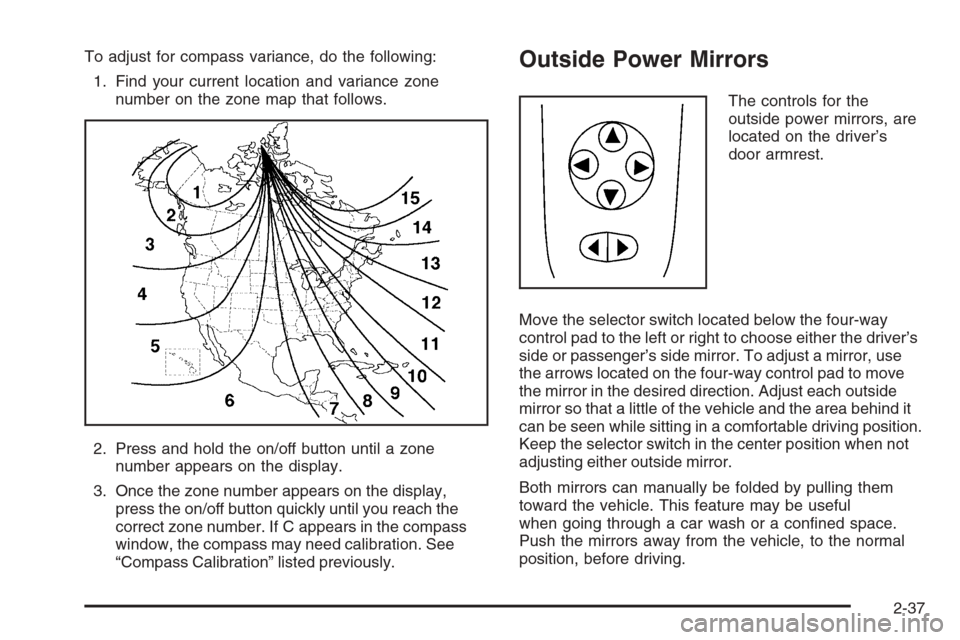
To adjust for compass variance, do the following:
1. Find your current location and variance zone
number on the zone map that follows.
2. Press and hold the on/off button until a zone
number appears on the display.
3. Once the zone number appears on the display,
press the on/off button quickly until you reach the
correct zone number. If C appears in the compass
window, the compass may need calibration. See
“Compass Calibration” listed previously.Outside Power Mirrors
The controls for the
outside power mirrors, are
located on the driver’s
door armrest.
Move the selector switch located below the four-way
control pad to the left or right to choose either the driver’s
side or passenger’s side mirror. To adjust a mirror, use
the arrows located on the four-way control pad to move
the mirror in the desired direction. Adjust each outside
mirror so that a little of the vehicle and the area behind it
can be seen while sitting in a comfortable driving position.
Keep the selector switch in the center position when not
adjusting either outside mirror.
Both mirrors can manually be folded by pulling them
toward the vehicle. This feature may be useful
when going through a car wash or a conned space.
Push the mirrors away from the vehicle, to the normal
position, before driving.
2-37
Page 132 of 434
Oil Pressure Light.........................................3-44
Security Light...............................................3-44
Cruise Control Light......................................3-45
Highbeam On Light.......................................3-45
Service Vehicle Soon Light............................3-45
Fuel Gage...................................................3-46
Driver Information Center (DIC).......................3-47
DIC Operation and Displays...........................3-47
DIC Warnings and Messages.........................3-52
Audio System(s).............................................3-54
Setting the Time for Radios without Radio
Data Systems (RDS)..................................3-54
Setting the Time for Radios with Radio Data
Systems (RDS).........................................3-55
Radio with CD (Base Level)...........................3-55
Radio with CD (Up Level)..............................3-60Radio with Cassette and CD..........................3-71
Radio with Six-Disc CD.................................3-84
Rear Seat Entertainment System....................3-99
Rear Seat Audio (RSA) (Without Rear
Seat Entertainment).................................3-115
Rear Seat Audio (RSA) (With Entertainment
System)..................................................3-117
Theft-Deterrent Feature................................3-118
Audio Steering Wheel Controls......................3-119
Radio Reception.........................................3-120
Care of the Cassette Tape Player.................3-120
Care of Your CDs and DVDs........................3-121
Care of the CD and DVD Player...................3-121
Fixed Mast Antenna (MAXX Only).................3-122
Backglass Antenna (Sedan Only)..................3-122
XM™ Satellite Radio Antenna System............3-122
Section 3 Instrument Panel
3-2
Page 142 of 434
The cruise control buttons are located on the steering
wheel.
J(On/Off):Press this button to turn the cruise
control system on and off.
+RES (Resume):Press this part of the button to
resume a set speed and to accelerate the speed.
−SET (Set):Press this part of the button to set a speed
and to decrease the speed.
To set a speed do the following:
1. Press the on/off button to turn cruise control on.
The indicator light on the button will come on.
2. Get to the speed you want.
3. Press the−SET part of the control button and
release it. The cruise symbol will display in the
instrument panel cluster to show the system
is engaged.
4. Take your foot off the accelerator pedal.
Resuming a Set Speed
Suppose you set your cruise control at a desired
speed and then you apply the brake. This, of course,
disengages the cruise control. The cruise symbol in
the instrument panel cluster will also go out indicating
cruise is no longer engaged. To return to your
previously set speed, you do not need to go through
the set process again. Once you’re going about
25 mph (40 km/h) or more, you can press the +RES
part of the button briey.
This will take you back up to your previously chosen
speed and stay there.
3-12
Page 157 of 434
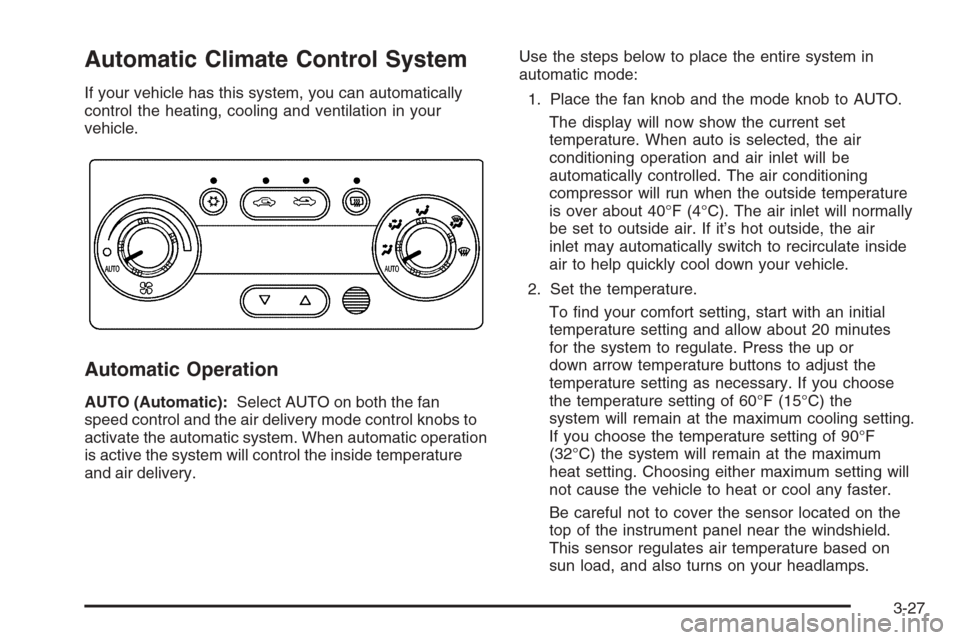
Automatic Climate Control System
If your vehicle has this system, you can automatically
control the heating, cooling and ventilation in your
vehicle.
Automatic Operation
AUTO (Automatic):Select AUTO on both the fan
speed control and the air delivery mode control knobs to
activate the automatic system. When automatic operation
is active the system will control the inside temperature
and air delivery.Use the steps below to place the entire system in
automatic mode:
1. Place the fan knob and the mode knob to AUTO.
The display will now show the current set
temperature. When auto is selected, the air
conditioning operation and air inlet will be
automatically controlled. The air conditioning
compressor will run when the outside temperature
is over about 40°F (4°C). The air inlet will normally
be set to outside air. If it’s hot outside, the air
inlet may automatically switch to recirculate inside
air to help quickly cool down your vehicle.
2. Set the temperature.
To nd your comfort setting, start with an initial
temperature setting and allow about 20 minutes
for the system to regulate. Press the up or
down arrow temperature buttons to adjust the
temperature setting as necessary. If you choose
the temperature setting of 60°F (15°C) the
system will remain at the maximum cooling setting.
If you choose the temperature setting of 90°F
(32°C) the system will remain at the maximum
heat setting. Choosing either maximum setting will
not cause the vehicle to heat or cool any faster.
Be careful not to cover the sensor located on the
top of the instrument panel near the windshield.
This sensor regulates air temperature based on
sun load, and also turns on your headlamps.
3-27
Page 158 of 434
Also be careful not to cover the sensor grille on
the lower right side of the climate control faceplate.
This senses the inside vehicle temperature
needed for proper regulation.
To avoid blowing cold air at start-up in cold weather,
the system will delay turning on the fan until
warm air is available. The length of delay depends
on the engine coolant temperature. Turning the
fan knob will override this delay and change the
fan to a selected speed.
If your vehicle has the remote start feature, the climate
control display will initially show “AS” in place of the
temperature to indicate the remote start has been
activated. The system will automatically regulate the
temperature.Manual Operation
You may manually adjust the air delivery mode or
fan speed.
9(Off):Select this position on the fan knob to turn
off the entire climate control system. Outside air will
still enter the vehicle, and will be directed to the
oor. This direction can be changed by changing the
mode position. The temperature can also be adjusted
using either the up or down arrow temperature buttons.
9(Fan):The knob with the fan symbol allows you
to manually adjust the fan speed.
H(Vent):This mode directs air to the instrument
panel outlets.
)(Bi-Level):This mode directs half of the air to
the instrument panel outlets, and the remaining air to
the oor outlets.
3-28
Page 164 of 434
Speedometer and Odometer
Your speedometer lets you see your speed in both
miles per hour (mph) and kilometers per hour (km/h).
Your odometer shows how far your vehicle has
been driven, in either miles (used in the United States)
or kilometers (used in Canada).
Your vehicle has a tamper resistant odometer. The
digital odometer will read 999,999 if someone tries
to turn it back.
You may wonder what happens if your vehicle needs a
new odometer installed. If the new one can be set to
the mileage total of the old odometer, then it must
be. But if it can’t, then it’s set at zero and a label must
be put on the driver’s door to show the old mileage
reading when the new odometer was installed.
Trip Odometer
The trip odometer can tell you how far you have driven
since you last reset it.
The trip odometer is accessed and reset through the
Driver Information Center (DIC). SeeDIC Operation
and Displays on page 3-49for more information.
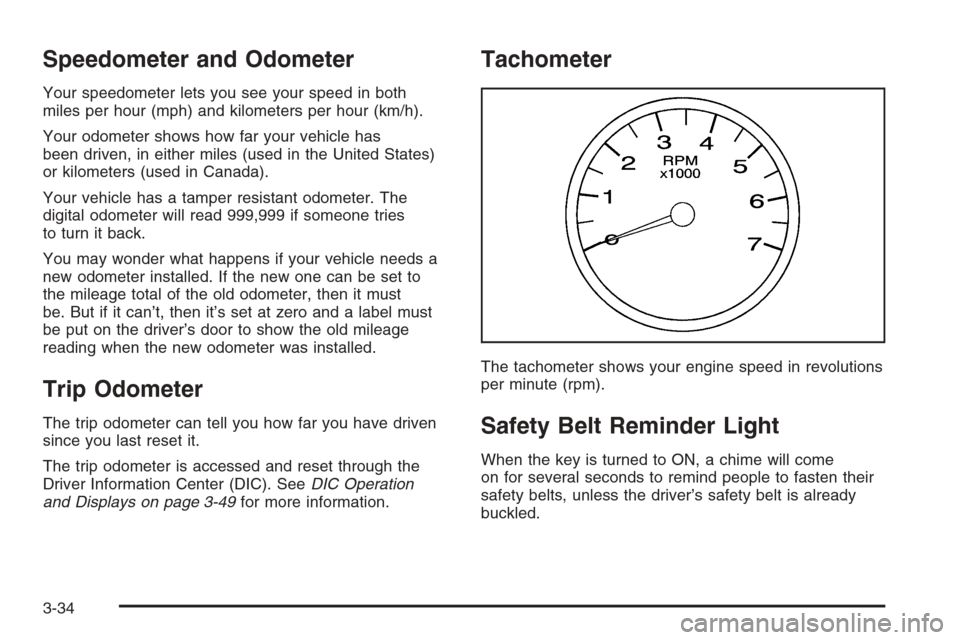
Tachometer
The tachometer shows your engine speed in revolutions
per minute (rpm).
Safety Belt Reminder Light
When the key is turned to ON, a chime will come
on for several seconds to remind people to fasten their
safety belts, unless the driver’s safety belt is already
buckled.
3-34