2005 CHEVROLET KODIAK brake light
[x] Cancel search: brake lightPage 154 of 374
Exhaust Brake Indicator Light
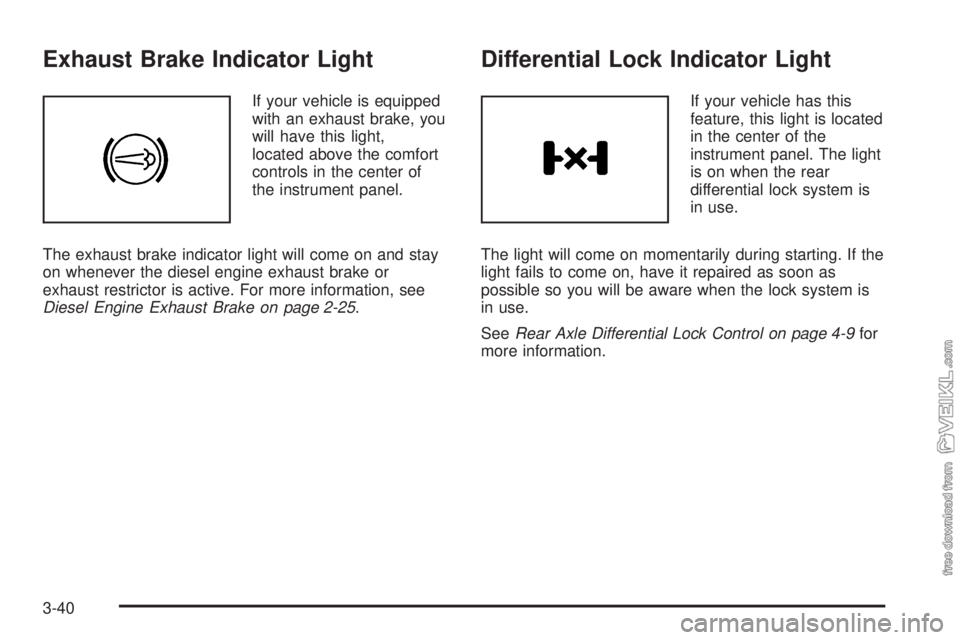
If your vehicle is equipped
with an exhaust brake, you
will have this light,
located above the comfort
controls in the center of
the instrument panel.
The exhaust brake indicator light will come on and stay
on whenever the diesel engine exhaust brake or
exhaust restrictor is active. For more information, see
Diesel Engine Exhaust Brake on page 2-25.
Differential Lock Indicator Light
If your vehicle has this
feature, this light is located
in the center of the
instrument panel. The light
is on when the rear
differential lock system is
in use.
The light will come on momentarily during starting. If the
light fails to come on, have it repaired as soon as
possible so you will be aware when the lock system is
in use.
SeeRear Axle Differential Lock Control on page 4-9for
more information.
3-40
Page 158 of 374

Air Pressure Gage
If your vehicle has air
brakes, the air pressure
gage is located above the
switchbank in the center
of the instrument panel.
This gage shows the air pressure for both your front
and rear brake systems.
If the needle on the gage indicates that the air pressure
is below 60 to 75 psi (415 to 517 kPa), the low air
warning light will come on. An alarm will also sound if
this happens.
The top pointer shows the pressure available for the
front system, while the bottom pointer shows pressure
for the rear. There should be no more than 4 psi
(28 kPa) difference showing between the systems.
Don’t drive until both pointers are showing at least
120 psi (827 kPa), so you’ll have enough air if you need
to apply your brakes.
Hourmeter Gage
To access the engine hourmeter gage, press the trip
odometer button three times.
The instrument panel cluster displays the accumulated
engine run time hours using the reconfigurable
odometer display. The engine run time hours displays
only when the ignition is in the LOCK or ACCESSORY
position and the trip reset button is pressed for about
four seconds. The value of the accumulated hours does
not change when the battery is disconnected.
The hourmeter resets to 0.0 when 10,000 hours are
accumulated. The instrument panel cluster begins to
reaccumulate the engine run time hours from 0.0 hours.
Audio System(s)
Notice:Before adding any sound equipment to
your vehicle, such as an audio system, CD player,
CB radio, mobile telephone, or two-way radio, make
sure that it can be added by checking with your
dealer. Also, check federal rules covering mobile
radio and telephone units. If sound equipment can
be added, it is very important to do it properly.
Added sound equipment may interfere with
the operation of your vehicle’s engine, radio, or
other systems, and even damage them. Your
vehicle’s systems may interfere with the operation
of sound equipment that has been added.
3-44
Page 180 of 374

Avoid needless heavy braking. Some people drive
in spurts — heavy acceleration followed by heavy
braking — rather than keeping pace with traffic. This is
a mistake. Your brakes may not have time to cool
between hard stops. Your brakes will wear out much
faster if you do a lot of heavy braking. If you keep pace
with the traffic and allow realistic following distances,
you will eliminate a lot of unnecessary braking.
That means better braking and longer brake life.
If your engine ever stops while you are driving, brake
normally but do not pump your brakes. If you do,
the pedal may get harder to push down. If your engine
stops, you will still have some power brake assist.
But you will use it when you brake. Once the power
assist is used up, it may take longer to stop and
the brake pedal will be harder to push.
Hydraulic Brake Systems
If your engine stops running, or if your primary brake
system stops working, your vehicle has a reserve power
assist system to help you slow down. Just slowly and
steadily apply the brake pedal until you can safely get off
the road. The pedal will seem harder to push down.
Do not pump the pedal; the system will not work well or
at all that way.You may find that the steering wheel seems hard to turn
when you are turning and braking at the same time.
Also, the primary brake warning light may come on and
the warning tone may sound. This is normal because
the main hydraulic brake system and power steering
both use the power steering pump. If this ever happens,
let up on the brake pedal a little. When you let up on
the brake pedal in that situation, it lets the steering get a
little more help from the pump.
Anti-Lock Brake System (ABS)
Your vehicle has anti-lock brakes. ABS is an advanced
electronic braking system that will help prevent a
braking skid.
When you start your engine and begin to drive away,
your anti-lock brake system will check itself. You
may hear a momentary motor or clicking noise while
this test is going on. This is normal.
If there is a problem with
the anti-lock brake system,
this warning light will
stay on. SeeAnti-Lock
Brake System Warning
Light on page 3-34.
4-6
Page 184 of 374

Traction Control System (TCS)
Your vehicle may have a traction control system that
limits wheel spin. This is especially useful in slippery
road conditions. The system operates only if it senses
that one or both of the rear wheels are spinning or
beginning to lose traction. When this happens,
the system applies the brake(s) at the affected wheel(s).
The bottom light on the TCS on/off button will come
on when the TCS is limiting wheel spin. You may feel or
hear the system working, but this is normal. The TCS
will function at speeds up to about 25 mph (42 km/h).
The TCS may operate on dry roads under some
conditions. When this happens, you may notice a
reduction in acceleration. This is normal and doesn’t
mean there’s a problem with your vehicle. Examples of
these conditions include a hard acceleration in a
turn, an abrupt upshift or downshift of the transmission
or driving on rough roads.
When the light in the top of the TCS button is on, the
TCS is off and will not limit wheel spin. Adjust your
driving accordingly.
The light in the top of the TCS button will come on if the
TCS is turned off by pressing the TCS on/off button.
The light may also come on if a problem has been
detected in either the traction control system or
the anti-lock brake system.The traction control system automatically comes on
whenever you start your vehicle. To limit wheel
spin, especially in slippery road conditions, you should
always leave the system on. But you can turn the
traction control system off if you ever need to. You
should turn the system off if your vehicle ever gets stuck
in sand, mud or snow and rocking the vehicle is
required. SeeRocking Your Vehicle to Get It Out on
page 4-30for more information.
To turn the system on or
off, press the traction
control button located on
the instrument panel.
If you used the TCS button to turn the system off, the
light in the top of the button will come on and stay
on. You can turn the TCS back on at any time by
pressing the button again; the light should go off.
4-10
Page 193 of 374
{CAUTION:
Wet brakes can cause accidents. They will not
work as well in a quick stop and may cause
pulling to one side. You could lose control of
the vehicle.
After driving through a large puddle of water
or a vehicle wash, apply your brake pedal
lightly until your brakes work normally.
Hydroplaning
Hydroplaning is dangerous. So much water can build up
under your tires that they can actually ride on the
water. This can happen if the road is wet enough and
you are going fast enough. When your vehicle is
hydroplaning, it has little or no contact with the road.Hydroplaning does not happen often. But it can if your
tires do not have much tread or if the pressure in one or
more is low. It can happen if a lot of water is standing
on the road. If you can see reflections from trees,
telephone poles, or other vehicles, and raindrops dimple
the water’s surface, there could be hydroplaning.
Hydroplaning usually happens at higher speeds. There
just is not a hard and fast rule about hydroplaning.
The best advice is to slow down when it is raining.
Driving Through Deep Standing Water
Notice:If you drive too quickly through deep
puddles or standing water, water can come in
through your engine’s air intake and badly damage
your engine. Never drive through water that is
slightly lower than the underbody of your vehicle. If
you cannot avoid deep puddles or standing water,
drive through them very slowly.
4-19
Page 211 of 374

Trailer Connections
Heavy-Duty Trailer Wiring Package
Your vehicle may be equipped with an eight-wire trailer
towing harness. This harness, with a seven-pin
universal heavy-duty trailer connector, is attached to a
bracket on the platform hitch.
The Center High-Mounted Stoplamp (CHMSL) wire
is tied next to the trailer wiring harness for use with
a trailer.The eight-wire harness contains the following trailer
circuits:
•Yellow: Left Stop/Turn Signal
•Dark Green: Right Stop/Turn Signal
•Brown: Taillamps
•White: Ground
•Light Green: Back-up Lamps
•Light Blue: CHMSL
•Red: Battery Feed
•Dark Blue: Trailer Brake
4-37
Page 223 of 374
Water In Fuel Light Chart
Problem Recommended Action
Light comes on
intermittently.Drain water from the
fuel filter.
Light stays on at
temperatures above
freezing.Drain the fuel filter
immediately. If no water
can be drained and the
light stays on, see your
dealer for assistance.
Light stays on at
temperatures below
freezing.Drain the fuel filter
immediately. If no water
can be drained, water
may be frozen in the
water drain system, or in
the fuel lines. Move the
vehicle to a warm location
to thaw out, and then
drain the filter system.
Light stays on
immediately after
refueling, and a large
amount of water was
possibly pumped into the
fuel tank.Fuel tank purging is
required. See your dealer
for assistance.Notice:If you drive when this warning indicator is
on, you can damage your fuel injection system
and your engine. If the indicator comes on right after
you refuel, it means water was pumped into your
fuel tank. Turn off your engine immediately.
Then, have the water drained at once.
To drain water, do the following:
1. Stop and park the vehicle in a safe place.
Turn off the engine and apply the parking brake.
2. Remove the fuel cap.
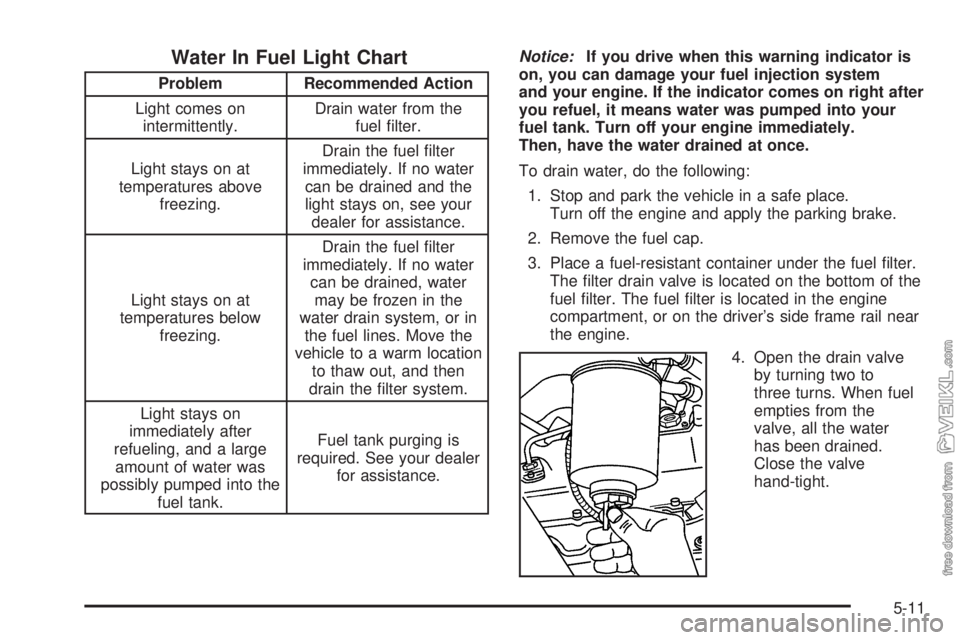
3. Place a fuel-resistant container under the fuel filter.
The filter drain valve is located on the bottom of the
fuel filter. The fuel filter is located in the engine
compartment, or on the driver’s side frame rail near
the engine.
4. Open the drain valve
by turning two to
three turns. When fuel
empties from the
valve, all the water
has been drained.
Close the valve
hand-tight.
5-11
Page 244 of 374
What to Do with Used Oil
Used engine oil contains certain elements that may be
unhealthy for your skin and could even cause cancer.
Do not let used oil stay on your skin for very long.
Clean your skin and nails with soap and water, or a
good hand cleaner. Wash or properly dispose of
clothing or rags containing used engine oil. See the
manufacturer’s warnings about the use and disposal of
oil products.
Used oil can be a threat to the environment. If you
change your own oil, be sure to drain all the oil from
the filter before disposal. Never dispose of oil by putting
it in the trash, pouring it on the ground, into sewers,
or into streams or bodies of water. Instead, recycle it by
taking it to a place that collects used oil. If you have
a problem properly disposing of your used oil, ask your
dealer, a service station or a local recycling center
for help.
Engine Oil Life System
(Caterpillar
®Diesel Engine)
How to Reset the Engine Oil Life
System
The Engine Oil Life System calculates when to change
your engine oil and filter based on vehicle use.
Anytime your oil is changed, reset the system so it can
calculate when the next oil change is required. If a
situation occurs where you change your oil prior to a
change engine oil light being turned on, reset the
system.
To reset the Engine Oil Life System, do the following:
1. Turn the ignition key to RUN with the engine off.
2. Fully apply and hold the brake pedal while you fully
press and release the accelerator pedal three times
within five seconds.
3. Turn the key to OFF.
If the change engine oil light comes back on when you
start your vehicle, the Engine Oil Life System has
not reset. Repeat the procedure.
5-32