Remember to keep the door closed whenever possible
to keep dirt and dust from getting inside the changer.
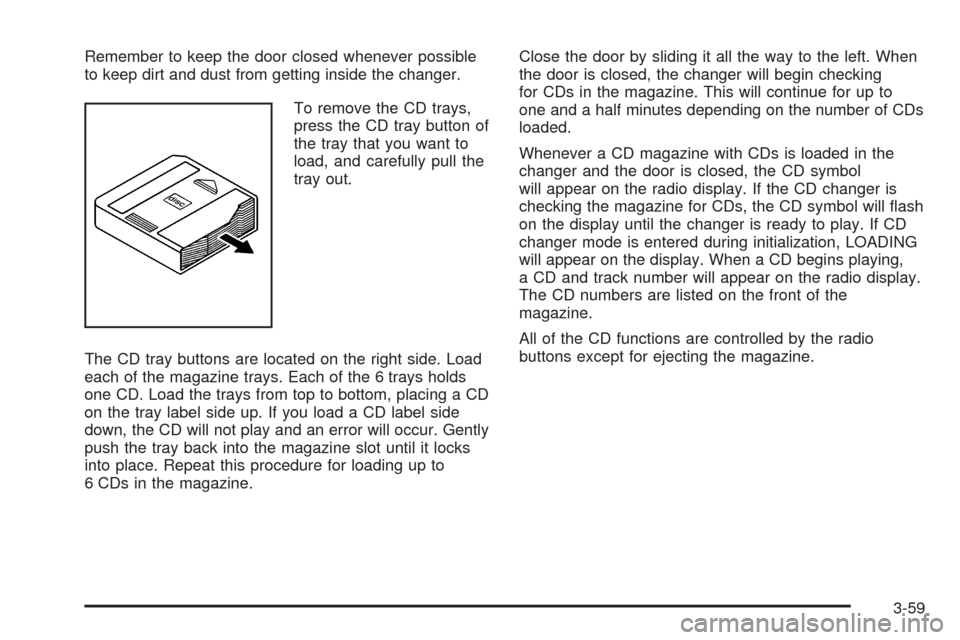
To remove the CD trays,
press the CD tray button of
the tray that you want to
load, and carefully pull the
tray out.
The CD tray buttons are located on the right side. Load
each of the magazine trays. Each of the 6 trays holds
one CD. Load the trays from top to bottom, placing a CD
on the tray label side up. If you load a CD label side
down, the CD will not play and an error will occur. Gently
push the tray back into the magazine slot until it locks
into place. Repeat this procedure for loading up to
6 CDs in the magazine.Close the door by sliding it all the way to the left. When
the door is closed, the changer will begin checking
for CDs in the magazine. This will continue for up to
one and a half minutes depending on the number of CDs
loaded.
Whenever a CD magazine with CDs is loaded in the
changer and the door is closed, the CD symbol
will appear on the radio display. If the CD changer is
checking the magazine for CDs, the CD symbol will flash
on the display until the changer is ready to play. If CD
changer mode is entered during initialization, LOADING
will appear on the display. When a CD begins playing,
a CD and track number will appear on the radio display.
The CD numbers are listed on the front of the
magazine.
All of the CD functions are controlled by the radio
buttons except for ejecting the magazine.
3-59
Audio Steering Wheel Controls
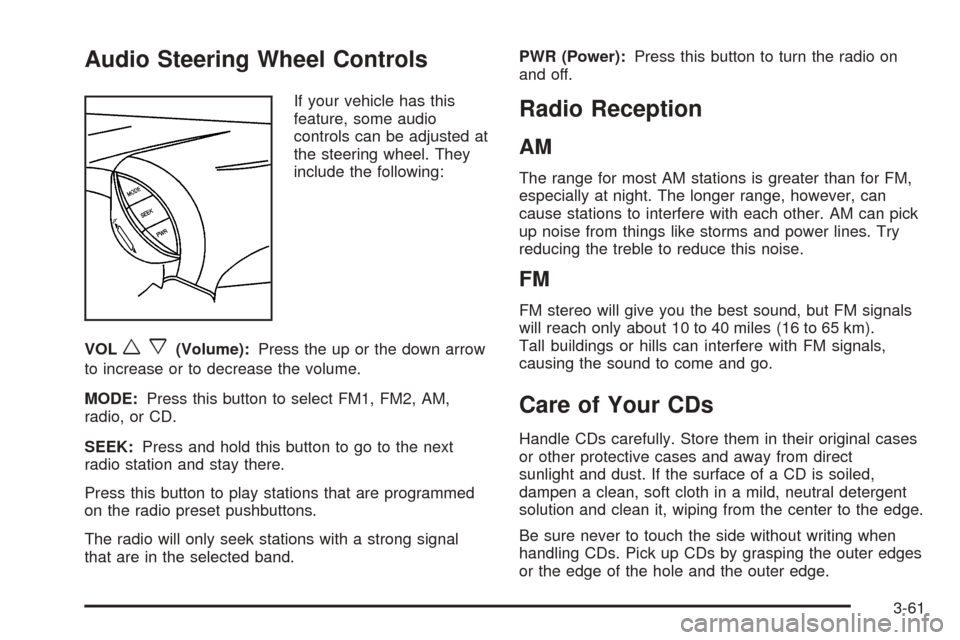
If your vehicle has this
feature, some audio
controls can be adjusted at
the steering wheel. They
include the following:
VOL
wx(Volume):Press the up or the down arrow
to increase or to decrease the volume.
MODE:Press this button to select FM1, FM2, AM,
radio, or CD.
SEEK:Press and hold this button to go to the next
radio station and stay there.
Press this button to play stations that are programmed
on the radio preset pushbuttons.
The radio will only seek stations with a strong signal
that are in the selected band.PWR (Power):Press this button to turn the radio on
and off.
Radio Reception
AM
The range for most AM stations is greater than for FM,
especially at night. The longer range, however, can
cause stations to interfere with each other. AM can pick
up noise from things like storms and power lines. Try
reducing the treble to reduce this noise.
FM
FM stereo will give you the best sound, but FM signals
will reach only about 10 to 40 miles (16 to 65 km).
Tall buildings or hills can interfere with FM signals,
causing the sound to come and go.
Care of Your CDs
Handle CDs carefully. Store them in their original cases
or other protective cases and away from direct
sunlight and dust. If the surface of a CD is soiled,
dampen a clean, soft cloth in a mild, neutral detergent
solution and clean it, wiping from the center to the edge.
Be sure never to touch the side without writing when
handling CDs. Pick up CDs by grasping the outer edges
or the edge of the hole and the outer edge.
3-61