2005 CHEVROLET BLAZER clock
[x] Cancel search: clockPage 78 of 436
Liftgate/Tailgate
{CAUTION:
It can be dangerous to drive with the liftgate or
liftglass open because carbon monoxide (CO)
gas can come into your vehicle. You can not
see or smell CO. It can cause
unconsciousness and even death. If you must
drive with the liftgate open or if electrical
wiring or other cable connections must pass
through the seal between the body and the
liftgate or liftglass:
Make sure all other windows are shut.
Turn the fan on your heating or cooling
system to its highest speed and select the
control setting that will force outside air
into your vehicle. See Climate Control
System in the Index.
If you have air outlets on or under the
instrument panel, open them all the way.
SeeEngine Exhaust on page 2-40.
Liftgate/Tailgate Release
To open a manual lock system from the outside, insert
the key into a lock and turn it counterclockwise to
unlock the tailgate and liftglass or the liftgate.
To open a power lock system from the outside, insert
the key into a lock and turn it counterclockwise. All
the doors will then unlock.
If your vehicle is equipped with the keyless entry
system, your vehicle does not have a lock on the
tailgate. It is equipped with a push button to release the
liftglass.
You may also use the keyless entry transmitter, or the
power door locks, if equipped.
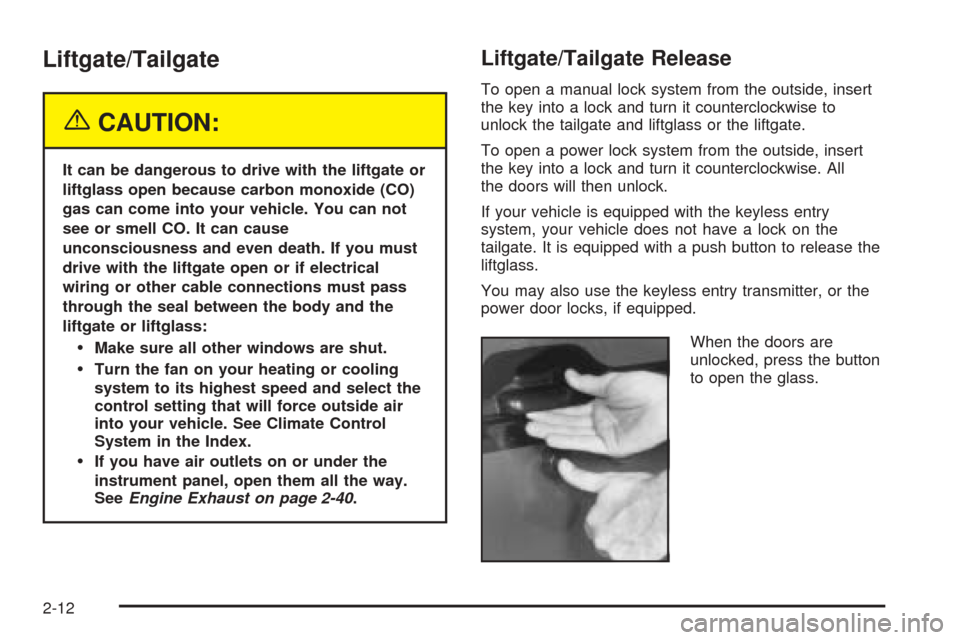
When the doors are
unlocked, press the button
to open the glass.
2-12
Page 79 of 436
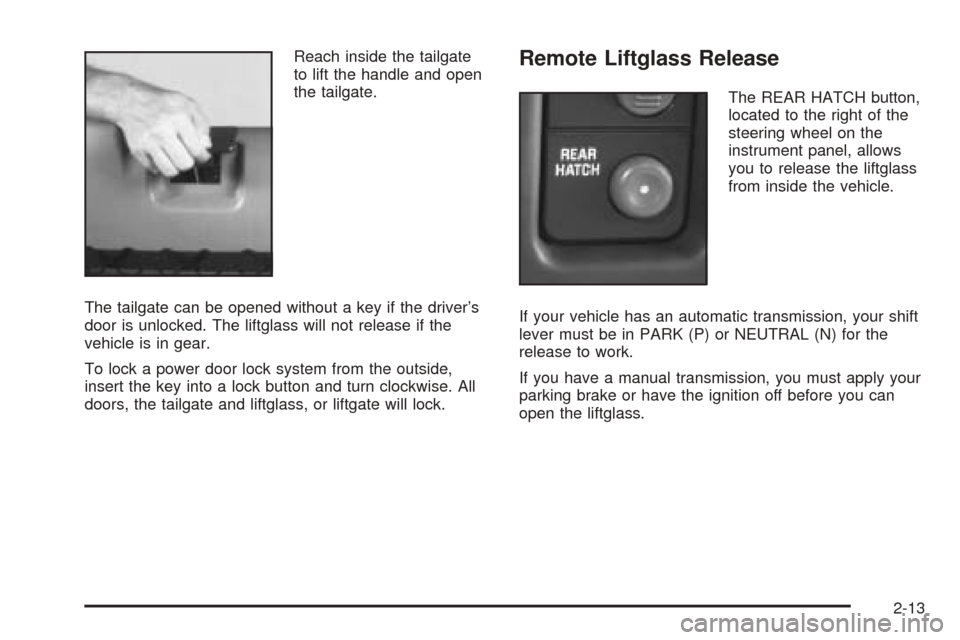
Reach inside the tailgate
to lift the handle and open
the tailgate.
The tailgate can be opened without a key if the driver’s
door is unlocked. The liftglass will not release if the
vehicle is in gear.
To lock a power door lock system from the outside,
insert the key into a lock button and turn clockwise. All
doors, the tailgate and liftglass, or liftgate will lock.Remote Liftglass Release
The REAR HATCH button,
located to the right of the
steering wheel on the
instrument panel, allows
you to release the liftglass
from inside the vehicle.
If your vehicle has an automatic transmission, your shift
lever must be in PARK (P) or NEUTRAL (N) for the
release to work.
If you have a manual transmission, you must apply your
parking brake or have the ignition off before you can
open the liftglass.
2-13
Page 139 of 436
Exterior Lamps
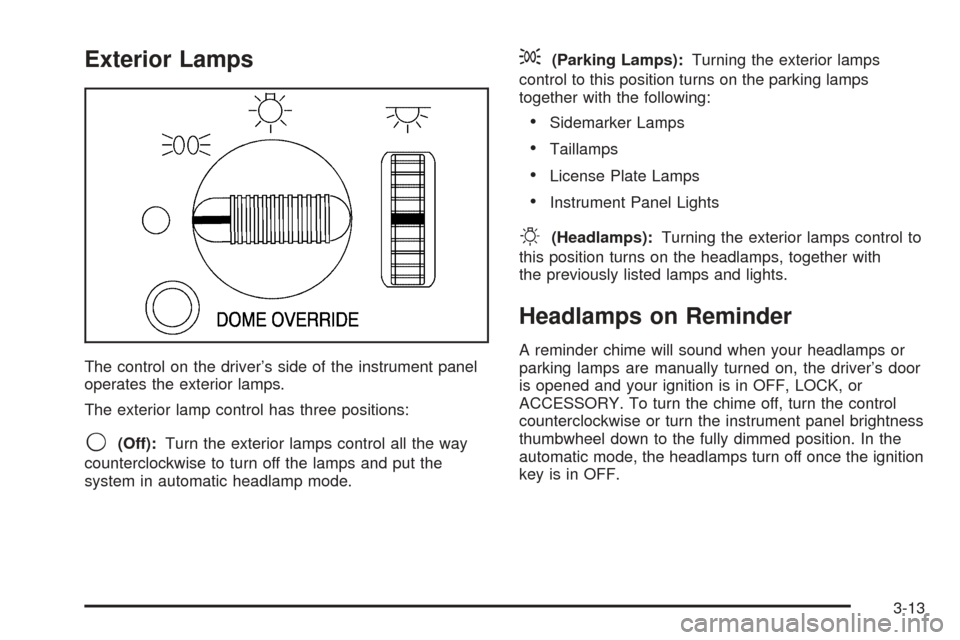
The control on the driver’s side of the instrument panel
operates the exterior lamps.
The exterior lamp control has three positions:
9(Off):Turn the exterior lamps control all the way
counterclockwise to turn off the lamps and put the
system in automatic headlamp mode.
;(Parking Lamps):Turning the exterior lamps
control to this position turns on the parking lamps
together with the following:
Sidemarker Lamps
Taillamps
License Plate Lamps
Instrument Panel Lights
O(Headlamps):Turning the exterior lamps control to
this position turns on the headlamps, together with
the previously listed lamps and lights.
Headlamps on Reminder
A reminder chime will sound when your headlamps or
parking lamps are manually turned on, the driver’s door
is opened and your ignition is in OFF, LOCK, or
ACCESSORY. To turn the chime off, turn the control
counterclockwise or turn the instrument panel brightness
thumbwheel down to the fully dimmed position. In the
automatic mode, the headlamps turn off once the ignition
key is in OFF.
3-13
Page 145 of 436
Climate Controls
Climate Control System
With this system you can control the heating, cooling
and ventilation for your vehicle.
Operation
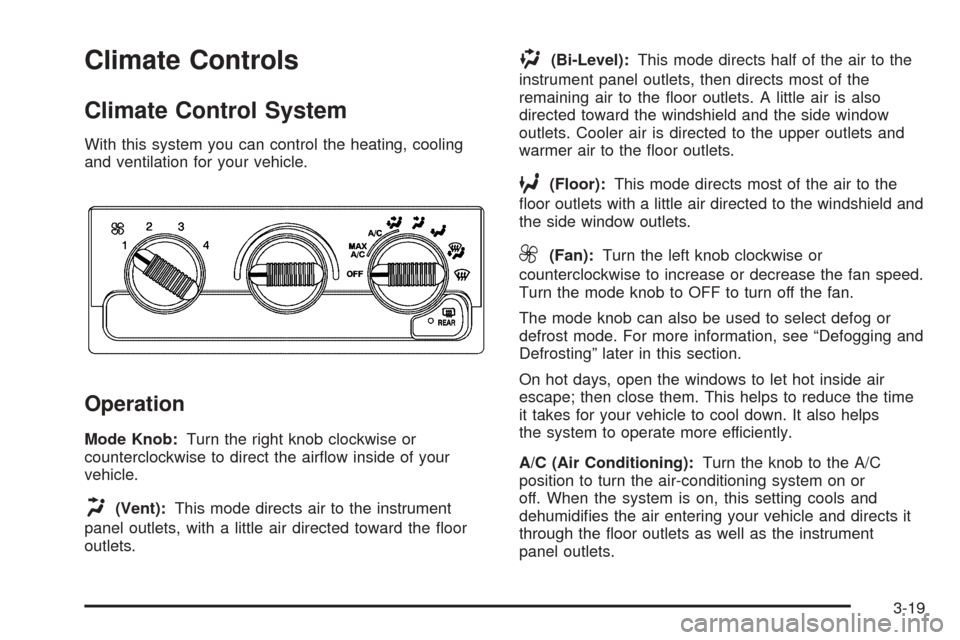
Mode Knob:Turn the right knob clockwise or
counterclockwise to direct the airow inside of your
vehicle.
H(Vent):This mode directs air to the instrument
panel outlets, with a little air directed toward the oor
outlets.
)(Bi-Level):This mode directs half of the air to the
instrument panel outlets, then directs most of the
remaining air to the oor outlets. A little air is also
directed toward the windshield and the side window
outlets. Cooler air is directed to the upper outlets and
warmer air to the oor outlets.
6(Floor):This mode directs most of the air to the
oor outlets with a little air directed to the windshield and
the side window outlets.
9(Fan):Turn the left knob clockwise or
counterclockwise to increase or decrease the fan speed.
Turn the mode knob to OFF to turn off the fan.
The mode knob can also be used to select defog or
defrost mode. For more information, see “Defogging and
Defrosting” later in this section.
On hot days, open the windows to let hot inside air
escape; then close them. This helps to reduce the time
it takes for your vehicle to cool down. It also helps
the system to operate more efficiently.
A/C (Air Conditioning):Turn the knob to the A/C
position to turn the air-conditioning system on or
off. When the system is on, this setting cools and
dehumidies the air entering your vehicle and directs it
through the oor outlets as well as the instrument
panel outlets.
3-19
Page 166 of 436

Setting the Time for Radios without
Radio Data Systems (RDS)
Press and hold HR until the correct hour appears on the
display. Press and hold MIN until the correct minute
appears on the display. There is an initial two-second
delay before the clock goes into time-set mode.
Display the time with the ignition off, by pressing RCL,
HR, or MIN.
Setting the Time for Radios with
Radio Data Systems (RDS)
The radio may have a button marked with an H or HR
to represent hours and an M or MN to represent
minutes.
Press and hold the hour button until the correct hour
appears on the display. Press and hold the minute
button until the correct minute appears on the display.
The time can be set with the ignition on or off.To synchronize the time with an FM station broadcasting
Radio Data System (RDS) information, press and
hold the hour and minute buttons at the same time until
RDS TIME appears on the display. To accept this
time, press and hold the hour and minute buttons, at the
same time, for another two seconds. If the time is not
available from the station, NO UPDAT will appear on the
display.
RDS time is broadcast once a minute. After tuning to an
RDS broadcast station, it may take a few minutes for
the time to update.
3-40
Page 186 of 436

4 FWD (Forward):Press this pushbutton to quickly
advance the tape. The radio will play while the
tape advances. Press this pushbutton again to return to
playing speed. The station frequency and FWD will
appear on the display. Select stations during forward
operation by using TUNE and SEEK.
5
XSIDE:Press this pushbutton to play the other side
of the tape.
©SEEK¨:The right arrow is the same as the
NEXT pushbutton, and the left arrow is the same as the
PREV pushbutton. If either arrow is held or pressed
more than once, the player will continue moving forward
or backward through the tape. SEEK and a positive
or negative number will appear on the display.
©SCAN¨:Press and hold either the SCAN or the
TYPE arrows for more than two seconds until SCAN
appears on the display and you hear a beep. The radio
will go to the next selection, play for 10 seconds,
then go on to the next selection. Press either the SCAN
or the TYPE arrows again, to stop scanning. The
tape must have at least three seconds of silence
between each selection for scan to work.
BAND:Press this button to listen to the radio when a
cassette tape or CD is playing. The inactive tape or CD
will remain safely inside the radio for future listening.TAPE DISC:Press this button to play a cassette tape
or CD when listening to the radio. The inactive tape
or CD will remain safely inside the radio for future
listening.
Z(Eject):Press this button to stop a tape when it is
playing or to eject a tape when it is not playing. Eject
may be activated with the radio off. Cassette tapes may
be loaded with the radio off if this button is
pressed rst.
Cassette Tape Messages
CHK TAPE (Check Tape):If this message appears on
the display, the tape will not play due to one of the
following errors:
The tape is tight and the player cannot turn the
tape hubs. Remove the tape. Hold the tape with
the open end down and try to turn the right
hub counterclockwise with a pencil. Turn the tape
over and repeat. If the hubs do not turn easily,
the tape may be damaged and should not be used
in the player. Try a new tape to make sure your
player is working properly.
The tape is broken. Try a new tape.
The tape is wrapped around the tape head. Attempt
to get the cassette out. Try a new tape.
3-60
Page 213 of 436
Steering in Emergencies
There are times when steering can be more effective
than braking. For example, you come over a hill and nd
a truck stopped in your lane, or a car suddenly pulls
out from nowhere, or a child darts out from between
parked cars and stops right in front of you. You
can avoid these problems by braking — if you can stop
in time. But sometimes you cannot; there is not room.
That is the time for evasive action — steering around the
problem.
Your vehicle can perform very well in emergencies like
these. First apply your brakes.
SeeBraking on page 4-7. It is better to remove as much
speed as you can from a possible collision. Then
steer around the problem, to the left or right depending
on the space available.An emergency like this requires close attention and a
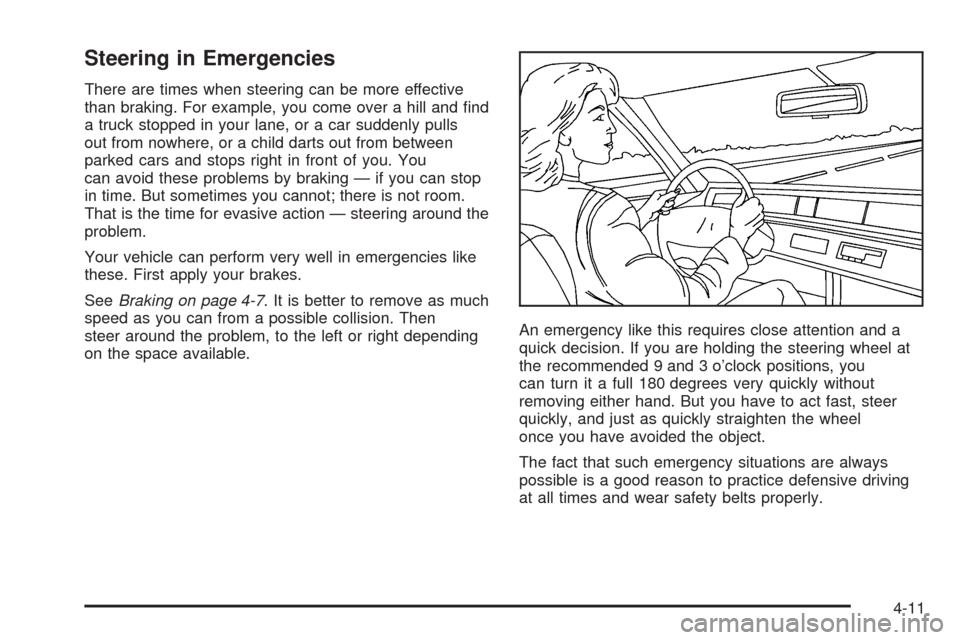
quick decision. If you are holding the steering wheel at
the recommended 9 and 3 o’clock positions, you
can turn it a full 180 degrees very quickly without
removing either hand. But you have to act fast, steer
quickly, and just as quickly straighten the wheel
once you have avoided the object.
The fact that such emergency situations are always
possible is a good reason to practice defensive driving
at all times and wear safety belts properly.
4-11
Page 224 of 436
Q:What should I do if my vehicle stalls, or is about
to stall, and I cannot make it up the hill?
A:If this happens, there are some things you should
do, and there are some things you must not do.
First, here is what youshoulddo:
Push the brake pedal to stop the vehicle and keep
it from rolling backwards. Also, apply the
parking brake.
If your engine is still running, shift the transmission
to REVERSE (R), release the parking brake, and
slowly back down the hill in REVERSE (R).
If your engine has stopped running, you will need to
restart it. With the brake pedal pressed and the
parking brake still applied, shift the transmission to
PARK (P) (or shift to neutral if your vehicle has
a manual transmission) and restart the engine.
Then, shift to REVERSE (R), release the parking
brake, and slowly back down the hill as straight as
possible in REVERSE (R).
As you are backing down the hill, put your left hand
on the steering wheel at the 12 o’clock position.
This way, you will be able to tell if your wheels are
straight and maneuver as you back down. It is
best that you back down the hill with your wheelsstraight rather than in the left or right direction.
Turning the wheel too far to the left or right
will increase the possibility of a rollover.
Here are some things youmust notdo if you stall, or
are about to stall, when going up a hill.
Never attempt to prevent a stall by shifting into
NEUTRAL (N) (or pressing the clutch, if you have a
manual transmission) to rev-up the engine and
regain forward momentum. This will not work. Your
vehicle will roll backwards very quickly and you
could go out of control.
Instead, apply the regular brake to stop the vehicle.
Then apply the parking brake. Shift to
REVERSE (R), release the parking brake, and
slowly back straight down.
Never attempt to turn around if you are about to
stall when going up a hill. If the hill is steep
enough to stall your vehicle, it is steep enough to
cause you to roll over if you turn around. If you
cannot make it up the hill, you must back straight
down the hill.
4-22