Page 116 of 316
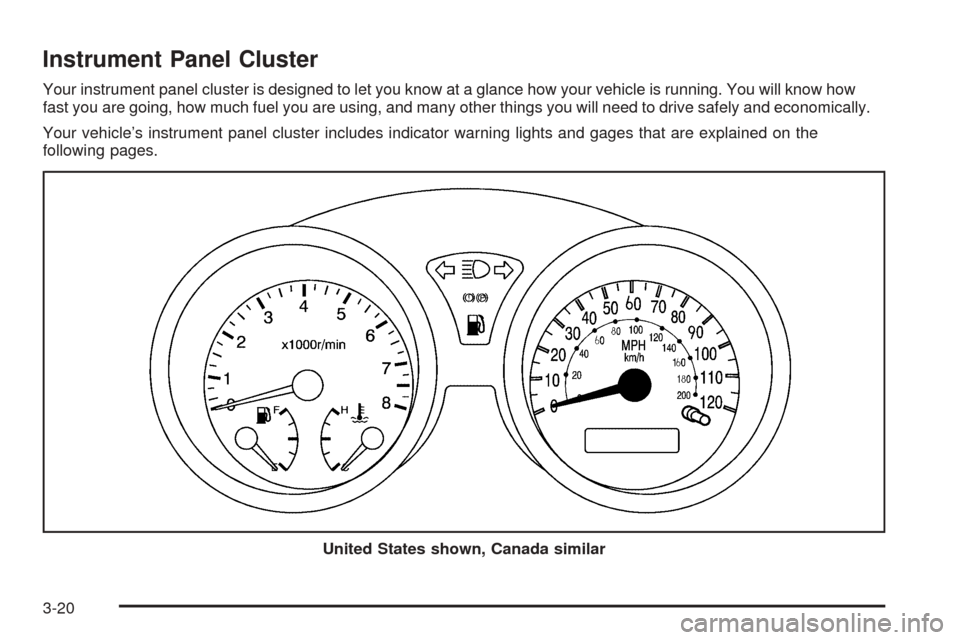
Instrument Panel Cluster
Your instrument panel cluster is designed to let you know at a glance how your vehicle is running. You will know how
fast you are going, how much fuel you are using, and many other things you will need to drive safely and economically.
Your vehicle’s instrument panel cluster includes indicator warning lights and gages that are explained on the
following pages.
United States shown, Canada similar
3-20
Page 121 of 316
Secondary Information Center (SIC)
The secondary information center (SIC) displays some of the warning lights and indicators. The SIC is located in
the center of the instrument panel, above the center air outlets. The digital clock is also located in the center of
the SIC. SeeClock on page 3-26andInstrument Panel Overview on page 3-4for more information.
3-25
Page 122 of 316

Clock
Your vehicle has a digital clock. The clock is located
in the secondary instrument cluster on the center of the
instrument panel, above the center air outlets. When
the ignition is turned to ACC or ON, the time is displayed
in the digital clock. There are two adjusting buttons
for the digital clock:
H (Hour):To go forward one hour, press the H button
once. To go forward more than one hour, press and hold
the button until the correct hour is reached.
M (Minute):To go forward one minute, press the
M button once. To go forward more than one minute,
press and hold the button until the correct minute
is reached.
After disconnecting the battery or replacing the fuse,
reset the clock.
Safety Belt Reminder Light
The safety belt light will
come on and stay on until
the driver’s safety belt
is buckled.
If the driver’s belt is already buckled, the light will not
come on.
Airbag Readiness Light
There is an airbag readiness light on the secondary
information center (SIC), which shows the airbag
symbol. The system checks the airbag’s electrical
system for malfunctions. The light tells you if there is an
electrical problem. The system check includes the
airbag sensor, the airbag modules, the wiring and the
crash sensing and diagnostic module. For more
information on the airbag system, seeAirbag System
on page 1-46.
3-26
Page 148 of 316
Avoid needless heavy braking. Some people drive
in spurts — heavy acceleration followed by heavy
braking — rather than keeping pace with traffic.
This is a mistake. Your brakes may not have time to
cool between hard stops. Your brakes will wear
out much faster if you do a lot of heavy braking.
If you keep pace with the traffic and allow realistic
following distances, you will eliminate a lot of
unnecessary braking. That means better braking
and longer brake life.
If your engine ever stops while you are driving, brake
normally but do not pump your brakes. If you do,
the pedal may get harder to push down. If your engine
stops, you will still have some power brake assist.
But you will use it when you brake. Once the power
assist is used up, it may take longer to stop and
the brake pedal will be harder to push.Anti-Lock Brake System (ABS)
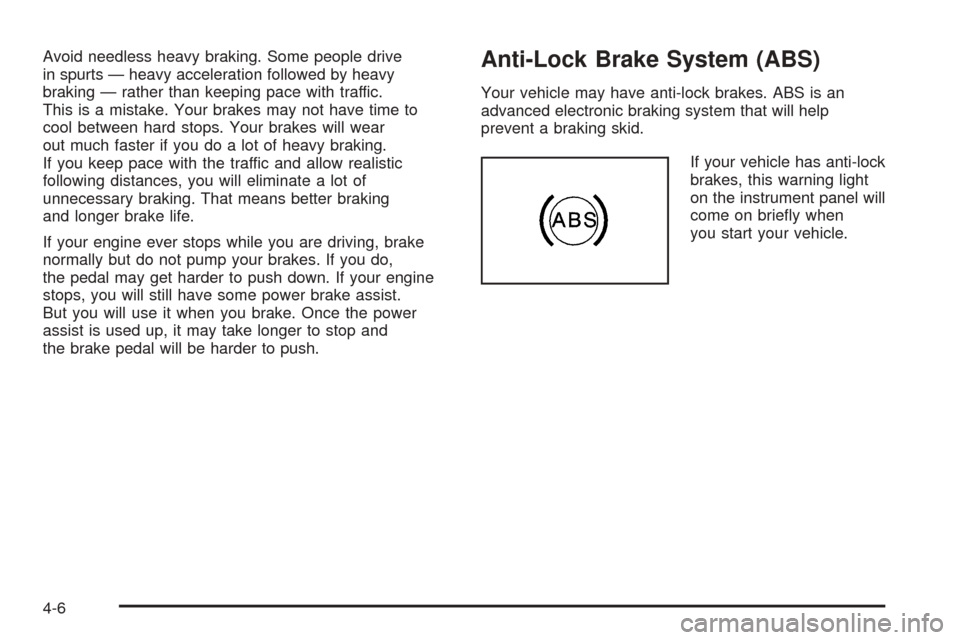
Your vehicle may have anti-lock brakes. ABS is an
advanced electronic braking system that will help
prevent a braking skid.
If your vehicle has anti-lock
brakes, this warning light
on the instrument panel will
come on briefly when
you start your vehicle.
4-6
Page 180 of 316
Wheel Replacement......................................5-58
Tire Chains..................................................5-59
If a Tire Goes Flat........................................5-60
Changing a Flat Tire.....................................5-60
Removing the Spare Tire and Tools................5-62
Removing the Flat Tire and Installing
the Spare Tire..........................................5-63
Storing a Flat or Spare Tire and Tools............5-67
Compact Spare Tire......................................5-68
Appearance Care............................................5-68
Cleaning the Inside of Your Vehicle.................5-69
Fabric/Carpet...............................................5-70
Instrument Panel, Vinyl, and Other Plastic
Surfaces..................................................5-71
Care of Safety Belts......................................5-71
Weatherstrips...............................................5-71
Washing Your Vehicle...................................5-72
Cleaning Exterior Lamps/Lenses.....................5-72
Finish Care..................................................5-72
Windshield and Wiper Blades.........................5-73
Aluminum Wheels.........................................5-73Tires...........................................................5-74
Sheet Metal Damage.....................................5-74
Finish Damage.............................................5-74
Underbody Maintenance................................5-74
Chemical Paint Spotting.................................5-75
Vehicle Care/Appearance Materials..................5-75
Vehicle Identication......................................5-76
Vehicle Identification Number (VIN).................5-76
Service Parts Identification Label.....................5-76
Electrical System............................................5-76
Add-On Electrical Equipment..........................5-76
Headlamp Wiring..........................................5-77
Windshield Wiper Fuses................................5-77
Power Windows and Other Power Options.......5-77
Fuses and Circuit Breakers............................5-77
Instrument Panel Fuse Block..........................5-78
Engine Compartment Fuse Block....................5-79
Capacities and Specications..........................5-82
Normal Maintenance Replacement Parts..........5-83
Section 5 Service and Appearance Care
5-2
Page 188 of 316
Checking Things Under
the Hood
{CAUTION:
An electric fan under the hood can start up
and injure you even when the engine is not
running. Keep hands, clothing and tools away
from any underhood electric fan.
{CAUTION:
Things that burn can get on hot engine parts
and start a re. These include liquids like fuel,
oil, coolant, brake uid, windshield washer
and other uids, and plastic or rubber. You or
others could be burned. Be careful not to drop
or spill things that will burn onto a hot engine.
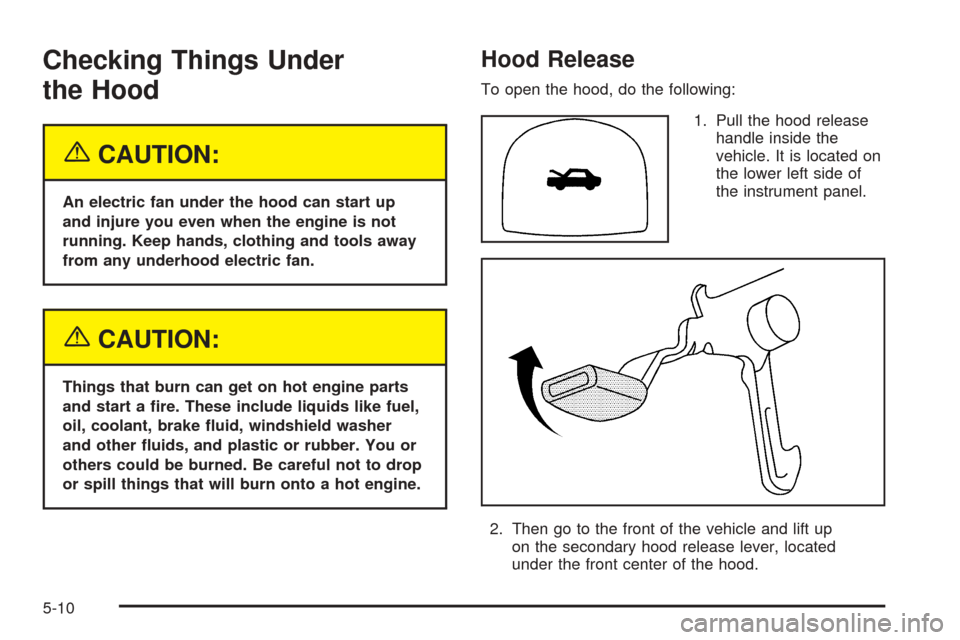
Hood Release
To open the hood, do the following:
1. Pull the hood release
handle inside the
vehicle. It is located on
the lower left side of
the instrument panel.
2. Then go to the front of the vehicle and lift up
on the secondary hood release lever, located
under the front center of the hood.
5-10
Page 202 of 316
Adding Coolant
If the level falls below the MIN (B) mark, add the proper
coolant mixtureat the surge tank,but only when the
engine is cool. If the surge tank is empty, a special
fill procedure is necessary. SeeCooling System
on page 5-26for instructions on “How to Add Coolant
to the Coolant Surge Tank.”
{CAUTION:
You can be burned if you spill coolant on hot
engine parts. Coolant contains ethylene glycol,
and it will burn if the engine parts are hot
enough. Do not spill coolant on a hot engine.
When replacing the pressure cap, make sure it is
hand-tight.
Coolant Surge Tank Pressure Cap
Notice:If the pressure cap is not tightly installed,
coolant loss and possible engine damage may
occur. Be sure the cap is properly and tightly
secured.
Engine Overheating
You will find a coolant temperature gage on your
vehicle’s instrument panel cluster. SeeEngine Coolant
Temperature Gage on page 3-23.
If Steam Is Coming From Your Engine
{CAUTION:
Steam from an overheated engine can burn
you badly, even if you just open the hood.
Stay away from the engine if you see or hear
steam coming from it. Just turn it off and get
everyone away from the vehicle until it cools
down. Wait until there is no sign of steam or
coolant before you open the hood.
If you keep driving when your engine is
overheated, the liquids in it can catch re.
You or others could be badly burned. Stop
your engine if it overheats, and get out of
the vehicle until the engine is cool.
5-24
Page 249 of 316
If any of the soil remains, a commercial fabric cleaner or
spot lifter may be necessary. When a commercial
upholstery cleaner or spot lifter is to be used, test a
small hidden area for colorfastness first. If the locally
cleaned area gives any impression that a ring formation
may result, clean the entire surface.
After the cleaning process has been completed, a paper
towel can be used to blot excess moisture from the
fabric or carpet.
Instrument Panel, Vinyl, and Other
Plastic Surfaces
A soft cloth dampened with water may be used to
remove dust. If a more thorough cleaning is necessary,
a clean soft cloth dampened with a mild soap solution
can be used to gently remove dust and dirt. Never
use spot lifters or removers on plastic surfaces. Many
commercial cleaners and coatings that are sold to
preserve and protect soft plastic surfaces may
permanently change the appearance and feel of your
interior and are not recommended. Do not use silicone
or wax-based products, or those containing organic
solvents to clean your vehicle’s interior because
they can alter the appearance by increasing the gloss
in a non-uniform manner.Some commercial products may increase gloss on your
instrument panel. The increase in gloss may cause
annoying reflections in the windshield and even make it
difficult to see through the windshield under certain
conditions.
Care of Safety Belts
Keep belts clean and dry.
{CAUTION:
Do not bleach or dye safety belts. If you do,
it may severely weaken them. In a crash,
they might not be able to provide adequate
protection. Clean safety belts only with mild
soap and lukewarm water.
Weatherstrips
Silicone grease on weatherstrips will make them last
longer, seal better, and not stick or squeak. Apply
silicone grease with a clean cloth. During very cold,
damp weather frequent application may be required.
5-71