Page 96 of 370
THIRD (3):This position is also used for normal driving,
however it offers more power and lower fuel economy
than DRIVE (D). You should use THIRD (3) when
carrying a heavy load or driving on steep hills.
SECOND (2):This position gives you more power but
lower fuel economy. You can use SECOND (2) on
hills. It can help control your speed as you go down
steep mountain roads, but then you would also want to
use your brakes off and on.
If you manually select SECOND (2), the transmission
will drive in second gear. You may use this feature
for reducing torque to the rear wheels when you
are trying to start your vehicle from a stop on slippery
road surfaces.
FIRST (1):This position gives you even more power
(but lower fuel economy) than SECOND (2). You
can use it on very steep hills, or in deep snow or mud.
If the shift selector lever is put in FIRST (1), the
transmission will not shift into rst gear until the vehicle
is going slow enough.
Notice:Spinning the tires or holding the vehicle in
one place on a hill using only the accelerator
pedal may damage the transmission. If you are
stuck, do not spin the tires. When stopping on a hill,
use the brakes to hold the vehicle in place.Tow/Haul Mode
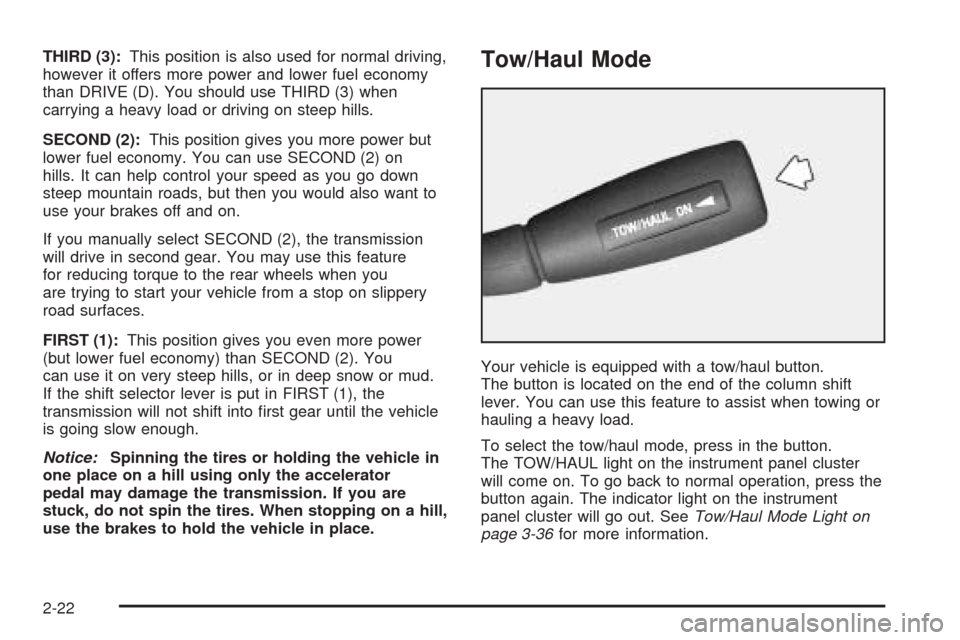
Your vehicle is equipped with a tow/haul button.
The button is located on the end of the column shift
lever. You can use this feature to assist when towing or
hauling a heavy load.
To select the tow/haul mode, press in the button.
The TOW/HAUL light on the instrument panel cluster
will come on. To go back to normal operation, press the
button again. The indicator light on the instrument
panel cluster will go out. SeeTow/Haul Mode Light on
page 3-36for more information.
2-22
Page 157 of 370
Setting the Tone (Bass/Treble)
BASS:Press this knob lightly so it extends. Turn the
knob to increase or to decrease the bass.
TREB (Treble):Press this knob lightly so it extends.
Turn the knob to increase or to decrease the treble. If a
station is weak or noisy, decrease the treble.
Return these knobs to their stored positions when you
are not using them.
AUTO TONE (Automatic Tone):Press this knob to
select customized equalization settings designed
for country/western, jazz, talk, pop, rock, and classical.
To return the bass and treble to the manual mode, either
press and release the AUTO TONE button until the
display goes blank or press and release the BASS or
TREB knobs and turn them until the display goes blank.
Adjusting the Speakers (Balance/Fade)
BAL (Balance):Press this knob lightly so it extends.
Turn the knob to move the sound toward the right or the
left speakers.
FADE:Press this knob lightly so it extends. Turn the
knob to move the sound toward the front or the
rear speakers.
Return these knobs to their stored positions when you
are not using them.
Playing a CD
Insert a CD partway into the slot, label side up. The
player will pull it in and the CD should begin playing.
If you want to insert a CD when the ignition is off, rst
press the EJECT button. If you insert a CD with the
radio off and the ignition on, it will start to play.
If the ignition or radio is turned off with a CD in the
player, it will stay in the player. When the ignition
or radio is turned on, the CD will start playing where it
stopped, if it was the last selected audio source.
When a CD is inserted, CD and a CD symbol will appear
on the display. As each new track starts to play, the
track number will appear on the display.
The CD player can play the smaller 3 inch (8 cm) single
CDs with an adapter ring. Full-size CDs and the
smaller CDs are loaded in the same manner.
If playing a CD-R the sound quality may be reduced
due to CD-R quality, the method of recording, the quality
of the music that has been recorded, and the way the
CD-R has been handled. There may be an increase
in skipping, difficulty in nding tracks, and/or difficulty in
loading and ejecting. If these problems occur try a
known good CD.
Do not add paper labels to CDs, they could get caught
in the CD player.
3-45
Page 160 of 370
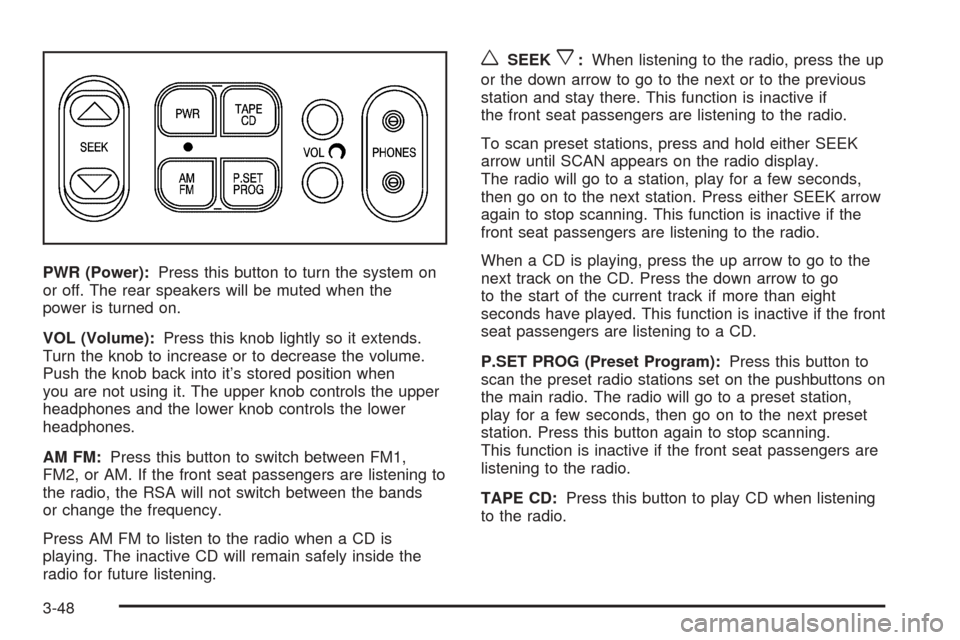
PWR (Power):Press this button to turn the system on
or off. The rear speakers will be muted when the
power is turned on.
VOL (Volume):Press this knob lightly so it extends.
Turn the knob to increase or to decrease the volume.
Push the knob back into it’s stored position when
you are not using it. The upper knob controls the upper
headphones and the lower knob controls the lower
headphones.
AM FM:Press this button to switch between FM1,
FM2, or AM. If the front seat passengers are listening to
the radio, the RSA will not switch between the bands
or change the frequency.
Press AM FM to listen to the radio when a CD is
playing. The inactive CD will remain safely inside the
radio for future listening.
wSEEKx:When listening to the radio, press the up
or the down arrow to go to the next or to the previous
station and stay there. This function is inactive if
the front seat passengers are listening to the radio.
To scan preset stations, press and hold either SEEK
arrow until SCAN appears on the radio display.
The radio will go to a station, play for a few seconds,
then go on to the next station. Press either SEEK arrow
again to stop scanning. This function is inactive if the
front seat passengers are listening to the radio.
When a CD is playing, press the up arrow to go to the
next track on the CD. Press the down arrow to go
to the start of the current track if more than eight
seconds have played. This function is inactive if the front
seat passengers are listening to a CD.
P.SET PROG (Preset Program):Press this button to
scan the preset radio stations set on the pushbuttons on
the main radio. The radio will go to a preset station,
play for a few seconds, then go on to the next preset
station. Press this button again to stop scanning.
This function is inactive if the front seat passengers are
listening to the radio.
TAPE CD:Press this button to play CD when listening
to the radio.
3-48