2005 CADILLAC STS cruise control
[x] Cancel search: cruise controlPage 166 of 446
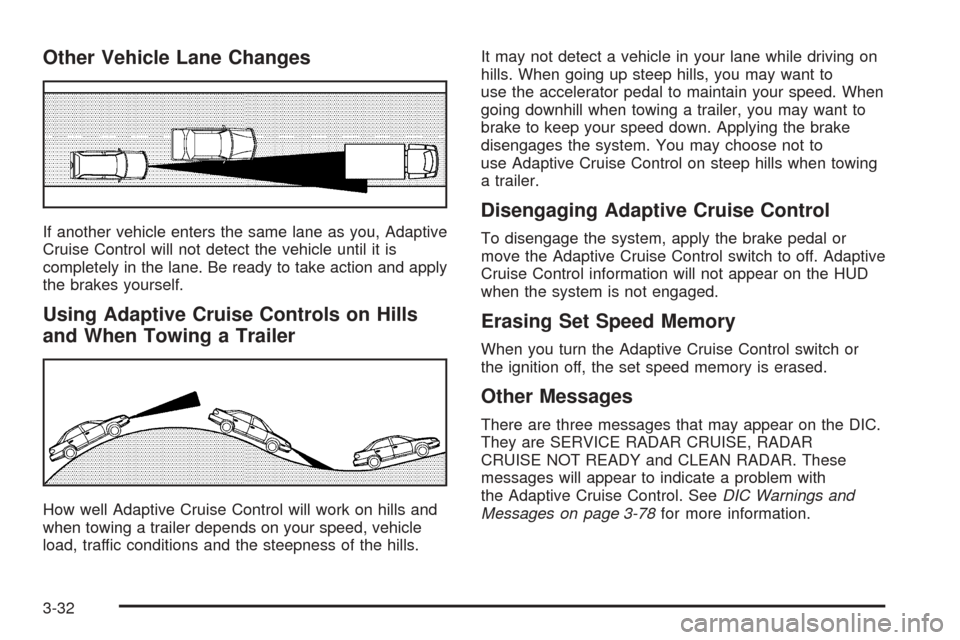
Other Vehicle Lane Changes
If another vehicle enters the same lane as you, Adaptive
Cruise Control will not detect the vehicle until it is
completely in the lane. Be ready to take action and apply
the brakes yourself.
Using Adaptive Cruise Controls on Hills
and When Towing a Trailer
How well Adaptive Cruise Control will work on hills and
when towing a trailer depends on your speed, vehicle
load, traffic conditions and the steepness of the hills.It may not detect a vehicle in your lane while driving on
hills. When going up steep hills, you may want to
use the accelerator pedal to maintain your speed. When
going downhill when towing a trailer, you may want to
brake to keep your speed down. Applying the brake
disengages the system. You may choose not to
use Adaptive Cruise Control on steep hills when towing
a trailer.
Disengaging Adaptive Cruise Control
To disengage the system, apply the brake pedal or
move the Adaptive Cruise Control switch to off. Adaptive
Cruise Control information will not appear on the HUD
when the system is not engaged.
Erasing Set Speed Memory
When you turn the Adaptive Cruise Control switch or
the ignition off, the set speed memory is erased.
Other Messages
There are three messages that may appear on the DIC.
They are SERVICE RADAR CRUISE, RADAR
CRUISE NOT READY and CLEAN RADAR. These
messages will appear to indicate a problem with
the Adaptive Cruise Control. SeeDIC Warnings and
Messages on page 3-78for more information.
3-32
Page 167 of 446

Cleaning the System
The radar can become blocked by snow, ice or dirt.
If so, you may need to turn off the engine and clean the
lens. Remember, do not use Adaptive Cruise Control
in icy conditions, or when visibility is low, such as in fog,
rain or snow.
The emblem/lens is located in the center of the grille.
To clean the emblem/lens, wipe the surface with a
soft cloth. After cleaning the emblem/lens, engage the
Adaptive Cruise Control. If you are unable to do so, see
your dealer.
Headlamps
The exterior lamp control is located in the middle of the
turn signal/multifunction lever.
O(Exterior Lamp Control):Turn the control with this
symbol on it to operate the exterior lamps.The exterior lamp control has four positions:
O(On/Off):Turn the control to this position to turn off
all lamps and automatic lighting features including
Daytime Running Lamps and Intellibeam™
This is a “momentary” switch that will spring back to the
AUTO position when released. An AUTOMATIC
LIGHTS ON message will appear on the DIC when
automatic lights are enabled or an AUTOMATIC LIGHTS
OFF message will appear on the DIC when the
automatic lights are disabled.
AUTO (Automatic):Turn the control to this position to
put the headlamps in automatic mode. AUTO mode, if
enabled, will turn the exterior lamps on and off depending
upon how much light is available outside of the vehicle.
Due to the “momentary” switch design, your automatic
lights may be disabled even if you are in AUTO position.
To enable automatic lighting do any of the following:
Turn the headlamp control from AUTO to off
and release the switch. It will return back to
the AUTO position by itself.
Turn the headlamp control from the parking lamp
position to AUTO.
Turn the headlamp control from the headlamp
position to AUTO.
3-33
Page 178 of 446

The HUD consists of the following information:
Speedometer
Turn Signal Indicators
High-Beam Indicator Symbol
Tap-Up/Tap-Down Transmission Feature
Check Gages Icon
Adaptive Cruise Control Features and Indicators
(If Equipped)
Forward Collision Alert Features and Indicators
(If Equipped)
Radio FeaturesBe sure to continue scanning your displays, controls
and driving environment just as you would in a vehicle
without HUD. If you never look at your instrument
panel cluster, you may not see something important,
such as a warning light. Under important warning
conditions, the CHECK GAGES message will display in
the HUD. View your Driver Information Center (DIC)
for more information.United States version shown, Canada similar
3-44
Page 180 of 446

Polarized sunglasses could make the HUD image
harder to see.
As light shines out from the HUD, it is possible for light
to shine back in. In rare occurrences, when the sun
is at a specic angle and position, the sun’s rays can
shine back into the HUD. When this occurs, the display
device within the HUD will be temporarily illuminated.
The event will end when the vehicle’s angle to the
sun changes.
Clean the inside of the windshield as needed to remove
any dirt or lm that reduces the sharpness or clarity
of the HUD image.
To clean the HUD, spray household glass cleaner
on a soft, clean cloth. Wipe the HUD lens gently,
then dry it.
Notice:When cleaning, be careful not to scratch
the HUD or camera lenses. Do not spray glass
cleaner directly on the HUD lens because the
cleaner could leak inside the unit and cause
damage.If the ignition is on and you cannot see the HUD image,
check to see if:
Something is covering the HUD unit.
The brightness is adjusted properly.
The HUD image is adjusted to the proper height.
Ambient light in the direction your vehicle is facing
is low.
A fuse is blown. SeeFuses and Circuit Breakers on
page 5-95.
Keep in mind that your windshield is part of the HUD
system. SeeWindshield Replacement on page 5-51.
The following Adaptive Cruise Control message
may appear in the HUD:
PEDAL APPLIED ACC OVERRIDE:This message
indicates that you are pressing your foot on the
accelerator pedal and overriding Adaptive Cruise
Control. While you are doing this, the system will not
automatically apply the brakes. Once you remove your
foot from the accelerator pedal, Adaptive Cruise
Control will return to normal operation and be able to
apply the brakes, if needed.
You may also see an Adaptive Cruise Control active
symbol, alert symbol or vehicle ahead symbol. See
Adaptive Cruise Control on page 3-20for more
information.
3-46
Page 206 of 446

Cruise Control Light
This light comes on
whenever you set your
cruise control.
The light will go out when the cruise control is turned
off. SeeCruise Control on page 3-16andAdaptive
Cruise Control on page 3-20for more information.
Highbeam On Light
This light comes on
whenever the high-beam
headlamps are on.
See “Smart Beam Intelligent High-Beam Headlamp
Control System” underHeadlamps on page 3-33and
Headlamp High/Low-Beam Changer on page 3-9
for more information.
Fuel Gage
The fuel gage shows
approximately how much
fuel is in the tank. It
works only when the
engine is on.
If the fuel supply gets low, the Fuel Level Low message
will appear on the DIC and a single chime will sound.
Here are a few concerns some owners have had about
the fuel gage. All of these situations are normal and
do not indicate that anything is wrong with the fuel gage:
At the gas station the gas pump shuts off before
the gage reads full.
The gage may change when you turn, stop quickly
or accelerate quickly.
It takes a little more or less fuel to ll the tank than
the gage indicated. For example, the gage may
have indicated that the tank was half full, but
it actually took a little more or less than half the
tank’s capacity to ll the tank.
3-72
Page 216 of 446
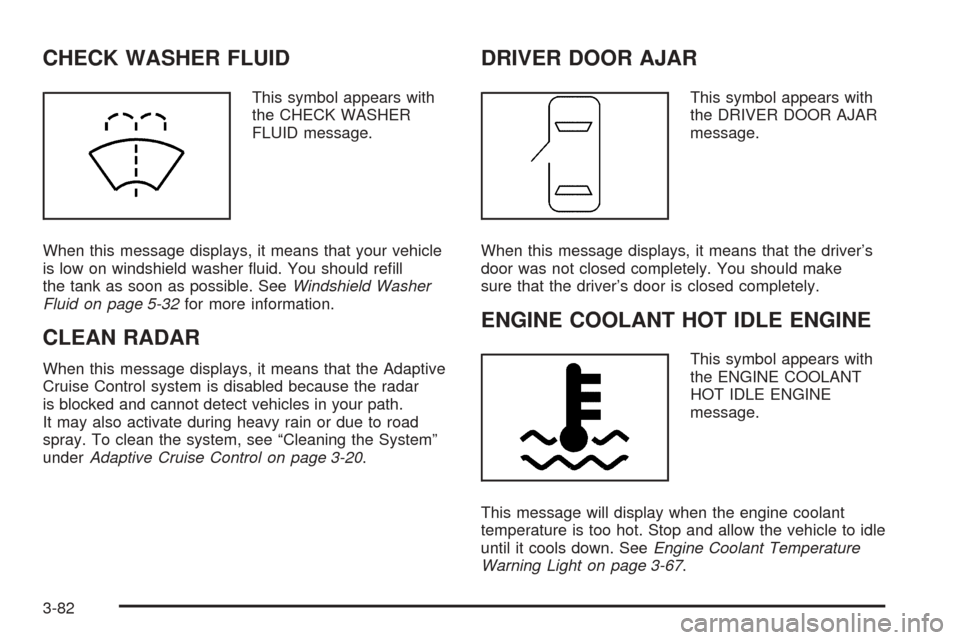
CHECK WASHER FLUID
This symbol appears with
the CHECK WASHER
FLUID message.
When this message displays, it means that your vehicle
is low on windshield washer uid. You should rell
the tank as soon as possible. SeeWindshield Washer
Fluid on page 5-32for more information.
CLEAN RADAR
When this message displays, it means that the Adaptive
Cruise Control system is disabled because the radar
is blocked and cannot detect vehicles in your path.
It may also activate during heavy rain or due to road
spray. To clean the system, see “Cleaning the System”
underAdaptive Cruise Control on page 3-20.
DRIVER DOOR AJAR
This symbol appears with
the DRIVER DOOR AJAR
message.
When this message displays, it means that the driver’s
door was not closed completely. You should make
sure that the driver’s door is closed completely.
ENGINE COOLANT HOT IDLE ENGINE
This symbol appears with
the ENGINE COOLANT
HOT IDLE ENGINE
message.
This message will display when the engine coolant
temperature is too hot. Stop and allow the vehicle to idle
until it cools down. SeeEngine Coolant Temperature
Warning Light on page 3-67.
3-82
Page 221 of 446

PRESS START AND BRAKE TO START
ENGINE
When this message displays, it means that you need to
press down on the brake pedal while pressing the
start button on the electronic keyless ignition when trying
to start your vehicle. SeeStarting the Engine on
page 2-24for more information.
RADAR CRUISE NOT READY
When this message displays, it means that the Adaptive
Cruise Control system will not activate due to a
temporary condition. Your vehicle does not require
service. This message will also display when either of
the following conditions occurs:
The driver turns off the head-up display (HUD)
while the Adaptive Cruise Control is engaged.
The driver attempts to engage the Adaptive Cruise
Control while the HUD is off.
If this message appears when you attempt to activate
the system, continue driving for several minutes
and then try activating the system again.
RIGHT REAR DOOR AJAR
This symbol appears with
the RIGHT REAR DOOR
AJAR message.
When this message displays, it means that the
passenger’s side rear door was not closed completely.
You should check to make sure that the door is
closed completely.
SERVICE AC (Air Conditioning)
SYSTEM
This message will display when the electronic sensors
that control the air conditioning and heating systems are
no longer working. Have the climate control system
serviced by your GM dealer if you notice a drop
in heating and air conditioning efficiency.
3-87
Page 222 of 446

SERVICE AIR BAG
This message will display when there is a problem with
the airbag system. Have your vehicle serviced by
your GM dealer immediately. SeeAirbag Readiness
Light on page 3-63for more information.
SERVICE RADAR CRUISE
When this message displays, it means that the Adaptive
Cruise Control system is disabled and needs service.
See your GM dealer.
SERVICE STABILITY SYS (System)
Your vehicle may be equipped with a vehicle stability
enhancement system called StabiliTrak®.
SeeStabiliTrak
®System on page 4-10. The SERVICE
STABILITY SYS message will display if there has
been a problem detected with StabiliTrak
®.
If the SERVICE STABILITY SYS message comes on
while you are driving, pull off the road as soon as
possible and stop carefully. Try resetting the system by
turning the ignition off then back on. If the SERVICE
STABILITY SYS message still stays on or comes back
on again while you are driving, your vehicle needs
service. Have the StabiliTrak
®System inspected by your
GM dealer as soon as possible.
SERVICE STEERING SYS (System)
Your vehicle may be equipped with a speed variable
assist steering system. SeeSteering on page 4-11.
The SERVICE STEERING SYS message will display if
a problem is detected with the speed variable assist
steering system. When this message is displayed, you
may notice that the effort required to steer the vehicle
increases or feels “heavier,” but you will still be able to
steer the vehicle.
SERVICE SUSPENSION SYS (System)
This message will display when the suspension
system is not operating properly. Have your vehicle
serviced by your GM dealer.
SERVICE TIRE MONITOR
This message will display if the Tire Pressure
Monitor (TPM) system, if equipped, is not working
properly. Have your vehicle serviced by your GM dealer
as soon as possible.
3-88