2005 BUICK LACROSSE warning
[x] Cancel search: warningPage 178 of 410
REDUCED POWER STOP WHEN SAFE
This message will display when your vehicle is in an
overheated engine operating mode. This operating mode
allows your vehicle to be driven to a safe place in an
emergency. In this mode, you will notice a signicant
loss in power and engine performance. SeeOverheated
Engine Protection Operating Mode on page 5-26for
more information. Anytime this message is on, the
vehicle should be taken to your GM dealer for service
as soon as possible.
This message will display and a chime will sound only
when the ignition is in RUN. Press any of the DIC
buttons to acknowledge this message and to clear it
from the screen.
This message will continue to display for two seconds if
it has not been acknowledged when the engine is
turned off. It will also re-display for two seconds if the
message has been acknowledged, but the condition still
exists when the engine is turned off.
If the condition still exists, the message will re-appear
when the engine is turned on.
REMOTE START DISABLED
This warning message will come on if a remote start
attempt is unsuccessful. This may be caused if any of
the following conditions are true when a remote
start attempt is made:
The remote start system is disabled through
the DIC.
The key is in the ignition.
The hood or the doors are not closed.
There is an emission control system malfunction.
The engine coolant temperature is too high.
The oil pressure is low.
The hazard warning ashers are turned on.
The maximum number of remote starts or
remote start attempts between ignition cycles
has been reached.
The content theft-deterrent alarm is on while
attempting to remote start the vehicle.
See “REMOTE START” underDIC Vehicle
Personalization on page 3-71and “Remote Vehicle
Start” underRemote Keyless Entry System Operation
on page 2-4for more information.
3-64
Page 179 of 410
RIGHT FRONT TURN LAMP OUT
This message will display when the right front turn
signal bulb needs to be replaced. SeeFront Turn Signal
and Parking Lamps on page 5-47.
This message will display while the ignition is in RUN.
Press any of the DIC buttons to acknowledge this
message and to clear it from the screen.
This message will continue to display for two seconds if
it has not been acknowledged when the engine is
turned off. It will also re-display for two seconds if the
message has been acknowledged, but the condition still
exists when the engine is turned off.
If the condition still exists, the message will re-appear
when the engine is turned on.
RIGHT REAR TURN LAMP OUT
This message will display when the right rear turn signal
bulb needs to be replaced. SeeTaillamps, Turn
Signal, Sidemarker, Stoplamps and Back-up Lamps on
page 5-48.
This message will display while the ignition is in RUN.
Press any of the DIC buttons to acknowledge this
message and to clear it from the screen.This message will continue to display for two seconds if
it has not been acknowledged when the engine is
turned off. It will also re-display for two seconds if the
message has been acknowledged, but the condition still
exists when the engine is turned off.
If the condition still exists, the message will re-appear
when the engine is turned on.
SERVICE ABS SYSTEM
If the vehicle has the Anti-Lock Brake System (ABS),
this message will display when the system is not
functioning properly. Have the brake system serviced by
your GM dealer as soon as possible.
The anti-lock brake system warning light will also
appear on the instrument panel cluster when this
message appears on the DIC. SeeAnti-Lock Brake
System Warning Light on page 3-37.
This message will only display while the ignition is in
RUN. Press any of the DIC buttons to acknowledge this
message and to clear it from the screen.
This message will continue to display for two seconds if
it has not been acknowledged when the engine is
turned off. It will also re-display for two seconds if the
message has been acknowledged, but the condition still
exists when the engine is turned off.
If the condition still exists, the message will re-appear
when the engine is turned on.
3-65
Page 180 of 410

SERVICE BRAKE APPLY SENSOR
This message will come on when the brake apply
sensor is not functioning properly. The vehicle still has
brakes when this warning message displays, but you
should have the vehicle serviced by your GM dealer as
soon as possible.
This message will display only while the ignition is in
RUN. A chime will sound for two seconds while this
message is displayed. Press any of the DIC buttons
to acknowledge this message and to clear it from
the screen.
This message will continue to display if it has not been
acknowledged when the engine is turned off. It will
also re-display for two seconds if the message has been
acknowledged, but the condition still exists when the
engine is turned off.
If the condition still exists, the message will re-appear
when the engine is turned on.
SERVICE BRAKE SYSTEM
This message will display when a problem with the
brake system has been detected. Have your vehicle
serviced by your GM dealer as soon as possible.
The brake system warning light will also appear on the
instrument panel cluster when this message appears
on the DIC. SeeBrake System Warning Light on
page 3-36.This message will only display while the ignition is in
RUN. Press any of the DIC buttons to acknowledge this
message and to clear it from the screen.
This message will continue to display for two seconds if
it has not been acknowledged when the engine is
turned off. It will also re-display for two seconds if the
message has been acknowledged, but the condition still
exists when the engine is turned off.
If the condition still exists, the message will re-appear
when the engine is turned on.
SERVICE PARK LAMPS
This message will display when there is a problem with
the park lamps. Check to see if the park lamp fuse
is blown and replace the fuse if necessary. SeeFuses
and Circuit Breakers on page 5-88andInstrument
Panel Fuse Block on page 5-88for more information. If
changing the fuse does not correct the problem, see
your GM dealer.
This message will only display while the ignition is in
RUN. Press any of the DIC buttons to acknowledge this
message and to clear it from the screen.
This message will continue to display for two seconds if
it has not been acknowledged when the engine is
turned off. It will also re-display for two seconds if the
message has been acknowledged, but the condition still
exists when the engine is turned off.
If the condition still exists, the message will re-appear
when the engine is turned on.
3-66
Page 181 of 410

SERVICE STABILITY SYSTEM
If your vehicle has StabiliTrak®, this message will
display if there has been a problem detected with
StabiliTrak
®. A warning light will also appear on
the instrument panel cluster. SeeTraction Control
System (TCS) Warning Light on page 3-37. See
StabiliTrak
®System on page 4-9for more information.
If this message turns on while you are driving, pull
off the road as soon as possible and stop carefully. Try
resetting the system by turning the ignition off and
then back on. If this message still stays on or turns back
on again while you are driving, your vehicle needs
service. Have the StabiliTrak
®System inspected by your
GM dealer as soon as possible.
This message will display only while the ignition is in
RUN. Press any of the DIC buttons to acknowledge this
message and to clear it from the screen.
This message will continue to display for two seconds if
it has not been acknowledged when the engine is
turned off. It will also re-display for two seconds if the
message has been acknowledged, but the condition still
exists when the engine is turned off.
If the condition still exists, the message will re-appear
when the engine is turned on.
SERVICE THEFT SYSTEM
This message will display when there is a problem with
the theft-deterrent system programmed in the key. A
fault has been detected in the system which means that
the system is disabled and it is not protecting the
vehicle. The vehicle usually restarts; however, you may
want to take the vehicle to your GM dealer before
turning off the engine. SeePASS-Key
®III Operation on
page 2-19for more information.
This message will display and a chime will sound only
while the ignition is in RUN. Press any of the DIC
buttons to acknowledge this message and to clear it
from the screen.
This message will continue to display for two seconds if
it has not been acknowledged when the engine is
turned off. It will also re-display for two seconds if the
message has been acknowledged, but the condition still
exists when the engine is turned off.
If the condition still exists, the message will re-appear
when the engine is turned on.
3-67
Page 182 of 410

SERVICE TRACTION SYSTEM
If your vehicle has the traction control system, this
message will display when the system is not functioning
properly. A warning light will also appear on the
instrument panel cluster. SeeTraction Control System
(TCS) Warning Light on page 3-37. SeeTraction Control
System (TCS) on page 4-8for more information.
Have the traction control system serviced by your
GM dealer as soon as possible.
This message will display only while the ignition is in
RUN. Press any of the DIC buttons to acknowledge this
message and to clear it from the screen.
This message will continue to display for two seconds if
it has not been acknowledged when the engine is
turned off. It will also re-display for two seconds if the
message has been acknowledged, but the condition still
exists when the engine is turned off.
If the condition still exists, the message will re-appear
when the engine is turned on.
SERVICE VARIABLE EFFORT
STEERING
If your vehicle has variable effort steering, this message
will display when if this system is not functioning
properly. SeeSteering on page 4-10for more
information. Have your system serviced by your
GM dealer as soon as possible.This message will display only while the ignition is in
RUN. Press any of the DIC buttons to acknowledge this
message and to clear it from the screen.
This message will continue to display for two seconds if
it has not been acknowledged when the engine is
turned off. It will also re-display for two seconds if the
message has been acknowledged, but the condition still
exists when the engine is turned off.
If the condition still exists, the message will re-appear
when the engine is turned on.
SERVICE VEHICLE SOON
This message will display when a non-emissions related
malfunction occurs. Have the vehicle serviced by your
GM dealer as soon as possible.
This message will display only while the ignition is in
RUN. Press any of the DIC buttons to acknowledge this
message and to clear it from the screen.
This message will continue to display for two seconds if
it has not been acknowledged when the engine is
turned off. It will also re-display for two seconds if the
message has been acknowledged, but the condition still
exists when the engine is turned off.
If the condition still exists, the message will re-appear
when the engine is turned on.
3-68
Page 240 of 410
Avoid needless heavy braking. Some people drive in
spurts — heavy acceleration followed by heavy
braking — rather than keeping pace with traffic. This is
a mistake. Your brakes may not have time to cool
between hard stops. Your brakes will wear out much
faster if you do a lot of heavy braking. If you keep pace
with the traffic and allow realistic following distances,
you will eliminate a lot of unnecessary braking.
That means better braking and longer brake life.
If your engine ever stops while you are driving, brake
normally but do not pump your brakes. If you do,
the pedal may get harder to push down. If your engine
stops, you will still have some power brake assist.
But you will use it when you brake. Once the power
assist is used up, it may take longer to stop and
the brake pedal will be harder to push.Anti-Lock Brake System (ABS)
Your vehicle may have anti-lock brakes. ABS is an
advanced electronic braking system that will help
prevent a braking skid.
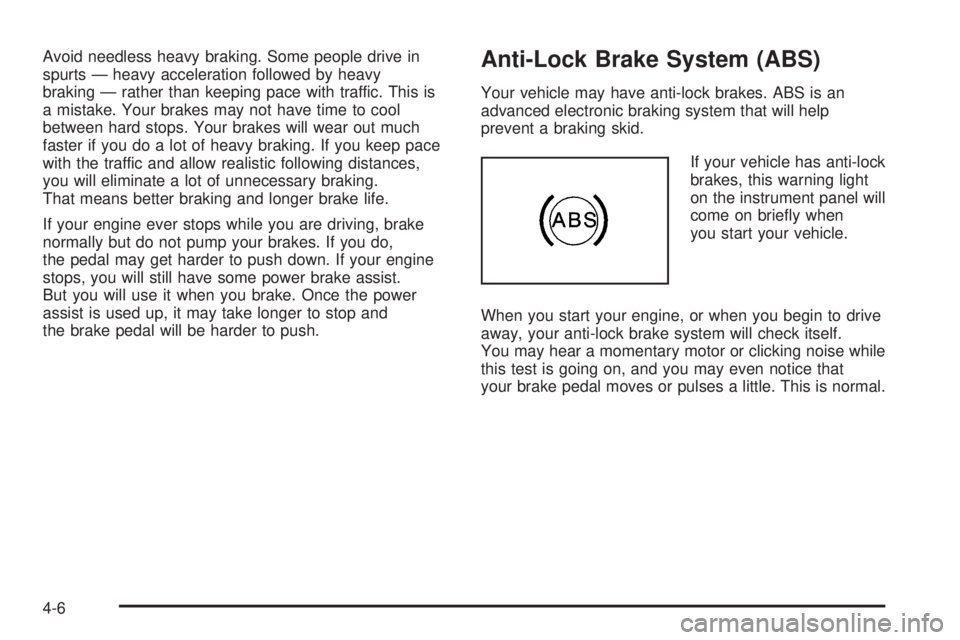
If your vehicle has anti-lock
brakes, this warning light
on the instrument panel will
come on briey when
you start your vehicle.
When you start your engine, or when you begin to drive
away, your anti-lock brake system will check itself.
You may hear a momentary motor or clicking noise while
this test is going on, and you may even notice that
your brake pedal moves or pulses a little. This is normal.
4-6
Page 243 of 410
You may feel or hear the system working, but this is
normal.
If the vehicle is in cruise control when the TCS begins
to limit wheel spin, the cruise control will automatically
disengage. When road conditions allow safe use of
the cruise control, it can be used again. SeeCruise
Control on page 3-10.
The TCS operates in all transaxle shift lever positions.
But the system can upshift the transaxle only as high as
the shift lever position that was chosen, so use the
lower gears only when necessary. SeeAutomatic
Transaxle Operation on page 2-24.
To limit wheel spin, especially in slippery road
conditions, you should always leave the TCS on. But
you can turn the system off if you ever need to. The TCS
should be turned off if the vehicle ever gets stuck in
sand, mud or snow and rocking the vehicle is required.
SeeRocking Your Vehicle to Get It Out on page 4-28
andIf Your Vehicle is Stuck in Sand, Mud, Ice or Snow
on page 4-28.
To turn the TCS on or off, press the TCS button located
directly behind the gear shift lever. If your vehicle has
a DIC, the TCS button is located above the radio.
When the TCS is turned off, the TCS warning light will
come on. It will disappear when the TCS is turned
back on. If the TCS is limiting wheel spin when the TCS
button is pressed, the TCS warning light will come on
and the TCS will turn off right away.StabiliTrak®System
Your vehicle may be equipped with a vehicle stability
enhancement system called StabiliTrak®.Itisan
advanced computer controlled system that assists you
with directional control of the vehicle in difficult
driving conditions.
StabiliTrak
®activates when the computer senses a
discrepancy between your intended path and the
direction the vehicle is actually traveling. StabiliTrak
®
selectively applies braking pressure at any one of
the vehicle’s brakes to help steer the vehicle in the
direction which you are steering.
When the system activates, a STABILITY CONTROL
ACTIVE message will be displayed on the Driver
Information Center (DIC). SeeDIC Warnings and
Messages on page 3-53. You may also hear a noise or
feel vibration in the brake pedal. This is normal. Continue
to steer the vehicle in the direction you want it to go.
If there is a problem detected with StabiliTrak
®,a
SERVICE STABILITY SYSTEM message will be
displayed on the Driver Information Center (DIC). See
DIC Warnings and Messages on page 3-53. When
this message is displayed, the system is not operational.
Driving should be adjusted accordingly.
If your vehicle is in cruise control when the StabiliTrak
®
activates, the cruise control will automatically
disengage. When road conditions allow you to safely
use it again, you may reengage the cruise control. See
Cruise Control on page 3-10for more information.
4-9
Page 248 of 410

Skidding
In a skid, a driver can lose control of the vehicle.
Defensive drivers avoid most skids by taking reasonable
care suited to existing conditions, and by not overdriving
those conditions. But skids are always possible.
The three types of skids correspond to your vehicle’s
three control systems. In the braking skid, your wheels
are not rolling. In the steering or cornering skid, too much
speed or steering in a curve causes tires to slip and lose
cornering force. And in the acceleration skid, too much
throttle causes the driving wheels to spin.
A cornering skid is best handled by easing your foot off
the accelerator pedal.
If you have the Traction Control System (TCS),
remember: It helps avoid only the acceleration skid. See
Traction Control System (TCS) on page 4-8. If you do
not have this system, or if the system is off, then
an acceleration skid is also best handled by easing your
foot off the accelerator pedal.
If your vehicle starts to slide, ease your foot off the
accelerator pedal and quickly steer the way you want
the vehicle to go. If you start steering quickly enough,
your vehicle may straighten out. Always be ready
for a second skid if it occurs.Of course, traction is reduced when water, snow, ice,
gravel, or other material is on the road. For safety, you
will want to slow down and adjust your driving to
these conditions. It is important to slow down on slippery
surfaces because stopping distance will be longer and
vehicle control more limited.
While driving on a surface with reduced traction, try
your best to avoid sudden steering, acceleration,
or braking, including engine braking by shifting to a
lower gear. Any sudden changes could cause the tires
to slide. You may not realize the surface is slippery
until your vehicle is skidding. Learn to recognize warning
clues — such as enough water, ice, or packed snow
on the road to make a mirrored surface — and
slow down when you have any doubt.
If you have the anti-lock braking system (ABS),
remember: It helps avoid only the braking skid. If you do
not have ABS, then in a braking skid, where the
wheels are no longer rolling, release enough pressure
on the brakes to get the wheels rolling again. This
restores steering control. Push the brake pedal down
steadily when you have to stop suddenly. As long as the
wheels are rolling, you will have steering control.
4-14