2005 BUICK CENTURY ignition
[x] Cancel search: ignitionPage 77 of 348
Power Door Locks
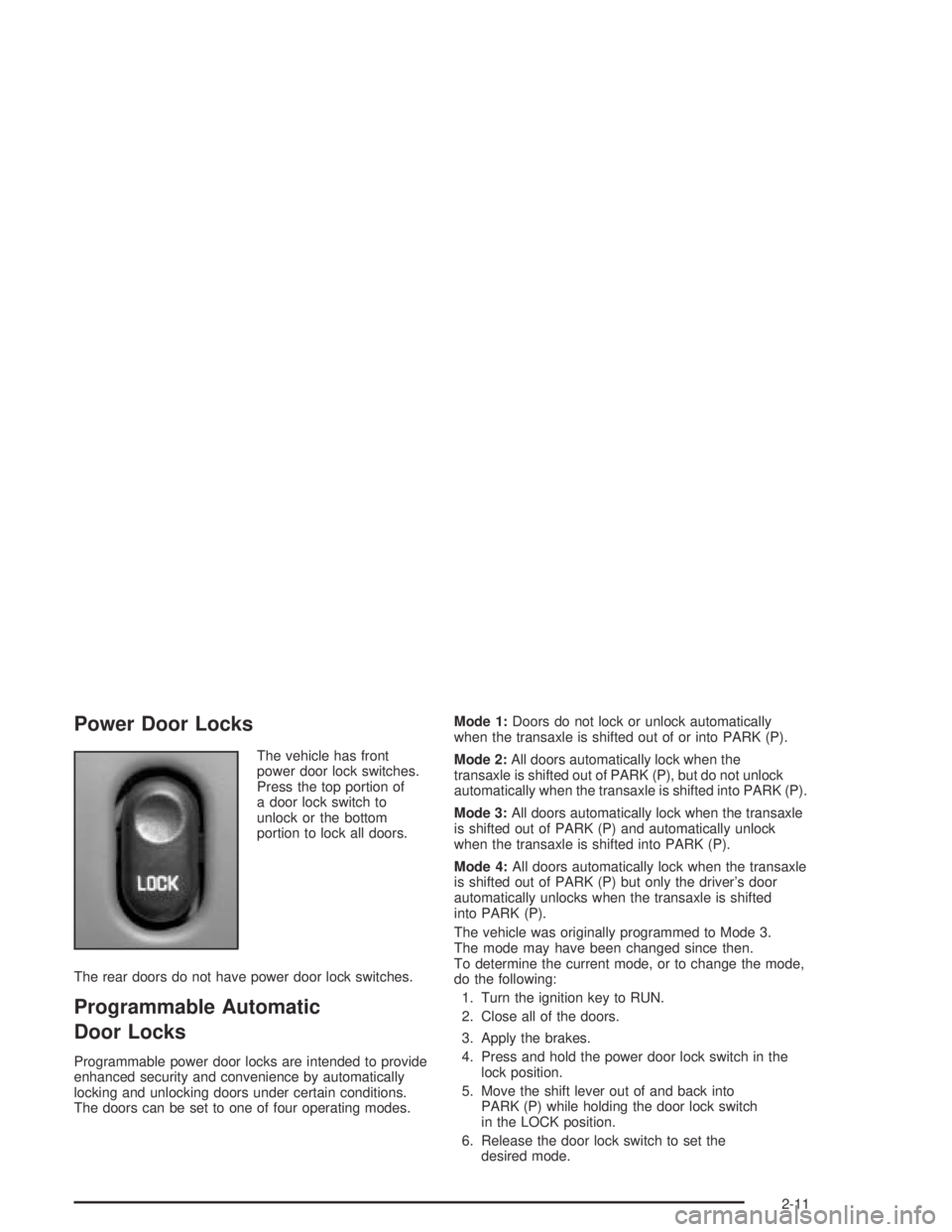
The vehicle has front
power door lock switches.
Press the top portion of
a door lock switch to
unlock or the bottom
portion to lock all doors.
The rear doors do not have power door lock switches.
Programmable Automatic
Door Locks
Programmable power door locks are intended to provide
enhanced security and convenience by automatically
locking and unlocking doors under certain conditions.
The doors can be set to one of four operating modes.Mode 1:Doors do not lock or unlock automatically
when the transaxle is shifted out of or into PARK (P).
Mode 2:All doors automatically lock when the
transaxle is shifted out of PARK (P), but do not unlock
automatically when the transaxle is shifted into PARK (P).
Mode 3:All doors automatically lock when the transaxle
is shifted out of PARK (P) and automatically unlock
when the transaxle is shifted into PARK (P).
Mode 4:All doors automatically lock when the transaxle
is shifted out of PARK (P) but only the driver’s door
automatically unlocks when the transaxle is shifted
into PARK (P).
The vehicle was originally programmed to Mode 3.
The mode may have been changed since then.
To determine the current mode, or to change the mode,
do the following:
1. Turn the ignition key to RUN.
2. Close all of the doors.
3. Apply the brakes.
4. Press and hold the power door lock switch in the
lock position.
5. Move the shift lever out of and back into
PARK (P) while holding the door lock switch
in the LOCK position.
6. Release the door lock switch to set the
desired mode.
2-11
Page 78 of 348

After initially moving the shift lever out of and back into
PARK (P), each additional shift cycle will advance
the programming from the current mode to the next
operating mode. If cycled beyond Mode 4, the vehicle
will enter operating Mode 1.
Disconnecting the vehicle’s battery for up to a year will
not affect the programmed mode.
Lockout Protection
The power door locks will not work if the key is in the
ignition and a door is open. You can override this feature
by holding the driver’s side power door lock switch for
more than three seconds.
Leaving Your Vehicle
If you are leaving the vehicle, take your key, open your
door and set the locks from inside or with the remote
keyless entry transmitter. Then get out and close
the door.
Trunk
{CAUTION:
It can be dangerous to drive with the trunk lid
open because carbon monoxide (CO) gas can
come into your vehicle. You can not see or
smell CO. It can cause unconsciousness and
even death. If you must drive with the trunk lid
open or if electrical wiring or other cable
connections must pass through the seal
between the body and the trunk lid:
Make sure all other windows are shut.Turn the fan on your heating or cooling
system to its highest speed and select the
control setting that will force outside air
into your vehicle. See Climate Control
System in the Index.
If you have air outlets on or under the
instrument panel, open them all the way.
SeeEngine Exhaust on page 2-27.
2-12
Page 79 of 348

Press the open trunk symbol on the remote keyless
entry transmitter to open the trunk lid from the outside.
The vehicle must be in PARK (P) in order to open
the trunk.
Remote Trunk Release
Press the remote trunk
release button located
behind the glove box door
to release the trunk lid
from inside the vehicle.
The shift lever must be in PARK (P), but the key does
not have to be in the ignition for the remote trunk
lid release button to work.
Emergency Trunk Release Handle
Notice:Using the emergency trunk release handle
as a tie-down or anchor point when securing
items in the trunk may damage it. Use the
emergency trunk release handle only to help you
open the trunk lid.
The vehicle has a glow-in-the-dark emergency trunk
release handle located inside the trunk on the latch.
This handle will glow following exposure to light. Pull the
release handle to open the trunk from the inside.
2-13
Page 82 of 348

Theft-Deterrent Systems
Vehicle theft is big business, especially in some cities.
Although your vehicle has a number of theft-deterrent
features, we know that nothing we put on it can make it
impossible to steal. However, there are ways you
can help.
PASS-Key®II
The vehicle is equipped
with the PASS-Key®II
(Personalized Automotive
Security System)
theft-deterrent system.
PASS-Key
®II is a passive
theft-deterrent system.
It works when the ignition
key is inserted or
removed from the ignition.
PASS-Key
®II uses a resistor pellet in the ignition key
that matches a decoder in the vehicle.When the PASS-Key
®II system senses that the wrong
key has been inserted into the ignition, it shuts down
the vehicle’s starter and fuel systems. The starter will not
work and fuel will not go to the engine for about
three minutes. If someone tries to start the vehicle again
with the wrong key, or uses another incorrect key
during this time, the vehicle will not start. This
discourages someone from randomly trying keys with
different resistor pellets in an attempt to make a match.
The ignition key must be clean and dry before it is
inserted in the ignition or the engine may not start. If the
engine does not start and the SECURITY warning
light on the instrument panel is ashing, the key may be
dirty or wet. Turn the ignition off.
Clean and dry the key. Wait about three minutes and try
again. If the vehicle still does not start, the ignition
key may be faulty. Wait about three more minutes and
try a spare ignition key. At this time, you may also
want to check the fuse. SeeFuses and Circuit Breakers
on page 5-91for information on fuse location. If the
starter will not work with the spare key, the vehicle
needs service. See your dealer or a locksmith who can
service the PASS-Key
®II.
2-16
Page 83 of 348

If a key is accidentally used that has a damaged or
missing resistor pellet, the starter will not work.
The SECURITY warning light on the instrument panel
will then come on. But you do not have to wait three
minutes before trying another ignition key.
See your dealer or a locksmith who can service the
PASS-Key
®II to have a new key made.
If the SECURITY warning light comes on the instrument
panel while the vehicle is being driven, the engine
will still be able to be started after it is turned off.
The PASS-Key
®II system, however, is not working
properly and must be serviced by your dealer.
The vehicle is not protected by the PASS-Key
®II
system when this happens.
If a PASS-Key
®II ignition key is lost or damaged,
see your dealer or a locksmith who can service
PASS-Key
®II to have a new key made. Also, see
Roadside Assistance Program on page 7-6for
more information.
Starting and Operating
Your Vehicle
New Vehicle Break-In
Notice:Your vehicle does not need an elaborate
“break-in.” But it will perform better in the long run
if you follow these guidelines:
Do not drive at any one speed — fast or
slow — for the rst 500 miles (805 km).
Do not make full-throttle starts.
Avoid making hard stops for the rst 200 miles
(322 km) or so. During this time your new
brake linings are not yet broken in. Hard stops
with new linings can mean premature wear
and earlier replacement. Follow this
breaking-in guideline every time you
get new brake linings.
Do not tow a trailer during break-in. SeeTowing
a Trailer on page 4-38for more information.
2-17
Page 84 of 348

Ignition Positions
With the ignition key in the ignition, the key can be
turned to ve different positions:
A (ACCESSORY):This position lets the radio and
windshield wipers operate when the engine is off.
To use ACCESSORY, push in the key and turn
it counterclockwise.B (LOCK):This is the only position in which the ignition
key can be inserted or removed. This position locks
the ignition and transaxle. It is a theft-deterrent feature.
Notice:If your key seems stuck in LOCK and
you can not turn it, be sure you are using the correct
key; if so, is it all the way in? If it is, then turn the
steering wheel left and right while you turn the
key hard. Turn the key only with your hand. Using a
tool to force it could break the key or the ignition
switch. If none of these works, then your vehicle
needs service.
C (OFF):In this position the engine is off. Use the
OFF position if the vehicle must be pushed or towed.
D (RUN):This position is where the key returns to after
the vehicle is started. This position displays some of
the warning and indicator lights.
E (START):This position starts the engine.
A warning chime will sound when the driver’s door is
opened if the ignition is in OFF, LOCK or ACCESSORY
and the key is in the ignition.
2-18
Page 85 of 348

Retained Accessory Power (RAP)
If the vehicle has Retained Accessory Power (RAP),
certain features will continue to operate for up to
10 minutes after the ignition key is turned to OFF unless
a door is opened.
Starting Your Engine
Move your shift lever to PARK (P) or NEUTRAL (N).
Your engine will not start in any other position — that is
a safety feature. To restart when you are already
moving, use NEUTRAL (N) only.
Notice:Shifting into PARK (P) with the vehicle
moving could damage the transaxle. Shift into
PARK (P) only when your vehicle is stopped.
1. With your foot off the accelerator pedal, turn your
ignition key to START. When the engine starts,
let go of the key. The idle speed will go down as
your engine gets warm.Notice:Holding your key in START for longer than
15 seconds at a time will cause your battery to
be drained much sooner. And the excessive heat
can damage your starter motor. Wait about
15 seconds between each try to help avoid draining
your battery or damaging your starter.
2. If your engine will not start, or starts but then stops,
it could be ooded with too much gasoline. Try
pushing your accelerator pedal all the way to the
oor and holding it there as you hold the key
in START for not more than 15 seconds at a time.
This clears the extra gasoline from the engine.
Notice:Your engine is designed to work with the
electronics in your vehicle. If you add electrical
parts or accessories, you could change the way the
engine operates. Before adding electrical equipment,
check with your dealer. If you do not, your engine
might not perform properly.
2-19
Page 87 of 348
Automatic Transaxle Operation
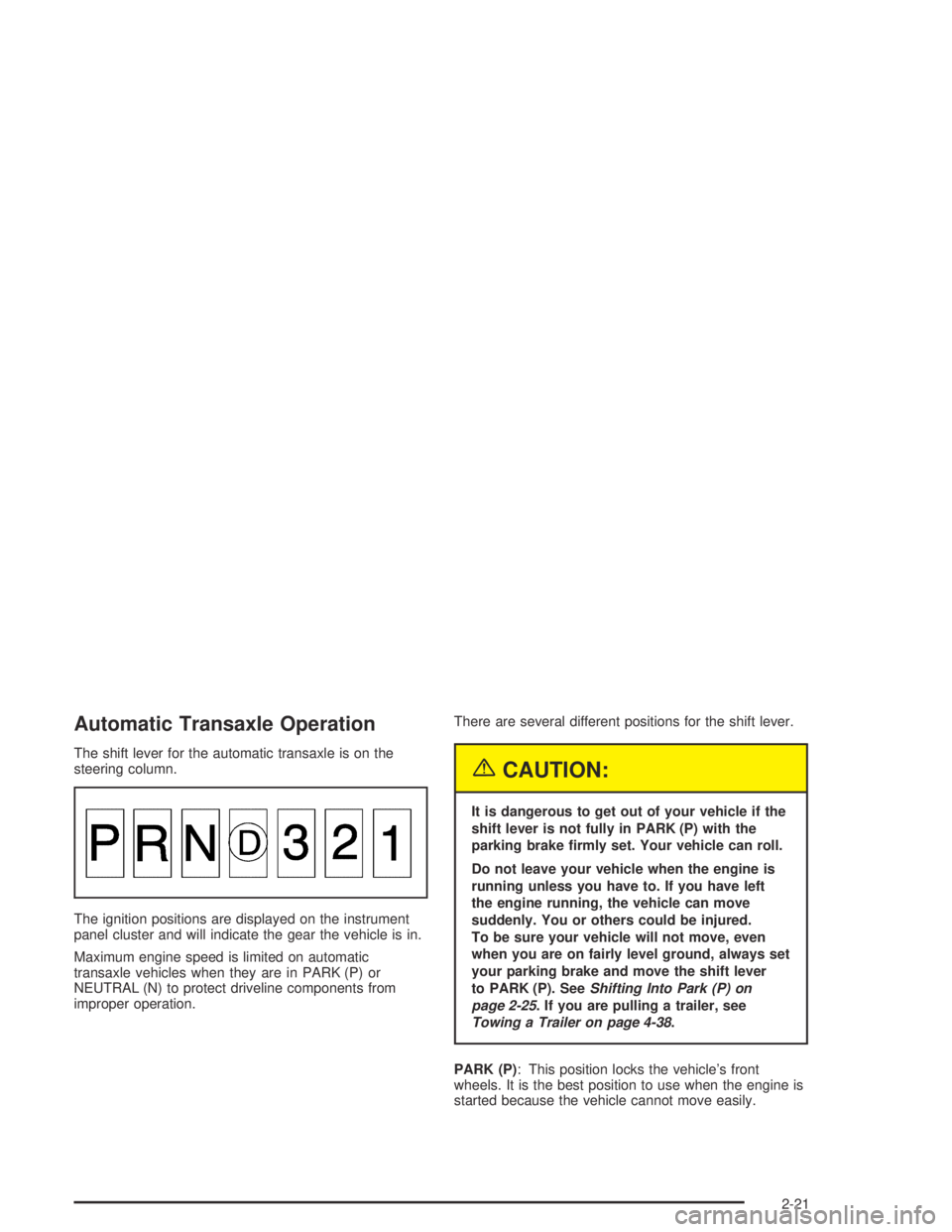
The shift lever for the automatic transaxle is on the
steering column.
The ignition positions are displayed on the instrument
panel cluster and will indicate the gear the vehicle is in.
Maximum engine speed is limited on automatic
transaxle vehicles when they are in PARK (P) or
NEUTRAL (N) to protect driveline components from
improper operation.There are several different positions for the shift lever.
{CAUTION:
It is dangerous to get out of your vehicle if the
shift lever is not fully in PARK (P) with the
parking brake rmly set. Your vehicle can roll.
Do not leave your vehicle when the engine is
running unless you have to. If you have left
the engine running, the vehicle can move
suddenly. You or others could be injured.
To be sure your vehicle will not move, even
when you are on fairly level ground, always set
your parking brake and move the shift lever
to PARK (P). SeeShifting Into Park (P) on
page 2-25. If you are pulling a trailer, see
Towing a Trailer on page 4-38.
PARK (P): This position locks the vehicle’s front
wheels. It is the best position to use when the engine is
started because the vehicle cannot move easily.
2-21