2005 BMW 325XI SEDAN start
[x] Cancel search: startPage 61 of 178
61
Vehicle Memory, Key MemoryHow the system functionsNo doubt you have often reflected on
how great it would be if you could per-
manently configure your vehicle's vari-
ous features and adjustments to mirror
your own personal preferences. In engi-
neering your vehicle, BMW has
included a number of options for stor-
ing personal adjustment data. These
can be programmed at your BMW cen-
ter.
The available configuration data fall into
two categories, according to whether
their primary orientation is the vehicle –
Vehicle Memory – or the individual –
Key Memory. Provided that each per-
son has a separate remote-control key,
you can have your BMW center enter
basic adjustment data for up to four
individuals in the system.
The system relies on a bilateral data
exchange to identify the individual user
and executes the selected settings
whenever the remote control unit is
used to disengage the locks.
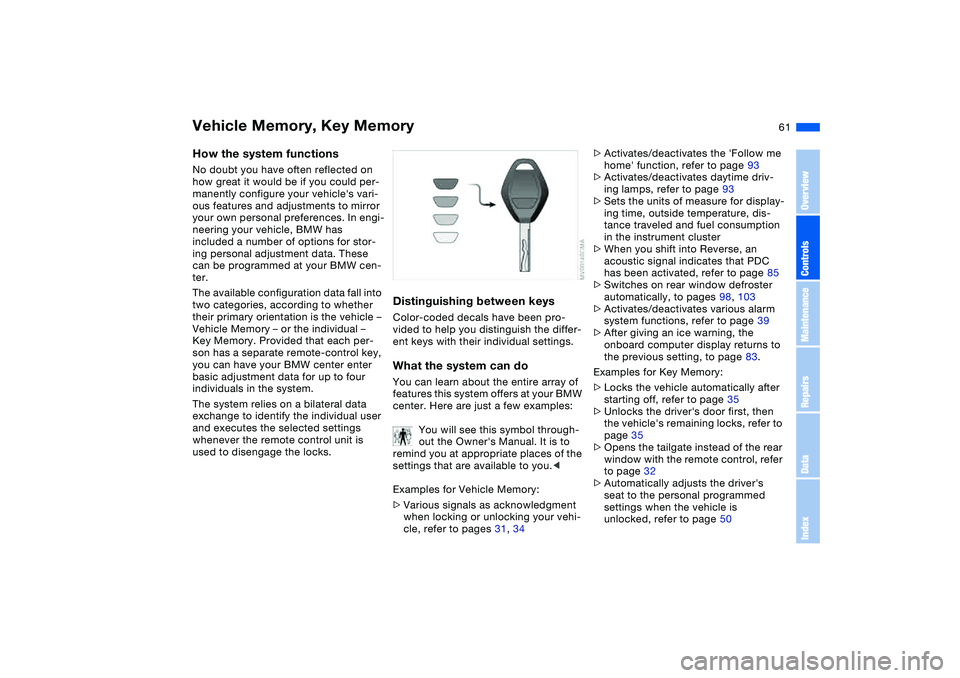
Distinguishing between keysColor-coded decals have been pro-
vided to help you distinguish the differ-
ent keys with their individual settings.What the system can doYou can learn about the entire array of
features this system offers at your BMW
center. Here are just a few examples:
You will see this symbol through-
out the Owner's Manual. It is to
remind you at appropriate places of the
settings that are available to you.<
Examples for Vehicle Memory:
>Various signals as acknowledgment
when locking or unlocking your vehi-
cle, refer to pages 31, 34
>Activates/deactivates the 'Follow me
home' function, refer to page 93
>Activates/deactivates daytime driv-
ing lamps, refer to page 93
>Sets the units of measure for display-
ing time, outside temperature, dis-
tance traveled and fuel consumption
in the instrument cluster
>When you shift into Reverse, an
acoustic signal indicates that PDC
has been activated, refer to page 85
>Switches on rear window defroster
automatically, to pages 98, 103
>Activates/deactivates various alarm
system functions, refer to page 39
>After giving an ice warning, the
onboard computer display returns to
the previous setting, to page 83.
Examples for Key Memory:
>Locks the vehicle automatically after
starting off, refer to page 35
>Unlocks the driver's door first, then
the vehicle's remaining locks, refer to
page 35
>Opens the tailgate instead of the rear
window with the remote control, refer
to page 32
>Automatically adjusts the driver's
seat to the personal programmed
settings when the vehicle is
unlocked, refer to page 50
OverviewControlsMaintenanceRepairsDataIndex
Page 63 of 178
63 Driving
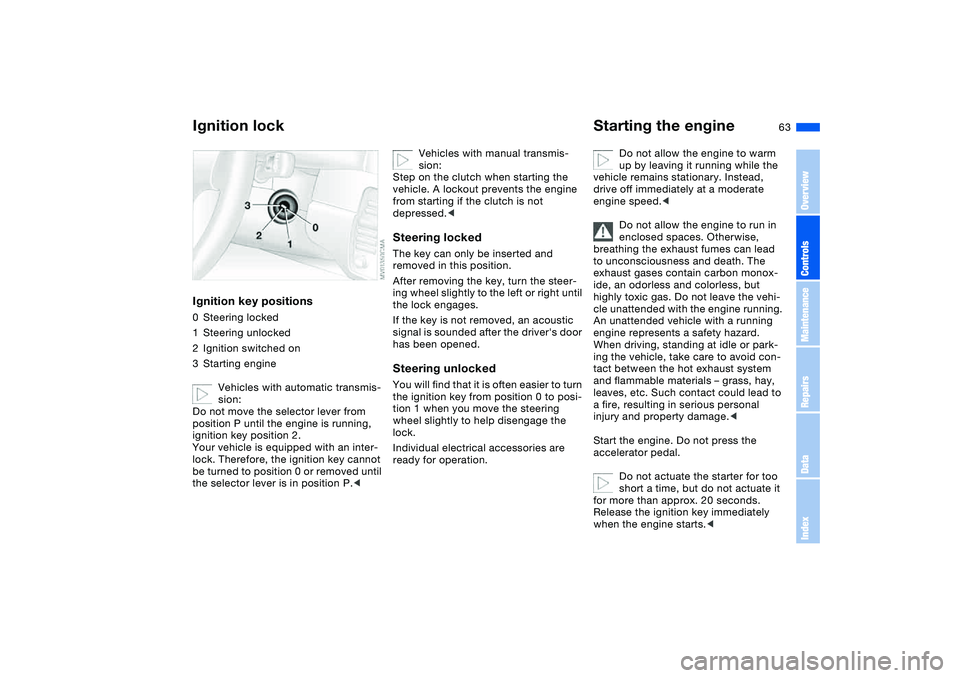
Ignition lockIgnition key positions0Steering locked
1Steering unlocked
2Ignition switched on
3Starting engine
Vehicles with automatic transmis-
sion:
Do not move the selector lever from
position P until the engine is running,
ignition key position 2.
Your vehicle is equipped with an inter-
lock. Therefore, the ignition key cannot
be turned to position 0 or removed until
the selector lever is in position P.<
Vehicles with manual transmis-
sion:
Step on the clutch when starting the
vehicle. A lockout prevents the engine
from starting if the clutch is not
depressed.<
Steering lockedThe key can only be inserted and
removed in this position.
After removing the key, turn the steer-
ing wheel slightly to the left or right until
the lock engages.
If the key is not removed, an acoustic
signal is sounded after the driver's door
has been opened.Steering unlockedYou will find that it is often easier to turn
the ignition key from position 0 to posi-
tion 1 when you move the steering
wheel slightly to help disengage the
lock.
Individual electrical accessories are
ready for operation.
Starting the engine
Do not allow the engine to warm
up by leaving it running while the
vehicle remains stationary. Instead,
drive off immediately at a moderate
engine speed.<
Do not allow the engine to run in
enclosed spaces. Otherwise,
breathing the exhaust fumes can lead
to unconsciousness and death. The
exhaust gases contain carbon monox-
ide, an odorless and colorless, but
highly toxic gas. Do not leave the vehi-
cle unattended with the engine running.
An unattended vehicle with a running
engine represents a safety hazard.
When driving, standing at idle or park-
ing the vehicle, take care to avoid con-
tact between the hot exhaust system
and flammable materials – grass, hay,
leaves, etc. Such contact could lead to
a fire, resulting in serious personal
injury and property damage.<
Start the engine. Do not press the
accelerator pedal.
Do not actuate the starter for too
short a time, but do not actuate it
for more than approx. 20 seconds.
Release the ignition key immediately
when the engine starts.<
OverviewControlsMaintenanceRepairsDataIndex
Page 64 of 178
64
If the engine does not start on the first
attempt – if it is very hot or cold, for
instance:
>Press the accelerator pedal halfway
down while engaging the starter.
Cold start at very low temperatures of
under approx. +57/–156 at high alti-
tudes of over 3,300 ft/1,000 m:
>On the first start attempt, it may be
necessary to engage the starter for a
longer period, but no longer than
20 seconds
>Press the accelerator pedal halfway
down while engaging the starter.
Extended starting attempts, char-
acterized by excessively frequent
or long periods with the starter
engaged, can damage the catalytic
converter.<
Engine idle speed is controlled by the
engine computer system. Increased
speeds at start-up are normal and
should decrease as the engine warms
up. If engine speed does not decrease,
service is required.
To prevent the battery from discharg-
ing, always deactivate electrical
devices that are not in use. Switch the
ignition off when the vehicle is not
being driven.Manual transmission1. Engage the parking brake
2. Gearshift lever in idling position
3. Start the engine.Automatic transmission1. Depress footbrake
2. Place the selector lever in position P
or N
3. Start the engine.
To prevent the vehicle from start-
ing off on its own, always move
the selector lever to position P and
engage the parking brake before leav-
ing your vehicle with the engine run-
ning.
Do not leave the vehicle unattended
with the engine running. An unattended
vehicle with a running engine repre-
sents a safety hazard.
position N
3. Start the engine.
If the engine does not start, reen-
gage the gear last selected, refer
to the gear indicator in the display, and
move the selector lever into neutral
position N again.
The gearbox is automatically taken out
of gear if the driver's door is opened
while the engine is running and the
driver does not actuate the pedals, the
shift paddles or the selector lever. This
is accompanied by a warning tone and
the flashing gear indicator. The gear
display N appears in the instrument
cluster.<
Before exiting the vehicle with the
engine running, move the selector
lever into position N and apply the park-
ing brake.
Do not leave the vehicle unattended
with the engine running. An unattended
vehicle with a running engine repre-
sents a safety hazard.<
Starting the engine
Page 68 of 178
68
RReverseSelect only when the vehicle is station-
ary.NNeutralAlways engage before starting the
engine, refer to Starting the engine on
page 64.Sequential modeEach time the engine is started, the
sequential mode is activated as soon as
you move the selector lever into the for-
ward driving position while the brake is
depressed.
The gears are shifted via the shift pad-
dles or the selector lever.
It is also possible to drive off in second
gear, e.g. on snow-covered roads.DDrive modeIn the drive mode all forward gears are
shifted automatically.
To switch from sequential to drive
mode: tap the selector lever to the right
toward D.
For rapid acceleration, e.g. during
passing, depress the accelerator pedal
completely: kickdown.To switch back to sequential mode: tap
the selector lever again to the right
toward D or change the current gear via
the shift paddles or the selector lever.
KickdownYou can achieve maximum acceleration
using kickdown.
Depress the accelerator pedal past the
increased resistance point at the full-
throttle position.
Shifting gearsWith selector lever:
>To upshift, tap the selector lever
toward +
>To downshift, tap the lever toward —.
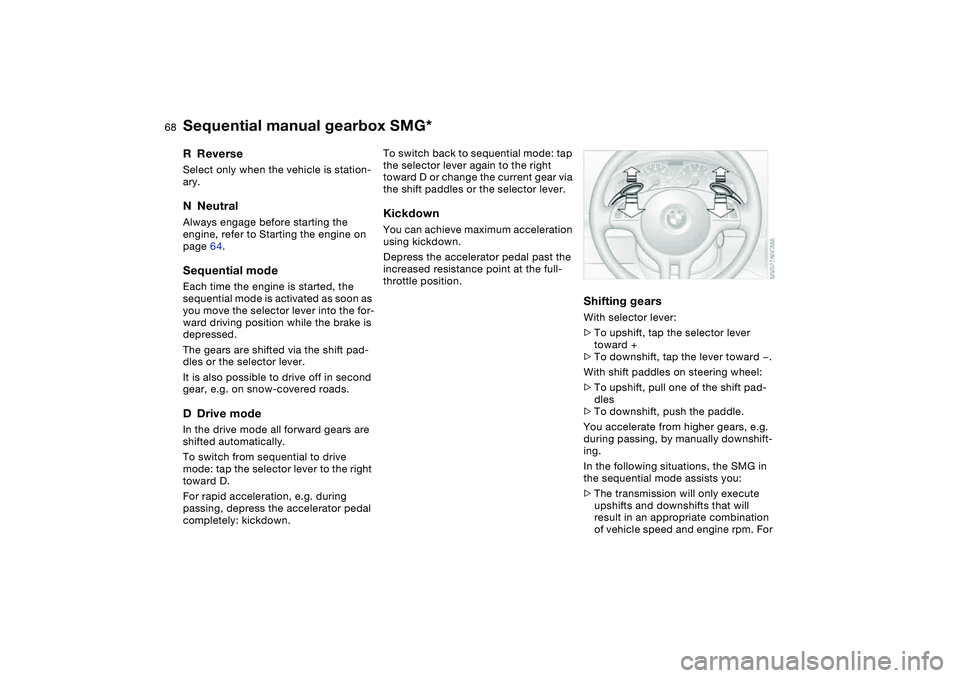
With shift paddles on steering wheel:
>To upshift, pull one of the shift pad-
dles
>To downshift, push the paddle.
You accelerate from higher gears, e.g.
during passing, by manually downshift-
ing.
In the following situations, the SMG in
the sequential mode assists you:
>The transmission will only execute
upshifts and downshifts that will
result in an appropriate combination
of vehicle speed and engine rpm. For
Sequential manual gearbox SMG*
Page 69 of 178
69
instance, downshifts that would
result in excessive engine speed can-
not be executed
>When you brake the car to a stop, the
transmission automatically shifts
down to first gear
>As speed diminishes, the transmis-
sion will shift down automatically,
without any action on your part, just
before the vehicle slows to below
each gear's minimum speed.
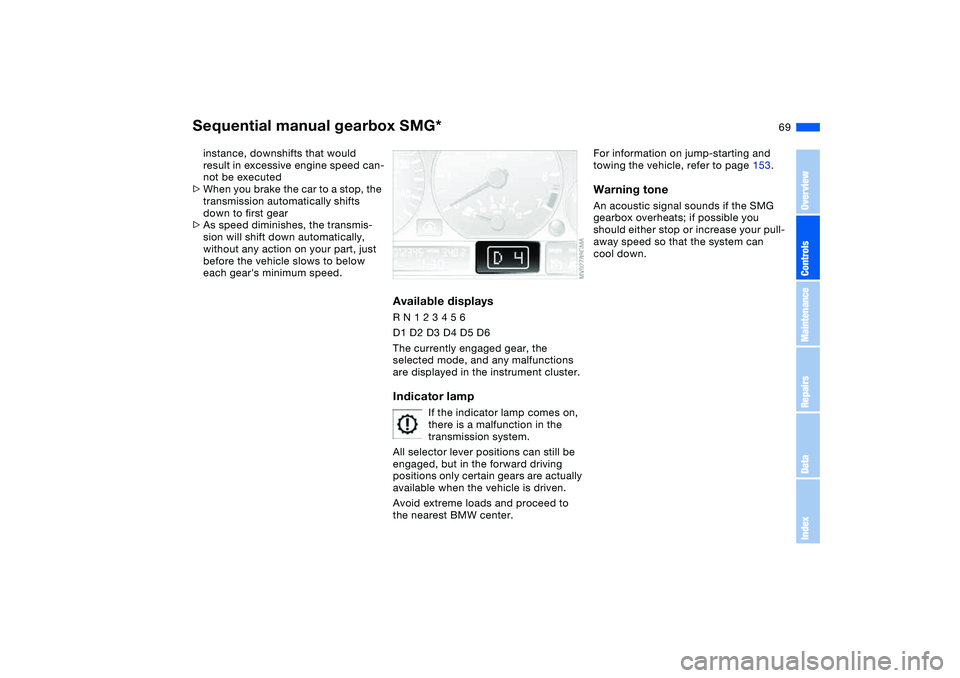
Available displaysR N 1 2 3 4 5 6
D1 D2 D3 D4 D5 D6
The currently engaged gear, the
selected mode, and any malfunctions
are displayed in the instrument cluster.Indicator lamp
If the indicator lamp comes on,
there is a malfunction in the
transmission system.
All selector lever positions can still be
engaged, but in the forward driving
positions only certain gears are actually
available when the vehicle is driven.
Avoid extreme loads and proceed to
the nearest BMW center.
For information on jump-starting and
towing the vehicle, refer to page 153.Warning toneAn acoustic signal sounds if the SMG
gearbox overheats; if possible you
should either stop or increase your pull-
away speed so that the system can
cool down.
Sequential manual gearbox SMG*
OverviewControlsMaintenanceRepairsDataIndex
Page 71 of 178
71
Automatic transmission with Steptronic*You can drive as with a normal auto-
matic transmission. In addition, you can
also shift manually.
When you move the selector lever from
the D position to the left into the M/S
range, the performance-oriented shift
programs of the automatic transmission
are engaged. Steptronic enters the
manual selection mode and executes
the desired shift whenever you tap the
selector lever in the direction indicated
by + or –. Whenever you want to use
automatic again, just move the selector
lever toward the right to position D.
Under normal operating conditions, fuel
consumption is lowest when driving in
position D.
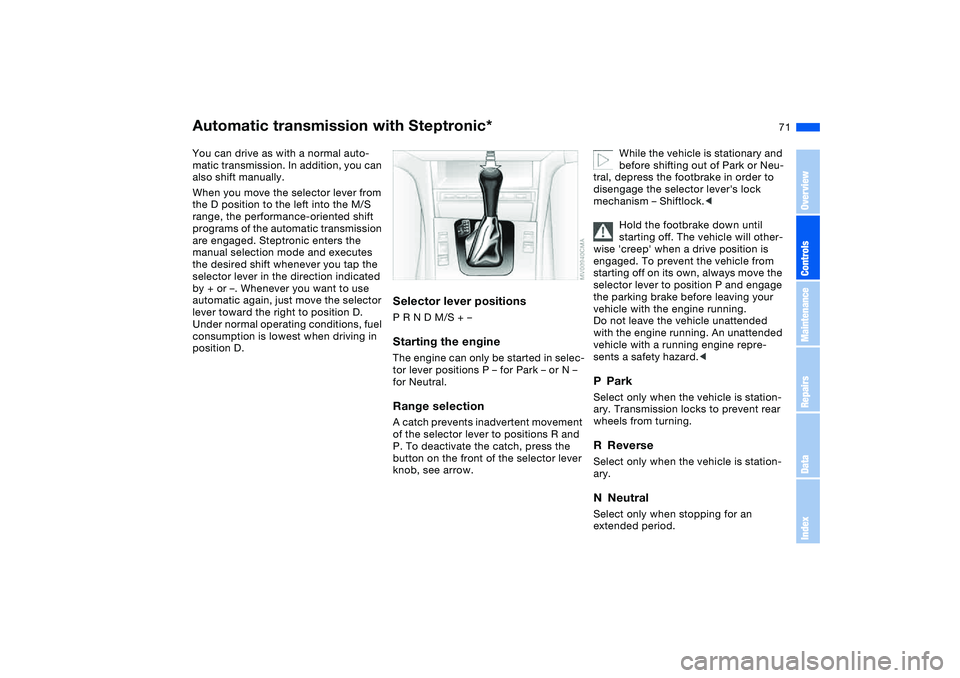
Selector lever positionsP R N D M/S + –Starting the engineThe engine can only be started in selec-
tor lever positions P – for Park – or N –
for Neutral.Range selectionA catch prevents inadvertent movement
of the selector lever to positions R and
P. To deactivate the catch, press the
button on the front of the selector lever
knob, see arrow.
While the vehicle is stationary and
before shifting out of Park or Neu-
tral, depress the footbrake in order to
disengage the selector lever's lock
mechanism – Shiftlock.<
Hold the footbrake down until
starting off. The vehicle will other-
wise 'creep' when a drive position is
engaged. To prevent the vehicle from
starting off on its own, always move the
selector lever to position P and engage
the parking brake before leaving your
vehicle with the engine running.
Do not leave the vehicle unattended
with the engine running. An unattended
vehicle with a running engine repre-
sents a safety hazard.<
PParkSelect only when the vehicle is station-
ary. Transmission locks to prevent rear
wheels from turning.RReverseSelect only when the vehicle is station-
ary.NNeutralSelect only when stopping for an
extended period.
OverviewControlsMaintenanceRepairsDataIndex
Page 73 of 178
73
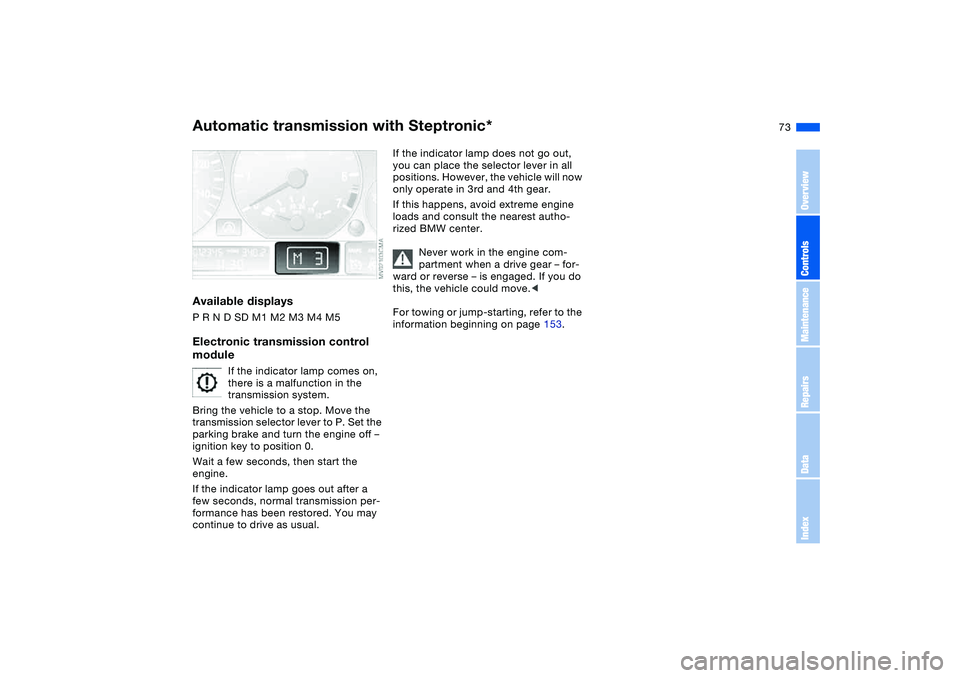
Available displaysP R N D SD M1 M2 M3 M4 M5Electronic transmission control
module
If the indicator lamp comes on,
there is a malfunction in the
transmission system.
Bring the vehicle to a stop. Move the
transmission selector lever to P. Set the
parking brake and turn the engine off –
ignition key to position 0.
Wait a few seconds, then start the
engine.
If the indicator lamp goes out after a
few seconds, normal transmission per-
formance has been restored. You may
continue to drive as usual.
If the indicator lamp does not go out,
you can place the selector lever in all
positions. However, the vehicle will now
only operate in 3rd and 4th gear.
If this happens, avoid extreme engine
loads and consult the nearest autho-
rized BMW center.
Never work in the engine com-
partment when a drive gear – for-
ward or reverse – is engaged. If you do
this, the vehicle could move.<
For towing or jump-starting, refer to the
information beginning on page 153.
Automatic transmission with Steptronic*
OverviewControlsMaintenanceRepairsDataIndex
Page 76 of 178
76
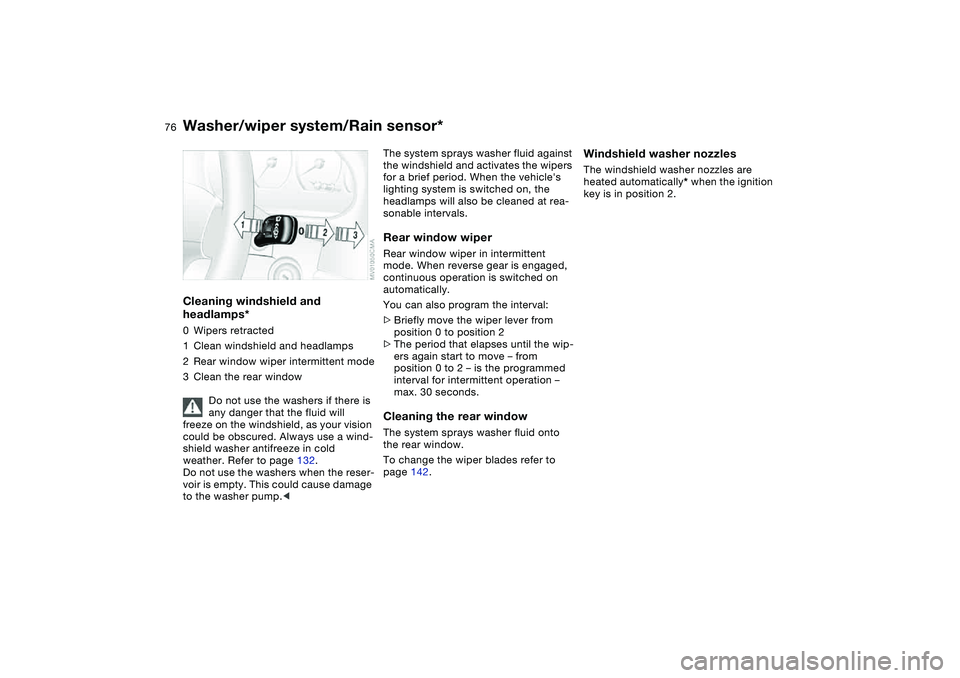
Cleaning windshield and
headlamps*0Wipers retracted
1Clean windshield and headlamps
2Rear window wiper intermittent mode
3Clean the rear window
Do not use the washers if there is
any danger that the fluid will
freeze on the windshield, as your vision
could be obscured. Always use a wind-
shield washer antifreeze in cold
weather. Refer to page 132.
Do not use the washers when the reser-
voir is empty. This could cause damage
to the washer pump.<
The system sprays washer fluid against
the windshield and activates the wipers
for a brief period. When the vehicle's
lighting system is switched on, the
headlamps will also be cleaned at rea-
sonable intervals.Rear window wiperRear window wiper in intermittent
mode. When reverse gear is engaged,
continuous operation is switched on
automatically.
You can also program the interval:
>Briefly move the wiper lever from
position 0 to position 2
>The period that elapses until the wip-
ers again start to move – from
position 0 to 2 – is the programmed
interval for intermittent operation –
max. 30 seconds.Cleaning the rear windowThe system sprays washer fluid onto
the rear window.
To change the wiper blades refer to
page 142.
Windshield washer nozzlesThe windshield washer nozzles are
heated automatically* when the ignition
key is in position 2.
Washer/wiper system/Rain sensor*