Page 188 of 394
CONT INUED
Playing Discs
Features
187
EJECT
BUTTONEJECT
BUTTON
UPPER DISPLAY
INTERFACE DIAL INTERFACE DIAL
U.S. models (except Alaskan and Hawaiian)
Canadian, Alaskan, and Hawaiian models
SKIP
BUTTONS
AUDIO
DISPLAY
BUTTON
SKIP
BUTTONS
DISC
BUTTON
LOAD
BUTTON
SCAN
BUTTON POWER/
VOLUME
KNOB TUNE
BUTTONSDISC
BUTTON LOAD
BUTTON
SCAN
BUTTON
AUDIO
DISPLAY
BUTTON TUNE
BUTTONS
POWER/
VOLUME
KNOB
Page 189 of 394
Your vehicle’s audio system has an
in-dash disc changer with the same
controls used f or the radio. To
operate the disc changer, the ignition
switch must be in the ACCESSORY
(I) or ON (II) position.
The disc changer can play these disc
formats:CD (CD-DA)
CD-R/RW
DVD-A
DTS
The disc packages or jackets should
have one of these marks. DVD-A discs not meeting DVD
verification standards may not be
playable.
The changer cannot play DVD-V or
DVD-R/RW f ormats.
Some CD-DA and CD-ROM mixed
discs are not playable.
‘‘DTS’’ and ‘‘DTS Digital Surround’’
are registered trademark of Digital
Theater System, Inc. The changer can also play MP3 or
WMA f ormats (see page ).
You cannot load and play
3-inch
(8 -cm)discsinthissystem. 193
Playing Discs
188
TM
Do not use discs with adhesive labels.
The label can curl up and cause the
disc to jam in the unit.
Page 191 of 394
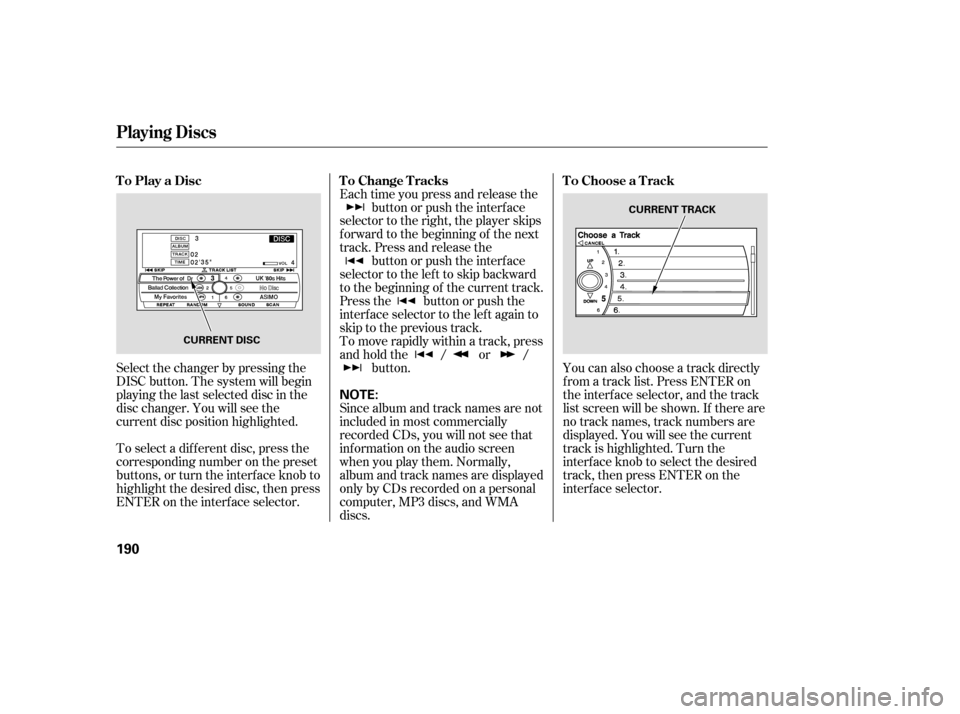
Select the changer by pressing the
DISC button. The system will begin
playing the last selected disc in the
disc changer. You will see the
current disc position highlighted.
To select a dif f erent disc, press the
corresponding number on the preset
buttons, or turn the interf ace knob to
highlight the desired disc, then press
ENTER on the interf ace selector.Each time you press and release the
button or push the interface
selector to the right, the player skips
f orward to the beginning of the next
track. Press and release the button or push the interface
selector to the left to skip backward
to the beginning of the current track.
Press the button or push the
interface selector to the left again to
skip to the previous track.
To move rapidly within a track, press
andholdthe / or / button. You can also choose a track directly
f rom a track list. Press ENTER on
the interf ace selector, and the track
list screen will be shown. If there are
no track names, track numbers are
displayed. You will see the current
track is highlighted. Turn the
interf ace knob to select the desired
track, then press ENTER on the
interf ace selector.
Since album and track names are not
included in most commercially
recorded CDs, you will not see that
inf ormation on the audio screen
when you play them. Normally,
album and track names are displayed
only by CDs recorded on a personal
computer, MP3 discs, and WMA
discs.
ToPlayaDisc
ToChangeTracksToChooseaTrack
Playing Discs
190
NOTE:
CURRENT DISC CURRENT TRACK
Page 192 of 394
To exit the track list display, press
the AUDIO button, or push the
interf ace selector to the lef t.
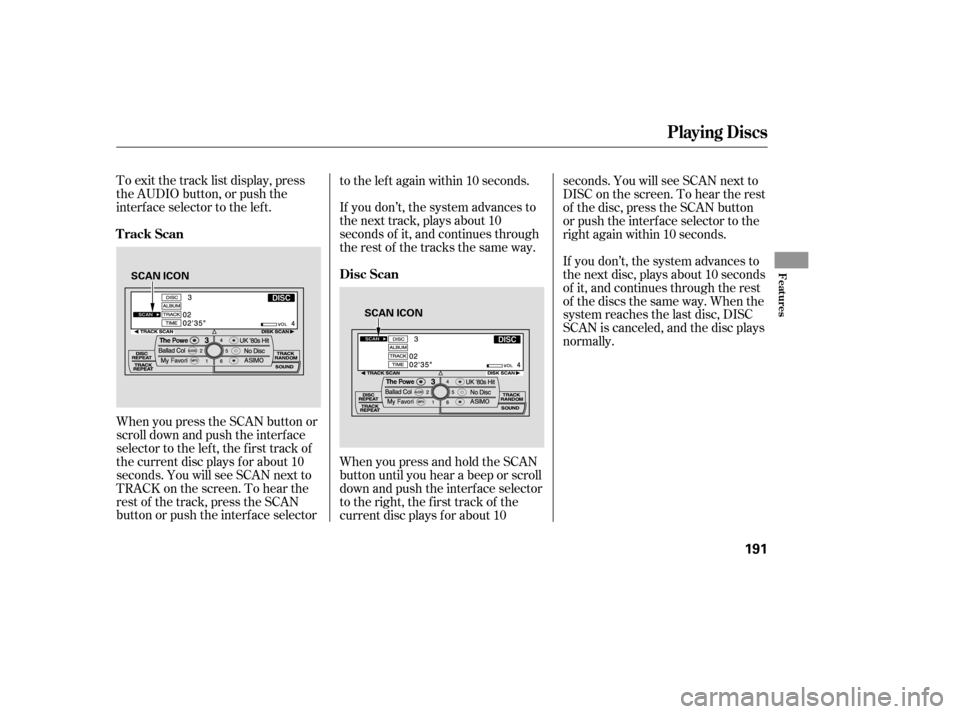
When you press the SCAN button or
scroll down and push the interf ace
selector to the left, the first track of
the current disc plays f or about 10
seconds. You will see SCAN next to
TRACK on the screen. To hear the
rest of the track, press the SCAN
button or push the interface selectorto the left again within 10 seconds.
If you don’t, the system advances to
the next track, plays about 10
seconds of it, and continues through
the rest of the tracks the same way.
WhenyoupressandholdtheSCAN
button until you hear a beep or scroll
down and push the interf ace selector
to the right, the first track of the
current disc plays f or about 10seconds. You will see SCAN next to
DISC on the screen. To hear the rest
of the disc, press the SCAN button
or push the interf ace selector to the
right again within 10 seconds.
If you don’t, the system advances to
the next disc, plays about 10 seconds
of it, and continues through the rest
of the discs the same way. When the
system reaches the last disc, DISC
SCAN is canceled, and the disc plays
normally.
Playing Discs
Track Scan
Disc Scan
Features
191
SCAN ICON
SCAN ICON
Page 196 of 394

To remove a different disc from the
changer,firstselectitbypressing
the corresponding number on the
preset button or turning the
interf ace knob, and pressing ENTER
on the interf ace selector. When that
disc begins playing, press the eject
button.
To eject all discs, press and hold the
eject button. To eject one disc, press and release
the eject button. You can also eject discs when the
ignition switch is of f : When you press the eject button
while listening to the radio, or with
the audio system turned of f , the disc
that was last selected is ejected.
Af ter that disc is ejected, pressing
the eject button again will eject the
next disc in numerical order. By
doing this six times, you can remove
all the discs f rom the changer.
To remove the disc that is currently
playing, press the eject button. You
will see ‘‘EJECT’’ in the upper display.
When you remove the disc f rom the
slot, the system automatically enters
the previous mode [AM, FM1, FM2,
or XM Satellite Radio (U.S. models
except Alaskan and Hawaiian)]. The
system also begins the load
sequence so you can load another
disc. If you do not load another disc,
the load sequence is cancelled, and
the system continues playing in the
previous mode.
If you do not remove the disc f rom
the slot, the system will reload the
disc af ter 15 seconds and put the
disc changer in pause mode. To
begin playing the disc, press the disc
button. Removing Discs f rom the
Changer
Playing Discs
Features
195
Page 197 of 394

When using CD-R or CD-RW discs,
use only high quality discs labeled
f or audio use.
When recording a CD-R or
CD-RW, the recording must be
closedforittobeusedbythedisc
changer.When a disc is not being played,
store it in its case to protect it f rom
dust and other contamination. To
prevent warpage, keep discs out of
direct sunlight and extreme heat.
A new disc may be rough on the
inner and outer edges. The small
plastic pieces causing this roughness
can f lake of f and f all on the
recording surf ace of the disc,
causing skipping or other problems.
Remove these pieces by rubbing the
inner and outer edges with the side
of a pencil or pen.
Never try to insert f oreign objects in
the disc changer. Handle a disc by its edges; never
touch either surf ace. Do not place
stabilizer rings or labels on the disc.
These, along with contamination
f rom f inger prints, liquids, and f elt-
tip pens, can cause the disc to not
play properly, or possibly jam in the
drive.
To clean a disc, use a clean sof t cloth.
Wipe across the disc f rom the center
to the outside edge.
Play only standard, round, 5-inch
(12 mm) discs. Smaller or odd-
shaped discs may jam in the drive
or cause other problems.
Handle your discs properly to
prevent damage and skipping.
General Inf ormation
Protecting Discs
Protecting Your Discs
196
Page 199 of 394
�Û�Ý�´
�µ �´
�µ
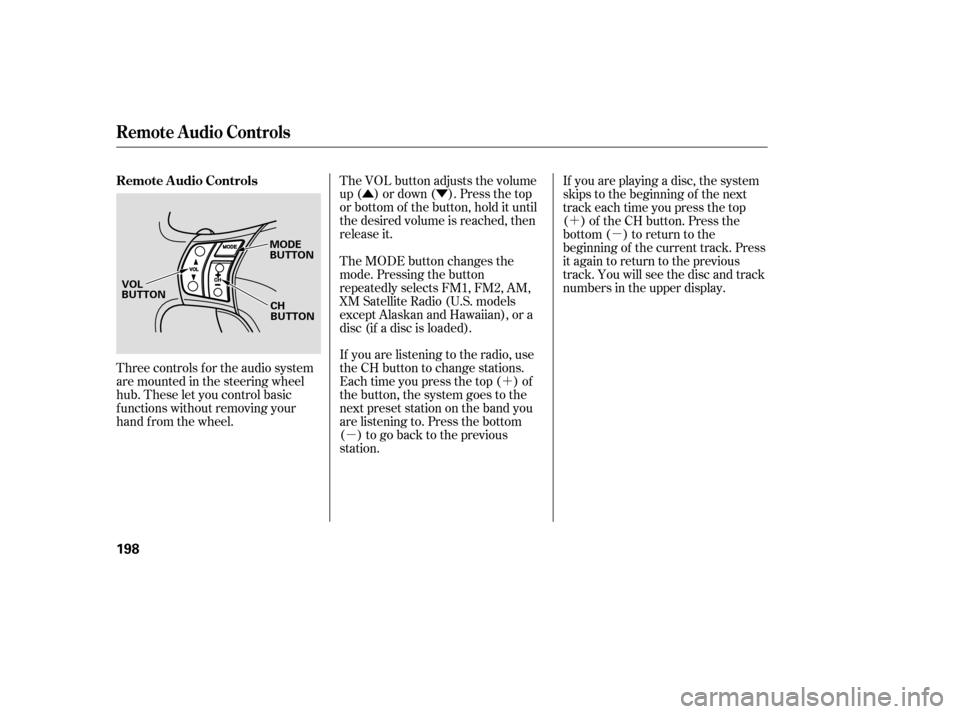
Three controls f or the audio system
are mounted in the steering wheel
hub. These let you control basic
f unctions without removing your
hand f rom the wheel. The VOL button adjusts the volume
up ( ) or down ( ). Press the top
or bottom of the button, hold it until
the desired volume is reached, then
release it.
If you are listening to the radio, use
the CH button to change stations.
Each time you press the top ( ) of
the button, the system goes to the
next preset station on the band you
are listening to. Press the bottom
( ) to go back to the previous
station.If you are playing a disc, the system
skips to the beginning of the next
track each time you press the top
( ) of the CH button. Press the
bottom ( ) to return to the
beginning of the current track. Press
it again to return to the previous
track. You will see the disc and track
numbers in the upper display.
The MODE button changes the
mode. Pressing the button
repeatedly selects FM1, FM2, AM,
XM Satellite Radio (U.S. models
except Alaskan and Hawaiian), or a
disc (if a disc is loaded).
Remote Audio Controls
Remote Audio Controls
198
MODE
BUTTON
CH
BUTTON
VOL
BUTTON
Page 200 of 394

Your vehicle’s audio system will
disable itself if it is disconnected
f rom electrical power f or any reason.
To make it work again, you must
enter a specif ic f ive-digit code with
the preset buttons. Because there
are hundreds of number
combinations possible f rom the f ive
digits, making the system work
without knowing the exact code is
nearly impossible.
Youshouldhavereceivedacardthat
lists your audio system code number
and serial number. It is best to store
this card in a saf e place at home. In
addition, you should write the audio
system’s serial number in this owner’s
manual.
If you lose the card, you must obtain
the code number f rom your dealer.
To do this, you will need the audio
system’s serial number.If your vehicle’s battery is discon-
nected or goes dead, or the radio
f use is removed, the audio system
will disable itself . If this happens,
youwillsee‘‘ ’’intheupper
display the next time you turn on the
system. Use the preset buttons to
enter the f ive-digit code. The code is
locatedontheradiocodecard
included in your owner’s manual kit.
When it is entered correctly, the
radio will start playing.
If you make a mistake entering the
code, do not start over; complete the
f ive-digit sequence, then enter the
correct code. You have ten tries to
enter the correct code. If you are
unsuccessful in ten attempts, you
must then leave the system on for 1
hour bef ore trying again.
If thecodecardislost,yourdealer
can access your code with your
radio’s serial number. To access the
serial number, turn the radio on. Itmust display ‘‘ ’’, then turn
the radio off. Push and hold the
preset 1 and preset 6 buttons, then
push the POWER/VOLUME knob.
The serial number will appear in two
sets of f our digits.
The system will retain your A/M and
F/M presets even if power is
disconnected.
Radio T hef t Prot ect ion
Features
199

