Page 47 of 245

2004 VOLVO XC90
pg. 31 Instruments and controls
Lighting panel, Manually unlocking the fuel filler door
E - Rear fog light
The rear fog light is considerably brighter than the normal tail lights \
and should be used only when
conditions such as fog, rain, snow, smoke or dust reduce visibility for \
other vehicles to less than 500 ft
(150 meters).
A light in the switch indicates when the rear fog light is on.
The rear fog light will only function in combination with the high/low b\
eam headlights.
By design, there is one rear fog light only, located in the driver's sid\
e tail light cluster.
Manually unlocking the fuel filler door
Panel on passenger's side of cargo area
Manually unlocking the fuel filler door
1. Open the upper and lower sections of the tailgate, and fold up the re\
ar section of the cargo area floor.
2. If the vehicle is equipped with the optional grocery bag holder, deta\
ch the holder's bands.
3. Remove the corner panel (1) from the floor of the cargo area.
file:///K|/ownersdocs/2004/2004_XC90/04xc90_02a.htm (12 of 16)12/30/20\
06 4:35:14 PM
Page 48 of 245
2004 VOLVO XC90
4. Open the cover (2) in the side panel by pulling the tab (3) upwar\
d/outward.
5. Pull down the insulating material (4) to access the fuel filler doo\
r motor (5).
6. Move the catch (6) rearward to unlock the fuel filler door lock, or\
move it forward to lock the filler
door.
pg. 32 Instruments and controls
Turn signals, Steering wheel adjustment
1. Lane change
In maneuvers such as lane changing, the driver can flash the turn signal\
s by moving the turn signal lever
to the first stop and holding it there. The lever will return to the neu\
tral position when released.
2. Signal lever engaged for normal turns
3. High/low beam switch (headlights on).
file:///K|/ownersdocs/2004/2004_XC90/04xc90_02a.htm (13 of 16)12/30/20\
06 4:35:14 PM
Page 49 of 245
.
Move the lever towards the steering wheel. The headlight high beam will \
be on until the lever is
released.
4. Exterior courtesy lights.
Move")
2004 VOLVO XC90
Headlight flasher (headlights off).
Move the lever towards the steering wheel. The headlight high beam will \
be on until the lever is
released.
4. Exterior courtesy lights.
Move the lever towards the steering wheel and release it.
NOTE: If the turn signal indicator flashes faster than normal, check for a bur\
ned-out turn signal bulb.
Home safe lighting
When you leave your vehicle at night, you can make use of the courtesy l\
ighting function:
l Remove the key from the ignition switch.
l Pull the turn signal lever towards the steering wheel (as when using th\
e headlight flasher function).
l Exit the vehicle and lock the doors.
The headlights, parking lights, license plate lights and the lights in t\
he sideview mirrors will now come
on and remain on for 30, 60 or 90 seconds (the time interval is at your\
discretion and can be changed by
an authorized Volvo retailer).
Approach lighting
When approaching the vehicle at night, press the yellow button in the ce\
ntral locking remote control (see
illustration on
page 73). This lights up the interior courtesy lights, parking lights, license\
plate lights and
the lights in the sideview mirrors.
Steering wheel adjustment
Steering wheel adjustment
Both the height and the reach of the steering wheel can be adjusted to a\
comfortable position for the
driver. Pull down the lever on the left of the steering column. Adjust t\
he steering wheel to a suitable
position and press the lever back into place to lock the steering wheel \
in the new position. Check that the
steering wheel is locked in the new position.
file:///K|/ownersdocs/2004/2004_XC90/04xc90_02a.htm (14 of 16)12/30/20\
06 4:35:14 PM
Page 51 of 245
2004 VOLVO XC90
Activating the rain sensor function:
1. Switch on the ignition.
2. Move the windshield wiper lever to the intermittent position.
The rain sensor is deactivated when the ignition is switched completely \
off.
To reactivate the rain sensor function:
1. Switch on the ignition.
2. Move the windshield wiper lever to position 0 and then back to the in\
termittent position. CAUTION
When washing the vehicle in an automatic car wash, move the windshield w\
iper lever to
position 0 to deactivate the rain sensor. If the rain sensor is left on, the wipers will activate in the
car wash and could be damaged.
Wipers operate at "normal" speed
Wipers operate at "high" speed
3 - Windshield washer/headlight washer (certain models)
Pull the lever toward you and release it. High pressure jets mounted in \
the bumper will spray the
headlights.
Contents | Top of Page
file:///K|/ownersdocs/2004/2004_XC90/04xc90_02a.htm (16 of 16)12/30/20\
06 4:35:14 PM
Page 63 of 245
2004 VOLVO XC90
pg. 42 Instruments and controls
Rearview mirror/power folding sideview mirrors
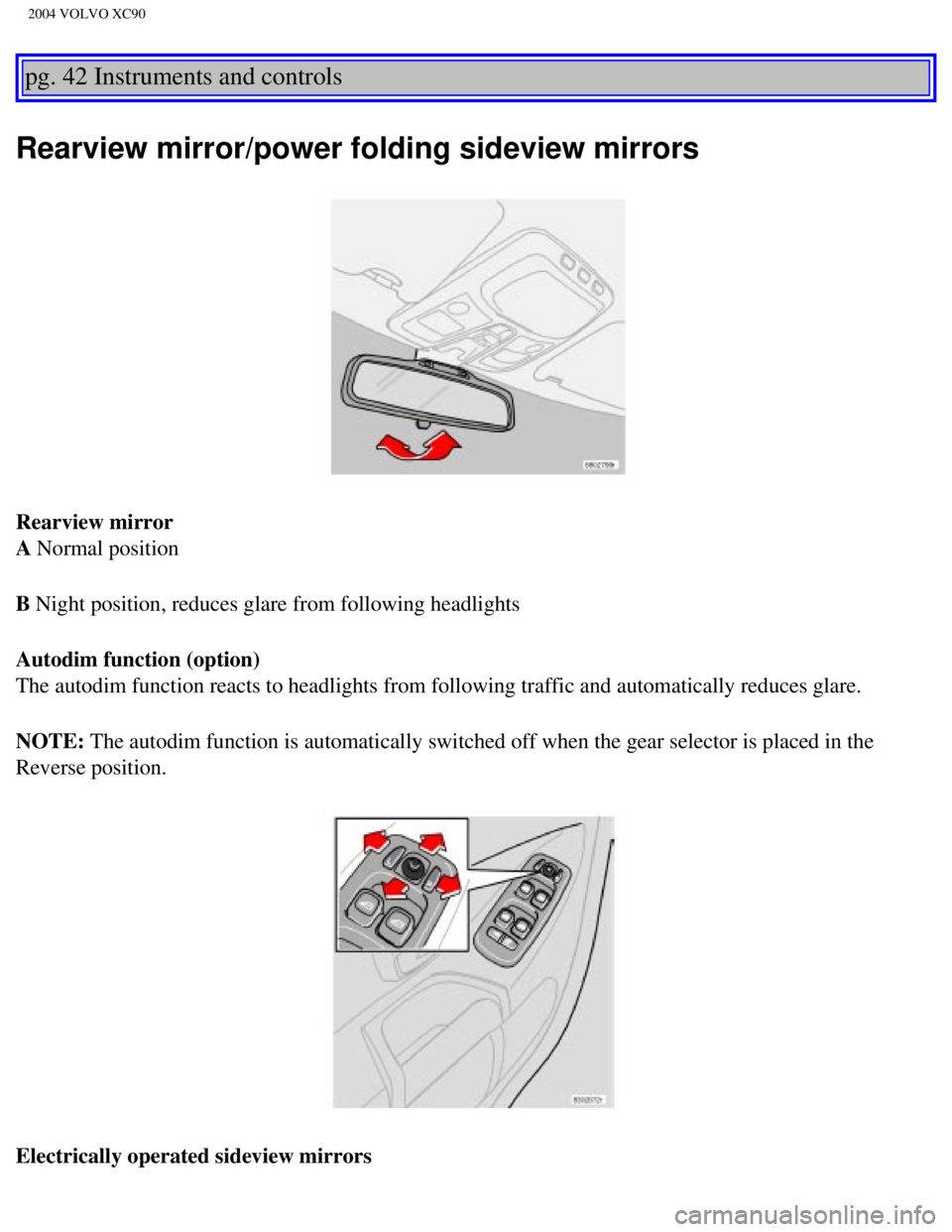
Rearview mirror
A Normal position
B Night position, reduces glare from following headlights
Autodim function (option)
The autodim function reacts to headlights from following traffic and aut\
omatically reduces glare.
NOTE: The autodim function is automatically switched off when the gear selecto\
r is placed in the
Reverse position.
Electrically operated sideview mirrors
file:///K|/ownersdocs/2004/2004_XC90/04xc90_02b.htm (12 of 16)12/30/20\
06 4:35:15 PM
Page 74 of 245

2004 VOLVO XC90
Operation
Press
to operate the Air Quality sensor (normal setting).
Or:
Select one of the following three functions by pressing
1, 2 or 3 times.
1. The AUT LED lights. The Air Quality sensor is now activated.
2. No LED lights. Recirculation is not activated unless needed to cool t\
he passenger compartment in a warm climate.
3. The MAN LED lights. Recirculation is now activated.
Keep in mind the following:
l Make it a rule to have the Air Quality sensor activated at all times.
l Recirculation is limited in cold climates to avoid fogging.
l If window fogging occurs, you should deactivate the Air Quality sensor. \
l If fogging occurs, use the defroster functions for the windshield, side \
windows and rear window. See page 49.
l The filter should be changed at the intervals recommended in the mainten\
ance schedule. However, if the vehicle is used
in a severely contaminated environment, it may be necessary to change th\
e filter more frequently.
pg. 52 Climate control
This page intentionally left blank
Contents | Top of Page
file:///K|/ownersdocs/2004/2004_XC90/04xc90_03.htm (7 of 7)12/30/2006 \
4:35:16 PM
Page 83 of 245

Folding down the backrest
If necessary, fold in the load anchorage eyelets before folding down the\
backrests.
1. Move the seat")
2004 VOLVO XC90
Folding the backrests - third row of seats (option)
Folding down the backrest
If necessary, fold in the load anchorage eyelets before folding down the\
backrests.
1. Move the seats in the second row forward, see
page 58.
2. Pull up the handle in illustration 1 above.
3. Push the seat cushion firmly rearward, under the backrest.
4. Fold down the backrests* (the head restraints fold down automaticall\
y) to the horizontal position.
Returning the backrest to the upright position
l Fold up the backrest to the upright position.
l Grasp the strap (see illustration 3 above) and pull the seat cushion o\
ut until it locks in place. This also
locks the backrest in the upright position.
* Please note that the head restraints in this row cannot be vertically \
adjusted.
pg. 61 Interior
Interior lighting
Courtesy light/front reading lights
The courtesy/reading lights can be turned on or off by pressing the resp\
ective buttons.
The courtesy light has a timer function which turns the light on for 30 \
seconds if:
l You unlock the vehicle from the outside with the key or remote control. \
l You switch off the ignition (turn the key to position 0).
The courtesy light stays on for 10 minutes if one of the doors is left o\
pen after the vehicle is unlocked.
file:///K|/ownersdocs/2004/2004_XC90/04xc90_04a.htm (9 of 11)12/30/200\
6 4:35:19 PM
Page 84 of 245
2004 VOLVO XC90
The courtesy light switches off if:
l The engine is started.
l The vehicle is locked from the outside with the key or remote control.
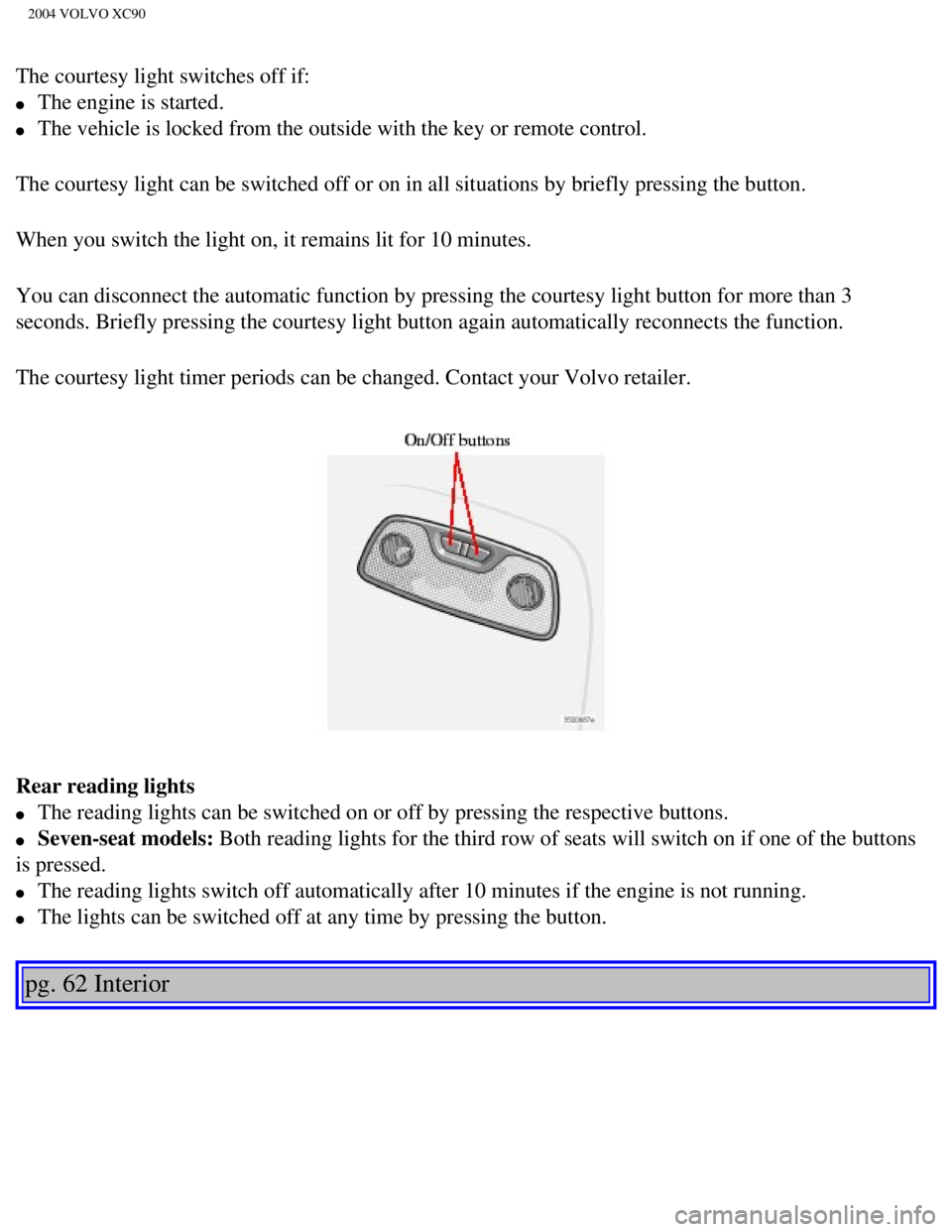
The courtesy light can be switched off or on in all situations by briefl\
y pressing the button.
When you switch the light on, it remains lit for 10 minutes.
You can disconnect the automatic function by pressing the courtesy light\
button for more than 3
seconds. Briefly pressing the courtesy light button again automatically \
reconnects the function.
The courtesy light timer periods can be changed. Contact your Volvo reta\
iler.
Rear reading lights
l The reading lights can be switched on or off by pressing the respective \
buttons.
l Seven-seat models: Both reading lights for the third row of seats will switch on if one of \
the buttons
is pressed.
l The reading lights switch off automatically after 10 minutes if the engi\
ne is not running.
l The lights can be switched off at any time by pressing the button.
pg. 62 Interior
file:///K|/ownersdocs/2004/2004_XC90/04xc90_04a.htm (10 of 11)12/30/20\
06 4:35:19 PM
 in the side panel by pulling the tab (3) upwar\
d/outward.
5. Pull down the insulating material (4) to access the fuel filler doo\
r motor (5).
6. Move the catch")