Page 263 of 506
04 SIENNA_U (L/O 0408)
257
2004 SIENNA from Aug. ’04 Prod. (OM45422U)
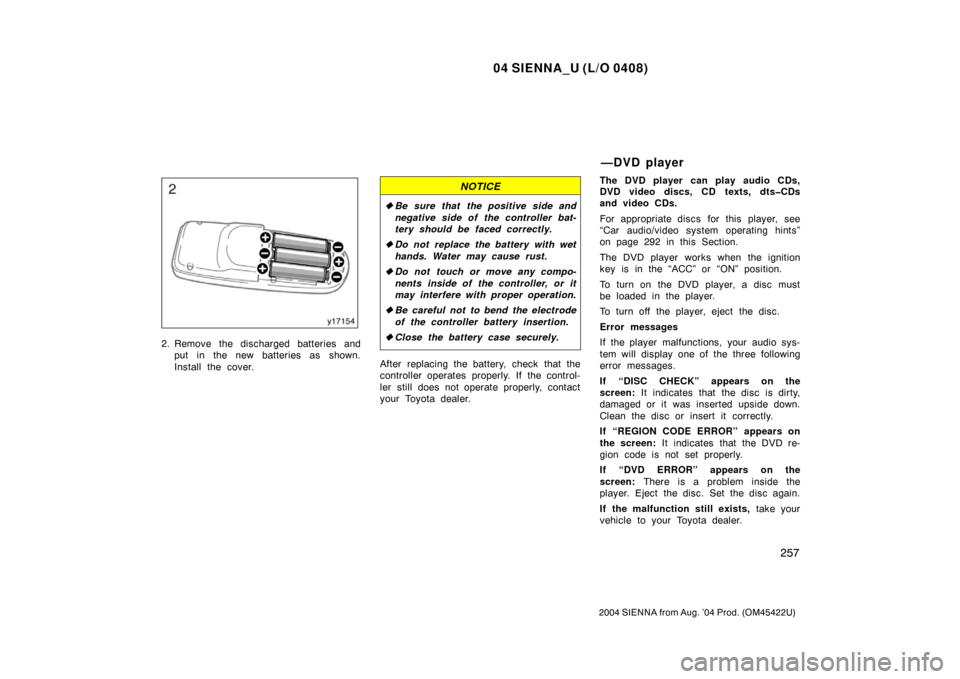
2. Remove the discharged batteries andput in the new batteries as shown.
Install the cover.
NOTICE
�Be sure that the positive side and
negative side of the controller bat-
tery should be faced correctly.
� Do not replace the battery with wet
hands. Water may cause rust.
� Do not touch or move any compo-
nents inside of the controller, or it
may interfere with proper operation.
� Be careful not to bend the electrode
of the controller battery insertion.
� Close the battery case securely.
After replacing the battery, check that the
controller operates properly. If the control-
ler still does not operate properly, contact
your Toyota dealer. The DVD player can play audio CDs,
DVD video discs, CD texts, dtsCDs
and video CDs.
For appropriate discs for this player, see
“Car audio/video system operating hints”
on page 292 in this Section.
The DVD player works when the ignition
key is in the “ACC” or “ON” position.
To turn on the DVD player, a disc must
be loaded in the player.
To turn off the player, eject the disc.
Error messages
If the player malfunctions, your audio sys-
tem will display one of the three following
error messages.
If “DISC CHECK” appears on the
screen:
It indicates that the disc is dirty,
damaged or it was inserted upside down.
Clean the disc or insert it correctly.
If “REGION CODE ERROR” appears on
the screen: It indicates that the DVD re-
gion code is not set properly.
If “DVD ERROR” appears on the
screen: There is a problem inside the
player. Eject the disc. Set the disc again.
If the malfunction still exists, take your
vehicle to your Toyota dealer.
—DVD player
Page 270 of 506
04 SIENNA_U (L/O 0408)
264
2004 SIENNA from Aug. ’04 Prod. (OM45422U)
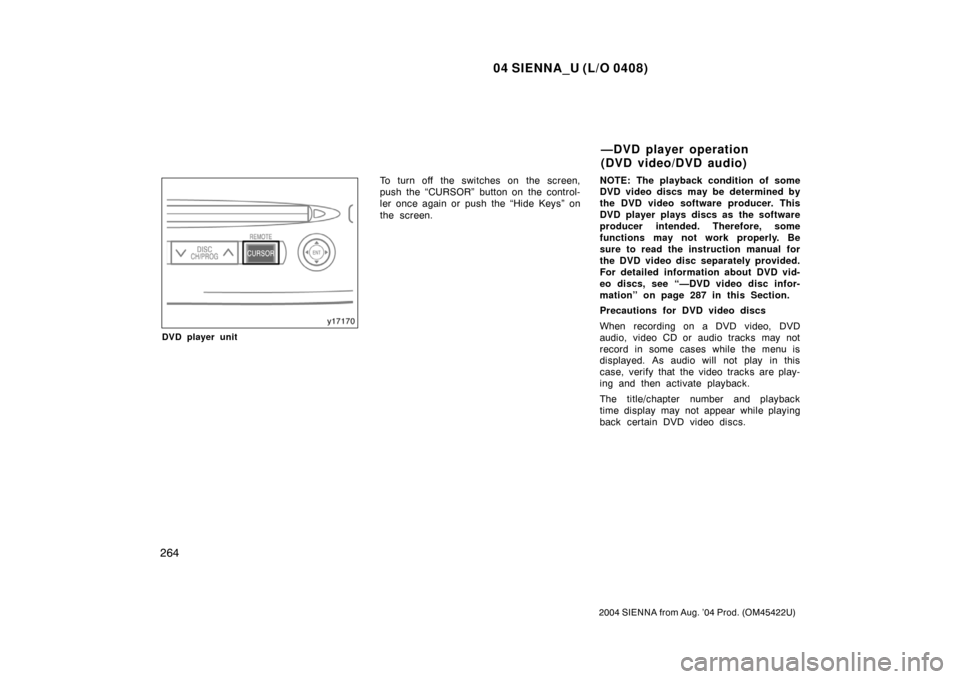
DVD player unit
To turn off the switches on the screen,
push the “CURSOR” button on the control-
ler once again or push the “Hide Keys” on
the screen.NOTE:
The playback condition of some
DVD video discs may be determined by
the DVD video software producer. This
DVD player plays discs as the software
producer intended. Therefore, some
functions may not work properly. Be
sure to read the instruction manual for
the DVD video disc separately provided.
For detailed information about DVD vid-
eo discs, see “—DVD video disc infor-
mation” on page 287 in this Section.
Precautions for DVD video discs
When recording on a DVD video, DVD
audio, video CD or audio tracks may not
record in some cases while the menu is
displayed. As audio will not play in this
case, verify that the video tracks are play-
ing and then activate playback.
The title/chapter number and playback
time display may not appear while playing
back certain DVD video discs.
—DVD player operation
(DVD video/DVD audio)
Page 274 of 506
04 SIENNA_U (L/O 0408)
268
2004 SIENNA from Aug. ’04 Prod. (OM45422U)
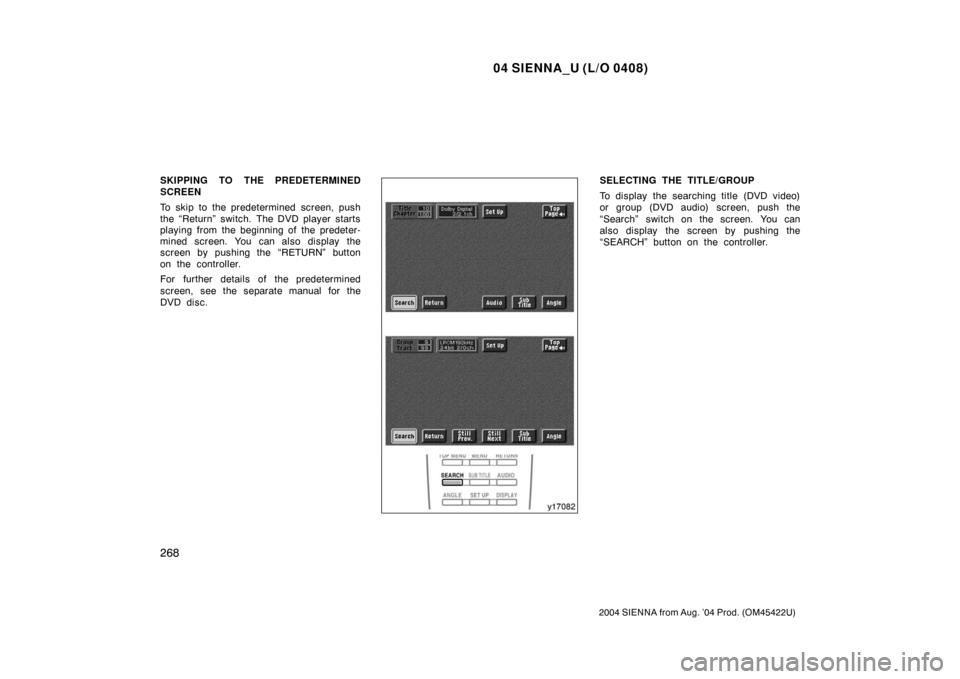
SKIPPING TO THE PREDETERMINED
SCREEN
To skip to the predetermined screen, push
the “Return” switch. The DVD player starts
playing from the beginning of the predeter-
mined screen. You can also display the
screen by pushing the “RETURN” button
on the controller.
For further details of the predetermined
screen, see the separate manual for the
DVD disc.SELECTING THE TITLE/GROUP
To display the searching title (DVD video)
or group (DVD audio) screen, push the
“Search” switch on the screen. You can
also display the screen by pushing the
“SEARCH” button on the controller.
Page 276 of 506
04 SIENNA_U (L/O 0408)
270
2004 SIENNA from Aug. ’04 Prod. (OM45422U)
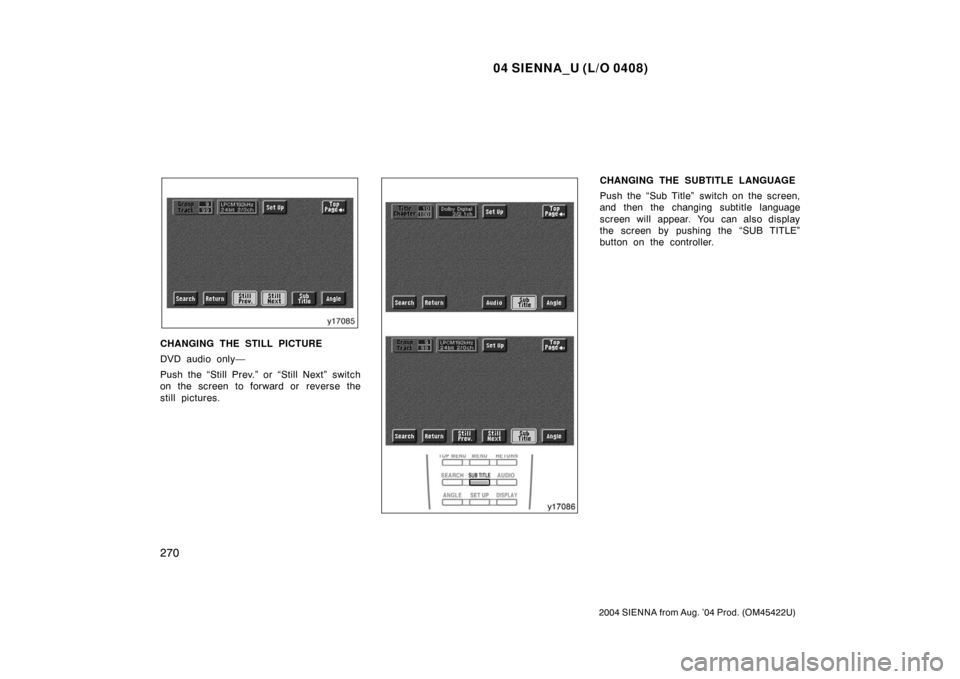
CHANGING THE STILL PICTURE
DVD audio only—
Push the “Still Prev.” or “Still Next” switch
on the screen to forward or reverse the
still pictures.
CHANGING THE SUBTITLE LANGUAGE
Push the “Sub Title” switch on the screen,
and then the changing subtitle language
screen will appear. You can also display
the screen by pushing the “SUB TITLE”
button on the controller.
Page 277 of 506
04 SIENNA_U (L/O 0408)
271
2004 SIENNA from Aug. ’04 Prod. (OM45422U)
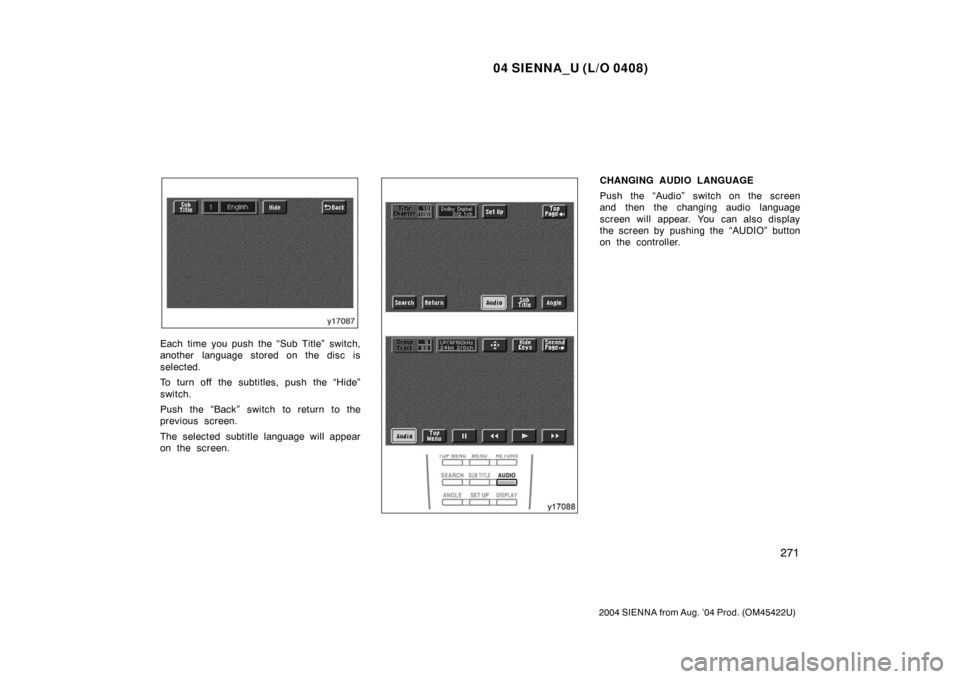
Each time you push the “Sub Title” switch,
another language stored on the disc is
selected.
To turn off the subtitles, push the “Hide”
switch.
Push the “Back” switch to return to the
previous screen.
The selected subtitle language will appear
on the screen.
CHANGING AUDIO LANGUAGE
Push the “Audio” switch on the screen
and then the changing audio language
screen will appear. You can also display
the screen by pushing the “AUDIO” button
on the controller.
Page 279 of 506
04 SIENNA_U (L/O 0408)
273
2004 SIENNA from Aug. ’04 Prod. (OM45422U)
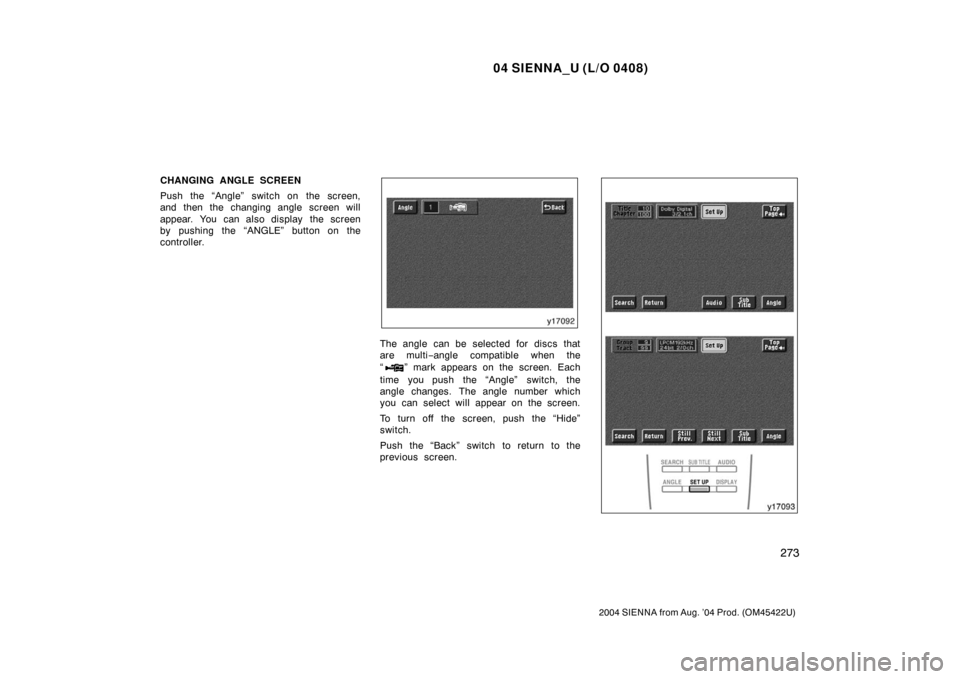
CHANGING ANGLE SCREEN
Push the “Angle” switch on the screen,
and then the changing angle screen will
appear. You can also display the screen
by pushing the “ANGLE” button on the
controller.
The angle can be selected for discs that
are multi−angle compatible when the
“
” mark appears on the screen. Each
time you push the “Angle” switch, the
angle changes. The angle number which
you can select will appear on the screen.
To turn off the screen, push the “Hide”
switch.
Push the “Back” switch to return to the
previous screen.
Page 280 of 506
04 SIENNA_U (L/O 0408)
274
2004 SIENNA from Aug. ’04 Prod. (OM45422U)
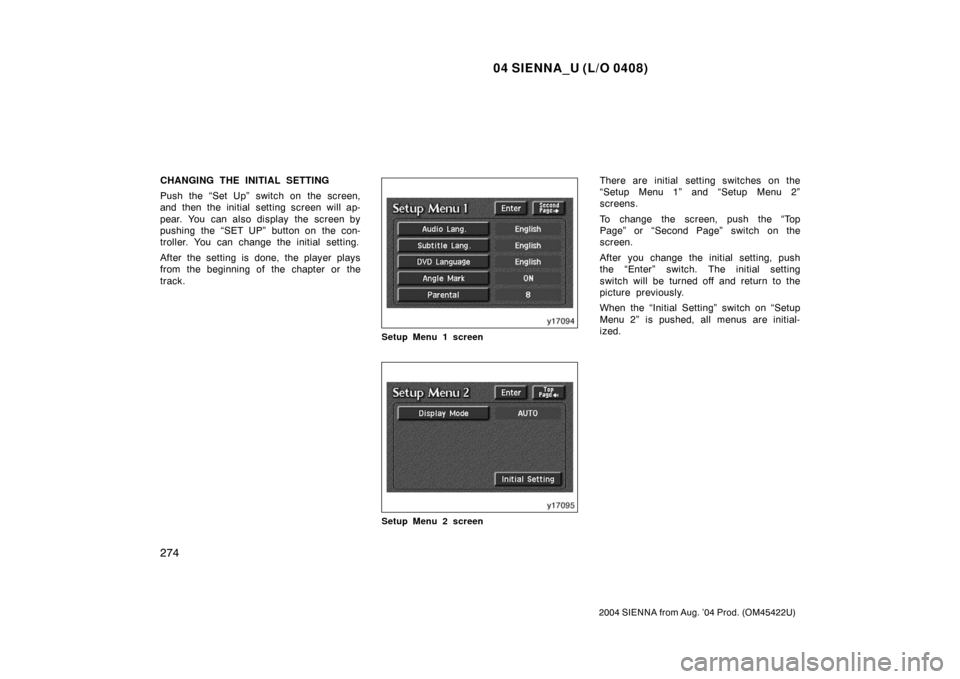
CHANGING THE INITIAL SETTING
Push the “Set Up” switch on the screen,
and then the initial setting screen will ap-
pear. You can also display the screen by
pushing the “SET UP” button on the con-
troller. You can change the initial setting.
After the setting is done, the player plays
from the beginning of the chapter or the
track.
Setup Menu 1 screen
Setup Menu 2 screen
There are initial setting switches on the
“Setup Menu 1” and “Setup Menu 2”
screens.
To change the screen, push the “Top
Page” or “Second Page” switch on the
screen.
After you change the initial setting, push
the “Enter” switch. The initial setting
switch will be turned off and return to the
picture previously.
When the “Initial Setting” switch on “Setup
Menu 2” is pushed, all menus are initial-
ized.
Page 281 of 506
04 SIENNA_U (L/O 0408)
275
2004 SIENNA from Aug. ’04 Prod. (OM45422U)
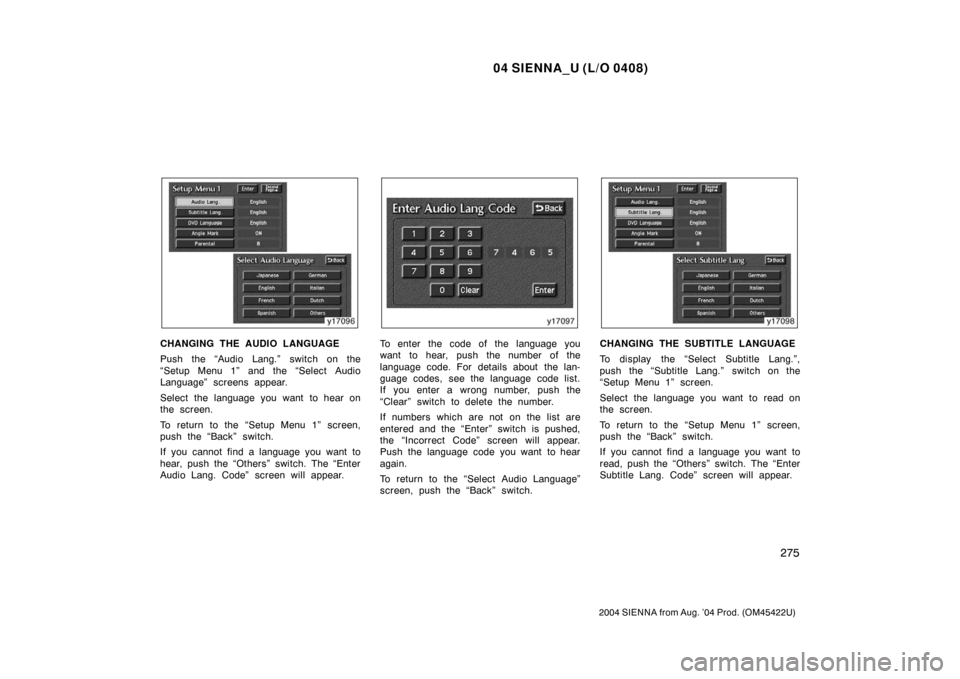
CHANGING THE AUDIO LANGUAGE
Push the “Audio Lang.” switch on the
“Setup Menu 1” and the “Select Audio
Language” screens appear.
Select the language you want to hear on
the screen.
To return to the “Setup Menu 1” screen,
push the “Back” switch.
If you cannot find a language you want to
hear, push the “Others” switch. The “Enter
Audio Lang. Code” screen will appear.To enter the code of the language you
want to hear, push the number of the
language code. For details about the lan-
guage codes, see the language code list.
If you enter a wrong number, push the
“Clear” switch to delete the number.
If numbers which are not on the list are
entered and the “Enter” switch is pushed,
the “Incorrect Code” screen will appear.
Push the language code you want to hear
again.
To return to the “Select Audio Language”
screen, push the “Back” switch.CHANGING THE SUBTITLE LANGUAGE
To display the “Select Subtitle Lang.”,
push the “Subtitle Lang.” switch on the
“Setup Menu 1” screen.
Select the language you want to read on
the screen.
To return to the “Setup Menu 1” screen,
push the “Back” switch.
If you cannot find a language you want to
read, push the “Others” switch. The “Enter
Subtitle Lang. Code” screen will appear.