Page 215 of 506

04 SIENNA_U (L/O 0408)
209
2004 SIENNA from Aug. ’04 Prod. (OM45422U)
You cannot set a desired speed if the
master warning light comes on, the alarm
sounds and the display indicates the
warning code “E3”. If this code appears
on the display, see “CONVENTIONAL
CRUISE CONTROL MODE FAILURE
WARNING” on page 210.
CANCELLING THE PRESET SPEED
You can cancel the preset speed by doing
any of the following:a. Pulling the lever in the “CANCEL” direction.
b. Depressing the brake pedal. c. Pressing the “ON −OFF” button.
In the following cases, the preset speed
automatically cancels out: a. The vehicle speed falls below about 40km/h (25 mph).
b. If the vehicle speed drops 16 km/h (10 mph) below the preset speed, the pre-
set speed will also automatically be
cancelled.
c. The slip indicator light blinks and an alarm sounds. (This occurs when the
vehicle is about to skid.)
If cancelled by a. or b., the preset speed
data is cleared and you must set the
speed from the beginning. If the preset speed automatically cancels
out for other than the above reasons, do
not operate the cruise control. Although it
is no problem to continue driving, have
your vehicle checked by your Toyota deal-
er at the earliest opportunity.
RESETTING TO A FASTER SPEED
Push the lever up in the “+ RES” direction
and hold it. Release the lever when the
desired speed is attained. While the lever
is held up, the vehicle will gradually gain
speed.
When the difference between the actual
vehicle speed and the set speed is less
than 5 km/h (3 mph), the set speed can
be increased 1.6 km/h (1 mph) each time
by pushing the lever up in the “+ RES”
direction quickly within 0.6 seconds.
However, a faster way to reset is to ac-
celerate the vehicle and then push the
lever down in the “− SET” direction.
RESETTING TO A SLOWER SPEED
Push the lever down in the “
− SET” direc-
tion and hold it. Release the lever when
the desired speed is attained. While the
lever is held down, the vehicle speed will
gradually decrease.
When the difference between the actual
vehicle speed and the set speed is less
than 5 km/h (3 mph), the set speed can
be lowered 1.6 km/h (1 mph) each time
by pushing the lever down in the “ − SET”
direction quickly within 0.6 seconds.
However, a faster way to reset is to ac-
celerate the vehicle and then push the
lever down in the “− SET” direction.
Even if you downshift from “D” to “4” in
the conventional cruise control mode, en-
gine braking will not be enabled because
this mode is not cancelled. To decrease
the vehicle’s speed, reset to a slower
speed with the cruise control lever or de-
press the brake pedal. If you use the
brake pedal, cruise control is cancelled.
Page 216 of 506

04 SIENNA_U (L/O 0408)
210
2004 SIENNA from Aug. ’04 Prod. (OM45422U)
RESUMING THE PRESET SPEED
If the preset speed is cancelled by pulling
the lever, by depressing the brake pedal
or by activating the vehicle stability con-
trol system, pushing the lever up in the
“+ RES” direction will restore the speed
set prior to cancellation.
However, once the vehicle speed falls be-
low about 40 km/h (25 mph), the preset
speed will not be resumed.
CONVENTIONAL CRUISE CONTROL
MODE FAILURE WARNING
If there is trouble in the conventional
cruise control mode, the “CRUISE” indica-
tor light in the instrument cluster flashes,
the master warning light comes on and
the alarm sounds, the warning code “E3”
will appear on the display.
If a system malfunction is detected when
the conventional cruise control mode is in
the ready mode or operating, the master
warning light comes on, an alarm sounds
and the above code appears.If this code appears, press the “ON
−OFF”
button to turn the system off and then
push it again to turn it on. If the setting
still cannot be made or the same code
appears again, the system might have
malfunctioned. Although there is no prob-
lem to continue driving, please contact
your Toyota dealer.
Page 240 of 506
04 SIENNA_U (L/O 0408)
234
2004 SIENNA from Aug. ’04 Prod. (OM45422U)
The rear seat audio system consists of
following components.1. Volume control knobs
2. Rear seat audio system display
3. Headphone input jacks
4. Front audio system
5. Rear seat audio system controller The rear seat audio system can be oper-
ated with the rear seat audio system con-
troller.
CAUTION
Do not disassemble or modify the
controller. It may cause an accident,
fire or electric shock.
NOTICE
Keep the controller away from direct
sunlight, high heat and high humidity.
These conditions could cause the
case to deform or the battery to ex-
plode or leak.
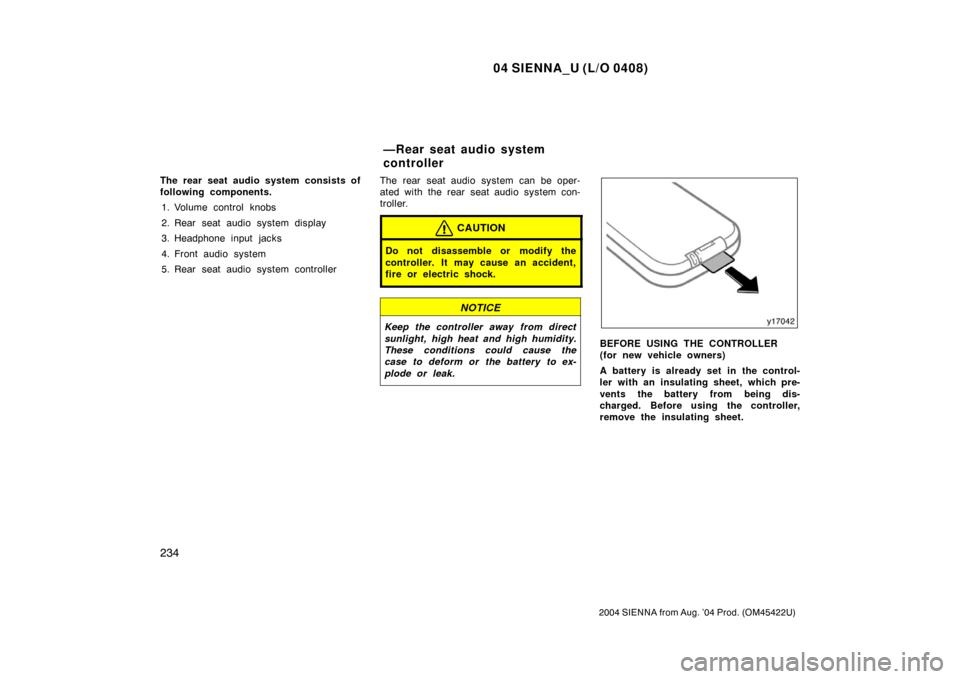
BEFORE USING THE CONTROLLER
(for new vehicle owners)
A battery is already set in the control-
ler with an insulating sheet, which pre-
vents the battery from being dis-
charged. Before using the controller,
remove the insulating sheet.
—Rear seat audio system
controller
Page 241 of 506
04 SIENNA_U (L/O 0408)
235
2004 SIENNA from Aug. ’04 Prod. (OM45422U)
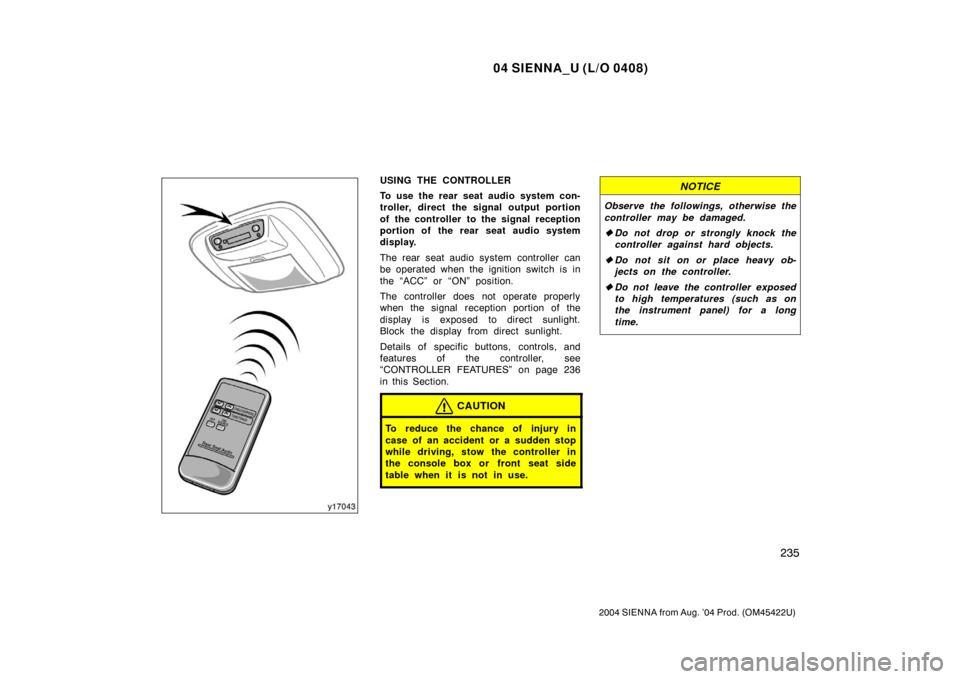
USING THE CONTROLLER
To use the rear seat audio system con-
troller, direct the signal output portion
of the controller to the signal reception
portion of the rear seat audio system
display.
The rear seat audio system controller can
be operated when the ignition switch is in
the “ACC” or “ON” position.
The controller does not operate properly
when the signal reception portion of the
display is exposed to direct sunlight.
Block the display from direct sunlight.
Details of specific buttons, controls, and
features of the controller, see
“CONTROLLER FEATURES” on page 236
in this Section.
CAUTION
To reduce the chance of injury in
case of an accident or a sudden stop
while driving, stow the controller in
the console box or front seat side
table when it is not in use.
NOTICE
Observe the followings, otherwise the
controller may be damaged.
�Do not drop or strongly knock the
controller against hard objects.
� Do not sit on or place heavy ob-
jects on the controller.
� Do not leave the controller exposed
to high temperatures (such as on
the instrument panel) for a long
time.
Page 250 of 506

04 SIENNA_U (L/O 0408)
244
2004 SIENNA from Aug. ’04 Prod. (OM45422U)
NOTICE
�Benzene or alkaline solutions may
damage the coated surface of the
screen .
� To prevent the battery from being
discharged, do not turn on the rear
seat entertainment system longer
than necessary when the engine is
not running.
The rear seat entertainment system can
be operated with the rear seat entertain-
ment system controller and buttons on the
DVD player unit. The system cannot be
operated by touching the switches on the
screen directly.
CAUTION
Do not disassemble or modify the
controller. It may cause an accident,
fire or electric shock.
NOTICE
Keep the controller away from direct
sunlight, high heat and high humidity.
These conditions could cause the
case to deform or the battery to ex-
plode or leak.
BEFORE USING THE CONTROLLER
(for new vehicle owners)
A battery is already set in the control-
ler with an insulating sheet, which pre-
vents the battery from being dis-
charged. Before using the controller,
remove the insulating sheet according
to the following procedure.
—Rear seat entertainment
system controller
Page 252 of 506
04 SIENNA_U (L/O 0408)
246
2004 SIENNA from Aug. ’04 Prod. (OM45422U)
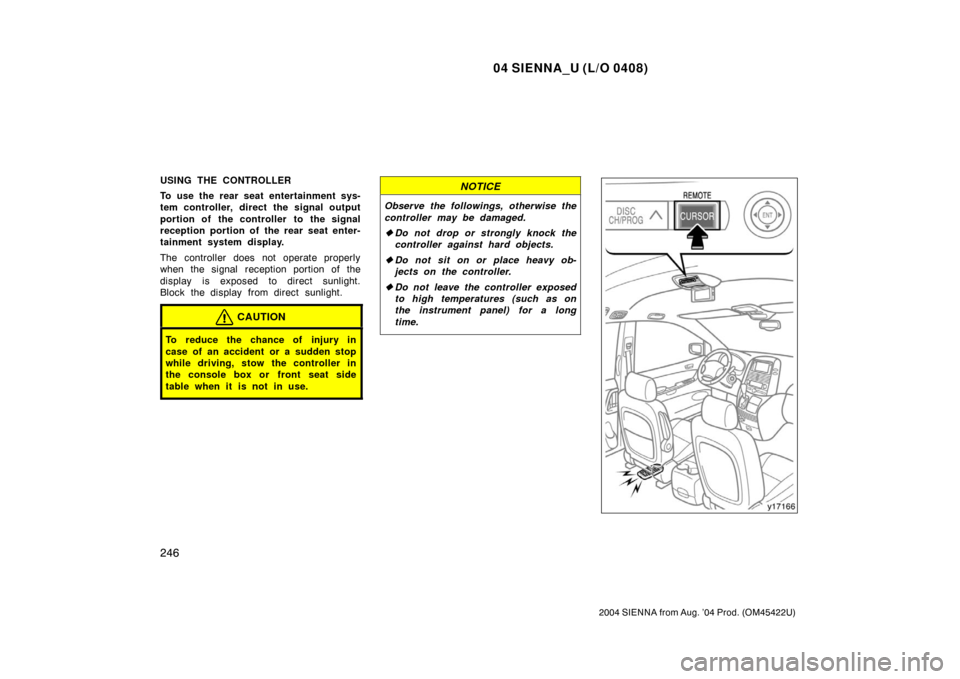
USING THE CONTROLLER
To use the rear seat entertainment sys-
tem controller, direct the signal output
portion of the controller to the signal
reception portion of the rear seat enter-
tainment system display.
The controller does not operate properly
when the signal reception portion of the
display is exposed to direct sunlight.
Block the display from direct sunlight.
CAUTION
To reduce the chance of injury in
case of an accident or a sudden stop
while driving, stow the controller in
the console box or front seat side
table when it is not in use.
NOTICE
Observe the followings, otherwise the
controller may be damaged.
�Do not drop or strongly knock the
controller against hard objects.
� Do not sit on or place heavy ob-
jects on the controller.
� Do not leave the controller exposed
to high temperatures (such as on
the instrument panel) for a long
time.
Page 257 of 506
04 SIENNA_U (L/O 0408)
251
2004 SIENNA from Aug. ’04 Prod. (OM45422U)
7. “ENT” buttonThis button inputs the selected switch
or the selected menu for the disc.
8. “DISC” indicator light This light indicates that the disc is
loaded.
Controller
DVD player unit
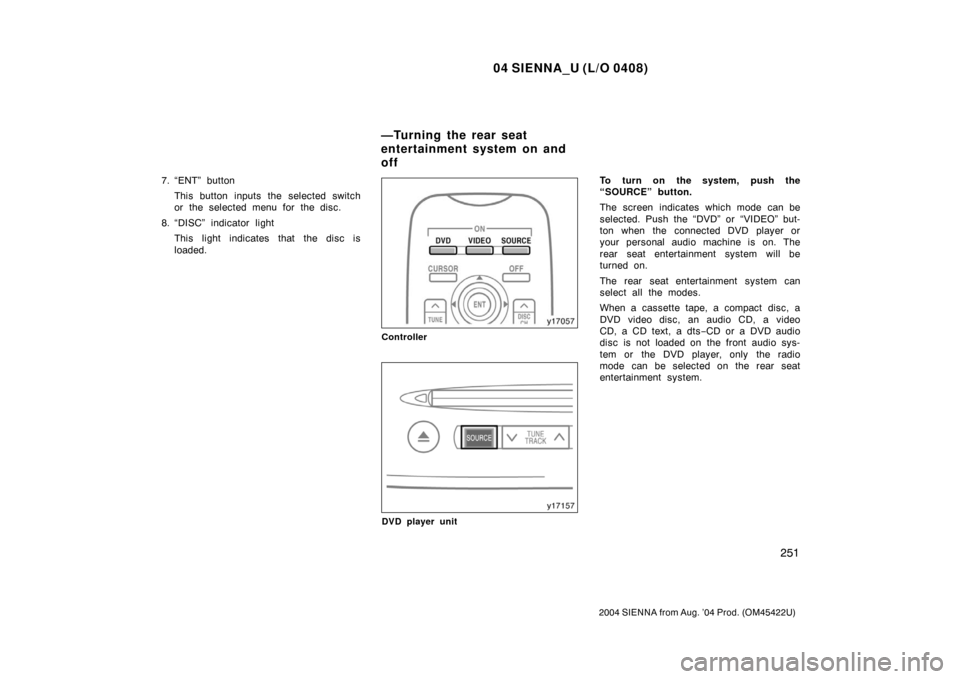
To turn on the system, push the
“SOURCE” button.
The screen indicates which mode can be
selected. Push the “DVD” or “VIDEO” but-
ton when the connected DVD player or
your personal audio machine is on. The
rear seat entertainment system will be
turned on.
The rear seat entertainment system can
select all the modes.
When a cassette tape, a compact disc, a
DVD video disc, an audio CD, a video
CD, a CD text, a dts −CD or a DVD audio
disc is not loaded on the front audio sys-
tem or the DVD player, only the radio
mode can be selected on the rear seat
entertainment system.
—Turning the rear seat
entertainment system on and
off
Page 264 of 506
04 SIENNA_U (L/O 0408)
258
2004 SIENNA from Aug. ’04 Prod. (OM45422U)
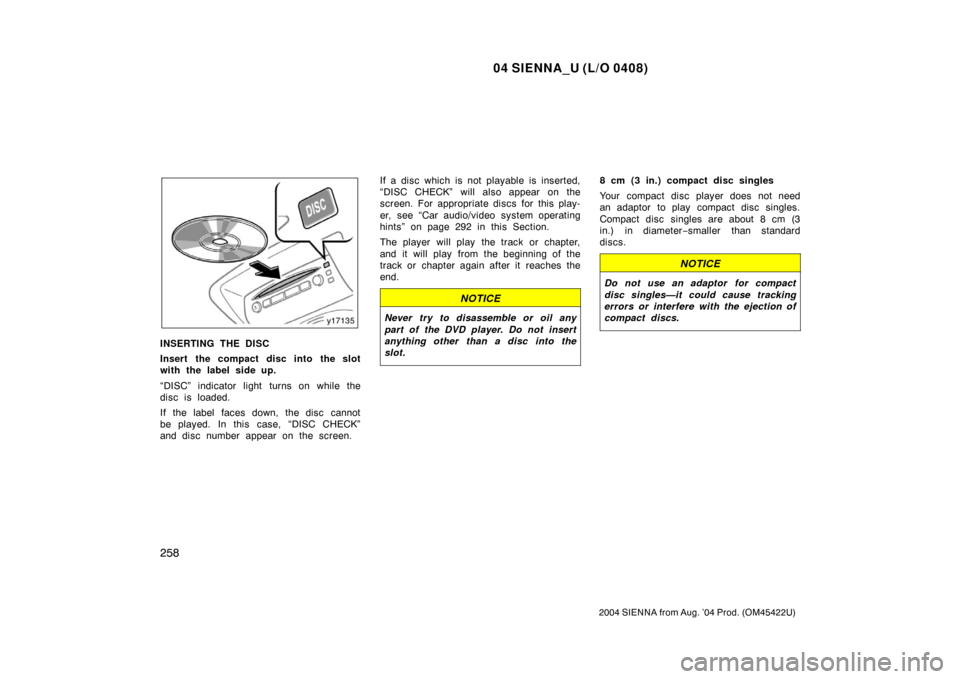
INSERTING THE DISC
Insert the compact disc into the slot
with the label side up.
“DISC” indicator light turns on while the
disc is loaded.
If the label faces down, the disc cannot
be played. In this case, “DISC CHECK”
and disc number appear on the screen.If a disc which is not playable is inserted,
“DISC CHECK” will also appear on the
screen. For appropriate discs for this play-
er, see “Car audio/video system operating
hints” on page 292 in this Section.
The player will play the track or chapter,
and it will play from the beginning of the
track or chapter again after it reaches the
end.
NOTICE
Never try to disassemble or oil any
part of the DVD player. Do not insert
anything other than a disc into the
slot.
8 cm (3 in.) compact disc singles
Your compact disc player does not need
an adaptor to play compact disc singles.
Compact disc singles are about 8 cm (3
in.) in diameter
−smaller than standard
discs.
NOTICE
Do not use an adaptor for compact
disc singles—it could cause tracking
errors or interfere with the ejection of
compact discs.