2004 NISSAN QUEST rear entertainment
[x] Cancel search: rear entertainmentPage 190 of 320

Turn the ignition key to the ACC or ON position and
insert the compact disc into the slot with the label
side facing up. The compact disc will be guided
automatically into the slot and start playing.
If the radio is already operating, it will automati-
cally turn off and the compact disc will play.
If the system has been turned off while the com-
pact disc was playing, pushing the ON·OFF/VOL
control knob will start the compact disc.
3.1 in (8 cm) diameter compact discs can also be
used without an adapter.
CD button:
When the CD button is pushed with the system
off and the compact disc loaded, the system will
turn on and the compact disc will start to play.
When the CD button is pushed with the compact
disc loaded but the radio playing, the radio will
automatically be turned off and the compact disc
will start to play.
REW (Rewind) , FF (Fast
Forward):
When the
(rewind) or(fast forward)
button is pushed while the compact disc is being
played, the compact disc will play while rewind-
ing or fast forwarding. When the button is re-
leased, the compact disc will return to normal
play speed.
SEEK/TRACK:
When the
button is pushed for less than
1.5 seconds while a compact disc is playing, the
track being played returns to its beginning. Push
several times to skip back through tracks. The
compact disc will go back the number of times
the button is pushed.
When the
button is pushed for less than
1.5 seconds while a compact disc is playing, the
next track will start to play from its beginning.
Push several times to skip through tracks. The
compact disc will advance the number of times
the button is pushed. (When the last track on the
compact disc is skipped through, the first track
will be played.)
When the
orbutton is pushed for
more than 1.5 seconds, each track will play for
about 10 seconds. To stop playing, push
the
button.
REPEAT (RPT):
When the PROG/RPT button is pushed while the
compact disc is being played, the play pattern
can be changed as follows:
ALL DISC RPT!1 TRACK RPT!1 DISC RDM
!ALL DISC RPTALL DISC RPT: the entire disk will be repeated
1 TRACK RPT: the current track will be repeated
1 DISC RDM: all tracks will be played randomly
REAR AV:
Pushing the REAR AV button for less than 1.5
seconds turns the rear seat audio controller on.
Pushing it again will turn the rear seat audio
controller off. If the vehicle is not equipped with a
rear seat audio controller, the display will show
“REAR AV N/A”.
If a DVD is loaded in the DVD entertainment
system (if so equipped) , pushing the REAR AV
button for more than 1.5 seconds will turn the
DVD player on.
When the REAR AV button is pushed for more
than 1.5 seconds with a DVD loaded and another
audio source playing, the other source will auto-
matically be turned off and the DVD will start to
play.
(SPEAKER CONTROL) button:
Push this button to turn the rear speakers off and
headphones on. Push this button again to turn
rear seat speakers back on and headphones off.
4-38Display screen, heater, air conditioner and audio systems
ZREVIEW COPY:Ð2004 Quest(van)
Owners Manual(owners)ÐUSA English(nna)
10/08/03Ðtbrooks
X
Page 192 of 320

When thebutton is pushed for less than 1.5
seconds while the compact disc is playing, the
next track will start to play from its beginning.
Push several times to skip through tracks. The
compact disc will advance the number of times
the button is pushed. (When the last track on the
compact disc is skipped through, the first track
will be played.)
When pushing the
orbutton for more
than 1.5 seconds, each track will play for about
10 seconds. To stop playing, push
the
button again.
CD select buttons:
To play another CD that has been loaded, push a
CD select button (1 - 6) .
REPEAT (RPT):
When the PROG/RPT play button is pushed
while the compact disc is played, the play pattern
can be changed as follows:
ALL DISC RPT!1 DISC RPT!1 TRACK RPT
!ALL DISC RDM!1 DISC RDM!ALL DISC
RPT
ALL DISC RPT: All discs loaded will be repeated.
1 DISC RPT: The disc that is currently playing will
be repeated.
1 TRACK RPT: The track that is currently playing
will be repeatedALL DISC RDM: Tracks from all discs will be
played randomly
1 DISC RDM: Tracks from the disc that is cur-
rently playing will be played randomly
REAR AV:
Pushing the REAR AV button for less than 1.5
seconds turns the rear seat audio controller on.
Pushing it again will turn the rear seat audio
controller off. If the vehicle is not equipped with a
rear seat audio controller, the display will show
“REAR AV N/A”.
If a DVD is loaded in the DVD entertainment
system (if so equipped) , pushing the REAR AV
button for more than 1.5 seconds will turn the
DVD player on.
When the REAR AV button is pushed for more
than 1.5 seconds with a DVD loaded and another
audio source playing, the other source will auto-
matically be turned off and the DVD will start to
play.
(SPEAKER CONTROL) button:
Push this button to turn the rear speakers off and
headphones on. Push this button again to turn
rear seat speakers back on and headphones off.
CD EJECT:
Current disc:
cPress the slot number (1 - 6) for the desired
disc, then press the
button. The com-
pact disc will be ejected. If the disc is not
removed within 15 seconds, the disc will
reload (except 3.1 in [8 cm] diameter com-
pact discs) .
All discs:
cPress and hold the
button for more
than 1.5 seconds. The compact discs will be
ejected one by one. If a disc is not removed
within 15 seconds, or the
button is
pressed again during the eject sequence,
the entire disc eject sequence will be can-
celed.
When this button is pushed while the compact
disc is being played, the compact disc will eject
and the last source will be played.
CD IN indicator:
The slot numbers (1 - 6) will illuminate if CDs
have been loaded into the changer.
4-40Display screen, heater, air conditioner and audio systems
ZREVIEW COPY:Ð2004 Quest(van)
Owners Manual(owners)ÐUSA English(nna)
10/08/03Ðtbrooks
X
Page 196 of 320
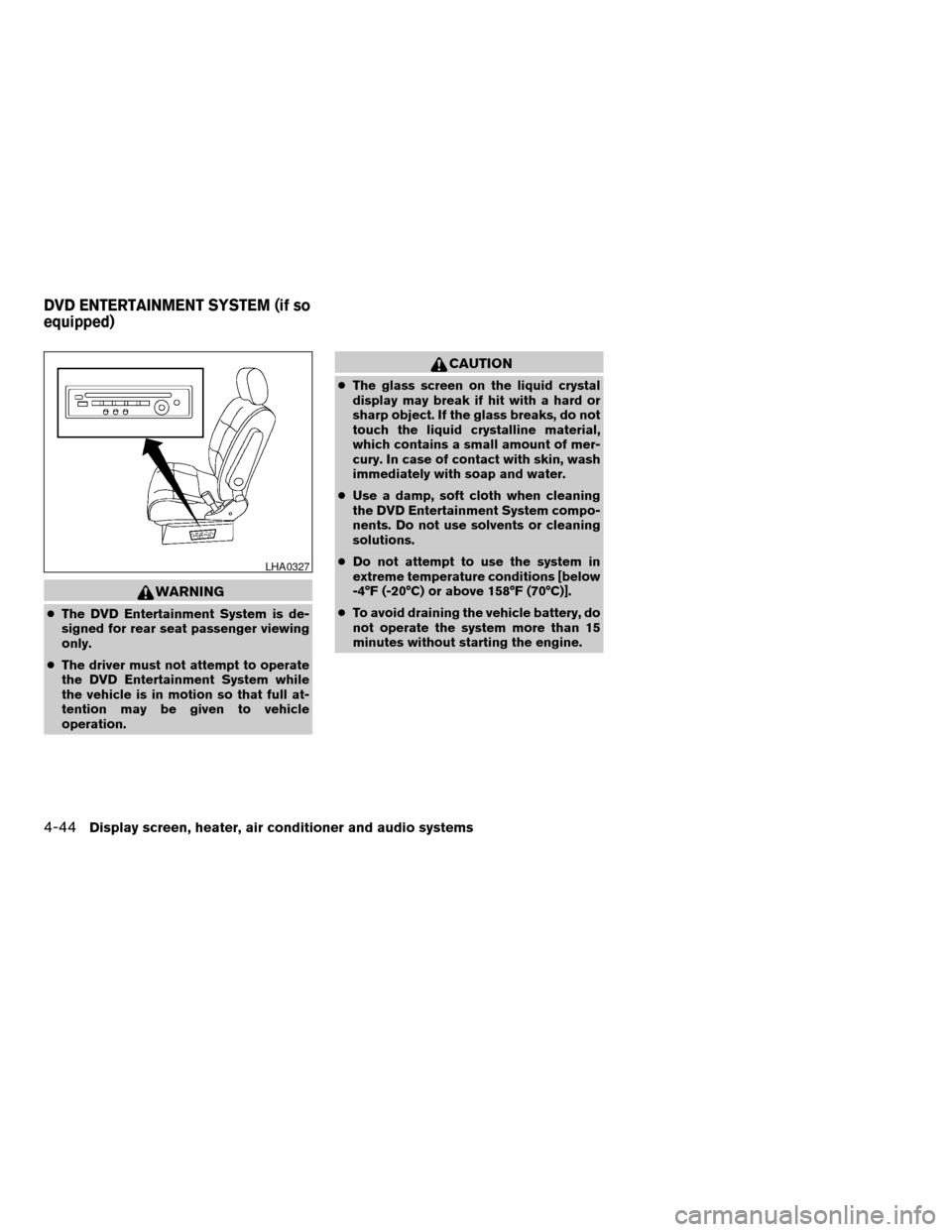
WARNING
cThe DVD Entertainment System is de-
signed for rear seat passenger viewing
only.
cThe driver must not attempt to operate
the DVD Entertainment System while
the vehicle is in motion so that full at-
tention may be given to vehicle
operation.
CAUTION
cThe glass screen on the liquid crystal
display may break if hit with a hard or
sharp object. If the glass breaks, do not
touch the liquid crystalline material,
which contains a small amount of mer-
cury. In case of contact with skin, wash
immediately with soap and water.
cUse a damp, soft cloth when cleaning
the DVD Entertainment System compo-
nents. Do not use solvents or cleaning
solutions.
cDo not attempt to use the system in
extreme temperature conditions [below
-4°F (-20°C) or above 158°F (70°C)].
cTo avoid draining the vehicle battery, do
not operate the system more than 15
minutes without starting the engine.
LHA0327
DVD ENTERTAINMENT SYSTEM (if so
equipped)
4-44Display screen, heater, air conditioner and audio systems
ZREVIEW COPY:Ð2004 Quest(van)
Owners Manual(owners)ÐUSA English(nna)
10/08/03Ðtbrooks
X
Page 310 of 320

Child restraints.......1-33, 1-34, 1-40, 1-51
Precautions on child restraints.......1-40
Top tether strap anchor point locations . .1-54
Child safety rear door lock............3-9
Child safety sliding door lock..........3-9
Chimes, audible reminders...........2-12
Cleaning exterior and interior..........7-2
Clock
(models with navigation system)......4-14
(models without navigation system).....4-4
Cold weather driving..............5-21
Compact disc (CD) player...........4-37
Control panel buttons
With navigation system...........4-8
Without navigation system..........4-2
Controls
Audio controls (steering wheel)......4-41
Heater and air conditioner
controls................4-17, 4-27
Rear audio controls.............4-43
Rear seat air conditioner..........4-29
Convenience hook...............2-29
Coolant
Capacities and recommended
fuel/lubricants.................9-2
Changing engine coolant..........8-8
Checking engine coolant level........8-7
Engine coolant temperature gauge.....2-4
Cornering light.................2-19
Corrosion protection...............7-5
Cruise control..................5-12
Cup holders...................2-32
Curtain side-impact air bag system
(See supplemental side air bag and curtain
side-impact air bag system)..........1-27D
Daytime running light system
(Canada only)..................2-18
Defroster switch
Rear window and outside mirror
defroster switch...............2-15
Digital video disc DVD.............4-44
Dimensions and weights.............9-8
Door locks....................3-3
Door open warning light.............2-7
Drive belts....................8-16
Drive positioner, Automatic...........3-25
Driving
Cold weather driving............5-21
Driving with automatic transmission.....5-7
Precautions when starting and driving . . .5-2
DVD entertainment system...........4-44
E
Economy - fuel.................5-14
Emission control information label.......9-10
Emission control system warranty.......9-19
Engine
Before starting the engine..........5-6
Capacities and recommended
fuel/lubricants.................9-2
Changing engine coolant..........8-8
Changing engine oil.............8-9
Changing engine oil filter..........8-10
Checking engine coolant level........8-7
Checking engine oil level..........8-8Engine compartment check locations. . . .8-7
Engine coolant temperature gauge.....2-4
Engine cooling system............8-7
Engine oil...................8-8
Engine oil and oil filter recommendation . .9-5
Engine oil viscosity..............9-5
Engine serial number............9-10
Engine specifications.............9-7
Starting the engine..............5-7
Engine oil pressure low/engine coolant
temperature high warning light.........2-7
Exhaust gas (Carbon monoxide)........5-2
Eyeglass case..................2-28
F
Flashers
(See hazard warning flasher switch)......2-20
Flat tire......................6-2
Floor mat positioning aid.............7-4
Fluid
Automatic transmission fluid (ATF). . . .8-11
Brake fluid..................8-13
Capacities and recommended
fuel/lubricants.................9-2
Engine coolant................8-7
Engine oil...................8-8
Power steering fluid.............8-13
Window washer fluid............8-14
F.M.V.S.S. certification label..........9-10
Fog light switch.................2-19
Front air bag system
(See supplemental restraint system).....1-22
Front seats....................1-2
10-2
ZREVIEW COPY:Ð2004 Quest(van)
Owners Manual(owners)ÐUSA English(nna)
10/08/03Ðtbrooks
X
Page 311 of 320

Fuel
Capacities and recommended
fuel/lubricants.................9-2
Fuel economy................5-14
Fuel filler cap................3-20
Fuel filler lid.................3-20
Fuel filler lid and cap............3-20
Fuel gauge..................2-5
Fuel octane rating..............9-3
Fuel recommendation............9-3
Fuses......................8-23
Fusible links...................8-24
G
Garage door opener, HomeLinkTUniversal
Transceiver...................2-43
Garment hook..................2-34
Gascap.....................3-20
Gauge
Engine coolant temperature gauge.....2-4
Fuel gauge..................2-5
Odometer...................2-4
Speedometer.................2-4
Tachometer..................2-4
General maintenance..............8-2
Glove box....................2-28
Glove box lock.................2-28
Grocery hooks.................2-30
H
Hazard warning flasher switch.........2-20
Head restraints.................1-10Headlight and turn signal switch........2-15
Headlights....................8-26
Headphones
(See DVD entertainment system).......4-47
Headrest storage................2-34
Heated seats..................2-21
Heater
Heater and air conditioner
controls................4-17, 4-27
Heater operation...........4-19, 4-28
Rear seat air conditioner..........4-29
HomeLinkTUniversal Transceiver.......2-43
Hood release..................3-14
Horn.......................2-20
I
Ignition switch..................5-5
Immobilizer system..........2-12, 3-2, 5-6
Important vehicle information label.......9-10
In-cabin microfilter...............8-18
Increasing fuel economy............5-14
Indicator lights and audible reminders
(See warning/indicator lights and audible
reminders).....................2-6
Inside automatic anti-glare mirror.......3-23
Inside mirror...................3-23
Instrument brightness control.........2-18
Instrument panel.................2-2
Interior lights
(see Lights on demand switch)........2-41
ISOFIX child restraints.............1-51J
Jump starting...................6-7
K
Key ........................3-2
Keyless entry system
(See remote keyless entry system).......3-9
L
Labels
Air conditioner specification label.....9-11
Emission control information label.....9-10
Engine serial number............9-10
F.M.V.S.S. certification label........9-10
Vehicle identification number (VIN) plate . .9-9
Warning labels (for SRS)..........1-29
LATCH
(Lower Anchors and Tethers for CHildren)
System......................1-51
License plate
Installing the license plate.........9-11
Light
Air bag warning light.........1-30, 2-9
Brake light (See stop light).........8-27
Bulb check/instrument panel........2-6
Bulb replacement..............8-27
Charge warning light.............2-7
Cornering light...............2-19
Fog light switch...............2-19
Headlight and turn signal switch......2-15
10-3
ZREVIEW COPY:Ð2004 Quest(van)
Owners Manual(owners)ÐUSA English(nna)
10/08/03Ðtbrooks
X
Page 313 of 320

Pre-tensioner seat belt system.........1-28
Push starting...................6-9
R
Radio
Car phone or CB radio...........4-53
Compact Disc (CD) changer.......4-39
Rear audio controls.............4-43
Steering wheel audio control switch. . . .4-41
Readiness for inspection maintenance (I/M)
test........................9-20
Rear audio controls...............4-43
Rear center seat belt..............1-37
Rear seat air conditioner............4-29
Rear sonar system off switch.........2-22
Rear window and outside mirror defroster
switch......................2-15
Rear window wiper and washer switches . . .2-14
Refrigerant recommendation..........9-6
Registering your vehicle in another country. . .9-9
Remote controller
(See DVD entertainment system).......4-46
Remote keyless entry system..........3-9
Reporting safety defects (US only)......9-19
S
Safety
Child safety rear door lock..........3-9
Child safety sliding door lock........3-9
Child seat belts...............1-40
Reporting safety defects (US only). . . .9-19
Screen (See DVD entertainment system) . . .4-46Seat adjustment
Front manual seat adjustment........1-2
Front power seat adjustment........1-5
Second row captain’s chair.........1-6
Third row bench seat..........1-8, 1-9
Seat belt
Child safety.................1-33
Infants and small children.........1-34
Injured Person................1-34
Larger children...............1-34
Precautions on seat belt usage......1-31
Pregnant women..............1-34
Pre-tensioner seat belt system.......1-28
Rear center seat belt............1-37
Seat belt extenders.............1-40
Seat belt maintenance...........1-40
Seat belts..................1-31
Shoulder belt height adjustment......1-39
Three-point type with retractor.......1-35
Seat belt warning light..............2-9
Seatback pockets................2-30
Seats
Adjustment..................1-2
Automatic drive positioner.........3-25
Front seats..................1-2
Heated seats................2-21
Manual front seat adjustment........1-2
Second row captain’s chair adjustment.....1-6
Security indicator light.............2-11
Security system
(Nissan vehicle immobilizer system) ,
engine start..............2-12, 3-2, 5-6
Self-adjusting brakes..............8-22
Service manual order form...........9-21
Servicing air conditioner............4-30
Shift lock release.................5-9Shifting
Automatic transmission...........5-8
Shoulder belt height adjustment........1-39
Side air bag system
(See supplemental side air bag
and curtain side-impact air bag system) . . .1-27
Skyview™ roof..................2-39
Sliding door
Manual sliding door.............3-5
Power sliding door..............3-7
Sliding door locks
Child safety sliding door locks........3-9
Spark plug replacement............8-17
Speedometer...................2-4
SRS warning label...............1-29
Starting
Before starting the engine..........5-6
Jump starting.................6-7
Precautions when starting and driving . . .5-2
Push starting.................6-9
Starting the engine..............5-7
Steering
Power steering fluid.............8-13
Power steering system...........5-15
Tilting steering wheel............3-21
Steering wheel audio control switch......4-41
Stop light....................8-27
Storage.....................2-25
Storage bin.........2-27, 2-31, 2-33, 2-34
Storage compartment.............2-25
Storage tray...............2-26, 2-27
Sun visors....................3-22
Sunglasses case................2-28
Sunglasses holder...............2-28
Sunroof.....................2-39
Supplemental air bag warning labels.....1-29
10-5
ZREVIEW COPY:Ð2004 Quest(van)
Owners Manual(owners)ÐUSA English(nna)
10/08/03Ðtbrooks
X