Page 82 of 306
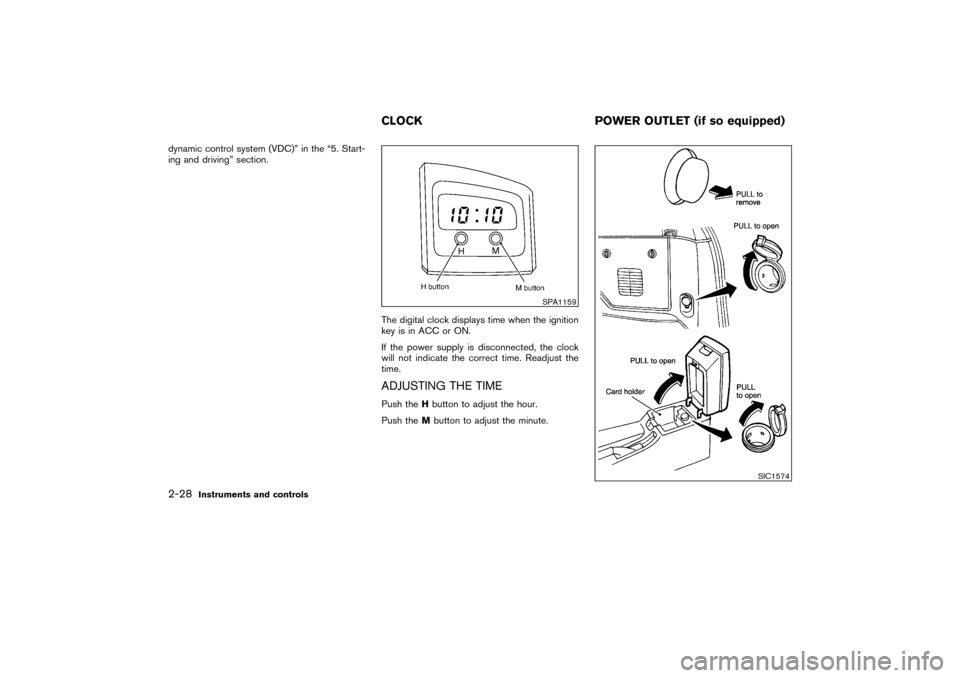
HEADLIGHT SWITCH
LightingTurn the switch to the AUTO position:
When the ignition key is in the ON position, the
tail light, headlight, instrument light and other
lights turn on automatically, depending on the
brightness of the surroundings. The headlight
will automatically turn off 5 minutes after the
ignition switch is turned to the OFF position and
the driver’s or front passenger’s door is opened.
The headlight will also automatically turn off 45
seconds after a front door is opened and closed.
When the light switch is turned to the
position, the headlight low or high beam
will turn off.
Turn the switch to the
position:
The side combination, tail, license plate and
instrument lights will come on.
Turn the switch to theposition:
Headlights will come on and all the other lights
remain on.Be sure not to put anything on top of the
photo sensor located on the top right-hand
side of the instrument panel. The photo
sensor controls the autolight; if it is cov-
ered, the photo sensor reacts as if it is dark
and the headlights will illuminate.
Battery saver system�When the headlight switch is in the
or
position while the ignition switch is in
the ON position, the lights (including the front
fog light) will automatically turn off 5 minutes
after the ignition switch has been turned to
the OFF position.
SIC1938
SIC1573A
HEADLIGHT AND TURN SIGNAL
SWITCH2-22
Instruments and controls
�
04.3.9/R50-D/V5
�
Page 84 of 306
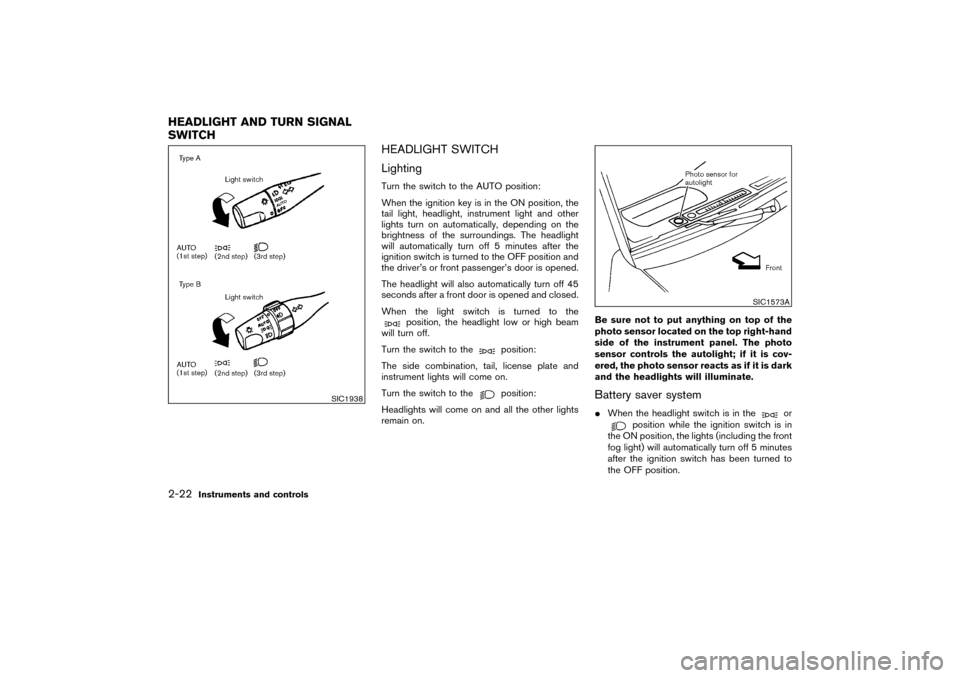
Passing signalPulling the lever toward you will turn on the
passing signal even when the headlight switch is
off.Daytime running light system (Canada
only)The headlights automatically illuminate at a re-
duced intensity when the engine is started with
the parking brake released. The daytime running
lights operate with the headlight switch in the off
position or in the
position. Turn the head-
light switch to theposition for full illumina-
tion when driving at night.
If the parking brake is applied before the engine
is started, the daytime running lights do not
illuminate. The daytime running lights illuminate
once the parking brake is released. The daytime
running lights will remain on until the ignition
switch is turned off.
WARNING
When the daytime running light system
is active, tail lights on your vehicle are
not on. It is necessary at dusk to turn on
your headlights. Failure to do so couldcause an accident injuring yourself and
others.
TURN SIGNAL SWITCH
Turn signalMove the lever up or down to signal to the
turning direction. When the turn is completed,
the turn signals cancel automatically.
SIC1940
2-24
Instruments and controls
�
04.3.9/R50-D/V5
�
Page 86 of 306
ers while moving on the highway un-
less unusual circumstances force you
to drive so slowly that your vehicle
might become a hazard to other traf-
fic.
�Turn signals do not work when the
hazard warning flasher lights are on.
The flasher can be actuated with the ignition
switch either off or on.
To sound the horn, push the center pad area of
the steering wheel.
WARNING
Do not disassemble the horn. Doing so
could affect proper operation of the
supplemental front air bag system. Tam-
pering with the supplemental front air
bag system may result in serious per-
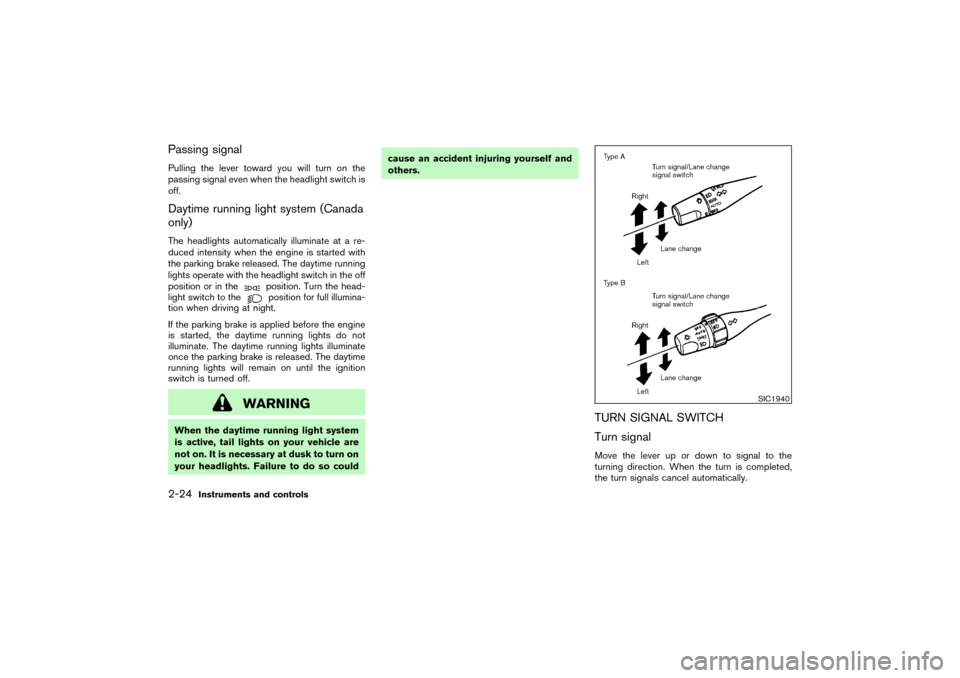
sonal injury.The front seat(s) are warmed by built-in heaters.
The switches located on the instrument panel
can be operated independently of each other.
1. Start the engine.
The battery could run down if the heater is
operated while the engine is not running.
2. Push the
(Low) or
(High) po-
sition of the switch, as desired, depending on
the temperature. The indicator light in the
switch will illuminate.
The heater is controlled by a thermostat,
automatically turning the heater on and off.
SIC0987
SIC1463
HORNHEATED SEATS (if so equipped)
2-26
Instruments and controls
�
04.3.9/R50-D/V5
�
Page 88 of 306
dynamic control system (VDC)” in the “5. Start-
ing and driving” section.
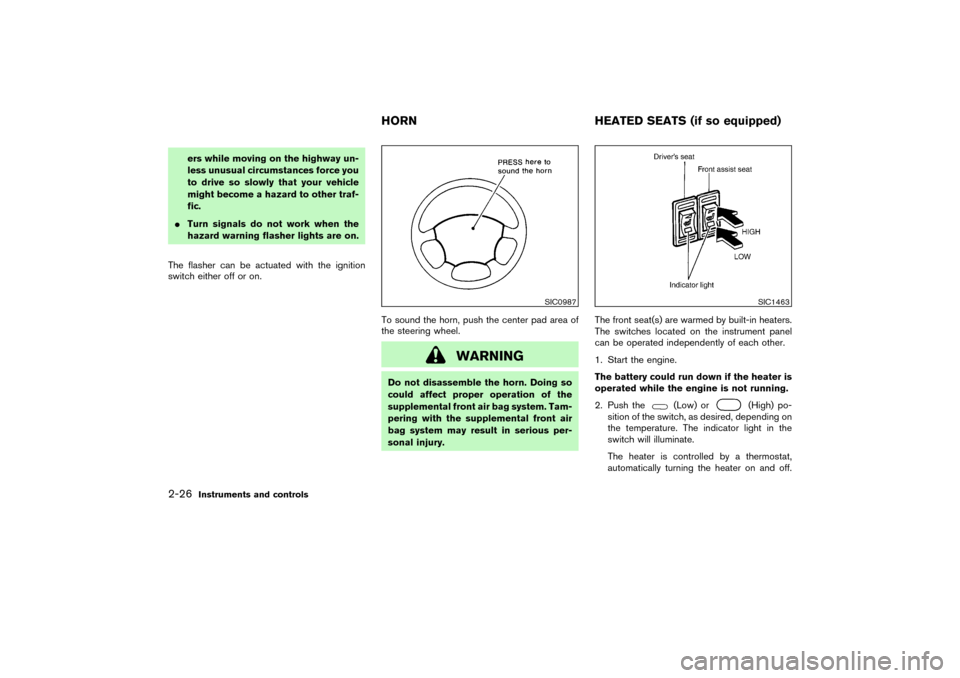
The digital clock displays time when the ignition
key is in ACC or ON.
If the power supply is disconnected, the clock
will not indicate the correct time. Readjust the
time.
ADJUSTING THE TIMEPush theHbutton to adjust the hour.
Push theMbutton to adjust the minute.
SPA1159
SIC1574
CLOCK POWER OUTLET (if so equipped)
2-28
Instruments and controls
�
04.3.9/R50-D/V5
�
Page 90 of 306
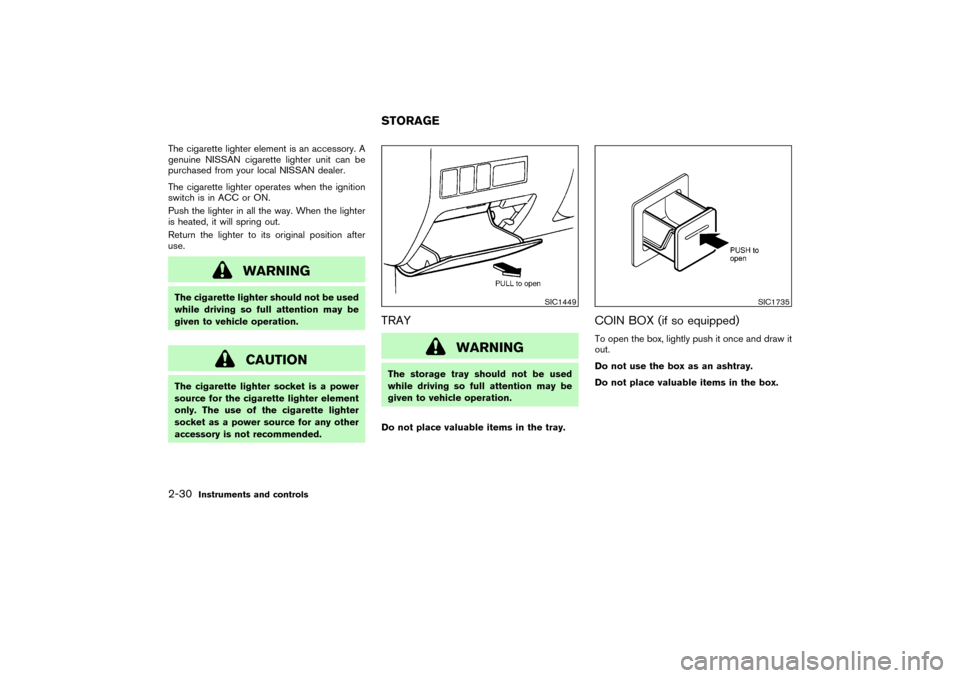
The cigarette lighter element is an accessory. A
genuine NISSAN cigarette lighter unit can be
purchased from your local NISSAN dealer.
The cigarette lighter operates when the ignition
switch is in ACC or ON.
Push the lighter in all the way. When the lighter
is heated, it will spring out.
Return the lighter to its original position after
use.
WARNING
The cigarette lighter should not be used
while driving so full attention may be
given to vehicle operation.
CAUTION
The cigarette lighter socket is a power
source for the cigarette lighter element
only. The use of the cigarette lighter
socket as a power source for any other
accessory is not recommended.
TRAY
WARNING
The storage tray should not be used
while driving so full attention may be
given to vehicle operation.
Do not place valuable items in the tray.
COIN BOX (if so equipped)To open the box, lightly push it once and draw it
out.
Do not use the box as an ashtray.
Do not place valuable items in the box.
SIC1449
SIC1735
STORAGE
2-30
Instruments and controls
�
04.3.9/R50-D/V5
�
Page 99 of 306
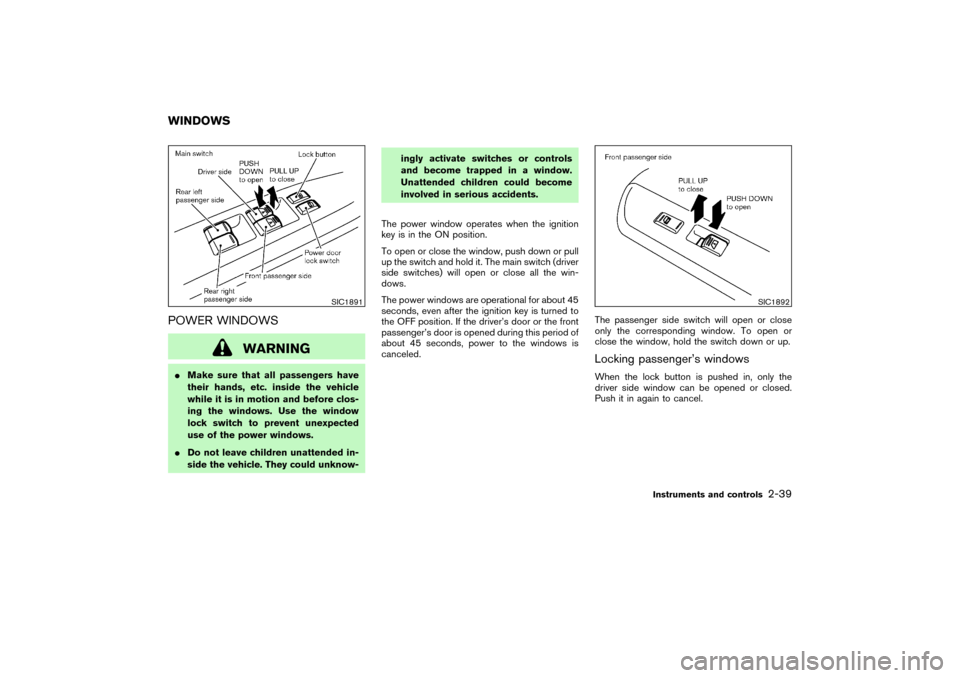
POWER WINDOWS
WARNING
�Make sure that all passengers have
their hands, etc. inside the vehicle
while it is in motion and before clos-
ing the windows. Use the window
lock switch to prevent unexpected
use of the power windows.
�Do not leave children unattended in-
side the vehicle. They could unknow-ingly activate switches or controls
and become trapped in a window.
Unattended children could become
involved in serious accidents.
The power window operates when the ignition
key is in the ON position.
To open or close the window, push down or pull
up the switch and hold it. The main switch (driver
side switches) will open or close all the win-
dows.
The power windows are operational for about 45
seconds, even after the ignition key is turned to
the OFF position. If the driver’s door or the front
passenger’s door is opened during this period of
about 45 seconds, power to the windows is
canceled.The passenger side switch will open or close
only the corresponding window. To open or
close the window, hold the switch down or up.
Locking passenger’s windowsWhen the lock button is pushed in, only the
driver side window can be opened or closed.
Push it in again to cancel.
SIC1891
SIC1892
WINDOWS
Instruments and controls
2-39
�
04.3.9/R50-D/V5
�
Page 100 of 306
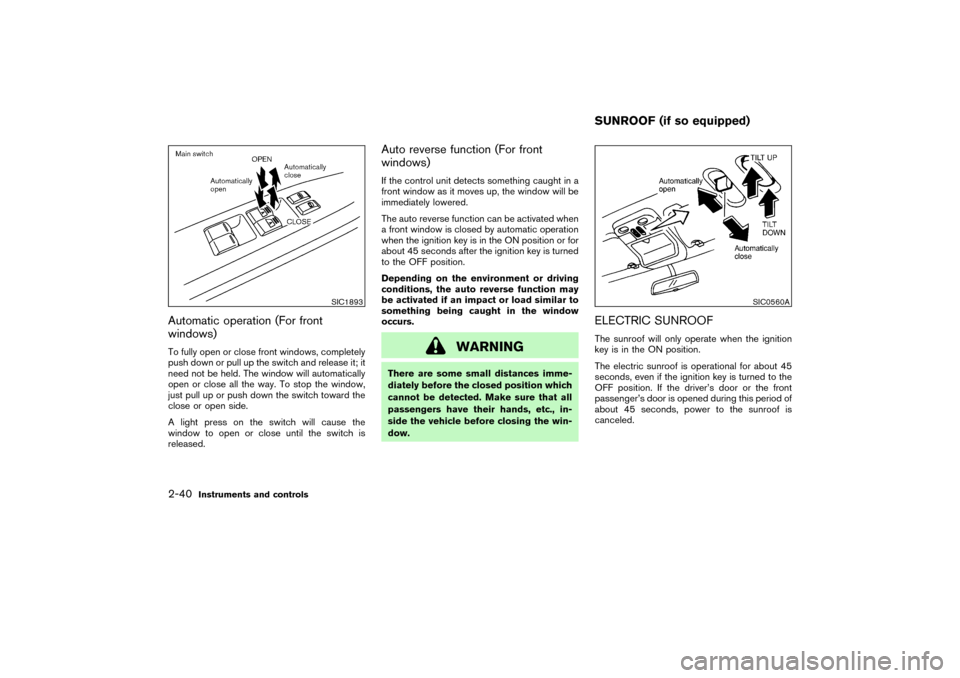
Automatic operation (For front
windows)To fully open or close front windows, completely
push down or pull up the switch and release it; it
need not be held. The window will automatically
open or close all the way. To stop the window,
just pull up or push down the switch toward the
close or open side.
A light press on the switch will cause the
window to open or close until the switch is
released.
Auto reverse function (For front
windows)If the control unit detects something caught in a
front window as it moves up, the window will be
immediately lowered.
The auto reverse function can be activated when
a front window is closed by automatic operation
when the ignition key is in the ON position or for
about 45 seconds after the ignition key is turned
to the OFF position.
Depending on the environment or driving
conditions, the auto reverse function may
be activated if an impact or load similar to
something being caught in the window
occurs.
WARNING
There are some small distances imme-
diately before the closed position which
cannot be detected. Make sure that all
passengers have their hands, etc., in-
side the vehicle before closing the win-
dow.
ELECTRIC SUNROOFThe sunroof will only operate when the ignition
key is in the ON position.
The electric sunroof is operational for about 45
seconds, even if the ignition key is turned to the
OFF position. If the driver’s door or the front
passenger’s door is opened during this period of
about 45 seconds, power to the sunroof is
canceled.
SIC1893
SIC0560A
SUNROOF (if so equipped)
2-40
Instruments and controls
�
04.3.9/R50-D/V5
�
Page 101 of 306
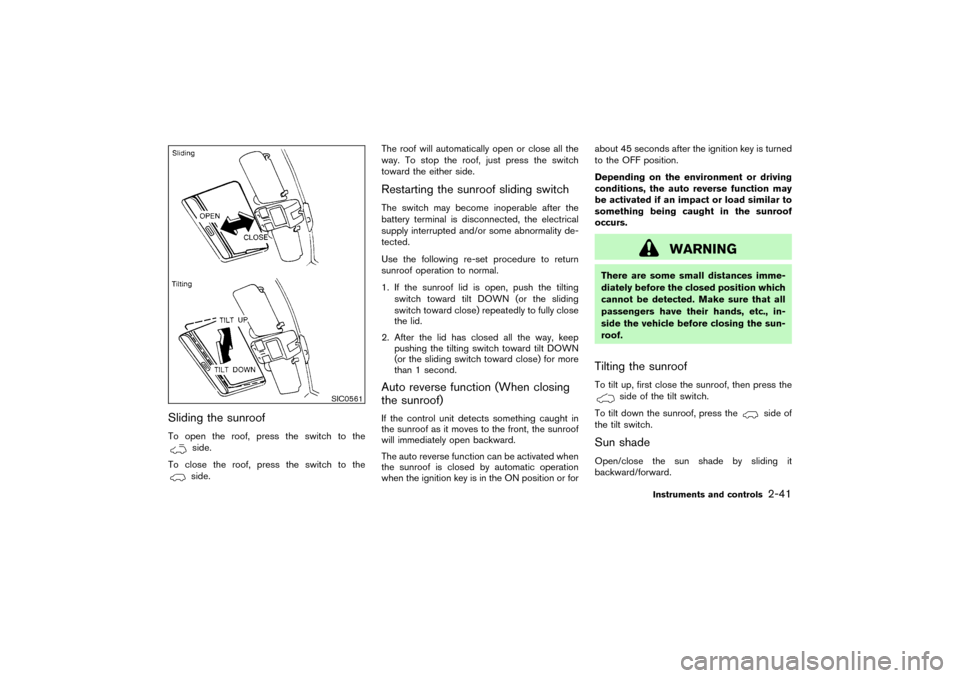
Sliding the sunroofTo open the roof, press the switch to the
side.
To close the roof, press the switch to theside.The roof will automatically open or close all the
way. To stop the roof, just press the switch
toward the either side.
Restarting the sunroof sliding switchThe switch may become inoperable after the
battery terminal is disconnected, the electrical
supply interrupted and/or some abnormality de-
tected.
Use the following re-set procedure to return
sunroof operation to normal.
1. If the sunroof lid is open, push the tilting
switch toward tilt DOWN (or the sliding
switch toward close) repeatedly to fully close
the lid.
2. After the lid has closed all the way, keep
pushing the tilting switch toward tilt DOWN
(or the sliding switch toward close) for more
than 1 second.Auto reverse function (When closing
the sunroof)If the control unit detects something caught in
the sunroof as it moves to the front, the sunroof
will immediately open backward.
The auto reverse function can be activated when
the sunroof is closed by automatic operation
when the ignition key is in the ON position or forabout 45 seconds after the ignition key is turned
to the OFF position.
Depending on the environment or driving
conditions, the auto reverse function may
be activated if an impact or load similar to
something being caught in the sunroof
occurs.
WARNING
There are some small distances imme-
diately before the closed position which
cannot be detected. Make sure that all
passengers have their hands, etc., in-
side the vehicle before closing the sun-
roof.Tilting the sunroofTo tilt up, first close the sunroof, then press the
side of the tilt switch.
To tilt down the sunroof, press the
side of
the tilt switch.
Sun shadeOpen/close the sun shade by sliding it
backward/forward.
SIC0561
Instruments and controls
2-41
�
04.3.9/R50-D/V5
�